
Where Flight Simulation Enthusiasts Gather from Around the World!
AVSIM Library - Search Results

| Category: Flight Simulator 2004 - Utilities | |
| FlightSim Manager 2.8.5 |

|
File Description:
Compatible with both FS2002 and FS2004. FlightSim Manager is a great tool for managing add-ons to Microsoft Flight
Simulator. Using easy to Wizard - FSM can install various addins from
distribution ZIP files that you may have downloaded, with easy uninstaller. FSM
has lots of feature to offer, from an easy to use Aircraft editor to add/edit
aircraft variants, to an comprehensive Hangar management that allows you to
manage and configure your add-ons off your live FS installation. You can create
Virtual Fleets, and enable/disable the complete fleet with ease. For serious
pilots, there is also a complete Logbook. If you have access to networked PCs, you can use FSM Lan View feature to create
virtual cockpits with as many different views as you like. FSM also make it very
easy to control Flight Simulator with speech commands, with additional support
for auto-saving flight, warning system, and your own custom event sounds. Also
FSM introduces a new ViewMode that replaces the existing boring tower view into
exciting camera view. Using a powerful Editor, you can now edit your AI Flight Plans - plans can be
saved as sets, which then in turn can be enabled in Flight Simulator. With FSM,
you can create Texture Sets ( your own custom texture installer ) - capture
screenshots, complete Benchmark with log, launching Flight Simulator with Random
Screens, and fly from anywhere in the world using an map view.
Finally with a comprehensive Diagnostic Tools and Repository feature, FSM keeps
your FS installation clean. Apart from the usual Missing and unused gauges, FSM
can also locate Aircraft problems, Missing and unused effects, and Scenery
Problems with an unique LandClass File relocate feature - say bye-bye to all
those memory leaks. There are still a lot more features that you will need to discover by yourself. You can find the latest version from: http://www.ranainside.com/
| Filename: | FlightSim_Manager_285.zip |
| License: | Freeware |
| Added: | 20th November 2005, 03:15:59 |
| Downloads: | 48,578 |
| Author: | Rana Hossain |
| Size: | 5.48 MB |
| Category: Prepar3D V1-4 - Utilities | |
| GENav pro Navigation |
|
Images related to this file:
File Description:

Previous payware product at SimMarket, now 100% free.
With GENav pro you will view all AIRAC navigation data and terminal procedures inside Google Earth. GENav pro run under Windows and require only Google Earth for displaying. You can also edit your own routes or just copy routes into GENav to view in Google Earth. You can search for example an airport or a fix by short or long name, Google Earth will take you there.
You can connect to Microsoft Flight Simulator to view your aircraft. Moving map and heading is available.
GENav pro is highly optimized for best performance and clear views without clutter. There are smart filters to select relevant data to display, all AIRAC items are available. You will find all data such as nav-aid frequencies, airport runways with ILS frequencies by click the displayed icons in Google Earth.
You can edit routes visual direct inside Google Earth by click. The database can always be updated with Navigraph's latest AIRAC data.
With GENav you can easy build valid routes. Unlike other common autorouting program, GENav is the tool for you to build routes with correct airway direction and correct connected to SID/STAR's. You will easy draw your routes most stright and correct to destination. It is also excellent for visual and instrument navigation flights.
FEATURES:
*** Display airports, nav aids, waypoints
*** Display High/Low airways and airways direction
*** Display SID/STAR, Approaches and Transitions
*** Display ARTCC/FIR border
*** AIRAC data available by click
*** Search airport and fixes
*** AIRAC data compatible Navigraph data
*** Visual editable routes
*** VOR to VOR route navigation data
*** Display your aircraft
BASIC SYSTEM REQUIREMENTS:
*** Windows with Google Earth installed
( Notice, no flightsim program required )
OPTIONALLY REQUIREMENTS:
*** SID/STAR require the Navigraph purchase or an alternative free source
*** Airways direction & high/low info require the Navigraph purchase
*** To display aircraft, Microsoft Flight Simulator or Prepare3D v1/v2, with free FSUIPC is required.
*** To display aircraft at a separate computer, also the payware WideFS is required.
| Filename: | GENav_pro_Navigation.zip |
| License: | Freeware |
| Added: | 25th May 2016, 11:24:52 |
| Downloads: | 654 |
| Author: | Lennart Vedin |
| Size: | 4.5 MB |
| Category: Flight Simulator X - Aircraft Repaints, Textures and Modifications | |
| Airbus A318 FD Special Version V3 - Complete Pack |
|
Images related to this file:
File Description:

This is the new version of my Airbus A318 with the Panel in V3 opened on the A321. I remind you that this aircraft is based on the Project Airbis A318, with an ehanced panel based on the work of stefan Liebe.
This latest development can see the more realistic Airbus available as freeware. With a new version of the panel, the aircraft has a 100% cold & dark Status at the start of a flight, a real fuel system management with all valves, piumps and crossfeed work, the complete Bleed circuit with X-bleed, a real engines manual startup procedure like the real aircraft. I have also ehanced the navigation display with TCAS function in ARC and NAV mode; There is also the engines failure procedure to work (fire, oil leaks....) and many improved function that I cannot describe here. The aircraft comes with user manual in English and in French, and it is essantial to read it before you fly.
All the functions of the V2 have been kept and improved, like the vertical navigation gauge, the terrain radar map on the navigation display, the autolanding function, the SFCC. Aircraft comes with 6 liveries (Air France and 5 Frontier liveries realized by Project Airbus Team). This version is only in CFm engines, but with real engine data (CFM56-5B9). Now, the Fly By wire works in 2 modes: "Normal Law" and "Direct Law". I put 300 hours into the development of this panel and I hope that you will like it. In the coming weeks, I will adapt this panel to the A319 V2 and A320 V2, that are the these are the last aircrafts that I must update with this new panel. Please, note that this panel is the v3.05 version, witch fixes the bugs of the first version that came with the A321 (there is an update panel for the A321). Francois Dore
| Filename: | Airbus_A318_FD_Special_Version_V3__Complete_Pack.zip |
| License: | Freeware, limited distribution |
| Added: | 17th June 2012, 13:18:21 |
| Downloads: | 19,602 |
| Author: | Francois Dore, Project Airbus |
| Size: | 110.04 MB |
| Category: Flight Simulator 2004 - Scenery | |
| LIMN Cameri, Italy (UPDATED v2) |
|
Images related to this file:
File Description:
This scenery is a homage to the great military airport of Cameri NO, Italy; it has been revised with complete new ground that solves the previous flickering problems; it is builded-up with ownmade GMax objects and other existing ones; some buildings by GMax, remainder by others and by Generic Building system.
Information: Built during 1910 close to Novara, it became a prestigious Flight School where a lot of pilots of WWI where trained. Later, Gabardini/CANSA entered by promoting and developing aviation activities, mainly establishing a military flight school. On 27th July 1914, first of story's time, a flight from Cameri crossed the Alps (Camery - Viege, over Monte Rosa) with a Gabardini 80HP aircraft and pilot Achille Landini together with Giuseppe Lampugnani passenger. On 1930 the school closed, but the field still remained as aviation workshop. During the WWII the airport was quite destroyed by the german army, during their retreat. After the war, the rebuild operations carried on to Cameri several details, of which the acrobatic patrol of "Lancieri Neri" and, 1967-1999, the great 53th "Stormo Caccia". On 1998 the storm was moved to Gioia del Colle airport and the base was restructured as Comand Airport, where some technical departments still works (the 453th Operative Technical Services Group, the 553th Logistic Operative Services Group and, mainly the 1st Aircrafts Maintenance Dep.nt)
Contents: all around new great terrain for about 4.5 x 3.5 km; static aircraft inside hangar as Tornado, Eurofighter and historic monoliths at admittance and inside airport; ground equipments, cars outside and inside airport, bus, tankers, emergency trucks; military shelters (10) and workshop ones (5); buildings outside/inside airport, control tower, VOR, radar tower and some other navaids; lights at hangars, admittance and all over the boundaries; more then 10 km boundary by walls and fences of the complete areas; thousands trees all over the scenery. This scenery includes the airport scenery content only. You can find separate further sceneries for Babini Army station and Museum
| Filename: | LIMN_Cameri_Italy_UPDATED_v2.zip |
| License: | Freeware |
| Added: | 20th October 2011, 00:20:05 |
| Downloads: | 2,357 |
| Author: | Aldo Della Vedova, Daniele Lanfranchi |
| Size: | 25.08 MB |
| Category: Flight Simulator 2004 - Utilities | |
| GENav pro Navigation |
|
Images related to this file:
File Description:

Previous payware product at SimMarket, now 100% free.
With GENav pro you will view all AIRAC navigation data and terminal procedures inside Google Earth. GENav pro run under Windows and require only Google Earth for displaying. You can also edit your own routes or just copy routes into GENav to view in Google Earth. You can search for example an airport or a fix by short or long name, Google Earth will take you there.
You can connect to Microsoft Flight Simulator to view your aircraft. Moving map and heading is available.
GENav pro is highly optimized for best performance and clear views without clutter. There are smart filters to select relevant data to display, all AIRAC items are available. You will find all data such as nav-aid frequencies, airport runways with ILS frequencies by click the displayed icons in Google Earth.
You can edit routes visual direct inside Google Earth by click. The database can always be updated with Navigraph's latest AIRAC data.
With GENav you can easy build valid routes. Unlike other common autorouting program, GENav is the tool for you to build routes with correct airway direction and correct connected to SID/STAR's. You will easy draw your routes most stright and correct to destination. It is also excellent for visual and instrument navigation flights.
FEATURES:
*** Display airports, nav aids, waypoints
*** Display High/Low airways and airways direction
*** Display SID/STAR, Approaches and Transitions
*** Display ARTCC/FIR border
*** AIRAC data available by click
*** Search airport and fixes
*** AIRAC data compatible Navigraph data
*** Visual editable routes
*** VOR to VOR route navigation data
*** Display your aircraft
BASIC SYSTEM REQUIREMENTS:
*** Windows with Google Earth installed
( Notice, no flightsim program required )
OPTIONALLY REQUIREMENTS:
*** SID/STAR require the Navigraph purchase or an alternative free source
*** Airways direction & high/low info require the Navigraph purchase
*** To display aircraft, Microsoft Flight Simulator or Prepare3D v1/v2, with free FSUIPC is required.
*** To display aircraft at a separate computer, also the payware WideFS is required.
| Filename: | GENav_pro_Navigation.zip |
| License: | Freeware |
| Added: | 25th May 2016, 11:24:32 |
| Downloads: | 529 |
| Author: | Lennart Vedin |
| Size: | 4.5 MB |
| Category: Flight Simulator 2004 - Panels | |
| PS Panels 737NG |
|
File Description:
Built completely from scratch, the PS Panels 737NG incorperates a high level of realism whilst still allowing the virtual pilot to use important FS features such as the flight planner and ATC systems.
Authentic NG EHSI
The PS Panels 737NG incorporates a high definition EHSI display including all the modes as per the real aircraft.
Approach, VOR, Map and Plan modes are all modelled (APP, VOR and Map in both Expanded and Standard modes).
The authentic and fully animated EHSI control panel allows the virtual pilot to set the display to his preference.
The PS Panels 737NG interfaces completely with the FS Flight Planner, you're flight plan will be automatically displayed in both the Plan and Map modes.
Extensive Overhead
The PS Panels 737NG incorporates a custom overhead panel to control the many modelled aircraft systems.
Based on the real NG Overhead panel with a slightly altered layout that allows the virtual pilot to continue to monitor his key instruments whilst managing the Fuel, Electrical, Hydraulic, Lighting and Pnuematic systems controlled through the panel.
Careful attention combined with detailed research has allowed us to model these systems to a high degree of accuracy.
Complete Radio Stack
The panel comes with an authentic 737NG radio stack, accurate down to the last details.
IRS System
The PS Panels 737NG models the operation of the aircrafts IRS. Unless proper alignment is completed through the IRS panel, many features of the aircraft's displays will be INOP.
Custom Throttle Panel
The panel comes with a custom throttle panel accurate to that on the real aircraft.
Advanced 2-stage Night Lighting
A first for PS Panels, the 737NG contains two stage night lighting allowing the virtual pilot to choose between two levels of cockpit lighting on the fly.
The main panel and all subpanels are lit using the same schemes.
Thanks to Yoo Sang Jun for his work on this.
| Filename: | PS_Panels_737NG.zip |
| License: | Freeware, limited distribution |
| Added: | 7th July 2007, 22:06:00 |
| Downloads: | 26,669 |
| Author: | Paul Scarratt |
| Size: | 4.1 MB |
| Category: Microsoft Flight Simulator (2020) - Utilities | |
| FSTramp v8.84 for MSFS, FSX(-SE), Prepart3D, X-Plane (Win) |
|
Images related to this file:
File Description:

This add-on is an EXE application for Microsoft Flight Simulator and a DLL module for all other simulators. The DLL variant is activated via hotkeys or the simulator menu add-ons or plugins. Window size and layout are configurable for one or more screens. To avoid dazzling, the brightness of the entire application is customizable. Primarily it is a flight management system (FMS) with automatic control from start to landing. This also includes the observance of SID, STAR and Approaches in unmatched quality. The flight plan required for the FMS can be created manually or automatically, interactive changes and additions during the flight are possible. The basis of the flight planner is the 3D world map and the search function for airfields and navigation aids. The FMS by FSTramp relies on the autopilot of the aircraft. In case of incompatibility, the autopilot integrated in FSTramp will be used. This allows FSTramp to control almost all aircraft from airport to airport. The altitude profile of the flight plan, SID, STAR and approach is taken into account. This means that FSTramp extends the often incomplete airport procedures to and from the runway so that they can be flown completely automatically. During the fully automatic flight, the autopilot values ​​for HDG, ALT, VSPEED, SPD and MACH can be manually overridden. This is e.g. useful for being able to react to the instructions of the tower in the final approach without completely stopping the automatic flight. The rotating or north pointing 3D world map with numeric display of the terrain elevation under the mouse arrow is another special feature. It does not need an internet but is synthesized from included height profiles of the globe. The Data of continents, mountains and rivers are included in the setup. Airspaces, Airways, Waypoints and SID, STAR and Approaches are also included in the setup, but can be updated by installing additional AIRAC cycles. Airfields and navigation stations are taken from the simulator. NVIDIA: If the frame rate of the simulator drops sharply about 20 seconds after FSTramp's visibility, the power management of the GPU slows down prematurely. In the NVIDIA Control Panel, change the 'Manage 3D settings - Power management mode' option to 'Adaptive'.
| Filename: | FSTramp_v884_for_MSFS_FSXSE_Prepart3D_XPlane_Win.zip |
| License: | Shareware, time limited |
| Added: | 7th July 2023, 04:35:12 |
| Downloads: | 110 |
| Author: | Helge Schroeder |
| Size: | 358.21 MB |
| Category: Flight Simulator X - Utilities | |
| FSTramp v8.84 for MSFS, FSX(-SE), Prepart3D, X-Plane (Win) |
|
Images related to this file:
File Description:
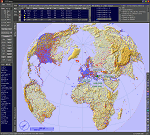
This add-on is an EXE application for Microsoft Flight Simulator and a DLL module for all other simulators. The DLL variant is activated via hotkeys or the simulator menu add-ons or plugins. Window size and layout are configurable for one or more screens. To avoid dazzling, the brightness of the entire application is customizable. Primarily it is a flight management system (FMS) with automatic control from start to landing. This also includes the observance of SID, STAR and Approaches in unmatched quality. The flight plan required for the FMS can be created manually or automatically, interactive changes and additions during the flight are possible. The basis of the flight planner is the 3D world map and the search function for airfields and navigation aids. The FMS by FSTramp relies on the autopilot of the aircraft. In case of incompatibility, the autopilot integrated in FSTramp will be used. This allows FSTramp to control almost all aircraft from airport to airport. The altitude profile of the flight plan, SID, STAR and approach is taken into account. This means that FSTramp extends the often incomplete airport procedures to and from the runway so that they can be flown completely automatically. During the fully automatic flight, the autopilot values ​​for HDG, ALT, VSPEED, SPD and MACH can be manually overridden. This is e.g. useful for being able to react to the instructions of the tower in the final approach without completely stopping the automatic flight. The rotating or north pointing 3D world map with numeric display of the terrain elevation under the mouse arrow is another special feature. It does not need an internet but is synthesized from included height profiles of the globe. The Data of continents, mountains and rivers are included in the setup. Airspaces, Airways, Waypoints and SID, STAR and Approaches are also included in the setup, but can be updated by installing additional AIRAC cycles. Airfields and navigation stations are taken from the simulator. NVIDIA: If the frame rate of the simulator drops sharply about 20 seconds after FSTramp's visibility, the power management of the GPU slows down prematurely. In the NVIDIA Control Panel, change the 'Manage 3D settings - Power management mode' option to 'Adaptive'.
| Filename: | FSTramp_v884_for_MSFS_FSXSE_Prepart3D_XPlane_Win.zip |
| License: | Shareware, time limited |
| Added: | 7th July 2023, 04:35:43 |
| Downloads: | 130 |
| Author: | Helge Schroeder |
| Size: | 358.21 MB |
| Category: Flight Simulator X - Utilities | |
| GENav pro Navigation |
|
Images related to this file:
File Description:

Previous payware product at SimMarket, now 100% free.
With GENav pro you will view all AIRAC navigation data and terminal procedures inside Google Earth. GENav pro run under Windows and require only Google Earth for displaying. You can also edit your own routes or just copy routes into GENav to view in Google Earth. You can search for example an airport or a fix by short or long name, Google Earth will take you there.
You can connect to Microsoft Flight Simulator to view your aircraft. Moving map and heading is available.
GENav pro is highly optimized for best performance and clear views without clutter. There are smart filters to select relevant data to display, all AIRAC items are available. You will find all data such as nav-aid frequencies, airport runways with ILS frequencies by click the displayed icons in Google Earth.
You can edit routes visual direct inside Google Earth by click. The database can always be updated with Navigraph's latest AIRAC data.
With GENav you can easy build valid routes. Unlike other common autorouting program, GENav is the tool for you to build routes with correct airway direction and correct connected to SID/STAR's. You will easy draw your routes most straight and correct to destination. It is also excellent for visual and instrument navigation flights.
FEATURES:
*** Display airports, nav aids, waypoints
*** Display High/Low airways and airways direction
*** Display SID/STAR, Approaches and Transitions
*** Display ARTCC/FIR border
*** AIRAC data available by click
*** Search airport and fixes
*** AIRAC data compatible Navigraph data
*** Visual editable routes
*** VOR to VOR route navigation data
*** Display your aircraft
BASIC SYSTEM REQUIREMENTS:
*** Windows with Google Earth installed
( Notice, no flightsim program required )
OPTIONALLY REQUIREMENTS:
*** SID/STAR require the Navigraph purchase or an alternative free source
*** Airways direction & high/low info require the Navigraph purchase
*** To display aircraft, Microsoft Flight Simulator or Prepare3D v1/v2, with free FSUIPC is required
*** To display aircraft at a separate computer, also the payware WideFS is required
| Filename: | GENav_pro_Navigation.zip |
| License: | Freeware |
| Added: | 23rd May 2016, 19:57:35 |
| Downloads: | 1,576 |
| Author: | Lennart Vedin |
| Size: | 4.5 MB |
| Category: Prepar3D V5 - Utilities | |
| FSTramp v8.84 for Prepart3D 2-6, MSFS, FSX(-SE), X-Plane (Win) |
|
Images related to this file:
File Description:
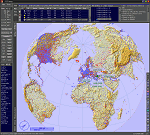
This add-on is an EXE application for Microsoft Flight Simulator and a DLL module for all other simulators. The DLL variant is activated via hotkeys or the simulator menu add-ons or plugins. Window size and layout are configurable for one or more screens. To avoid dazzling, the brightness of the entire application is customizable. Primarily it is a flight management system (FMS) with automatic control from start to landing. This also includes the observance of SID, STAR and Approaches in unmatched quality. The flight plan required for the FMS can be created manually or automatically, interactive changes and additions during the flight are possible. The basis of the flight planner is the 3D world map and the search function for airfields and navigation aids. The FMS by FSTramp relies on the autopilot of the aircraft. In case of incompatibility, the autopilot integrated in FSTramp will be used. This allows FSTramp to control almost all aircraft from airport to airport. The altitude profile of the flight plan, SID, STAR and approach is taken into account. This means that FSTramp extends the often incomplete airport procedures to and from the runway so that they can be flown completely automatically. During the fully automatic flight, the autopilot values ​​for HDG, ALT, VSPEED, SPD and MACH can be manually overridden. This is e.g. useful for being able to react to the instructions of the tower in the final approach without completely stopping the automatic flight. The rotating or north pointing 3D world map with numeric display of the terrain elevation under the mouse arrow is another special feature. It does not need an internet but is synthesized from included height profiles of the globe. The Data of continents, mountains and rivers are included in the setup. Airspaces, Airways, Waypoints and SID, STAR and Approaches are also included in the setup, but can be updated by installing additional AIRAC cycles. Airfields and navigation stations are taken from the simulator. NVIDIA: If the frame rate of the simulator drops sharply about 20 seconds after FSTramp's visibility, the power management of the GPU slows down prematurely. In the NVIDIA Control Panel, change the 'Manage 3D settings - Power management mode' option to 'Adaptive'.
| Filename: | FSTramp_v884_for_Prepart3D_26_MSFS_FSXSE_XPlane_Wi.zip |
| License: | Shareware, time limited |
| Added: | 7th July 2023, 04:35:26 |
| Downloads: | 42 |
| Author: | Helge Schroeder |
| Size: | 358.21 MB |


© 2001-2026 AVSIM Online
All Rights Reserved
Privacy Policy |