
Where Flight Simulation Enthusiasts Gather from Around the World!
AVSIM Library - Search Results

| Category: Flight Simulator X - Utilities | |
| Graphic Realism and FSX Optimization |

|
File Description:
The add-ons configuration step by step
Not configured FSX is a pain in the neck for many people. A small number of fps and frequent CTD (crash to desktop) can be extremely annoying or even depressing to some users. A lot of you probably came to a conclusion that it was going to be a losing battle and you gave up after a few fruitless days or you spent money on the FSPS-XTREME FSX PC V2 program, which can automatically do practically everything for us. But what's the point of spending money on something that we can do by ourselves with the help of this handbook?
I myself was dealing with the FSX platform three times before I gave up FS9. Microsoft gave out the engine to us, but in order to make sense, our passion involves radical tuning of the device. On the ground of one's own experience and thousands of hours devoted by people to diving into the core of the platform, I'll present a way of installation, add-ons selection and their configuration starting from the installation of the system. Having done the procedures described below, FSX will look beautiful and it'll work smoothly even with challenging sceneries. The entirety is based on quite a popular hardware configuration, which will let us use 85% of the graphic potential of Microsoft Flight Simulator X. We want t to achieve the goal of minimum 25 fps in VC B738 PMDG NGX, with challenging sceneries, flying in the window mode. For the mode the full screen efficiency should reach 33 fps.
In this handbook, I'm neither going to describe each and every change made in cfg nor explain what the alterations are to conduce. You will be given a simple and ready recipe which I use myself. I can't guarantee a 100% satisfaction for the poorer equipment computers. I can assure you, however, that FSX will definitely work so much better and playing with FSX sliders or with the size of textures in REX you will be able to obtain the desired effect.
| Filename: | Graphic_Realism_and_FSX_Optimization.zip |
| License: | Freeware, limited distribution |
| Added: | 15th November 2013, 20:33:26 |
| Downloads: | 5,744 |
| Author: | Grzegorz Trzoch |
| Size: | 3.96 MB |
| Category: Flight Simulator X - Utilities | |
| FS2004/FSX Flight Analyzer, Logbook Utility V4.09 |
|
Images related to this file:
File Description:
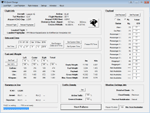
FS2004/FSX Flight Analyzer Utility V4.09
Flight Data Recorder - Logbook.
NOW WITH STATISTICS TOP 5 AIRPORTS, CITIES AND COUNTRIES.
Very easy to use, just make a flight plan in the simulator or in this utility.
What this program do:
- quickly change the settings of FSX/Fs2004, such as time, date, fuel, weight, traffic etc.
- start a failure sytem, such as gear, flaps, engine, etc.
- freeze the time, so you can fly in a for everlasting sunset.
- runway detecting system to see wich runways are in use.
- flight analyzing/data recording from departure to parking at the gate.
- When flight analysis is finished you can print a report, the report is automaticly saved as pdf File.
- graphical landingchart.
- record all your flights
- quickly look to your FSX display settings (only FSX) and change them even before the flight simulator is running.
- After a flight is finished FsQC saves your flight automaticly as 'FsQC last Flight', so you can continue the next day or hour.
Flight analysis start recording at the moment when you begin taxiing.
It gives you huge information such as:
- takeoff- and landing-weight.
- takeoff- and landing-roll in m. and ft.
- separate fuel consumption in taxi, climb, cruise and descent.
- maximum banking in flight.
- which speed you using the flaps and gear.
- when autopilot on or off.
- vertical speed on touchdown.
- reverser set after landing.
- wich speed you cancel reverser.
- bouncing at landing.
- graphical landingchart.
- and lots of more.
You can better look the example of the pdf document located in the 'Flight Reports' folder.
Logbook records:
- fuel consumption.
- payload.
- distance.
- number of different airports.
- flight hours.
- landings.
- flaps.
- speed.
- and lots of more.
- quickly show touchdown wind information in a picture.
- quickly show the graphical landing chart.
- Now with statistics: top 5 Countries, Cities and Airports
Requirements:
Computer with vista or higher and internet access.
Microsoft .net framework 4.6 or higher.(free download on microsft.com)
Flightsimulator FSX or 2004 and FSUIPC installed.
Note: requires paid activation for full use.
Register and you have 1 month free.
Program fully works without registration at airport Athens and Iraklion (Greece)
| Filename: | FS2004FSX_Flight_Analyzer_Logbook_Utility_V409.zip |
| License: | Shareware, time limited |
| Added: | 3rd March 2019, 00:20:37 |
| Downloads: | 249 |
| Author: | Evander Tholen |
| Size: | 3.35 MB |
| Category: Flight Simulator 2004 - Scenery | |
| Cameri and Turbigo sceneries (rev. 3) - north Italy |
|
Images related to this file:
File Description:
The following files are required by this file:
http://library.avsim.net/esearch.php?DLID=163723&UploadID=&Name=&FileName=&Author=&CatID=root
http://library.avsim.net/esearch.php?DLID=186350&UploadID=&Name=&FileName=&Author=&CatID=root
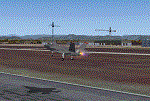
This scenery includes a global review of the previous Sceneries of Cameri Military airport (rev.2 Oct 2011), Cameri Museum (rev. 2 Oct 2011), Cameri Babini (rev. 2 oct 2011), Turbigo power station (rev. 2 Sep 2011 and update rev. 2.1 Oct 2014). All the above ARE NOW INCLUDED in this new unique scenery. Contents: Terrain in new version photo-realistic multi-seasons/night; adapted to Western Europe special elevation meshes; cover area of over 120 sqkm from Bellinzago-Oleggio (NW) to Magnago-Bienate (NE), from Novara (SW) to Cuggiono-Inveruno (SE); all the terrain has been restorated with 3D buildings, either through autogen that with specific dedicated objects (by GMax) and with significant addition of library objects ("dva51" and other existings). This scenery (located on the final approach to the Milan Malpensa international airport) includes the Cameri's Mil Airport with the Babini closed Army area and the planes of the Historical Museum of the airport; it is also included the thermoelectric power station of Turbigo. All the buildings are placed to recreate cities and villages covered in the photo-realistic terrain, including Bellinzago, Bienate, Buscate, Caltignaga, Cameri, Castano Primo, Castelletto Ticino, Cuggiono, Galliate, Inveruno, Magnago, Malvaglio, Nibbia, Novara, Oleggio, Pernate, Robecchetto, Romentino, Sant'Anna, San Pietro Mosezzo, Turbigo , Vanzaghello, and the covered Turin-Milan highway.
Details of the new buildings for the care and maintenance to F35 completely recreated, as obtainable from the current satellite view.
It REQUIRES the use of the following, to be downloaded separately :
- the libraries dva51 - the system of vegetations TreePlanter - the West Europe Meshes of Daniele Lanfranchi. See the Readme file. Enjoy!
Videos available here:
https://dl.dropboxusercontent.com/u/38829151/FS9/Cameri_Turbigo_v3%20shots.WMV
http://youtu.be/yVI2KeJKS5o
http://youtu.be/oKa0e_5kxIk
| Filename: | Cameri_and_Turbigo_sceneries_rev_3__north_Italy.zip |
| License: | Freeware |
| Added: | 21st January 2015, 21:32:36 |
| Downloads: | 992 |
| Author: | Aldo Della Vedova, Daniele Lanfranchi and Gian Mario Verga |
| Size: | 103.7 MB |
| Category: Miscellaneous Files - Miscellaneous Files | |
| CPS-NG RC 5 |
|
File Description:
CPS-NG (Concorde Performance System New Generation) is the successor to CPS-X, the essential flight preparation utility created in 2011
and discontinued in 2018.
Since the end of its development, still present on AVSIM despite a large number of unavailable functions, it has been downloaded more
than 3000 times.
This new CPS opus will satisfy the most demanding Concorde simulation enthusiasts.
CPS-NG now makes it possible to plan Concorde flights with the following simulators:
FsLabs Concorde X for FSX, and P3D up to version 3.
Colimata Concorde FXP for X-Plane and Gaston Reif's beautiful mod, Heritage Concorde Avionics Package.
With these simulators, CPS-NG can export waypoints to INS, payload and fuel to aircraft.
Like its illustrious predecessors, CPS-NG uses authentic Air France data and charts.
It offers a map of the flight including the navigation points, the points to protect from the supersonic bang, on departure and on
arrival
The flight preparation stages are done in a user-friendly way.
the subsonic levels are configurable, the anti-noise procedures are calculated as in reality. The loading of the plane is modifiable by
the user in order to obtain the ideal centering.
The fuel is calculated as in reality and its distribution in the 11 tanks of Concorde complies with the filling law of Air France and
British Airways.
CPS-NG like its previous version also offers the user a flight report in the form of a PDF document which contains all the elements
necessary for the preparation of the aircraft.
it also offers Concorde-specific settings such as initial climb angle, time until anti noise procedure, throttle levers angle during
anti noise procedure, fuel flow, maximum pressure in P7,
trim adjustment and everything a pilot and flight engineer could want for a perfect flight.
CPS-NG also offers in the flight report, Take-off and landing forms in accordance with the real documents and the user has the choice
between the Air France form and the British Airways one.
Finally, CPS-NG allows the use of real-time weather from NOAA, personalized weather or the one generated by Active Sky 2016,
Active Sky for P3D and Active Sky for X-Plane 11 or 12.
In summary, here you have the ultimate tool for Concorde simulation.
You dreamed it, we did it!
Break the sound barrier.
| Filename: | CPSNG_RC_5.zip |
| License: | Freeware |
| Added: | 10th August 2023, 15:48:00 |
| Downloads: | 72 |
| Author: | Pierre Chassang |
| Size: | 19.49 MB |
| Category: Flight Simulator 2004 - Utilities | |
| FlightSim Manager v2.6.1 |
|
File Description:
Compatible with both FS2002 and FS2004
FlightSim Manager is a great tool for managing add-ons to Microsoft Flight Simulator. Using easy to Wizard - FSM can install aircraft, panels, textures and scenery directly from distribution ZIP files you may have downloaded, with proper uninstallation of add-ons. From an easy to use Aircraft editor to add or remove aircraft variants, to an comprehensive Hangar management allows you to manage and configure your add-ons off your live FS installation.
You can now create Virtual Fleets, and enable/disable the complete fleet with ease. For serious pilots, FSM also offers a complete Logbook.
Lan View feature allows you to create virtual cockpits with multiple monitor support, using networked PCs.
With FSM, you can create Texture Sets - i.e.. different Tree Sets, and you can install any set with a single click, capture screenshots from Flight Simulator, Benchmark with log, launch it with Random Splash Screens, and fly from anywhere in the world using an map view.
You can also control Flight Simulator with speech commands using FSM. It also supports auto-saving flight, warning sytem, and custom event sounds.
Finally with a comprehensive Diagnostic Tools and Repository feature, FSM keeps your FS installation clean. Apart from the usual Missing and unused gauges, FSM can also locate Aircraft problems, Missing and unused effects, Scenery Problems with a LandClass File relocate feature - say bye-bye to all the memory leaks.
You can find the latest version from: http://www.ranainside.com/
To provide you - the user with the best Freeware FS-Addon, I need your help... if you have any suggestions, recommendations or problem using this software, please contact me through our Forum at: http://softwares.ranainside.com/forum/
You may not distribute the original archive/setup utility of the program(s) to anyone else, any Bulletin Board System, Portable Media or any web-site unless EXPRESS PERMISSION FROM THE AUTHOR is granted. You may not sell, lease, rent, or include this program or its original archive by any media without EXPRESS PERMISSION FROM THE AUTHOR. You are not required to pay for this program in any way, shape or form, but you are not licensed to distribute this program or its original archive for any financial gain.
| Filename: | FlightSim_Manager_v261.zip |
| License: | Freeware, limited distribution |
| Added: | 15th September 2004, 12:51:52 |
| Downloads: | 5,440 |
| Author: | Rana Hossain |
| Size: | 4.43 MB |
| Category: Flight Simulator 2004 - Scenery | |
| Wilmington International Airport - Update |
|
File Description:
WILMINGTON INTERNATIONAL AIRPORT KILM, WILMINGTON, NORTH CAROLINA.
For FS9.
BY JOHN B. LONEY, JR, RAY LUNNING, and MICHAEL VERLIN
UPDATE
In this package you will find an updated copy of KILM_ADE9_MV.BGL.
The original release did not have taxiway signs, and the ATIS frequency was incorrect. These errors have been corrected.
INSTRUCTIONS -
Simply unzip this file to a temporary folder. Move the updated file to where you have your KILM files installed, overwriting the original file. This will update your installation
Legal stuff. Copyright and Distribution
The Copyrights of the items used in this scenery are property of the respective authors and are in full force on behalf of those authors. If I have infringed on any of the copyrights by including the items viewed in this scenery in the upload file, it was purely unintentional and I do sincerely apologize. I have acknowledged and given credit to all the persons associated with each aircraft in the scenery to the best of my knowledge. Also, I do appreciate the permissions I did receive from some of the authors. I felt is helps the end user when certain items in a scenery can be uploaded with the scenery. An honest attempt has been made to acknowledge and give credit to those whose works contributes to this scenery.
This scenery is freeware. Copyright John B. Loney, Jr. You do not have my permission to make any monetary gain from this scenery. It started out as freeware and it shall remain freeware.
This scenery should only be distributed from/to one of the following three websites: Flightsim.com, AVSIM.com or lfssd.net.
Written request to distribute this scenery and/or its components to any other website will be considered on an individual basis.
This scenery can be bundled with any modification to the scenery as long as the proper credit is given to the authors of the scenery and components of the scenery and the original readme file is included with the modification.
-The author's rights and wishes concerning this archive must be respected.
Copyright (c) 2013 by John B. Loney, Jr. All Rights Reserved.
-Disclaimer: I do not accept any responsibility for any damage to any system as a result of running this software.
-Contact: As usual, I welcome any comments. I will try to answer as many as I can. Website: www.lfssd.net Have fun and enjoy.
| Filename: | Wilmington_International_Airport__Update.zip |
| License: | Freeware, limited distribution |
| Added: | 24th August 2013, 10:28:35 |
| Downloads: | 602 |
| Author: | John B. Loney, Ray Lunning and Michael Verlin |
| Size: | 12.33 KB |
| Category: Flight Simulator X - Original Aircraft | |
| Airbus A318 FD Special Version V3 - Light Pack |
|
Images related to this file:
File Description:

This is the new version of my Airbus A318 with the Panel in V3 opened on the A321 - here in a light pack version, included is 1 livery only (Frontier Airlines NR807 Painted by Derek Mayer & Steve Mac Bee of PA Team).
This light pack contains only the user manual in english version (and low resolution). If you want the french version of this manual, use the "zipdrive" function with the complete pack of this aircraft (search by name file "pa318fd_v3.zip"). This light version has been made by request for all those with low download speeds and limits.
The original complete pack is available HERE (filename: pa318fd_v3.zip)
I remind you that this aircraft is based on the Project Airbus A318, with an ehanced panel based on the work of stefan Liebe.
This latest development can see the more realistic Airbus available as freeware. With a new version of the panel, the aircraft has a 100% cold & dark Status at the start of a flight, a real fuel system management with all valves, piumps and crossfeed work, the complete Bleed circuit with X-bleed, a real engines manual startup procedure like the real aircraft. I have also ehanced the navigation display with TCAS function in ARC and NAV mode; There is also the engines failure procedure to work (fire, oil leaks....) and many improved function that I cannot describe here. The aircraft comes with user manual in English and in French, and it is essantial to read it before you fly.
All the functions of the V2 have been kept and improved, like the vertical navigation gauge, the terrain radar map on the navigation display, the autolanding function, the SFCC.
This version is only in CFm engines, but with real engine data (CFM56-5B9) and custom HD sounds. Now, the Fly By wire works in 2 modes: "Normal Law" and "Direct Law". I put 300 hours into the development of this panel and I hope that you will like it.
Please, note that this panel is the v3.05 version, witch fixes the bugs of the first version that came with the A321 (there is an update panel for the A321).
So, It seems that this aircraft works with PREPAR3D
Francois Dore
| Filename: | Airbus_A318_FD_Special_Version_V3__Light_Pack.zip |
| License: | Freeware, limited distribution |
| Added: | 14th July 2012, 15:34:06 |
| Downloads: | 6,725 |
| Author: | Francois Dore, Project Airbus |
| Size: | 64.88 MB |
| Category: Flight Simulator X - Scenery | |
| hythevillage_pier.zip |
|
File Description:
Hythe Village and Pier
Hythe Village [Town] nestles between the edge of Southampton Water and the New Forest, some 500 yards west of the ‘American Base – RAF Hythe’; the surrounding area is known as ‘The Waterside’. Hythe, with its waterfront, boasts incredible views across Southampton Water, while the village [town] centre, with its Georgian High Street, offers a range of shops, services, traffic-free precincts and parking facilities. Nearby is ‘Hythe Marina’, to be found on Southampton Water's southern shore; it’s a unique development of a 206 berth marina, together with waterside homes, shops, restaurants, bars and a boutique hotel.There is also a passenger ferry which sails back-and-forth from Hythe Pier to the City of Southampton every 30 minutes. Before Hythe Pier was built, ferry and other boats arriving at Hythe had to use a gravel hard ramp which ran from the land out to the low tide point in Southampton Water. Walking along the hard gravel was not easy and travellers often got very wet. Various ideas to improve the situation were suggested at the time and construction of Hythe Pier was eventually started in October 1879 and officially opened on the 1st January 1881. Many World War II heroes departed from this pier on D-Day in June 1944.The pier itself stretches some 640 meters into Southampton Water and is one of the ten longest piers in the British Isles. In 1922, a narrow gauge electric railway opened in order to take passengers the full length of the Pier. This railway, with its original engine and rolling stock, is the oldest operating electric pier train in the world and is still operational to this day – playing an important part in the local transportation system between Hythe and Southampton.
Scenery Features
* Bus Shelter
* Ferry Ticket Collectors (On pier landing platform)
* Ferry Ticket Office
* High Street Shops
* Hotspur House
* Hythe Library & Car Park
* Hythe Pier
* Hythe Pier Landing Platform
* Hythe Promenade
* Library Road & Shops
* Lidl Superstore & Car Park
* People (Static & animated)
* Pier Railway & Safety Railings
* Pier Train (Parked at village end of pier)
* Lord Nelson Public House
* Prospect Place Park
* Public Toilets
* Seashells Lounge Bar & Restaurant
* St. John's Church & Cemetery
* Street Lighting
* Streets & Roadways
* ‘The Marsh’ & New Road
* Vegetation (Trees, bushes)
* Vehicles (Buses & cars)
* Waitrose Supermarket & Car Park
* WWII Remembrance Plaque (Prospect Place)
Special Effects
* Animated Birds (seagulls-close to village & pier)
* Chimney Smoke
* Night, Dusk & Dawn Lighting Effects
* Seagull Cry Sounds
| Filename: | hythevillage_pierzip.zip |
| License: | Freeware |
| Added: | 21st November 2025, 12:42:28 |
| Downloads: | 67 |
| Author: | Barrie Semmens |
| Size: | 16.37 MB |
| Category: Flight Simulator X - Aircraft Repaints, Textures and Modifications | |
| Boeing B-17G Flying Fortress #43-97976 "A Bit o' Lace" |
|
Images related to this file:
File Description:

This folder contains a repaint for the accu-sim version of the A2A B-17G Flying Fortress. It represents #42-97976 "A Bit o' Lace", which was assigned to the 709th BS /447th BG. The nose art consisted of a cartoon by Milton Caniff. The co-pilot was Lt. John Bauman, a fraternity brother of Milton Caniff. He sent Caniff a detailed idea of the proposed artwork and the sketch was returned with Caniff's annotation: "A Bit-O-Lace for Lt. John H. Bauman, and the rest of the gang, with my best wishes - Milton Caniff NY, Oct. 1944". Nicholas Fingelly, an artist attached to the 709th BS, carried out the work and completed the painting in about six hours and gave Milton Caniff full credit for his his character. Her first crew flew 35 missions over Europe with no injuries, although returning with a good many holes, at times. The closest call was when a piece of shrapnel came up through Navigator's table and "Ike" Eisenhart's arms, but missed him. A surprise souvenir for Ike, which he still has. She flew more missions with different crews, until the april 4, 1945 flight. From the navigator, John Kirkwood: "Right over Kiel, and seconds before the bomb release, I heard the co-pilot say that "This airplane feels funny." Seconds later the tail gunner, who had regained his power of speech, blurted out something to the effect that part of "The tail was gone." A flak shell had gone right through the left horizontal tail, leaving only a partial surface, and completely removing the left elevator.
We dropped out of the formation, and tried to drop the bombs, but the electrical system failed. We flew north a minute or so, the plane now in the hands of the pilot. The pilot did not want to drop over Denmark, so we turned out over sea, and dropped via screwdriver. Actually, we were over Schleswig-Holstein, according to my position, but it was close, and Tom did not want to chance killing danes.
We flew on, at a reduced speed, far out to sea on a west-south-west course with occasional ETA's to the pilot. Several fighters joined us, and finally we got back to the base, and the runway was cleared for us. A decision had to be made by the pilot: To jump or ride her in.. Tom decided that he could land the plane, so we all congregated to the radio room, and that was that.
I might add that none of us had any desire to jump. Most of the photos of 976 were taken after repairs, hence the dark colored rudder and left elevator. As you know, the color prior to the damage was silver. 976 flew one or two missions after that, but I never saw her again, other than in a color photo of the moth-balled fleet in Arizona."
Repaint by Jan Kees Blom, based on the repaint kit by A2A.
| Filename: | Boeing_B17G_Flying_Fortress_4397976_A_Bit_o_Lace.zip |
| License: | Freeware |
| Added: | 20th August 2010, 22:14:46 |
| Downloads: | 721 |
| Author: | Jan Kees Blom |
| Size: | 19.95 MB |
| Category: Flight Simulator 2004 - Scenery | |
| Bethel PABE in southwest Alaska |
|
Images related to this file:
File Description:
There are four main northwestern Alaska towns which have good airports and are serviced by Alaska Airlines. From these airports local flights connect to nearby villages, "nearby" in Alaska meaning up to 200 miles away. The northernmost is Barrow. Southwest of Barrow is Kotzebue, then Nome, and the furthest south is this one, Bethel. The town of Bethel has a population of just over 6,000 and is 50 miles from the sea on the Kuskowim River, that splits and forks into many tributaries. Bethel Airport is close to the town and provides the only contact with the rest of Alaska, as there is no connecting highway system. There are scheduled flights by Alaska Airlines, ERA (now called Ravn) and Grant Aviation, plus others such as Ryan Air. There are cargo flights by Everts, Northern, and Lynden, and redistribution onwards to nearby villages by the smaller locally-based planes; all of these are included in the AI. There are two main runways, one just under 6,400 feet and another just under 3,900 feet, both of them aligned 19-1. The third runway is around 1,800 feet and mainly gravel, aligned 11-29. Parking at PABE is on three aprons, the northern for smaller commercial planes of Grant, ERA, Ryan etc, the central for larger planes of Alaska, Northern, Everts, and Lynden, and the southern for a large collection of GA; each apron has further hangars for maintenance companies and smaller operators. There is also another separate apron for the local military and Coastguard. There is not much photographic information available for PABE, and I have never been there; as a result it was impossible to make detailed photographic textures for some of the buildings. However, for most hangars I have made textures of at least the right colour etc based on the information I assembled and if it is green with white trim and side windows then that is how it now appears here. The exceptions are the Alaska Airlines terminal building which has complicated curved elements, and the two military hangars and workshops where I had to settle for an Alaska terminal building from another airport and the same for the military. There are numerous small villages in the vicinity of Bethel, all of them being beside either a river tributary or the coast. There are two Google Earth screenshots to show the villages that are served by the flights from Bethel and that are (mostly) included in the AI. Some of these airfields were not included in FS9 but AI will still operate in and out of Bethel. The smaller area screenshot shows the villages that are close to Bethel, and of these eight I have so far made six and they are included in this post: Napaskiak PKA, Napakiak WNA, Kwethluk KWT, Atmautluak 4A2, Nunapitchuk 16A, and Kasigluk Z09. I will work my way through the rest of the area.
| Filename: | Bethel_PABE_in_southwest_Alaska.zip |
| License: | Freeware, limited distribution |
| Added: | 8th March 2019, 00:37:58 |
| Downloads: | 303 |
| Author: | Roger Wensley |
| Size: | 32.02 MB |


© 2001-2026 AVSIM Online
All Rights Reserved
Privacy Policy |