
Where Flight Simulation Enthusiasts Gather from Around the World!
AVSIM Library - Search Results

| Category: Flight Simulator 2004 - Panels | |
| F16 |

|
File Description:
FS2004 Panel, F16 Air Show Tour. The panel of this jet fighter has been designed for cross country flying to events worldwide. The 2D cockpit is packed with new gauges that complement this high performance, yet docile aircraft. All gauges, lights, etc. are functional, easy to read, and are panel installed except GPS 500. For long distance flights, the panel contains on-demand refueling capabilities for both ground and air operations. A few of the new gauges are; 180-degree scan navigational radar, triple mode interceptor-refueling-terrain radar, refueling gauge with command screen, fuel center with time/distance remaining computer, new Descentometer for Mach-plus aircraft, analog engine gauges including thrust and fuel efficiency, plus a hangar full of warning and indicator lights. The intercept mode of the ai-radar feeds info to the autopilot to assist in the rendezvous with tanker to allow all-weather, day or night air refueling. Digital data for AP, radio, altimeter, timer, and Descentometer is input via a central keypad. Acknowledge ATC instructions using joystick. Designed for use with Kirk Olsson's F16 Viper. Includes 15 page illustrated instructions plus Intercept and Refueling tutorial. By Glenn Copeland
| Filename: | F16.zip |
| License: | Freeware |
| Added: | 12th January 2007, 03:00:43 |
| Downloads: | 5,782 |
| Author: | Glenn Copeland |
| Size: | 1.83 MB |
| Category: X-Plane - Utilities | |
| X-Camera 2.2.1 |
|
Images related to this file:
File Description:
The X-Camera 2.1.1 plugin for X-Plane 9 and 10 is a replacement camera system that lets you define multiple view categories and multiple views within those categories that are associated with specific aircraft. X-Camera is similar to EzDok for FSX only for X-Plane. Watch this short X-Camera demo on YouTube: https://www.youtube.com/watch?v=PgOxG8ejq9A
Each view can have options:
- TrackIR:
Each view can enable or disable the TrackIR input. If the view is out the cockpit window having TrackIR enabled is desirable. However, if the view is a close-up of an instrument panel then having TrackIR disabled is probably the better choice since the view will be stable making it easy to click on cockpit controls with the mouse. We also support LinuxTrack on Linux and Mac systems.
- HeadShake:
If the HeadShake plugin from SimCoders is installed then the view can accept input from HeadShake. Similar to the TrackIR feature you will likely want this enabled for certain views but disabled for views on instrument panel close-ups where a stable camera makes it easier to use a mouse to control cockpit knobs and switches. The HeadShake plugin must be at version 1.3 or higher for the integration to work.
- Scenic Flyer:
If the Scenic Flyer plugin from Digital Avionics is installed then the view can choose to display either the Scenic Flyer Glass panel or GA panel.
- Smooth Transition:
When this option is enabled the camera with smoothly transition from one view to another over approximately half a second. When the option is off the view will transition immediately.
- Views can be controlled in a number of ways:
> Each view can be positioned by using keyboard keys or a control panel
> The camera'™s X, Y, Z, Heading, and Pitch can all be adjusted for each view
> Views can be assigned to a HotKey or JoyStick button for easy selection
> HotKey or JoyStick button can be used to navigate to next or previous views
> The views for a specific aircraft can be saved to a CSV file for easy editing
- Walk Mode:
Any view'™s camera can be placed in Walk Mode. While in this mode the camera can be walked or floated around using keyboard input. If you ever played the video game asteroid that is what walk mode is like. The mode is particularly useful for pre-flight inspections of your aircraft. You can create a external view and after selecting that view you can "Walk" the camera around checking out your landing gear, props, etc.
- Linear Transitions and Auto Advance:
Linear transitions allows you to define a transition between two adjacent cameras in category. This capability, in conjunction with the auto advance feature, allows you define fairly sophisticated animations that can be used for automated Pre-flight inspections, scenery viewing, and cool transitions affects that can be used when creating flight videos. All the transitions in our YouTube video were done with X-Camera.
- Bezier Curve Transitions:
Bezier curve transitions allows you to define a transition between three or more adjacent cameras in a category. This capability, in conjunction with the auto advance feature, allows you define fairly sophisticated animations that have an ultra smooth movement between the curve control points.
- Many Unique Camera Attributes:
Tracking Cameras - Camera Leveling - Smooth Camera Joining - Auto Advance to the Next Camera - Individual Zoom and Field of View Setting - External Cameras - Free Cameras - Target Following Cameras - Cineflex Cameras - Automatically Generate Unique Orbit and Fly-By Animations
X-Camera can create unique orbit and fly-by camera sequences by providing a few key parameters
- Airport Cameras:
You can define a set of free cameras associated with an airport. You can create up to 2,000 cameras per airport. X-Camera can also automatically populate airport cameras by reading the airport scenery files and creating cameras at runways, starting locations, taxiway signs, and airport viewpoints. You can map a joystick button to quickly switch between your aircraft camera set and the nearest camera at the nearest airport.
- Target Following Cameras:
Targets are locations defined by a latitude, longitude, and elevation in meters. Target following cameras are a special type of external camera that is attached to your plane and it has the ability to track a selected target. You can also view the target reciprocal which as a view from the target back to you plane.
X-Camera Tutorial Videos: There is also a four part series of tutorial videos that will help you get started with X-Camera. You can access them from the X-Camera Tutorial Page: https://www.stickandrudderstudios.com/x-camera-tutorial-videos/
The full manual is included in the zip file you can also view it here: https://www.stickandrudderstudios.com/downloads/User_Guide.pdf
| Filename: | XCamera_221.zip |
| License: | Shareware, limited functionality |
| Added: | 27th January 2017, 15:14:21 |
| Downloads: | 478 |
| Author: | Mark Ellis |
| Size: | 4.61 MB |
| Category: Flight Simulator 2004 - Scenery | |
| KGFL - Glens Falls, Floyd Bennett Memorial (v2.2) |
|
Images related to this file:
File Description:
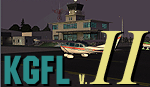
KGFL - Glens Falls, Floyd Bennett Memorial v2.2, located in the foothills of the Adirondack Mountains in upstate NY USA, this facility is owned by Warren County and run by RichAir. Although it has a 5000 ft main rwy, KGFL is a Non-controlled airfield catering to small engine a/c up to a few private jet daily traffic serving 'The Northcountry' New York. KGFL recently received several upgrades including 4 new GA hangars large enough to accommodate the needs of business jets.
All Objects fully designed and completely redone in GMAX using high resolution custom photo-real 32bit textures. Optional DXT textures included. Also includes new AFCAD file, more accurate airport grounds perimeter, satellite photo-real grounds, custom taxiways, taxi-signs and taxi lights, area roads, animated hangar doors, and near area landclass. No AI traffic tracks included with this release, but afcad designed to support several AI. Rwy12 objects required for a few static a/c and parking lot cars. v2.2 Includes mipmapped textures, reduced trees for better performance, and increased, more accurate taxiway light density. This v2.2 package is a full-install.
| Filename: | KGFL__Glens_Falls_Floyd_Bennett_Memorial_v22.zip |
| License: | Freeware, limited distribution |
| Added: | 5th February 2010, 16:52:44 |
| Downloads: | 2,350 |
| Author: | Ed 'Geneer' Cox |
| Size: | 74.81 MB |
| Category: Flight Simulator 2004 - Scenery Design | |
| Default Terminal Buildings Subset V2 scenery objects |
|
Images related to this file:
File Description:
[Version 2 adds specific compatibility with RWY12, ADE9X, and Sbuilder 2.05. If you have already installed the previous version of this library and are NOT using one of these programs to place scenery objects, you do not need to download and install V2.] Many scenery making programs for FS9 give us access to the default terminal buildings in the FS9 libraries. Unfortunately the FS9 libraries are completely unorganized, so finding a specific shape and color of building can be time consuming. Also, many of the terminal buildings are too distinctive in appearance to be of much use to someone who is looking for simple shapes to use as "building blocks" to create their own terminals. I went through most of the FS9 scenery libraries that contain terminal buildings and chose a representative sampling of simple shapes in the various textures that are available, and compiled these into a scenery object library. This makes it easier to find, say, a two story, T-shaped, yellow textured terminal building. These are not new objects, they are default scenery objects created and owned by Microsoft. I'm simply providing a more convenient way to use them. Previous version had 9300(!) downloads.
| Filename: | Default_Terminal_Buildings_Subset_V2_scenery_objec.zip |
| License: | Freeware |
| Added: | 14th November 2009, 01:18:05 |
| Downloads: | 4,253 |
| Author: | Sidney Schwartz |
| Size: | 4.21 MB |
| Category: Flight Simulator 2004 - Scenery | |
| Colombian Airports |
|
File Description:
33 Colombian Airports for FS9 default scenery and the Colombia freeware mesh by Raimondo Taburet. I also recommend the San Andres Landclass and modified coastlines by Juan Sebastian Gonzalez (sandres_lc.zip at avsim.com). However, the scenery should also work with the default or any other mesh but I have not tested it.
The airports are based on GoogleEarth and airport layout data with generic objects added. Position of the airports has been corrected, ramps added, some generic buildings and objects added to most of the airports. All files start with the ICAO identifier of the airport; so you can take out what you don't like or use only what you like.
The package includes the following airports:
SKAM, SKAO (now SKMJ), SKAS, SKBN, SKBO, SKBQ, SKCB, SKCC, SKCL, SKFL, SKGO, SKGY, SKIB, SKLA, SKLT, SKMG, SKMP, SKMR, SKMU, SKOC, SKOT, SKPB, SKPV, SKQU, SKRG, SKSP, SKTJ, SKTL, SKTM, SKUC, SKUL, SKVP, Z09A.
NOTE:
There a two files, colapts1.zip with the airport sceneries and screenshots, and colapts2.zip with the object libraries; colapts2.zip is only needed if you don't have already the rwy12 and ez-objects libraries used.
| Filename: | Colombian_Airports.zip |
| License: | Freeware |
| Added: | 24th May 2014, 18:34:00 |
| Downloads: | 3,377 |
| Author: | Detlev J. Rohmer |
| Size: | 64.72 MB |
| Category: Flight Simulator 2004 - Panels | |
| DC3 Photo-real Modern, Re-built Panel |
|
File Description:
This panel is made from a photograph of a modern day DC3. It features a unique 1950's-1960's style radio array mounted on top of the panel. The default King Air Radio gauge has been modified to work with it. The full version includes all working gauges, including VOR, ILS, the compact King Air autopilot, a repostioned GPS, and the default DC3 pop up windows for electrical, engine, and other controls. This shareware version, for evaluation purposes, is limited in gauge functions, color blending, and visibilty. It also includes the Right and Forward-Right cockpit views for evaluation of the full set of 7 inside views. The full set includes cargo and passenger options, from two different DC3 aircraft in use today (see screen shots). Also included as freeware, is the modified DC3 MDL file by Clive Ryan (dc3_mdl.zip), with permission. This will switch off the default virtual cockpit, so it does not conflict with the internal views. Or, if you know how to hex-edit, you can modify your own default MDL file, by following Clive's tutorial, which is included (only recommended for advanced users). You can also install only the panel, without using the modified mdl file. Includes choice of 1024x768 or 800x600 image resolution sets. By Will Fisher
| Filename: | DC3_Photoreal_Modern_Rebuilt_Panel.zip |
| License: | Shareware, limited functionality |
| Added: | 3rd December 2004, 22:21:38 |
| Downloads: | 2,524 |
| Author: | Will Fisher |
| Size: | 3.36 MB |
| Category: Microsoft Flight Simulator (2020) - Utilities | |
| FBWA320_LINDA_Module_ByJujunet_v0.3 |
|
File Description:
This module allow to control hidden controls of the FBW A320, using LINDA software and FSUIPC. Require : FSUIPC ver 7 full licence, Microsoft Flight Simulator and LINDA software. Installation : Uncompress archive in any place. Move A32nx.evt file to your FSUIPC root folder. Move A320.hvar on \Community\fsuipc-lvar-module\modules. On LINDA software : Click on "Maintenance", on top, select "--aircrafts--". Click on "Select Source Folder", below "Import Aircraft Module", browse to the folder FBWA320, click on "Import", or "Overwrite" if updating. This module for Linda freeware allows to bind : -Landing and Nose light independently -Seat-belt -No Smoking -Mode and zoom on ND -Display function ARPT, VOR, WPT, NDB... on ND -Terrain on ND -Eicam pages, with an encoder -ILS -Barometer increment and decrement with automatic detection of position (HPA or inHg) -Toggle between HPA and inHg -Toggle between QNH setting and STD -Autobrake Cycle -Reverse ON/OFF -Full compatibility for Managed/Selected on SPD, HDG, ALT and Selected mode on VS. To create your own module, or customize this one, go to my Youtube Tutorial : My channel : https://www.youtube.com/channel/UCVgdlnaAk2Q4EOSCICW_0iA Changelog : Version 0.1 : Initial Release Version 0.2 : Update to work with FBWA320 v0.8.0, Version 0.3 : Update to work with FBWA320 v0.11.0
| Filename: | FBWA320_LINDA_Module_ByJujunet_v03.zip |
| License: | Freeware |
| Added: | 16th January 2024, 14:31:38 |
| Downloads: | 35 |
| Author: | Julien GICQUIAUD |
| Size: | 14.32 KB |
| Category: Flight Simulator 2004 - Miscellaneous Files | |
| Nick's Prop Dust with Control Gauges |
|
File Description:
Prop aircraft users are in for a real treat. This gauge/effects package automatically senses the terrain the aircraft is in contact with or flying over and changes the dust and water effects for the aircrafts prop/rotor wash based on dirt, dry mud or clay, snow, rain, water, ice, sand, gravel and short grass. In addition the real time surface conditions are also sensed. In example, a dry asphalt or concrete runway will produce no dust, however, the same runway with snow conditions present will automatically produce a throttle controlled snow blowing effect. The 25 included effects files and 5 gauges have been tuned to reflect a realistic representation of the dust/mist produced by different types of aircraft taking off or touching down on different terrains and surface conditions. The effects are properly influenced by cross wind conditions and reverse pitch is also supported. Effects files and gauges are included for large and small, single engine, multi-engine, amphibians, helicopters and massive scale military and commercial transports. It requires editing/adding lines in the aircraft.cfg and panel.cfg files. The README files include very complete and comprehensive instructions including a quick and easy copy/paste file for all the Microsoft prop aircraft and tutorial on making custom gauges from the ones provided.
By Nick Needham
| Filename: | Nicks_Prop_Dust_with_Control_Gauges.zip |
| License: | Freeware |
| Added: | 8th December 2003, 17:07:07 |
| Downloads: | 7,298 |
| Author: | Nick Needham |
| Size: | 1.22 MB |
| Category: Flight Simulator 2004 - AFCAD Files | |
| La Guardia |
|
File Description:
A high quality AFCAD2 file the New York La Guardia (KLGA) scenery by Shehryar Ansari. This file features assigned gates for all airlines that currently serve LGA. In order to ensure only 'mainline' aircraft use the jetbridges, a new 'Express' apron for Dash 8 and RJ size aircraft is provided near the Central Terminal and also adjacent to the US Air and Delta Terminals. An extensive GA parking area has also been added to the west side of the airport and includes 4 Helipads. A tower view is provided for the airport and both runways are also in use to maximize traffic flow. The Marine Terminal (Delta Shuttle) and US Airways (Shuttle) areas now have seperate parking codes. The txt for these codes is included in this zip, to add to your 'ParkingSpecs' document. Every available space at this airport has been used to provide a total of 140 parking positions, comprising 42 gates for regional jets, 59 gates for mainline aircraft, 4 Cargo Ramps and 35 GA ramps. A very easy to use tutorial explaining how to make AI Delta Shuttle aircraft use only the Marine Terminal and US Air Shuttle aircraft only use the US Shuttle Terminal is included. This package also includes screenshots showing the effects that this file has on your AI traffic. Requires the excellent scenery addon LGA2004.zip by Shehryar Ansari. This file is not recommended to be used with the default FS airport.
| Filename: | La_Guardia.zip |
| License: | Freeware |
| Added: | 1st February 2005, 04:51:36 |
| Downloads: | 8,785 |
| Author: | Lee Brompton |
| Size: | 4.2 MB |
| Category: Flight Simulator 2004 - Miscellaneous Files | |
| Nick's AI Jet Exhaust With Control Gauge |
|
File Description:
Hanging around the airport watching the A-I traffic and chasing A-I jet aircraft just got a little more interesting. Enjoy watching your entire A-I jet fleet as they display engine heat shimmer effects -after- push-back from the terminal and during taxi to the active runway. All the A-I traffic take off displaying a lite, expanding, frame-rate friendly and nicely scaled high throttle heat/exhaust trail FX which remain with the A-I aircraft during its entire flight. To top off the show, the A-I aircraft that are throttled down and landing display no exhaust from the engines! This package also comes with a gauge that allows pilot throttle control of the taxi heat shimmer/full-throttle exhaust FX for the jet aircraft being flown in the sim by the user. This package does NOT interfere with the logo, taxi or wing lights of any aircraft and comes with 5 all new exhaust effects files which can be applied to just about any size private, commercial or military jet. It requires editing/adding lines in the aircraft.cfg and panel.cfg files. The README files include very complete and comprehensive instructions including a quick and easy copy/paste file for all the Microsoft jet aircraft and tutorial on making custom gauges from the one provided. This package completely replaces my original *Nick's Jet Smoke* package and any/all updates for it.
By Nick Needham
| Filename: | Nicks_AI_Jet_Exhaust_With_Control_Gauge.zip |
| License: | Freeware, limited distribution |
| Added: | 22nd December 2003, 21:16:01 |
| Downloads: | 29,959 |
| Author: | Nick Needham |
| Size: | 894.61 KB |


© 2001-2026 AVSIM Online
All Rights Reserved
Privacy Policy |