
Where Flight Simulation Enthusiasts Gather from Around the World!
AVSIM Library - Search Results

| Category: Flight Simulator 2004 - AFCAD Files | |
| Presidente Nicolau Lobato International, Dili, East Timor (WPDL) v2 |

|
File Description:
"Euraka!" I cried in the middle of the night. My wife rolled over and mumbled "its not me, it must be the cat". But I was pleased with myself, for I had suddenly thought of a way to eliminate Microsoft's radiused corners where taxiway meets runway. They are a nifty arrangement, when you want them, but at this airport (clearly evidenced by Google Earth) they do not exist on the concrete connections. So here is a revised version of my Googlyafcad for WPDL Dili-Comoro-Komoro-Presidente Nicolau Lobato International or whatever it is called today. I considered calling this version 1.0062A so as to impress but I think you might prefer me to call it it version 2. Unfortunately, Microsoft's perception of this airport in Flight Simulator is a wee bit under scale and the ramp areas provided barely allow the parking of a flea, never mind the Boeing 737s that serve this airport. This A&F Data file allows you and "AI" traffic to land, park and take-off in the proper manner. But there is more . . . the Google Earth picture clearly shows three parked
helocopters, so to give the place a little atmosphere, I've provided an additional file which will place three static helicopters at the airport. They will only show if you have the Rwy12 libraries
installed, but the file won't bite if you don't. (replaces af2_wpdl.zip)
| Filename: | Presidente_Nicolau_Lobato_International_Dili_East_.zip |
| License: | Freeware |
| Added: | 12th February 2007, 13:07:25 |
| Downloads: | 753 |
| Author: | John Hinson |
| Size: | 44.33 KB |
| Category: Flight Simulator 2004 - Scenery | |
| Scenery Objects - Rwy 12 scenery Level 2 |
|
File Description:
[File re-uploaded at request of AVSIM] This pack contains the standard scenery objects for the Rwy12 scenery generation program by Israel Roth and Seev Kahn and is specifically issued for the benefit of the end users of my add-on scenery series, although there is no reason why it will not work equally well with any other sceneries designed using this software. Most other designers have stated that the end user MUST download the massive 45 MB full program but this is not only pointless and unnecessary, it is not in accordance with the recommendations of Israel and Seev. Furthermore, the obligatory automatic installation programme is flawed and only works correctly if you have Flight Simulator 2004 installed to the default directory.
This pack of scenery objects addresses all of these issues, and all of my scenery sets will work with or without it - with three possible levels of scenery detail:
Level 1 - the airport scenery will only use Microsoft's default scenery objects (no extras require to be installed).
Level 2 - the airport scenery will additionally display all standard Rwy 12 scenery objects (Fedex vehicles, static GA aircraft, people and trees.
Level 3 - the airport scenery will additionally display third-party Rwy 12 objects.
The latter will require separate download and installation will be detailed in my scenery sets.
| Filename: | Scenery_Objects__Rwy_12_scenery_Level_2.zip |
| License: | Freeware |
| Added: | 20th June 2010, 10:35:15 |
| Downloads: | 12,950 |
| Author: | Israel Roth, Seev Kahn; compiled by John Hinson |
| Size: | 2.83 MB |
| Category: Flight Simulator 2004 - Scenery | |
| Exploring Our World - Part 2 - Easter Island, Chile - SCIP - a complete makover. |
|
File Description:
Exploring Our World - Part 2 - Easter Island, Chile. In part two of this new series you will find a complete makeover of Easter Island which MS virtually ignored. Designed to compliment the fine Mataveri International Airport by Daniel Rojas (scip_o7.zip at Flightsim.com), this package includes Mesh and adjusted coastlines by John Young. John has also provided a new Afcad which removes unrealistic pushback starts. A new landclass file by John Burford adds the villages near the airport and more realistic ground treatments. You will also find numerous scenery enhancements using objects from the RWY12 and EZ Scenery libraries. Francisco Vargas has contributed a set of Thermals which soaring fans will enjoy. Of special interest is the use of AI Volkswagens, as taxi's driving around the airport and AI Helicopters that take visiting tourists on sightseeing tours. The AI Volkswagens have been provided by Ranier Girbig and are used with his permission. Easter Island, home of the mysterious head statues (Moai) has many new and exciting things just waiting for you to explore. Even the small adjacent Moto Nui Island, which MS forgot, has been added. This is the second of a series exploring lesser known parts of our FS world. Please unzip (using folders option) to a temporary folder and follow the documentation very carefully to assure a proper installation. ......
| Filename: | Exploring_Our_World__Part_2__Easter_Island_Chile__.zip |
| License: | Freeware |
| Added: | 13th July 2006, 03:22:45 |
| Downloads: | 6,699 |
| Author: | David "Opa" Marshall and friends |
| Size: | 6.7 MB |
| Category: Flight Simulator 2004 - Scenery | |
| Campbell River floats CAE3 in BC Canada |
|
Images related to this file:
File Description:
Campbell River is a medium sized town on Vancouver Island, some 50 miles north of Vancouver. The base is just north and west of the town on Spit Road. And Ultimate Terrain is required for the cost to be in the right place. The docks are on the south side of the spit, on the (relatively) sheltered river side, though take offs and landings are requested to take place outside the harbour if conditions permit. The base is noted as used and run by Corilair, though in fact there is also another company based there, Vancouver Island Air, who like Coril Air also have two docks, one for boarding passengers and one for maintenance and refuelling tie-ups. At the river mouth there is a small marina, run by the same folks who run the trailer park, and next to that a dock for visiting float planes. There is a seventh dock at the end furthest from the river mouth; I don't know what that is used for but it is next to Vancouver Island Air and might be theirs. At low tide there are numerous sandbanks (and more permanent islands with bushes and trees) in the mouth of the Campbell River and I decided to ignore installing these with all the problems they would cause me. The main buildings and most of the others are modeled specifically for this scenery; minor items like parked cars are RWY12.
| Filename: | Campbell_River_floats_CAE3_in_BC_Canada.zip |
| License: | Freeware, limited distribution |
| Added: | 12th February 2010, 18:45:00 |
| Downloads: | 881 |
| Author: | Roger Wensley |
| Size: | 5.3 MB |
| Category: Flight Simulator 2004 - Scenery | |
| Lanseria International Airport (FALA), Johannesburg, South Africa |
|
Images related to this file:
File Description:
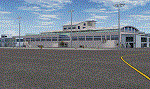
Lanseria international airport is Johannesburg's second international airport and mostly cater to private jets, low cost airlines and many private general aviation and flightschool aircraft. It is a privately owned airport and can accomodate aircraft up to the size of a Boeing 757-300. This airport has seen John Travolta use it with his Boeing 707, the Hilton family with a private Boeing 757 and even the USAF have landed their C-17 Globemasters at the airport when Air Force one came here in the past with the latter landing at AFB Waterkloof.
This package started out as a conversion of the wonderfull FSX scenery of the airport by Lee Hall and converted with permission from the original author. It quickly expanded however to a project that now additionally includes photoreal ground textures that changes with seasons, many added fences and gates around the airport, inclusion of the shaded parking areas with parked cars, static airplanes (RWY12 and EZ scenery libraries needed to see this) as well as numerous objects around the airport and apron made by myself in Gmax to give the airport some FS9 life.
Also included is the wonderfull "apron light splashes" by Hans Günther Schnell who kindly gave me permission to use it for the night times.
I have also included a local mesh for the area for users of FSGlobal 2010 to eliminate the extreme elevation anomoly around the airport.
| Filename: | Lanseria_International_Airport_FALA_Johannesburg_S.zip |
| License: | Freeware, limited distribution |
| Added: | 11th August 2023, 16:03:37 |
| Downloads: | 288 |
| Author: | Kobus van Wyk, Lee Hall |
| Size: | 37.64 MB |
| Category: Flight Simulator X - Original Aircraft | |
| American Airlines Boeing 787-900 |
|
Images related to this file:
File Description:
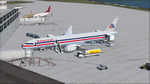
The Boeing 787 is one of the most sophisticated aircraft ever designed, and I have worked on several FS models from even before the real aircraft was ever built. I have accumulated so much data relating to this plane that I can now incorporate real world dynamics for it based on extremely realistic information. The aircraft offered here has been modified to offer all of that realism. In the real world, the 787 is flown primarily with autopilot controls, and this model is no different. It doesn't take a lot to fly this plane, and if I were to be offered the challenge I think I'd be up and flying within a few minutes, in a real 787. Because of this, I offer no advise other than normal flight rules.
If you are new to FSX, please learn through the on-board tutorials. I am not a tutor. I do not have anything to do with cosmetics. I do not design panels. All I do is help educate you about the realism of aircraft design. You can look at the aircraft.cfg and the .air file (Airfile Editor Required) to see what I've done in comparison to the original model, but I will not really help you with tutorial related issues. If you find something you think is wrong, let me know. Otherwise, enjoy this model and fly her like the real thing.
Everything I've done here is for educational purposes without any expectation of any monetary gain, and offered publicly for free. What I offer here is protected by the Fair Use Doctrine of International Copyright Law, and you are free to study this as follows:
https://www.law.cornell.edu/uscode/text/17/107
All persons involved with this and the original design are credited, unless they are unknown and have offered no credit details.
Model Designer: Camil Valiquette
Sound: Emil Serafino
Panel: Marco Spada
Real World Dynamics, Effects and Data: Douglas E. Trapp, [email protected]
July 2017
| Filename: | American_Airlines_Boeing_787900.zip |
| License: | Freeware |
| Added: | 15th July 2017, 16:46:49 |
| Downloads: | 863 |
| Author: | Douglas E. Trapp |
| Size: | 41.65 MB |
| Category: Flight Simulator X - Scenery | |
| Freeware Project Kobe X (RJBE) Japan |
|
Images related to this file:
File Description:
Freeware project KOBE X (RJBE) Japan. Contains fully detailed airport with custom ground polygons. Accurate 3d model and texture of all the building of the airport including the terminal, control tower, hangars, bridge and many more. Please note that this project was my initial experience in many fields of scenery design so take it as it is and enjoy flying in Japan. The design is never done but I think it was ready to be released. Still have some work to do with the animated jetways and night lighting for my next "payware" project (KSAN, San Diego Intl). It's going to be far better than this freeware.
You can download the world of ai installer and install the All Nippon Airways package and maybe the JAL too. The jetways are not animated but you can park a 747 in gate 1, a 767 in gate 5 and a 737 in gate 6 and be perfectly aligned with the jetway door.
Also I've not try this scenery in a less powerful computer than mine. I run a Windows 7, I7-950 @ 3.8 GHz and a GTX 570. So don't get mad if you're having bad performances :). With all sliders in the "display settings" set to max I've around 20 fps in the virtual cockpit of the level-d 767. You'll get a nicer airport with also the global texture resolution set to max, water effects set to High 2.x and traffic to ultra-high. Do not turn on Ground scenery shadows as it will make a shadow for the entire airport (ground poly).
I've some tutorial on my YouTube channel (n170toga) on how to make fsx sceneries if you are interested. Don't forget to subscribe there and have updates for the upcoming scenery. Please review this airport if you like as I will learn a lot for my next
project and it's only going to be better.
This scenery is a freeware and should be considered as a freeware. Arigato, Sagga Toure (Devinci), Devinci Design and Development (3De)
| Filename: | Freeware_Project_Kobe_X_RJBE_Japan.zip |
| License: | Freeware |
| Added: | 12th June 2011, 08:28:51 |
| Downloads: | 6,660 |
| Author: | Sagga Toure |
| Size: | 66.48 MB |
| Category: Prepar3D V1-4 - Utilities | |
| Flightplan Visualizer 1.15 |
|
Images related to this file:
File Description:
Flightplan Visualizer (FV) version 1.15.0. Copyright 2018-2020 by Pelle F. S. Liljendal ([email protected]), all rights reserved.
FV comes with 738 pre-imported Commercial AI flightplans (+380 BizJet flightplans are available as a separate download). However you are able to import additional (AI) flightplans yourself. Once imported these (AI) flightplans can be visualized on a map-view, and the user will be able to search accross all these. Hence you can use the program as inspiration as to which routes to fly. E.g. you can search across all imported flightplans to find all flights in an A321 flying into/out from LDDU, or simply to look for all flights in a Boeing 747-8F.
Simply run the included installer to install the software. The program will be installed into "C:\Program Files (x86)\Flightplan Visualizer" and all datafiles will be installed into: "C:\Users\[UserName]\AppData\Roaming\FlightplanVisualizer". The program comes with a full manual explaining everything, and a 3 page quick manual to get you started. The first 3 times you run the program the quick manual will automatically open. The forum is hosted here: https://forum.aerosoft.com/index.php?/forum/919-flightplan-visualizer/
Version 1.15 Contains the following changes:
- As a first, you can now import flightplans even if one or more aircraft-types cannot be automatically detected during import. These will instead be assigned to a dummy-type during import, however you need to manually assign substitute aircraft-type(s) before being able to save the imported flightplan. If/when the program gets support for the aircraft-type(s) that were missing during import, the substitute aircraft-types can either be re-detected manually or by using the "Re-process aircraft/airport-redirects" menu-item.
- Added a combo-box that can be used to filter the flightplans that are shown in the flightplan combo-box on the main-form (e.g. enter "west" to see only flightplans containing "west" in the name). Hovering the mouse over this new filter combo-box will show examples of the more complex filters (e.g. filter by provider, author, season, year, and so on).
- In version 1.14 user-airlines were added, and these could be accessed via a menu-item on the main-form. However in version 1.15 you can now also add user-airlines from the import-flightplan form, so you don't have to abort a pending import, and go to the main form in case you find you are missing a user-airline.
- Added MRU-lists (Most Recent Used) to the browser-forms used to search for: Airport, Aircraft and Airline. The text-edit in the top of these forms have been replaced by a combo-box holding up to 20 items (in chronological order, with the most recent at the top).
- Added a new chart to the Airport Info form showing: "Daily flights per international/domestic/same state".
- Added Utilization-pct to the fleet report (both total for the entire fleet, and per aircraft). The Utilization-pct is also visible for the displayed schedule (for a single aircraft) in the Leg-Info form. This value tells the pct of time the aircraft spends servicing the schedule (the remaining time the aircraft "sits at the gate", including the time spend loading/unloading passenger and cargo, loading fuel, being serviced by ground-crew and what not).
- On the main-form, renamed menu-item "Re-process airport-redirects" into "Re-process flightplans".
- Distance from selected airport to mouse-position on main-map moved from the bottom of the form to the upper/right-corner of the form (where info of selected airport is listed).
- Using the (right-click) context-menu on the main-form airports can now be toggled (on/off) as being favorites.
- A few minor changes were made to the default leg search criteria. If you have saved your own default, you should go to the leg search form, press-and-hold SHIFT while clicking the "Reset" button (to reset to "factory default"), then set the criteria to your perferences, and finally press the "Save Reset" button to re-save your preferences.
- Added MRU-list (Most Recent Used) to fuel-density combo-box on Unit Conversion form. If empty, the list will be preloaded with the values 0.7850 (old default), 0.8040 (often used as a standard for Jet-A), 0.8200 (often used as a standard for Jet-A1). The user is still able to enter another value.
- The values used in the unit-conversion form are saved with the settings file, so each time you open the form will contain the values entered last time you used the form.
- Tweaked the method for calculated flight-time. In previous version the same parameters were used for calculating flight-time for all flights. Now these parameters are dependant on distance, resulting in calculated flight times that are closer to those used in the flight-plans (based on statistic-data from +700.000 AI flights).
- Some of the aircraft have been marked as "Retro", and in settings you can choose to exclude the "Retro" (they are enabled by default).
- Improved (Boeing) aircraft-type detection when importing flightplans using non-standard naming, such as "B744F" in stead of "747-400F" or "B736" in stead of "737-600".
- Updated all libraries in use to the latest versions, and addressed some minor issues with the map.
- Fixed: Newer versions of MyRwy are outputting airport elevation as a floating point value (e.g. "629.92") whereas older versions were outputting it as an integer value (e.g. "630"). In previous versions of FV the floating point value "629.92" was wrongly read as an elevation of 62992 ft. The program can now both handle floating point and integer values, hence can be used with both old- and new versions of MkRwy.
- Fixed: When adding new user-airlines in version 1.14, callsign was being set to the name of the airline, in stead of the entered callsign. If you added any user-airlines in version 1.14, you should edit these with version 1.15, and set the callsigns again.
- Fixed: If a Leg search was active (combo-box in bottom of main-form showing "[Last Search]") and all flightplans were disabled in "Enable/Disable -flightplans" the program would shut-down with an exception.
- Fixed: The list of the airline-codes (gate-tab on Airline-Info form) started with a comma, however comma should only be used to separate the items when multiple airline-codes were associated with the same gate (3rd party scenery only).
- Fixed: In some cases the cruise-speed was not shown correctly in the Aircraft search form.
- Fixed: Some of the menu-items for launching the (YouTube) tutorial-videos were missing the tool-tip text ("Hold SHIFT to copy url to clipboard").
- Fixed: About-box can now be closed with ESC, like most other forms.
- Fixed: potential issue reading xml-data, perhaps with a the benefit of a slightly better performance.
- Data: Added support for flightplans using "retro" aircraft types such as: Aerospatiale SE-210 Caravelle, British Aerosapce ATP/BAC One Eleven, Concorde, DC-3, DC-4, DC-6, DC-8, De Havilland Comet, Fokker F28, Hawker Siddeley HS 121 Trident, Ilyushin Il-18/20/22/24/86, Lockheed Constellation/L-188 Electra, Shorts SC-5, Tupolev TU-134, Vickers VC10/Viscount, and thanks to user Aucery Lockheed 1011.
- Data: Support for additional aircraft-types added as well: BN-2A Trislander, CASA C-212/C-235, CubCrafters XCub, DHC-2 Beaver/Turbo-Beaver, DHC-3 Otter, DHC-5 Buffalo, Diamond DA-42/62, Extra EA-300, Honda HA-420, ICON A5, NAMC YS-11, Mooney, Mudry CAP 10, Pilatus PC-6/PC-24, Piper Cub/Super Cub, Robin DR-300/400, Shorts SC-7, Tecnam P2012/P2006T
- Data: Some of the aircraft-types, for which multiple ICAO/IATA-codes exists, were split into two (one for Pax and one for Freight), e.g. Convair 580, DC-9-10/30/40, and Il-96. As a result you should execute "Re-process flightplans" (found in the "Flightplan" menu), and "Re-detect all" aircraft.
- Data: A few missing aircraft IATA/ICAO codes were added, and some "behind the screen" data for multiple aircraft were updated as well.
- Data: A few Airlines were added/updated (a big THANK YOU to Bruce Nicholson for the assistance keeping these data up-to-date).
- Flightplans: The good people over at AIG (Alpha India Group) have once again been VERY busy since the last release, hence the installer comes with 298 new/updated pre-imported flightplans, bringing the total of flightplans bundled with the installer to 738.
- Flightplans: A few flightplans were bundled with the program in duplicates (2 slightly different names, or 2 different seasons). These duplicates have been marked as obsolete, and have been removed from the installer. Using the "Select all obsolete flightplans" menu-item in "Enable/disable-flightplans" you can mark these flightplans and move them to the "Disabled" folder, from where they can be deleted.
Pelle
| Filename: | Flightplan_Visualizer_115.zip |
| License: | Freeware, limited distribution |
| Added: | 20th March 2020, 17:08:52 |
| Downloads: | 378 |
| Author: | Pelle Liljendal |
| Size: | 28.9 MB |


© 2001-2026 AVSIM Online
All Rights Reserved
Privacy Policy |