
Where Flight Simulation Enthusiasts Gather from Around the World!
AVSIM Library - Search Results

| Category: Flight Simulator 2004 - Panels | |
| Super VC10 Panel Upgrade Part 3 |

|
File Description:
This panel upgrade for David Maltby's Super VC10 incorporates significant major changes. First the Super VC10 has now become a stand alone aircraft within the "DMFS Shared Files" file structure. This allows for many changes that distinguish the Super VC10 from the Standard. Some already present and some ongoing. The main panel is now in widescreen format i.e. "not stretched!" Many hundreds of other changes have also been made some unseen that make significant differences to the performance of the model. For example the Super has a fin tank now modelled along with correct fuel transfer and jettison procedures. The engines have been totally overhauled with new thrust curves so that their performance is as accurate as possible across the power spectrum. A consequence of this is that throttle control is now much more precise. Internal engine sounds have been completely revised and are as close as possible to the sound one would hear from the cockpit. There are in addition numerous new panels that are fully functional such the Oxygen panel. This means that cabin altitude and depressurisation are all potential factors and must be attended to. Though you do have an oxygen mask (so don it if necessary or face the consequences!). There is a tiller for ground manoeuvring. There are just too many changes and additions to list here but they are listed in the documentation. Another important addition is refuelling. Refuelling can only be done from an underwing point. To assist is a dedicated new fuel uplift spreadsheet which incorporates a facsimile of a real Super VC10 load sheet allowing you to change passenger loads etc. Everything is explained in the "Technical and Operational Procedures Manual" pdf file as well as the "VC10 FLYING MANUAL" pdf file which contains all the full checklists not cut down for sim use. With ongoing work the intention is that this will become a "study" simulation.
If you do not already have David Maltby's Super VC10 model then download it from here. http://www.dmflightsim.co.uk/vickers_vc10.htm
Follow his instructions and make sure everything is working as expected before downloading these updates.
| Filename: | Super_VC10_Panel_Upgrade_Part_3.zip |
| License: | Freeware |
| Added: | 18th August 2016, 03:57:13 |
| Downloads: | 415 |
| Author: | Nicholas Weber |
| Size: | 127.77 MB |
| Category: Flight Simulator 2004 - Panels | |
| Super VC10 Panel Upgrade Part 6 |
|
File Description:
This panel upgrade for David Maltby's Super VC10 incorporates significant major changes. First the Super VC10 has now become a stand alone aircraft within the "DMFS Shared Files" file structure. This allows for many changes that distinguish the Super VC10 from the Standard. Some already present and some ongoing. The main panel is now in widescreen format i.e. "not stretched!" Many hundreds of other changes have also been made some unseen that make significant differences to the performance of the model. For example the Super has a fin tank now modelled along with correct fuel transfer and jettison procedures. The engines have been totally overhauled with new thrust curves so that their performance is as accurate as possible across the power spectrum. A consequence of this is that throttle control is now much more precise. Internal engine sounds have been completely revised and are as close as possible to the sound one would hear from the cockpit. There are in addition numerous new panels that are fully functional such the Oxygen panel. This means that cabin altitude and depressurisation are all potential factors and must be attended to. Though you do have an oxygen mask (so don it if necessary or face the consequences!). There is a tiller for ground manoeuvring. There are just too many changes and additions to list here but they are listed in the documentation. Another important addition is refuelling. Refuelling can only be done from an underwing point. To assist is a dedicated new fuel uplift spreadsheet which incorporates a facsimile of a real Super VC10 load sheet allowing you to change passenger loads etc. Everything is explained in the "Technical and Operational Procedures Manual" pdf file as well as the "VC10 FLYING MANUAL" pdf file which contains all the full checklists not cut down for sim use. With ongoing work the intention is that this will become a "study" simulation.
If you do not already have David Maltby's Super VC10 model then download it from here. http://www.dmflightsim.co.uk/vickers_vc10.htm
Follow his instructions and make sure everything is working as expected before downloading these updates.
| Filename: | Super_VC10_Panel_Upgrade_Part_6.zip |
| License: | Freeware |
| Added: | 19th August 2016, 21:57:25 |
| Downloads: | 359 |
| Author: | Nicholas Weber |
| Size: | 145.96 MB |
| Category: Flight Simulator 2004 - Panels | |
| Super VC10 Panel Upgrade Part 1 |
|
File Description:
This panel upgrade for David Maltby's Super VC10 incorporates significant major changes. First the Super VC10 has now become a stand alone aircraft within the "DMFS Shared Files" file structure. This allows for many changes that distinguish the Super VC10 from the Standard. Some already present and some ongoing. The main panel is now in widescreen format i.e. "not stretched!" Many hundreds of other changes have also been made some unseen that make significant differences to the performance of the model. For example the Super has a fin tank now modelled along with correct fuel transfer and jettison procedures. The engines have been totally overhauled with new thrust curves so that their performance is as accurate as possible across the power spectrum. A consequence of this is that throttle control is now much more precise. Internal engine sounds have been completely revised and are as close as possible to the sound one would hear from the cockpit. There are in addition numerous new panels that are fully functional such the Oxygen panel. This means that cabin altitude and depressurisation are all potential factors and must be attended to. Though you do have an oxygen mask (so don it if necessary or face the consequences!). There is a tiller for ground manoeuvring. There are just too many changes and additions to list here but they are listed in the documentation. Another important addition is refuelling. Refuelling can only be done from an underwing point. To assist is a dedicated new fuel uplift spreadsheet which incorporates a facsimile of a real Super VC10 load sheet allowing you to change passenger loads etc. Everything is explained in the "Technical and Operational Procedures Manual" pdf file as well as the "VC10 FLYING MANUAL" pdf file which contains all the full checklists not cut down for sim use. With ongoing work the intention is that this will become a "study" simulation.
If you do not already have David Maltby's Super VC10 model then download it from here. http://www.dmflightsim.co.uk/vickers_vc10.htm
Follow his instructions and make sure everything is working as expected before downloading these updates.
| Filename: | Super_VC10_Panel_Upgrade_Part_1.zip |
| License: | Freeware |
| Added: | 16th August 2016, 22:44:37 |
| Downloads: | 789 |
| Author: | Nicholas Weber |
| Size: | 79.51 MB |
| Category: Flight Simulator 2004 - Scenery | |
| Kotzebue PAOT on the northwestern coast of Alaska |
|
Images related to this file:
File Description:
There are four main northwestern Alaska towns which have good airports and are serviced by Alaska Airlines. From these airports local flights connect to nearby villages, "nearby" in Alaska meaning up to 150 miles away. The northernmost is Barrow. Southwest of Barrow is Kotzebue, then Nome, and the furthest south is Bethel. The town of Kotzbue is north of the Bering Strait on the northwestern coast, 320 miles southwest of Barrow. The population is just over 3,000 people. The location was for a long time a base for trading in furs, with three rivers emptying into the sea and providing routes into the interior land and villages; a meeting place between hunters and traders from Russia and elsewhere. The Kotzebue airport is called the Ralph Wien Memorial and has two runways. The modern one is aligned 08-26 and is 5,880 feet of 150 feet wide asphalt built across a shallow lagoon, with an ILS on 08 and PAPI on both ends. The second and older runway is originally military and gravel, aligned 17-35 and 3,786 feet long and used (wind allowing) by the GA planes that park alongside the runway. The prevalent wind is from the west; when the wind is from the east it is generally relatively feeble and with a much lower cloud base, possibly to the ground, hence the need for an ILS. All AI aircraft in FS9 much prefer to use a runway that has an ILS and so will continue to use 08-26 even if the wind is from the south until it reaches 30+ knots, even if they are a Cessna 150 flying VFR. So for AI realism in FS9 a northern or southern wind needs to be a strong one so that the runway is actually used. However, as Alaska Airlines, Northern Air Cargo, and Everts Air also fly to Kotzebue and can only use the east-west runway (as less than 4,000 feet of asphalt would be seriously inconvenient for a Boing 737 or DC6) it is necessary to have the northern or southern wind UNDER 30 knots at the times when they are landing or taking off. Your choice. I suppose a permanent strong wind from the west would be the most realistic on a daily basis, deterring all planes from ever using 17-35. The AI will develop along with further scenery additions in the neighbourhood.
| Filename: | Kotzebue_PAOT_on_the_northwestern_coast_of_Alaska.zip |
| License: | Freeware, limited distribution |
| Added: | 2nd August 2016, 16:47:52 |
| Downloads: | 462 |
| Author: | Roger Wensley |
| Size: | 19.32 MB |
| Category: Flight Simulator X - Aircraft Repaints, Textures and Modifications | |
| Virgin Galactic Boeing 747-8i |
|
Images related to this file:
File Description:
FSX Boeing 747-8i Virgin Galactic with advanced VC by Alejandro Rojas Lucena and VC Textures Upgrade by Enrique Cornejo, founder of the Flightsim Workshop Project. This gives the b747 a payware Virtual Cockpit look and now with green leather tapestry on the sides of the seats. It even has a pilot jacket hanged in the rear of the cockpit (besides the right jumpseat). The panel.cfg and the aircraft.cfg have been assembled and edited by the Flightsim Workshop Team. Now you can pop up "My icons" window in the Virtual Cockpit to easily reach the following windows: GPS, avionics, map, ATC, Climb/Radio Altimeter/Spoiler switch, auto-break switch, throttle quadrant, clock, descent meter, kneeboard and overhead panel. A new feature in My Icons Window I added is a new Pitot Heat switch with ON and Off features, (XML gauge by Enrique Cornejo). cold weather, the Pitot Heat switch works just like in real life, so if its turned off the air speed indicator will stop working, so make sure you turn the Pitot Heat switch on before taking off!
The autopilot ON switches have green lights which make them look more realistic. Center ATC identification in this aircraft is "Boeing 747". We have also fixed the position of the strobe lights so when the aircraft is flying they are in the right place, so turn on the strobe lights switch after take off. The cockpit view from the pilots seat is now more comfortable because the distance between the cockpit and the seat is longer.
The aircraft has new engine views (from both wings) and new Virtual Cockpit interior views from the left, right and central jump seats. The brakes has a differential brake system to make smoother turns in ground. The Virgin Galactic Spaceship texture is wonderful and it has a unique paint scheme by Enrique Cornejo which also includes details such as some stains caused by humidity in the fuselage and the wing flaps and other details just like a real aircraft. Real smoke in the four engines, just select key, more cabin views, realistic cockpit and engines sound & more realistic night VC lights and fuselage night textures, in the VC just select key and reset the overhead Instrument panel light dim switch in the overhead panel. The aileron parameters have also improved, so now the right and left turns are smoother. This aircraft uses the Project Opensky FSX Boeing B747-800 Model OSX748V4_GENX(MDL), and includes the gauge window Posky Utility to view the main stairs, ground cargo servicing, etc. The engine sounds are edited like the real ones with cockpit ambient, so you can enjoy a pleasant flight. The Flight Management Computer (FMC) is fixed and looks like a payware instrument. The VC includes FMC, Primary Flight Display (PFD) and Multi-Function Display (MDF) displayed in the correct size. The virtual cockpit also has an Engine-Indicating and Crew-Alerting System also known as EICAS, Ground Proximity Warning System (GPWS), working wipers, cabin lights, fire suppression, avionics switch, fuel cross feed, and you can identify those instruments in the overhead panel because they are bordered with color lines. You can also find landing lights switches, taxi light switch, engine generators, APU generator, battery switch, starter switches, de-ice switch, general lights switches which are a great work of Alejandro. So now the whole cockpit and texture upgrade with all these improvements looks better than a payware version. The clock numbers are now in orange which makes them look better and easily recognizable. Assembled and edited for FSX by Flightsim Workshop Founder Enrique Cornejo. 78 MB
| Filename: | Virgin_Galactic_Boeing_7478i.zip |
| License: | Freeware |
| Added: | 21st February 2013, 18:56:28 |
| Downloads: | 1,940 |
| Author: | Enrique Cornejo |
| Size: | 77.73 MB |
| Category: Flight Simulator X - Gauges | |
| Twin jet engine EICAS for Instrument Panel Version 2. |
|
Images related to this file:
File Description:
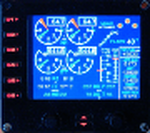
For Saitek Pro Flight Instrument Panel. This is the second version, you can delete previous one.
This folder contains 17 types of EICAS (Engine Indicating and Crew Alerting System) for Lear45, CRJ700, B737-800, B767-300, MD83, A300B1, A300B2, A350, CRJ100, CRJ300, B777-200, A320, A321, A310-100, A300B4, A350-800, B777-200ER, B787, A310 standard, A310-300, A330-200 and B777-200LR.
They replace older tje xml files, they have been improved and provide following utilities:N1, ITT, N2, fuel flow, Vibration, Oil pressure, Oil temperature, Landing gear position, Flaps positions, Pitch trim, Spoilers positions, Total, main tanks and auxiliaries tanks fuel.
The left knob activate spoilers, the right knob adjusts the N1 bug for autopilot.
Added two extra xml, if you do not find your favorite aircraft you can use the tje_full_range.xml which has total fuel of 6 digits, 5 digits for all tanks and full 8 flaps steps, this should fit with any twin jet engine aircraft. If this is not sufficient then use tje_extra_range.xml with 6 digits for all fuel and 8 steps for flaps. If you need more, that means you are flying a military tanker !
| Filename: | Twin_jet_engine_EICAS_for_Instrument_Panel_Version.zip |
| License: | Freeware |
| Added: | 7th September 2011, 22:24:35 |
| Downloads: | 1,120 |
| Author: | Philippe Verhaege |
| Size: | 567.42 KB |
| Category: Microsoft Flight Simulator (2020) - Utilities | |
| Flightplan Visualizer 1.21.1 |
|
Images related to this file:
File Description:
Flightplan Visualizer (FV) version 1.21.1. Copyright 2018-2021 by Pelle F. S. Liljendal ([email protected]), all rights reserved.
FV comes with 1482 pre-imported AI flightplans (of which +690 are BizJet flightplans, the rest are commercial). However you are able to import additional (AI) flightplans yourself. Once imported these (AI) flightplans can be visualized on a map-view, and the user will be able to search accross all these. Hence you can use the program as inspiration as to which routes to fly. E.g. you can search across all imported flightplans to find all flights in an A321 flying into/out from LDDU, or simply to look for all flights in a Boeing 747-8F.
Simply run the included installer to install the software. The program will be installed into "C:\Program Files (x86)\Flightplan Visualizer" and all datafiles will be installed into: "C:\Users\[UserName]\AppData\Roaming\FlightplanVisualizer". The program comes with a full manual explaining everything, and a 3 page quick manual to get you started. The first 3 times you run the program the quick manual will automatically open. The forum is hosted here: https://forum.aerosoft.com/index.php?/forum/919-flightplan-visualizer/
Version 1.21.1 Contains the following changes:
- Due to a bug introduced in version 1.19 regrading the (automatic/manual) version-check, version 1.20 was skipped and this version was released as 1.21.1 (in stead of 1.21.0).
- Beside the season based commercial flightplans, the "Download AIG flightplans" menu-item (found in the "Flightplan" menu) is now able to download (AIG) GA- and Military-flightplans. A big thank you to AIG for granting access to these.
- Reorded the download-folders (in the combo-box), so the season-based AIG commercial folders are displayed in chronological order (e.g. "SUMMER_2020" is before "WINTER_2020-2021").
- When scanning for/loading flightplans the program will now automatic look for flightplans marked as defunct or obsolete, and if found these will be move to the "Disabled" sub-folder. Two new settings have been added, so you can disable this feature if you want to.
- Aircraft-types can now be grouped in families of similar aircraft (e.g. a group containing all the Airbus A318, A319, A320 and A321). These families can be managed via the "User Aircraft" menu-item.
- Removed menu-item "Index of AIG flightplans" in the "Flightplan" menu, as its not needed since the "Download AIG flightplans" was added in version 1.16 (May 2020).
- Minor changes to the flightplan-name grooming algoritm (e.g. spaces are inserted before/after ampersand, if not already present) and prefix can be added to indicate the type of flightplan (e.g. for biz-jet, government or military flights). Detection of this prefix can be disable in settings.
- Dropped support for the old ".FPL" flightplan file-format. Since version 1.11 (july 2019) FV have been using the binary ".BFP" file-format in stead.
- Based on active flightplans, the program will try to detect primary- and secondary-hubs for each airline. An airport must have flights to atleast 10 different airports for that airline, in order to be considdered being either a primary/secondary hub for that airline. This information is displayed both in the airline edit-form and the airline usage-report.
- The airline usage-report will also list all destinations served by the airline (ordered by which airports are flying to most different airports).
- The airline usage-report will now also contain a list of the routes served by that airline (as carrier or operator). This list is sorted so the routes that are most flown (per week) comes first.
- Added an extra tab-page to the Airport-info form that shows which airlines have routes to/from the airport, and which airlines are using the airport as a primary or secondary hub.
- Added (right-click) context-menu to many aircraft/airline list-views, that lets you lookup aircraft-/airline -information.
- Added power-conversion to the unit-conversion form, to convert between HP (Horse-Power) and kW (kilo watt).
- Also added context-menu to the carrier/operator labels in the Leg-info form to show more details for the airline. Likewise the aircraft-labels have a context-menu for showing aircraft-details
- Removed a few columns from the form choosing favorite aircraft-types, as this info can now be obtained via the new context-menu.
- Added a column with engine-type/count in the aircraft browser.
- Minor changes to the airport redirection report (to align some values in columns, making it more easy to read the report).
- Added a few hard-coded names to the author-name grooming-method, to unify differnt spellings of the "same names". Also added flightplan/author-count to the "Flightplan per author" report.
- Swapped the operator/carrier-count showed next to size-category in the user-airline edit form (now first value is operator and 2nd is carrier).
- Minor change to the airline-criteria in the leg-search to simplify selection (removed options: "Carrier only" and "Operator only").
- Fixed: The "Download AIG flightplans" form was not able to download flightplans with an ampersand ("&") in the name.
- Fixed: Once again improved importing of AIGFP flightplans where airport data is using different ICAO-codes (observed with 15 or so of the new BizJet flightplans, e.g. "ESAI_Aero-TechServices(GA-C)_Winter_2020-2021").
- Fixed: Issued with the program version-check (both automatic and manual) introduced in version 1.19. Resulting in this version being released as 1.21.1.
- Fixed: Sometimes closing (without saving) the form for editing user-aircraft it would sometime report there were unsaved changes, even though it was not the case.
- Fixed: Only the active sub fp-folders were scanned for backup files. Now the main fp-folder is scanned for backups as well.
- Data: Some of the aircraft-types sharing the same IATA/ICAO-codes have been split into multiple new types (e.g. the Beechcrafts, Cessnas, Pipers and Learjets). This was done to better detect the specific aircraft-types in use (all bundled flightplans have been reprocessed to re-detect the specific types).
- Data: A few aircraft can now be detected (during flightplan import) using their millitary designation (e.g. Boeing C-22, C-32, C-40, and Gulfstream C-20 and C-37).
- Data: Improved detection of a few "De Havilland" aircraft.
- Data: Added a couple of new aircraft-types (Lockheed C-141 Starlifter, Transall C-160 and a few aircraft without official IATA/ICAO-codes, hence using "---" as the IATA-code for these).
- Flightplans: Thanks to the new feature to download (AIG) GA/Military-flightplans a LOT of new flightplans have been bundled with the installer (a few government and military flightplans, but mostly BizJet). The previous installer came bunled with 385 Bizjet flightplans, however in this version many of these have been updated and a lot more have been added, bringing the total count of BizJet flightplans to +690. All BizJet are prefixed by "Bz_", all Government are prefixed by "Gv_" and all military are prefixed by "Ml_", in case you want to move these to differnt sub-folders using the "enable/disable flightplans" menu-item.
- Flightplans: All new/updated flightplans have been added to the installer, and all obsolete/defunct have been marked/removed. A total of 1481 active flightplans are bundled with the installer (incl. all of the previous mentioned BizJet's).
Pelle
| Filename: | Flightplan_Visualizer_1211.zip |
| License: | Freeware, limited distribution |
| Added: | 20th June 2021, 19:45:19 |
| Downloads: | 791 |
| Author: | Pelle Liljendal |
| Size: | 36.74 MB |
| Category: Miscellaneous Files - Demos from Commercial Vendors | |
| QuickPlan for Windows |
|
Images related to this file:
File Description:

QuickPlan for Windows is a visual point and click flight planner that makes it easy to generate flight plans in native FSX, FS2004 or X-Plane formats.
The entire route is generated visually, by tapping the map to add the departure airport, intermediate waypoints and arrival airport in the same order that you intend flying the plan.
During plan creation and after adding the final arrival waypoint you also have the opportunity to remove any of the intermediate waypoints before saving the plan in your preferred format.
QuickPlan utilises a new mapping engine and includes 12 world-wide map styles and has support for FSWidgets Cloud Based Aero Charts (free Cuba/Puerto Rico WAC Cloud Based Chart included) and FSWidgets Cloud Based World Nav Data (Free KSFO - San Francisco Bay area Nav Data included).
QuickPlan can be used in Freeform Mode, Advanced Mode, or a combination of both.
FREEFORM MODE: Simply click anywhere on the map and QuickPlan will allow you to add it as a generic waypoint. VFR pilots often use towns, lakes and other unique geographic features and with QuickPlan you can add any geographical location shown on the base map. Plans created this way label the waypoints automatically with generic names (e.g. DEP, WP1, WP2, ARR).
If desired, the entire route from departure to arrival can be created without reference to any navigational aids or official airports. This is handy for bush pilots who often use unlicensed airfields and small landing strips (or seaplane landing areas). Helicopter pilots can also quickly create plans that depart from off-airport locations like building rooftops or land on a road.
ADVANCED MODE: If you own the FSWidgets Cloud Based World Nav Data product you can create more advanced flight plans by clicking on any of the icons displayed on the map to add them as waypoints - airports, VOR's, NDB's and intersections (data for the KSFO area is included free). Plans created this way label the waypoints automatically with airport and navigational aid identifiers taken from the Nav Data (e.g. KSFO, OSI, LV, FABLA). FEATURE LIST:
- Generates native FSX (.pln), FS2004 (.pln) and X-Plane (.fms) format flight plans
- Saves flight plans to any folder (preferred folder set in Preferences)
- Search for airport by ICAO identifier
- Map powered by CloudMade Leaflet API (using OpenStreetMap data)
- Includes 12 world-wide maps styles
- Supports FSWidgets Cloud Based AERO CHARTS
- Free Cuba/Puerto Rico WAC Cloud Based Chart included
- Supports FSWidgets Cloud Based WORLD NAV DATA
- Free KSFO (San Francisco Bay) area Nav Data included
- World-wide Metar and TAF Data icons
- US Nexrad (Next-Gen Radar) Data
| Filename: | QuickPlan_for_Windows.zip |
| License: | Commercial demo |
| Added: | 27th October 2012, 09:22:33 |
| Downloads: | 523 |
| Author: | Fermin Fernandez - FSWidgets |
| Size: | 1.95 MB |
| Category: Flight Simulator 2004 - Scenery | |
| PABR - Barrow - Alaska, USA |
|
Images related to this file:
File Description:
The town of Barrow is in the far north of Alaska, and is best known in flying circles as the place where Wiley Post crashed his floatplane on takeoff and killed himself and Will Rogers. The crash was some 15 miles south of Barrow and was "assisted" by the mismatched fuselage, wings, and floats that had been assembled to create the floatplane. The Barrow population is largely Inupiat and totals some 4,400. The downtown area of Barrow is immediately north of the airport. The second and largest part of Barrow is further north past a string of lagoons and is locally called Browerville. To the northeast along the coast is the smallest part around what used to be the Naval Arctic Research Lab, and is now a college. To the east of this are the DEW buildings, plus two large navy hangars and the gravel runway that was used to serve the DEW station. The PABR runway is aligned 06-24 in FS9 and is 7,100 feet long and 150 feet wide, built on top of a gravel base and surround that copes with the underlying permafrost. There is PAPI at both ends and an ILS and approach lights on 06; 06 circuits are to the right. The airport notes include a warning that the apron is not a standard width and that large planes that are enroute to the far end of the runway will not be able to taxi past a plane parked at the gate and should use the runway as a taxiway, then turn and takeoff. FS9 AI cannot cope with that, so the apron here is wider. There are, in real life and the AI, daily flights by Air Alaska (three at least) and Era (several, and which is now called Ravn, hence the new hangar door motif) and air cargo flights by Northern Air Cargo and Everts, plus GA. The buildings have been made with photographic textures or textures made from reference photos. I decided that while 500+ scenery objects was probably ok for most people the required 900+ to "make" the town of Barrow would likely not be. The auto-generated FS9 town objects could not be left as Barrow with trees would not look at all like reality; I have "faded" the density of the town buildings into the distance from the airport.
| Filename: | PABR__Barrow__Alaska_USA.zip |
| License: | Freeware, limited distribution |
| Added: | 17th May 2016, 09:32:36 |
| Downloads: | 972 |
| Author: | Roger Wensley |
| Size: | 15.12 MB |
| Category: Flight Simulator X - Aircraft Repaints, Textures and Modifications | |
| Piper PA46T Malibu Jetprop - (N32CK) |
|
Images related to this file:
File Description:

Repaint for the payware FSX Carenado P46T Malibu JetProp DL. (Textures only). This repaint depicts a real Malibu.
Although registered in the USA, the plane is based in England and is regularly seen in France, in Germany, In the Netherlands, in Belgium,Asia
| Filename: | Piper_PA46T_Malibu_Jetprop__N32CK.zip |
| License: | Freeware, limited distribution |
| Added: | 29th April 2012, 21:51:18 |
| Downloads: | 675 |
| Author: | Richard LUYCX |
| Size: | 6.18 MB |


© 2001-2026 AVSIM Online
All Rights Reserved
Privacy Policy |