
Where Flight Simulation Enthusiasts Gather from Around the World!
AVSIM Library - Search Results

| Category: Flight Simulator X - Scenery | |
| RAF Polebrook |

|
File Description:
On June 28, 1942, RAF Polebrook was officially turned over to the USAAF and the airbase became the base of the 97th Bombardment Group, the first USAAF heavy bomber organization to arrive in the UK. It was designated USAAF Station 110.
The 97th BG was assigned to the 1st Combat Wing, at RAF Bassingbourn. It's operational squadrons were divided between Polebrook and RAF Grafton Underwood:
340th Bomb Squadron (RAF Polebrook)
341st Bomb Squadron (RAF Polebrook)
The 97th BG conducted a total of 14 missions from Polebrook, attacking airfields, marshalling yards, industries, naval installations, and other targets in France and the Low Countries.
The group sortied 247 aircraft, dropped 395 tons of bombs on Nazi-controlled territory, and lost 14 aircraft. On October 21, 1942, the 97th Bomb Group was transferred to the Twelfth Air Force in the Mediterranean theater and Polebrook was unoccupied until April 1943.
351st Bombardment Group (Heavy)
On April 15, 1943, the 351st Bomb Group arrived at RAF Polebrook. It was assigned to the 94th Combat Wing, also at Polebrook. The group tail code was a "Triangle J". It's operational squadrons were:
508th Bomb Squadron (YB)
509th Bomb Squadron (RQ)
510th Bomb Squadron (TU)
511th Bomb Squadron (DS)
Boeing B-17G-85-BO Flying Fortress, Serial 43-38465 of the 510th Bomb Squadron. This aircraft survived the war and returned to USA on 8 June 1945
Douglas-Long Beach B-17G-30-DL Flying Fortress Serial 43-38116 of the 509th Bomb Squadron.The 351st's first completed combat mission took place on May 14, 1943, when 18 B-17's targeted a German Luftwaffe airfield at Kortrijk, Belgium. As the war progressed, the 351st operated primarily against strategic objectives in Germany, striking such targets as ball-bearing plants at Schweinfurt, communications at Mayen, marshalling yards at Koblenz, a locomotive and tank factory at Hannover, industries at Berlin, bridges at Cologne, an armaments factory at Mannheim, and oil refineries at Hamburg.This is for FSX and you will need to have Ted Andrews's RAF Hangars Library and his other great RAF Buildings. They can
be found on AVSIM. Search the FSX section for "Ted Andrews" - you'll find loads of his scenery object files for
RAF airfields. Follow his instructions on how to install them.
| Filename: | RAF_Polebrook.zip |
| License: | Freeware |
| Added: | 21st January 2009, 13:27:45 |
| Downloads: | 1,058 |
| Author: | Scott Berge |
| Size: | 15.01 KB |
| Category: Flight Simulator X - Utilities | |
| GENav pro Navigation |
|
Images related to this file:
File Description:

Previous payware product at SimMarket, now 100% free.
With GENav pro you will view all AIRAC navigation data and terminal procedures inside Google Earth. GENav pro run under Windows and require only Google Earth for displaying. You can also edit your own routes or just copy routes into GENav to view in Google Earth. You can search for example an airport or a fix by short or long name, Google Earth will take you there.
You can connect to Microsoft Flight Simulator to view your aircraft. Moving map and heading is available.
GENav pro is highly optimized for best performance and clear views without clutter. There are smart filters to select relevant data to display, all AIRAC items are available. You will find all data such as nav-aid frequencies, airport runways with ILS frequencies by click the displayed icons in Google Earth.
You can edit routes visual direct inside Google Earth by click. The database can always be updated with Navigraph's latest AIRAC data.
With GENav you can easy build valid routes. Unlike other common autorouting program, GENav is the tool for you to build routes with correct airway direction and correct connected to SID/STAR's. You will easy draw your routes most straight and correct to destination. It is also excellent for visual and instrument navigation flights.
FEATURES:
*** Display airports, nav aids, waypoints
*** Display High/Low airways and airways direction
*** Display SID/STAR, Approaches and Transitions
*** Display ARTCC/FIR border
*** AIRAC data available by click
*** Search airport and fixes
*** AIRAC data compatible Navigraph data
*** Visual editable routes
*** VOR to VOR route navigation data
*** Display your aircraft
BASIC SYSTEM REQUIREMENTS:
*** Windows with Google Earth installed
( Notice, no flightsim program required )
OPTIONALLY REQUIREMENTS:
*** SID/STAR require the Navigraph purchase or an alternative free source
*** Airways direction & high/low info require the Navigraph purchase
*** To display aircraft, Microsoft Flight Simulator or Prepare3D v1/v2, with free FSUIPC is required
*** To display aircraft at a separate computer, also the payware WideFS is required
| Filename: | GENav_pro_Navigation.zip |
| License: | Freeware |
| Added: | 23rd May 2016, 19:57:35 |
| Downloads: | 1,576 |
| Author: | Lennart Vedin |
| Size: | 4.5 MB |
| Category: Flight Simulator X - Original Aircraft | |
| B-52J |
|
Images related to this file:
File Description:
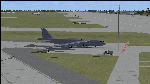
Since it became operational in 1955, the B-52 has been the main long-range heavy bomber of the U.S. Air Force. It first flew on Apr. 15, 1952. Nearly 750 B-52s were built when production ended in Oct. 1963. This "J" model is the future re-engined "h" model 60-0042 of the 917th Wing AFRC based at Barksdale AFB (KBAD). She flies higher, further, and faster than any previous version. The aircraft can cruise at 380 KIAS at 500 ft agl over about 5,000 nm which makes her capable of reaching targets within enemy airspace anywhere on the globe without being detected by radar until it's too late. Her normal high altitude cruise speed has been increased to Mach .88 above FL550E over 9,000 nm without refueling, and her service ceiling has increased to FL570E. The 50,000 lb payload is still nominal, but due to the lighter engines she now has more accomidations for the crew, and does not require refueling very often. She can range much further with less speed (i.e., Mach .85), but there is normally no need for that. This aircraft is designed to fly like the real thing. It is likely one of the best B-52 models available at this time. I have test-flown this aircraft around the globe several times to reassure myself that all is well. You will not have a bouncing effect occur when cruising with 16x speed acceleration and autopilot engaged because all aerodynamics and balance are perfected to a very low margin of error, or no error margin at all. Please be sure to read the INSTRUCT.TXT file for extended details. Original aircraft designer: Mike Stone; Textures by Bill Baldwin; Panel and gauges by Philippe Wallaert; Auto Smoke Effects by Richard Wisman; BR-725 Sound by Ronald Buffalo; Real World aero/engine dynamics, data, lights and effects by: Douglas E. Trapp, FS Flight Dynamics Engineer, Irving, Texas, [email protected], October 2018. The use of this model, and the configuaration of such, is designed for free educational purposes, and protected by the Free Use Act: (https://www.law.cornell.edu/uscode/text/17/107). This model and/or aspects of such cannot be used for monetary purposes!
| Filename: | B52J.zip |
| License: | Freeware |
| Added: | 27th October 2018, 18:57:21 |
| Downloads: | 628 |
| Author: | Douglas E. Trapp |
| Size: | 24.51 MB |
| Category: Flight Simulator 2004 - Scenery | |
| Cordova Smith PACV & Municipal CKU in Alaska US |
|
Images related to this file:
File Description:
Cordova is on the south coast of Alaska, around 150 miles east of Anchorage and 45 miles south of Valdez. The town is mainly built on a small but relatively flat area between the east side of Prince William Sound and Eyak Lake, and has a population of around 2,350 in 2010, the approximate date of this scenery.
The Municipal Airfield CKU is on the north side of Eyak Lake to the east of Cordova, with the runway that is 1,800 feet of unlit gravel squeezed between the lake and the road that runs around the lake. The hangars and parking aprons are reached by taxiing across, and to some extent along, the road. Float planes are also taken from the lake to an apron to the west of the runway.
Cordova Airport PACV (named in the real world "Merle K. (Mudhole) Smith", and I will leave you to research this) is known as Cordova Smith in FS9 and is 10 miles to the east of the town on relatively flat ground between mountains to the north and the sea to the south. The runway is 8,080 feet of lit asphalt aligned 09-27 with ILS on runway 27 and VASI on both ends. The aprons are to the north side of the runway and are reached by back-taxiing; there are no taxiways parallel to the runway. The main apron serves Alaska Air via the western of two taxiways. The GA parking and hangars are mainly reached by using the eastern taxiway, though there is in fact a connecting taxiway between the two (for GA, but definitely not for airliner use). The taxiway further to the west serves the separated Alaska Coastguard apron and hangar, which is mainly for helicopter use. There is a nominally grass runway 1,900 feet long and aligned 16-34 to the south of the main runway; in fact it appears to be more gravel than grass. I have left this inactive as otherwise AI Alaska Air planes would be attempting to use this when the wind made it seem like a good idea.
The AI includes Alaska Air (twice a day) and also Coastguard helicopters, along with GA.
| Filename: | Cordova_Smith_PACV__Municipal_CKU_in_Alaska_US.zip |
| License: | Freeware, limited distribution |
| Added: | 22nd January 2022, 21:53:03 |
| Downloads: | 145 |
| Author: | Roger Wensley |
| Size: | 16.93 MB |
| Category: Flight Simulator 2004 - Scenery | |
| Whati CEM3 in the Northwest Territories, Canada |
|
Images related to this file:
File Description:
Whati is a village at the southern end of Lac La Martre, a smaller lake (only by Canadian standards, at over 40 miles long) halfway between the Great Slave Lake and the Great Bear Lake and around 100 miles north of Yellowknife. The North West Company established a trading post there in 1793, and this was the centre for local trading in the area for 100 years until a post was opened by the Hudson Bay Company on the Great Slave Lake. The current population is in the region of 520. There is no graded road access and access is by boat or air. The main local economy revolves around hunting and fishing, with efforts being made to increase tourism amid the wilderness and the wildlife. The airfield is just over a mile east of the village, with a runway of around 3,400 feet of gravel aligned 09-27 as of 2010, with PAPI at both ends and lit. There are scheduled flights from Yellowknife by Air Tindi, included in the AI, and some GA. The terminal building is similar to that of Lutselk'e, but with a different colour scheme and with solar panels on the roof. It appears that they repaint the sign on the front of the building with a different wording every time; the one I have used is one of three that have existed in the last few years. The photos I had originally were taken in the winter, with snow. Seeing it in the summer I discovered that my version of the building is not at the right level above the ground by about a foot, or 30cm. I was too lazy to make it again, which was the only way to get it right and still have it throw a shadow on the ground. This scenery modifies the lake shore, corrects levels for land and lake, and adds the village and a connecting road in addition to the airport. A note here about my scenery making. There will not be many more to follow this as I am almost at the end of the photos I either took or found for scenery purposes, plus I expect to move on from FS9 at some point during next year.
| Filename: | Whati_CEM3_in_the_Northwest_Territories_Canada.zip |
| License: | Freeware, limited distribution |
| Added: | 15th December 2019, 19:18:29 |
| Downloads: | 148 |
| Author: | Roger Wensley |
| Size: | 4.25 MB |
| Category: Flight Simulator X - Aircraft Repaints, Textures and Modifications | |
| FSX/P3D Thomas Ruth Air Leisure Egypt SU-GBM Airbus A340-212 |
|
Images related to this file:
File Description:

(TEXTURES ONLY)
(ONLY TESTED IN FSX: STEAM EDITION)
This was requested by Ahmed Fouad on the Facebook as well as in Flightsim. This has been requested by him for a while so I decided to do it.
Happy New Years guys! This is my first livery for the year. Sadly, as of writing this, Flightsim just went offline for renovation and may stay like that for who knows how long. Could be days, weeks, or even months.
I used the placards from Joey_C's Dragonair A330-300 Livery for the Bulk Cargo Doors as well as the Cargo Door Levers. He is the same user I asked permission from to use his decals and door placards for my Dragonair Cargo 747-300SF Livery, so thanks to him again for letting me borrow his textures with his permission! You should also check out his page if you like flying with X-Plane!
I spent a few hours on this livery just by doing the logo alone. Since I needed a high quality photo of the tail logo, I used OpenAI's ChatGPT to upscale the logo and it did, though the edges still look very pixelated. So I spent a few hours trying to re-draw every line so it could be the highest quality as possible.
I further spent the entire day trying to find photos of the cargo door placards, specifically the "CARGO DOOR OPERATIONS" Instructions text. In real life, it included both in English and Arabic. I tried looking for a photo of the instructions for hours until I found it on a YouTube Shorts video. Then I used that as a reference which also took me a few hours trying to make lines, outlines, and text for it. I didn't want to spend more time doing the same thing for the Arabic text, so I used ChatGPT to translate all of the text and I just remove the background using DXTBMP.
Instructions and more information are included in the readme file.
| Filename: | FSXP3D_Thomas_Ruth_Air_Leisure_Egypt_SUGBM_Airbus_.zip |
| License: | Freeware |
| Added: | 3rd January 2026, 14:44:37 |
| Downloads: | 37 |
| Author: | Ryubunao |
| Size: | 79.81 MB |
| Category: Flight Simulator X - Scenery | |
| Rybachiy Submarine Base "The Hornet's Nest" |
|
Images related to this file:
File Description:
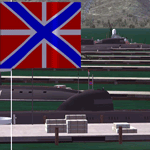
Rybachiy Nuclear Submarine Base, NATO reporting name "The Hornet's Nest." This scenery is specific to the Aerosoft addon "Kamchatka - the Lost Continent." You are welcome to use it, regardless, but in testing, only half the peninsula showed with the Aerosoft scenery inactive.
Rybachiy has a long and chequered past as the home of the Soviet Pacific submarine fleet. It launched the ill fated K-129 in 1968 and is the final stop for submarines before being "disposed" of, a process that includes either sinking the nuclear core, or interring it indefinitely on a floating platform.
I more or less copied the state depicted in Wikimapia, it shows the docks relatively clear of excess retired subs and 10 or 12 Grumble launchers at the SAM site, which is no longer the case. I wonder who's buying up the retired SA-10's..
The odd looking torpedo on the loading dock is the 240 mph, super-cavitating VA-111 Shkval, which is essentially a rocket engined defensive weapon. A consequence of the presumed and persistent superiority of Western underwater acoustics, it is understood that the enemy would "get the drop." In such a circumstance, the crew would load a Shkval and fire it in the direction of the approaching torpedo, which would force the attacking sub to sever the control wire to avoid being hit.
Elsewhere, at the SLBM dock, you can see the R-29 Vysota being loaded. It is being advertized as a launch platform for low orbit satellites, besides MIRV's, of course. The SLBM dock is removed from the main base. Steer north of west from the docks, or use Wikimapia to find it.
This is an edit and enhancement of a scenery addon already published by Blaunarwal. He did an excellent job adding detail to Yelizovo, Petropavlovsk-Kamchatsky and Avachinskiy Bay. I contacted him and asked if he would collaborate and edit his AI boat traffic to match the docks I moved and he graciously agreed. I tried to arrange the files so it would be equally easy to install to the previous version or as an original.
| Filename: | Rybachiy_Submarine_Base_The_Hornets_Nest.zip |
| License: | Freeware, limited distribution |
| Added: | 18th August 2013, 19:32:26 |
| Downloads: | 780 |
| Author: | Rick Keller |
| Size: | 198.88 MB |
| Category: Flight Simulator 2004 - Scenery | |
| Bella Coola CYBD in British Columbia, Canada |
|
Images related to this file:
File Description:
Bella Coola is in one of the deep east-west fjords amid the Coastal Range on the coast of BC, approximately mid way between Vancouver and the Alaskan border and some 70 miles inland from the open ocean. The town of Bella Coola has a small population of around 150, while the population of the whole Bella Coola Valley is around 2,000. The valley is warmer in both summer and winter than the surrounding area, and tourism flourishes along with forestry, fishing, and local government administration. Although there is road access, the ferry service is the main connection to larger coastal towns or cities such as Vancouver. The airport, 7 miles east of the town, is connected by daily Pacific Coastal flights to Vancouver and Anahim Lake (to the east). The asphalt runway is 4,200 feet long and aligned 04-22 in FS9 (by 2010 this had changed to 05-23 in reality) and is without lighting of any sort, so it is restricted to daylight hours only. At the eastern end is the terminal building and in the middle the West Coast Helicopter hangar, which has a large fenced paddock-like enclosure in front of it. The helicopters hop over the three feet high fence as they "taxi" to the apron in front of the hanger (but not in FS9!). Between the two there are four other company hangars spread out along the roadway beside the fence. I have never seen the airfield in Summer, and I have not attempted to replicate the apron as it now shows in Google Earth. The screenshots show the main and overwhelming feature of Bella Coola, the large valley amid the steep mountains. This terrain has an inevitable effect on the ai, in that you will never see a plane land as it hits solid rock before it makes it to the runway. You will, however, see them take off. Pacific Coastal currently flies Beechcraft 1900's to Bella Coola; I have used the Saab 340 which I have seen there some years ago and which I prefer.
| Filename: | Bella_Coola_CYBD_in_British_Columbia_Canada.zip |
| License: | Freeware, limited distribution |
| Added: | 25th October 2018, 17:57:06 |
| Downloads: | 285 |
| Author: | Roger Wensley |
| Size: | 14.57 MB |
| Category: Flight Simulator 2004 - Panels | |
| Golovin N93 and Solomon AK26 in Alaska |
|
Images related to this file:
File Description:
Golovin is a coastal fishing village 70 miles east of Nome and around 20 miles west of Elim, with a population of under 200. The village is a check point on the Iditarod race and the name originates from a Russian admiral in the far distant past. The airfield has a gravel runway which is over 4,000 feet long; the older runway amid the village housing is still visible but not usable. The majority of flights to and from the airfield originate in Nome, but there are also others to and from nearby fields such as Elim, Unalakleet, Shaktoolik, and Koyuk. The AI includes a daily ERA flight. Most flights to villages of this size are in fact not "scheduled", but are "air taxi" being used by three or four villagers to go supermarket shopping in a larger neighbouring town, which in this case is Nome. In many cases the numbers of flights to and from a village in a year average out to one a day. There is a further scenery included here, which is Solomon AK26. Solomon is around 40 miles west of Golovin and from 1898 was suppporting a gold mining operation on the Fish and Niukluk rivers further inland at Council. Solomon, and the airfield which obviously came later, gradually faded from use in competition with Nome, leaving almost nothing behind at Solomon by the 1980's except a gravel runway and the nearby Solomon roadhouse. There are other buildings near the airfield which appear to be new and in good condition, but their function is unknown to me. The Solomon terrain modifications and grass deletion bgl's did not function until loaded in a "Top" folder; this is unusual, and may be required only in my FS9 setup or in all situations. I have no way of knowing as I can only design for my situation. A note here about my scenery making. This is post number 503 and there will not be many more to follow this as I am almost at the end of the photos I either took or found for scenery purposes. There is a limit to what can be located online and I have already been making use of the little there is; eg Unalakleet. Post 520 is unlikely. So, if you are near an airport (preferably Canadian or Alaskan) and have a camera..... Let me know.
| Filename: | Golovin_N93_and_Solomon_AK26_in_Alaska.zip |
| License: | Freeware, limited distribution |
| Added: | 5th August 2019, 16:19:07 |
| Downloads: | 82 |
| Author: | Roger Wensley |
| Size: | 4.23 MB |
| Category: Flight Simulator X - AFCAD Files | |
| Parker Airport (70NJ), NJ |
|
File Description:
Located 02 miles S of Asbury, New Jersey on 13 acres of land, Parker Airport is a private turf strip located on residential property. This airport is challenging in many ways. For one, when approaching from the southeast the airport is located immediately after a tall ridge, so when topping this ridge at altitude you may not even see the airport over the nose of your aircraft before you overfly it. The runway for this airport is 1600' feet long but it is curved and slightly sloped perpendicular to your roll, so significant rudder will be needed to stay aligned - be careful when operating with any crosswind component! It is highly recommended that you only depart via Runway 25 and arrive via Runway 07 to avoid having to clear significant obstacles prior to landing or after taking off. This airport has no hard-surfaced runway and there is a very noticeable "bump" in the terrain halfway down the runway that will literally bounce your aircraft into the air - I tried my best to smooth it over but could not get rid of it entirely. When taking off make sure you have back pressure applied so your main gear only bounce you high enough to remain within ground effect - hitting your nose wheel can cause an extreme pitch up leading to a stall. Trees close in tight to the runway at the end of Runway 07 or the start of Runway 25, however collision has been disabled with the trees nearest the runway so you can scrape some branches if needed on the takeoff/landing rolls. The author has successfully departed and arrived on both runways in the default Cessna 172 under moderate crosswind from the northeast. This field may definitely require some practice but it is usable!! This airport has no edge lighting, so daytime VFR operations only are recommended.
Scenery constructed with use of satellite images/streetview/aerial photos - the author has not been there in person.
This scenery is meant to be used in conjunction with MegaScenery Earth New York 007. It is not required, but apron use is minimized to allow satellite scenery to show through as much as possible, and objects are placed based on the MSE textures - lack of it may make scenery look out of place.
| Filename: | Parker_Airport_70NJ_NJ.zip |
| License: | Freeware |
| Added: | 10th February 2011, 05:04:30 |
| Downloads: | 215 |
| Author: | Drew Sikora |
| Size: | 559.02 KB |


© 2001-2026 AVSIM Online
All Rights Reserved
Privacy Policy |