
Where Flight Simulation Enthusiasts Gather from Around the World!
AVSIM Library - Search Results

| Category: Flight Simulator 2004 - Original Aircraft | |
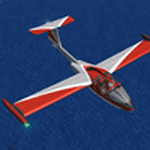
| Caproni-Vizzola C-22J Ventura |

|
Images related to this file:
File Description:
The Machine:
A fully aerobatic, very-light Jet that compares to the Bede BD-5J, but heavier and sporting two instead of one TRS-18 turbojets. Up to Mach 0.47 and 650 NM of range, with a service ceiling of 25000ft. A low stall speed (for a jet) makes the aircraft good for short field operations.
Certified for VFR operations only, yet includes a good avionics suite.
This is a "Classic" aircraft featuring "Steam" gauges and radios. Yet, controls and systems are easy to operate.
The History:
The C-22J is the last aircraft to be adorned with the legendary Caproni name. Originally known as "Caproncino", then marketed as "Ventura". A very-light jet developed in the 1980s as a military trainer, surveillance and reconnaissance aircraft. Powered by two TRS-18 turbojets fed from a dorsal NACA intake, the aircraft reached Mach 0.47 and was fully aerobatic. The airframe shows its origin in a glider design, the Caproni A-21 Calif. After the merger with SIAI Marchetti, the project was cancelled in favor of the SF-260.
The Simulation - 3D Model:
This aircraft ships with a 3-D cockpit, that incorporates realistic night lighting, in the form of a dim dome flood light, backlit gauges and luminous digital displays. The flight crew of 2 is affected by your input in the payloads menu of Flight Simulator, allowing to choose between male, female or empty seats. The Copilot Figure can be hidden with a quick click in the internal 3D view as well.
The Simulation - Realism:
This aircraft has been tuned with the invaluable help of Engineer Carlo Ferrarin, who created the real aircraft. Unique and one-off documentation has been kindly provided, and used extensively, for the creation of this product!
Just like the real aircraft, the systems are simple and of easy operation. Engines can be started with the press of a button. Systems modelling allows the following of real-world checklists as closely as Flight Simulator allows. An in-sim checklist is included, as well as a full flight manual.
The flight model is tuned with advanced aerospace techniques, resulting in a highly realistic aircraft, yet, it is very pleasant to fly, both during aerobatic displays or "A to B" cruising.
Highlights:
- High-Resolution 3D cockpit
- Full Documentation
- Aerobatic
FS-2004 Version comes with limited support and is free due to platform limitations. See Readme. FS-X & P3Dv4 (64-bit) versions are commercial products.
| Filename: | CaproniVizzola_C22J_Ventura.zip |
| License: | Freeware, limited distribution |
| Added: | 7th November 2020, 18:31:45 |
| Downloads: | 677 |
| Author: | Mario Noriega |
| Size: | 157.85 MB |
| Category: Flight Simulator X - Original Aircraft | |
| Airbus A318 FD Special Version V3 - Light Pack |
|
Images related to this file:
File Description:

This is the new version of my Airbus A318 with the Panel in V3 opened on the A321 - here in a light pack version, included is 1 livery only (Frontier Airlines NR807 Painted by Derek Mayer & Steve Mac Bee of PA Team).
This light pack contains only the user manual in english version (and low resolution). If you want the french version of this manual, use the "zipdrive" function with the complete pack of this aircraft (search by name file "pa318fd_v3.zip"). This light version has been made by request for all those with low download speeds and limits.
The original complete pack is available HERE (filename: pa318fd_v3.zip)
I remind you that this aircraft is based on the Project Airbus A318, with an ehanced panel based on the work of stefan Liebe.
This latest development can see the more realistic Airbus available as freeware. With a new version of the panel, the aircraft has a 100% cold & dark Status at the start of a flight, a real fuel system management with all valves, piumps and crossfeed work, the complete Bleed circuit with X-bleed, a real engines manual startup procedure like the real aircraft. I have also ehanced the navigation display with TCAS function in ARC and NAV mode; There is also the engines failure procedure to work (fire, oil leaks....) and many improved function that I cannot describe here. The aircraft comes with user manual in English and in French, and it is essantial to read it before you fly.
All the functions of the V2 have been kept and improved, like the vertical navigation gauge, the terrain radar map on the navigation display, the autolanding function, the SFCC.
This version is only in CFm engines, but with real engine data (CFM56-5B9) and custom HD sounds. Now, the Fly By wire works in 2 modes: "Normal Law" and "Direct Law". I put 300 hours into the development of this panel and I hope that you will like it.
Please, note that this panel is the v3.05 version, witch fixes the bugs of the first version that came with the A321 (there is an update panel for the A321).
So, It seems that this aircraft works with PREPAR3D
Francois Dore
| Filename: | Airbus_A318_FD_Special_Version_V3__Light_Pack.zip |
| License: | Freeware, limited distribution |
| Added: | 14th July 2012, 15:34:06 |
| Downloads: | 6,731 |
| Author: | Francois Dore, Project Airbus |
| Size: | 64.88 MB |
| Category: Microsoft Flight Simulator (2020) - Utilities | |
| Random Flight Database 3.5.2 |
|
File Description:
Random Flight Database is a simple and easy to use application.
​
It will allow you to randomly choose one or more VFR, IFR flights according to your criteria (type of plane, flight time, company, distance, departure airport, .....).
​
These flights are chosen at random from a default database, a user base created by yourself or according to the world aviation POIs.
​
A default database is already included, but also the possibility for each user to create his own database.
​
But that's not all, you can also extract the flights of the day for an airport, or extract the flights for a whole week.
Why Use RFD ?
The advantage of RANDOM FLIGHT DATABASE:
Extracted from FlightRadar but also from other databases, it chooses randomly among those where these databases according to your choices.
You can also make many other possible combinations, such as leaving each time from the arrival airport for each flight generated, but also selecting your favorite planes and airports.
Simply choose the departure airport, he chooses the arrival airport for you, choose the arrival airport, he chooses the departure airport for you and all this according to the real data of the airlines.
A tab for generating non-real flights is available, it will allow you to generate random flights from over 58,000 global aviation POIs.
​
Full of possibilities, including the possibility to choose the flight time but also to generate several flights while leaving the arrival airport.
You also have the option of creating your own data for inclusion in this software.
And one of the most important is that once the flight (s) are generated, you can send them to SIMBRIEF or PFPX to schedule this.
| Filename: | Random_Flight_Database_352.zip |
| License: | Freeware |
| Added: | 21st December 2020, 20:47:04 |
| Downloads: | 163 |
| Author: | mikoulprostgrandprix |
| Size: | 181.97 MB |
| Category: Microsoft Flight Simulator (2020) - Utilities | |
| Random Flight Database 3.5.2 |
|
File Description:
Random Flight Database is a simple and easy to use application.
​
It will allow you to randomly choose one or more VFR, IFR flights according to your criteria (type of plane, flight time, company, distance, departure airport, .....).
​
These flights are chosen at random from a default database, a user base created by yourself or according to the world aviation POIs.
​
A default database is already included, but also the possibility for each user to create his own database.
​
But that's not all, you can also extract the flights of the day for an airport, or extract the flights for a whole week.
Why Use RFD ?
The advantage of RANDOM FLIGHT DATABASE:
Extracted from FlightRadar but also from other databases, it chooses randomly among those where these databases according to your choices.
You can also make many other possible combinations, such as leaving each time from the arrival airport for each flight generated, but also selecting your favorite planes and airports.
Simply choose the departure airport, he chooses the arrival airport for you, choose the arrival airport, he chooses the departure airport for you and all this according to the real data of the airlines.
A tab for generating non-real flights is available, it will allow you to generate random flights from over 58,000 global aviation POIs.
​
Full of possibilities, including the possibility to choose the flight time but also to generate several flights while leaving the arrival airport.
You also have the option of creating your own data for inclusion in this software.
And one of the most important is that once the flight (s) are generated, you can send them to SIMBRIEF or PFPX to schedule this.
https://www.youtube.com/channel/UC8y3mSeP-gj-h2MbMT59AOw
| Filename: | Random_Flight_Database_352.zip |
| License: | Freeware |
| Added: | 28th December 2020, 18:47:26 |
| Downloads: | 151 |
| Author: | mikoulprostgrandprix |
| Size: | 181.97 MB |
| Category: Flight Simulator X - Aircraft Repaints, Textures and Modifications | |
| Douglas C-47 (N65276) Frontier Airlines |
|
Images related to this file:
File Description:

This folder contains a repaint for version 3.14 of the Douglas C-47 by Manfred Jahn and colleagues in the colors of Frontier Airlines N65276, one of the C-47/DC-3's operated by Frontier Airlines. On April 21, 1957, at 1321 hours, N65276, operating as Frontier Airlines flight 7 departed Prescott, Arizona enroute to Phoenix under visual flight rules (VFR) with 21 passengers and one stewardess. As the flight proceeded southbound toward Phoenix the weather deteriorated to a point where the flight could no longer remain clear of clouds and maintain VFR. Captain Welling requested and received an instrument flight rules (IFR) clearance to proceed to Phoenix via Knob intersection thence to the Phoenix omni range, maintain 7000 feet. The crew never acknowledged receiving the clearance. It is suspected that the reason there was no response is that this was the precise moment that flight 7 struck the west ridge of a mountain at the 4500’ level southeast of Prescott shearing off twelve feet of the left wing and six feet of the left aileron. After declaring an emergency, flight 7 landed safely at Phoenix Sky Harbor airport without further incident. There was no injury to the passengers or crew. The wing was replaced and the aircraft continued flying for Frontier. Sadly, N65276 was lost in a tragic accident in 1967 on a snowy Denver day when a rudder-lock had been placed on an elevator and not removed prior to take-off. Both pilots were killed in the crash. More info, as well as pictures, on these incidents, and an earlier mishap with N65276 can be found here: http://fal-1.tripod.com/FL_Crash.html.Repaint by Jan Kees Blom for Manfred Jahn's C-47 version 3.14, based on the paintkit by Gman5250.
| Filename: | Douglas_C47_N65276_Frontier_Airlines.zip |
| License: | Freeware |
| Added: | 14th August 2018, 21:34:27 |
| Downloads: | 380 |
| Author: | Jan Kees Blom |
| Size: | 13.82 MB |
| Category: Prepar3D V1-4 - Scenery | |
| Madonna della Corona Verona Italy N45.39.64 E10.53.34 |
|
File Description:
Madonna della Corona Verona Italy N45.39.64 E10.53.34 A sanctuary set in the Rock of Monte Baldo at about 1350 Ft in the Adige valley.The Corona Sanctuary is a place of silence and meditation, suspended between heaven and earth, hidden in the heart of the Baldo rocks. Medieval documents attest that already around the year 1000 in the Baldo area lived hermits linked to the Abbey of San Zeno in Verona and that at least from the second half of 1200 there existed a monastery and a chapel dedicated to S. Maria di Montebaldo accessible through a narrow and dangerous path in the rock. During the sixteenth century the two access stairs still visible were made: the widest, of 556 steps, which from the source of Spiazzi, then called "Fonte dell'Indipendenza", descended to the bridge of the lime tree, and the narrower one, of 234 steps, carved into the rock along the original narrow path that led from the bridge to the church. In 1974 the architect Guido Tisato was entrusted with the task of drawing up a project for a global intervention that envisaged the demolition of the existing Church, the preservation of the most valid and significant parts and the construction of a broader structure. Demolition and reconstruction of the Sanctuary were carried out between 1975 and 1978 and on June 4, 1978 the Bishop Giuseppe Carraro was able to proceed with the dedication of the new Sanctuary and the new altar. In 1982 the sanctuary was given the title "minor basilica". On April 17, 1988, Pope John Paul II visited and prayed to Our Lady of the Crown. Important VFR point for approaching airport Verona Villafranca e Verona Bosco Mantico. Within the downloaded package you will find readme files for scenery installatio, photos of site an flight plan. Good fly VFR. Pasquale Marrulli.
| Filename: | Madonna_della_Corona_Verona_Italy_N453964_E105334.zip |
| License: | Freeware |
| Added: | 4th May 2018, 04:44:39 |
| Downloads: | 154 |
| Author: | Pasquale Marrulli |
| Size: | 38.05 KB |
| Category: Prepar3D V1-4 - Utilities | |
| Flightplan Visualizer 1.8 |
|
Images related to this file:
File Description:
Flightplan Visualizer (FV) version 1.8.0. Copyright 2018 by Pelle F. S. Liljendal ([email protected]), all rights reserved.
FV comes with 300 Commercial-, and +380 BizJet AI pre-imported flightplans which the creators of those flightplans have gracefully allowed me to include with the installer, however you are able to import additional (AI) flightplans if you want to. Once imported these (AI) flightplans can be visualized on a map-view, and the user will be able to search accross all these. Hence you can use the program as inspiration as to which routes to fly. E.g. you can search across all imported flightplans to find all flights in an A321 flying into/out from LDDU, or simply to look for all flights in a Boeing 747-8F.
Simply run the included installer to install the software. The program will be installed into "C:\Program Files (x86)\Flightplan Visualizer" and all datafiles will be installed into: "C:\Users\[UserName]\AppData\Roaming\FlightplanVisualizer". The program comes with a full manual explaining everything, and a 2 page quick manual to get you started. The first 3 times you run the program the quick manual will automatically open. Lacking a “proper forum†I have - for now - setup a Facebook group for support. This group is called “Flightplan Visualizerâ€, and you can seek membership via this link: https://www.facebook.com/groups/FlightplanVisualizer/
If you are installing this version on top of a version prior to 1.7 the program will start slower than ususal and display a lot of warnings. This is because it fileformat of the pre-imported flightplans was changed between version 1.6 and 1.7, so starting version 1.8 it will update all flightplans (and in the progress it will display all those warnings). The next time you start FV you will no longer see this warnings as all flightplans will have become updated.
Pelle
| Filename: | Flightplan_Visualizer_18.zip |
| License: | Freeware, limited distribution |
| Added: | 16th December 2018, 01:30:27 |
| Downloads: | 330 |
| Author: | Pelle Liljendal |
| Size: | 24.48 MB |
| Category: Flight Simulator 2004 - Scenery | |
| Stewart CZST and CAC9 in British Columbia Canada, plus Hyder 4Z7 in AK |
|
Images related to this file:
File Description:
Stewart is in northern British Columbia, around 115 miles north of Terrace, 70 miles northeast of the open sea, and 2 miles from the Canada/US border at the head of a fjord named the Portland Canal. Both Stewart and the nearby Hyder in AK thrived along with silver and gold mining in the early 1900's in the AK and BC interiors and in 1914 Stewart's population was over 10,000, but the current population is now less than 500. This scenery includes Stewart airport (CZST) and also Stewart floats (CAC9) plus Hyder floats 4Z7 which is within sight of Stewart but in Alaska. 4Z7 is based upon the three FSAddon freeware and payware Alaska sceneries, and without whichever one covers Hyder (I forget which) the float base will be isolated way offshore. The Stewart airport is adjacent to the town. There is a single runway that is unlit and just under 4,000 feet of asphalt aligned 18-36, with right hand circuits on 18; a brief view of the surrounding terrain makes it quite clear why. This version is for a period around 2010 to 2012 or so, before a second fuel tank was installed. There are no regularly scheduled flights to Stewart, only GA and charters, but the airport survives with the tourist trips. I have not forgotten the signage for CZST; there isn't any. There is also no clearly defined and fenced boundary to the airport, with a gravel apron beyond the asphalt that then fades to dirt and grass and a road. Hyder has no land connection to the rest of Alaska except through Stewart and a long road trip; the only direct link is by float plane to Ketchikan, 75 miles in a straight line. The AI includes this.
| Filename: | Stewart_CZST_and_CAC9_in_British_Columbia_Canada_p.zip |
| License: | Freeware, limited distribution |
| Added: | 18th January 2019, 18:08:29 |
| Downloads: | 174 |
| Author: | Roger Wensley |
| Size: | 8.9 MB |
| Category: Prepar3D V1-4 - Aircraft Repaints, Textures and Modifications | |
| North American P-51D 359th FG (CS-L) 'Daddy's Girl' |
|
Images related to this file:
File Description:

This folder contains a repaint for the A2A WoP3 P-51D Mustang (with AccuSim), in the colors of P-51D-10-NA 44-14377 as flown by Captain Ray S. "X-ray eyes" Wetmore, of the 370th FS/ 359th FG. Born in Kerman, California, Ray Shuey Wetmore enlisted in the Army in November 1941 at age 18 and entered pilot training eight months later. Upon commissioning in March 1943 he joined the new 359th Fighter Group which was sent to England in October that year. Flying with the 370th Fighter Squadron, in February and March 1944 Wetmore scored his first 4.25 victories flying the Republic P-47 Thunderbolt. Upon conversion to P-51 Mustangs the group ranged farther afield and Wetmore became a 20-year-old ace with a double victory on May 19, downing two Me-109s. At month's end his tally was 8.25. At year's end he was a captain with nearly 15 kills, flying several Mustangs named Daddy's Girl.
He flew 44-14377 between 2 november 1944 and 10 march 1945, when it was damaged by Flak near Remagen. He scored nine victories with this aircraft, making it his most successful mount
Upon return from leave in the U.S., then-Captain Wetmore scored steadily from November 1944 to January 1945. In that period he downed 12 more enemy fighters including 4.5 FW-190s on January 14. His final victory was a rocket-powered Me-163 on March 15. His final score was 21.25 destroyed and one damaged in aerial combat, highest score in the 359th Fighter Group and eighth best of all Americans in the European Theater. On VE-Day he was a 21-year-old major and the highest scoring ace still on active duty in the 8th AF. Repaint by Jan Kees Blom, based on the A2A paintkit.
| Filename: | North_American_P51D_359th_FG_CSL_Daddys_Girl.zip |
| License: | Freeware |
| Added: | 10th November 2018, 16:48:16 |
| Downloads: | 95 |
| Author: | Jan Kees Blom |
| Size: | 13.48 MB |
| Category: Prepar3D V1-4 - Utilities | |
| Flightplan Visualizer 1.7 |
|
File Description:
Flightplan Visualizer (FV) version 1.7.1. Copyright 2018 by Pelle F. S. Liljendal ([email protected]), all rights reserved.
FV comes with 300 Commercial-, and +380 BizJet AI pre-imported flightplans which the creators of those flightplans have gracefully allowed me to include with the installer, however you are able to import additional (AI) flightplans if you want to. Once imported these (AI) flightplans can be visualized on a map-view, and the user will be able to search accross all these. Hence you can use the program as inspiration as to which routes to fly. E.g. you can search across all imported flightplans to find all flights in an A321 flying into/out from LDDU, or simply to look for all flights in a Boeing 747-8F.
Simply run the included installer to install the software. The program will be installed into "C:\Program Files (x86)\Flightplan Visualizer" and all datafiles will be installed into: "C:\Users\[UserName]\AppData\Roaming\FlightplanVisualizer". The program comes with a full manual explaining everything, and a 2 page quick manual to get you started. The first 3 times you run the program the quick manual will automatically open. Lacking a “proper forum†I have - for now - setup a Facebook group for support. This group is called “Flightplan Visualizerâ€, and you can seek membership via this link: https://www.facebook.com/groups/FlightplanVisualizer/
If you are installing this version on top of a version prior to 1.7 the program will start slower than ususal and display a lot of warnings. This is because it fileformat of the pre-imported flightplans was changed between version 1.6 and 1.7, so starting version 1.7 it will update all flightplans (and in the progress it will display all those warnings). The next time you start FV you will no longer see this warnings as all flightplans will have become updated.
Pelle
| Filename: | Flightplan_Visualizer_17.zip |
| License: | Freeware, limited distribution |
| Added: | 27th November 2018, 17:23:12 |
| Downloads: | 463 |
| Author: | Pelle Liljendal |
| Size: | 23.28 MB |


© 2001-2026 AVSIM Online
All Rights Reserved
Privacy Policy |