
Where Flight Simulation Enthusiasts Gather from Around the World!
AVSIM Library - Search Results

| Category: Flight Simulator X - Scenery | |
| KDEN - Denver, Colorado International Airport |

|
Images related to this file:
File Description:
Denver Colorado International Airport For FSX. Several improvements have been made to the default airport, those being:
1. A United Airlines commuter terminal has been added to Concourse B along with custom made jetways complete with the United Airlines logo (these jetways are NOT animated).
2. All jetways and scenery objects will display as long as scenery complexity in FSX is set at normal or higher.
3. The vehicle paths have been redesigned so as not to allow airport vehicles to enter taxiways
4. Optionally, all runways may be opened for AI traffic.
5. The land class has been changed in places so as to prevent autogen objects from displaying on the airport grounds.
6. The tower view has been changed to display from the roof of the control tower.
7. Extra fuel trucks have been added throughout the airport.
8. All gates are accurately portrayed.
9. All taxiways are included and are accurately named, and taxiway signs are accurately placed.
Also, there is an option to place several static United Airlines and Southwest Airlines aircraft in designated spots.
This is an improved version of the airport which I first did in 2007.
Please refer to the README FIRST.txt file for important information
| Filename: | KDEN__Denver_Colorado_International_Airport.zip |
| License: | Freeware, limited distribution |
| Added: | 5th January 2014, 23:51:59 |
| Downloads: | 3,482 |
| Author: | Patrick Finch |
| Size: | 2.57 MB |
| Category: Flight Simulator 2004 - Scenery | |
| KCMI Update for KCMI Willard airport in Champaign, IL |
|
File Description:
I have made a few changes to parking lot lights and some movement of objects.
This update should have the previous version of kcmi_willard.zip installed already to work..
At request of different people. I have made three different levels of display for KCMI Willard Airport located in Champaign, IL.
To add the new scenery file to your KCMI just install and override the original Scenery folder in the KCMI Folder.
Then to select the level of display I have numerous settings that can be changed.
To change the level of vehicles seen chose one of the following.
KCMI_Vehicles_low.xxx
KCMI_Vehicles_med.xxx
KCMI_Vehicles_high.bgl
The default is the KCMI_Vehicles_high.bgl setting.
If you computer can not handle this high setting, just change KCMI_Vehicles_high.bgl to KCMI_Vehicles_high.xxx
Then change either KCMI_Vehicles_low.xxx or KCMI_Vehicles_med.xxx
By just changing the xxx to bgl
At the low setting, only a few vehicles will be seen.
___________________________________
Also you can change the following bgl files to see how they look also.
KCMI_Power Poles.bgl to KCMI_Power Poles.xxx will eliminate the power lines.
static-planes.bgl to static-planes.xxx will eliminate the two large planes at the corners of the runway.
KCMI_Maintenance.bgl to KCMI_Maintenance.xxx will eliminate related maintenance equipment of the two large planes.
____________________
Then restart your FS9 and it will apply the changes...
| Filename: | KCMI_Update_for_KCMI_Willard_airport_in_Champaign_.zip |
| License: | Freeware |
| Added: | 6th February 2006, 01:45:47 |
| Downloads: | 1,052 |
| Author: | Lawrence F Dorries |
| Size: | 69 KB |
| Category: Flight Simulator X - Scenery | |
| KMSN - Madison Wisconsin Dane County Airport - Wisconsin, USA |
|
Images related to this file:
File Description:
Madison Wisconsin Dane County Regional Airport for FSX. Several improvements have been made to the default airport. The default terminal buildings have been replaced with buildings created in FSDS; aircraft gates have been correctly coded using Airport Design Editor 1.67.5684; a new airport vehicle network has been built; extra fuel trucks have been added throughout the airport; the tower view has been changed to display from the roof of the control tower; a static FedEX truck in two different color schemes has been placed in the cargo area; a missing taxiway has been added, and all taxiway designators are correctly placed and named; there is the option to open all three runways to AI traffic; the 115th Fighter Wing of the Wisconsin Air National Guard is represented, and the parking spaces for the military AI aircraft there are coded to work with the MAIW GLANG1 flight plans; optionally, a set of GA flight plans made using AI flight Planner using all FSX default aircraft is included to liven up the GA area; another option included is to display moving road traffic outside the airport; and Jim Dhaenen's excellent ramp lights are also included. Please read the README FIRST.txt and installation.txt files to insure proper installation of all files.
| Filename: | KMSN__Madison_Wisconsin_Dane_County_Airport__Wisco.zip |
| License: | Freeware, limited distribution |
| Added: | 10th April 2016, 19:55:42 |
| Downloads: | 1,283 |
| Author: | Patrick Finch |
| Size: | 2.1 MB |
| Category: Flight Simulator X - Gauges | |
| V-One Gauge for Captain Sim L-1011/F V1.3 |
|
File Description:
This is an updated V-One gauge for Captain Sim CS L1011 v1.3
The following changes are in this version release:
1. V-One code optimized to FSX xml.
2. Sounds are played using Captain Sim's sound module.
3. All voice recordings have been re-recorded.
4. Maneuvering speed display corrected to match L-1011 alpha control for flaps-up.
5. Sounds for call-outs call be toggled on-off.
6. Current trim displays Captain Sim's trim value (trim value does not match visual trim wheel).
7. Decision Height Set Knob (Captain's side) controls 'Minimums' call-out.
List of features: Approximately 40 sounds integrated into gauge. Take-off V-Speeds calculated for Flaps 10, 18 or 22. Take-off command speed automatically set for V2 + 15. Maneuvering speed displayed for flap selected. Optimum altitude and optimum EPR (EPR calc for M.84) continually calculated. Take-off trim calculated for current gross weight. Current Altitude, EPR, Speed (knts), Flaps and Trim displays via toggle. Display units can be toggled between LB and KG (default LB). Re-settable flight timer. Re-settable fuel use. Selectable Vref landing configurations, Vref33 (default) or Vref42. ZFW, Fuel, CG, Gross Weight and Barometric Pressure MSL (QNH) displayed.
| Filename: | VOne_Gauge_for_Captain_Sim_L1011F_V13.zip |
| License: | Freeware, limited distribution |
| Added: | 25th October 2015, 11:00:24 |
| Downloads: | 2,040 |
| Author: | Paul Tally, Stefan Liebe, Jimmy Foong |
| Size: | 3.93 MB |
| Category: Miscellaneous Files - Demos from Commercial Vendors | |
| Virtual Sailor 6.5 |
|
File Description:
Virtual Sailor simulates the whole sailing experience, it's main features are:
Accurate wave dynamics above sea and below.
Accurate sailboat and motorboat dynamics.
Accurate and dynamic sailing sounds.
Fully adjustable weather and sea conditions by day and night.
Photorealistic land and sea based on real topographic data.
Diverse and adjustable marine life.
Global land and sea area allows global navigation and sailing.
Simulates saileboat racing including wind shadow effects.
Multiplayer online sailing and racing over the net.
Uses the latest DirectX8 technology in 3D graphics, sound and multiplay.
Advanced and simple to use virtual environment.
Fully interactive 3D instrument panel for boats.
Advanced and simple to use program.
Built to expand, allowing third party sceneries and boats.
Full documentation for making all files of scenery and boats.
New features in version 6.5
Deep ocean waves model added, based upon measured sea spectrum.
Sea graphics is more advanced and containes more options.
Fully functional GPS based upon an actual instrument.
Fully functional RADAR screen based upon a simple radar.
Fully functional EchoSounder which detects land, animals and objects.
New contour map added, shows depth contours and navigation aids in scenery.
Submarines have better dive model and also a true flight model.
Autopilot improved for better handling of sailboats and navigation.
Support for hydrofoil boats added.
Support for smoke sources on boats added.
Support for multiple types of navigation aids in scenery added.
Improved user inteface with more panels and options.
Improved panel activation, and boat changing during play.
Improved joystick input supports additional joystick types.
| Filename: | Virtual_Sailor_65.zip |
| License: | Commercial demo |
| Added: | 23rd May 2003, 10:34:37 |
| Downloads: | 1,095 |
| Author: | Ilan Papini |
| Size: | 5.82 MB |
| Category: Prepar3D V1-4 - Utilities | |
| FS Flight Builder |
|
Images related to this file:
File Description:
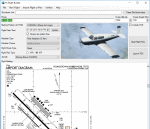
FS Flight Builder is a utility for general aviation flying that will build flight files for FSX (flt), FSX Steam Edition (flt), and Prepar3D (fxml) based on waypoints and other data either entered manually or imported from SkyVector using the Plain Text Link information. Among other things, you can select your starting position, aircraft, and a VFR or IFR flight plan.
One of the most interesting features of the application is that it will include a Briefing file, added to the aircraft's built-in kneedboard, that will include departure and destination airport information (runways, frequencies, weather, and charts) as well as navigation frequencies along the route.
Included is a new destination chooser function that allows you to enter your departure airport and additional criteria, such as min and max distance, tower required, ILS, runway length restrictions.
| Filename: | FS_Flight_Builder.zip |
| License: | Freeware |
| Added: | 30th July 2018, 03:56:07 |
| Downloads: | 148 |
| Author: | Tom Arduini |
| Size: | 28.24 MB |
| Category: Flight Simulator 2004 - Aircraft Repaints, Textures and Modifications | |
| FS2004 Atlantic Airlines Lockheed L-188 Electra |
|
Images related to this file:
File Description:
Textures for Libardo Guzman's Electra model.
L-188C Electra c/n 1144 original 1961 delivered to Northwest Orient AL, after several different owners 1977 converted to L-188CF freighter. after numerous other owners, in 1998 she came to Atlantic Airlines at Coventry UK as G-LOFE. For a time it also wore the additional logos of the postal service provider 'Interlink Ireland'.
Aircraft can be found at:
https://simviation.com/1/download-file?file=1-ELECTRA.zip&fileId=48728
Attention, the large cargo hatches cannot be opened on the Guzman model!
I recommend using Fraser McKay's excellent panel (FML188AP.zip available at Flightsim.com) including the config. and air. files supplied with this panel package. These provide exact aircraft's characteristics and enable certain systems to function correctly, which those provided with the original model may not.
Repaint by Manfred Meyer
| Filename: | FS2004_Atlantic_Airlines_Lockheed_L188_Electra.zip |
| License: | Freeware |
| Added: | 10th October 2022, 14:01:21 |
| Downloads: | 79 |
| Author: | Manfred Meyer |
| Size: | 2.91 MB |
| Category: Flight Simulator 2004 - Aircraft Repaints, Textures and Modifications | |
| FS2004 Buffalo Airways C-GLBA Lockheed L-188 Electra |
|
Images related to this file:
File Description:
Textures for Libardo Guzman's Electra model.
L-188A Electra c/n 1145 original 1961 delivered to Western AL, 1969 converted to L-188AF freighter and later to Nordic Air and 1973 to Fred Olsen as LN-FOH, leased to Air de Colgne in 1988, sold 1997 to Amerer Air in Austria and 2006 to Buffalo Airways Canada as C-GLBA, wfu and stored since 2012.
Aircraft can be found at:
https://simviation.com/1/download-file?file=1-ELECTRA.zip&fileId=48728
Attention, the large cargo hatches cannot be opened on the Guzman model!
I recommend using Fraser McKay's excellent panel (FML188AP.zip available at Flightsim.com) including the config. and air. files supplied with this panel package. These provide exact aircraft's characteristics and enable certain systems to function correctly, which those provided with the original model may not.
Repaint by Manfred Meyer
| Filename: | FS2004_Buffalo_Airways_CGLBA_Lockheed_L188_Electra.zip |
| License: | Freeware |
| Added: | 10th October 2022, 14:01:47 |
| Downloads: | 104 |
| Author: | Manfred Meyer |
| Size: | 2.9 MB |
| Category: Flight Simulator 2002 - Utilities | |
| FS Gauge Master v0.3 |
|
File Description:
FS GaugeMaster v0.3 - Requires v0.1 installed. GaugeMaster will scan your panel.cfg files and determine which gauges in the Flight Simulator GAUGES folder are no longer being used. It will allow you to delete any unused gauges and includes a backup facility. The program will also identify panels with missing gauges. This program is currently a Beta release (although the gauge id and delete is working) due to some missing functionality.
***NOTE*** As this is beta software please backup your FS gauges folder before running the delete function of this package. I cannot restore the files for you and they DO NOT go to the Windows Recycle Bin. I will attempt to figure out how to send them to the Recycle Bin and MAY make that an option in a future release. Freeware by Jim Youngken, December 2002.
| Filename: | FS_Gauge_Master_v03.zip |
| License: | Freeware |
| Added: | 24th December 2002, 01:14:22 |
| Downloads: | 443 |
| Author: | Jim Youngken |
| Size: | 53.6 KB |
| Category: Microsoft Train Simulator - Miscellaneous Files | |
| MSTS Utility - Object Rotator 2 |
|
File Description:
This tool for advanced route builders allows you to accurately orient and position objects in the Route Editor of MSTS. It is typically used to modify an object's QDirection and/or Position in world tile files (*.w). Object Rotator requires Microsoft Excel (it will not function with an Excel viewer). Version 2 adds several applications, which now include: precise alignment of bridges and platforms along tracks or roads; accurate orientation of objects; precise lining up of rows of objects, along a straight or curved line; accurate aiming of tracks or roads between distant points; shaping S-curves; making tracks deviate around a platform; joining tracks; shaping steep and smooth rollercoaster tracks. The enlarged documentation also explains the not very obvious way in which QDirection expresses heading, slope and bank angles for tracks, roads and other objects.
| Filename: | MSTS_Utility__Object_Rotator_2.zip |
| License: | Freeware |
| Added: | 16th August 2003, 14:39:57 |
| Downloads: | 1,907 |
| Author: | Michael Vone |
| Size: | 3.64 MB |


© 2001-2026 AVSIM Online
All Rights Reserved
Privacy Policy |