
Where Flight Simulation Enthusiasts Gather from Around the World!
AVSIM Library - Search Results

| Category: Flight Simulator 2004 - AI Aircraft | |
| Chance-Vought F-8 Crusader (Part 2) |

|
Images related to this file:
File Description:

Chance-Vought F-8 Crusader (Part 2). I present a comprehensive AI traffic model package for this classic aircraft of modern military history.
This is an original 8-LOD model, with many animations and features thanks to a growing confidence in XML-coding and making FSDS work for me instead of the other way around.
Nicknamed "The Last Gunfighter", this aircraft was the last production aircraft for the US Navy and Marine Corps which used guns as primary armament, and was in service at the twilight of this age, as well as the dawn of the missile age. Like all combat-experience aircraft, it had a relatively short life during its operational use (only about twenty years or so as a fighter), but was used a little longer as a recce aircraft; and beyond that in export service to France and the Philippines. The Crusader was used extensively in combat operations in Vietnam, played a crucial role in the Cuban Missile Crisis, and gave the newer F-4 Phantoms a fair run for their money in terms of air combat capability during this time. It is interesting to note that the 'elderly' F-8 Crusader had a better kill overall ratio in air combat in Vietnam than its F-4 successor.
This is part two of this model series, covering the F-8D, F-8E, and F-8H base models; with a total of 22 model options and 54 individual squadron paints. I am fairly confident that if any operational squadron of the USN and USMC used this aircraft from the late 50s to the late 60s, it is covered here at some time frame. Subsequent releases will include the later USN/USMC models, as well as the French and Philippine exports. Extensive credits and instructions are in the documentation. Base model and paint by Michael Pearson, flight dynamics by Michael McIntyre.
| Filename: | ChanceVought_F8_Crusader_Part_2.zip |
| License: | Freeware |
| Added: | 6th January 2013, 12:10:52 |
| Downloads: | 872 |
| Author: | Michael Pearson |
| Size: | 19.65 MB |
| Category: Prepar3D V1-4 - Aircraft Repaints, Textures and Modifications | |
| KLM 1998 AI Package |
|
File Description:
By 1998, the KLM/Northwest alliance was in full swing, and KLM was serving MSP, DTW, and even MEM daily with it's own metal while Northwest took over from KLM from BOS, IAD, and some other cities. KLM had a vast route network spanning the globe, serving much of Africa and the Middle East with many "tag on" routes onward from Amsterdam. By 1998, KLM was flying the MD-11, 747-200SUD(stretched upper deck), 747-200SUD Combi, 747-300 Combi, 747-400, 747-400 Combi, 767-300ER, 737-300, 737-400, and 6 mainline Fokker 100s which were short lived before going to KLM UK in late 1998 then on to CityHopper. Unfortunately, in the OAG, KLM only specified if a 747 was a combi or not(as in 747=744/742 while 74M can be a combi version of the 742,743, or 744) and did not differentiate between 737-300s and 737-400s. I did my best using what data I had to make the routes realistic, but the aircraft numbers at least are correct except for some extra 767s and 737s that you may remove if you wish. I also had issues making sure the TPE flights were all operated by "KLM Asia" 747s, so I ended up assigning 1 extra 747(I have 5, in real life there were 4) the Asia livery to ensure that you do not see a standard KLM 747 at TPE as they did not visit in real life. You may switch this to a normal 747 if you choose. Repaints by Raphael Rodrigues for the AIA Fokker 100 and FAIB 737-300, 737-400, 767-300, 747-200SUD, 747-300, and 747-400 along with flightplans by Chasen Richardson are included. Note that the 747-200SUD uses the 747-300 model. As a Bonus, the KLM Cargo 747-200SUD is also included.Part of the 1998 Flight Simulator Project. Follow us on Facebook at facebook.com/flightsim98 and on instagram as @bayviationsim. For more Retro AI, check out the forums at: http://retroai.proboards.com/
| Filename: | KLM_1998_AI_Package.zip |
| License: | Freeware, limited distribution |
| Added: | 6th December 2019, 17:14:32 |
| Downloads: | 303 |
| Author: | Raphael Rodrigues, Chasen Richardson/Bayviation |
| Size: | 27.94 MB |
| Category: Flight Simulator 2004 - Scenery | |
| Seward PAWD in Alaska V2 plus 6AK5 |
|
Images related to this file:
File Description:
This is V2, the combined original and also V1. If you have already installed V1 then you do not need this. The town of Seward (population around 2,700) is on the east coast of the Kenai Peninsula, 70 miles east of Kenai town and also 70 miles southeast of Anchorage, amid mountains and glaciers at the northern end of the 20 mile long and fjord-like Resurrection Bay. It is also at the southern end of both the Alaska Railway and the Seward Highway, and has a sheltered dock for freight and also for cruise liners. Passengers from the liners can enjoy local attractions (dog sledging on a glacier?) and also easily continue further north by bus or train to Anchorage or to other tourist attractions such as Denali. The airport is next to the port and the town, with two runways aligned (in FS9, not taking account of the recently wandering magnetic north) 15-33 and 12-30, both asphalt and 2,100 and 4,200 feet long respectively. Only 12-30 (and its taxiways) is lit, with VASI on 30. There are no regularly scheduled flights to Seward; with buses and trains running direct from Anchorage there is no money to be made. There are some charter flights coordinated with cruise liners, and some freight flights, the very occasional visit by the Coastguard, but most flights are GA, air taxi,or short scenery-viewing trips for summer tourists. In a mountainous area the only sure thing about the behaviour of AI aircraft is that it is unpredictable but often involves a mountain; nothing to be done about it. At Seward there is also marine AI from and to the port, in the shape of a cruise liner and an Alaskan ferry, but the latter only if you have Holger Sandmann's Alaska scenery installed. Also included with this is a correction for Fire Island 6AK5, near Anchorage, that takes the airfield out of the water; this is something I have meant to do for the last 5 years.
| Filename: | Seward_PAWD_in_Alaska_V2_plus_6AK5.zip |
| License: | Freeware, limited distribution |
| Added: | 19th January 2016, 18:27:26 |
| Downloads: | 591 |
| Author: | Roger Wensley |
| Size: | 12.47 MB |
| Category: Prepar3D V1-4 - Utilities | |
| AIFlow SimConnect Utility for P3D v4 |
|
Images related to this file:
File Description:
AIFlow v1.1 is a simconnect utility designed to ease AI congestion and go-arounds at the airport the user is departing from and arriving at. AIFlow does this by enforcing spacing minimums between arriving AI aircraft resulting in more orderly arrival patterns. AIFlow also supports spacing spacing minimums between the AI aircraft and the USER’s aircraft when the user is flying (during all phases of the user's flight). For added realism, AIFlow adds landing effects (e.g., micro bank and pitch corrections that scale up during crosswind conditions) to the AI on short final approach. The user can also briefly squawk 1234 in their aircraft to temporarily suspend landings so that the user can find a slot to depart a busy runway. AIFlow is designed to compliment the default P3D AI program and thus is fully compatible with any AI-related program that is compatible with the default AI program (e.g., AIG, Ultimate Traffic Live, Radar Contact, etc.). AIFlow is targeted to Prepar3D version 4.5 or 5.0, specifically SimConnect Version 4.5.0.0 or later. AIFlow operates externally via simconnect and thus makes no changes to the P3D sim. NEW for v1.1: (1) detect and correct AI performing poor approaches (e.g., dive-bombing, descent into terrain) under control of the P3D AI engine, (2) user can specify minimum and maximum AI approach speeds in terminal area, (3) prevent AI from stopping on runway when user landing, (4) AI plane spotting mode only, (5) external database fallback in case simconnect fails to provide local airport data, (6) adjustable in-sim message level, (7) periodic read of .ini file to tweak parameters more easily, (8) AIFlow starts minimized. FIXES for v1.1 include: sequencing in heavy AI traffic would sometimes cause excessive go-arounds, going around AI would sometimes improperly hold, changing AI spacing from default value did not have any effect, sometimes user aircraft would get controlled, .ini file would sometimes get confused reading parameter values having whites spaces.
| Filename: | AIFlow_SimConnect_Utility_for_P3D_v4.zip |
| License: | Freeware |
| Added: | 3rd July 2020, 23:57:52 |
| Downloads: | 2,008 |
| Author: | Roland Foster |
| Size: | 1.18 MB |
| Category: Flight Simulator X - Utilities | |
| GENav pro Navigation |
|
Images related to this file:
File Description:

Previous payware product at SimMarket, now 100% free.
With GENav pro you will view all AIRAC navigation data and terminal procedures inside Google Earth. GENav pro run under Windows and require only Google Earth for displaying. You can also edit your own routes or just copy routes into GENav to view in Google Earth. You can search for example an airport or a fix by short or long name, Google Earth will take you there.
You can connect to Microsoft Flight Simulator to view your aircraft. Moving map and heading is available.
GENav pro is highly optimized for best performance and clear views without clutter. There are smart filters to select relevant data to display, all AIRAC items are available. You will find all data such as nav-aid frequencies, airport runways with ILS frequencies by click the displayed icons in Google Earth.
You can edit routes visual direct inside Google Earth by click. The database can always be updated with Navigraph's latest AIRAC data.
With GENav you can easy build valid routes. Unlike other common autorouting program, GENav is the tool for you to build routes with correct airway direction and correct connected to SID/STAR's. You will easy draw your routes most straight and correct to destination. It is also excellent for visual and instrument navigation flights.
FEATURES:
*** Display airports, nav aids, waypoints
*** Display High/Low airways and airways direction
*** Display SID/STAR, Approaches and Transitions
*** Display ARTCC/FIR border
*** AIRAC data available by click
*** Search airport and fixes
*** AIRAC data compatible Navigraph data
*** Visual editable routes
*** VOR to VOR route navigation data
*** Display your aircraft
BASIC SYSTEM REQUIREMENTS:
*** Windows with Google Earth installed
( Notice, no flightsim program required )
OPTIONALLY REQUIREMENTS:
*** SID/STAR require the Navigraph purchase or an alternative free source
*** Airways direction & high/low info require the Navigraph purchase
*** To display aircraft, Microsoft Flight Simulator or Prepare3D v1/v2, with free FSUIPC is required
*** To display aircraft at a separate computer, also the payware WideFS is required
| Filename: | GENav_pro_Navigation.zip |
| License: | Freeware |
| Added: | 23rd May 2016, 19:57:35 |
| Downloads: | 1,576 |
| Author: | Lennart Vedin |
| Size: | 4.5 MB |
| Category: Flight Simulator 2004 - Scenery | |
| Port Hardy CYZT in British Columbia, Canada |
|
Images related to this file:
File Description:
Port Hardy airport is on the coast of Vancouver Island in BC, at the far northern end and 5 miles east of the town. The town and the airport are both gateways to local touristic attractions such as Cape Scott Provincial Park, the North Coast and BC Marine Trails, and kayaking, caving, surfing, fishing, camping, and scuba diving (and I discovered just how big orca are). Fishing, logging, and mining have been important and to an extent still are for the town population of just over 4,000. The airport, along with the ferries, connects Port Hardy to the rest of the west coast with Pacific Coastal Saab 340 or Beechcraft 1900C flights to and from Vancouver at least twice a day. There are also Grumman Goose amphibious flights to local float bases such as Port McNeill, Alert Bay, Whaletown, Surge Narrows, Echo Bay, and Minstrel Island. These are all included in the AI and previously posted. There are three runways: 11-29 of 5,000 feet with ILS on 11 and righthand circuits on 29, 07-25 of 4,000 feet with righthand circuits on 25, and 16-34 with a much shortened 3,500 feet on 34 due to a displaced threshold. There is a control tower but it is not manned 24 hours a day; a "mandatory frequency" (MF for short and a Canadian invention) is used by the tower when it is manned, and when there is no tower response the aircraft continues to announce intentions and position. Something I have been meaning to explain to those who query it, is that in real life as well as in FS9 helicopters at a mixed use airport or airfield will act as if they are planes and join downwind, turn on base and then finals, "land" along the runway and then use the taxiway to the parking. This means all aircraft are doing the same thing and an orderly queue avoids collisions. This is one of a series connected in some way with Pacific Coastal airline destinations, the first being Bella Coola. There is AI available for Pacific Coastal online.
| Filename: | Port_Hardy_CYZT_in_British_Columbia_Canada.zip |
| License: | Freeware, limited distribution |
| Added: | 11th November 2018, 16:48:50 |
| Downloads: | 233 |
| Author: | Roger Wensley |
| Size: | 19.26 MB |
| Category: Flight Simulator X - Aircraft Repaints, Textures and Modifications | |
| Boeing B-17G 91st BG (LG-O) "Roxy's Special" |
|
Images related to this file:
File Description:
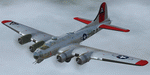
This folder contains a repaint for the A2A WoP2 B-17G in the colors of B-17G-85-BO #43-38348 LG-O "Roxy's Special" of the 322 BS/ 91st BG based in Bassingbourne UK. #348 arrived in Bassingbourne on 18 August 1944, and very quickly received her nose art, by Corporal Tony Starcer. By 5 September, it had flown four missions to Germany. The next mission, on the 8th of September, was to the I.G. Farben Chemical Plant in Ludwigshafen, Germany. On board this mission was David McCarty, pilot, Neil M. Mylin, co-pilot, Donald L. Brazones, navigator, Frank S. Bolen, bombardier, John Cangemi, top turret, Frank F. Trim, Jr., ball turret, Charles E. Beebe, waist guns, Floyd Z. Dillon, tail gun, and Henry R. Schuls, radio operator. Around 11.35 hours, short of the bomb drop near Ludwigshafen, “Roxy’s Special†took a hit ripping off a wing. A spin ensued pinning Bolen and navigator Don Brazones in their nose bubble followed almost immediately by an explosion blowing them free of the aircraft. Bolen and Brazones were the only two survivors of “Roxy’s Special.†They both parachuted down, but not together, therefore neither knew the fate of the other until later. Bolen eluded capture for 7 days before being picked up and carted off to Stalag Luft 1 near Barth, Germany after interrogations. Brazones had been picked up before Bolen and processed through the channels to Stalag Luft 1. The two were reunited at Stalag Luft 1 where they spent the remainder of the war. On Sept. 14, 1944, the day Bolen was captured, his wife Frances gave birth to their first child, Linda, in Selma - a child Bolen would not see until returning from imprisonment and the war. The “Roxy’s Special†crash site was near a Lutheran Church in Ludwigshafen. A very respectful group of Germans removed the remains of the air crew and buried them in the local cemetery. After the war, the remains were turned over to American authorities and they moved them to a National Cemetery in Northern France. In 1947, Bolen served as casket bearer for David McCarty when he was brought home to rest in Birmingham.
Repaint by Jan Kees Blom, based on the paintkit by A2A.
| Filename: | Boeing_B17G_91st_BG_LGO_Roxys_Special.zip |
| License: | Freeware |
| Added: | 7th October 2019, 18:21:26 |
| Downloads: | 108 |
| Author: | Jan Kees Blom |
| Size: | 18.33 MB |
| Category: Flight Simulator X - Miscellaneous Files | |
| 737NG Normal Procedures Non-APU version |
|
Images related to this file:
File Description:
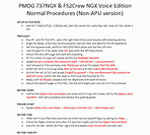
After some input and ideas from a fellow FS2Crew pilot here is a non-APU version of my flow and checklist to even closer mimic real world OPs the way many big airlines operate in real life every day at big airports around the world where the use of APU is limited to only a short period of time a couple of minutes before engine start. I also (don't I always ;-)) did some other changes and what I think improvements since my last version so give it a try and see what you think! About fitting the list on 2 A4 pages when printing it from WordPad please set all your margins to 25 mm in WordPad and uncheck the option to print the page numbers. This time I will not ask the AVSIM Library Managers to replace my old version with this one since some of you might still want the version where the APU is used depending on what kind of flights you do and to what kind of airports. Instead this will be uploaded as a new and separate version.
A flow/checklist for flying PMDG's 737NGX with FS2Crew Voice Edition. Did this mainly for my own use meaning the flow/checklist is adjusted for how I do my flying and with the addons I use like Aerosoft AES for example. Please also be aware this is not the kind of flow/checklist that includes all things you need to perform during a normal flight but instead you are expected to already have a general knowledge of both the NGX and FS2Crew. However I thought others might be helped by this too both newbies to get you going with the "flow" using FS2Crew but also for the more experienced users as a simple to print out and use memory note. It's also easy for you to change whatever you like to suit your own needs better since I created it in common rtf format using the standard Wordpad Windows application. I deliberately made it as compressed as possible leaving out stuff like all the answers to the checklists etc so it would fit on a single A4 sheet being easy to print and maybe also laminate if you like. Hope you'll enjoy it!
| Filename: | 737NG_Normal_Procedures_NonAPU_version.zip |
| License: | Freeware |
| Added: | 22nd June 2012, 03:34:37 |
| Downloads: | 1,085 |
| Author: | Richard Asberg (with input from Peter Wolf) |
| Size: | 6.36 KB |
| Category: Flight Simulator 2004 - Original Aircraft | |
| Caproni-Vizzola C-22J Ventura |
|
Images related to this file:
File Description:
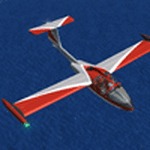
The Machine:
A fully aerobatic, very-light Jet that compares to the Bede BD-5J, but heavier and sporting two instead of one TRS-18 turbojets. Up to Mach 0.47 and 650 NM of range, with a service ceiling of 25000ft. A low stall speed (for a jet) makes the aircraft good for short field operations.
Certified for VFR operations only, yet includes a good avionics suite.
This is a "Classic" aircraft featuring "Steam" gauges and radios. Yet, controls and systems are easy to operate.
The History:
The C-22J is the last aircraft to be adorned with the legendary Caproni name. Originally known as "Caproncino", then marketed as "Ventura". A very-light jet developed in the 1980s as a military trainer, surveillance and reconnaissance aircraft. Powered by two TRS-18 turbojets fed from a dorsal NACA intake, the aircraft reached Mach 0.47 and was fully aerobatic. The airframe shows its origin in a glider design, the Caproni A-21 Calif. After the merger with SIAI Marchetti, the project was cancelled in favor of the SF-260.
The Simulation - 3D Model:
This aircraft ships with a 3-D cockpit, that incorporates realistic night lighting, in the form of a dim dome flood light, backlit gauges and luminous digital displays. The flight crew of 2 is affected by your input in the payloads menu of Flight Simulator, allowing to choose between male, female or empty seats. The Copilot Figure can be hidden with a quick click in the internal 3D view as well.
The Simulation - Realism:
This aircraft has been tuned with the invaluable help of Engineer Carlo Ferrarin, who created the real aircraft. Unique and one-off documentation has been kindly provided, and used extensively, for the creation of this product!
Just like the real aircraft, the systems are simple and of easy operation. Engines can be started with the press of a button. Systems modelling allows the following of real-world checklists as closely as Flight Simulator allows. An in-sim checklist is included, as well as a full flight manual.
The flight model is tuned with advanced aerospace techniques, resulting in a highly realistic aircraft, yet, it is very pleasant to fly, both during aerobatic displays or "A to B" cruising.
Highlights:
- High-Resolution 3D cockpit
- Full Documentation
- Aerobatic
FS-2004 Version comes with limited support and is free due to platform limitations. See Readme. FS-X & P3Dv4 (64-bit) versions are commercial products.
| Filename: | CaproniVizzola_C22J_Ventura.zip |
| License: | Freeware, limited distribution |
| Added: | 7th November 2020, 18:31:45 |
| Downloads: | 674 |
| Author: | Mario Noriega |
| Size: | 157.85 MB |
| Category: Prepar3D V1-4 - Aircraft Repaints, Textures and Modifications | |
| VARIG 1998 |
|
File Description:
In 1998, VARIG was still a huge legacy airline, but routes and frequencies were starting to be cut, which continued into the 2000s until their 2006 demise. MD-11s, DC-10-30s, and 747-300s mostly served long-haul routes such as NGO, NRT, LAX, MIA, JFK, MAD, BCN, LHR, CPH, ect, while the 767s did longer South America routes as well as CUN/MEX/JFK/MCO/MIA as well as flights to Spain and Portugal. VARIG's "around the world" GIG-GRU-JNB-BKK-HKG-BKK-JNB-CPT-GRU-GIG flight was flown with an MD-11 at the time, and I have assigned it to the "World Cup" livery MD-11, which means you will not see the aircraft much in Brazil but it will pop up abroad. VARIG flew many "tag on" flights, like LIM-LAX-NRT/NGO, LHR-CPH, MAD-BCN, MIA-MCO, ect, and there are many, many GIG-GRU and GRU-GIG flights that were part of international routes with no ticket sales in between. Between 0500 and 0700, there are many widebodies making this short flight. The 737-300s flew all over Brazil and to some South American countries. Rio Sul, who did the flights to CGH and SDU, is not included was released seperately on Avsim as "rio_sul_1998.zip". Though VARIG livery 737-300s flew on behalf of Rio Sul, Nordeste and PLUNA, those flights are not included and are included in those respective airlines. An MD-11 and a 737-300 were painted in special colors to celebrate the World Cup, and a 767-200 wore a special Star Alliance livery. The 747-300 in the Star Alliance colors only had them applied to one side of the aircraft and never flew revenue service in that livery, so it is not included. The rest of the fleet wore a mix of the 1997 introduced livery and the 1980s blue and white colors with the silver belly. The entire fleet on the FAIB 737-200, 737-300, 747-300, 767-200 and 767-300,and FSPX MD-11 by Raphael Rodrigues is included. The DC-10-30s on the AIM model by Jason King are on Avsim as "aim_dc1030_varig_pp-vmb_313514.zip" and "aim_dc1030_varig_oldcolors_307373.zip". Flightplans by Chasen Richardson. Part of the 1998 Flight Simulator Project. Follow us on Facebook at facebook.com/flightsim98 and on instagram as @bayviationsim. For more Retro AI, check out the forums at: http://retroai.proboards.com/
| Filename: | VARIG_1998.zip |
| License: | Freeware, limited distribution |
| Added: | 1st January 2020, 20:13:56 |
| Downloads: | 617 |
| Author: | Raphael Rodrigues, Chasen Richardson\ Bayviation |
| Size: | 30.59 MB |


© 2001-2026 AVSIM Online
All Rights Reserved
Privacy Policy |