
Where Flight Simulation Enthusiasts Gather from Around the World!
AVSIM Library - Search Results

| Category: Flight Simulator X - Scenery | |
| VOHS-VOBL package for FSX and FSX-SE |

|
Images related to this file:
File Description: Rajiv Gandhi International Airport (IATA: HYD, ICAO: VOHS) is an international airport that serves Hyderabad,
the largest city in the Indian state of Telangana. It is located in Shamshabad, about 24 kilometres (15 mi) south of Hyderabad.
The airport is operated by GMR Hyderabad International Airport Ltd, a public–private venture.
It was opened in March 2008 to replace Begumpet Airport as the primary commercial airport for Hyderabad.
It is named after Rajiv Gandhi, former Prime Minister of India. _______________________________________________________________________________________ Kempegowda International Airport (IATA: BLR, ICAO: VOBL) is an international airport serving Bangalore, the capital of the Indian state of Karnataka.
Spread over 4,000 acres (1,600 ha), it is located about 40 kilometres (25 mi) north of the city near the village of Devanahalli.
It is owned and operated by Bangalore International Airport Limited (BIAL), a public–private consortium.
The airport opened in May 2008 as an alternative to increased congestion at HAL Airport,
the original primary commercial airport serving the city. It is named after Kempe Gowda I, the founder of Bangalore.
Kempegowda International Airport became Karnataka's first fully solar powered airport developed by CleanMax Solar.[2][3] As of 2016, Kempegowda Airport is the third-busiest airport by passenger traffic in the country,
behind the airports in Delhi, Mumbai and is the 35th-busiest airport in Asia. It handled over 22.2 million passengers in 2016 with little less than 500 aircraft movements a day.
The airport also handled about 314,060 tonnes (346,190 short tons) of cargo. By 2020, it is expected to handle at least 40 million passengers per year,
with 45 international airlines and more than 1000 aircraft movements per day.
| Filename: | VOHSVOBL_package_for_FSX_and_FSXSE.zip |
| License: | Freeware |
| Added: | 28th January 2018, 17:03:17 |
| Downloads: | 4,438 |
| Author: | morten thomas van der linden |
| Size: | 171.62 MB |
| Category: Flight Simulator 2004 - AI Aircraft | |
| Chance-Vought F-8 Crusader (Part 1) |
|
Images related to this file:
File Description:
Chance-Vought F-8 Crusader (Part 1). I present a comprehensive AI traffic model package for this classic aircraft of modern military history.
This is an original 8-LOD model, with many animations and features thanks to a growing confidence in XML-coding and making FSDS work for me instead of the other way around.
Nicknamed "The Last Gunfighter", this aircraft was the last production aircraft for the US Navy and Marine Corps which used guns as primary armament, and was in service at the twilight of this age, as well as the dawn of the missile age. Like all combat-experience aircraft, it had a relatively short life during its operational use (only about twenty years or so as a fighter), but was used a little longer as a recce aircraft; and beyond that in export service to France and the Philippines. The Crusader was used extensively in combat operations in Vietnam, played a crucial role in the Cuban Missile Crisis, and gave the newer F-4 Phantoms a fair run for their money in terms of air combat capability during this time.
This is part one of this model series, covering the F-8A, F-8B, and F-8C base models; with a total of 16 model options and a staggering 65 individual squadron paints. I am fairly confident that if any operational squadron of the USN and USMC used this aircraft from the late 50s to the late 60s, it is covered here at some time frame. Subsequent releases will include the later USN/USMC models, as well as the French and Philippine exports. Extensive credits and instructions are in the documentation. Base model and paint by Michael Pearson, flight dynamics by Michael MacIntyre.
| Filename: | ChanceVought_F8_Crusader_Part_1.zip |
| License: | Freeware |
| Added: | 15th November 2012, 17:16:30 |
| Downloads: | 1,137 |
| Author: | Michael Pearson |
| Size: | 18.48 MB |
| Category: Flight Simulator 2004 - AI Aircraft | |
| Chance-Vought F-8 Crusader (Part 3) |
|
Images related to this file:
File Description:

Chance-Vought F-8 Crusader (Part 3). I present a comprehensive AI traffic model package for this classic aircraft of modern military history.
This is an original 8-LOD model, with many animations and features thanks to a growing confidence in XML-coding and making FSDS work for me instead of the other way around.
Nicknamed "The Last Gunfighter", this aircraft was the last production aircraft for the US Navy and Marine Corps which used guns as primary armament, and was in service at the twilight of this age, as well as the dawn of the missile age. Like all combat-experienced aircraft, it had a relatively short life during its operational use (only about twenty years or so as a fighter), but was used a little longer as a recce aircraft; and beyond that in export service to France and the Philippines. The Crusader was used extensively in combat operations in Vietnam, played a crucial role in the Cuban Missile Crisis, and gave the newer F-4 Phantoms a fair run for their money in terms of air combat capability during this time. It is interesting to note that the 'elderly' F-8 Crusader had a better kill overall ratio in air combat in Vietnam than its F-4 successor.
This is part three of this model series, covering the F-8J, F-8K, F-8L, RF-8A, and RF-8G base models; with a total of 25 model options and 56 individual unit paints. I am fairly confident that if any operational squadron of the USN and USMC used this aircraft from the late 50s to the early 80s, it is covered in this project at some time frame. Base model and paint by Michael Pearson, flight dynamics by Michael McIntyre.
| Filename: | ChanceVought_F8_Crusader_Part_3.zip |
| License: | Freeware |
| Added: | 13th January 2013, 14:34:08 |
| Downloads: | 793 |
| Author: | Michael Pearson |
| Size: | 21.82 MB |
| Category: Prepar3D V1-4 - Aircraft Repaints, Textures and Modifications | |
| North American P-51D 3rd ACG (C) 'Bad Angel' |
|
Images related to this file:
File Description:
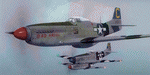
This folder contains a second repaint for the A2A WoP3 P-51D Mustang, in the colors of P-51D-20 44-63272 “Bad Angelâ€, flown by Lt. Louis Curdes of the 4th Fighter Squadron, 3rd Air Commando Group. He is one of a very few American pilots to have kills against each of the three major Axis powers, and I believe the only US pilot to display an American flag among his victory markings.
While serving in the MTO, Curdes downed several Fw-190’s, and one of the Macchi C.202’s he downed is now on display at the National Air & Space Museum in Washington DC. He was shot down over Italy and spent a short time as a POW before escaping. Because he was an escaped POW, he couldn’t fly again against the Germans for security reasons.
He was transferred to the PTO, and on February 10, 1945, during a sweep to Bataan Island, he saw a P-51 pilot parachute into the sea. Curdes circled around him to pinpoint his position to rescuers. While circling, he saw a USAAF C-47 that was preparing to land on the Japanese-held strip on Batan. The C-47 crew didn’t respond to repeated attempts at radio contact and, unable to shepherd the C-47 to safety, Curdes saw only two possibilities – first that it was a Japanese plane bearing false US markings (the DC-3 having been built under licence in Japan prior to the war), or it was a US plane whose crew was unaware the field had fallen to the Japanese. He therefore carefully shot out both engines, causing the plane to land in the sea. All 13 people on board the C-47 were rescued – and they were indeed Americans, including a nurse Curdes had previously dated. Repaint by Jan Kees Blom.
| Filename: | North_American_P51D_3rd_ACG_C_Bad_Angel.zip |
| License: | Freeware |
| Added: | 3rd November 2018, 23:18:24 |
| Downloads: | 47 |
| Author: | Jan Kees Blom |
| Size: | 6.11 MB |
| Category: Prepar3D V1-4 - Utilities | |
| GENav pro Navigation |
|
Images related to this file:
File Description:

Previous payware product at SimMarket, now 100% free.
With GENav pro you will view all AIRAC navigation data and terminal procedures inside Google Earth. GENav pro run under Windows and require only Google Earth for displaying. You can also edit your own routes or just copy routes into GENav to view in Google Earth. You can search for example an airport or a fix by short or long name, Google Earth will take you there.
You can connect to Microsoft Flight Simulator to view your aircraft. Moving map and heading is available.
GENav pro is highly optimized for best performance and clear views without clutter. There are smart filters to select relevant data to display, all AIRAC items are available. You will find all data such as nav-aid frequencies, airport runways with ILS frequencies by click the displayed icons in Google Earth.
You can edit routes visual direct inside Google Earth by click. The database can always be updated with Navigraph's latest AIRAC data.
With GENav you can easy build valid routes. Unlike other common autorouting program, GENav is the tool for you to build routes with correct airway direction and correct connected to SID/STAR's. You will easy draw your routes most stright and correct to destination. It is also excellent for visual and instrument navigation flights.
FEATURES:
*** Display airports, nav aids, waypoints
*** Display High/Low airways and airways direction
*** Display SID/STAR, Approaches and Transitions
*** Display ARTCC/FIR border
*** AIRAC data available by click
*** Search airport and fixes
*** AIRAC data compatible Navigraph data
*** Visual editable routes
*** VOR to VOR route navigation data
*** Display your aircraft
BASIC SYSTEM REQUIREMENTS:
*** Windows with Google Earth installed
( Notice, no flightsim program required )
OPTIONALLY REQUIREMENTS:
*** SID/STAR require the Navigraph purchase or an alternative free source
*** Airways direction & high/low info require the Navigraph purchase
*** To display aircraft, Microsoft Flight Simulator or Prepare3D v1/v2, with free FSUIPC is required.
*** To display aircraft at a separate computer, also the payware WideFS is required.
| Filename: | GENav_pro_Navigation.zip |
| License: | Freeware |
| Added: | 25th May 2016, 11:24:52 |
| Downloads: | 654 |
| Author: | Lennart Vedin |
| Size: | 4.5 MB |
| Category: Flight Simulator X - Aircraft Repaints, Textures and Modifications | |
| Southwest Airlines Boeing 737-700 v2.2 Final Package |
|
File Description:
**** THIS FILE SUPERCEEDS MY ORIGINAL FILE b737_700_southwest_v21.zip **** v2.2 - REPORTED BUGS HAVE BEEN CORRECTED. The 737 was born out of Boeing's need to field a competitor in the short-range, small capacity jetliner market which had been opened up by the BAC 1-11 and the Douglas DC-9. Boeing was badly behind however when the 737 program was initiated in 1964, as both of these rivals were already into their flight certification programmes. The 737 was cheaper and quicker to design, featuring six-abreast seating compared to the 1-11 and DC-9's five-abreast layout.By the 1990s, the 737 had lost ground technologically to the newer Airbus A320. In 1993, Boeing initiated the 737-X or Next Generation (NG) program. The Next-Generation 737 encompasses the -600, -700, -800 and -900, and amounted to a complete redesign of the 30-year old airliner. The 737NG is an entirely new aircraft, sharing very little with previous 737s, other than fuselage frames. New wings, new avionics and revised engines were the biggest engineering changes. The 737 was given a glass cockpit with CRT screens (except the -900, which had newer and higher tech LCD screens) and digital systems inspired by the ones that were used on the 777. The parts count is down by about 33%, reducing weight and simplifying maintenance. Additional changes since its introduction include a new interior and performance enhancing winglets which reduce fuel consumption and improve take-off and climb performance. All textures have been modified in DXT-3 format for crisp visuals without comprimising frame rates. Includes the default FS-X Boeing 737 panel. Sounds have been defaulted to the FS-X 737-800, however I recommend the excellent 737 CFM56 "the real deal" version 2 soundpack (file name:737_cfm56__the_real_deal_version_2.zip located at AVSIM.com) for this aircraft series. Additionally, this aircraft series has no Virtual Cockpit (VC), therefore you must fly them using the 2-D default panel view only! This package includes Southwest Airlines liveries (Canyon Blue, Maryland One, Nevada One, Old Color & Shamu).
| Filename: | Southwest_Airlines_Boeing_737700__v22_Final_Packag.zip |
| License: | Freeware |
| Added: | 9th December 2006, 20:24:49 |
| Downloads: | 11,832 |
| Author: | Brian C. Selb |
| Size: | 13.59 MB |
| Category: Flight Simulator X - AFCAD Files | |
| Spitfire Aerodrome Airport (7N7), NJ |
|
File Description:
Located 02 miles S of Pedricktown, New Jersey on 48 acres of land, Spitfire Aerodrome Airport is a public asphalt single-strip field that allows transient craft to tie down on the apron. There are also helicopters based here on this field (note there is no Jet-A fuel available) so the helicopter start location will place you on the ramp.
Although this airport has a beacon, FSX for some reason does not include one with the stock airport file and I can't yet create rotating beacons so it is there and lit at night but does not rotate and is not as visible as the rotating ones. This will be addressed in a later update. Also take note of the layout of this airport, it requires that AI traffic cross the runway in order to taxi to either end for take off. AI aircraft DO NOT hold short when taxiing across runways (this is an FSX limitation), so use extreme caution on approach and departure to avoid any unfortunate runway incursions. Aircraft can fuel up by parking near the fuel truck beside the hangar south of the runway. If you have trouble locating the windsock, look on top of the hangar roof north of the runway. The crashed aircraft in the pond is fictional, there is a distinctive airplane-shaped object there in the satellite textures but I could not determine what this might be from aerial photos so I just crashed a plane there for kicks :)
Scenery constructed with use of satellite images/streetview/aerial photos - the author has not been there in person.
This scenery is meant to be used in conjunction with MegaScenery Earth New Jersey/Delaware 004. It is not required, but apron use is minimized to allow satellite scenery to show through as much as possible, and objects are placed based on the MSE textures - lack of it may make scenery look out of place.
| Filename: | Spitfire_Aerodrome_Airport_7N7_NJ.zip |
| License: | Freeware |
| Added: | 11th February 2011, 15:29:36 |
| Downloads: | 241 |
| Author: | Drew Sikora |
| Size: | 833.54 KB |
| Category: Flight Simulator 2004 - Miscellaneous Files | |
| Active Approach - PHNL (Honolulu Intl Honolulu, Hawaii) |
|
File Description:
As most know the Approach and Final (VMC) for AI Traffic in FS9 is a straight in type landing and does not always consider high terrain at airports. This is do to the way that the coding is written in FS9 and it puts limits on IFR arriving aircraft. If you open runways at certain airports the AI Traffic will fly directly through a mountain once it is established on Final for a runway. What you will see with my file is a different type approach used for the way I control AI Traffic in FS9. No longer do the AI Planes use a straight in approach when landing to the west at PHNL. My new AI Aircraft Approach coding for FS9 now uses a base leg approach so AI Traffic does not fly through the mountains. The Honolulu Control Tower will clear all AI Traffic (IFR FP) landing either on 26L and 26R as a straight in landing even though the offset to final is 30 degrees from the runway center line. The Control Tower will instruct the AI Planes landing on either 22L or 22R to fly a left base leg which is greater then a 45 degree offset and then the AI Planes will turn on a short 1.5 mile final. The left base approach to 22L and 22R runways is a 65 degree offset from the runway center line. My testing shows excellent behavior of the FS9 default models, PAI models and the Aardvark planes of all sizes to execute this new type of visual approach that I am now writting code for which supersedes the FS9 default straight in ATC hard code approach. Read the text file for all the default scenery enhancements (plus Jetways) added to PHNL along with a full understanding of how the new Approaches work *** 3rd Party Scenery Designers Special APProach bgl and a FS2004 Default Scenery AFCAD included ***
| Filename: | Active_Approach__PHNL_Honolulu_Intl__Honolulu_Hawa.zip |
| License: | Freeware, limited distribution |
| Added: | 16th March 2005, 04:10:43 |
| Downloads: | 5,604 |
| Author: | Jim Vile |
| Size: | 134.3 KB |
| Category: Prepar3D V1-4 - Aircraft Repaints, Textures and Modifications | |
| KLM 1998 AI Package |
|
File Description:
By 1998, the KLM/Northwest alliance was in full swing, and KLM was serving MSP, DTW, and even MEM daily with it's own metal while Northwest took over from KLM from BOS, IAD, and some other cities. KLM had a vast route network spanning the globe, serving much of Africa and the Middle East with many "tag on" routes onward from Amsterdam. By 1998, KLM was flying the MD-11, 747-200SUD(stretched upper deck), 747-200SUD Combi, 747-300 Combi, 747-400, 747-400 Combi, 767-300ER, 737-300, 737-400, and 6 mainline Fokker 100s which were short lived before going to KLM UK in late 1998 then on to CityHopper. Unfortunately, in the OAG, KLM only specified if a 747 was a combi or not(as in 747=744/742 while 74M can be a combi version of the 742,743, or 744) and did not differentiate between 737-300s and 737-400s. I did my best using what data I had to make the routes realistic, but the aircraft numbers at least are correct except for some extra 767s and 737s that you may remove if you wish. I also had issues making sure the TPE flights were all operated by "KLM Asia" 747s, so I ended up assigning 1 extra 747(I have 5, in real life there were 4) the Asia livery to ensure that you do not see a standard KLM 747 at TPE as they did not visit in real life. You may switch this to a normal 747 if you choose. Repaints by Raphael Rodrigues for the AIA Fokker 100 and FAIB 737-300, 737-400, 767-300, 747-200SUD, 747-300, and 747-400 along with flightplans by Chasen Richardson are included. Note that the 747-200SUD uses the 747-300 model. As a Bonus, the KLM Cargo 747-200SUD is also included.Part of the 1998 Flight Simulator Project. Follow us on Facebook at facebook.com/flightsim98 and on instagram as @bayviationsim. For more Retro AI, check out the forums at: http://retroai.proboards.com/
| Filename: | KLM_1998_AI_Package.zip |
| License: | Freeware, limited distribution |
| Added: | 6th December 2019, 17:14:32 |
| Downloads: | 303 |
| Author: | Raphael Rodrigues, Chasen Richardson/Bayviation |
| Size: | 27.94 MB |
| Category: Flight Simulator 2004 - Scenery | |
| Seward PAWD in Alaska V2 plus 6AK5 |
|
Images related to this file:
File Description:
This is V2, the combined original and also V1. If you have already installed V1 then you do not need this. The town of Seward (population around 2,700) is on the east coast of the Kenai Peninsula, 70 miles east of Kenai town and also 70 miles southeast of Anchorage, amid mountains and glaciers at the northern end of the 20 mile long and fjord-like Resurrection Bay. It is also at the southern end of both the Alaska Railway and the Seward Highway, and has a sheltered dock for freight and also for cruise liners. Passengers from the liners can enjoy local attractions (dog sledging on a glacier?) and also easily continue further north by bus or train to Anchorage or to other tourist attractions such as Denali. The airport is next to the port and the town, with two runways aligned (in FS9, not taking account of the recently wandering magnetic north) 15-33 and 12-30, both asphalt and 2,100 and 4,200 feet long respectively. Only 12-30 (and its taxiways) is lit, with VASI on 30. There are no regularly scheduled flights to Seward; with buses and trains running direct from Anchorage there is no money to be made. There are some charter flights coordinated with cruise liners, and some freight flights, the very occasional visit by the Coastguard, but most flights are GA, air taxi,or short scenery-viewing trips for summer tourists. In a mountainous area the only sure thing about the behaviour of AI aircraft is that it is unpredictable but often involves a mountain; nothing to be done about it. At Seward there is also marine AI from and to the port, in the shape of a cruise liner and an Alaskan ferry, but the latter only if you have Holger Sandmann's Alaska scenery installed. Also included with this is a correction for Fire Island 6AK5, near Anchorage, that takes the airfield out of the water; this is something I have meant to do for the last 5 years.
| Filename: | Seward_PAWD_in_Alaska_V2_plus_6AK5.zip |
| License: | Freeware, limited distribution |
| Added: | 19th January 2016, 18:27:26 |
| Downloads: | 591 |
| Author: | Roger Wensley |
| Size: | 12.47 MB |


© 2001-2026 AVSIM Online
All Rights Reserved
Privacy Policy |