
Where Flight Simulation Enthusiasts Gather from Around the World!
AVSIM Library - Search Results

| Category: Flight Simulator 2004 - Panels | |
| Super VC10 Panel Upgrade Part 2 |

|
File Description:
This panel upgrade for David Maltby's Super VC10 incorporates significant major changes. First the Super VC10 has now become a stand alone aircraft within the "DMFS Shared Files" file structure. This allows for many changes that distinguish the Super VC10 from the Standard. Some already present and some ongoing. The main panel is now in widescreen format i.e. "not stretched!" Many hundreds of other changes have also been made some unseen that make significant differences to the performance of the model. For example the Super has a fin tank now modelled along with correct fuel transfer and jettison procedures. The engines have been totally overhauled with new thrust curves so that their performance is as accurate as possible across the power spectrum. A consequence of this is that throttle control is now much more precise. Internal engine sounds have been completely revised and are as close as possible to the sound one would hear from the cockpit. There are in addition numerous new panels that are fully functional such the Oxygen panel. This means that cabin altitude and depressurisation are all potential factors and must be attended to. Though you do have an oxygen mask (so don it if necessary or face the consequences!). There is a tiller for ground manoeuvring. There are just too many changes and additions to list here but they are listed in the documentation. Another important addition is refuelling. Refuelling can only be done from an underwing point. To assist is a dedicated new fuel uplift spreadsheet which incorporates a facsimile of a real Super VC10 load sheet allowing you to change passenger loads etc. Everything is explained in the "Technical and Operational Procedures Manual" pdf file as well as the "VC10 FLYING MANUAL" pdf file which contains all the full checklists not cut down for sim use. With ongoing work the intention is that this will become a "study" simulation.
If you do not already have David Maltby's Super VC10 model then download it from here. http://www.dmflightsim.co.uk/vickers_vc10.htm
Follow his instructions and make sure everything is working as expected before downloading these updates.
| Filename: | Super_VC10_Panel_Upgrade_Part_2.zip |
| License: | Freeware |
| Added: | 18th August 2016, 03:55:38 |
| Downloads: | 451 |
| Author: | Nicholas Weber |
| Size: | 138.07 MB |
| Category: Flight Simulator 2004 - Panels | |
| Super VC10 Panel Upgrade Part 1 |
|
File Description:
This panel upgrade for David Maltby's Super VC10 incorporates significant major changes. First the Super VC10 has now become a stand alone aircraft within the "DMFS Shared Files" file structure. This allows for many changes that distinguish the Super VC10 from the Standard. Some already present and some ongoing. The main panel is now in widescreen format i.e. "not stretched!" Many hundreds of other changes have also been made some unseen that make significant differences to the performance of the model. For example the Super has a fin tank now modelled along with correct fuel transfer and jettison procedures. The engines have been totally overhauled with new thrust curves so that their performance is as accurate as possible across the power spectrum. A consequence of this is that throttle control is now much more precise. Internal engine sounds have been completely revised and are as close as possible to the sound one would hear from the cockpit. There are in addition numerous new panels that are fully functional such the Oxygen panel. This means that cabin altitude and depressurisation are all potential factors and must be attended to. Though you do have an oxygen mask (so don it if necessary or face the consequences!). There is a tiller for ground manoeuvring. There are just too many changes and additions to list here but they are listed in the documentation. Another important addition is refuelling. Refuelling can only be done from an underwing point. To assist is a dedicated new fuel uplift spreadsheet which incorporates a facsimile of a real Super VC10 load sheet allowing you to change passenger loads etc. Everything is explained in the "Technical and Operational Procedures Manual" pdf file as well as the "VC10 FLYING MANUAL" pdf file which contains all the full checklists not cut down for sim use. With ongoing work the intention is that this will become a "study" simulation.
If you do not already have David Maltby's Super VC10 model then download it from here. http://www.dmflightsim.co.uk/vickers_vc10.htm
Follow his instructions and make sure everything is working as expected before downloading these updates.
| Filename: | Super_VC10_Panel_Upgrade_Part_1.zip |
| License: | Freeware |
| Added: | 16th August 2016, 22:44:37 |
| Downloads: | 791 |
| Author: | Nicholas Weber |
| Size: | 79.51 MB |
| Category: Prepar3D V1-4 - Utilities | |
| AIFlow SimConnect Utility for P3D v4 |
|
Images related to this file:
File Description:
AIFlow v1.1 is a simconnect utility designed to ease AI congestion and go-arounds at the airport the user is departing from and arriving at. AIFlow does this by enforcing spacing minimums between arriving AI aircraft resulting in more orderly arrival patterns. AIFlow also supports spacing spacing minimums between the AI aircraft and the USER’s aircraft when the user is flying (during all phases of the user's flight). For added realism, AIFlow adds landing effects (e.g., micro bank and pitch corrections that scale up during crosswind conditions) to the AI on short final approach. The user can also briefly squawk 1234 in their aircraft to temporarily suspend landings so that the user can find a slot to depart a busy runway. AIFlow is designed to compliment the default P3D AI program and thus is fully compatible with any AI-related program that is compatible with the default AI program (e.g., AIG, Ultimate Traffic Live, Radar Contact, etc.). AIFlow is targeted to Prepar3D version 4.5 or 5.0, specifically SimConnect Version 4.5.0.0 or later. AIFlow operates externally via simconnect and thus makes no changes to the P3D sim. NEW for v1.1: (1) detect and correct AI performing poor approaches (e.g., dive-bombing, descent into terrain) under control of the P3D AI engine, (2) user can specify minimum and maximum AI approach speeds in terminal area, (3) prevent AI from stopping on runway when user landing, (4) AI plane spotting mode only, (5) external database fallback in case simconnect fails to provide local airport data, (6) adjustable in-sim message level, (7) periodic read of .ini file to tweak parameters more easily, (8) AIFlow starts minimized. FIXES for v1.1 include: sequencing in heavy AI traffic would sometimes cause excessive go-arounds, going around AI would sometimes improperly hold, changing AI spacing from default value did not have any effect, sometimes user aircraft would get controlled, .ini file would sometimes get confused reading parameter values having whites spaces.
| Filename: | AIFlow_SimConnect_Utility_for_P3D_v4.zip |
| License: | Freeware |
| Added: | 3rd July 2020, 23:57:52 |
| Downloads: | 2,024 |
| Author: | Roland Foster |
| Size: | 1.18 MB |
| Category: Flight Simulator 2004 - Scenery | |
| Replacement Dynamic Water Textures Version 8 |
|
File Description:
Replacement dynamic water texture-sets for FS2004 (VERSION 8). This is the full version 8. The default reflections and water colors leave a lot to be desired in FS2004. As an example; The default milky "white/green" texture is highly unrealistic in overcast conditions. The replacement textures will change this dramactically to a much more convincing and realistic "blue/grey", cast, with improved lighting and refections in respect to the sun. These replacement textures will generally give a much more realistic tone and color to the water effects in FS2004. The change is quite dramactic and transforms the flight sim experience to a much greater level of realism. Fully compatible with my earlier versions of "overcast" texture modifications. Textures included are; Clear weather; High noon, mid-sun, low sun, sun-rise and sun-set with a choice of four "overcast" tones and a choice of two sun sets Version 8 has improved sun-set and sun-rise textures which offer better colours and better transitions from daylight to dawn/dusk hours; and a small change to the reflections on the low-sun texture. As an added bonus with Version 8 you have a choice of sun sets to use. Now you can have the very bright "orange" sun sets or select one of the new "golden yellows" which offer two distinct variations. It is important to stress the default FS9 textures are fully compatible with these new textures and they can be used in any combinations and can be mixed and matched with the new textures. For example it may be that some users want to keep some of the water environment textures as they are by default but change only one or two textures. The choice is yours. As a further added bonus a voice control file has been included for "Shoot" which will control FS2004 by voice. It is brilliant and it's free.
| Filename: | Replacement_Dynamic_Water_Textures_Version_8.zip |
| License: | Freeware |
| Added: | 7th January 2004, 19:51:30 |
| Downloads: | 4,113 |
| Author: | Peter Wilding |
| Size: | 2.71 MB |
| Category: Flight Simulator X - Original Aircraft | |
| Airbus A359ULR |
|
Images related to this file:
File Description:
Sinapore Airlines is the launch customer for the A359ULR. The aircraft is configured in a two-class layout, with 67 Business Class seats and 94 Premium Economy Class seats. She is designed for long range flights of over 9,700 nm. Fuel has been increased at the expense of souls on board. The primary use will initially be for routes between WSSS and KJFK (or KLGA), but many others of similar distance can be added later. The flight number on this aircraft reflects the first flight from KJFK-WSSS which is only 8,275 nm (Contrary to media reports of over 9,000 nm) and about 17.5 hours duration (see You Tube video on this flight). The aircraft follows normal flight rules with a higher flight level and longer range. Almost everything is computer controlled and monitored throughout the flight, from take-off to landing. Two of Four pilots monitor the flight at all times, and shift changes occur on a schedule that allows appropriate rest for the crew. The passengers enjoy accommodations unlike provided in any other aircraft or flight, with plenty of meal servings and entertainment options. To see the seating chart, enter the Airbus A359ULR Singapore Airlines folder and click the icon named “SeatGuru Seat Map Singapore Airlines Airbus A350-900 ULR.html†and the seating map will appear. The model here has ground servicing animation. Please review the ReadMe_FSX.txt document for further info on this. Read A359ULR details.txt for aircraft details. Model Design and Panel by: Camil Valiquette; Sounds: Unknown Author and modified by Douglas E. Trapp; Auto Smoke Effects by Richard Wisman, modified by Douglas E. Trapp; Real World Aero/Engine Dynamics and Modifications by: Douglas E. Trapp, Irving, Texas, [email protected], December 2018. The use of this model, and the configuration of such, is designed for free educational purposes, and protected by the Free Use Act: (https://www.law.cornell.edu/uscode/text/17/107). This model and/or aspects of such cannot be used for monetary purposes!
| Filename: | Airbus_A359ULR.zip |
| License: | Freeware |
| Added: | 2nd December 2018, 00:56:21 |
| Downloads: | 1,011 |
| Author: | Douglas E Trapp |
| Size: | 31.63 MB |
| Category: Flight Simulator X - Scenery | |
| EPGO Goraszka 2010 - The Airshow Challenge |
|
Images related to this file:
File Description:
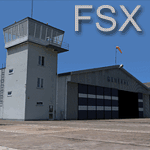
EPGO Goraszka 2010 - The Airshow Challenge is a freeware, extremely detailed scenery of a general aviation airport located 12nm (20km) south-east of Warsaw downtown and Warsaw Frederic Chopin International Airport, Poland. EPGO Goraszka airfield was built in 1994 and currently belongs to General Aviation company, which offers aero-taxi flights, air transport and special flights (air photo, patrol) and airport services. The airport has a 800m-long runway and a lightened helipad, which can be used by helicopters up to 5700kg weight. General Aviation's fleet includes Antonov AN-2, PZL-104 Wilga 80, Bell 407 and 427. Since 1996 the International Air Picnic Goraszka is organized every year by "Polish Eagles" Foundation created on initiative of Zbigniew Niemczycki.
The scenery is equipped with an automatic installer. Currently we support a safe, manual way of adding new sceneries to Scenery Library in Flight Simulator. This is just one thing users need to do for themselves. Detailed instructions will be given during the installation process.
Scenery features:
-Compatible with FSX only
-Highest level of accuracy in geographic positioning, modelling and texturing
-Incredibly high quality photoreal textures of all airport buildings. Textures are based on over 300 real world -photographs made for this project.
-Hundrieds of 3D objects like tents, exhibitions, airport buildings and surrounding buildings
-Life in the airport: people and cars will enchance your feelings
-AI traffic, animations and effects, designed specifically for FSX
-Some buildings include interior (control tower)
-High quality aerial photos of the airport surrondings (5 seasons + night) with autogen and water mask
-Ultra high quality aerial photos of the airport (with seasons)
-Plain airport scenery with no airshow objects available too (details in the manual)
-Product includes manual and airport charts in PDF format
EPGO Goraszka 2010 - The Airshow Challenge scenery is compatible with almost every payware add-on, including Ultimate Terrain Eastern Europe and Warsaw Photo Scenery by Simdesign. Scenery by Drzewiecki Design - www.drzewiecki-design.net .
| Filename: | EPGO_Goraszka_2010__The_Airshow_Challenge.zip |
| License: | Freeware |
| Added: | 16th July 2010, 12:31:42 |
| Downloads: | 4,719 |
| Author: | Drzewiecki Design - Stanislaw Drzewiecki, Jakub Paczek |
| Size: | 237.18 MB |
| Category: Flight Simulator 2004 - Scenery | |
| EPGO Goraszka 2010 - The Airshow Challenge |
|
Images related to this file:
File Description:
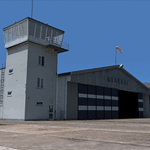
EPGO Goraszka 2010 - The Airshow Challenge is a freeware, extremely detailed scenery of a general aviation airport located 12nm (20km) south-east of Warsaw downtown and Warsaw Frederic Chopin International Airport, Poland. EPGO Goraszka airfield was built in 1994 and currently belongs to a General Aviation company, which offers aero-taxi flights, air transport and special flights (air photo, patrol) and airport services. The airport has a 800m-long runway and a lightened helipad, which can be used by helicopters of up to 5700kg weight. General Aviation's fleet includes Antonov AN-2, PZL-104 Wilga 80, Bell 407 and 427. Since 1996 the International Air Picnic Goraszka is organized every year by the "Polish Eagles" foundation created on initiative of Zbigniew Niemczycki.
The scenery is equipped with an automatic installer. Currently we support a safe, manual way of adding new sceneries to the Scenery Library in Flight Simulator. This is just one thing users need to do for themselves. Detailed instructions will be given during the installation process.
Scenery features:
-Compatible with FS2004 only
-Highest level of accuracy in geographic positioning, modeling and texturing
-Incredibly high quality photoreal textures of all airport buildings. Textures are based on over 300 real world -photographs made for this project.
-Hundreds of 3D objects like tents, exhibitions, airport buildings and surrounding buildings
-Life in the airport: people and cars will enhance your feelings
-AI traffic, animations and effects, designed specifically for FS2004
-Some buildings include interior (control tower)
-High quality aerial photos of the airport surroundings (5 seasons + night) with autogen and water mask
-Ultra high quality aerial photos of the airport (with seasons)
-Plain airport scenery with no airshow objects available too (details in the manual)
-Product includes manual and airport charts in PDF format
EPGO Goraszka 2010 - The Airshow Challenge scenery is compatible with almost every payware add-on, including Ultimate Terrain Eastern Europe and Warsaw Photo Scenery by Simdesign.
Scenery by Drzewiecki Design - www.drzewiecki-design.net
| Filename: | EPGO_Goraszka_2010__The_Airshow_Challenge.zip |
| License: | Freeware |
| Added: | 14th July 2010, 09:49:07 |
| Downloads: | 3,761 |
| Author: | Drzewiecki Design - Stanislaw Drzewiecki, Jakub Paczek |
| Size: | 132.03 MB |
| Category: Miscellaneous Files - Miscellaneous Files | |
| CPS-NG RC 5 |
|
File Description:
CPS-NG (Concorde Performance System New Generation) is the successor to CPS-X, the essential flight preparation utility created in 2011
and discontinued in 2018.
Since the end of its development, still present on AVSIM despite a large number of unavailable functions, it has been downloaded more
than 3000 times.
This new CPS opus will satisfy the most demanding Concorde simulation enthusiasts.
CPS-NG now makes it possible to plan Concorde flights with the following simulators:
FsLabs Concorde X for FSX, and P3D up to version 3.
Colimata Concorde FXP for X-Plane and Gaston Reif's beautiful mod, Heritage Concorde Avionics Package.
With these simulators, CPS-NG can export waypoints to INS, payload and fuel to aircraft.
Like its illustrious predecessors, CPS-NG uses authentic Air France data and charts.
It offers a map of the flight including the navigation points, the points to protect from the supersonic bang, on departure and on
arrival
The flight preparation stages are done in a user-friendly way.
the subsonic levels are configurable, the anti-noise procedures are calculated as in reality. The loading of the plane is modifiable by
the user in order to obtain the ideal centering.
The fuel is calculated as in reality and its distribution in the 11 tanks of Concorde complies with the filling law of Air France and
British Airways.
CPS-NG like its previous version also offers the user a flight report in the form of a PDF document which contains all the elements
necessary for the preparation of the aircraft.
it also offers Concorde-specific settings such as initial climb angle, time until anti noise procedure, throttle levers angle during
anti noise procedure, fuel flow, maximum pressure in P7,
trim adjustment and everything a pilot and flight engineer could want for a perfect flight.
CPS-NG also offers in the flight report, Take-off and landing forms in accordance with the real documents and the user has the choice
between the Air France form and the British Airways one.
Finally, CPS-NG allows the use of real-time weather from NOAA, personalized weather or the one generated by Active Sky 2016,
Active Sky for P3D and Active Sky for X-Plane 11 or 12.
In summary, here you have the ultimate tool for Concorde simulation.
You dreamed it, we did it!
Break the sound barrier.
| Filename: | CPSNG_RC_5.zip |
| License: | Freeware |
| Added: | 10th August 2023, 15:48:00 |
| Downloads: | 76 |
| Author: | Pierre Chassang |
| Size: | 19.49 MB |
| Category: Miscellaneous Files - General Utilities | |
| CONCORDE PERFORMANCE SYSTEM NEW GENERATION |
|
File Description:
CONCORDE PERFORMANCE SYSTEM
NEW GENERATION
CPS-NG (Concorde Performance System New Generation) is the successor to CPS-X, the essential flight preparation utility created in 2011
and discontinued in 2018.
Since the end of its development, still present on AVSIM despite a large number of unavailable functions, it has been downloaded more
than 3000 times.
This new CPS opus will satisfy the most demanding Concorde simulation enthusiasts.
CPS-NG now makes it possible to plan Concorde flights with the following simulators:
- FsLabs Concorde X for FSX, and P3D up to version 3.
- Colimata Concorde FXP for X-Plane and Gaston Reif's beautiful mod, Heritage Concorde Avionics Package.
With these simulators, CPS-NG can export waypoints to INS, payload and fuel to aircraft.
Like its illustrious predecessors, CPS-NG uses authentic Air France data and charts.
It offers a map of the flight including the navigation points, the points to protect from the supersonic bang, on departure and on
arriva.
The flight preparation stages are done in a user-friendly way.
the subsonic steps are configurable, the anti-noise procedures are calculated as in reality. The aircraft loading is modifiable by
the user in order to obtain the ideal centering.
The fuel is calculated as in reality and its distribution in the 11 tanks of Concorde complies with the filling law of Air France and
British Airways.
CPS-NG like its previous version also offers the user a flight report in the form of a PDF document which contains all the elements
necessary for the preparation of the aircraft.
it also offers Concorde-specific settings such as
- Initial climb angle.
- Time to anti noise procedure.
- Throttle levers angle during anti noise procedure.
- Fuel flow.
- Maximum pressure in P7 compressor.
- Trim adjustment and everything a pilot and flight engineer could want for a perfect flight.
CPS-NG also offers in the flight report, Take-off and landing forms in accordance with the real documents and the user has the choice
between the Air France form and the British Airways one.
Finally, CPS-NG allows the use of real-time weather from NOAA, personalized weather or the one generated by Active Sky 2016,
Active Sky for P3D and Active Sky for X-Plane 11 or 12.
In summary, here you have the ultimate tool for Concorde simulation.
NOTE: The manual curently in writing, thanks for your patience.
You dreamed it, we did it!
Break the sound barrier.
| Filename: | CONCORDE_PERFORMANCE_SYSTEM_NEW_GENERATION.zip |
| License: | Freeware, limited distribution |
| Added: | 20th July 2023, 05:20:23 |
| Downloads: | 135 |
| Author: | Pierre Chassang |
| Size: | 19.49 MB |
| Category: Flight Simulator X - Scenery | |
| Freeware Project Kobe X (RJBE) Japan |
|
Images related to this file:
File Description:
Freeware project KOBE X (RJBE) Japan. Contains fully detailed airport with custom ground polygons. Accurate 3d model and texture of all the building of the airport including the terminal, control tower, hangars, bridge and many more. Please note that this project was my initial experience in many fields of scenery design so take it as it is and enjoy flying in Japan. The design is never done but I think it was ready to be released. Still have some work to do with the animated jetways and night lighting for my next "payware" project (KSAN, San Diego Intl). It's going to be far better than this freeware.
You can download the world of ai installer and install the All Nippon Airways package and maybe the JAL too. The jetways are not animated but you can park a 747 in gate 1, a 767 in gate 5 and a 737 in gate 6 and be perfectly aligned with the jetway door.
Also I've not try this scenery in a less powerful computer than mine. I run a Windows 7, I7-950 @ 3.8 GHz and a GTX 570. So don't get mad if you're having bad performances :). With all sliders in the "display settings" set to max I've around 20 fps in the virtual cockpit of the level-d 767. You'll get a nicer airport with also the global texture resolution set to max, water effects set to High 2.x and traffic to ultra-high. Do not turn on Ground scenery shadows as it will make a shadow for the entire airport (ground poly).
I've some tutorial on my YouTube channel (n170toga) on how to make fsx sceneries if you are interested. Don't forget to subscribe there and have updates for the upcoming scenery. Please review this airport if you like as I will learn a lot for my next
project and it's only going to be better.
This scenery is a freeware and should be considered as a freeware. Arigato, Sagga Toure (Devinci), Devinci Design and Development (3De)
| Filename: | Freeware_Project_Kobe_X_RJBE_Japan.zip |
| License: | Freeware |
| Added: | 12th June 2011, 08:28:51 |
| Downloads: | 6,660 |
| Author: | Sagga Toure |
| Size: | 66.48 MB |


© 2001-2026 AVSIM Online
All Rights Reserved
Privacy Policy |