
Where Flight Simulation Enthusiasts Gather from Around the World!
AVSIM Library - Search Results

| Category: Flight Simulator 2004 - Scenery | |
| FS9 Fort St John CYXJ in BC Canada |

|
File Description:
Fort St John is close to the border between British Columbia and Alberta, around 40 miles north-northwest of Dawson Creek. The airport was originally a Royal Canadian Air Force base, associated with the wartime construction of the Alaska Highway. The airfield was part of this construction effort and the wartime ferrying of planes to Russia. It is currently named "North Peace Regional Airport", or "North Peace Airport"; apparently there has been no final decision?
The date for this scenery is around 2006. I was given an old video tape cassette which was filmed on an uncertain date, but which had to be before the terminal building was renovated in 2007 and totally changed in appearance. The only way to view the video was to play it in the camera and watch it on a small screen. After I had completed everything except the buildings I started to view the video to establish the building appearances and within an hour or so the camera died. It was so old there was no way to repair it, so I then made some new buildings from memory of the video and what was available online. I also used some that I had already made for other scenery but which were similar. I may replace the terminal building that is in this version with a build of the new one, as I know this one is not a very accurate reproduction. The replacement, if I do it, will be towards the end of this year.
The AI included here is for GA, Air Canada Jazz, and two helicopter companies that were (and still are?) based there. One is at the western end of the apron and the other is at the eastern end but separated from the apron. To gain access to the taxiways and runways (so that all airport users follow the same procedures, for safety reasons) the eastern end helicopters just taxi across the grass. The helicopters are used for maintenance trips to the oil and gas fields in the surrounding area. My screenshots show Westjet at the terminal; this is because I have later Canadian AI installed, while the AI included here is only for the time around 2000 to 2010, when Westjet were not flying to Fort St John.
The airport is square in plan, with the apron running along the northern side and two runways forming diagonals. The two runways are 11-29 (6,882 feet long and 200 feet wide, with ILS at the 29 end and PAPI at the other) and 02-20 (6,684 feet long and 200 feet wide, and with PAPI at each end). The eastern side taxiway that runs north-south is not used. The western side taxiway is in use but only as a race track for cars.
Please email me if you find faults, such as a plane without textures.
| Filename: | FS9_Fort_St_John_CYXJ_in_BC_Canada.zip |
| License: | Freeware, limited distribution |
| Added: | 10th October 2022, 14:03:38 |
| Downloads: | 214 |
| Author: | Roger Wensley |
| Size: | 37.49 MB |
| Category: Flight Simulator X - Original Aircraft | |
| Eurocopter EC-505 Tiger |
|
File Description:
TIGER HAP
The Tiger HAP/HCP (Helicoptere d'Appui Protection / Helicopter for Close Protection) is a medium-weight air-to-air combat and fire support helicopter built for the French Army. The Tiger HAP is an air-to-air combat and fire support medium-weight (6 tonnes) helicopter fitted with 2 MTR 390 engines. It is daytime and night combat capable and is operable in NBC environments. Three basic parameters were taken into account right from the start of the development phase: low (visual, radar and infrared) detectability, which provides excellent survivability on the battlefield, maximum efficiency of the weapons and the associated fire control systems without heavier workload for the crew, and an optimized logistic concept offering minimum possession costs. The Tiger HAP is fitted with a 30-mm gun turret; 68-mm submunition rokets, and air-to-air Mistral missiles. It also features a firing sight with 3 sensors: infrared, TV camera and direct optical channel. The complete avionics suite includes multi-purpose color displays and radar/laser warning receivers.
TIGER UHT
The UHT (from Unterstützungshubschrauber Tiger; Ger. supporting helicopter Tiger) is a medium-weight multi-role fire support helicopter built for the Bundeswehr (German Army).The Tiger UHT is a multi-role fire support helicopter. The Trigat Fire and Forget missiles and/or the Hot missiles it carries offer anti-tank capability, while 68-mm rockets ensure air-to-ground fire support. A 12.7 mm air-to-air gun pod and air-to-air Stinger missiles can also be installed. The helicopter also features a mast-mounted sight with a second-generation IRCCD infrared channel and a TV channel, as well as a nose-mounted IRCCD control FLIR for the pilot. Countermeasures include radar/laser/missiles launch/missile approach warning receivers and decoy launchers.
TIGER ARH
The Tiger ARH (Armed Reconnaissance Helicopter) is the version ordered by the Australian Army to replace its OH-58 Kiowas and UH-1 Iroquois-based 'Bushranger' gunships.[2] The Tiger ARH is a modified and upgraded version of the Tiger HAP with upgraded MTR390 engines as well as a laser designator incorporated in the Strix sight for the firing of Hellfire II air-to-ground missiles. Instead of SNEB unguided rockets, the ARH will operate 70 mm (2.75 in.) rockets from Belgian developer, Forges de Zeebruges (FZ).
Model, textures by www.afs-design.de - Author: A.Meyer.
| Filename: | Eurocopter_EC505_Tiger.zip |
| License: | Commercial demo |
| Added: | 5th October 2007, 23:56:41 |
| Downloads: | 5,319 |
| Author: | Andreas Meye |
| Size: | 3.25 MB |
| Category: Flight Simulator X - Original Aircraft | |
| Airbus A318 FD Special Version V3 - Light Pack |
|
Images related to this file:
File Description:

This is the new version of my Airbus A318 with the Panel in V3 opened on the A321 - here in a light pack version, included is 1 livery only (Frontier Airlines NR807 Painted by Derek Mayer & Steve Mac Bee of PA Team).
This light pack contains only the user manual in english version (and low resolution). If you want the french version of this manual, use the "zipdrive" function with the complete pack of this aircraft (search by name file "pa318fd_v3.zip"). This light version has been made by request for all those with low download speeds and limits.
The original complete pack is available HERE (filename: pa318fd_v3.zip)
I remind you that this aircraft is based on the Project Airbus A318, with an ehanced panel based on the work of stefan Liebe.
This latest development can see the more realistic Airbus available as freeware. With a new version of the panel, the aircraft has a 100% cold & dark Status at the start of a flight, a real fuel system management with all valves, piumps and crossfeed work, the complete Bleed circuit with X-bleed, a real engines manual startup procedure like the real aircraft. I have also ehanced the navigation display with TCAS function in ARC and NAV mode; There is also the engines failure procedure to work (fire, oil leaks....) and many improved function that I cannot describe here. The aircraft comes with user manual in English and in French, and it is essantial to read it before you fly.
All the functions of the V2 have been kept and improved, like the vertical navigation gauge, the terrain radar map on the navigation display, the autolanding function, the SFCC.
This version is only in CFm engines, but with real engine data (CFM56-5B9) and custom HD sounds. Now, the Fly By wire works in 2 modes: "Normal Law" and "Direct Law". I put 300 hours into the development of this panel and I hope that you will like it.
Please, note that this panel is the v3.05 version, witch fixes the bugs of the first version that came with the A321 (there is an update panel for the A321).
So, It seems that this aircraft works with PREPAR3D
Francois Dore
| Filename: | Airbus_A318_FD_Special_Version_V3__Light_Pack.zip |
| License: | Freeware, limited distribution |
| Added: | 14th July 2012, 15:34:06 |
| Downloads: | 6,728 |
| Author: | Francois Dore, Project Airbus |
| Size: | 64.88 MB |
| Category: Flight Simulator 2004 - Original Aircraft | |
| Eurocopter Tiger (EC 665) - HAP/HCP, UHT and ARH variants |
|
Images related to this file:
File Description:
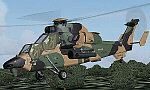
The Tiger HAP/HCP (Helicoptere d'Appui Protection / Helicopter for Close Protection) is a medium-weight air-to-air combat and fire support helicopter built for the French Army. The Tiger HAP is an air-to-air combat and fire support medium-weight (6 tonnes) helicopter fitted with 2 MTR 390 engines. It is daytime and night combat capable and is operable in NBC environments. Three basic parameters were taken into account right from the start of the development phase: low (visual, radar and infrared) detectability, which provides excellent survivability on the battlefield, maximum efficiency of the weapons and the associated fire control systems without heavier workload for the crew, and an optimized logistic concept offering minimum possession costs. The Tiger HAP is fitted with a 30-mm gun turret; 68-mm submunition rockets, and air-to-air Mistral missiles. It also features a firing sight with 3 sensors: infrared, TV camera and direct optical channel. The complete avionics suite includes multi-purpose colour displays and radar/laser warning receivers.
The Tiger UHT (from Unterstuetzungshubschrauber Tiger; Ger. supporting helicopter Tiger) is a medium-weight multi-role fire support helicopter built for the Bundeswehr (German Army).The Tiger UHT is a multi-role fire support helicopter. The Trigat Fire and Forget missiles and/or the Hot missiles it carries offer anti-tank capability, while 68-mm rockets ensure air-to-ground fire support. A 12.7 mm air-to-air gun pod and air-to-air Stinger missiles can also be installed. The helicopter also features a mast-mounted sight with a second-generation IRCCD infrared channel and a TV channel, as well as a nose-mounted IRCCD control FLIR for the pilot. Countermeasures include radar/laser/missiles launch/missile approach warning receivers and decoy launchers.
The Tiger ARH (Armed Reconnaissance Helicopter) is the version ordered by the Australian Army to replace its OH-58 Kiowas and UH-1 Iroquois-based Bushranger gunships. The Tiger ARH is a modified and upgraded version of the Tiger HAP with upgraded MTR390 engines as well as a laser designator incorporated in the Strix sight for the firing of Hellfire II air-to-ground missiles. Instead of SNEB unguided rockets, the ARH will operate 70 mm (2.75 in.) rockets from Belgian developer, Forges de Zeebruges (FZ).
Model, textures by www.afs-design.de - Author: A.Meyer. (Ex-payware package, now released as freeware).
| Filename: | Eurocopter_Tiger_EC_665__HAPHCP_UHT_and_ARH_varian.zip |
| License: | Freeware, limited distribution |
| Added: | 12th January 2013, 19:07:14 |
| Downloads: | 923 |
| Author: | Andreas Meyer |
| Size: | 11.72 MB |
| Category: Flight Simulator X - Scenery | |
| Silloth Aerodrome plus Great Orton |
|
File Description:
RAF Station Silloth is a former Royal Air Force station located 1 mile (1.6 km) north-east of Silloth, Cumbria, England and 6.7 miles (10.8 km) south-west of Kirkbride, Cumbria. The station was used by RAF Coastal Command during WW2.
I designed this scenery primarily for my own pleasure using Airport Design Editor and FSX SDK. I use FSX Acceleration and Horizon VFR photo scenery but it should work with standard FSX SP2.
This scenery depicts the airfield as closely as i can get it with the available information. I have modelled all of the Airfield buildings as closely as I could with the information available to me and this was done using Sketchup, the models were then converted for use in FSX using Model converter X.
It is not 100% accurate and no claim is being made by the author that it is. I have depicted the buildings in wartime camo.
All the buildings can be used as as you wish. My only request is that if you should design better textures for them that you let me have a copy, my textures are pretty basic.
Some buildings have night lighting, lights and smoke effects, these should be in your FSX effects files already.
I have not yet completed the Domestic Site but i may do this in the future...(I've hit the buffers for now though!!)
Included in this scenery pack is the Satellite Airfield RAF Great Orton. Built in 1943 to accommodate the larger bombers now being used by the RAF. This airfield is very sparse as i am unable to get much info about it.
Runways, Taxiways, Watch Office and Ground Signals are all that is included in this scenery pack, along with Sloped flattens, crosswind runways and AGN files.
I have included this as a destination for the Bristol Beaufort AI aircraft that i have included with the scenery.
The Bristol Beaufort AI is a freeware model from Alphasim and is used with their permission. I have altered the model textures and aircraft file and it works well enough as AI.
I have used other scenery libraries within this scenery (mainly to depict the village of Silloth) and these will need to be downloaded from the appropriate sources and activated within FSX.
| Filename: | Silloth_Aerodrome_plus_Great_Orton.zip |
| License: | Freeware |
| Added: | 6th December 2015, 22:32:18 |
| Downloads: | 491 |
| Author: | Mark Byers |
| Size: | 357.87 MB |
| Category: Prepar3D V1-4 - Utilities | |
| Flightplan Visualizer 1.15 |
|
Images related to this file:
File Description:
Flightplan Visualizer (FV) version 1.15.0. Copyright 2018-2020 by Pelle F. S. Liljendal ([email protected]), all rights reserved.
FV comes with 738 pre-imported Commercial AI flightplans (+380 BizJet flightplans are available as a separate download). However you are able to import additional (AI) flightplans yourself. Once imported these (AI) flightplans can be visualized on a map-view, and the user will be able to search accross all these. Hence you can use the program as inspiration as to which routes to fly. E.g. you can search across all imported flightplans to find all flights in an A321 flying into/out from LDDU, or simply to look for all flights in a Boeing 747-8F.
Simply run the included installer to install the software. The program will be installed into "C:\Program Files (x86)\Flightplan Visualizer" and all datafiles will be installed into: "C:\Users\[UserName]\AppData\Roaming\FlightplanVisualizer". The program comes with a full manual explaining everything, and a 3 page quick manual to get you started. The first 3 times you run the program the quick manual will automatically open. The forum is hosted here: https://forum.aerosoft.com/index.php?/forum/919-flightplan-visualizer/
Version 1.15 Contains the following changes:
- As a first, you can now import flightplans even if one or more aircraft-types cannot be automatically detected during import. These will instead be assigned to a dummy-type during import, however you need to manually assign substitute aircraft-type(s) before being able to save the imported flightplan. If/when the program gets support for the aircraft-type(s) that were missing during import, the substitute aircraft-types can either be re-detected manually or by using the "Re-process aircraft/airport-redirects" menu-item.
- Added a combo-box that can be used to filter the flightplans that are shown in the flightplan combo-box on the main-form (e.g. enter "west" to see only flightplans containing "west" in the name). Hovering the mouse over this new filter combo-box will show examples of the more complex filters (e.g. filter by provider, author, season, year, and so on).
- In version 1.14 user-airlines were added, and these could be accessed via a menu-item on the main-form. However in version 1.15 you can now also add user-airlines from the import-flightplan form, so you don't have to abort a pending import, and go to the main form in case you find you are missing a user-airline.
- Added MRU-lists (Most Recent Used) to the browser-forms used to search for: Airport, Aircraft and Airline. The text-edit in the top of these forms have been replaced by a combo-box holding up to 20 items (in chronological order, with the most recent at the top).
- Added a new chart to the Airport Info form showing: "Daily flights per international/domestic/same state".
- Added Utilization-pct to the fleet report (both total for the entire fleet, and per aircraft). The Utilization-pct is also visible for the displayed schedule (for a single aircraft) in the Leg-Info form. This value tells the pct of time the aircraft spends servicing the schedule (the remaining time the aircraft "sits at the gate", including the time spend loading/unloading passenger and cargo, loading fuel, being serviced by ground-crew and what not).
- On the main-form, renamed menu-item "Re-process airport-redirects" into "Re-process flightplans".
- Distance from selected airport to mouse-position on main-map moved from the bottom of the form to the upper/right-corner of the form (where info of selected airport is listed).
- Using the (right-click) context-menu on the main-form airports can now be toggled (on/off) as being favorites.
- A few minor changes were made to the default leg search criteria. If you have saved your own default, you should go to the leg search form, press-and-hold SHIFT while clicking the "Reset" button (to reset to "factory default"), then set the criteria to your perferences, and finally press the "Save Reset" button to re-save your preferences.
- Added MRU-list (Most Recent Used) to fuel-density combo-box on Unit Conversion form. If empty, the list will be preloaded with the values 0.7850 (old default), 0.8040 (often used as a standard for Jet-A), 0.8200 (often used as a standard for Jet-A1). The user is still able to enter another value.
- The values used in the unit-conversion form are saved with the settings file, so each time you open the form will contain the values entered last time you used the form.
- Tweaked the method for calculated flight-time. In previous version the same parameters were used for calculating flight-time for all flights. Now these parameters are dependant on distance, resulting in calculated flight times that are closer to those used in the flight-plans (based on statistic-data from +700.000 AI flights).
- Some of the aircraft have been marked as "Retro", and in settings you can choose to exclude the "Retro" (they are enabled by default).
- Improved (Boeing) aircraft-type detection when importing flightplans using non-standard naming, such as "B744F" in stead of "747-400F" or "B736" in stead of "737-600".
- Updated all libraries in use to the latest versions, and addressed some minor issues with the map.
- Fixed: Newer versions of MyRwy are outputting airport elevation as a floating point value (e.g. "629.92") whereas older versions were outputting it as an integer value (e.g. "630"). In previous versions of FV the floating point value "629.92" was wrongly read as an elevation of 62992 ft. The program can now both handle floating point and integer values, hence can be used with both old- and new versions of MkRwy.
- Fixed: When adding new user-airlines in version 1.14, callsign was being set to the name of the airline, in stead of the entered callsign. If you added any user-airlines in version 1.14, you should edit these with version 1.15, and set the callsigns again.
- Fixed: If a Leg search was active (combo-box in bottom of main-form showing "[Last Search]") and all flightplans were disabled in "Enable/Disable -flightplans" the program would shut-down with an exception.
- Fixed: The list of the airline-codes (gate-tab on Airline-Info form) started with a comma, however comma should only be used to separate the items when multiple airline-codes were associated with the same gate (3rd party scenery only).
- Fixed: In some cases the cruise-speed was not shown correctly in the Aircraft search form.
- Fixed: Some of the menu-items for launching the (YouTube) tutorial-videos were missing the tool-tip text ("Hold SHIFT to copy url to clipboard").
- Fixed: About-box can now be closed with ESC, like most other forms.
- Fixed: potential issue reading xml-data, perhaps with a the benefit of a slightly better performance.
- Data: Added support for flightplans using "retro" aircraft types such as: Aerospatiale SE-210 Caravelle, British Aerosapce ATP/BAC One Eleven, Concorde, DC-3, DC-4, DC-6, DC-8, De Havilland Comet, Fokker F28, Hawker Siddeley HS 121 Trident, Ilyushin Il-18/20/22/24/86, Lockheed Constellation/L-188 Electra, Shorts SC-5, Tupolev TU-134, Vickers VC10/Viscount, and thanks to user Aucery Lockheed 1011.
- Data: Support for additional aircraft-types added as well: BN-2A Trislander, CASA C-212/C-235, CubCrafters XCub, DHC-2 Beaver/Turbo-Beaver, DHC-3 Otter, DHC-5 Buffalo, Diamond DA-42/62, Extra EA-300, Honda HA-420, ICON A5, NAMC YS-11, Mooney, Mudry CAP 10, Pilatus PC-6/PC-24, Piper Cub/Super Cub, Robin DR-300/400, Shorts SC-7, Tecnam P2012/P2006T
- Data: Some of the aircraft-types, for which multiple ICAO/IATA-codes exists, were split into two (one for Pax and one for Freight), e.g. Convair 580, DC-9-10/30/40, and Il-96. As a result you should execute "Re-process flightplans" (found in the "Flightplan" menu), and "Re-detect all" aircraft.
- Data: A few missing aircraft IATA/ICAO codes were added, and some "behind the screen" data for multiple aircraft were updated as well.
- Data: A few Airlines were added/updated (a big THANK YOU to Bruce Nicholson for the assistance keeping these data up-to-date).
- Flightplans: The good people over at AIG (Alpha India Group) have once again been VERY busy since the last release, hence the installer comes with 298 new/updated pre-imported flightplans, bringing the total of flightplans bundled with the installer to 738.
- Flightplans: A few flightplans were bundled with the program in duplicates (2 slightly different names, or 2 different seasons). These duplicates have been marked as obsolete, and have been removed from the installer. Using the "Select all obsolete flightplans" menu-item in "Enable/disable-flightplans" you can mark these flightplans and move them to the "Disabled" folder, from where they can be deleted.
Pelle
| Filename: | Flightplan_Visualizer_115.zip |
| License: | Freeware, limited distribution |
| Added: | 20th March 2020, 17:08:52 |
| Downloads: | 378 |
| Author: | Pelle Liljendal |
| Size: | 28.9 MB |
| Category: Flight Simulator 2004 - Scenery | |
| VAGO Goa/Dabolim Navy, India |
|
File Description:
Googly scenery for Dabolim Navy Airport, Goa - a busy Indian military airport also used for
civilian flights which is poorly provided for in Flight Simulator 2004. These scenery
files add taxiways, aprons, buildings and other airport features, so that you and
your "AI" traffic can land, taxi, park and take off in a realistic manner.
Today Goa is a popular tourist destination, but it does not have its own civilian
airport. Instead the ever-increasing number of charter flights use the Indian
Navy's airport. But they may only land when the Navy's novice pilots are not
pretending the runway is a 11,000 foot aircraft carrier deck so civilian flights
have to be packed into short periods (before 9 am and 1 pm to 6 pm) and this leads
to the small terminal ramp being literally packed with aircraft at times. All kinds
of jets from around the world up to Boeing 747s call here, flown by European and
Asian operators like Air Deccan, Air India, Air Sahara, Arkefly, Condor Thomas Cook,
Go Air, Indian Airlines, Jet Airways, Kingfisher Airlines, Monarch Airlines,
Spicejet, SriLankan Airlines, Thomsonfly, Tiger Airways, Transaero and XL Airways
along with ATR turboprops on shorter flights with Air Deccan. The
Indian Coast Guard has a base here for its aircraft, and the Indian Air Force
carry out exercises from time to time with their fighter bombers. The Navy's
three-aircraft aerobatic team is also based here.
To cope with the increasing traffic, the airport is currently under development
and enlargement but details of this are not currently available so this scenery has
been created showing the existing arrangements. This, combined with the limitations
of Flight Simulator and its parking and taxying arrangements, means that it isn't
possible to realistically pack the aircraft all in at busy times. Any overflow of traffic will
find itself diverted to the Navy's parking area or even the aircraft museum.
However, my observations are that many of the schedules prepared for Flight
Simulator do not recognise the limited landing times and the traffic is spread
fairly evenly throughout the day, so such overflows should be infrequent.
The scenery does not purport to be ultra-accurate. Based on high-detail satellite
imagery from Google Earth, the layout is proportionally correct but the added
airport features, such as buildings, are built from default Microsoft objects
and add-on libraries so will not look like the real thing.
You are not obliged to download and install any additional scenery libraries,
but to enjoy this scenery in its entirety, you may wish to. It will work fine,
with or without.
| Filename: | VAGO_GoaDabolim_Navy_India.zip |
| License: | Freeware |
| Added: | 8th August 2007, 23:14:21 |
| Downloads: | 3,959 |
| Author: | John Hinson |
| Size: | 78.48 KB |
| Category: Flight Simulator 2004 - Original Aircraft | |
| North American T6_Harvard |
|
Images related to this file:
File Description:
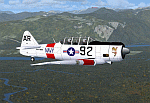
North American T6_Harvard
This aircraft has has been constructed using Gmax v1.2. The aircraft is constructed with as few polygons as possible and with a single texture file to ensure the absolute minimum impact on your framerates. There are two models- each has seven LODs.
The aircraft has had an amazing history with first prototype flying in 1935. To quote from Wikipedia "A total of 15,495 T-6s of all variants were built.During the Korean War and to a lesser extent, the Vietnam war, T-6s were pressed into service as forward air control aircraft. These aircraft were designated T-6 "Mosquito"s.[1] The RAF used the Harvard in Kenya against the Mau Mau in the 1950s where they operated with 20 lb bombs and machine guns against the gangs. Some operations took place at altitudes around 20,000 ft asl. A Harvard was the longest-serving RAF aeroplane, with an example, taken on strength in 1945, still serving in the 1990s (as a chase plane for helicopter test flights - a role the Shorts Tucano's high stall speed was ill-suited for). The T-6G was also used in a light attack or counter insurgency role by France during the Algerian war in special Escadrilles d'Aviation L�������©g�������¨re d'Appui (EALA), armed with machine guns, bombs and rockets. At its peak there were 38 EALA's active. The largest unit was the Groupe d'Aviation L�������©g�������¨re d'Appui 72, which consisted of up to 21 EALAs. Portugal also used ex-French aircraft during the Portuguese Colonial War.
Since the Second World War, the T-6 has been a regular participant at air shows, and was used in many movies. For example, in Tora! Tora! Tora! and The Final Countdown, converted single-seat T-6s painted in Japanese markings represent Mitsubishi Zeroes. The New Zealand Warbirds "Roaring 40s" aerobatic team use ex-Royal New Zealand Air Force Harvards. The Reno National Air Races also has a class specifically for the T-6 during the National Air Races each year."
This GMax model is quite fun to fly as a normal aircraft, but was originally designed specifically to enhance the AI aircraft population.
I would like to especially thank Ray Blake who has kindly made these high quality textures for this package.
A paintkit is being posted as a separate zip file.
| Filename: | North_American_T6_Harvard.zip |
| License: | Freeware, limited distribution |
| Added: | 3rd December 2009, 19:01:27 |
| Downloads: | 1,571 |
| Author: | Mike Cronin - aircraft and paintkit; Ray Blake - textures |
| Size: | 1.78 MB |
| Category: Prepar3D V1-4 - AI Flight Plans | |
| California Pacific 2019 AI Flightplans |
|
File Description:
California Pacific was the pet-project of eccentric millionaire Ted Vallas who was determined to overcome a near-decade of obstacles to bring scheduled jet service to the Northern San Deigo\Carlsbad area. The airline was founded in 2009, but ran into a laundry list of problems over the years. Initially, the airline had acquired an EMB-170 which was painted in the airlines own colors and kept at the airlines Carlsbad base(CLD\KCRQ). The initial plan called for 3-class service to destinations including SJC, OAK, PHX, SMF, and even SJD. However, a US government shut down ill-timed during the scheduled proving runs and certification process for the airline delayed the process indefinitely. After months of waiting, and paying for staff and the aircraft to the dismay of investors, the E170 was returned and used as a cooperate shuttle in Arizona in full California Pacific colors, though it never would return. The founder did not give up, however, and years later was able to circumvent the certification process by purchasing the operating certificate of ADI's Essential Air Service operation which connected Watertown and Pierre, South Dakota with Denver with a pair of EMB-145s. One of the EMB-145s was painted in full California Pacific colors and used to launch scheduled flights, this time initially to SJC, RNO and LAS with AZA instead of PHX later being added. However, the other EMB-145 was damaged after being struck by ground equipment in Pierre, SD and was grounded for the rest of the airline's life, causing all EAS flights to cancel soon after California Pacific had acquired the flying. The airline was stretched so thin when service started in November 2018 that the departure of a pilot in January 2019 shut the airline down, after just 2 months in operation. Flights were for months considered "suspended", with airport signage being retained at the destinations, but soon after the website was taken down and all hopes of re-starting the company seemed abandoned. These flights are based on an early 2019 schedule I found online, but the EAS flights were not listed. As the flights did not operate anyway for the most part as California Pacific, I elected not to include them. The schedule was changed several times in the airline's short history as it struggled to maintain an aggressive 30 minute ground-time between flights with just 1 aircraft. The repaint for the AIM ERJ-145 may be found here: https://fsai-repaints.com/?p=1095
| Filename: | California_Pacific_2019_AI_Flightplans.zip |
| License: | Freeware, limited distribution |
| Added: | 9th December 2019, 18:02:01 |
| Downloads: | 61 |
| Author: | Chasen Richardson\Bayviation |
| Size: | 14.58 KB |
| Category: Flight Simulator X - Original Aircraft | |
| JELAIR - Maersk Air, Boeing 737-2L9 (OY-MBZ) - version 3 |
|
Images related to this file:
File Description:

This aircraft (for FSX, with update-patch #2) is a simulated replica of Maersk Air's 'Pocket Rocket' OY-MBZ (a Boeing 737-2L9 a.k.a. 737-200/Advanced) anno 1989. It is designed for a screen-resolution of 1280x1024. Other resolutions have not been tested. It will NOT work correctly in FS2004 (FS9). It has been tested on Windows XP (32bit) and Windows 7 (64bit) only. It is designed to be as realistic as possible, and flight-experience from the real aircraft, as well as large amounts of documentation, have been used to get it as accurate as possible. It has a fairly advanced panel with many systems simulated, such as a passenger oxygen system, a cabin pressure system, anti-skid brakes, EPR control of each engine (with the possibility of asymmetric thrust), IVSI with TCAS, Sperry SP177 autopilot with working CWS and level-change button, active yaw-damper, Quality-of-flight index (so you can see how well you operate the aircraft), windshield wiper, custom flight-computer, automatic Vspeeds for takeoff and landing, takeoff trim calculator, master caution system, PAX simulator (if you make a mistake they may die), a JT8D-17 engine with slow spin-up time (do not idle it on approach). It features a relatively realistic random-failures/error simulation which will trigger, or de-trigger, any of a variety of possible failures/errors (from small gauge-errors to large engine-failures or cabin de-compression). The chance of a failure/error is very low (you may never even get one, but they can happen, so stay alert), maybe less than 1 percent chance per 24 hours of flight-time. It features engine-management simulation, so overheating an engine will cause it to fail (now you actually need to pay attention to the EGT during engine-startup, and have your finger ready at the fuel-cutoff switch just in case you need to save the engine from heat-damage). It features sounds recorded from the actual aircraft (OY-MBZ).
This is the third release of this JELAIR addon. A very big thank you to all the following very talented people that participated directly or in-directly in the production of this add-on: Original Model by Erick Cantu, Original Panel by Pablo Contouris, Original Panel BMP by Bob Scott, Original Panel Gauges by Ken Mitchell, Doug Dawson, Pierre Fasseaux, SPanel, www.FS2X.com, Original Sound by Christoffer Petersen, Original Textures by Henry William, FDE, various modifications and adjustments for aircraft type, as well as additional gauges and sounds by JELAIR
| Filename: | JELAIR__Maersk_Air_Boeing_7372L9_OYMBZ__version_3.zip |
| License: | Freeware |
| Added: | 16th April 2011, 13:52:24 |
| Downloads: | 7,037 |
| Author: | Erick Cantu, Pablo Contouris, Bob Scott, Ken Mitchell, Doug Dawson, Pierre Fasseaux, Christoffer Petersen, Henry William, Jacob Larsen |
| Size: | 80.51 MB |


© 2001-2026 AVSIM Online
All Rights Reserved
Privacy Policy |