
Where Flight Simulation Enthusiasts Gather from Around the World!
AVSIM Library - Search Results

| Category: Prepar3D V1-4 - Utilities | |
| Flightplan Visualizer 1.14 |

|
Images related to this file:
File Description:
Flightplan Visualizer (FV) version 1.14.0. Copyright 2018-2019 by Pelle F. S. Liljendal ([email protected]), all rights reserved.
FV comes with 629 pre-imported Commercial AI flightplans (+380 BizJet flightplans are available as a separate download). However you are able to import additional (AI) flightplans yourself. Once imported these (AI) flightplans can be visualized on a map-view, and the user will be able to search accross all these. Hence you can use the program as inspiration as to which routes to fly. E.g. you can search across all imported flightplans to find all flights in an A321 flying into/out from LDDU, or simply to look for all flights in a Boeing 747-8F.
Simply run the included installer to install the software. The program will be installed into "C:\Program Files (x86)\Flightplan Visualizer" and all datafiles will be installed into: "C:\Users\[UserName]\AppData\Roaming\FlightplanVisualizer". The program comes with a full manual explaining everything, and a 3 page quick manual to get you started. The first 3 times you run the program the quick manual will automatically open. The forum is hosted here: https://forum.aerosoft.com/index.php?/forum/919-flightplan-visualizer/
Version 1.14 Contains the following changes:
- Flightplan file-format was changed, to accommodate changes to the airline-data. In previous versions the airline ICAO-code had to be unique, hence not allowing old defunct airlines still remaining in the data-file when a new airline would be issued the same ICAO-code (now they can both exists, and many of the defunct have been marked as defunct).
- On start-up old flightplans in enabled folders will automatically be updated to the new format. If you have sub-folders containing additional flightplans, you should make sure these are enabled, in order to have these updated as well. Once they have been updated you can go ahead and disable these sub-folders again as you please.
- Its now possible to add user defined airlines, in case you want to add you own fictitious airlines (e.g. VA's) or you want to add airlines missing in the official data-files that I supply with the program (if this is the case, please notify me, so I can add these in the next release of the program).
- "Favorite aircraft" have been renamed into "Favorite aircraft-types", as it is the "types" of aircraft you mark. You don't mark a particular aircraft/cofiguration (like the PMDG B737-800 NGXu) as your favorite, but rather the "type" (B737-800). The file containing the (active) favorite aircraft-type selection was renamed as well (you don't have to do anything, the file is automatically renamed on start-up).
- Added a new Unit-Conversion form, letting the user convert units of: Speed, Lenght/Distance, Weight/Volume, Pressure and Temperature. The Weight/Volumne conversions is a bit special as it lets the user convert between weight (kg/lbs) and volume (liter/gal), thanks to a Fuel Density that defaults to 0.785, but can be changed by the user.
- All search-forms (seaching for airport, aircraft and airline) was changed to ignore whitespeaces (e.g. "airBaltic" vs. "air Baltic"), and ignore diacritics (e.g. "AerolÃnea" vs. "Aerolinea"), making it more easy to find what you are searching for in one go.
- The airline search-form will by default exclude airlines that have been marked as defunct. However a new "Include defunct" check-box have been added to the form, allowing you to include these (who am I to say you can not still use "Air Berlin", "Monarch" or "Thomas Cook" flightplans if you want to).
- Added 3 new columns to the airline search form showing commence/cease-date, and wheter or not the airline is "in use" (as carrier/operator by any of the active fligthplans).
- State is now by default excluded when using the airport search form, which make it a lot more convenient to find airports in the city of "New York". State can still be included in the search by choosing a different search-type using the combo-box in the upper/right corner.
- When Flightplan Visualizer needs for perform potentially lengthy operations it will spread the workload over the available cores of the CPU. However if you want to limit which cores it uses you can now set the affinity-mask in the settings form.
- The splash-screen shown when the program starts, and when reloading active flightplans was prevoiusly always shown on top (top-most), but if you find this anoying it can now be disabled in settings.
- Fixed: Warnings/errors regarding loading flightplans were only displayed at start-up. Now they are shown whenever all active flightplans are loaded (e.g. after having enabled a sub-folder).
- Data: The airline-data got a major update, and a bunch of new airlines were added, and the data for MANY others were updated. It is a manual process to update these, almost as funny to do as to watch paint dry ;-)
- Data: A few countries had a wrong- or no sub-region code, so these were fixed/updated. As usual, if any of you spot any erros, or missing data, please use the forum to notify me.
- Data: Additional info added to the aircraft-data (in preparation for some future plans).
- Flightplans: All flightplans bundled with the installer have been updated to the new file-format.
- Flightplans: Thanks to Ryan Carson (RCAI) for allowing me to bundle the installer with a few of his flightplans, so the installer comes with the very first winter 2019-2020 flightplan.
- Flightplans: The good people over at AIG (Alpha India Group) have been VERY busy since the last release, hence the installer comes with +130 new pre-imported flightplans, bringing the total to 629. This update concludes Summer 2019, and AIG already have the first Winter 2019/2020 flight-plans in beta-test.
Pelle
| Filename: | Flightplan_Visualizer_114.zip |
| License: | Freeware, limited distribution |
| Added: | 10th December 2019, 06:59:46 |
| Downloads: | 370 |
| Author: | Pelle Liljendal |
| Size: | 31.01 MB |
| Category: Flight Simulator X - Scenery | |
| Albany International Airport (KALB) Albany, New York |
|
Images related to this file:
File Description:
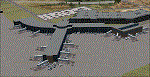
This airport was made using Airport Design Editor, Google Sketchup, and Instant Scenery 2. Albany International Airport, Is an airport located near Albany, New York. The airport has scheduled airline flights. Almost all of the buildings are custom made with photo textures to make it closer to real life. At the main terminal, I added more gates and put moving jetways. The gates have assigned parking codes. There is a parking lot next to the terminal full of cars. I put the airport access road in between the parking lot and the terminal. At the southwest ramp, I put hangars and some you can taxi inside of. If you choose to start off from the southwest DOCK gate, You will start off inside the Million Air Aviation FBO. I also put static aircraft on the ramp too. To the northwest, I put the New York Police hangar. You can start off inside this hangar by choosing the Northwest DOCK gate. Taxiing into or starting off inside a hangar will not cause a crash unless you touch the sides. To the Northeast, I put the cargo terminal with trucks. At the cargo section, I put three FedEx Cessna Caravans. I also put the control tower and the buildings. Tower views are from the roof of the control tower. To the southeast, I put small hangars and the Air National Guard Section with UH-60 helicopters. I extended runway 1/19 to the correct length of 8,500 feet. I also put red, blue, green, and purple Cessna 172s in different places around the airport. There will be more objects if your scenery complexity is set to normal (such as jetways, aircraft, and vehicles). This was all made based on Google Earth Imagery and Bing Maps. There are no night textures for the buildings. This will be added in a future version. An installer program is included to install the airport for you. There will be more versions of this that include night textures and static business jets. This is for Flight Simulator X only. By Tyler Lawrence.
| Filename: | Albany_International_Airport_KALB_Albany_New_York.zip |
| License: | Freeware |
| Added: | 2nd June 2012, 08:14:12 |
| Downloads: | 4,347 |
| Author: | Tyler Lawrence |
| Size: | 47.69 MB |
| Category: Flight Simulator 2004 - AFCAD Files | |
| Default New York JFK with Active Runways |
|
File Description:
A High quality AFCAD2 file for the default FS2004 New York JFK. This file has been completely rebuilt from scratch using information from the latest FAA charts (17th March 2005). All Aprons have been completely rebuilt and are modelled to be as near real as possible. Improvements have been made to the taxiways, including slight realignments where needed to avoid building collisions. The 'crosswind runway technique' has been applied to this airport to activate all runways for simultaneous use. This means all 4 runways at this airport will be used for simultaneous take-offs and landings, all the time. Full night lighting has been provided for taxiways and runways. On the default setup, more than 1 runway shared the same ILS frequency and these frequencies have now been altered by +.05 MHz to avoid conflicts. Approach lighting has been upgraded to "ALSF-2" on all runways to better assist your approaches in poor visibility. Displaced thresholds have also been modified to enable better traffic flow for landing aircraft. A 'Tower View' is now available. All real life gates at at each terminal within the airport are now available for use and they are correctly numbered as per real life and have the correct airlines assigned to them. Extra parking can be found at the GA Terminal, cargo bases and maintenance areas, and all real life helipads have been added to the airport. Additional overflow parking (remote stands) can be found at Terminal 4, UA Terminal 7 and AA Terminal 8/9. This AFCAD2 has been fully tested and all traffic flows as it should. If you have a large amount of traffic flowing thru JFK, this file will certainly bring the airport to life. Note: There are 2 versions included within this package: (1) Terminal 5 out of use as per real life (no gates added), (2) Terminal 5 in use, with gates allocated to TWA (as it was back then). See images for info. Enjoy!!
| Filename: | Default_New_York_JFK_with_Active_Runways.zip |
| License: | Freeware |
| Added: | 7th April 2005, 13:44:37 |
| Downloads: | 6,430 |
| Author: | Lee Brompton |
| Size: | 282.56 KB |
| Category: Flight Simulator X - Aircraft Repaints, Textures and Modifications | |
| Southwest Airlines Boeing 737-700 v2.2 Final Package |
|
File Description:
**** THIS FILE SUPERCEEDS MY ORIGINAL FILE b737_700_southwest_v21.zip **** v2.2 - REPORTED BUGS HAVE BEEN CORRECTED. The 737 was born out of Boeing's need to field a competitor in the short-range, small capacity jetliner market which had been opened up by the BAC 1-11 and the Douglas DC-9. Boeing was badly behind however when the 737 program was initiated in 1964, as both of these rivals were already into their flight certification programmes. The 737 was cheaper and quicker to design, featuring six-abreast seating compared to the 1-11 and DC-9's five-abreast layout.By the 1990s, the 737 had lost ground technologically to the newer Airbus A320. In 1993, Boeing initiated the 737-X or Next Generation (NG) program. The Next-Generation 737 encompasses the -600, -700, -800 and -900, and amounted to a complete redesign of the 30-year old airliner. The 737NG is an entirely new aircraft, sharing very little with previous 737s, other than fuselage frames. New wings, new avionics and revised engines were the biggest engineering changes. The 737 was given a glass cockpit with CRT screens (except the -900, which had newer and higher tech LCD screens) and digital systems inspired by the ones that were used on the 777. The parts count is down by about 33%, reducing weight and simplifying maintenance. Additional changes since its introduction include a new interior and performance enhancing winglets which reduce fuel consumption and improve take-off and climb performance. All textures have been modified in DXT-3 format for crisp visuals without comprimising frame rates. Includes the default FS-X Boeing 737 panel. Sounds have been defaulted to the FS-X 737-800, however I recommend the excellent 737 CFM56 "the real deal" version 2 soundpack (file name:737_cfm56__the_real_deal_version_2.zip located at AVSIM.com) for this aircraft series. Additionally, this aircraft series has no Virtual Cockpit (VC), therefore you must fly them using the 2-D default panel view only! This package includes Southwest Airlines liveries (Canyon Blue, Maryland One, Nevada One, Old Color & Shamu).
| Filename: | Southwest_Airlines_Boeing_737700__v22_Final_Packag.zip |
| License: | Freeware |
| Added: | 9th December 2006, 20:24:49 |
| Downloads: | 11,832 |
| Author: | Brian C. Selb |
| Size: | 13.59 MB |
| Category: Flight Simulator X - Scenery | |
| MYXY - Duncan Town, Ragged Island Chain, Bahamas - Version 2 |
|
File Description:
The Ragged Island Chain consists of a string of small islands in the Bahamas. Only one island, Ragged Island, has a settlement on it which is known as Duncan Town. This FSX scenery improves the airstrip at Duncan Town and creates a new private airstrip on Nurse Cay. The airstrip at MYXY (Duncan Town) has been lengthened by 500 feet and widened by 25 feet. Six parking ramps now exist as well as a fuel pump and helipad. Additional taxiways have been added and lights for the runway, taxiways and apron. A small building has been added to serve as a combined terminal, control tower, and customs office. There is also a hangar to protect your plane from tropical storms. These improvements were necessary to accomodate the increased air traffic due to the new high rise tropical hotel, the Ragged Island Resort. There is also a lighthouse on the island and a cruise ship with helipad just off to the east. A large private yacht just to the north also has a helipad. You can watch dolphins swim at both of those locations - the helipads make great viewing spots. About 20 miles north of Ragged Island is Nurse Cay (MYXN). This is where my private airstrip and villa are located. The airstrip has a 2500 ft concrete runway and a parallel taxiway as well as a helipad. The runway, taxiways, and apron are all lit for night operations. The airstrip was built right on a marsh so wandering off the runway or taxiways could result in getting wet. You will find a variety of birds flying around at various locations throughout this scenery. A flight plan is also included for a dusk flight from Ragged Island (MYXY) to Nurse Cay (MYXN). So come on out to Ragged Island, because it's better in the Bahamas! This is version 2 and supercedes my original file - this version corrects the runway numbers at MYXN.
| Filename: | MYXY__Duncan_Town_Ragged_Island_Chain_Bahamas__Ver.zip |
| License: | Freeware |
| Added: | 24th August 2007, 15:55:49 |
| Downloads: | 2,408 |
| Author: | Mike Lanza |
| Size: | 13.43 KB |
| Category: Flight Simulator X - Aircraft Repaints, Textures and Modifications | |
| Aeritalia G91Y 8 Stormo |
|
Images related to this file:
File Description:
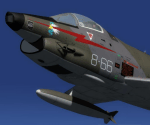
The Fiat G91Y was a reconnaissance and ground-attack aircraft produced by Italian company FIAT as an evolution of Fiat G91. The first flight took place in 1966. It was a complete redesign, but the major difference was that G91Y installed 2 engines, in order to increase the power and the capability to survive to damages during war operations. The single Bristol Orpheus turbojet engine of G91 was then replaced by two afterburning General Electric J85 turbojets which increased thrust by 60% over the single-engined variant.
Structural modifications to reduce airframe weight increased performance further and an additional fuel tank occupying the space of the G.91T's rear seat provided extra range. Combat manoeuvrability was improved with the addition of automatic leading edge slats.
Flight testing of three pre-production aircraft was successful, with one aircraft reaching a maximum speed of Mach 0.98.
Airframe buffeting was noted and was rectified in production aircraft by raising the position of the tailplane slightly.
An initial order of 55 aircraft for the Italian Air Force was completed by Fiat in March 1971.
The order was increased to 75 aircraft with 67 eventually being delivered.
The first pre-series 'Yankee' (the nickname of the new aircraft) flew in July 1968.
AMI (Italian Air Force) placed orders for two batches, 35 fighters followed by another 20, later cut to ten.
The last one was delivered around mid 1976, so the total was two prototypes, 20 pre-series and 45 series aircraft.
No export success followed.
These aircraft served with 101° Gruppo/8° Stormo (Cervia-S.Giorgio) from 1970, and later, from 1974, they served with
the 13° Gruppo/32° Stormo (Brindisi) until the early '90s, as the only ones equipped with the 'Yankee', using them as attack/recce machines, both over ground and sea, until the AMX replaced them.
HD textures in 4096 x 4096.
complete resize and paint 32bit HD.
Virtual cockpit HD.
Native model for FSX & P3D
| Filename: | Aeritalia_G91Y_8_Stormo.zip |
| License: | Freeware |
| Added: | 15th April 2017, 19:09:42 |
| Downloads: | 1,655 |
| Author: | Massimo Grassi |
| Size: | 109.01 MB |
| Category: Flight Simulator X - Scenery | |
| RAF East Moor |
|
File Description:
RAF East Moor was opened in 1942 and was originally a 4 Group facility and first hosted No. 158 Squadron RAF which had moved from RAF Driffield on 6 June 1942. The squadron flew the Handley Page Halifax Mk. II with detachments at RAF Beaulieu and RAF Manston before moving to RAF Rufforth on 6 November 1942.
Royal Canadian Air Force use
The first squadron was No. 429 Squadron RCAF which formed at the airfield on 7 November 1942 initially only flying the Vickers Wellington Mk.III until January 1943 when the Wellington Mk. X was added. The squadron left on 13 August 1943 going to RAF Leeming where the unit re-equipped with Halifaxes. On 19 September 1943 the next squadron arrived being 432 Squadron which initially used the Avro Lancaster Mk.II before being re-equipped with the Halifax Mk. III in February 1944 and the Mk. VII Halifax in July 1944. The squadron disbanded on 15 May 1945 at the airfield.
The last Canadian squadron to use the airfield was 415 Squadron which flew the Halifax III from 26 July 1944. The unit inherited the additional Mk.VII versions during March 1945 but disbanded shortly after on 15 May 1945 at the airfield.
Royal Air Force use
Not long after the last Canadian squadron disbanded the airfield was handed back to the Royal Air Force (RAF). The first RAF unit to use the airfield was No. 54 Operational Training Unit (OTU) which had moved in during November 1945 flying the de Havilland Mosquito. By May 1946 No. 288 Squadron RAF joined with their Supermarine Spitfire IX's and their Vultee Vengeance Mk. IV's with a detachment at RAF Acklington. The squadron disbanded on 15 June 1946. No. 54 OTU stayed until June 1946 when the unit moved to RAF Leeming but a detachment stayed until 15 November 1946.
The airfield closed to flying in November 1946. Most of the buildings were taken down and the land has reverted largely to agricultural use.
| Filename: | RAF_East_Moor.zip |
| License: | Freeware |
| Added: | 14th March 2017, 19:41:08 |
| Downloads: | 128 |
| Author: | Terry Boissel |
| Size: | 154.38 KB |
| Category: Flight Simulator 2004 - Sounds | |
| ATC Voices - Airport names set 13 |
|
File Description:
A collection of 67 additional, improved or corrected airport names, for
use with Flight Simulator 2004 and FS2002. Installation requires the
EditVoicepack software (see
http://bevelstone.xs4all.nl/FlightSimulator/EditVoicepack) by Lars
Møllebjerg which is also available as a free download from the usual
Flight Simulator download sites such as Avsim.
The airports represented here are:
1X1 Higgins (United States of America),
2E3 Cluck Ranch (United States of America),
CYCC Cornwall Regl (Canada),
EDSK Kehl-Sundheim (Germany),
EFKJ Kauhajoki (Finland),
EG74 Jurby (United Kingdom),
EKOD Odense (Denmark),
ENOP Oppdal (Norway),
ENZ6 Frya (Norway),
EPZP Przylep (Poland),
ES0G Mantorp Park (Sweden),
ESGS Stromstad/Nasinge (Sweden),
ESGV Varberg (Sweden),
ESSK Gavle-Sandviken (Sweden),
ESSW Vastervik (Sweden),
FD98 Ferguson (United States of America),
FZRA Manono (Congo DRC),
KBJJ Wayne Co (United States of America),
KDYR Dyersburg Mun (United States of America),
KELD El Dorado/South Arkansas Regional (United States of America),
KIDL Indianola (United States of America),
KLLQ Monticello Mun/Ellis (United States of America),
KPBF Grider (United States of America),
KPKD Park Rapids (United States of America),
KUOX University-Oxford (United States of America),
KVPC Cartersville (United States of America),
KWWR West Woodward (United States of America),
LFIM St Gaudens/Montrejeau (France),
LFRI Les Ajoncs (France),
LIRQ Florence/Peretola - fixed (Italy) - fixed,
LKCT Chotebor (Czech Republic),
LKPO Prerov (Czech Republic),
NFNK Lakeba (Fiji),
O07 Westheimer (United States of America),
OICS Sanandaj (Iran),
OIMN Bojnord (Iran),
ORSU Sulaymaniyah International (Iraq),
RJSC Yamagata (Japan),
RJSY Shonai (Japan),
RPUW Gasan/Marinduque (Philippines),
RPVT Tagbilaran (Philippines),
SBNF Navegantes (Brazil),
SPAS Andoas (Peru),
SPMS Yurimaguas (Peru),
SSGB Guaratuba (Brazil),
TFFS Les Saintes (Guadeloupe),
TN83 Cedar Glade (United States of America),
ULL9 Gostitilsy (Russian Federation),
ULLD Gromovo (Rusian Federation),
ULLG Gorelovo (Ruissian Federation),
ULPW Sortavala (Russian Federation),
W11 Menomonie (United States of America),
WARR Surabaya/Juanda (Indonesia),
WARS Semarang/Achmad Yani (Indonesia),
WIOD Tanjung Pandan/Buluh Tumbang/H.A.S. Hanandjoeddin (Indonesia),
XCN Coron/Busuanga (Philippines),
Y95 Hillman (United States of America),
YADD Arubiddy Station( (Australia),
YBAL Balladonia (Australia),
YECL Eucla (Australia),
YNRB Narembeen (Australia),
Z19X Aozou (Libya), plus
BOJNORD INFORMATION Beajnord (Iran),
BUDEJOVICE PRECISION Budejovice (Czech Republic),
KARSHI Karshi South (Uzbekistan), and
PRYZLEP AERO Przylep Aero (Poland),
| Filename: | ATC_Voices__Airport_names_set_13.zip |
| License: | Freeware |
| Added: | 22nd February 2008, 09:20:06 |
| Downloads: | 3,084 |
| Author: | John Hinson |
| Size: | 44.06 KB |
| Category: Flight Simulator X - Aircraft Repaints, Textures and Modifications | |
| Aeritalia G91Y 32 Stormo Shark |
|
Images related to this file:
File Description:
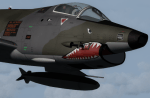
textures only for Massimo Altieri g91y. textures 32 st by Massimo Grassi
The Fiat G91Y was a reconnaissance and ground-attack aircraft produced by Italian company FIAT as an evolution of Fiat G91.
The first flew took place in 1966. It was a complete redesign, but the major difference was that G91Y installed 2 engines,
in order to increase the power and the capability to survive to damages during war operations.
The single Bristol Orpheus turbojet engine of G91 was then replaced by two afterburning General Electric J85 turbojets which
increased thrust by 60% over the single-engined variant.
Structural modifications to reduce airframe weight increased performance further and an additional fuel tank occupying
the space of the G.91T's rear seat provided extra range. Combat manoeuvrability was improved with the addition of automatic
leading edge slats.
Flight testing of three pre-production aircraft was successful, with one aircraft reaching a maximum speed of Mach 0.98.
Airframe buffeting was noted and was rectified in production aircraft by raising the position of the tailplane slightly.
An initial order of 55 aircraft for the Italian Air Force was completed by Fiat in March 1971.
The order was increased to 75 aircraft with 67 eventually being delivered.
The first pre-series 'Yankee' (the nickname of the new aircraft) flew in July 1968.
AMI (Italian Air Force) placed orders for two batches, 35 fighters followed by another 20, later cut to ten.
The last one was delivered around mid 1976, so the total was two prototypes, 20 pre-series and 45 series aircraft.
No export success followed.
These aircraft served with 101° Gruppo/8° Stormo (Cervia-S.Giorgio) from 1970, and later, from 1974, they served with
the 13° Gruppo/32° Stormo (Brindisi) until the early '90s, as the only ones equipped with the 'Yankee',
using them as attack/recce machines, both over ground and sea, until the AMX replaced them.
HD textures in 4096 x 4096
complete resize and paint 32bit hd
Virtual cocpit hd
Native fsx p3d
Original aircraft by Massimo Altieri
paint AMI 32 stormo textures by Massimo Grassi
| Filename: | Aeritalia_G91Y_32_Stormo_Shark.zip |
| License: | Freeware |
| Added: | 17th April 2017, 19:37:51 |
| Downloads: | 896 |
| Author: | Massimo Grassi |
| Size: | 10.16 MB |
| Category: Flight Simulator X - Original Aircraft | |
| AN-22 Antheus Mastered |
|
Images related to this file:
File Description:

THIS IS MY FINAL AN-22 VERSION: Unveiled to the West in 1965, the Antonov An-22 was the world's largest aircraft, until the advent of the Lockheed C-5A Galaxy. Powered by 4 contra-rotating turboprops, the design remains the world's largest turboprop-powered airplane. The An-22 was originally built for the Soviet Air Force and Aeroflot, the state airline. A total of 68 aircraft were built during 1965-1975, from which 2 never flew, 19 have been preserved, and 33 removed from service. Currently only 7 are in service. Six of them are used by the Russian Air Force and one (UR-09307) belongs to Antonov Design Bureau, used for civil needs, and operates out of UKKM. The AN-22 is designed to carry heavy loads of 80 tonnes over a 3,000 nm range at high speed and moderate altitude. The civilian model is used for long and medium range flights with updated avionics and flight controls. The wing has a forward and rear sweep effect with a low taper ratio and moderate wing area for it's size. The tail includes twin vertical fins that help maintain stability. The engines are constant speed turboprops that include 2 four bladed contra-rotating props with auto-pitch, and this gives her a thrust rating of 15,211 shp and a fuel efficiency of .353 lb/hp/hr. The cargo area is 14 ft high and wide, and 108 ft long. All fuel is contained within the wings and in the upper fuselage (7 tanks). She has 12 wheels that carry most of the weight, and two steering wheels located behind the crew cabin. Cargo is loaded through the rear loading ramp. The cockpit is located high, as well as the crew quarters. Additional passengers (when present) are seated below the cockpit forward. Original Design and Textures by: Enrique Del Rosario; Sound by: Aaron R. Swindle; Panel by: Marco Spada; Auto Smoke Effects by Richard Wisman; Engine/Aero Dynamics, effects and data by: Douglas E. Trapp. Please Read the Readme AN22.txt file before operations.
| Filename: | AN22_Antheus_Mastered.zip |
| License: | Freeware |
| Added: | 19th August 2018, 01:44:48 |
| Downloads: | 1,294 |
| Author: | Douglas E. Trapp |
| Size: | 4.62 MB |


© 2001-2026 AVSIM Online
All Rights Reserved
Privacy Policy |