
Where Flight Simulation Enthusiasts Gather from Around the World!
AVSIM Library - Search Results

| Category: Flight Simulator 2004 - Scenery | |
| Airstrips of the Falkland Islands |

|
Images related to this file:
File Description:
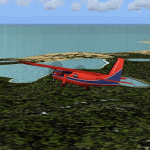
Inspired by Jim Keir's Falkland Islands mesh, coastlines and landclass, herewith a couple of dozen little strips from around the area, to give the opportunity to generate a bit of GA AI (and possibly a few scheduled flights) in an otherwise relatively ignored area in the South Atlantic. Please do note, other than Stanley, most of these airstrips are just that, a cleared strip of land in an otherwise empty landscape, (just as they are in real life), simply to provide a variety of destinations for the occasional aircraft to or from Stanley.
Most of the airfield locations are listed on WikiPedia and the layout confirmed using on-line satellite imagery. Other than the two main airports, none of these airstrips seem to have "official" ICAO codes, so I've generated a selection of alpha-numeric codes in the SF0* configuration, (as Stanley Airport has the ICAO code of SFAL), so the FS9 AI engine has some codes to work with and the airfields can be found on the map. Hopefully these pseudo-codes won't clash with anything else.
As with my other sceneries, the files for each airstrip can be easily identified by the ICAO code, even if the airfield names vary slightly, so you can pick and choose and mix and match to suit any sceneries you already have, should you so wish. There is no requirement for any other download. Each airstrip will exist as a stand-alone entity should you only want a few of them.
Having said that, Paul Denton's AFCAD and scenery for EGYP Mount Pleasant (available on AVSIM and possibly elsewhere) might be considered a worthwhile addition, especially if you want to see the twice-weekly scheduled RAF flights from Brize Norton (via Ascension Island), and the Saturday LATAM flight from Chile. Suitable AFCADs for EGVN Brize Norton and SCCI Punta Arenas may also be required. Appropriate traffic files and aircraft/texture suggestions are provided.
Please read the remainder of this "blurb" in the included text file, there may be a couple of details of interest.
| Filename: | Airstrips_of_the_Falkland_Islands.zip |
| License: | Freeware |
| Added: | 30th March 2025, 18:55:33 |
| Downloads: | 94 |
| Author: | Chris Eve |
| Size: | 295.87 KB |
| Category: Flight Simulator X - Aircraft Repaints, Textures and Modifications | |
| Consolidated PBY-5A (G-PBYA) |
|
Images related to this file:
File Description:
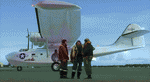
A repaint for the Aerosoft PBY-5 Catalina in the colors of G-PBYA, originally ordered for the Royal Canadian Air Force as a Canso A amphibian, basically equivalent to the US Navy PBY-5A. It was built by Canadian Vickers at Cartierville, Quebec and was allocated their constructors number CV-283 before adopting the RCAF serial 11005. It was taken on charge by the air force on 27 October 1943 and initially saw service with 9 (Bomber Reconnaissance) Squadron at Bella Bella on the British Columbia coast between Vancouver and Prince Rupert. It was on their inventory from November to the following August. 9 Squadron had been based at Bella Bella for some time prior to the arrival of Cansos, having operated Supermarine Stranraers there. The Cansos were mainly operated from water despite their amphibious undercarriages and were used on day and night patrols, looking out for enemy submarines. By mid-1944, the threat of a Japanese invasion of Western Canada had receded and it was decided to disband 9 Squadron and close the station at Bella Bella. The Cansos, including 11005, were flown to Alliford Bay in the Queen Charlotte Islands, also in British Columbia, and transferred to 7 (BR) Squadron in August. The job was the same – anti-submarine patrols mostly – and 11005 remained with 7 Sqn until it too was disbanded on 25 July 1945. After a post-war career as transport and waterbomber, it was acquired by Plane Sailing in 2004, restored and repainted as a OA-10A of the USAAF. It is based in Duxford. More info here: http://www.catalina.org.uk/. Repaint by Jan Kees Blom, based on the paintkit by Aerosoft.
| Filename: | Consolidated_PBY5A_GPBYA.zip |
| License: | Freeware |
| Added: | 13th July 2018, 20:37:22 |
| Downloads: | 187 |
| Author: | Jan Kees Blom |
| Size: | 10.18 MB |
| Category: Flight Simulator X - Scenery | |
| KLGB Long Beach Airport - Modernized terminal |
|
File Description:
The airport I chose is Long Beach Airport. This airport has been around for
many years and has had everything from the Air Force One to the 787 Dreamliner land here!
The airport is located between downtown Los Angeles and Orange County and offers a great
landing for tourists that do not want to land in the fifth busiest airport in the world,
Los Angeles International.

The reason why I decided to create this airport was because it is my home airport
and I am located only about five miles from it. Also, there is no good freeware FSX scenery for this airport.
Features included!:
- Modern Terminal with correct gate placements
- changed and edited roads and other buildings around airport
- added the jetBlue offices on the airport
- Cars added (all over the place!!!)
- trees added near drop off (California Palm trees)!
- baggage cars and other airport cars added.
- buses and car parking lots added
- "spring street" flight schools and private terminal added.
- Vehicles, AI aircraft, grave yard aircraft, and many other static joys throughout the airport!
- "Runup" aircraft near runway 34R.
- Boeing C-17 facility (no aircraft C17 there)
- updated taxi ways and heliports
- Airport Service vehicle roads updates and made with help from Google Earth.
- Accurate fence, jetblast fence, and boarders of airport.
- Cargo terminals added for ups and dhl
- Private (gulfstream and other private) jet spots added.
- Flight Schools such as Long Beach Flight Academy (one I go to!!!) accurately made.
- New taxi ways and terrain
- Aflite fuel truck spaces added
- Correct runway lengths of 25L
- More items you just need to see to believe!!!
Distribution limits (MUST CONTACT ME FOR REDISTRIBUTION).
| Filename: | KLGB_Long_Beach_Airport__Modernized_terminal.zip |
| License: | Freeware, limited distribution |
| Added: | 26th March 2012, 11:10:01 |
| Downloads: | 2,717 |
| Author: | Rohan Patel |
| Size: | 3.57 MB |
| Category: Flight Simulator X - Aircraft Repaints, Textures and Modifications | |
| Airbus A318 FD Special Version V3 - Complete Pack |
|
Images related to this file:
File Description:
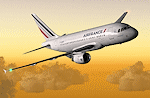
This is the new version of my Airbus A318 with the Panel in V3 opened on the A321. I remind you that this aircraft is based on the Project Airbis A318, with an ehanced panel based on the work of stefan Liebe.
This latest development can see the more realistic Airbus available as freeware. With a new version of the panel, the aircraft has a 100% cold & dark Status at the start of a flight, a real fuel system management with all valves, piumps and crossfeed work, the complete Bleed circuit with X-bleed, a real engines manual startup procedure like the real aircraft. I have also ehanced the navigation display with TCAS function in ARC and NAV mode; There is also the engines failure procedure to work (fire, oil leaks....) and many improved function that I cannot describe here. The aircraft comes with user manual in English and in French, and it is essantial to read it before you fly.
All the functions of the V2 have been kept and improved, like the vertical navigation gauge, the terrain radar map on the navigation display, the autolanding function, the SFCC. Aircraft comes with 6 liveries (Air France and 5 Frontier liveries realized by Project Airbus Team). This version is only in CFm engines, but with real engine data (CFM56-5B9). Now, the Fly By wire works in 2 modes: "Normal Law" and "Direct Law". I put 300 hours into the development of this panel and I hope that you will like it. In the coming weeks, I will adapt this panel to the A319 V2 and A320 V2, that are the these are the last aircrafts that I must update with this new panel. Please, note that this panel is the v3.05 version, witch fixes the bugs of the first version that came with the A321 (there is an update panel for the A321). Francois Dore
| Filename: | Airbus_A318_FD_Special_Version_V3__Complete_Pack.zip |
| License: | Freeware, limited distribution |
| Added: | 17th June 2012, 13:18:21 |
| Downloads: | 19,611 |
| Author: | Francois Dore, Project Airbus |
| Size: | 110.04 MB |
| Category: Prepar3D V1-4 - Utilities | |
| AIFlow SimConnect Utility for P3D v4 |
|
Images related to this file:
File Description:
AIFlow v1.1 is a simconnect utility designed to ease AI congestion and go-arounds at the airport the user is departing from and arriving at. AIFlow does this by enforcing spacing minimums between arriving AI aircraft resulting in more orderly arrival patterns. AIFlow also supports spacing spacing minimums between the AI aircraft and the USER’s aircraft when the user is flying (during all phases of the user's flight). For added realism, AIFlow adds landing effects (e.g., micro bank and pitch corrections that scale up during crosswind conditions) to the AI on short final approach. The user can also briefly squawk 1234 in their aircraft to temporarily suspend landings so that the user can find a slot to depart a busy runway. AIFlow is designed to compliment the default P3D AI program and thus is fully compatible with any AI-related program that is compatible with the default AI program (e.g., AIG, Ultimate Traffic Live, Radar Contact, etc.). AIFlow is targeted to Prepar3D version 4.5 or 5.0, specifically SimConnect Version 4.5.0.0 or later. AIFlow operates externally via simconnect and thus makes no changes to the P3D sim. NEW for v1.1: (1) detect and correct AI performing poor approaches (e.g., dive-bombing, descent into terrain) under control of the P3D AI engine, (2) user can specify minimum and maximum AI approach speeds in terminal area, (3) prevent AI from stopping on runway when user landing, (4) AI plane spotting mode only, (5) external database fallback in case simconnect fails to provide local airport data, (6) adjustable in-sim message level, (7) periodic read of .ini file to tweak parameters more easily, (8) AIFlow starts minimized. FIXES for v1.1 include: sequencing in heavy AI traffic would sometimes cause excessive go-arounds, going around AI would sometimes improperly hold, changing AI spacing from default value did not have any effect, sometimes user aircraft would get controlled, .ini file would sometimes get confused reading parameter values having whites spaces.
| Filename: | AIFlow_SimConnect_Utility_for_P3D_v4.zip |
| License: | Freeware |
| Added: | 3rd July 2020, 23:57:52 |
| Downloads: | 2,024 |
| Author: | Roland Foster |
| Size: | 1.18 MB |
| Category: Flight Simulator 2004 - Miscellaneous Files | |
| Active Approach - PHNL (Honolulu Intl Honolulu, Hawaii) |
|
File Description:
As most know the Approach and Final (VMC) for AI Traffic in FS9 is a straight in type landing and does not always consider high terrain at airports. This is do to the way that the coding is written in FS9 and it puts limits on IFR arriving aircraft. If you open runways at certain airports the AI Traffic will fly directly through a mountain once it is established on Final for a runway. What you will see with my file is a different type approach used for the way I control AI Traffic in FS9. No longer do the AI Planes use a straight in approach when landing to the west at PHNL. My new AI Aircraft Approach coding for FS9 now uses a base leg approach so AI Traffic does not fly through the mountains. The Honolulu Control Tower will clear all AI Traffic (IFR FP) landing either on 26L and 26R as a straight in landing even though the offset to final is 30 degrees from the runway center line. The Control Tower will instruct the AI Planes landing on either 22L or 22R to fly a left base leg which is greater then a 45 degree offset and then the AI Planes will turn on a short 1.5 mile final. The left base approach to 22L and 22R runways is a 65 degree offset from the runway center line. My testing shows excellent behavior of the FS9 default models, PAI models and the Aardvark planes of all sizes to execute this new type of visual approach that I am now writting code for which supersedes the FS9 default straight in ATC hard code approach. Read the text file for all the default scenery enhancements (plus Jetways) added to PHNL along with a full understanding of how the new Approaches work *** 3rd Party Scenery Designers Special APProach bgl and a FS2004 Default Scenery AFCAD included ***
| Filename: | Active_Approach__PHNL_Honolulu_Intl__Honolulu_Hawa.zip |
| License: | Freeware, limited distribution |
| Added: | 16th March 2005, 04:10:43 |
| Downloads: | 5,606 |
| Author: | Jim Vile |
| Size: | 134.3 KB |
| Category: Flight Simulator 2004 - Scenery | |
| LIMN Cameri, Italy (UPDATED v2) |
|
Images related to this file:
File Description:
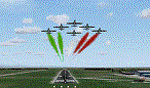
This scenery is a homage to the great military airport of Cameri NO, Italy; it has been revised with complete new ground that solves the previous flickering problems; it is builded-up with ownmade GMax objects and other existing ones; some buildings by GMax, remainder by others and by Generic Building system.
Information: Built during 1910 close to Novara, it became a prestigious Flight School where a lot of pilots of WWI where trained. Later, Gabardini/CANSA entered by promoting and developing aviation activities, mainly establishing a military flight school. On 27th July 1914, first of story's time, a flight from Cameri crossed the Alps (Camery - Viege, over Monte Rosa) with a Gabardini 80HP aircraft and pilot Achille Landini together with Giuseppe Lampugnani passenger. On 1930 the school closed, but the field still remained as aviation workshop. During the WWII the airport was quite destroyed by the german army, during their retreat. After the war, the rebuild operations carried on to Cameri several details, of which the acrobatic patrol of "Lancieri Neri" and, 1967-1999, the great 53th "Stormo Caccia". On 1998 the storm was moved to Gioia del Colle airport and the base was restructured as Comand Airport, where some technical departments still works (the 453th Operative Technical Services Group, the 553th Logistic Operative Services Group and, mainly the 1st Aircrafts Maintenance Dep.nt)
Contents: all around new great terrain for about 4.5 x 3.5 km; static aircraft inside hangar as Tornado, Eurofighter and historic monoliths at admittance and inside airport; ground equipments, cars outside and inside airport, bus, tankers, emergency trucks; military shelters (10) and workshop ones (5); buildings outside/inside airport, control tower, VOR, radar tower and some other navaids; lights at hangars, admittance and all over the boundaries; more then 10 km boundary by walls and fences of the complete areas; thousands trees all over the scenery. This scenery includes the airport scenery content only. You can find separate further sceneries for Babini Army station and Museum
| Filename: | LIMN_Cameri_Italy_UPDATED_v2.zip |
| License: | Freeware |
| Added: | 20th October 2011, 00:20:05 |
| Downloads: | 2,359 |
| Author: | Aldo Della Vedova, Daniele Lanfranchi |
| Size: | 25.08 MB |
| Category: Flight Simulator X - Scenery | |
| EPGO Goraszka 2010 - The Airshow Challenge |
|
Images related to this file:
File Description:
EPGO Goraszka 2010 - The Airshow Challenge is a freeware, extremely detailed scenery of a general aviation airport located 12nm (20km) south-east of Warsaw downtown and Warsaw Frederic Chopin International Airport, Poland. EPGO Goraszka airfield was built in 1994 and currently belongs to General Aviation company, which offers aero-taxi flights, air transport and special flights (air photo, patrol) and airport services. The airport has a 800m-long runway and a lightened helipad, which can be used by helicopters up to 5700kg weight. General Aviation's fleet includes Antonov AN-2, PZL-104 Wilga 80, Bell 407 and 427. Since 1996 the International Air Picnic Goraszka is organized every year by "Polish Eagles" Foundation created on initiative of Zbigniew Niemczycki.
The scenery is equipped with an automatic installer. Currently we support a safe, manual way of adding new sceneries to Scenery Library in Flight Simulator. This is just one thing users need to do for themselves. Detailed instructions will be given during the installation process.
Scenery features:
-Compatible with FSX only
-Highest level of accuracy in geographic positioning, modelling and texturing
-Incredibly high quality photoreal textures of all airport buildings. Textures are based on over 300 real world -photographs made for this project.
-Hundrieds of 3D objects like tents, exhibitions, airport buildings and surrounding buildings
-Life in the airport: people and cars will enchance your feelings
-AI traffic, animations and effects, designed specifically for FSX
-Some buildings include interior (control tower)
-High quality aerial photos of the airport surrondings (5 seasons + night) with autogen and water mask
-Ultra high quality aerial photos of the airport (with seasons)
-Plain airport scenery with no airshow objects available too (details in the manual)
-Product includes manual and airport charts in PDF format
EPGO Goraszka 2010 - The Airshow Challenge scenery is compatible with almost every payware add-on, including Ultimate Terrain Eastern Europe and Warsaw Photo Scenery by Simdesign. Scenery by Drzewiecki Design - www.drzewiecki-design.net .
| Filename: | EPGO_Goraszka_2010__The_Airshow_Challenge.zip |
| License: | Freeware |
| Added: | 16th July 2010, 12:31:42 |
| Downloads: | 4,719 |
| Author: | Drzewiecki Design - Stanislaw Drzewiecki, Jakub Paczek |
| Size: | 237.18 MB |
| Category: Flight Simulator 2004 - Scenery | |
| EPGO Goraszka 2010 - The Airshow Challenge |
|
Images related to this file:
File Description:
EPGO Goraszka 2010 - The Airshow Challenge is a freeware, extremely detailed scenery of a general aviation airport located 12nm (20km) south-east of Warsaw downtown and Warsaw Frederic Chopin International Airport, Poland. EPGO Goraszka airfield was built in 1994 and currently belongs to a General Aviation company, which offers aero-taxi flights, air transport and special flights (air photo, patrol) and airport services. The airport has a 800m-long runway and a lightened helipad, which can be used by helicopters of up to 5700kg weight. General Aviation's fleet includes Antonov AN-2, PZL-104 Wilga 80, Bell 407 and 427. Since 1996 the International Air Picnic Goraszka is organized every year by the "Polish Eagles" foundation created on initiative of Zbigniew Niemczycki.
The scenery is equipped with an automatic installer. Currently we support a safe, manual way of adding new sceneries to the Scenery Library in Flight Simulator. This is just one thing users need to do for themselves. Detailed instructions will be given during the installation process.
Scenery features:
-Compatible with FS2004 only
-Highest level of accuracy in geographic positioning, modeling and texturing
-Incredibly high quality photoreal textures of all airport buildings. Textures are based on over 300 real world -photographs made for this project.
-Hundreds of 3D objects like tents, exhibitions, airport buildings and surrounding buildings
-Life in the airport: people and cars will enhance your feelings
-AI traffic, animations and effects, designed specifically for FS2004
-Some buildings include interior (control tower)
-High quality aerial photos of the airport surroundings (5 seasons + night) with autogen and water mask
-Ultra high quality aerial photos of the airport (with seasons)
-Plain airport scenery with no airshow objects available too (details in the manual)
-Product includes manual and airport charts in PDF format
EPGO Goraszka 2010 - The Airshow Challenge scenery is compatible with almost every payware add-on, including Ultimate Terrain Eastern Europe and Warsaw Photo Scenery by Simdesign.
Scenery by Drzewiecki Design - www.drzewiecki-design.net
| Filename: | EPGO_Goraszka_2010__The_Airshow_Challenge.zip |
| License: | Freeware |
| Added: | 14th July 2010, 09:49:07 |
| Downloads: | 3,761 |
| Author: | Drzewiecki Design - Stanislaw Drzewiecki, Jakub Paczek |
| Size: | 132.03 MB |
| Category: Flight Simulator 2004 - Aircraft Repaints, Textures and Modifications | |
| Pacific Western AI Aardvark Boeing 737-200 |
|
File Description:
Pacific Western, repaint for the AI_Aardvark 737-200. By RotorRick Deckard. Freeware, textures only, requires AI_Aardvark 737-200 basepack.
Pacific Western was a Canadian airline based in the western provinces, back when I was growing up, and I saw their planes all the time. They merged into CP Air, which turned into Canadian Airlines when they also took Wardair. And Canadian Airlines exists no longer either, having been absorbed by Air Canada, many of their staff were let go, and less desirable planes sold off to discount airlines.
Pacific Western, in parnership with Boeing, pionered a modification to the 737-200 that enabled it to land on gravel runways! Yes, no joke, with several of the destination runways up near the arctic circle, these runways wouldn't survive the ground temperature changes if they were more common paved or concrete runways. Anyway, I don't know many details, but I do know it involved a large beaver board attached to the rear of the nosegear wheels (which looks very much like that on the Antarctic mission C-130's the US uses to support missions down under), and vortex generators to blow in front of the engines on landing. This is all done to keep the low slung engines from ingesting any FOD. Since that time, such strips are more commonly visited by the Boeing 727, which has it's engines better protected and is generally more suited to such special purposes.
See here for more info:
http://airlines.afriqonline.com/airlines/205.htm
http://www.airtimes.com/cgat/ca/pwa.htm
This airline has operated the 707, Lockheed C-130 Hercules (actually L-100 variant), 767-200 and many other planes, but they were always primarily a 737-200 based airline.
| Filename: | Pacific_Western_AI_Aardvark_Boeing_737200.zip |
| License: | Freeware |
| Added: | 21st May 2005, 00:41:43 |
| Downloads: | 732 |
| Author: | Rick Deckard |
| Size: | 596.88 KB |


© 2001-2026 AVSIM Online
All Rights Reserved
Privacy Policy |