
Where Flight Simulation Enthusiasts Gather from Around the World!
AVSIM Library - Search Results

| Category: Flight Simulator X - Scenery | |
| KDAY - Dayton International Airport - Vandalia, Ohio |

|
Images related to this file:
File Description:
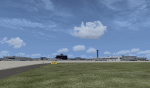
The Dayton International Airport, located 11 miles north of Dayton in Vandalia, Ohio, is a medium sized commercial airport serving nearly three million passengers annually with daily nonstop service to about twenty destinations.
This scenery includes a custom terminal building, moving jetways, and an AFX file with accurate parking assignments. Also modeled is the new air traffic control tower, terminal parking garage, the Fed Ex building, the PSA Airlines headquarters and maintenance hanger, the former Emery Worldwide cargo sort facility, the airport hotel, and hangers for fixed base operators Stevens Aviation and Wright Brothers Aero.
More than a thousand objects have been added to enhance detail around the airport using Flight 1's excellent instant scenery program. AI Traffic has been tested to ensure efficient flow. The landclass file has also been adjusted to better reflect the real airport.
| Filename: | KDAY__Dayton_International_Airport__Vandalia_Ohio.zip |
| License: | Freeware |
| Added: | 2nd December 2012, 22:32:37 |
| Downloads: | 1,568 |
| Author: | Matt Parr |
| Size: | 5.78 MB |
| Category: Flight Simulator 2004 - Scenery | |
| The First Heathrow. The London Airport 1946-1955. |
|
Images related to this file:
File Description:
The site upon which the airport now known as London Heathrow was built was acquired by the British government by compulsory purchase from Fairey Aviation in 1944. Thereafter development continued apace and in April 1955 terminal buildings and a control tower in the central area came into operation. Prior to that the terminal (which continued in use as the North Terminal for some years) had been on the northern boundary of the airport immediately adjacent to the Bath Road. This scenery represents The London Airport, as it was then called, in this first phase of its existence, that is between 1946 and 1955. Users will need to have already installed the FS2004 Custom Scenery Library Version 4 which is available from Tom Gibson's California Classics site here - http://www.calclassic.com/scenery.htm And the EZ Scenery Library - link available in the Read Me.
| Filename: | The_First_Heathrow_The_London_Airport_19461955.zip |
| License: | Freeware |
| Added: | 18th January 2016, 12:59:53 |
| Downloads: | 723 |
| Author: | Ken Lawson |
| Size: | 32.66 MB |
| Category: Flight Simulator X - Scenery | |
| Charlotte/Douglas Intl - KCLT - North Carolina, USA |
|
Images related to this file:
File Description:
This is a reasonably accurate and up-to-date version of Charlotte/Douglas Intl airport with two optional files made only for FSX users, do not use in P3D: There is one version with the Crosswind runway 5/23 activated where all 4 runways will be used for takeoff/landing and one version as the default airport runway operation: I have given this airport a complete makeover, assigned parking as per their website where possible with extra parking, the new northern extension for concourse A now included, taxiways and taxi signs updated to the latest charts, ILS approaches also updated to the latest charts where possible, extra fuel trucks, support vehicle roads rebuilt and many other scenery improvements and objects added, airport views are from the roof of the control tower (when in tower view) please view the readme before installation
| Filename: | CharlotteDouglas_Intl__KCLT___North_Carolina_USA.zip |
| License: | Freeware, limited distribution |
| Added: | 20th May 2020, 17:31:50 |
| Downloads: | 43,530 |
| Author: | Ray Smith |
| Size: | 5.38 MB |
| Category: Flight Simulator X - Aircraft Repaints, Textures and Modifications | |
| Basler BT-67 repaint textures for Royal Thai Air Force 46-158 in a subdued bluish-gray livery |
|
Images related to this file:
File Description:
FSX Basler BT-67 repaint textures for the real world Royal Thai Air Force 46-158.
For the wonderful Jahn-Fuernkaess-Metzger-Naegele BT-67, which you must
have previously installed in FSX. Having worn at least three different
liveries between 2004 and 2010 while in service with the Royal Thai Air Force,
this subdued dark bluish-gray version of 46-158 dates back to Aug. 26, 2004,
the day the photo that this repaint was based on was taken. Although painted
as close to the photograph's colors as my previous eye surgeries allow me to
perceive, I'm tending to believe that the aircraft is actually more gray than blue.
Anyway, the photo can be seen at Airliners.net by entering the photographer's
name, Sakpinit Promthep, into their search engine, so you be the judge! Rumor has it that this
airframe currently resides in pieces in a hangar at Wittman Regional in Oshkosh,
Wisconsin, and now affectionately goes by the nickname "44 mag", although I
think I'd have to see that with my own eyes to believe it! Includes engine
exhaust smoke coordinates for all four exhaust stacks for those of you who like
smokey engines. Screenshots enclosed. Easy installation. By Tom Tiedman
| Filename: | Basler_BT67__repaint_textures_for_Royal_Thai_Air_F.zip |
| License: | Freeware |
| Added: | 8th December 2012, 00:14:57 |
| Downloads: | 198 |
| Author: | Jahn-Fuernkaess-Metzger-Naegele / Tom Tiedman |
| Size: | 11.76 MB |
| Category: Flight Simulator 2004 - Aircraft Repaints, Textures and Modifications | |
| UPSVAC Fictional 737 600NG Feeder V.2 |
|
File Description:
INITIAL NOTE: this is a FICTIONAL livery and does not represent any actual UPS Aircraft. In real life UPS uses only the 300's. They do not have any NG's in their fleet. This livery is to depict what UPS would probably use if they chose to upgrade their 737 feeder fleet. THat being said, I proudly present my upgrade to my prior UPSVAC dedication. I changed the livery to more fit the "feeder" scheme than the main fleet scheme. I also managed to paint a cargo door onto this particular model. These are 32 bit only. I **may** upload DXT3 versions later, but for now I will stick with quality. This bird has a registration - N922UP. Of course any novice painter can easily change that to their own preference. I dedicate this paint to be what UPS and/or UPSVAC would use if the real world UPS ever upgraded. This paint is the result of multiple requests. I consider this version a HUGE improvement over my last paint. The CFG has been arranged so that you may use both my versions, should you decide to keep the last varient as well. Full details in the readme. You must have the wonderful PMGD 737-600 model for this texture. Enjoy!!!!! :-)
| Filename: | UPSVAC_Fictional_737_600NG_Feeder_V2.zip |
| License: | Freeware |
| Added: | 24th April 2005, 13:38:11 |
| Downloads: | 1,120 |
| Author: | Christopher N. Dittmar |
| Size: | 5.34 MB |
| Category: Prepar3D V1-4 - AI Aircraft | |
| AI Mexicana de Aviacion Aig Boeing 757-200 PW Fleet Pack |
|
Images related to this file:
File Description:

This is the Third Oldest Airline in the world, the Second Oldest Airline in Latin America, and the First Oldest Airline in Mexico, Mexicana Airlines (Mexicana de Aviacion), this is the Boeing 757-2Q8 & Boeing 757-230 Pratt & Whitney Engines the pack have the next registrations: N380RM (With Thin Logo included), N762MX, N763MX, N765MX (With Thin Logo included), XA-TRA, more later will upload the Older Liveries, the most popular and old Mexicana´s livery, (1997-2005). For the 100th Anniversary I´ll upload all the fleet, since 1940´s with the DC-2 to the last fleet that had when it flies, the Mark and Airline still exists, BUT It doesn´t fly since 2011.NOTICE!! The files are divided in 2 parts for space to uploaded in the websites and don´t have the Targa textures, the full files with Targa are in my website if you want them full. The model is Alpha India Group (AIG) Boeing 757-200 PW Basepack. This is my website: https://el-mundo-de-los-aviones-ai-traffic.jimdosite.com. I you hope you enjoy it!.
| Filename: | AI_Mexicana_de_Aviacion_Aig_Boeing_757200_PW_Fleet.zip |
| License: | Freeware |
| Added: | 27th May 2025, 22:04:08 |
| Downloads: | 28 |
| Author: | Jesus Gibran Soriano Solleiro |
| Size: | 32.64 MB |
| Category: Flight Simulator X - Scenery | |
| KFHR Friday Harbor Photoreal |
|
Images related to this file:
File Description:
This Scenery consists of the FSX default airport of Friday Harbor, set on photorealistic terrain. Although the scenery has been compiled with night masks, night terrain has been excluded to reduce the file size. It has been designed for Megasceneryearth photorealistic scenery of the San Juan Islands but will also work with the default terrain. Seasonal variations are not included. The main scenery file has been subdivided into several smaller files, which can be switched off according to user preference. Full night textures are included with wash lighting in the terminal and carpark areas. All buildings have been custom modelled using real photographs, and include open hangers with interiors.
Next to the fuel station you will find Ernie's Cafe, much loved by resident and visiting pilots. Close to the airport you will find US style houses modelled on real photographs from the San Juan island. Surfaced airport taxiways and aprons have been kept to a minimum to allow the photoreal textures to show through. The scenery also includes sound effects and high definition people, these can be switched off if they place too much strain on your system. Please enjoy, and I hope you like my scenery as much as I enjoyed making it.
| Filename: | KFHR_Friday_Harbor_Photoreal.zip |
| License: | Freeware, limited distribution |
| Added: | 9th January 2012, 00:46:11 |
| Downloads: | 4,073 |
| Author: | George Keogh |
| Size: | 65.88 MB |
| Category: Prepar3D V1-4 - Utilities | |
| Flightplan Visualizer 1.12 |
|
Images related to this file:
File Description:
Flightplan Visualizer (FV) version 1.12.0. Copyright 2018-2019 by Pelle F. S. Liljendal ([email protected]), all rights reserved.
FV comes with 540 pre-imported Commercial AI flightplans (+380 BizJet flightplans are available as a separate download). However you are able to import additional (AI) flightplans yourself. Once imported these (AI) flightplans can be visualized on a map-view, and the user will be able to search accross all these. Hence you can use the program as inspiration as to which routes to fly. E.g. you can search across all imported flightplans to find all flights in an A321 flying into/out from LDDU, or simply to look for all flights in a Boeing 747-8F.
Simply run the included installer to install the software. The program will be installed into "C:\Program Files (x86)\Flightplan Visualizer" and all datafiles will be installed into: "C:\Users\[UserName]\AppData\Roaming\FlightplanVisualizer". The program comes with a full manual explaining everything, and a 3 page quick manual to get you started. The first 3 times you run the program the quick manual will automatically open. The forum is hosted here: https://forum.aerosoft.com/index.php?/forum/919-flightplan-visualizer/
Version 1.12 Contains the following changes: ⦠Ability to automatically check for available program-updates. The actual download of the new installer is still a manual process, but the program will at least list the download-URL. However You cannot see this feature in action until the next version will be released ;-) Updated the flightplan file-format to accommodate changes in the latest versions of (AI) flightplans. The program remains backward compatible and can still read older flightplans, however these might “miss†some (at this time) non-essential information. As a result all “Wi18-19†and “Su19†(and a few “Su18) flightplans have been re-imported and have been bundled with the version 1.12 installer, using the new file-format. Added new "Generate redirection report" button to the redirection edit form. Pressing this button will generate- and display a report of all active pseudo airports and redirections per flightplan. Added new menu-item to re-process all flightplans, according to specified airport-redirections. The "UserAirportRedirect.xml" file bundled with the installer have been updated, based on output from the new "Generate redirection report". These updated airport-redirections have been used to re-process/update all flightplans bundled with the installer. Buttons have been added to the "Leg Info" which allows you to transfer data for a particular leg/flight from FV to SimBrief in order to kick-start your "paper work" for a flight to fly. The "Leg Info" form also got buttons to show decoded METAR/TAF, and the raw METAR/TAF is also embedded in the text copied to the clipboard (when pressing the appropriate button). In settings you can now speficy the path of the folder holding the files that MakeRunway generates (if not specified it will use the UserData folder). Once set to the folder where MakeRunway generates its files (e.g. the P3D folder), you only have to run MakeRunway, you no longer have to copy the 3 files to the UserData folder. A few new traffic-charts were added to the "Airport Info" form (traffic per: region, sub-region and country), and a combo-box was added to switch between inbound- and outbound-traffic. The "Nearby Airport" form that can be opened from the "Flightplan Import" form now have an extra comment-column with information about the non-pseudo/pseudo airports. The comment column on the airport tab-sheet of the "Flightplan Import" form now also contains more info about non-pseudo/pseudo airports. The Generic Randomizer form got a new button called "Pick random flight", which will display info for a flight, randomly picked from all flights for the selected flightplan, or last search. In the "Search legs" form, you can now enter multiple ICAO-codes (separated by comma) to search for flights to/from these (e.g. search for all flights to/from EBLG or ELLX, by entering "EBLG,ELLX"). If you press SHIFT while clicking the airport browser button, the selected airport will be added to the comma separated list. If you do not hold SHIFT, the list will only contain the newly selected airport. Added support for using FS Global Real Weather (FSGRW) as a Weather provider for METAR-messages (FSGRW does not support TAF-messages). To use FSGRW you must go to settings and specify a full path (including filename) of the file generated by FSGRW. When editing a flightplan the user will be warned if trying to close the form, if changes were made. The menu-item to generate report with all defuct-/obsolete flightplans have been removed from the main-menu, but can now be generated using a button on the "Enable/disable flightplans" form. Now all applicable authors are shown when hoovering the mouse over the flightplan combo-box when a search is active. In previous versions the "Edit" buttons next the flightplan combo-box (on the main form) was only active when a flightplan was selected. Now its also active when "[Last Search]" is selected. However it will instead launch the "Search Legs" form, where you can then edit the criteria of the search. A few airports and airlines have been added/updated in the data-files bundled with the updated installer to accommodate the additional bundled flightplans. The Beluga XL Freighter was added as well as many of the other aircraft were updated with various changes. Added support for a bunch of military aircraft: A6/AE6, A10, C5, C17, E2, E3, EF2000, F14, F15, F16, F18, F22, F35, F111, F117, JAS39, KC10, KC135, MiG 21/23/25/27/29/31, Mirage III/5/2000, Rafale, SU 17/20/22/24/25/27/30/32/34, V22. New "Exclude military aircraft" setting have been added (defaults to true). When true military aircraft will not be shown (can be changed in the settings form). Added new menu-item to load/display current log-file. FV tend to be somewhat memory-hungry while (re)loading all active flightplans, and you might see a peek in memory consumption. But from this release and forward it will try to free up most of the memory once all flightplans have been loaded. Minor changes to the "Enable/disable flightplans" form, to make it more responsive, and added a progressbar that is visible while flightplans are being moved, copied or deleted. Fixed: issue when trying to import a flightplan zip-file containing multiple "Flightplan_XXX" files. If the same zip contains multiple sets of matching files (Flightplan, Aircraft and Airport) the user will now be presented with a combo-box from where the user can pick which set of files to import (only the flightplan-file will be shown). Fixed: The file "f5.csv" was missing from previous installers. Fixed: issue with pseudo-airports when using the "Nearby airports" tab-sheet in the Airport Info form. Fixed: Saving a flightplan that was edited, it would try to save it in the (flightplan) [ROOT] folder even if it was loaded from a sub-folder. Now it will always try to save it in the same location with the same filename. If you want it saved elsewhere/with another filename use the "Save As" button in stead. Imported flightplans will still be saved to the [ROOT] flightplan folder. Fixed: Pressing ENTER in the Flightplan import/edit-form while the comments-field had focus, would close the form (saving the flightplan). Fixed: Result-viewer will no longer display with all text selected. Fixed: METAR/TAF decoder will no longer display with raw-message selected. Fixed: In some cases the program needed to be restarted if changes were made to the weather-provided data in the settings-form. Installer: Comes with +30 new pre-imported (Summer 2019) flightplans of which some are replacements of obsolete flightplans (from previous installers), and 2 of the "old" flightplans have been marked as defunct.
Pelle
| Filename: | Flightplan_Visualizer_112.zip |
| License: | Freeware, limited distribution |
| Added: | 23rd August 2019, 17:15:13 |
| Downloads: | 195 |
| Author: | Pelle Liljendal |
| Size: | 30 MB |
| Category: Flight Simulator 2004 - Scenery | |
| St. Paul Downtown Holman Field |
|
File Description:
St. Paul Downtown Airport is located only five minutes from the business center of St. Paul. St. Paul Downtown Airport has been developed to meet the needs of corporate and business aviation. With a 6,711 ft. runway, instrument landing system, FAA control tower, restaurant and catering facilities, and several commercial fixed base operators providing a full range of services, St. Paul Downtown Airport is fully suited for business and corporate users. Originally created for use in FS2002 for St. Paul based St. Paul Airlines (VA), this KSTP scenery also works great in FS9. All the hangars and buildings are custom tailored to suit St. Paul Airlines' services but the main passenger terminal stands as in the real life with photoreal textures. Hope you enjoy this scenery.
| Filename: | St_Paul_Downtown_Holman_Field.zip |
| License: | Freeware, limited distribution |
| Added: | 18th August 2003, 03:41:12 |
| Downloads: | 1,952 |
| Author: | Naresh Gurung |
| Size: | 2.61 MB |
| Category: Flight Simulator 2004 - Panels | |
| Dreamweaver Cabin Lights - CLS DC10-30 Series |
|
Images related to this file:
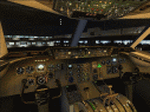
File Description: Control the PIC and the first
officer individual cabin lights. Strictly independent of each other and not
linked to the landing lights. You will need and credit for the effects, Mr.
Pablo Diaz (lexus_photoreal.zip) hear in the Vatsim Library and not leaving out
Mr. Mitsuya Hamaguchi( nickname is hama ) for the Lexus model which will be
excluded with this installation. I also included Shockwave landing lights
configuration for this model. Configuration
only. This file is required:
lexus_photoreal.zip
| Filename: | Dreamweaver_Cabin_Lights__CLS_DC1030_Series.zip |
| License: | Freeware |
| Added: | 2nd June 2013, 07:49:27 |
| Downloads: | 605 |
| Author: | Tyrone Headlam |
| Size: | 2.27 MB |


© 2001-2026 AVSIM Online
All Rights Reserved
Privacy Policy |