
Where Flight Simulation Enthusiasts Gather from Around the World!
AVSIM Library - Search Results

| Category: Flight Simulator 2004 - AFCAD Files | |
| Birmingham International Airport, Birmingham, Alabama (KBHM) |

|
File Description:
An extremely accurate rendition of the KBHM airport with appropriate gate, cargo and general aviation parkin. I've decided to make it a habit to do airports that one doesn't really see much on FS. Everyone does 300 AFCADs of KORD and there's nothing wrong with that it's a great airport but I figured I didn't need to add another KORD or KLAX to the pile unless I'd be providing something the others lack and I can't seem to find it. So, again, I'll be continuing to do AFCADs I feel are lacking or unavailable or not done well. The BHM airport is definetely not a bustling international port of call and it only receives mainline service from a few carriers but it has a decent amount of traffic and I thought it would be good to represent the airport. Thankfully this time MS did a reasonably good job with terminal space and I was able to include every gate in the two concourses. The great BHM website made my job a breeze by indicating which airlines park at which specific gate(s). Every airline is exactly where they should be as is cargo. A ramp for you VFR general aviation buffs is also available. The only time you might notice some craziness is if you start your flight super early in the morning and you have traffic at 95% +. It seems MS doesn't really "turn" planes in a realistic manner so you end up having more planes parked at the gate in the early morning hours then would be there in real life if they adheared to real world turn around times. Nothing I can do about that. Hope you enjoy your virtual trips in and out of the Birmingham International Airport.
| Filename: | Birmingham_International_Airport_Birmingham_Alabam.zip |
| License: | Freeware |
| Added: | 29th June 2004, 19:31:34 |
| Downloads: | 2,317 |
| Author: | Jason Diaz |
| Size: | 137.07 KB |
| Category: Flight Simulator X - Scenery | |
| LFMQ - Le Castellet |
|
File Description:
Welcome to Le Castellet Airfield -
This airfield is situated few Nm east of Marseille Provence - LFML, in the south of France. On the 1,000 hectares of plateau he acquired between Marseille and Toulon, Paul Ricard, forever motivated by innovation and development, constructed in 1962 the largest
private airfield in the Provence-Alpes-Côte d’Azur region.
The landing strip at Le Castellet covered a distance of 1,000 metres and allowed for VFR (Visual Flight Rules) operation. Situated on a plateau at the time free of all economic development, it was above all a private airfield. In 1970, the construction
of the Paul Ricard Circuit nearby created an economic dynamic for the first time on Le Castellet plateau. In 1972, Paul Ricard invested in improvements to the runway, lengthening it from 1,000 to 1,750 metres, thus rendering it capable of
receiving business and private airplanes of up to 38 tonnes.
Over twenty years, Le Castellet Airport saw intense periods of activity due to business and private aviation, notably with the arrival of the first F1 French Grand Prix on the Paul Ricard Circuit in 1971, and more recently, with the creation of the Entreprise Zone at Signes, situated only a few kilometres from the airfield. Stop by for an amazing visit at the medieval village as well, situatued on top of a hill.
Nevertheless, from 1972 to 1999, no investment was made at the airfield. In May 1999, the company Excelis S.A. purchased the site (airfield and circuit) and refurbished and modernised the installations.
A truly amazing place to fly to - I have enhanced the entire apron as it is today, all marking correctly set, acces to runway and the Heli area for the "Eggbeater" fan :)
includes the hangar, building and other things around. Hope you'll enjoy your stay at "Le castellet"!
| Filename: | LFMQ__Le_Castellet.zip |
| License: | Freeware |
| Added: | 24th April 2009, 16:28:59 |
| Downloads: | 2,350 |
| Author: | Daniel Louvet |
| Size: | 986.65 KB |
| Category: Flight Simulator 2004 - Scenery | |
| Bethel area airfields in southwest Alaska close to the Yukon River |
|
Images related to this file:
File Description:
This presumes you have already installed my post of Bethel PABE. In the Yukon River area of Alaska there are a lot of small villages close together, which is unusual for Alaska. Almost all of them are on the coast or a river bank, and the local economies depend on fishing. Some are larger than others and have a fish processing plant, such as in Emmonak. This is the largest such plant and it exports prepared fish by cargo planes which fly in on a daily basis, using an extended runway. This post includes airfields to the south and west of PABE, 17 of them; some of them already included and now modified. There will be more airfields to the north and northwest of Bethel in a future post. There are revisions to Bethel to include parking spaces for Yute Air (newly included here) and extra spaces for Ryan Air. Both of these flew Cessna 205 planes into the smaller village strips from Bethel (past tense as Yute Air recently went bankrupt). The northwest area is served both from Bethel and also from St Mary's PASM, which is in the northwest and at a more economical range to the local airfields (100 miles closer than Bethel). These smaller airfields have few airfield buildings or any other creature comforts; featuring heavily are a new standard blue garage building (sometimes not yet installed) and a small and old terminal shed (that has sometimes collapsed and been removed). Go to "http://vfrmap.com/" for free vfr maps of the area, There is a pic of the local chart area included here. The screenshots are a random sample. Kipnuk PAKI is the one that appears to have a second and long grass runway; what it actually has is the ground prepared for a new and long gravel runway but which hasn't been started yet as it has taken 10 years just to prepare the ground. I have no idea why.
| Filename: | Bethel_area_airfields_in_southwest_Alaska_close_to.zip |
| License: | Freeware, limited distribution |
| Added: | 16th April 2019, 22:47:47 |
| Downloads: | 155 |
| Author: | Roger Wensley |
| Size: | 5.93 MB |
| Category: Flight Simulator 2004 - Scenery | |
| Ría de Vigo (Bay of Vigo) |
|
File Description:
Comprehensive revision of the area surroinding the Bay of Vigo, near the Vigo Airport (LEVX, aprox. at 42º18'N 8º38'W), in Galicia, Spain, including a more accurate coastline, from the Ría de Aldán until Toralla Island, plus the San Simon Island and other minor islands, detailed piers in Vigo and Cangas, several beaches, and a lot of 3D VFR references (more than 180 macros added), such as buildings (the City Hall, the Hospital Xeral, the Balaídos Stadium, the Castro stronghold...), working lighthouses, several monuments and statues, some main streets redrawn, a new version of my Rande Bridge, now with collision detection and landable surface, and a handfull of eye-candies I can't even remember! -
Completa revisión da costa da Ría de Vigo, dende a Ría de Aldán ata pasada a Illa de Toralla, incluíndo, por suposto, á Illa de San Simón e outros pequenos illotes, praias (Samil, Nerga...), os peiraos de Cangas e de Vigo, dende o Areal ata Bouzas, unha morea de novas referencias visuais (máis de 180 macros), con edificios (o Concello, o Hospital Xeral, o estadio de Balaídos, o castelo do Castro, o lazareto de San Simón...), faros (nas Cíes e na costa...), algún que outro monumento, unha revisión do trazado dalgunhas das vías principais, unha nova versión da miña Ponte de Rande, con detección de colisións e superficie "aterrable", e moitas cousas máis que xa nin eu mesmo lembro. -
Completa revisión de la costa de la Ría de Vigo (Galicia, España, aprox. en 42º18'N 8º38'O), desde la Ría de Aldán hasta pasada la Isla de Toralla, incluyendo la Isla de San Simón y otros pequeños islotes, playas (Samil, Nerga...), los muelles de Cangas y de Vigo, desde el Areal hasta Bouzas, un montón de nuevas referencias visuales (más de 180 macros), con edificios (el Ayuntamiento, el Hospital Xeral, el estadio de Balaídos, el castillo del Castro, el lazareto de San Simón...), faros (en las Cíes y en la costa...), algún que otro monumento, una revisión del trazado de algunas de las vías principales, una nueva versión de mi Puente de Rande, con detección de colisiones y superficie "aterrizable", y muchas cosas más de las que ni yo mismo me acuerdo.
| Filename: | Ra_de_Vigo_Bay_of_Vigo.zip |
| License: | Freeware |
| Added: | 16th May 2004, 23:48:38 |
| Downloads: | 4,478 |
| Author: | Rubén Castiñeiras |
| Size: | 366.85 KB |
| Category: Flight Simulator X - Scenery Design | |
| (Version 2.0) KEFD -Ellington 2025 Refresh FSX (Circa 2006-2010)- Johnson Space Center Houston |
|
Images related to this file:
File Description:
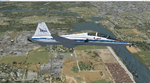
Version 2.0 covers landclass across the entire greater Houston area, with a large increase in LOD. This version significantly tightens up and improves the landclass from version 1.0, and adds a vast amount of scenery objects that brings the Bay Area-KEFD area into the modern era. This improves and adds a highly accurate runway 17 approach with accurate placement of buildings and scenery around the year 2011-modern day. In addition, includes several new files including a new airport/helipad via Houston Clear lake regional airport, T41 La Porte Municipal and surrounding shipping ports, Kemah Boardwalk, and a giant improvement to Johnson Space Center Houston. Rundway 35 and Runway 22 landclass is significantly increased, and more accurate as well. You can fly an accurate VFR approach or set up an ILS for any one of KEFD's runways with ease with this improvement.List of Version 2.0 additions and changes: - I added a ton of scenery objects and tightened up the landclass at Johnson Space Center Houston- NASA Control Center--- Added Talon Park with T38s (via static objects)--- Added Gemeni V rocket and 747 for the shuttle transporter--- And a whole bunch of vegetation, new buildings, and tour buses.- Added Kemah boardwalk and several boat docks- Removed a TON of highrise textures and replaced with medium and large city suburb landclass.- Added Clear Lake regional Hospital with helipad and surrounding scenery by Walter Reed Park- Added El Jardin or "Bayport Container port" with several scenery objects and significantly tightened up landclass.-- Looks great when setting up ILS approach for RWY 22- Tightened up Bay Area BLVD landclass, "adding" University of Houston Clear Lake"-- UHCL was semi already present, just made it more pronounced.- Made Red Bluff road landclass super recognizable!-- Red Bluff road is used to set up VFR approach and or field break for RWY 22 and RWY 17 R.----- Its common to see private jets and the USAF doing a break along Red Bluff road.- Added First Baptist Church, and water tower to Pasadena Convention center- Made Fairmont Parkway pronounced with landclass- Added Houston Port Authority at Morgan's Point--- Another Landmark for the RWY 22 ILS approach, NASA religiously uses this to line up the 10 mile ILS.- Tightened up landclass at Village Grove East and along Fairmont Parkway- Added a TON of scenery objects and landclass corrections for approach of RWY 17 L and 17 R.---- Added Home Depot, Lowes, Walmart Super center, Guitar center etc.---- added South Main Baptist Church--- Bondy Jr High, Turner Elementary, and Pasadena Memorial High School--- Added Saint Luke's Hospital--- Added Hampton Inn Suites and HCA rehab hospital--- Added a ton to the container facility behind best buy and storage facility--- Added smaller churches on RWY 17 approach--- Added a ton of scenery at the base of RWY 17 R, i.e., concrete plant, containers, trucks-- Added gas stations on the corner of beltway 8 and genoa red bluff-- Significantly changed and tightened up landclass at the base of RWY 22 and RWY 17 L and 17 R-- Made several roads and Beltway pronounced------ This decision looks AWESOME at night, really adds demarcation to the roads.**All of this makes the RWY 17 approach super recognizable** RWY 22 approach landclass is much more accurate.- Significantly changed and tightened up landclass near southbelt ellington and interstate 45.- Added Grace Church-- I wanted to do San Jacinto College south, but seemed over kill at that point.- SIGNIFICANTLY tightened up landclass for RWY 35 approach and near baybrook mall.-- Along I45- Added TDECU stadium at the University of Houston Main Campus---- So you can practice flybys for Cougar games!- Added the Battleship at San Jacinto Monument- I also "borrowed" T41 La Porte Municipal's tower camera to make a SWEET view of KEFD.- I included landclass for Sealy Texas this time, as well as my significant enhancements of Austin, Texas greater area as well (optional, but recommended!)---------------------------------------------------------------------------Version 1.0 originally added:- Added the Johnson Space Center Houston, which is now greatly enhanced and blended.- San Jacinto Community College-Central- Pasadena Convention Center- Pasadena Water Treatment Facility- NASA Bouncy Lab- Pasadena Shopping center, now greatly enhanced and blended.- Baybrook Mall and other shopping spots.- Significant Landclass improvements across the entire greater Houston Area File also includes landclass and scenery improvements for the greater Austin, Texas Area (optional), KIAH, KDWH, and Sealy, Texas. Each of these projects combined covers roughly 15,000 square miles of landclass improvement. Allowing you to fly entirely from Houston to Austin, or Houston to San Antonio in accurate landclass. -Enjoy!DJN
| Filename: | Version_20_KEFD_Ellington_2025_Refresh_FSX_Circa_2.zip |
| License: | Freeware |
| Added: | 12th October 2025, 16:15:47 |
| Downloads: | 70 |
| Author: | Dan Nelson |
| Size: | 277.28 MB |
| Category: Flight Simulator 2004 - Original Aircraft | |
| Caproni-Vizzola C-22J Ventura |
|
Images related to this file:
File Description:
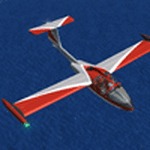
The Machine:
A fully aerobatic, very-light Jet that compares to the Bede BD-5J, but heavier and sporting two instead of one TRS-18 turbojets. Up to Mach 0.47 and 650 NM of range, with a service ceiling of 25000ft. A low stall speed (for a jet) makes the aircraft good for short field operations.
Certified for VFR operations only, yet includes a good avionics suite.
This is a "Classic" aircraft featuring "Steam" gauges and radios. Yet, controls and systems are easy to operate.
The History:
The C-22J is the last aircraft to be adorned with the legendary Caproni name. Originally known as "Caproncino", then marketed as "Ventura". A very-light jet developed in the 1980s as a military trainer, surveillance and reconnaissance aircraft. Powered by two TRS-18 turbojets fed from a dorsal NACA intake, the aircraft reached Mach 0.47 and was fully aerobatic. The airframe shows its origin in a glider design, the Caproni A-21 Calif. After the merger with SIAI Marchetti, the project was cancelled in favor of the SF-260.
The Simulation - 3D Model:
This aircraft ships with a 3-D cockpit, that incorporates realistic night lighting, in the form of a dim dome flood light, backlit gauges and luminous digital displays. The flight crew of 2 is affected by your input in the payloads menu of Flight Simulator, allowing to choose between male, female or empty seats. The Copilot Figure can be hidden with a quick click in the internal 3D view as well.
The Simulation - Realism:
This aircraft has been tuned with the invaluable help of Engineer Carlo Ferrarin, who created the real aircraft. Unique and one-off documentation has been kindly provided, and used extensively, for the creation of this product!
Just like the real aircraft, the systems are simple and of easy operation. Engines can be started with the press of a button. Systems modelling allows the following of real-world checklists as closely as Flight Simulator allows. An in-sim checklist is included, as well as a full flight manual.
The flight model is tuned with advanced aerospace techniques, resulting in a highly realistic aircraft, yet, it is very pleasant to fly, both during aerobatic displays or "A to B" cruising.
Highlights:
- High-Resolution 3D cockpit
- Full Documentation
- Aerobatic
FS-2004 Version comes with limited support and is free due to platform limitations. See Readme. FS-X & P3Dv4 (64-bit) versions are commercial products.
| Filename: | CaproniVizzola_C22J_Ventura.zip |
| License: | Freeware, limited distribution |
| Added: | 7th November 2020, 18:31:45 |
| Downloads: | 677 |
| Author: | Mario Noriega |
| Size: | 157.85 MB |
| Category: Prepar3D V1-4 - Utilities | |
| FS Flight Builder |
|
Images related to this file:
File Description:

New version: Updated installer and auto-update functionality along with chart downloaded changes to support browser updated security measures.
FS Flight Builder is a utility for general aviation flying that will build flight files for FSX (flt), FSX Steam Edition (flt), and Prepar3D (fxml) based on waypoints and other data either entered manually or imported from SkyVector using the Plain Text Link information. Among other things, you can select your starting position, aircraft, and VFR or IFR flight plan.
One of the most interesting features of the application is that it will include a Briefing file, added to the aircraft's built-in kneedboard, that will include departure and destination airport information (runways, frequencies, weather, and charts) as well as navigation frequencies along the route.
Have you ever started up flight simulator and wondered “where do I want to go today� The new Destination Chooser functionality can help to solve that problem. The screen allows you to enter your departure airport and choose various parameters for your destination (like min and max distance, tower availability, ILS availability, runway length requirements, etc.).
How to install:
***************
Run Setup.exe and simply follow the installation wizard.
When you run the application for the first time (make sure your flight simulator is not running), it will build the database from your flight sim data. Be patient. It could take a few minutes.
It will attempt to locate your flight sim folder and flight plan folders automatically. If it can't find them, however, you'll need to select them from the options menu.
IMPORTANT!
Because FS Flight Builder saves to your Flight Sim directories, it MUST be run in Administrator mode. To do this, right-click on the desktop icon, select the Compatibility tab, and check the Run as administrator checkbox.
IMPORTANT!
The airport and navaid databases for FS Flight Builder are built using Peter Dowson's excellent Make Runway utility and the equally excellent BGL2XML utility from ScruffyDuck Software. The links to these utilities are below. They must be added to the main FSX or Prepar3D folder.
Peter Dowson's website: http://www.schiratti.com/dowson.html
ScruffyDick Software website: http://www.scruffyduck.org/bgl2xml/4584282773
It's also important to note that Version 1.7 of BGL2XML is required for Prepar3D V3 and higher.
Author:
*******
Tom Arduini
The latest installer can always be found at
http://www.arduiniwebdevelopment.com/fsflightbuilder/fsflightbuilder.zip
| Filename: | FS_Flight_Builder.zip |
| License: | Freeware |
| Added: | 24th December 2018, 02:41:36 |
| Downloads: | 408 |
| Author: | Tom Arduini |
| Size: | 69.56 MB |
| Category: Flight Simulator X - AFCAD Files | |
| Parker Airport (70NJ), NJ |
|
File Description:
Located 02 miles S of Asbury, New Jersey on 13 acres of land, Parker Airport is a private turf strip located on residential property. This airport is challenging in many ways. For one, when approaching from the southeast the airport is located immediately after a tall ridge, so when topping this ridge at altitude you may not even see the airport over the nose of your aircraft before you overfly it. The runway for this airport is 1600' feet long but it is curved and slightly sloped perpendicular to your roll, so significant rudder will be needed to stay aligned - be careful when operating with any crosswind component! It is highly recommended that you only depart via Runway 25 and arrive via Runway 07 to avoid having to clear significant obstacles prior to landing or after taking off. This airport has no hard-surfaced runway and there is a very noticeable "bump" in the terrain halfway down the runway that will literally bounce your aircraft into the air - I tried my best to smooth it over but could not get rid of it entirely. When taking off make sure you have back pressure applied so your main gear only bounce you high enough to remain within ground effect - hitting your nose wheel can cause an extreme pitch up leading to a stall. Trees close in tight to the runway at the end of Runway 07 or the start of Runway 25, however collision has been disabled with the trees nearest the runway so you can scrape some branches if needed on the takeoff/landing rolls. The author has successfully departed and arrived on both runways in the default Cessna 172 under moderate crosswind from the northeast. This field may definitely require some practice but it is usable!! This airport has no edge lighting, so daytime VFR operations only are recommended.
Scenery constructed with use of satellite images/streetview/aerial photos - the author has not been there in person.
This scenery is meant to be used in conjunction with MegaScenery Earth New York 007. It is not required, but apron use is minimized to allow satellite scenery to show through as much as possible, and objects are placed based on the MSE textures - lack of it may make scenery look out of place.
| Filename: | Parker_Airport_70NJ_NJ.zip |
| License: | Freeware |
| Added: | 10th February 2011, 05:04:30 |
| Downloads: | 215 |
| Author: | Drew Sikora |
| Size: | 559.02 KB |
| Category: Flight Simulator X - Scenery | |
| Silloth Aerodrome plus Great Orton |
|
File Description:
RAF Station Silloth is a former Royal Air Force station located 1 mile (1.6 km) north-east of Silloth, Cumbria, England and 6.7 miles (10.8 km) south-west of Kirkbride, Cumbria. The station was used by RAF Coastal Command during WW2.
I designed this scenery primarily for my own pleasure using Airport Design Editor and FSX SDK. I use FSX Acceleration and Horizon VFR photo scenery but it should work with standard FSX SP2.
This scenery depicts the airfield as closely as i can get it with the available information. I have modelled all of the Airfield buildings as closely as I could with the information available to me and this was done using Sketchup, the models were then converted for use in FSX using Model converter X.
It is not 100% accurate and no claim is being made by the author that it is. I have depicted the buildings in wartime camo.
All the buildings can be used as as you wish. My only request is that if you should design better textures for them that you let me have a copy, my textures are pretty basic.
Some buildings have night lighting, lights and smoke effects, these should be in your FSX effects files already.
I have not yet completed the Domestic Site but i may do this in the future...(I've hit the buffers for now though!!)
Included in this scenery pack is the Satellite Airfield RAF Great Orton. Built in 1943 to accommodate the larger bombers now being used by the RAF. This airfield is very sparse as i am unable to get much info about it.
Runways, Taxiways, Watch Office and Ground Signals are all that is included in this scenery pack, along with Sloped flattens, crosswind runways and AGN files.
I have included this as a destination for the Bristol Beaufort AI aircraft that i have included with the scenery.
The Bristol Beaufort AI is a freeware model from Alphasim and is used with their permission. I have altered the model textures and aircraft file and it works well enough as AI.
I have used other scenery libraries within this scenery (mainly to depict the village of Silloth) and these will need to be downloaded from the appropriate sources and activated within FSX.
| Filename: | Silloth_Aerodrome_plus_Great_Orton.zip |
| License: | Freeware |
| Added: | 6th December 2015, 22:32:18 |
| Downloads: | 491 |
| Author: | Mark Byers |
| Size: | 357.87 MB |
| Category: Flight Simulator 2004 - Scenery | |
| Kotzebue PAOT on the northwestern coast of Alaska |
|
Images related to this file:
File Description:
There are four main northwestern Alaska towns which have good airports and are serviced by Alaska Airlines. From these airports local flights connect to nearby villages, "nearby" in Alaska meaning up to 150 miles away. The northernmost is Barrow. Southwest of Barrow is Kotzebue, then Nome, and the furthest south is Bethel. The town of Kotzbue is north of the Bering Strait on the northwestern coast, 320 miles southwest of Barrow. The population is just over 3,000 people. The location was for a long time a base for trading in furs, with three rivers emptying into the sea and providing routes into the interior land and villages; a meeting place between hunters and traders from Russia and elsewhere. The Kotzebue airport is called the Ralph Wien Memorial and has two runways. The modern one is aligned 08-26 and is 5,880 feet of 150 feet wide asphalt built across a shallow lagoon, with an ILS on 08 and PAPI on both ends. The second and older runway is originally military and gravel, aligned 17-35 and 3,786 feet long and used (wind allowing) by the GA planes that park alongside the runway. The prevalent wind is from the west; when the wind is from the east it is generally relatively feeble and with a much lower cloud base, possibly to the ground, hence the need for an ILS. All AI aircraft in FS9 much prefer to use a runway that has an ILS and so will continue to use 08-26 even if the wind is from the south until it reaches 30+ knots, even if they are a Cessna 150 flying VFR. So for AI realism in FS9 a northern or southern wind needs to be a strong one so that the runway is actually used. However, as Alaska Airlines, Northern Air Cargo, and Everts Air also fly to Kotzebue and can only use the east-west runway (as less than 4,000 feet of asphalt would be seriously inconvenient for a Boing 737 or DC6) it is necessary to have the northern or southern wind UNDER 30 knots at the times when they are landing or taking off. Your choice. I suppose a permanent strong wind from the west would be the most realistic on a daily basis, deterring all planes from ever using 17-35. The AI will develop along with further scenery additions in the neighbourhood.
| Filename: | Kotzebue_PAOT_on_the_northwestern_coast_of_Alaska.zip |
| License: | Freeware, limited distribution |
| Added: | 2nd August 2016, 16:47:52 |
| Downloads: | 463 |
| Author: | Roger Wensley |
| Size: | 19.32 MB |


© 2001-2026 AVSIM Online
All Rights Reserved
Privacy Policy |