
Where Flight Simulation Enthusiasts Gather from Around the World!
AVSIM Library - Search Results

| Category: Flight Simulator X - Scenery | |
| Warsaw City X DEMO |

|
Images related to this file:
File Description:
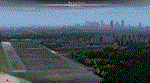
WARSAW CITY X DEMO is a sophisticated scenery package, featuring a detailed scenery of Warsaw city in Poland with surrounding airports, fully compatible with FSX, FSX:SE, P3Dv1, P3Dv2.
This product is a fully functional DEMO version of the commercial payware product. It features same layouts as in the full version but with limited 3D objects and low resolution textures. Using this free demo ensures no problems with online (VATSIM, IVAO, multiplayer etc.) flying in case some users use the payware scenery and some don't.
Warsaw is the capital and the largest city of Poland located on the Vistula (Wisla) River. Warsaw City 2015 gives you a possibility to fly over an extremely large area of Warsaw city. We have included a photoreal ground textures of about 5200 square km. The city centre has hundreds of custom buildings modeled, there are all VFR-important landmarks on the whole included area too. We have also created 13 variously detailed airports and heliports for the project: Modlin EPMO, Babice EPBC, Chrcynno/Nasielsk, Sobienie EPSJ, Goraszka EPGO, Konstancin-Jeziorna, Konstancin Heliport, Reczaje (lite), Kroczewo (lite), Trebki Nowe (lite), Wincentow 1 (lite), Wincentow 2 (lite), Zabia Wola (lite).
The product is equipped with an automatic installer, which means that the scenery will be automatically added to the Flight Simulator Scenery Library. Please uninstall all previous versions of similar sceneries you may have installed before. Please make also sure that no duplicated AFCAD files are installed.
Enjoy your virtual flying with Drzewiecki Design!
| Filename: | Warsaw_City_X_DEMO.zip |
| License: | Commercial demo |
| Added: | 5th September 2015, 01:09:15 |
| Downloads: | 3,352 |
| Author: | Drzewiecki Design |
| Size: | 36.95 MB |
| Category: Prepar3D V1-4 - Scenery | |
| Warsaw City X DEMO |
|
Images related to this file:
File Description:
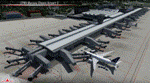
WARSAW CITY X DEMO is a sophisticated scenery package, featuring a detailed scenery of Warsaw city in Poland with surrounding airports, fully compatible with P3Dv1, P3Dv2 and P3Dv3.
This product is a fully functional DEMO version of the commercial payware product. It features same layouts as in the full version but with limited 3D objects and low resolution textures. Using this free demo ensures no problems with online (VATSIM, IVAO, multiplayer etc.) flying in case some users use the payware scenery and some don't.
Warsaw is the capital and the largest city of Poland located on the Vistula (Wisla) River. Warsaw City 2015 gives you a possibility to fly over an extremely large area of Warsaw city. We have included a photoreal ground textures of about 5200 square km. The city centre has hundreds of custom buildings modeled, there are all VFR-important landmarks on the whole included area too. We have also created 13 variously detailed airports and heliports for the project: Modlin EPMO, Babice EPBC, Chrcynno/Nasielsk, Sobienie EPSJ, Goraszka EPGO, Konstancin-Jeziorna, Konstancin Heliport, Reczaje (lite), Kroczewo (lite), Trebki Nowe (lite), Wincentow 1 (lite), Wincentow 2 (lite), Zabia Wola (lite).
The product is equipped with an automatic installer, which means that the scenery will be automatically added to the Flight Simulator Scenery Library. Please uninstall all previous versions of similar sceneries you may have installed before. Please make also sure that no duplicate AFCAD files are installed.
Enjoy your virtual flying with Drzewiecki Design!
| Filename: | Warsaw_City_X_DEMO.zip |
| License: | Freeware, limited distribution |
| Added: | 27th October 2015, 12:24:06 |
| Downloads: | 739 |
| Author: | Drzewiecki Design |
| Size: | 36.95 MB |
| Category: Flight Simulator 2004 - Scenery | |
| Quesnel CYQZ in British Columbia, Canada |
|
File Description:
Quesnel is around 65 miles south of Prince George, at the junction of the Fraser and Quesnel Rivers. It has a population of less than 10,000 and is reliant on the timber industry and tourism (hiking, canoeing, fishing, hunting) in the surrounding area for it's income. The date for this scenery is, once again, around 2010. The airport is on the northern edge of the town and has a runway of 5,500 feet aligned 13-31 with PAPI at both ends. Because of the surrounding terrain runway 13 has a right hand VFR circuit. Parking for GA aircraft is organised by the Quesnel Flying Club in a grassed area adjacent to the concrete and asphalt apron. Also adjacent to the apron is the extraordinary terminal building, and next to that is the comparatively very ordinary building that houses the flying club. There are the usual airfield and plane maintenance buildings, and at the southern end of the runway two private hangars. There is also a Fire Base housing personnel that either drive from the base or fly by helicopter to deal with local forest fires at ground level. The AI included here is for Central Mountain Air and GA. I added to and adjusted the CYXS AI so that there are GA flights between CYXS and CYQZ, so just replace your current CYXS AI with this new one. Please email me if you find faults, such as a plane without textures. Note my newish email address at the end of these notes.
| Filename: | Quesnel_CYQZ_in_British_Columbia_Canada.zip |
| License: | Freeware, limited distribution |
| Added: | 19th December 2022, 19:27:14 |
| Downloads: | 149 |
| Author: | Roger Wensley |
| Size: | 9.49 MB |
| Category: Flight Simulator X - Scenery | |
| RNAS Anthorn (HMS Nuthatch) - Cumbria, UK |
|
File Description:
This scenery is a representation of RNAS Anthorn (HMS Nuthatch) prior to runway and taxiway upgrades completed in 1948. It is not 100% accurate and no claim is being made that it is.
The scenery was made using ADE and is intended for use in FSX along with Horizon GenX VFR scenery but should work ok in Basic FSX.
Some History: Anthorn air field (also known as RAF Anthorn, RNAS Anthorn and HMS Nuthatch) was an airfield approximately 430 KM north-northwest of London
The airfield was built in february 1918 as a Fleet Air Arm (FAA) airfield. It was abandoned after World War I ended, however. The RAF reinstated the airfield at the beginning of World War II as an emergency landing ground for nearby RAF Silloth.
The site was taken over by the Royal Navy in December 1942, and renamed the site RNAS Anthorn. It was commissioned in September 1944 as 'HMS Nuthatch'.
The airfield served as No. ARDU (Aircraft Receipt and Dispatch Unit), a unit that accepts aircraft from their manufacturers and prepares them for operational use.
The last official flight took off from the airfield in November 1957. It was then put on Care and Maintenance, before it closed down in March 1958.
In 1961 the site was chosen to become a NATO VLF transmitting site for communicating with submarines. Construction of the site, by Continental Electronics of Dallas, U.S.A., began in 1962.
The station was accepted on behalf of the MoD in November 1964.
| Filename: | RNAS_Anthorn_HMS_Nuthatch__Cumbria_UK.zip |
| License: | Freeware |
| Added: | 1st March 2015, 23:11:58 |
| Downloads: | 437 |
| Author: | Mark Byers |
| Size: | 21.34 MB |
| Category: Flight Simulator X - AFCAD Files | |
| Dave's Aerodrome Airport (7NJ9), NJ |
|
File Description:
Located 01 miles SW of Cedarville, New Jersey on 43 acres of land, Dave's Aerodrome Airport is a private turf field 2000' with a 600' displaced threshold on Runway 12. Each runway has a clear 20:1 approach slope, but in the case of Runway 12 be sure to aim for a landing past the hangar! There are power lines running along the road at the runway threshold that are not just there for decoration - come in too low and FSX will register a crash. In real life they have red balls on them - unfortunately I have no way of adding those in the sim at this time. So be on the lookout while on approach. Also take note that it is a right pattern for Runway 12 and a left pattern for Runway 30. The windsock is located next to the hangar and is not lit. There are no lights at this airport so daytime VFR operations only are suggested. No services are offered for transient aircraft. There is no hard-surfaced runway, you will be landing on bare terrain so set your mesh complexity slider as high as it will go for the best effect.
Scenery constructed with use of satellite images/streetview/aerial photos - the author has not been there in person.
This scenery is meant to be used in conjunction with MegaScenery Earth New Jersey/Delaware 005. It is not required, but apron use is minimized to allow satellite scenery to show through as much as possible, and objects are placed based on the MSE textures - lack of it may make scenery look out of place.
| Filename: | Daves_Aerodrome_Airport_7NJ9_NJ.zip |
| License: | Freeware |
| Added: | 16th February 2011, 15:36:42 |
| Downloads: | 211 |
| Author: | Drew Sikora |
| Size: | 1.02 MB |
| Category: Flight Simulator 2004 - Scenery | |
| Bethel: St Mary's area airfields in southwest Alaska close to the Yukon River |
|
Images related to this file:
File Description:
This presumes you have already installed Bethel PABE and Bethel Local Airfields. In the Yukon River area of Alaska to the north of Bethel there are small villages, served by flights from both Bethel and the nearer St Mary's PASM. St Mary's has a gravel runway like the other villages, but has a larger population and airport services including maintenance and fuel. This, plus the saving of an average one hundred miles of flying by a Cessna 205 when compared with flights from Bethel, means it acts as a distribution centre fed from Bethel by larger aircraft. Go to "http://vfrmap.com/" for free vfr maps of the area (see the attached). The ten village airfields included here are all to the north and west of St Mary's: Hooper Bay PAHP, Chevak VAK, Cape Romanzof PACZ (closed air force field servicing a radar station), Scammon Bay SCM, Sheldon Point SXP, Alakanuk AUK, Emmonak PAEM, Kotlik 2A9, Mountain Village MOU, and of course St Mary's PASM itself. With these airfields not everything is as it appears to be. For instance, Hooper Bay is not a new and modernised airfield, despite the asphalt runway and apron; the current version has dispensed with the aging asphalt and gone back to gravel. I have tended to go for the 2005 or so versions, which sometimes means a small runway amid or close to the housing; Kotlik was an early renewal for reasons of safety as much as anything else and has had (since 2003?) a new and longer runway located outside of the town. The second batch of airfields will be to the east of St Mary's.
| Filename: | Bethel_St_Marys_area_airfields_in_southwest_Alaska.zip |
| License: | Freeware, limited distribution |
| Added: | 29th April 2019, 17:07:24 |
| Downloads: | 228 |
| Author: | Roger Wensley |
| Size: | 11.53 MB |
| Category: Flight Simulator X - Scenery | |
| LFMQ - Le Castellet |
|
File Description:
Welcome to Le Castellet Airfield -
This airfield is situated few Nm east of Marseille Provence - LFML, in the south of France. On the 1,000 hectares of plateau he acquired between Marseille and Toulon, Paul Ricard, forever motivated by innovation and development, constructed in 1962 the largest
private airfield in the Provence-Alpes-Côte d’Azur region.
The landing strip at Le Castellet covered a distance of 1,000 metres and allowed for VFR (Visual Flight Rules) operation. Situated on a plateau at the time free of all economic development, it was above all a private airfield. In 1970, the construction
of the Paul Ricard Circuit nearby created an economic dynamic for the first time on Le Castellet plateau. In 1972, Paul Ricard invested in improvements to the runway, lengthening it from 1,000 to 1,750 metres, thus rendering it capable of
receiving business and private airplanes of up to 38 tonnes.
Over twenty years, Le Castellet Airport saw intense periods of activity due to business and private aviation, notably with the arrival of the first F1 French Grand Prix on the Paul Ricard Circuit in 1971, and more recently, with the creation of the Entreprise Zone at Signes, situated only a few kilometres from the airfield. Stop by for an amazing visit at the medieval village as well, situatued on top of a hill.
Nevertheless, from 1972 to 1999, no investment was made at the airfield. In May 1999, the company Excelis S.A. purchased the site (airfield and circuit) and refurbished and modernised the installations.
A truly amazing place to fly to - I have enhanced the entire apron as it is today, all marking correctly set, acces to runway and the Heli area for the "Eggbeater" fan :)
includes the hangar, building and other things around. Hope you'll enjoy your stay at "Le castellet"!
| Filename: | LFMQ__Le_Castellet.zip |
| License: | Freeware |
| Added: | 24th April 2009, 16:28:59 |
| Downloads: | 2,351 |
| Author: | Daniel Louvet |
| Size: | 986.65 KB |
| Category: Flight Simulator X - AFCAD Files | |
| Ekdahl Airport (NJ59), NJ |
|
File Description:
Located 04 miles S of Freehold, New Jersey, Ekdahl Airport is a private turf strip 1300' in length bordered closely by trees. This makes for an interesting landing as the 90' width of the runway is all the room you have to play with. However because it can be difficult to gauge your distance to trees and also because even the slightest brush with a tree can cause a crash, all trees immediately adjacent to the runway have crash disabled - mainly so you can turn your plane around if you land on Runway 02. The hard surface runway was removed so make sure your terrain mesh complexity is set as high as possible to get that bumpy ground realism. A windsock is listed as being available on this field but I could not locate it in any imagery and so placed it by default near the hangar building. You can start on the runways or parked in front of the hangar. Make sure your plane is capable of these take off and landing distances! Tree height around the field was not listed so I again used my best judgement from studying aerial photos. There is no fuel or parking for transient aircraft available. The field is not lit - daytime VFR operations only are recommended.
Scenery constructed with use of satellite images/streetview/aerial photos - the author has not been there in person.
This scenery is meant to be used in conjunction with MegaScenery Earth New Jersey/Delaware 002. It is not required, but apron use is minimized to allow satellite scenery to show through as much as possible, and objects are placed based on the MSE textures - lack of it may make scenery look out of place.
| Filename: | Ekdahl_Airport_NJ59_NJ.zip |
| License: | Freeware |
| Added: | 13th August 2011, 16:53:55 |
| Downloads: | 172 |
| Author: | Drew Sikora |
| Size: | 550.03 KB |
| Category: Flight Simulator X - AFCAD Files | |
| Peters Airport (4NJ8), NJ v1.1 |
|
File Description:
Located 05 miles W of Somerville, New Jersey on 70 acres of land, Peters Airport is a private turf strip that will test your short field skills to the max. The published runway dimensions for this strip are 1700x200 feet, and for the most case this is fairly accurate - however at the ends of both runways you have tree obstacles to overcome so this can shorten the amount of usable runway significantly, although the tree obstacles are no higher than 12-14m. There is no hardened runway surface so you will be landing/taking off on terrain. Depending on how high your mesh resolution is, this can be a significant factor, as Runway 31 is mainly uphill enough that you will need to power up with parking brakes on if you want to make it in the air. Runway 13 is the best since you are going downhill and the trees at the end are fewer and smaller. Pay close attention to the pattern! Runway 13 is Left and Runway 31 is Right - this airport is within 2 miles of Solberg-Hunterdon (N51) and you don't want to get in the way of that field's traffic! The runway is not lit, so daytime VFR operations only. There are no services at this strip for transient aircraft.
Scenery constructed with use of satellite images/streetview/aerial photos - the author has not been there in person.
This scenery is meant to be used in conjunction with MegaScenery Earth New Jersey/Delaware 001. It is not required, but apron use is minimized to allow satellite scenery to show through as much as possible, and objects are placed based on the MSE textures - lack of it may make scenery look out of place.
| Filename: | Peters_Airport_4NJ8_NJ_v11.zip |
| License: | Freeware |
| Added: | 20th September 2011, 14:08:43 |
| Downloads: | 405 |
| Author: | Drew Sikora |
| Size: | 461.03 KB |
| Category: Microsoft Flight Simulator (2020) - Utilities | |
| Random Flight Database 3.5.2 |
|
File Description:
Random Flight Database is a simple and easy to use application.
​
It will allow you to randomly choose one or more VFR, IFR flights according to your criteria (type of plane, flight time, company, distance, departure airport, .....).
​
These flights are chosen at random from a default database, a user base created by yourself or according to the world aviation POIs.
​
A default database is already included, but also the possibility for each user to create his own database.
​
But that's not all, you can also extract the flights of the day for an airport, or extract the flights for a whole week.
Why Use RFD ?
The advantage of RANDOM FLIGHT DATABASE:
Extracted from FlightRadar but also from other databases, it chooses randomly among those where these databases according to your choices.
You can also make many other possible combinations, such as leaving each time from the arrival airport for each flight generated, but also selecting your favorite planes and airports.
Simply choose the departure airport, he chooses the arrival airport for you, choose the arrival airport, he chooses the departure airport for you and all this according to the real data of the airlines.
A tab for generating non-real flights is available, it will allow you to generate random flights from over 58,000 global aviation POIs.
​
Full of possibilities, including the possibility to choose the flight time but also to generate several flights while leaving the arrival airport.
You also have the option of creating your own data for inclusion in this software.
And one of the most important is that once the flight (s) are generated, you can send them to SIMBRIEF or PFPX to schedule this.
| Filename: | Random_Flight_Database_352.zip |
| License: | Freeware |
| Added: | 21st December 2020, 20:47:04 |
| Downloads: | 163 |
| Author: | mikoulprostgrandprix |
| Size: | 181.97 MB |


© 2001-2026 AVSIM Online
All Rights Reserved
Privacy Policy |