
Where Flight Simulation Enthusiasts Gather from Around the World!
AVSIM Library - Search Results

| Category: Flight Simulator 2004 - Panels | |
| MelJet B777 Three Screen/Four Screen Passenger Window Wing View Panel |

|
File Description:
Passenger Window Wing Views and interior cockpit views for use with the MELJET B777 added to FS2002 and FS2004 B777 panel. These files allow you to display your choice of either 3 or 4 screens at the click of the clock icon! You can now simultaneously display the PFD, NAV, EICAS 1 and EICAS 2 screens! Throttle Quadrant, Radio Stack, and NEW Clock/Trim/Gear/Autobrake window will now appear in place of the third and fourth screen at the click of an icon. NEW overhead compass panel makes this panel multi-monitor friendly by removing the overhead panel from the main panel display. Uses all default gauges.
| Filename: | MelJet_B777_Three_ScreenFour_Screen_Passenger_Wind.zip |
| License: | Freeware |
| Added: | 9th April 2005, 04:41:27 |
| Downloads: | 2,790 |
| Author: | Kenneth Francis |
| Size: | 964.25 KB |
| Category: Flight Simulator 2004 - Panels | |
| C-87 Wide View Panels |
|
Images related to this file:
File Description:

This FS2004 views package converts the C-87 panels for use with wide screen monitors. You must already have the C-87 Liberator Express by Glenn Duncan and Richard Garden installed on your computer and, obviously, a wide screen monitor. These bitmaps and files were created for a 16:9 format but should work reasonably well in 16:10 format. After installation, you can still return to 4:3 format by changing two filenames.
IMPORTANT: This upgrade will NOT WORK correctly with the other C-87 Liberator Express V2 created by Jim Nelson and Jaap de Baaret and it might damage that installation. Don't do that to their fine creation.
| Filename: | C87_Wide_View_Panels.zip |
| License: | Freeware |
| Added: | 17th January 2011, 17:56:36 |
| Downloads: | 158 |
| Author: | Glenn Duncan |
| Size: | 2.71 MB |
| Category: Miscellaneous Files - Demos from Commercial Vendors | |
| Panel Builder Condor - Limited Trial |
|
File Description: A time limited demo of a collection of external instrument gauges for Condor
Gliding Simulator. This file is aimed at those individuals who would want to
create a physical cockpit. All that is needed is a spare monitor. This file
includes a detailed manual.
File Description:
Trial version of simPlugins' Panels Builder Condor panel. This version has 6
sample instruments and runs for 10 minutes. When registered, Panel Builder2
offers 12 custom instruments. Prospective buyers will be able to evaluate the
functionality and suitability of PanelBuilder Condor at no risk or cost either
on a single PC or on a network. Requires .NET4 extended, not compatible with
Windows XP.
| Filename: | Panel_Builder_Condor__Limited_Trial.zip |
| License: | Commercial demo |
| Added: | 29th July 2013, 18:47:59 |
| Downloads: | 22 |
| Author: | Reinhard Hussel |
| Size: | 7.37 MB |
| Category: Miscellaneous Files - General Utilities | |
| Throw Weather In FS (TWIFS) - Version 3.0 |
|
File Description:
Throw Weather In FS (TWIFS) has been redesigned to look more compacted. Furthermore, in this Version (3.0) some features of the previous one have been expanded.
It may be used with FS2000 or FS2002. By this application you can edit planned Routes from FS200X folder, download Metars and Upper Air Wind (Radiosonde observation) and evaluate forecast meteo to be used for the planned Routes.
Once connected to FS, it is possible to reproduce the downloaded weather as a mix between two Metars and monitor some flight parameters.
The application may be used for free flights too.
Version 3.0 developed under Visual Basic (everything in Setup) and tested on Win98 and WinXP. Fully freeware.
| Filename: | Throw_Weather_In_FS_TWIFS__Version_30.zip |
| License: | Freeware |
| Added: | 17th April 2003, 13:49:11 |
| Downloads: | 409 |
| Author: | Rinaldo Ramozzi |
| Size: | 5.54 MB |
| Category: Flight Simulator 2004 - Panels | |
| Boeing 747-400 Wingviews (Posky V4) |
|
File Description:
Boeing 747-400 Captains. Welcome to my realistic wingviews for the new Posky B747-400V4. Two sets of views are provided. One set is optimized for B744s powered by Rolls-Royce motors and the other set applies to machines powered by both the PW & GE motors. This is because some very minor eyepoint adjustments had to be made because of the difference in engine-pod design.
****Please note - these views were created on a 20" widescreen LCD monitor with a resolution of 1680 X 1050 so I do not know how they will look on other monitors of different aspect ratios/resolutions.****
Have fun flying the 744 & pop back into the cabin now and then to become a pax =)
| Filename: | Boeing_747400_Wingviews_Posky_V4.zip |
| License: | Freeware |
| Added: | 15th January 2008, 23:04:49 |
| Downloads: | 2,656 |
| Author: | Nevin Pariat |
| Size: | 18.91 KB |
| Category: Flight Simulator 2004 - Scenery | |
| Southern Ontario Canada LOD 9 Mesh |
|
File Description:
Please note that I forgot to cut the one side of the screenshots so the right side of the image is what was present on my second monitor which in the first two pictures was my background.
The default mesh for Southern Ontario Canada was pretty flat and did not show the small rolling hills that are present throughout the province. This is LOD9 (90 meter) mesh that covers ALL of Southern Ontario from Elliot Lake, Sudbury and North Bay in the North, to near Montreal in the east, to Windsor in the southwest and all points in between. This mesh covers the entire area of Ontario shown in the Toronto VNC.
| Filename: | Southern_Ontario_Canada_LOD_9_Mesh.zip |
| License: | Freeware, limited distribution |
| Added: | 16th January 2004, 02:01:29 |
| Downloads: | 6,544 |
| Author: | David Voogd |
| Size: | 41.32 MB |
| Category: Flight Simulator 2004 - Gauges | |
| Descentometer |
|
File Description:
FS2004 Gauge: Descentometer, for precise and controlled descents. This gauge will assist in positioning your aircraft at a specified altitude and distance from the destination airport. Using ICAO and altitude info, vertical speed and slope are continually processed and displayed during a flight. At any point, the VS needed to descend and arrive at a desired altitude and distance from the airport is known. D'meter handles both continuous or stepped descents from high altitudes. When placed in AUTO, the gauge will control the descent by continually updating the autopilot with VS data. When approaching the airport, the gauge can be placed in Runway mode to monitor or control slope flown to runway. With illustrated PDF and Icon Gauge. By Glenn Copeland.
| Filename: | Descentometer.zip |
| License: | Freeware |
| Added: | 14th August 2006, 02:53:00 |
| Downloads: | 5,648 |
| Author: | Glenn Copeland |
| Size: | 304.29 KB |
| Category: Flight Simulator 2004 - Utilities | |
| Twin Turboprop EICAS Panel |
|
File Description:
This program displays a functional EICAS panel for a typical Twin Engine Turboprop aircraft. It is designed to be used with WideFS to display the panel on an external computer, but can also be used on a second monitor on the MSFS computer. No 3D or OpenGL means that the external computer can be any machine capable of running Windows 95 or better (486/66 w/8MB RAM) Put that old laptop to work !
This second version adds two new features. The panel compnents can be moved around to match up with holes in a physical cockpit panel, and there's the ability to adjust the max prop setting for non-standard flight models. Instructions are in the readme.txt FS2002/2004 & WideFS.
| Filename: | Twin_Turboprop_EICAS_Panel.zip |
| License: | Freeware |
| Added: | 24th February 2004, 13:57:43 |
| Downloads: | 573 |
| Author: | Richard Alty |
| Size: | 1.73 MB |
| Category: Flight Simulator X - Utilities | |
| AirTrack Plug-in v1.4 |
|
Images related to this file:
File Description:

This is an update of the Microsoft Flight Simulator X plug-in for the AirTrack iPhone, iPad and iPod Touch app. In order to install it run the executable that will deploy a gauge in the proper folder and automatically activate it.
AirTrack is an App that allows tracking of FS9 flights on your iPhone or iPad in real time using a local wireless network with built-in parameter reporting, an EFIS MFD, an FMC and Airport information. You can also command the plane from the application.
The current update fixes some bugs, improves the communication between the plug-in and the applicaiton and allows the flight plan created at the Flight Simulators to be displaid in the AirTrack. It also adds support for speeds limits, flight director bars in the PDF and VAS selector.
To learn more about the app and its availability please visit the product' site: air.ipobjects.com. If you have any question regarding the FSX plug-in you can contact us at [email protected]
| Filename: | AirTrack_Plugin_v14.zip |
| License: | Freeware |
| Added: | 10th May 2011, 13:54:57 |
| Downloads: | 399 |
| Author: | Jofre Palau |
| Size: | 312.46 KB |
| Category: Flight Simulator X - Original Aircraft | |
| UFO - A51 |
|
Images related to this file:
File Description:
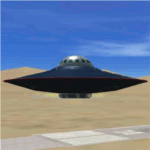
You can fly this UFO model in all directions e.g. vertical up/down lateral right/left, forward/backward, and can stay in a static position on any altitude level. The UFO provides a maximum speed of Mach 4.3 on all altitude levels and the altitude level is unlimited.
The overall radius of the model is 170 feet. The overall height is 100 feet. Be aware of this size if you are landing on standard airports. The model includes a animated gear system which is a big gray ring. The red disk on the outside of the model is the rotating UFO engine. In addition the model contains 3 guns which are moving out of the body if they are armed by activating a switch on the weapon control control panel. Important to say, the UFO is not a traditional aircraft. It reacts different and you need to handle it differently too! For more information and how to fly the model, read the documentation carefully and read the documentation first, before you go to fly it !!!!
The model and the gauges have been developed for FSX Flight Simulator SP2 or SP1. It has also been tested with Microsoft Acceleration but compatibility is not guaranteed by the author. The format for the panel and gauges is developed for a 4/3 monitor. Use the Wide Screen Panel.cfg if you have a 16/9 Monitor. For installation instructions see the documentation inside the zip file.
Credit goes out to: Bob Familton and Geoffrey Bogeaus for improvement, recommendations, testing and review, and to Doug Dawson for his XML IPC interface.
Enjoy a new way to fly.
Dietmar Loleit
| Filename: | UFO__A51.zip |
| License: | Freeware, limited distribution |
| Added: | 21st January 2014, 15:43:13 |
| Downloads: | 725 |
| Author: | Dietmar Loleit |
| Size: | 19.67 MB |


© 2001-2026 AVSIM Online
All Rights Reserved
Privacy Policy |