
Where Flight Simulation Enthusiasts Gather from Around the World!
AVSIM Library - Search Results

| Category: Flight Simulator 2004 - Scenery | |
| Victoria, Canada area scenery |

|
File Description:
This is a complete upgrade of vicenh05, Victoria, Canada area scenery for FS9. New in this version: automated installer and configurator from Ken Peters; several detailed models including the Empress Hotel, the Legislature, the Regent Hotel and the Johnson St. Bridge; greatly enhanced Inner Harbour; many generic buildings representing buildings throughout the area; 7 new small airfields with sloping runways; seven new floatplane bases (owners of Vancouver+ get extensive floatplane traffic in local liveries); 7 new heliports (Vancouver+ users get additional heli AI traffic) and a myriad of minor fixes and improvements. Included from previous versions are revised shorelines, landclass and 19m mesh and buffer meshes for South-Eastern Vancouver Island; boat docks with static boats, seaplane docks and terminal buildings for Harbour Air, Kenmore Air and West Coast Air; piers, buildings, breakwater and other components of the Ogden Point Terminal; dock, service building and pilot boats of the Pacific Pilotage Authority; Odgen Point Cafe and Dive Shop; marine navigational lights for Victoria Harbour and area, including Esquimalt harbour and Oak Bay; antennae location corrections for the area; AFCADs included: Land based (CML2), Floatplane (CAB3, CAP5, CAP8, CAV8, CAW7, CAX6, CMAP, CYWH), Heli (CAL7, CBF5, CBF7, CBK8, CBW7, CBW9, CBZ7, CMBH); AI craft models and repaints (Cruise ships are repaints of Asuka model by Mitsuya Hamaguchi: MS Amsterdam of the Holland America Line travelling from Victoria to Vancouver, MS Summit of the Celebrity Cruise Line travelling from Seattle to Victoria); S-61 Sea-King helicopter in Helijet colours; Pacific Pilot custom vessel working from the Pilot dock; 22, 30 and 40 foot vessels plying the harbour and nearby Straight of Juan de Fuca. Effects included for lights, water, smoke effects. Many flights are offered, including two flights for owners of the Aerosoft Beaver (not required). Ultimate Terrain compatible (not required). Users of Misty Fjords will also get additional cruise ship traffic: the Island Princess and the Volendam alternating with the Amsterdam and Summit. Fully compatible with Don Grovestine's excellent CYYJ 2007. Replaces viflat.zip, ve4_tr1.zip, vicenh02.zip, vicenh03.zip, vicenh04.zip and vicenh05.zip. Detailed documentation included. By Jon Patch and Holger Sandmann.
| Filename: | Victoria_Canada_area_scenery.zip |
| License: | Check within download |
| Added: | 29th January 2010, 21:22:09 |
| Downloads: | 5,313 |
| Author: | Jon Patch and Holger Sandmann |
| Size: | 24.28 MB |
| Category: Miscellaneous Files - Miscellaneous Files | |
| CPS-NG RC 5 |
|
File Description:
CPS-NG (Concorde Performance System New Generation) is the successor to CPS-X, the essential flight preparation utility created in 2011
and discontinued in 2018.
Since the end of its development, still present on AVSIM despite a large number of unavailable functions, it has been downloaded more
than 3000 times.
This new CPS opus will satisfy the most demanding Concorde simulation enthusiasts.
CPS-NG now makes it possible to plan Concorde flights with the following simulators:
FsLabs Concorde X for FSX, and P3D up to version 3.
Colimata Concorde FXP for X-Plane and Gaston Reif's beautiful mod, Heritage Concorde Avionics Package.
With these simulators, CPS-NG can export waypoints to INS, payload and fuel to aircraft.
Like its illustrious predecessors, CPS-NG uses authentic Air France data and charts.
It offers a map of the flight including the navigation points, the points to protect from the supersonic bang, on departure and on
arrival
The flight preparation stages are done in a user-friendly way.
the subsonic levels are configurable, the anti-noise procedures are calculated as in reality. The loading of the plane is modifiable by
the user in order to obtain the ideal centering.
The fuel is calculated as in reality and its distribution in the 11 tanks of Concorde complies with the filling law of Air France and
British Airways.
CPS-NG like its previous version also offers the user a flight report in the form of a PDF document which contains all the elements
necessary for the preparation of the aircraft.
it also offers Concorde-specific settings such as initial climb angle, time until anti noise procedure, throttle levers angle during
anti noise procedure, fuel flow, maximum pressure in P7,
trim adjustment and everything a pilot and flight engineer could want for a perfect flight.
CPS-NG also offers in the flight report, Take-off and landing forms in accordance with the real documents and the user has the choice
between the Air France form and the British Airways one.
Finally, CPS-NG allows the use of real-time weather from NOAA, personalized weather or the one generated by Active Sky 2016,
Active Sky for P3D and Active Sky for X-Plane 11 or 12.
In summary, here you have the ultimate tool for Concorde simulation.
You dreamed it, we did it!
Break the sound barrier.
| Filename: | CPSNG_RC_5.zip |
| License: | Freeware |
| Added: | 10th August 2023, 15:48:00 |
| Downloads: | 72 |
| Author: | Pierre Chassang |
| Size: | 19.49 MB |
| Category: Miscellaneous Files - General Utilities | |
| CONCORDE PERFORMANCE SYSTEM NEW GENERATION |
|
File Description:
CONCORDE PERFORMANCE SYSTEM
NEW GENERATION
CPS-NG (Concorde Performance System New Generation) is the successor to CPS-X, the essential flight preparation utility created in 2011
and discontinued in 2018.
Since the end of its development, still present on AVSIM despite a large number of unavailable functions, it has been downloaded more
than 3000 times.
This new CPS opus will satisfy the most demanding Concorde simulation enthusiasts.
CPS-NG now makes it possible to plan Concorde flights with the following simulators:
- FsLabs Concorde X for FSX, and P3D up to version 3.
- Colimata Concorde FXP for X-Plane and Gaston Reif's beautiful mod, Heritage Concorde Avionics Package.
With these simulators, CPS-NG can export waypoints to INS, payload and fuel to aircraft.
Like its illustrious predecessors, CPS-NG uses authentic Air France data and charts.
It offers a map of the flight including the navigation points, the points to protect from the supersonic bang, on departure and on
arriva.
The flight preparation stages are done in a user-friendly way.
the subsonic steps are configurable, the anti-noise procedures are calculated as in reality. The aircraft loading is modifiable by
the user in order to obtain the ideal centering.
The fuel is calculated as in reality and its distribution in the 11 tanks of Concorde complies with the filling law of Air France and
British Airways.
CPS-NG like its previous version also offers the user a flight report in the form of a PDF document which contains all the elements
necessary for the preparation of the aircraft.
it also offers Concorde-specific settings such as
- Initial climb angle.
- Time to anti noise procedure.
- Throttle levers angle during anti noise procedure.
- Fuel flow.
- Maximum pressure in P7 compressor.
- Trim adjustment and everything a pilot and flight engineer could want for a perfect flight.
CPS-NG also offers in the flight report, Take-off and landing forms in accordance with the real documents and the user has the choice
between the Air France form and the British Airways one.
Finally, CPS-NG allows the use of real-time weather from NOAA, personalized weather or the one generated by Active Sky 2016,
Active Sky for P3D and Active Sky for X-Plane 11 or 12.
In summary, here you have the ultimate tool for Concorde simulation.
NOTE: The manual curently in writing, thanks for your patience.
You dreamed it, we did it!
Break the sound barrier.
| Filename: | CONCORDE_PERFORMANCE_SYSTEM_NEW_GENERATION.zip |
| License: | Freeware, limited distribution |
| Added: | 20th July 2023, 05:20:23 |
| Downloads: | 130 |
| Author: | Pierre Chassang |
| Size: | 19.49 MB |
| Category: Flight Simulator 2004 - Scenery | |
| Nome PAOM on the northwestern coast of Alaska |
|
Images related to this file:
File Description:
There are four main northwestern Alaska towns which have good airports and are serviced by Alaska Airlines. From these airports local flights connect to nearby villages, "nearby" in Alaska meaning up to 200 miles away. The northernmost is Barrow. Southwest of Barrow is Kotzebue, then Nome, and the furthest south is Bethel. The town of Nome is south of the Bering Strait on the southern coast of the Seward Peninsula, around 185 miles south of Kotzebue, with a population of about 3,800. It is the town that led to the creation of the most famous dogsledge race in the world, the Iditarod, which is based on the delivery to Nome of diphtheria serum during the blizzard conditions of the winter of 1925. The Nome airport (it currently has no other name) was originally built as the last of the refuelling airfields for planes being ferried to Russia during WW2. It has two runways, aligned 09-27 and 02-20 in FS9 (the wandering magnetic north has recently renamed the magnetic headings) and both of them around 6,000 feet with an ILS on 27. There is a modern airport layout diagram included showing taxiway names etc. Alaska Airlines, ERA, and Bering Air (which is headquartered in Nome), along with the shared cargo terminal for Northern Air Cargo and Everts Air, are all on the southern apron. The northern apron is mainly for GA, along with maintenance facilities, a garage building that also houses a weather bureau, and at the far northern end of runway 02-20 an apron and hanger for the Alaska Air National Guard. All AI aircraft in FS9 much prefer to use a runway that has an ILS and so will continue to use 09-27 even if the wind is from the north or south, right up until it reaches 30+ knots, so for AI realism in FS9 a permanent wind from the west would be the most realistic on a daily basis. There is also a small gravel strip just north of the town and this is included (94Z), as are some old line-of-sight radio communication reflectors on the hills above the town. There is a note about making adjustments to Ultimate Terrain Alaska-Canada regarding both realistic road lighting and also auto-generation.
| Filename: | Nome_PAOM_on_the_northwestern_coast_of_Alaska.zip |
| License: | Freeware, limited distribution |
| Added: | 18th October 2016, 02:38:42 |
| Downloads: | 486 |
| Author: | Roger Wensley |
| Size: | 22.65 MB |
| Category: Flight Simulator X - Scenery | |
| St. Helena, Ascension, and Tristan da Cunha Islands |
|
Images related to this file:
File Description:
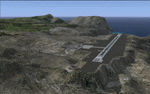
This project was begun to add the new airport (FHSH) to St. Helena Island and eventually was expanded to include a complete remake of Ascension Island (FHAW) and Tristan da Cunha (with an optional airport FHTC) and Gough Island with the actual weather station heliport (FHGH). Tested in both the default FSX/Acceleration and with FTX Global/Vector, accurate coastlines, lakes, road data, and SRTMGL1 (30m) mesh, as well as corrected landclass are provided based on the latest available satellite imagery. Flight plans are provided for the proposed commercial service to St. Helena, and some additional GA and military flights to the island are added as well.
The FSX St. Helena (FHSH) airport was created by aligning master plans for the airport with current satellite data and by studying many of the pictures that have been posted as the airport has taken shape. The official opening of the real airport on May 21, 2016, has been pushed back for more field tests due to challenging crosswinds. The Ascension Island (FHAW) airport was updated after I realized that Ascension could receive commercial service as a result of the new St. Helena airport. The entire airfield is redesigned to allow the volcanic terrain to display properly. The airbase, towns, BBC Atlantic relay station, and numerous satellite dishes, radomes, and wind turbines now appear in their real-world locations. Since I was already in the region, I added the Tristan da Cunha Islands (including Inaccessible, Nightingale and Gough Islands) and the Gough Island weather station maintained by the South African National Antarctic Programme. I also added an optional airport (and flight plans) to Tristan da Cunha (FHTC), which can be easily enabled/disabled. The FHTC airport is placed on the only part of the island that appears to be free of people or farmland, and the area is just long enough to accommodate a pared-down version of the St. Helena airport.
Updates were created or rebuilt in a manner which carefully aligns airport data with current satellite imagery. Scenery was created using Airport Design Editor X v1.67.5684, SBuilderX 3.13, and the FSX Object Placement Tool. Scenery objects were added and modified from stock FSX scenery to resemble as closely as possible the actual airports. The animated flag model is by Dietmar Loleit, the FSX apron lights included are from the set created by Jim Dhaenens, and the animated wind turbines and radomes are from the freeware package by Ray Porter.
| Filename: | St_Helena_Ascension_and_Tristan_da_Cunha_Islands.zip |
| License: | Freeware |
| Added: | 1st May 2016, 11:23:05 |
| Downloads: | 6,074 |
| Author: | Carlyle Sharpe |
| Size: | 10.52 MB |
| Category: Flight Simulator X - Aircraft Repaints, Textures and Modifications | |
| air algerie livery of wilco a340-300 |
|
File Description:
air algerie leased an a340-300 from hifly
The Airbus A340 is a long-range, wide-body passenger airliner that was developed and produced by Airbus. In the mid-1970s, Airbus conceived several derivatives of the A300, its first airliner, and developed the A340 quadjet in parallel with the A330 twinjet. In June 1987, Airbus launched both designs with their first orders and the A340-300 took its maiden flight on 25 October 1991. It was certified along with the A340-200 on 22 December 1992 and both versions entered service in March 1993 with launch customers Lufthansa and Air France. The larger A340-500/600 were launched on 8 December 1997; the A340-600 flew for the first time on 23 April 2001 and entered service on 1 August 2002.
Keeping the eight-abreast economy cross-section of the A300, the early A340-200/300 has a similar airframe to the A330. Differences include four 151 kN (34,000 lbf) CFM56s instead of two high-thrust turbofans to bypass ETOPS restrictions on trans-oceanic routes, and a three-leg main landing gear instead of two for a heavier 276 t (608,000 lb) MTOW. Both airliners have fly-by-wire controls, which was first introduced on the A320, as well as a similar glass cockpit. The later A340-500/600 have a larger wing and are powered by 275 kN (62,000 lbf) Rolls-Royce Trent 500 for a heavier 380 t (840,000 lb) MTOW.
The shortest A340-200 measured 59.4 m (195 ft), and could cover 12,400 km / 6,700 nmi with 210–250 seats in 3-class. The most common A340-300 reached 63.7 m (209 ft) to accommodate 250–290 passengers and had a 13,500 km / 7,300 nmi range. The A340-500 was 67.9 m (223 ft) long to seat 270–310 over 16,670 km / 9,000 nmi, the longest-range airliner at the time. The longest A340-600 was stretched to 75.4 m (247 ft), then the longest airliner, to accommodate 320–370 passengers over 14,450 km / 7,800 nmi.
As improving engine reliability allowed ETOPS operations for almost all routes, more economical twinjets have replaced quadjets on many routes. On 10 November 2011, Airbus announced that the production reached its end, after 380 orders had been placed and 377 delivered from Toulouse, France. By the end of 2021, the global A340 fleet had completed more than 2.5 million flights over 20 million block hours and carried over 600 million passengers with no fatalities. The A350 is its successor; the McDonnell Douglas MD-11 and the Boeing 777 were its main competitors. Lufthansa is the largest operator and the largest customer with 34 A340 aircraft in its fleet.
| Filename: | air_algerie_livery_of_wilco_a340300.zip |
| License: | Freeware |
| Added: | 29th May 2022, 17:02:17 |
| Downloads: | 165 |
| Author: | moussa cherif baya |
| Size: | 10.55 MB |
| Category: Flight Simulator 2004 - Scenery | |
| Cyprus: Airfields plus landmarks and land class for all of Cyprus and AI |
|
Images related to this file:
File Description:
Cyprus, an island in the eastern Mediterranean. Without the benefit of Ultimate Terrain, which does not exist for Cyprus, the land class provided by FS9 stands out as hopelessly inadequate. I have added the extensive farmland and the larger towns and villages, plus the major roads. Four completely new airfields are included here, three in the north and one in the south. Ercan LCEN is in the north and functions as the airport for all of the north. It was recently closed for two years while a new terminal was built and the runway updated and an apron extended etc, and during that time Gecitkale LCGK functioned (barely) as the airport for the north. Gecitkale is now hardly used at all. The third northern airfield is Ilker Karter LCIK and this functions as the HQ base of the Turkish Army Corp in northern Cyprus. The last of the new airfields is Kingsfield LCRE, which is in the Sovereign Base area to the east of Larnaca and is now used for recreational purposes. Ercan is now undergoing further expansion with a new runway and a new terminal building and apron, so this scenery is for the period between 2010 to 2015. My set up of Cyprus already included a payware Larnaca by Aerosoft (now only 12 euros) plus a freeware Paphos, Nicosia, and Akrotiri; that was my starting point. Larnaca has been the major airport for Cyprus since the mid 1970's, with a huge tourist trade that peaks in the summer but which is year long (almost a million Brits visit every year, let alone the other nationalities). I have adapted this (gate sizes etc) to allow parking by a multitude of B737's and others. Nicosia is freeware (posted in 2010) and I have included modifications to reflect its now total disuse. Paphos is at the far western end of the island and freeware, and I have modified this to allow larger and military ai aircraft to function properly; the poster improved his first version to better cater for ai but I was unaware of this and I have stayed with my modifications. Akrotiri is freeware and includes a lot of library object input from MAIW. I have modified the parking somewhat and added further residential areas and munitions storage. The AI is based upon recorded take offs and landings in April, with some further additions in later months. At Ercan the visible gate numbers on the apron are as per real life, but the numbers within FS9 reflect the fact that planes are directed to gates at the centre of the terminal building and not at the far ends. Follow the pink line and obey ATC when it says taxi to gate number 2 even if it is visibly numbered 4.
| Filename: | Cyprus_Airfields_plus_landmarks_and_land_class_for.zip |
| License: | Freeware, limited distribution |
| Added: | 13th August 2017, 21:21:46 |
| Downloads: | 940 |
| Author: | Roger Wensley |
| Size: | 29.61 MB |
| Category: Prepar3D V1-4 - Scenery | |
| EDJA Allgäu Memmingen (DE) - V1 |
|
Images related to this file:
File Description:
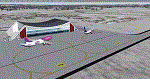
Airport: Allgäu (DE) EDJA V1
Release: January 2018
Simulation: P3D v4.1
This scenery is an update of the stock Airport (ICAO code: EDJA).
"Memmingen Airport (IATA: FMM, ICAO: EDJA), also known as Allgäu-Airport Memmingen, is an international airport in the town of Memmingerberg near Memmingen, in the Swabia region of Germany. It is the smallest of the three commercial airports in Bavaria after Munich Airport and Nuremberg Airport and has the highest altitude of any commercial airport in Germany. It is operated by Allgäu Airport GmbH & Co. KG, a limited partnership of 71 mostly local, medium-sized companies with only minor public shares.
Located about 3.8 km (2.4 mi) from the centre of Memmingen and 110 km (68 mi) from the city centre of Munich, it serves Memmingen and the Allgäu area and also provides a low-cost alternative to Munich Airport and therefore is sometimes referred to as Memmingen/Munich-West Airport or similar by some low-cost airlines, despite the fact that it is 110 kilometres from the centre of Munich. It mostly features flights to European leisure and some metropolitan destinations and handled nearly 1,18 million passengers in 2017."
Source: Wikipedia, the free encyclopedia
Link: https://en.wikipedia.org/wiki/Memmingen_Airport
What to expect?
The entire airport has been updated with correct RWY, Taxiways, APRON's, COMM's (ATIS, GND, TWR), markings and some objects. RWY 24 got it's ILS and go arround information acc. to the charts. The main Terminal is a custom building with custom day and night textures. Also all ground textures are custom made. Other objects INCLUDING the tower are from stock ADE!
In time I will add more custom buildings to further releases of this airport. Currently I have already started to work on the Tower building.
Ground textures will not receive shadows unless you turn "Buildings" receieve shadows to ON!
General:
I'm not a proffessional scenery builder or texture artist but I did try to do my best to update the stock Airport and offer it as freeware to the simming community. I have tested the scenery and did not find any issues with it. GSX services work, AI traffic with Ultimate Traffic Live works, COMM's work, APPR on ILS24 does work, and so on.
Entire work and object placing has been done using a photo overlay image from Google Earth, yet don't expect a photoreal scenery. The used background image has been removed due to Google's copyright policy.
Big thanks to the guys from FS Developer (Don, Arno) who I have kept busy during the birth of the scenery and those who offered the tools to build it (ADE, MCX, Sketchup, Gimp,...).
| Filename: | EDJA_Allgu_Memmingen_DE__V1.zip |
| License: | Freeware |
| Added: | 21st January 2018, 17:07:14 |
| Downloads: | 1,620 |
| Author: | Gerald Krutsch |
| Size: | 19.08 MB |
| Category: Flight Simulator 2004 - Scenery | |
| Stephenville CYJT in Newfoundland Canada |
|
Images related to this file:
File Description:
Stephenville is on the east coast of Canada, and the airport was an American base from 1941, when it was built, until 1966. It was named the "Ernest Harmon Airforce Base" and I will leave that for you to research if you wish to know more. Operating in my version (around 2010?) as a civilian airport, it's main features are a long 10,000 feet 09-27 runway (with ILS on 27) and acres of empty space. The runway was one of those designated as an emergency space shuttle landing runway if required. There is a shorter 20-02 runway (3,000 feet) that is not maintained during the winter (and which would be closed in 2018). The revised perimeter fence of the airport now encloses less than half of the original area, with the northern parts replanned as an industrial park. The attached screenshot from Google Earth shows this, and also that the main operating part of the airport is at the western end of the main runway, with only one hangar connecting to the runway from the eastern end. Like Gander, the airport is still shrinking, with taxiways and aprons not maintained (particularly in the winter) or even formally closed, and flight numbers falling. Until the early 1990's Stephenville was serving most of western Newfoundland and Air Canada, for instance, was one of the airlines that flew there. Deer Lake took over this task for western Newfoundland when the Provincial Government so decided. Stephenville remains as a port of entry, and planes with a total of 30 or less passengers can still be serviced there. My version is a mixture that cannot be precisely dated. For instance, I know there was a large hangar there until 2013 but as I do not have any photos to make it I have shown only the concrete square where it formerly stood. So 2008 or 2013, or somewhere in between? I have the airport being served by Provincial Airlines and also by Porter, though in fact Porter only flew there during the Summer months; I say "flew" as right now all flights are of course almost totally non-existent. As with Gander, I have made it clear which of the taxiways and aprons are still in regular use by showing them as asphalt, while those in the process of decaying disuse or removal are in the darker gravel or tarmac textures; this is somewhat realistic as when asphalt aprons are "ploughed" for removal the darker underside becomes visible. I have also shown the areas that now form part of the Industrial Park as cement, as this better matches the Ultimate Terrain road texture. It may seem odd that the new Canadian Coastguard hangar is not properly served by an asphalt taxiway instead of sitting on an apron that is not cleared in the winter, but it caters (mainly?) for helicopters. The original coastguard hangar is the large and decrepit one in the northeastern corner of the airport. Almost all of the buildings within the original perimeter of the airport are fairly accurately replicated here, whether still in use (Road Maintenance Department, Garbage Disposal, Armour Trucking Company, etc) or vacant (including the very strange atom-bomb-proof buried shelter) or still part of the airport (the east side of the main apron with Shell to the north, then the terminal, the Marine Institute, etc). The AI included here (a revised Gander AI) is for daily flights by Provincial Airlines, Porter, and some charter planes and GA. You will see, once the scenery is installed, that like Gander there two scenery folders called "Scenery summer" and "Scenery winter". Obviously in August you will want the summer scenery and you get this by editing the folder name down from "scenery summer" to just "scenery" and FS9 loads the summer ground textures. If FS9 decides that there is snow on the ground then you need the winter textures which do not show the aprons or taxiways that do not receive winter maintenance. One thing you must NOT DO is to edit both folders down at the same time.
| Filename: | Stephenville_CYJT_in_Newfoundland_Canada.zip |
| License: | Freeware, limited distribution |
| Added: | 24th June 2020, 18:01:58 |
| Downloads: | 233 |
| Author: | Roger Wensley |
| Size: | 43.78 MB |
| Category: Prepar3D V1-4 - Utilities | |
| Flightplan Visualizer 1.12 |
|
Images related to this file:
File Description:
Flightplan Visualizer (FV) version 1.12.0. Copyright 2018-2019 by Pelle F. S. Liljendal ([email protected]), all rights reserved.
FV comes with 540 pre-imported Commercial AI flightplans (+380 BizJet flightplans are available as a separate download). However you are able to import additional (AI) flightplans yourself. Once imported these (AI) flightplans can be visualized on a map-view, and the user will be able to search accross all these. Hence you can use the program as inspiration as to which routes to fly. E.g. you can search across all imported flightplans to find all flights in an A321 flying into/out from LDDU, or simply to look for all flights in a Boeing 747-8F.
Simply run the included installer to install the software. The program will be installed into "C:\Program Files (x86)\Flightplan Visualizer" and all datafiles will be installed into: "C:\Users\[UserName]\AppData\Roaming\FlightplanVisualizer". The program comes with a full manual explaining everything, and a 3 page quick manual to get you started. The first 3 times you run the program the quick manual will automatically open. The forum is hosted here: https://forum.aerosoft.com/index.php?/forum/919-flightplan-visualizer/
Version 1.12 Contains the following changes: ⦠Ability to automatically check for available program-updates. The actual download of the new installer is still a manual process, but the program will at least list the download-URL. However You cannot see this feature in action until the next version will be released ;-) Updated the flightplan file-format to accommodate changes in the latest versions of (AI) flightplans. The program remains backward compatible and can still read older flightplans, however these might “miss†some (at this time) non-essential information. As a result all “Wi18-19†and “Su19†(and a few “Su18) flightplans have been re-imported and have been bundled with the version 1.12 installer, using the new file-format. Added new "Generate redirection report" button to the redirection edit form. Pressing this button will generate- and display a report of all active pseudo airports and redirections per flightplan. Added new menu-item to re-process all flightplans, according to specified airport-redirections. The "UserAirportRedirect.xml" file bundled with the installer have been updated, based on output from the new "Generate redirection report". These updated airport-redirections have been used to re-process/update all flightplans bundled with the installer. Buttons have been added to the "Leg Info" which allows you to transfer data for a particular leg/flight from FV to SimBrief in order to kick-start your "paper work" for a flight to fly. The "Leg Info" form also got buttons to show decoded METAR/TAF, and the raw METAR/TAF is also embedded in the text copied to the clipboard (when pressing the appropriate button). In settings you can now speficy the path of the folder holding the files that MakeRunway generates (if not specified it will use the UserData folder). Once set to the folder where MakeRunway generates its files (e.g. the P3D folder), you only have to run MakeRunway, you no longer have to copy the 3 files to the UserData folder. A few new traffic-charts were added to the "Airport Info" form (traffic per: region, sub-region and country), and a combo-box was added to switch between inbound- and outbound-traffic. The "Nearby Airport" form that can be opened from the "Flightplan Import" form now have an extra comment-column with information about the non-pseudo/pseudo airports. The comment column on the airport tab-sheet of the "Flightplan Import" form now also contains more info about non-pseudo/pseudo airports. The Generic Randomizer form got a new button called "Pick random flight", which will display info for a flight, randomly picked from all flights for the selected flightplan, or last search. In the "Search legs" form, you can now enter multiple ICAO-codes (separated by comma) to search for flights to/from these (e.g. search for all flights to/from EBLG or ELLX, by entering "EBLG,ELLX"). If you press SHIFT while clicking the airport browser button, the selected airport will be added to the comma separated list. If you do not hold SHIFT, the list will only contain the newly selected airport. Added support for using FS Global Real Weather (FSGRW) as a Weather provider for METAR-messages (FSGRW does not support TAF-messages). To use FSGRW you must go to settings and specify a full path (including filename) of the file generated by FSGRW. When editing a flightplan the user will be warned if trying to close the form, if changes were made. The menu-item to generate report with all defuct-/obsolete flightplans have been removed from the main-menu, but can now be generated using a button on the "Enable/disable flightplans" form. Now all applicable authors are shown when hoovering the mouse over the flightplan combo-box when a search is active. In previous versions the "Edit" buttons next the flightplan combo-box (on the main form) was only active when a flightplan was selected. Now its also active when "[Last Search]" is selected. However it will instead launch the "Search Legs" form, where you can then edit the criteria of the search. A few airports and airlines have been added/updated in the data-files bundled with the updated installer to accommodate the additional bundled flightplans. The Beluga XL Freighter was added as well as many of the other aircraft were updated with various changes. Added support for a bunch of military aircraft: A6/AE6, A10, C5, C17, E2, E3, EF2000, F14, F15, F16, F18, F22, F35, F111, F117, JAS39, KC10, KC135, MiG 21/23/25/27/29/31, Mirage III/5/2000, Rafale, SU 17/20/22/24/25/27/30/32/34, V22. New "Exclude military aircraft" setting have been added (defaults to true). When true military aircraft will not be shown (can be changed in the settings form). Added new menu-item to load/display current log-file. FV tend to be somewhat memory-hungry while (re)loading all active flightplans, and you might see a peek in memory consumption. But from this release and forward it will try to free up most of the memory once all flightplans have been loaded. Minor changes to the "Enable/disable flightplans" form, to make it more responsive, and added a progressbar that is visible while flightplans are being moved, copied or deleted. Fixed: issue when trying to import a flightplan zip-file containing multiple "Flightplan_XXX" files. If the same zip contains multiple sets of matching files (Flightplan, Aircraft and Airport) the user will now be presented with a combo-box from where the user can pick which set of files to import (only the flightplan-file will be shown). Fixed: The file "f5.csv" was missing from previous installers. Fixed: issue with pseudo-airports when using the "Nearby airports" tab-sheet in the Airport Info form. Fixed: Saving a flightplan that was edited, it would try to save it in the (flightplan) [ROOT] folder even if it was loaded from a sub-folder. Now it will always try to save it in the same location with the same filename. If you want it saved elsewhere/with another filename use the "Save As" button in stead. Imported flightplans will still be saved to the [ROOT] flightplan folder. Fixed: Pressing ENTER in the Flightplan import/edit-form while the comments-field had focus, would close the form (saving the flightplan). Fixed: Result-viewer will no longer display with all text selected. Fixed: METAR/TAF decoder will no longer display with raw-message selected. Fixed: In some cases the program needed to be restarted if changes were made to the weather-provided data in the settings-form. Installer: Comes with +30 new pre-imported (Summer 2019) flightplans of which some are replacements of obsolete flightplans (from previous installers), and 2 of the "old" flightplans have been marked as defunct.
Pelle
| Filename: | Flightplan_Visualizer_112.zip |
| License: | Freeware, limited distribution |
| Added: | 23rd August 2019, 17:15:13 |
| Downloads: | 195 |
| Author: | Pelle Liljendal |
| Size: | 30 MB |


© 2001-2026 AVSIM Online
All Rights Reserved
Privacy Policy |