
Where Flight Simulation Enthusiasts Gather from Around the World!
AVSIM Library - Search Results

| Category: Flight Simulator 2004 - Aircraft Repaints, Textures and Modifications | |
| MedJet Beechcraft 400A - two versions |

|
File Description:
MedJet (not sure if they fly the Beech 400 - in fact not usre that they actually have any aircraft... Websearch kept directing me to a world wide medical insurance plan... so they may use member ambulance services... but did see a couple of photos with Medjet on he side of Lears)
Two aircraft- one is an air ambulance the other for medical charter. In case you are like me and use panels with cockpit views, have included two "rear" views of a Beech interior... a rather "business like interior... non-posh ... found a picture of an aircraft interior that was an air ambulance - not a beech - "lifted the Air Stretcher out of the photo and trimed and pasted it to the beech interior to distinguish the two.. so if you choose you can do same for your panel.. I use the same panel for both with the different "rear" view ... just copy the panel and rename it .... in my case... I have panel and panel.1 - with one for charter the other for air ambulance... just make the change in the conifg file... texture= (for the panel) and texture=1 for the the second panel... takes up a bit more space on your HD... but not all that much.. depending on your panel size. If you have any questions or comments.. please do drop me a line
[email protected]
| Filename: | MedJet_Beechcraft_400A__two_versions.zip |
| License: | Freeware |
| Added: | 31st December 2004, 18:20:34 |
| Downloads: | 585 |
| Author: | Henry Tomkiewicz, Dale Caruso |
| Size: | 3.8 MB |
| Category: Flight Simulator 2004 - Utilities | |
| FsPassengers (ver 05 september) |
|
File Description:
FsPassengers 2004 is an add-on for Flight Simulator 2004 that will completely revolutionize the way you fly in Fs2004. Here
are just some of the features of FsPassengers 2004: Add passengers to your flights! Finally, you're not alone in the sky.
Passengers react to how you fly your plane. Hear them scream if you make drastic mistakes, and get their opinion of your
flight in real time. Provide in-flight passenger services such as movies, music, and drinks. Make money for successful
flights; be fined if you do something wrong. Manage an airline (make money, manage aircraft fleets, etc). Maintain your
aircraft in good condition, otherwise you may experience unique and suprising failures. Create and maintain pilot careers.
Keep detailed logs and statistics for every flight you make (great for virtual airlines). Fly through dangerous parts of the
world, and risk the safety of your plane, crew, or passengers! Export your flight to your Virtual Airline. This add-on
includes more than 200 in-flight sounds to immerse you in the ambiance of flight. Hear feedback from your co-pilot, flight
attendants, passengers; listen to ATC chatter, music, GPWS, and more. All screens and reports work in full screen. No need to
quit FS. - This demo is fully functional apart that you can only start a flight from San-Francisco area (but you can land
anywhere)
| Filename: | FsPassengers_ver_05_september.zip |
| License: | Shareware, limited functionality |
| Added: | 5th September 2005, 17:01:18 |
| Downloads: | 9,751 |
| Author: | Daniel Polli |
| Size: | 26.19 MB |
| Category: Flight Simulator 2004 - Scenery | |
| Monterey Academy CA66 California Scenery |
|
File Description:
This is a scenery upgrade for Monterey Academy Airstrip, California (CA66). This is part Seven of a
series of small airstrip and minor airfield scenery enhancements which are based on real world data
from Google Earth.
Changes to default include an AFCAD file that covers some of the buildings that seem to be
associated with the airstrip, Landclass change to reflect the fact that the strip lies in agricultural
ground rather that the scrubland the default has it in. Note that the buildings are used to appear
the same as they do from directly above rather than a genuine representation of what is probably
there. So from ground level it will look a lot different to the real thing should you be familiar with it!
This is due to the limited number of buildings available ATM.
Also My screenshots are using Flight1 Ground Environment textures, so your land may look different
if you have the default terrain.
Thanks to Jon "Scruffyduck" Masterson for tutorials on LC and scenery design.
Built using EZ_Scenery, Lee Swordy's AFCAD and SBuilder. You must have rwy12 and EZ scenery
libraries installed for the buildings to show, both libraries of objects are free
EZ Library is available from this URL http://www.abacuspub.com/pub/AbacusEZLibraries.exe
rwy12 from Avsim and additional EZ Custom libraries from Avsim also, search under Scenery design.
| Filename: | Monterey_Academy_CA66_California_Scenery.zip |
| License: | Freeware |
| Added: | 25th March 2006, 23:10:11 |
| Downloads: | 589 |
| Author: | Kim Gowney |
| Size: | 250.98 KB |
| Category: Flight Simulator X - AFCAD Files | |
| Blairstown Airport (1N7), NJ |
|
File Description:
Located 02 miles SW of Blairstown, New Jersey on 151 acres of land, Blairstown Airport is privately owned by J.D. Air Inc. and is home to a moderate number of small GA planes and gliders. This scenery is not completely up to date, as the MegaScenery Earth textures themselves are outdated. Missing are the added taxiway/parking lot north of the existing north taxiway as well as the second hangar area to the north that it leads to. Parking is available on the south tarmac but if that's all taken there is room just to the west in the taxiway offshoot. Also room on the grass, although stay south of the windsock to avoid interfering with glider operations. Glider pilots that wish to start on the grass, select either Runway East or Runway West. Fuel is available by stopping near the gas tank on the south tarmac.
Scenery constructed with use of satellite images/streetview, the author has not been there in person.
This scenery is meant to be used in conjunction with MegaScenery Earth New York 007. It is not required, but apron use is minimized to allow satellite scenery to show through as much as possible, and objects are placed based on the MSE textures - lack of it may make scenery look out of place.
| Filename: | Blairstown_Airport_1N7_NJ.zip |
| License: | Freeware |
| Added: | 8th October 2010, 20:22:59 |
| Downloads: | 247 |
| Author: | Drew Sikora |
| Size: | 576.39 KB |
| Category: Flight Simulator X - AFCAD Files | |
| Princeton Airport (39N), NJ |
|
File Description:
Located 03 miles N of Princeton/Rocky Hill, New Jersey on 100 acres of land, Princeton Airport is a public airstrip. Fuel is available by parking next to the fuel tank - make sure you leave yourself enough room to get back out! (The block of static aircraft parked near the fuel area have collision disabled). This airport offers hangar space for transient aircraft, and as such 5 hangars are open that you can park in - the large hanger and the 4 surrounding it, 2 to the north and 2 to the south. The large hangar has operating doors - the frequency to open them is posted on the hangar doors. You can also choose to start in one of the hangars by selecting a DOCK parking space when positioning yourself at the airport. Docks 16 & 17 are the two small north hangars, Dock 20 is the large central hangar and Docks 18 & 19 are the two small south hangars.
Scenery constructed with use of satellite images/streetview, the author has not been there in person.
This scenery is meant to be used in conjunction with MegaScenery Earth New Jersey/Delaware 001. It is not required, but apron use is minimized to allow satellite scenery to show through as much as possible, and objects are placed based on the MSE textures - lack of it may make scenery look out of place.
| Filename: | Princeton_Airport_39N_NJ.zip |
| License: | Freeware |
| Added: | 21st November 2010, 09:01:50 |
| Downloads: | 310 |
| Author: | Drew Sikora |
| Size: | 1.26 MB |
| Category: Flight Simulator X - AFCAD Files | |
| Vliet Airport (6NJ1), NJ |
|
File Description:
Located 02 miles SE of Washington, New Jersey, Vliet Airport is a private turf field. Trees border the runway on three sides, and a dirt mound and semi-truck are also obstacles to watch out for at the end of Runway 06 if you land long. At 1300' feet, it is a very short runway so make sure you check the capabilities of your aircraft before attempting to either land or take off here! Don't forget that in order to clear trees, usable runway space is closer to only 1000'. This airport has no lighting so daytime VFR operations only are recommended. Take note that there is also no wind sock, so be sure you are aware of the weather conditions prior to arriving/departing. There is also no hard-surfaced runway and you will be landing on terrain so it's suggested you have your mesh resolution slider as high as possible.
Scenery constructed with use of satellite images/streetview/aerial photos - the author has not been there in person.
This scenery is meant to be used in conjunction with MegaScenery Earth New York 007. It is not required, but apron use is minimized to allow satellite scenery to show through as much as possible, and objects are placed based on the MSE textures - lack of it may make scenery look out of place.
| Filename: | Vliet_Airport_6NJ1_NJ.zip |
| License: | Freeware |
| Added: | 8th February 2011, 23:20:47 |
| Downloads: | 182 |
| Author: | Drew Sikora |
| Size: | 375.28 KB |
| Category: Flight Simulator X - AFCAD Files | |
| Wide Sky Airpark Airport (JY31), NJ |
|
File Description:
Located 03 miles NW of Bridgeton, New Jersey on 23 acres of land, Wide Sky Airpark Airport is a private turf field 2550' in length. There is no fuel available, but there is tiedown space by the main hangar in the middle of the field to the west. You can start in the parking spot there if you have a plane with 40' or less wingspan (collision with static aircraft is disabled so you can put a bigger plane there if you wish with no trouble). The windsock is not lit at night and is located atop the south end of then main hangar's roof. The field is hedged in to the east with bushes but they do not cause aircraft collisions. The runway is lit for night VFR operations. There is no hard surfaced runway so set your terrain mesh settings as high as possible to enjoy rolling around on bare bumpy terrain.
Scenery constructed with use of satellite images/streetview/aerial photos - the author has not been there in person.
This scenery is meant to be used in conjunction with MegaScenery Earth New Jersey/Delaware 004. It is not required, but apron use is minimized to allow satellite scenery to show through as much as possible, and objects are placed based on the MSE textures - lack of it may make scenery look out of place.
| Filename: | Wide_Sky_Airpark_Airport_JY31_NJ.zip |
| License: | Freeware |
| Added: | 10th May 2011, 13:40:36 |
| Downloads: | 157 |
| Author: | Drew Sikora |
| Size: | 1.27 MB |
| Category: Flight Simulator X - AFCAD Files | |
| Trenton-Robbinsville Airport (N87), NJ v1.1 |
|
File Description:
Located 01 miles E of Robbinsville, New Jersey on 139 acres of land, Trenton-Robbinsville Airport is a public asphalt strip 4275' in length. Airport improvements over stock include non-precision runway markings added, PAPI lights placed accurately and glide slopes adjusted, segment circle rendered and all parking locations placed. If a parking spot is labeled RAMP_GA it is occupied or blocked by a static scenery object and should not be selected by the user. (All static scenery by parking locations has collision disabled). All tiedown locations are RAMP_GA_SMALL that can accommodate planes with wingspans up to 40 feet. There is hangar parking, noted by a DOCK_GA parking identifier, that can handle aircraft with wingspans up to 60 feet. Fuel is available by stopping next to the fuel tank in the middle of the tarmac area. Windsock (wind tee within seg circle) is out of service indefinitely. Scenery constructed with use of satellite images/streetview/aerial photos - the author has not been there in person. This scenery is meant to be used in conjunction with MegaScenery Earth New Jersey/Delaware 002. It is not required, but apron use is minimized to allow satellite scenery to show through as much as possible, and objects are placed based on the MSE textures - lack of it may make scenery look out of place.
| Filename: | TrentonRobbinsville_Airport_N87_NJ_v11.zip |
| License: | Freeware |
| Added: | 17th July 2011, 02:18:52 |
| Downloads: | 208 |
| Author: | Drew Sikora |
| Size: | 965.92 KB |
| Category: X-Plane - Aircraft Repaints, Textures and Modifications | |
| 118527 "Jiminy Cricket" Douglas C-47D |
|
Images related to this file:
File Description:
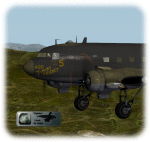
This is a livery-paint for the Leading Edge Simulations Douglas DC3/C47.
Paint made by Leen "Flybike" de Jager
This paint depicts (more or less,within the limitations of the model and its painter) the C47-D ,118527 "Jiminy Cricket "
Historical Note:
"Jiminy Cricket" is depicted as it flew for the Sicily operation in improvised night camouflage.
It was one of the original 52 C-47s that deployed to Egypt with the 316thTCG in December 1942.
"Jiminy Cricket" was one of the first from the 316th Sq.
ATC, to visit Project 19, delivering worn out parts and returning rebuilt
engines to the RAF. It eventually took part in the invasion of Sicily,
where, the pilot, Sgt. George Quisenberry received wounds from German FLAK.
The shell destroyed the nose of the Aircraft, knocking out all instruments
except the stand by compass. Jiminy carried the crew back with nothing but
the moon and the sticking standby compass. Jiminy Cricket was repaired and
served through May 1, 1947, then was "salvaged"
The skin-set includes cockpit- and (freighter-) cabin textures as well.
Passenger-seats, luggage-racks ,airco etc.removed from the plane.( its a freighter now !!)
Livery dedicated panel and cockpit colors
How to install:
Just unzip118527JiminyCricket.zip into a temp. folder , and start reading the readme file.
Have fun and enjoy,
Leen "Flybike" de Jager
http://www.flybike-paints.nl
| Filename: | 118527_Jiminy_Cricket_Douglas_C47D.zip |
| License: | Freeware, limited distribution |
| Added: | 22nd June 2013, 16:59:45 |
| Downloads: | 183 |
| Author: | Leen "Flybike" de Jager |
| Size: | 40.26 MB |
| Category: Prepar3D V1-4 - Utilities | |
| AICull In-Sim Traffic Density Setting Tool |
|
Images related to this file:
File Description:

AICull v1.0.1 is a simconnect utility designed to provide AI traffic limiter options from within the P3D simulation via a menu system located under the “Add-ons†menu. AICull uses a “Smart Retain X Current ICAO†mode (accessible via the AICull in-sim menu under add-ons) that automatically maximizes arrival and departure activity at the user’s current ICAO while still retaining “X†number of AI. Alternately,the user can chose to simply retain “X†number of AI closest to the user’s aircraft. AICull also provides the options to limit AI traffic to the user’s departure and destination airports (if a P3D flight plan loaded). In all of the above cases, exceptions can be made for enroute AI (e.g., higher than 10,000 ft AGL or 18,000 ft AGL). The user can also customize preset values for the “X†retention number. AICull works best for .bgl file based traffic solutions (e.g., AIG). Although AICull will also work with simconnect-based traffic injectors (e.g., UTL), they typically perform their own AI traffic limiting and may also re-inject traffic that AICull deletes. AICull require the installation of FSUIPC v5 or later, registered (preferred) or unregistered. AICull is fully compatible with AIFlow and AIGround. Ver 1.0.1 FIX: changes to AICull.ini file not being read.
| Filename: | AICull_InSim_Traffic_Density_Setting_Tool.zip |
| License: | Freeware |
| Added: | 10th July 2020, 18:21:59 |
| Downloads: | 702 |
| Author: | Roland Foster |
| Size: | 946.98 KB |


© 2001-2026 AVSIM Online
All Rights Reserved
Privacy Policy |