
Where Flight Simulation Enthusiasts Gather from Around the World!
AVSIM Library - Search Results

| Category: Flight Simulator X - Scenery | |
| EETN TALLINN X DEMO |

|
Images related to this file:
File Description:
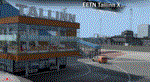
EETN TALLINN X DEMO features an extremely detailed scenery of EETN Lennart Meri Tallinn Airport in Tallinn, Estonia, fully compatible with FSX, FSX:SE, P3Dv1, P3Dv2, P3Dv3, P3Dv4 and FSW.
It's a fully functional DEMO version of the commercial payware product. It features same airport layout as in the full version but with limited 3D objects and low resolution textures. Using this free demo ensures no problems with online (VATSIM, IVAO, multiplayer etc.) flying in case some users use the payware scenery and some don't.
Lennart Meri Tallinn Airport (TLL / EETN) is the largest airport in Estonia and home base of the national airline Estonian Air. The airport has a single asphalt-concrete runway that is 3070 metres long and 45 metres wide (large enough to handle wide-bodied aircraft such as the Boeing 747).
It's equipped with an automatic installer, which means that the scenery will be automatically added to the Flight Simulator Scenery Library.
Please uninstall all previous versions of this airport you may have installed before. Please make also sure that no duplicated AFCAD files are installed.
Enjoy your virtual flying with Drzewiecki Design!
| Filename: | EETN_TALLINN_X_DEMO.zip |
| License: | Freeware, limited distribution |
| Added: | 4th February 2018, 05:51:28 |
| Downloads: | 2,502 |
| Author: | Drzewiecki Design |
| Size: | 10.36 MB |
| Category: Flight Simulator 2004 - AI Aircraft | |
| China Airlines Boeing 747-400 PW 'Millennium Dragon' |
|
File Description:
This is a repaint of AIA Boeing 747-400PW in the special "Millennium Dragon" livery of China Airlines. Well, to my knowledge this livery was supposed to be painted on a CAL 747-400 to celebrate the year 2000, the year of the Dragon and a special Dynasty package was prepared too including a 747-400 model aircraft repainted in this color scheme. I'm not sure if they used that special livery or not (for I could not find
any pic of it), but fortunately a friend had its model aircraft and I used it as my repainting model. Oh
yes, I know it's neither the millennium, nor the year of the Dragon but I did it for two reasons: first
because I was born in the year of the Dragon (7/22/1976 8;) and second because I'm in a Chinese
mood (nope, I'm a Persian girl!) wishing to do something related and repainting this could somehow
satisfy me (can anybody please translate the Chinese words written next to the name of the airline in
that red stamp like thing)!! I hope that you'll like this and use it in your AI traffic 8;D
| Filename: | China_Airlines_Boeing_747400_PW_Millennium_Dragon.zip |
| License: | Freeware |
| Added: | 12th July 2004, 22:29:19 |
| Downloads: | 2,665 |
| Author: | Pantee Farhangi, AI Aardvark |
| Size: | 976.5 KB |
| Category: Flight Simulator X - Aircraft Repaints, Textures and Modifications | |
| Just Flight DC-10-30F TAB cargo CP-2555 |
|
File Description:
TAB cargo (Transportes Aereos Bolivianos) is a cargo airline that currenty has an MD-10-30F that usually make international routes from the airports of SLLP, SLCB, SLVR to KMIA and SPJC mainly, and a Hercules C-130 that covers National routes mainly to airports with low equipment and preparation in Bolivia.
The DC-10-30F CP-2555 (the one in the photo) was retired not long ago due to its useful age, it flew approximately 45-50 years from his first operator, which if I'm not wrong was Mexicana de Aviacion.
It should be noted that this DC-10-30F and C-130 made a special operation helping to transport wild lions from caged circuses and victims of animal abuse for a long time in Bolivia (there were 25 lions), and took them to the United States for their respective release. This operation came out as a documentary called "Ark of the Lions (Arca de leones)" documentary that was even recognized and awarded, even came out on documentary channels known as National Geographic.
Without a doubt this plane had a lot of history, enjoy it.
| Filename: | Just_Flight_DC1030F_TAB_cargo_CP2555.zip |
| License: | Freeware |
| Added: | 14th March 2020, 19:18:26 |
| Downloads: | 153 |
| Author: | Gabriel Mercado |
| Size: | 28.53 MB |
| Category: Flight Simulator X - AFCAD Files | |
| KLEX - Blue Grass Airport - Lexington, Kentucky |
|
Images related to this file:
File Description:
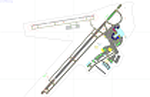
This airport update was made with the latest version of ADE (Airport Design Editor) and made for FSX as a replacement for the stock (default) airport. I've made several changes to the airport which are listed below. All these enchancements are as close to the real airport as I can get with stock library objects. I've used satellite images, terminal photos and maps throughout the whole process so building locations are as accurate as possible. Happy landings in charming Kentucky!
Features:
*Expanded parking apron
*Taxiways properly desginated
*Runway 8/26 renamed to 9/27 and moved to correct location as FSX had it completely wrong, appropriate taxiways have been repositioned and/or removed as well as per latest airport diagram
*Completely redesigned main terminal building with accurate airline assigned gates
*Seperate parking areaa for GA traffic
*Misc airport buildings added
*Airport vehicles and objects throughout the airport
*Fuel tanks and vehicles
*Fire station and vehicles
*De-icing trucks
*Static aircraft
*Autogen removed from a few areas around the airport as several buildings were popping up on airport property and a few trees were too close to runway
| Filename: | KLEX__Blue_Grass_Airport__Lexington_Kentucky.zip |
| License: | Freeware |
| Added: | 22nd December 2012, 00:03:01 |
| Downloads: | 599 |
| Author: | Jaison Diaz / Endeavour ai |
| Size: | 153.05 KB |
| Category: Prepar3D V1-4 - Utilities | |
| Flightplan Visualizer 1.17 |
|
Images related to this file:
File Description:
Flightplan Visualizer (FV) version 1.17.0. Copyright 2018-2020 by Pelle F. S. Liljendal ([email protected]), all rights reserved.
FV comes with 783 pre-imported Commercial AI flightplans (+380 BizJet flightplans are available as a separate download). However you are able to import additional (AI) flightplans yourself. Once imported these (AI) flightplans can be visualized on a map-view, and the user will be able to search accross all these. Hence you can use the program as inspiration as to which routes to fly. E.g. you can search across all imported flightplans to find all flights in an A321 flying into/out from LDDU, or simply to look for all flights in a Boeing 747-8F.
Simply run the included installer to install the software. The program will be installed into "C:\Program Files (x86)\Flightplan Visualizer" and all datafiles will be installed into: "C:\Users\[UserName]\AppData\Roaming\FlightplanVisualizer". The program comes with a full manual explaining everything, and a 3 page quick manual to get you started. The first 3 times you run the program the quick manual will automatically open. The forum is hosted here: https://forum.aerosoft.com/index.php?/forum/919-flightplan-visualizer/
Version 1.17 Contains the following changes:
- A big Thank You to Alex for the donation, it is appreciated ... You are actually the first one to donate, but then again I never expected to get rich writing this software :-)
- Both version 1.16 and 1.17 are mandatory, so if updating from a previous version you MUST install/run both versions as outlined on the forum. Running version 1.17 will forcefully update all flightplans to the latest file-version, as version 1.18 will remove some of the backward comparability.
- Added support for importing flightplans from the new .aigfp file-format used by Alpha India Group. Export of flightplans (in aifp-format) is disabled for flightplans originally imported from .aigfp files, because the repaint-info is not imported from these.
- Beside the supplied aircraft-types contained in the ("factory") aircraft-database, users can now add their own user-aircraft, both in form of owned (flyable) 3rd party aircraft and aircraft-types (used in flightplans, or as basis for owned aircraft).
- Added support for Helicopters (simply created the "aircraft" with the engine-type set to "Heli"). They will be listed/treated as an "aircraft" with a specific engine-type (and in stead of a "wingspan" they have a "rotor diameter").
- Many reports have been added to list "suitable" substitute aircraft based on match-score (a value between 0 and 100, where 100 is a perfect match). Likewise reports have been added to visualize repaints that you have, and those you might be "missing" for a particular aircraft/airline.
- In form leg-info you can now "tag" a leg by pressing the new "Tag" button. Doing so will add the leg to the new "Tagged legs" menu-item found in the "Misc" menu. This menu can contain the last 10 tagged legs (flights). Selecting any of these 10 menu-items will open the leg-info form and show the details of the tagged leg.
- The AIG flightplan download-form will now only pre-select flightplans with a new season or a new revision, as you have to pay attention to flightplans with status "Not installed" since the reason these are not installed can be due to airlines being defunct or have changed their names.
- The AIG flightplan download-form now have 2 numbers above the list-view. The first tells the number of flightplans being listed for the selected season, and the 2nd number in parentheses tells the number of checked flightplans. So choosing a season, you can simply look at the number in the parentheses to see the count of new seasons/revisions to install (without the need to scroll throgh the list).
- The "Defunct list" (list of all defunct airlines, as marked by AIG) that can both be displayed in the "AIG flightplan downloader" and the "Enable / disable flightplans" forms, is now both sorted by Name (first) and by ICAO (last), making it more easy to look for a particular airline.
- The Leg-info and Edit flightplan -forms now both list the (flightplan) sub-folder name and the name of the original imported filename (in case you need to see the version/revision number that AIG append to this filename).
- The same sub-foldername and original imported flightplan filename are also added in the top when generating a leg-info report.
- If the departure/destination airports have gates marked as favorites, or gates with comments, therse are added to the leg-info report. E.g. "Gate G47 (36.0): B744F, no-jetway", where "36.0" is the radius of the gate (in meters), and "B744F, no-jetway" is the comment.
- Many "behind the scene" changes were made to the Leg-info report, and more data have been added (e.g. carrier/operator-callsign, time-zone/offset, airport-size, rank and traffic-density).
- Added a button to the Leg-info form to show list of possible substitute aircraft, sorted by scored (based on how well these match the parameters of the original aircraft).
- Internally the program stores- and perform all weight-calculations in lbs, however in settings you can now choose if weights should be shown in lbs or kg.
- Using EOW- or MTOW- filter sub-type in the aircraft filter the specified weight will now be according to the chosen weight-unit specified in the settings form (in previous version it was fixed to be lbs).
- Obtaining METAR/TAF messages from the internet takes a few fractions of a second, hence the "Show as Report" button on the Leg info form, now contains an asterisk until the METAR/TAF messages have been obtained, as these would otherwise appear as "not obtained" in the generated report. So if you need these messages in the report, you should wait pressing the "Show as Report" button, until the asterisk is removed.
- The form for creating user-airlines now contains a "Lookup" button that lets you search for airlines, so you can check if an airline already exists before creating it as a user airline.
- Airlines without official iCAO/IATA-codes are sometime created with an artificial ICAO code of "---". Airlines with this ICAO-codes are no longer listed as alternatives.
- Reordered the two "fields" in the "Min. Rank" and "Min. Traffic-density" combo-boxes, to make it more easy reading- and picking- the correct.
- Improved scanning of readme-files during import (more files are excluded such as "Repaints.txt").
- Changed the default size of the about-form, to make it more easy to being reading the history-text without having to first resize the form.
- All forms in FV have been made with a HD resolution (1920x1080) in mind. Some users are running at this resolution, but have chosen to scale the font-size to 125%. If doing so, some forms were not fully visible. Hence there is now a new setting item called "Reduced desktop". If defaults to be disabled, however once enabled some forms will be reduced in their size (e.g. the flightplan-, airline and aircraft- list-views in the Leg Search form will be more narrow, allowing the form to be fully visible).
- The country sub-filter no longer supports wildcards (nor partial codes), but now it accepts both 2 and 3 letter (ISO) country-codes. The filter-text will be colored red, if an invalid country-code is entered.
- The result-viewer now have a "Save as" button that allows you to save its content. Also an "Enable edit" check-box have been added, which puts the text-box into edit-mode, so you can change its conent (e.g. before copying to clipboard, or saving to disk).
- Right-clicking the main-map there is now a menu-item to show country, time-zone/offset (as a hint) at the GPS-position of the mouse-cursor. These information are downloaded from the web, hence there will be a small delay.
- Added more logging, to better identify which actions might have led to the program displaying an error-message. Also tweaked the log-format a bit to make it more readable.
- Updated all external libraries to the latest versions.
- Added release dates for each version in this version-history text.
- Fixed: If marking gates as favorites or adding comments to gates these data were not saved unless other user-data were added to the airport (e.g. marking the airport as favorite, setting rank/traffic-density, manually specifying size, taxi-in/out times, entering comments or hint-text for the airport).
- Fixed: If changing the ICAO-code of a user-airline, the alternative-list was not updated until next time the form was opened. The form also got a minor optimization in the process. When editing an user-airline you can now press enter in stead of clicking the "Save" button (as long as the Comments field does not have focus).
- Fixed: In a few cases the week-number was not calculated correctly for multi-week flightplans.
- Fixed: In some cases the week-day was still shown as a "name" (2 letters), even if the user had selected to display these as numbers in settings.
- Fixed: Aircraft/Airline search forms would not perform initial search when opening the form, if the search-text was blank. You had to enter a letter, and delete it again, before the search was performed.
- Fixed: Aircraft search form did not use natural-sort when sorting by name (e.g. "CRJ1000" was listed before "CRJ200").
- Fixed: Setting core-affinity to a non-zero mask, and change it back to zero, it would not return to its initial state (e.g. all cores selected) until the program was re-started.
- Data: Updated a few airports with missing country-code and/or missing time-zone.
- Data: A few new aircraft were added and some aircraft were split in dedicate pax/freight-versions.
- Data: A few helicopters have been added.
- Data: Aircraft-data updated as there were still a couple of freighters with non-zero passenger-count. Also the weight constraints were updated for A LOT of aircraft.
- Data: Cumulative aircraft-types (such as "[32S] Airbus A318/A319/A320/A321") are now removed in many views, unless the type is in use by at least one active flightplan.
- Flightplans: Compared the list of flightplans bundled with FV to the list of flightplans available in AIG AIM. This meant a few flightplans were marked as defunct (and removed from the installer) and a few missing were added (primarily from 2017).
- Flightplans: The first Summer 2020 flightplans have been added (FedEx and UPS).
- Flightplans: All new/updated flightplans have been added to the installer, and all obsolete have been removed. A total of 783 active flightplans are bundled with the installer.
Pelle
| Filename: | Flightplan_Visualizer_117.zip |
| License: | Freeware, limited distribution |
| Added: | 8th August 2020, 17:44:15 |
| Downloads: | 415 |
| Author: | Pelle Liljendal |
| Size: | 29.48 MB |
| Category: Dovetail Games Flight Sim World - Scenery | |
| UUEE MOSCOW SHEREMETYEVO X DEMO |
|
Images related to this file:
File Description:
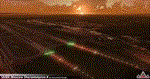
UUEE MOSCOW SHEREMETYEVO X DEMO is a scenery of UUEE Sheremetyevo airport in Moscow, Russia, fully compatible with FSX/FSX:SE/P3Dv1/P3Dv2/P3Dv3/P3Dv4 and FSW by Dovetail.
This product is a fully functional DEMO version of the commercial payware product. Most objects are modelled as in the full version but covered with low resolution textures. Using this free demo ensures no problems with online (VATSIM, IVAO, multiplayer etc.) flying in case some users use the payware scenery and some don't.
Moscow is the capital city and the most populous federal subject of Russia. The city is a major political, economic, cultural and scientific center in Russia and in Eastern Europe. Sheremetyevo International Airport (SVO/UUEE) is an international airport located in Khimki, Moscow Oblast. It is a hub for passenger operations of the Russian international airline Aeroflot, and is one of the three major airports that serve Moscow, along with Domodedovo International Airport and Vnukovo International Airport
The product is equipped with an automatic installer, which means that the scenery will be automatically added to the Flight Simulator Scenery Library. Please uninstall all previous versions of this airport you may have installed before. Please make also sure that no duplicated AFCAD files are installed.
Enjoy your virtual flying with Drzewiecki Design!
| Filename: | UUEE_MOSCOW_SHEREMETYEVO_X_DEMO.zip |
| License: | Freeware, limited distribution |
| Added: | 23rd August 2017, 01:40:38 |
| Downloads: | 47 |
| Author: | Drzewiecki Design |
| Size: | 20.67 MB |
| Category: Flight Simulator X - Aircraft Repaints, Textures and Modifications | |
| FSX/P3D Trans-Texas Airways DC-3/C-47 circa 1962 |
|
Images related to this file:
File Description:
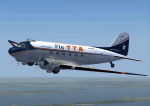
This is a repaint of the DC-3 in Trans-Texas Airways colors. The freeware DC-3/C-47 v3 by Manfred Jahn is needed for this repaint. Trans-Texas Airways (TTA) began operations in 1940, at Houston, as an aircraft sales and service company named Aviation Enterprises. The name was changed to Trans-Texas Airways on June 21 1947, and scheduled Douglas DC-3 services were inaugurated on October 11. Initially, Trans-Texas Airways flew routes only within Texas, but the key year in the history of Trans Texas Airways was 1966. That year its route network was significantly strengthened by the acquisition of new feeder routes from Eastern Airlines. This gave them virtual control of the entire feeder route system of the U.S. Southwest. Following this, TTA became an international airline in August 1967, with flights to Monterrey, Tampico, and Vera Cruz in Mexico. The expansion, however, created financial difficulties for TTA. This led to a takeover of TTA, in late 1968, by Minnesota Enterprises. The stockholders then voted to change the company name and corporate image the following spring. Thus, on March 1 1969, Trans-Texas Airways became Texas International Airlines. Textures are DXT5. This repaint was tested on FSX-SE and should work on FSX & P3D v1-3.
| Filename: | FSXP3D_TransTexas_Airways_DC3C47_circa_1962.zip |
| License: | Freeware |
| Added: | 3rd December 2018, 17:20:01 |
| Downloads: | 173 |
| Author: | Ted Giana |
| Size: | 7.94 MB |
| Category: Flight Simulator 2004 - Scenery | |
| Trail CAD4 in British Columbia, Canada |
|
Images related to this file:
File Description:
Trail is in the valley carved out by the Columbia River, around 7 miles north of the Canada-US border and on both banks of the river. The town has a population of just under 8,000 and the main industry is mining. The airport is around 3 miles south-east of the town and on the east bank, with the runway parallel to the river and aligned 16-34, 75 feet wide and asphalt. There are currently no runway or taxiway lights, though there is an overall improvement programme in place to cope with increasing passenger demand. A new terminal building was recently completed, along with alterations to road access and parking; as I have no information regarding these road changes I have left the original "terminal" building in place and in use by Pacific Coastal, the only airline to fly to Trail. There is a Youtube video which gives a very good idea of the basic facilities, and of the surrounding hilly terrain which is similar to that at Bella Cooola at the far side of Pacific Coastal's coverage area. The original position of the airport in FS9 before I corrected it was best described as "in a hole". The hole remains nearby as there is no easy way to deal with it.
| Filename: | Trail_CAD4_in_British_Columbia_Canada.zip |
| License: | Freeware, limited distribution |
| Added: | 23rd December 2018, 17:27:38 |
| Downloads: | 140 |
| Author: | Roger Wensley |
| Size: | 12.3 MB |
| Category: Prepar3D V1-4 - Scenery | |
| ENRA - Mo I Rana Rossvoll Airport - Nordland, Norway |
|
Images related to this file:
File Description: The Mo i Rana airport, Rossvoll is a North Norwegian airport in the county of Nordland. It is located about ten kilometers northeast of the city Mo i Rana. Operator of the airport is the Norwegian state-owned company Avinor. The Mo i Rana Airport is currently served only by the Norwegian regional airline Wideroe. Scheduled flights go to an from Bodo, Bronnoysund, Mosjoen, Rorvik, Sandnessjoen and Trondheim. The P3D scenery is a partly rework of my FSX-ENRA scenery: Especially the apron lights are made completely new.
The environment of the airport is adapted by new landclasses. The airport has a photo background in two variants, covering all four seasons of spring,summer, autumn and winter. The buildings in this scenery come from the fantastic XPlane scenery of Bert alias "almosquito" who kindly gave me the permission to convert them for my FSX /P3D scenery. But there are also some objects taken from two very popular freeware libraries. If these libraries are not installed, several objects are not visible! Please have a look to the readme_enra.txt. The screenshots are taken from the FSX version. But the P3D version looks quite similar.
| Filename: | ENRA__Mo_I_Rana_Rossvoll_Airport__Nordland_Norway.zip |
| License: | Freeware |
| Added: | 2nd April 2019, 18:48:29 |
| Downloads: | 543 |
| Author: | Wolfgang Allers |
| Size: | 155.53 MB |
| Category: Prepar3D V1-4 - AI Flight Plans | |
| Omni Air International OAI 1998 AI Flightplans |
|
File Description:
Omni Air International started flying in 1997 with a pair of DC-10-30s while a 3rd was added in late 1998. The airline was operationally based in MSP, with LAS as a "focus city" where Omni maintains a strong presence to this day. OAI did all sorts of flying, from tour group/holiday package flights to LAS and HNL, to military charters(which often used HNL/DFW/PSM/FRA), to large group charters such as for college sports teams. There were also many re-positioning flights to get the aircraft to/from the next/last charter. I used to see them frequently at SFO, and obviously MSP. These representative plans are based on a combination of photos, what I remember seeing myself at the time, and information from a friend who was an Omni flight attendant at the time as to specific routes and happenings at the company in the late 1990s. AIM DC-10-30 texture by Jason King is on Avism as "aim_dc1030_omni_air_international.zip". Flightplans by Chasen Richardson. Part of the 1998 Flight Simulator Project. Follow us on Facebook at facebook.com/flightsim98 and on instagram as @bayviationsim. For more Retro AI, check out the forums at: http://retroai.proboards.com/
| Filename: | Omni_Air_International_OAI_1998_AI_Flightplans.zip |
| License: | Freeware, limited distribution |
| Added: | 21st November 2019, 19:13:10 |
| Downloads: | 81 |
| Author: | Chasen Richardson\Bayviation |
| Size: | 791.8 KB |


© 2001-2026 AVSIM Online
All Rights Reserved
Privacy Policy |