
Where Flight Simulation Enthusiasts Gather from Around the World!
AVSIM Library - Search Results

| Category: Flight Simulator X - Aircraft Repaints, Textures and Modifications | |
| Douglas C-47 (79001) Swedish Air Force |

|
Images related to this file:
File Description:
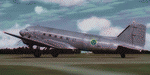
This folder contains a repaint for version 3.14 of the Douglas C-47 by Manfred Jahn and colleagues in the colors of C-47B 79001 of the Swedish Air Force that was at the start of the Catalina affair (Swedish: Catalinaaffären), a military confrontation and Cold War-era diplomatic crisis in June 1952, in which Soviet fighter jets shot down two Swedish aircraft over international waters in the Baltic Sea. The first aircraft to be shot down was an unarmed Swedish Air Force Tp 79, a derivative of the Douglas DC-3, carrying out radio and radar signals intelligence-gathering for the National Defence Radio Establishment. None of the crew of eight was rescued. The second aircraft to be shot down was a Swedish Air Force Tp 47, a Catalina flying boat, involved in the search and rescue operation for the missing DC-3. The Catalina's crew of five was saved. The Soviet Union publicly denied involvement until its dissolution in 1991. The aircraft was manufactured in 1943 with original US serial number 42-5694, and was delivered to USAAF 15th Troop Carrier Squadron (61st Troop Carrier Group). It saw action in northern Africa before being stationed at RAF Barkston Heath. On June 13, 1952, it disappeared east of the isle of Gotska Sandön while carrying out signals intelligence-gathering operations for the Swedish National Defence Radio Establishment. Both aircraft were located in 2003, and the DC-3 was salvaged, and the wreckage is currently on display in the Swedish Air Force Museum near Linköping. Repaint by Jan Kees Blom for Manfred Jahn's C-47 version 3.14, based on the paintkit by Gman5250.
| Filename: | Douglas_C47_79001_Swedish_Air_Force.zip |
| License: | Freeware |
| Added: | 17th August 2018, 16:34:03 |
| Downloads: | 240 |
| Author: | Jan Kees Blom |
| Size: | 11.55 MB |
| Category: Flight Simulator 2004 - Scenery | |
| Elim ELI and Moses Point MOS in Alaska |
|
Images related to this file:
File Description:
Elim is a coastal village 90 miles east of Nome, living from fishing and with a population of around 330. The airfield has a gravel runway 3,000 feet long. The majority of flights to and from the airfield originate in Nome, but there are also others to and from nearby fields such as Golovin, Unalakleet, Shaktoolik, and Koyuk. A further 7 miles or so east of Elim is another field called Moses Point MOS, which is included here and was an Army Airforce field before being transferred to the private ownership of the Elim Native Corporation. Until Elim ELI was established (date unknown, but after 1988) this served the village of Elim and although the runway is now unlit and not in very good condition (translate that as "full of potholes") it is stated that the longer runway can still be used if Elim is not adequate. However, the note is undated and there are no details of how often it is used or even if it is actually still currently in use. There is one hangar still in existence; all the rest has been demolished and (mostly) removed. A note here about my scenery making. This is post number 502 and there will not be many more to follow this as I am almost at the end of the photos I either took or found for scenery purposes. There is a limit to what can be located online and I have already been making use of the little there is; eg Unalakleet. So, if you are near an airport (preferably Canadian or Alaskan) and have a camera..... Let me know.
| Filename: | Elim_ELI_and_Moses_Point_MOS_in_Alaska.zip |
| License: | Freeware, limited distribution |
| Added: | 2nd August 2019, 16:11:35 |
| Downloads: | 103 |
| Author: | Roger Wensley |
| Size: | 4.69 MB |
| Category: Flight Simulator 2004 - Scenery | |
| Nulato NUL in Alaska |
|
Images related to this file:
File Description:
Nulato is a small village on the west bank of the Yukon River, around 8 miles south of where the river turns from north-south to east-west, east being upstream towards the distant Fairbanks. The population is just under 300 and living from fishing and the land. During the late 1800's the village lived by the spin off from gold mining, such as supplying cut wood as fuel for the boats plying the Yukon River. In 1900 a measles epidemic cut the population down by a third, and in the early 1900's the gold mining moved to Nome and Fairbanks, with obvious results for local prosperity. The airfield is close by and has a gravel runway aligned 2-20 and just under 4,500 feet long. Apart from the airfield itself, and it's buildings, this scenery modifies the local land class, adds village buildings while reducing the village size to reality, and creates a new airfield background. Don't ask me about the odd arrangement of the airfield buildings, I have no idea why they are like that. Nulato is served by Wright Air from Fairbanks in the east and this is included in the AI. A note here about my scenery making. This is post number 508 and there will not be many more to follow this as I am almost at the end of the photos I either took or found for scenery purposes. There is a limit to what can be located online and I have already been making use of the little there is; eg Unalakleet. So, if you are near an airport (preferably Canadian or Alaskan) and have a camera..... Let me know.
| Filename: | Nulato_NUL_in_Alaska.zip |
| License: | Freeware, limited distribution |
| Added: | 25th August 2019, 17:34:25 |
| Downloads: | 106 |
| Author: | Roger Wensley |
| Size: | 3.05 MB |
| Category: Flight Simulator X - Scenery | |
| RAF Wickenby (1940s) |
|
File Description:
RAF Wickenby was a purpose built Royal Air Force station constructed late 1942 and early 1943 it had two T2 type
hangars and one B1 type. The B1 and one of the T2 hangars can still be seen on the airfield site. The T2 near the
threshold of runway 21 was recently acquired by the airfield owners and after many years of industrial use is now,
once more, an aircraft hangar.
The airfield covered about 600 acres (2.4 km2), and had the usual three runway configuration with perimeter track,
hard standings, a brick watchtower and numerous brick and metal buildings for the aircrews and ground staff. A number
of the buildings were to the east (Communal Site, Living Quarters, WAAF Quarters) and stretched to and beyond the
Lissington road - a road travelled many an evening by the airmen and women who visited their favourite watering hole,
the White Hart at Lissington. The Sick Quarters were to the south of the airfield together with a Communal Site and
Living Quarters.
The north part of the former airfield is now known as Wickenby Aerodrome, which is a grass and concrete airfield. A
road from Holton cum Beckering to Snelland runs right over the former airfield. Companies based at the airfield are
Thruster Aircraft who make microlight planes; Fly365 Ltd who fly pleasure flights; and Rase Distribution - a haulage
firm. Planes using the airfield have to make contact first with the control tower at RAF Waddington.
The Watch Office is the home of the RAF Wickenby Memorial Collection and the Wickenby Archive, a museum and collection
of memorabilia and archive dedicated to the memory of the Squadrons who served here.
| Filename: | RAF_Wickenby_1940s.zip |
| License: | Freeware |
| Added: | 10th March 2017, 14:46:25 |
| Downloads: | 137 |
| Author: | Terry Boissel |
| Size: | 15.14 KB |
| Category: Prepar3D V1-4 - Utilities | |
| Flightplan Visualizer 1.17 |
|
Images related to this file:
File Description:
Flightplan Visualizer (FV) version 1.17.0. Copyright 2018-2020 by Pelle F. S. Liljendal ([email protected]), all rights reserved.
FV comes with 783 pre-imported Commercial AI flightplans (+380 BizJet flightplans are available as a separate download). However you are able to import additional (AI) flightplans yourself. Once imported these (AI) flightplans can be visualized on a map-view, and the user will be able to search accross all these. Hence you can use the program as inspiration as to which routes to fly. E.g. you can search across all imported flightplans to find all flights in an A321 flying into/out from LDDU, or simply to look for all flights in a Boeing 747-8F.
Simply run the included installer to install the software. The program will be installed into "C:\Program Files (x86)\Flightplan Visualizer" and all datafiles will be installed into: "C:\Users\[UserName]\AppData\Roaming\FlightplanVisualizer". The program comes with a full manual explaining everything, and a 3 page quick manual to get you started. The first 3 times you run the program the quick manual will automatically open. The forum is hosted here: https://forum.aerosoft.com/index.php?/forum/919-flightplan-visualizer/
Version 1.17 Contains the following changes:
- A big Thank You to Alex for the donation, it is appreciated ... You are actually the first one to donate, but then again I never expected to get rich writing this software :-)
- Both version 1.16 and 1.17 are mandatory, so if updating from a previous version you MUST install/run both versions as outlined on the forum. Running version 1.17 will forcefully update all flightplans to the latest file-version, as version 1.18 will remove some of the backward comparability.
- Added support for importing flightplans from the new .aigfp file-format used by Alpha India Group. Export of flightplans (in aifp-format) is disabled for flightplans originally imported from .aigfp files, because the repaint-info is not imported from these.
- Beside the supplied aircraft-types contained in the ("factory") aircraft-database, users can now add their own user-aircraft, both in form of owned (flyable) 3rd party aircraft and aircraft-types (used in flightplans, or as basis for owned aircraft).
- Added support for Helicopters (simply created the "aircraft" with the engine-type set to "Heli"). They will be listed/treated as an "aircraft" with a specific engine-type (and in stead of a "wingspan" they have a "rotor diameter").
- Many reports have been added to list "suitable" substitute aircraft based on match-score (a value between 0 and 100, where 100 is a perfect match). Likewise reports have been added to visualize repaints that you have, and those you might be "missing" for a particular aircraft/airline.
- In form leg-info you can now "tag" a leg by pressing the new "Tag" button. Doing so will add the leg to the new "Tagged legs" menu-item found in the "Misc" menu. This menu can contain the last 10 tagged legs (flights). Selecting any of these 10 menu-items will open the leg-info form and show the details of the tagged leg.
- The AIG flightplan download-form will now only pre-select flightplans with a new season or a new revision, as you have to pay attention to flightplans with status "Not installed" since the reason these are not installed can be due to airlines being defunct or have changed their names.
- The AIG flightplan download-form now have 2 numbers above the list-view. The first tells the number of flightplans being listed for the selected season, and the 2nd number in parentheses tells the number of checked flightplans. So choosing a season, you can simply look at the number in the parentheses to see the count of new seasons/revisions to install (without the need to scroll throgh the list).
- The "Defunct list" (list of all defunct airlines, as marked by AIG) that can both be displayed in the "AIG flightplan downloader" and the "Enable / disable flightplans" forms, is now both sorted by Name (first) and by ICAO (last), making it more easy to look for a particular airline.
- The Leg-info and Edit flightplan -forms now both list the (flightplan) sub-folder name and the name of the original imported filename (in case you need to see the version/revision number that AIG append to this filename).
- The same sub-foldername and original imported flightplan filename are also added in the top when generating a leg-info report.
- If the departure/destination airports have gates marked as favorites, or gates with comments, therse are added to the leg-info report. E.g. "Gate G47 (36.0): B744F, no-jetway", where "36.0" is the radius of the gate (in meters), and "B744F, no-jetway" is the comment.
- Many "behind the scene" changes were made to the Leg-info report, and more data have been added (e.g. carrier/operator-callsign, time-zone/offset, airport-size, rank and traffic-density).
- Added a button to the Leg-info form to show list of possible substitute aircraft, sorted by scored (based on how well these match the parameters of the original aircraft).
- Internally the program stores- and perform all weight-calculations in lbs, however in settings you can now choose if weights should be shown in lbs or kg.
- Using EOW- or MTOW- filter sub-type in the aircraft filter the specified weight will now be according to the chosen weight-unit specified in the settings form (in previous version it was fixed to be lbs).
- Obtaining METAR/TAF messages from the internet takes a few fractions of a second, hence the "Show as Report" button on the Leg info form, now contains an asterisk until the METAR/TAF messages have been obtained, as these would otherwise appear as "not obtained" in the generated report. So if you need these messages in the report, you should wait pressing the "Show as Report" button, until the asterisk is removed.
- The form for creating user-airlines now contains a "Lookup" button that lets you search for airlines, so you can check if an airline already exists before creating it as a user airline.
- Airlines without official iCAO/IATA-codes are sometime created with an artificial ICAO code of "---". Airlines with this ICAO-codes are no longer listed as alternatives.
- Reordered the two "fields" in the "Min. Rank" and "Min. Traffic-density" combo-boxes, to make it more easy reading- and picking- the correct.
- Improved scanning of readme-files during import (more files are excluded such as "Repaints.txt").
- Changed the default size of the about-form, to make it more easy to being reading the history-text without having to first resize the form.
- All forms in FV have been made with a HD resolution (1920x1080) in mind. Some users are running at this resolution, but have chosen to scale the font-size to 125%. If doing so, some forms were not fully visible. Hence there is now a new setting item called "Reduced desktop". If defaults to be disabled, however once enabled some forms will be reduced in their size (e.g. the flightplan-, airline and aircraft- list-views in the Leg Search form will be more narrow, allowing the form to be fully visible).
- The country sub-filter no longer supports wildcards (nor partial codes), but now it accepts both 2 and 3 letter (ISO) country-codes. The filter-text will be colored red, if an invalid country-code is entered.
- The result-viewer now have a "Save as" button that allows you to save its content. Also an "Enable edit" check-box have been added, which puts the text-box into edit-mode, so you can change its conent (e.g. before copying to clipboard, or saving to disk).
- Right-clicking the main-map there is now a menu-item to show country, time-zone/offset (as a hint) at the GPS-position of the mouse-cursor. These information are downloaded from the web, hence there will be a small delay.
- Added more logging, to better identify which actions might have led to the program displaying an error-message. Also tweaked the log-format a bit to make it more readable.
- Updated all external libraries to the latest versions.
- Added release dates for each version in this version-history text.
- Fixed: If marking gates as favorites or adding comments to gates these data were not saved unless other user-data were added to the airport (e.g. marking the airport as favorite, setting rank/traffic-density, manually specifying size, taxi-in/out times, entering comments or hint-text for the airport).
- Fixed: If changing the ICAO-code of a user-airline, the alternative-list was not updated until next time the form was opened. The form also got a minor optimization in the process. When editing an user-airline you can now press enter in stead of clicking the "Save" button (as long as the Comments field does not have focus).
- Fixed: In a few cases the week-number was not calculated correctly for multi-week flightplans.
- Fixed: In some cases the week-day was still shown as a "name" (2 letters), even if the user had selected to display these as numbers in settings.
- Fixed: Aircraft/Airline search forms would not perform initial search when opening the form, if the search-text was blank. You had to enter a letter, and delete it again, before the search was performed.
- Fixed: Aircraft search form did not use natural-sort when sorting by name (e.g. "CRJ1000" was listed before "CRJ200").
- Fixed: Setting core-affinity to a non-zero mask, and change it back to zero, it would not return to its initial state (e.g. all cores selected) until the program was re-started.
- Data: Updated a few airports with missing country-code and/or missing time-zone.
- Data: A few new aircraft were added and some aircraft were split in dedicate pax/freight-versions.
- Data: A few helicopters have been added.
- Data: Aircraft-data updated as there were still a couple of freighters with non-zero passenger-count. Also the weight constraints were updated for A LOT of aircraft.
- Data: Cumulative aircraft-types (such as "[32S] Airbus A318/A319/A320/A321") are now removed in many views, unless the type is in use by at least one active flightplan.
- Flightplans: Compared the list of flightplans bundled with FV to the list of flightplans available in AIG AIM. This meant a few flightplans were marked as defunct (and removed from the installer) and a few missing were added (primarily from 2017).
- Flightplans: The first Summer 2020 flightplans have been added (FedEx and UPS).
- Flightplans: All new/updated flightplans have been added to the installer, and all obsolete have been removed. A total of 783 active flightplans are bundled with the installer.
Pelle
| Filename: | Flightplan_Visualizer_117.zip |
| License: | Freeware, limited distribution |
| Added: | 8th August 2020, 17:44:15 |
| Downloads: | 416 |
| Author: | Pelle Liljendal |
| Size: | 29.48 MB |
| Category: Flight Simulator X - Aircraft Repaints, Textures and Modifications | |
| Boeing 747-8i Delta Northwest |
|
File Description:
FSX Boeing 747-8i Delta Northwest with advanced VC by Alejandro Rojas Lucena and VC Texture Upgrade by Enrique Cornejo. This gives the b747 a payware Virtual Cockpit look! It even has a pilot jacket hanged in the rear of the cockpit (besides the right jumpseat).
The panel.cfg and the aircraft.cfg have been assembled and edited by the Flightsim Workshop Team. Now you can pop up "My icons" window in the Virtual Cockpit to easily reach the following windows: GPS, avionics, map, ATC, Climb/Radio Altimeter/Spoiler switch, auto-break switch, throttle quadrant, clock, descentometer, kneeboard and overhead panel.
The aircraft has new engine views (from both wings) and new Virtual Cockpit interior views from the left, right and central jump seats.
The Delta Northwest texture is wonderful and it has a unique paintscheme by Mcphat Studios with a repaint by Enrique Cornejo which also includes details such as some stains caused by humidity and other details just like a real aircraft.
This aircraft uses the Project Opensky FSX Boeing B747-800 Model OSX748V4_GENX(MDL), and includes the gauge window Posky Utility to view the main stairs, ground cargo servicing, etc. The engine sounds are edited like the real ones with cockpit ambient, so you can enjoy a pleasant flight. The Flight Management Computer (FMC) is fixed and looks like a payware instrument. The VC includes FMC, Primary Flight Display (PFD) and Multi-Function Display (MDF) displayed in the correct size.
The virtual cockpit also has an Engine-Indicating and Crew-Alerting System also known as EICAS, Ground Proximity Warning System (GPWS), working wipers, cabin lights, fire suppression, avionics switch, fuel crossfeed, and you can identify those intruments in the overhead panel because they are bordered with color lines. You can also find landing lights switches, taxi light switch, engine generators, APU generator, battery switch, starter switches, de-ice switch, general lights switches which are a great work of Alejandro. So now the whole cockpit and texture upgrade with all these improvements looks better than a payware version. The clock numbers are now in orange which makes them look better and easily recognizable.
Assembled and edited for FSX by Enrique Cornejo.
| Filename: | Boeing_7478i_Delta_Northwest.zip |
| License: | Freeware |
| Added: | 13th January 2013, 01:02:31 |
| Downloads: | 990 |
| Author: | Enrique Cornejo |
| Size: | 78.26 MB |
| Category: Flight Simulator X - Aircraft Repaints, Textures and Modifications | |
| Boeing 747-8i Delta Northwest |
|
File Description:
FSX Boeing 747-8i Delta Northwest with advanced VC by Alejandro Rojas Lucena and VC Texture Upgrade by Enrique Cornejo. This gives the b747 a payware Virtual Cockpit look! It even has a pilot jacket hanged in the rear of the cockpit (besides the right jumpseat).
The panel.cfg and the aircraft.cfg have been assembled and edited by the Flightsim Workshop Team. Now you can pop up "My icons" window in the Virtual Cockpit to easily reach the following windows: GPS, avionics, map, ATC, Climb/Radio Altimeter/Spoiler switch, auto-break switch, throttle quadrant, clock, descentometer, kneeboard and overhead panel.
The aircraft has new engine views (from both wings) and new Virtual Cockpit interior views from the left, right and central jump seats.
The Delta Northwest texture is wonderful and it has a unique paintscheme by Mcphat Studios with a repaint by Enrique Cornejo which also includes details such as some stains caused by humidity and other details just like a real aircraft.
This aircraft uses the Project Opensky FSX Boeing B747-800 Model OSX748V4_GENX(MDL), and includes the gauge window Posky Utility to view the main stairs, ground cargo servicing, etc. The engine sounds are edited like the real ones with cockpit ambient, so you can enjoy a pleasant flight. The Flight Management Computer (FMC) is fixed and looks like a payware instrument. The VC includes FMC, Primary Flight Display (PFD) and Multi-Function Display (MDF) displayed in the correct size.
The virtual cockpit also has an Engine-Indicating and Crew-Alerting System also known as EICAS, Ground Proximity Warning System (GPWS), working wipers, cabin lights, fire suppression, avionics switch, fuel crossfeed, and you can identify those intruments in the overhead panel because they are bordered with color lines. You can also find landing lights switches, taxi light switch, engine generators, APU generator, battery switch, starter switches, de-ice switch, general lights switches which are a great work of Alejandro. So now the whole cockpit and texture upgrade with all these improvements looks better than a payware version. The clock numbers are now in orange which makes them look better and easily recognizable.
Assembled and edited for FSX by Enrique Cornejo.
| Filename: | Boeing_7478i_Delta_Northwest.zip |
| License: | Freeware |
| Added: | 13th January 2013, 01:24:18 |
| Downloads: | 1,962 |
| Author: | Enrique Cornejo |
| Size: | 78.71 MB |
| Category: Flight Simulator 2004 - Scenery | |
| WASF Fak-Fak |
|
Images related to this file:
File Description:
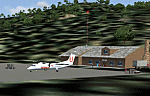
Googly scenery for WASF Fak-Fak, in Irian Jaya (Western New Gunea),
Indonesia - a small domestic airport that Microsoft managed to omit from Flight
Simulator 2004. These scenery files add the runway, apron, taxiways, buildings
and other airport features so that you and your "AI" traffic can land, taxi,
park and take off in a realistic manner.
Little information is available on the services operated - flight plans are
available for Lion Airlines showing two flights per week operated on their behalf
by Wings Abadi Dash 8 aircraft. But it is known that Merpati Nusentara also serve
the airport with Twin Otters. If you are using the Lion Airlines flight plans
for Winter 2006, you must change the airport's co-ordinates as detailed in the readme.txt file
because the co-ordinates given there will cause the aircraft to aim for a point
on the wrong side of the equator in the middle of the sea!
There is no lighting at this airport, and few navigational aids. However, I have
added a missing NDB nearby (FA, 380.0).
The scenery does not purport to be ultra-accurate. The quality of the satellite
imagery at Google Earth is poor, but a number of photographs and other information
has enabled this airport to be depicted reasonably accurately. However the added
airport features, such as buildings, are built from default Microsoft objects
and add-on libraries so will not look exactly like the real thing.
You are not obliged to download and install any additional scenery libraries,
but to enjoy this scenery in its entirety, you may wish to. It will work fine,
with or without.
An editvoicepack file has been included for the airport to help you embarrass
yourself in front of others when flying.
[File re-uploaded at request of AVSIM]
| Filename: | WASF_FakFak.zip |
| License: | Freeware |
| Added: | 7th May 2010, 22:30:22 |
| Downloads: | 1,904 |
| Author: | John Hinson |
| Size: | 72.51 KB |
| Category: Flight Simulator X - Scenery | |
| YKEB Kellerberrin, Western Australia |
|
File Description:
YKEB Kellerberrin was modelled at the request of Councillor Cole. In this updated version, the silos have been added and the landclass for the town south of the highway has been masked giving a more realistic impression from the air. Kellerberrin is a town in the Wheatbelt region of Western Australia, 205 kilometres east of Perth on the Great Eastern Highway. The railway line from Northam to Southern Cross was constructed through here in 1893-94, and this section opened for traffic in 1895. Kellerberrin was one of the original stations when the line opened. By 1898 there was a demand for small blocks of land in the area, and the government surveyed a number of 20-acre lots the same year. The area was gazetted as Kellerberrin townsite in 1901, and the government soon made more land available for settlers. Early settlers from 1890 to 1910 from Ireland settled in the area of Kellerberrin and Wittem. Their family name
was English. A road was named after this family. The name Kellerberrin is Aboriginal, and is derived from the name of a nearby hill. The hill was first recorded as "Killaburing Hill" by an explorer in 1861, but in 1864 the explorer Charles Hunt recorded it as Kellerberrin Hill. One source claims that Kellerberrin is the name for the fierce ants that are found in the area, while another gives it as meaning "camping place near where rainbow birds are found" - kalla means camping place or place of, and berrin berrin is the rainbow bird. (repeating the name makes it plural) It also serves as a stop on the Prospector and Avonlink rural train services. REQUIRES Blencowe_LibraryKit.zip
REQUIRES blencowe_librarykit_309494.zip (Available HERE)
| Filename: | YKEB_Kellerberrin_Western_Australia.zip |
| License: | Freeware |
| Added: | 28th February 2013, 13:52:02 |
| Downloads: | 247 |
| Author: | Alan Blencowe |
| Size: | 2.69 MB |
| Category: Flight Simulator X - Scenery | |
| YNUL Nullagine, Western Australia |
|
File Description:
YNUL Nullagine - Shire of East Pilbara with added ORBX textures. Nullagine is serviced by a gravel airstrip. This facility provides a vital air link. RFDS, Police, and local charter operators all rely on this airstrip for the provision of vital services to the communities. Nullagine is an old goldrush town in Western Australia's Pilbara region. It is located on the Nullagine River 296 km south-east of Port Hedland and 1,364 km north-north-east of Perth on the old Great Northern Highway. The town originated from gold being discovered in the area in 1886 by a prospector, N.W. Cooke. The population increased sharply as a result and by the mid 1890s the community wanted to have a town declared. Lots were surveyed and released in 1897 and the state government gazetted the town in 1899. Nullagine comes from the Aboriginal name of a nearby river, the Ngullagine river; the meaning of the word is unknown. Besides gold other minerals were mined in the area including diamonds and other gemstones. Between 1895 and 1914 the town boomed and contained a number of general stores, three hotels, eight stamp mills and a population of over 3,000. Its population was 1,500 prior to World War II. Now, with the decline of gold mining, only about 200 remain. However the town still attracts fossickers and prospectors who visit the surrounding area, which is particularly rich in minerals such as agate, asbestos, antimony, beryl, chalcedony, copper, jade, jasper, manganese, tiger eye and wolfram. The town is also the place of the Yirrangadji Aboriginal Community. The Martu people make up the bulk of this population. REQUIRES Blencowe_LibraryKit.zip
REQUIRES blencowe_librarykit_309494.zip (Available HERE)
| Filename: | YNUL_Nullagine_Western_Australia.zip |
| License: | Freeware |
| Added: | 28th February 2013, 14:00:15 |
| Downloads: | 293 |
| Author: | Alan Blencowe |
| Size: | 5.72 MB |


© 2001-2026 AVSIM Online
All Rights Reserved
Privacy Policy |