
Where Flight Simulation Enthusiasts Gather from Around the World!
AVSIM Library - Search Results

| Category: Flight Simulator 2004 - AFCAD Files | |
| 113 AFCAD Files. FINAL RELEASE |

|
File Description:
M and K Studios is Very Proud to present our final release... However, not so final, we have descided to release this package, in order to anticipate and build off for our next release.... Includes over 113 AFCAD Files.... These files took over 2 months to complete and each airport was manually and painstakingly put together. Airports like KDEN (Denver) now have Runway 34L/16R, it is a 16000X200 FT Runway, that we designed with accurate Taxiways and with FULL Autoland, LAND3 ILS Certified Runway. Even better, each airport below has accurately parking spots aligned with their respective gates, EVEN BETTER THAN THAT. each airport has accurate Airline and parking spot placing in accordance with the FAA Database... The following airports below are the airports included in this file.... KABQ KADW KAFW KIAD KALB KAPA KBDL KBGR KBIL KBKL KBOI KBTL KBUR KCAE KCHS KCLE KCLT KCMH KCRP KCWF KCYS KDAL KDAY KDEN KDFW KDPA KDTW KEDW KELM KELP KEWR KFTW KFWA KGRR KGSO KGTF KHND KHPN KHWD KIAD KIAH KICT KILG KIND KIWA KJFK KLAN KLAS KLAX KLFT KLGA KLGB KLNK KLSV KLTS KLZU KMCN KMCO KMHR KMHT KMIA KMKE KMMU KMOT KMSP KMSY KMTN KNIP KOAK KOKC KONT KORD KPDX KPHL KPHX KPIT KPNS KPTK KPWM KRBD KRDU KRIV KSAF KSAN KSAT KSAV KSDF KSEA KSFO KSJC KSMF KSNA KSTP KSYR KTEB KTOL KVGT KVNY KCVG KMDW KBNA KMEM KSTL KTPA KDAB KPBI KATL KDCA KIAD KBWI KPHL KLGA KCHS KRNO KSLC... If that isnt alot of airports i dont know what is.... thank you for your download..... Thanks you. By Kylan Walters, Marcus Mosby, Our Beta Team, and the rest of the Team... (Origonal File Held 3274 Downloads in all)
| Filename: | 113_AFCAD_Files_FINAL_RELEASE.zip |
| License: | Freeware |
| Added: | 2nd August 2007, 03:18:05 |
| Downloads: | 25,923 |
| Author: | By: Kylan Walters |
| Size: | 3.88 MB |
| Category: Flight Simulator X - Scenery | |
| LGTS X 2014 - Thessaloniki Makedonia Airport |
|
Images related to this file:
File Description:

Eight years after the first scene the group of Greek airports Project invites you to travel in Thessaloniki which marked the route of the group in the area of Flight Simulator. The scene following the design of our philosophy which allows the simmer to enjoy a full scene without getting tired to find solutions which have to do with settings, yields etc, without unnecessary construction that nobody ever sees and which only need to create a commercial impression in some photos. Objects reconstructed with Gmax and 3dmax that make you enjoy your virtual trip to the airport, and not only because this time we have also included many points from the beautiful city of Thessaloniki as for example the known White Tower, the Aristotelous Square, the facilities of the Thessaloniki International Fair, the football stadiums of the best known groups, the opera house, the City Hall, and many others in a separate scenery (THESSALONIKI_VFR ) included in this version which you are not obliged to install but in our opinion will give you a different sensation in your approach to Macedonia airport. The THESSALONIKI_VFR also combined with the very good photoreal from Antonis Gikas state of GAP "Hellenic Actual Scenery" and with any other photoreal is circulated to the region. This photoreal version is currently for FS9 but very soon will follow and the version for FSX, P3DV1/P3DV2. Retained many of the features of the previous version as the transparent windows which give different feel on the inside part of the terminal, and replaced with different modern way. Of course for the FSX version corrected all non-compliant issues from FS9 - FSX. Enjoy free your flight for the magnificent Thessaloniki, in Greece, in Macedonia.
| Filename: | LGTS_X_2014__Thessaloniki_Makedonia_Airport.zip |
| License: | Freeware |
| Added: | 20th March 2014, 20:12:03 |
| Downloads: | 13,999 |
| Author: | GREEK AIRPORTS PROJECT - Team Chief: Michalis Triantafillou |
| Size: | 91.25 MB |
| Category: Prepar3D V1-4 - Utilities | |
| Flightplan Visualizer 1.14 |
|
Images related to this file:
File Description:
Flightplan Visualizer (FV) version 1.14.0. Copyright 2018-2019 by Pelle F. S. Liljendal ([email protected]), all rights reserved.
FV comes with 629 pre-imported Commercial AI flightplans (+380 BizJet flightplans are available as a separate download). However you are able to import additional (AI) flightplans yourself. Once imported these (AI) flightplans can be visualized on a map-view, and the user will be able to search accross all these. Hence you can use the program as inspiration as to which routes to fly. E.g. you can search across all imported flightplans to find all flights in an A321 flying into/out from LDDU, or simply to look for all flights in a Boeing 747-8F.
Simply run the included installer to install the software. The program will be installed into "C:\Program Files (x86)\Flightplan Visualizer" and all datafiles will be installed into: "C:\Users\[UserName]\AppData\Roaming\FlightplanVisualizer". The program comes with a full manual explaining everything, and a 3 page quick manual to get you started. The first 3 times you run the program the quick manual will automatically open. The forum is hosted here: https://forum.aerosoft.com/index.php?/forum/919-flightplan-visualizer/
Version 1.14 Contains the following changes:
- Flightplan file-format was changed, to accommodate changes to the airline-data. In previous versions the airline ICAO-code had to be unique, hence not allowing old defunct airlines still remaining in the data-file when a new airline would be issued the same ICAO-code (now they can both exists, and many of the defunct have been marked as defunct).
- On start-up old flightplans in enabled folders will automatically be updated to the new format. If you have sub-folders containing additional flightplans, you should make sure these are enabled, in order to have these updated as well. Once they have been updated you can go ahead and disable these sub-folders again as you please.
- Its now possible to add user defined airlines, in case you want to add you own fictitious airlines (e.g. VA's) or you want to add airlines missing in the official data-files that I supply with the program (if this is the case, please notify me, so I can add these in the next release of the program).
- "Favorite aircraft" have been renamed into "Favorite aircraft-types", as it is the "types" of aircraft you mark. You don't mark a particular aircraft/cofiguration (like the PMDG B737-800 NGXu) as your favorite, but rather the "type" (B737-800). The file containing the (active) favorite aircraft-type selection was renamed as well (you don't have to do anything, the file is automatically renamed on start-up).
- Added a new Unit-Conversion form, letting the user convert units of: Speed, Lenght/Distance, Weight/Volume, Pressure and Temperature. The Weight/Volumne conversions is a bit special as it lets the user convert between weight (kg/lbs) and volume (liter/gal), thanks to a Fuel Density that defaults to 0.785, but can be changed by the user.
- All search-forms (seaching for airport, aircraft and airline) was changed to ignore whitespeaces (e.g. "airBaltic" vs. "air Baltic"), and ignore diacritics (e.g. "AerolÃnea" vs. "Aerolinea"), making it more easy to find what you are searching for in one go.
- The airline search-form will by default exclude airlines that have been marked as defunct. However a new "Include defunct" check-box have been added to the form, allowing you to include these (who am I to say you can not still use "Air Berlin", "Monarch" or "Thomas Cook" flightplans if you want to).
- Added 3 new columns to the airline search form showing commence/cease-date, and wheter or not the airline is "in use" (as carrier/operator by any of the active fligthplans).
- State is now by default excluded when using the airport search form, which make it a lot more convenient to find airports in the city of "New York". State can still be included in the search by choosing a different search-type using the combo-box in the upper/right corner.
- When Flightplan Visualizer needs for perform potentially lengthy operations it will spread the workload over the available cores of the CPU. However if you want to limit which cores it uses you can now set the affinity-mask in the settings form.
- The splash-screen shown when the program starts, and when reloading active flightplans was prevoiusly always shown on top (top-most), but if you find this anoying it can now be disabled in settings.
- Fixed: Warnings/errors regarding loading flightplans were only displayed at start-up. Now they are shown whenever all active flightplans are loaded (e.g. after having enabled a sub-folder).
- Data: The airline-data got a major update, and a bunch of new airlines were added, and the data for MANY others were updated. It is a manual process to update these, almost as funny to do as to watch paint dry ;-)
- Data: A few countries had a wrong- or no sub-region code, so these were fixed/updated. As usual, if any of you spot any erros, or missing data, please use the forum to notify me.
- Data: Additional info added to the aircraft-data (in preparation for some future plans).
- Flightplans: All flightplans bundled with the installer have been updated to the new file-format.
- Flightplans: Thanks to Ryan Carson (RCAI) for allowing me to bundle the installer with a few of his flightplans, so the installer comes with the very first winter 2019-2020 flightplan.
- Flightplans: The good people over at AIG (Alpha India Group) have been VERY busy since the last release, hence the installer comes with +130 new pre-imported flightplans, bringing the total to 629. This update concludes Summer 2019, and AIG already have the first Winter 2019/2020 flight-plans in beta-test.
Pelle
| Filename: | Flightplan_Visualizer_114.zip |
| License: | Freeware, limited distribution |
| Added: | 10th December 2019, 06:59:46 |
| Downloads: | 370 |
| Author: | Pelle Liljendal |
| Size: | 31.01 MB |
| Category: Flight Simulator 2004 - Miscellaneous Files | |
| Active Approach - PHNL (Honolulu Intl Honolulu, Hawaii) |
|
File Description:
As most know the Approach and Final (VMC) for AI Traffic in FS9 is a straight in type landing and does not always consider high terrain at airports. This is do to the way that the coding is written in FS9 and it puts limits on IFR arriving aircraft. If you open runways at certain airports the AI Traffic will fly directly through a mountain once it is established on Final for a runway. What you will see with my file is a different type approach used for the way I control AI Traffic in FS9. No longer do the AI Planes use a straight in approach when landing to the west at PHNL. My new AI Aircraft Approach coding for FS9 now uses a base leg approach so AI Traffic does not fly through the mountains. The Honolulu Control Tower will clear all AI Traffic (IFR FP) landing either on 26L and 26R as a straight in landing even though the offset to final is 30 degrees from the runway center line. The Control Tower will instruct the AI Planes landing on either 22L or 22R to fly a left base leg which is greater then a 45 degree offset and then the AI Planes will turn on a short 1.5 mile final. The left base approach to 22L and 22R runways is a 65 degree offset from the runway center line. My testing shows excellent behavior of the FS9 default models, PAI models and the Aardvark planes of all sizes to execute this new type of visual approach that I am now writting code for which supersedes the FS9 default straight in ATC hard code approach. Read the text file for all the default scenery enhancements (plus Jetways) added to PHNL along with a full understanding of how the new Approaches work *** 3rd Party Scenery Designers Special APProach bgl and a FS2004 Default Scenery AFCAD included ***
| Filename: | Active_Approach__PHNL_Honolulu_Intl__Honolulu_Hawa.zip |
| License: | Freeware, limited distribution |
| Added: | 16th March 2005, 04:10:43 |
| Downloads: | 5,604 |
| Author: | Jim Vile |
| Size: | 134.3 KB |
| Category: Prepar3D V1-4 - Aircraft Repaints, Textures and Modifications | |
| KLM 1998 AI Package |
|
File Description:
By 1998, the KLM/Northwest alliance was in full swing, and KLM was serving MSP, DTW, and even MEM daily with it's own metal while Northwest took over from KLM from BOS, IAD, and some other cities. KLM had a vast route network spanning the globe, serving much of Africa and the Middle East with many "tag on" routes onward from Amsterdam. By 1998, KLM was flying the MD-11, 747-200SUD(stretched upper deck), 747-200SUD Combi, 747-300 Combi, 747-400, 747-400 Combi, 767-300ER, 737-300, 737-400, and 6 mainline Fokker 100s which were short lived before going to KLM UK in late 1998 then on to CityHopper. Unfortunately, in the OAG, KLM only specified if a 747 was a combi or not(as in 747=744/742 while 74M can be a combi version of the 742,743, or 744) and did not differentiate between 737-300s and 737-400s. I did my best using what data I had to make the routes realistic, but the aircraft numbers at least are correct except for some extra 767s and 737s that you may remove if you wish. I also had issues making sure the TPE flights were all operated by "KLM Asia" 747s, so I ended up assigning 1 extra 747(I have 5, in real life there were 4) the Asia livery to ensure that you do not see a standard KLM 747 at TPE as they did not visit in real life. You may switch this to a normal 747 if you choose. Repaints by Raphael Rodrigues for the AIA Fokker 100 and FAIB 737-300, 737-400, 767-300, 747-200SUD, 747-300, and 747-400 along with flightplans by Chasen Richardson are included. Note that the 747-200SUD uses the 747-300 model. As a Bonus, the KLM Cargo 747-200SUD is also included.Part of the 1998 Flight Simulator Project. Follow us on Facebook at facebook.com/flightsim98 and on instagram as @bayviationsim. For more Retro AI, check out the forums at: http://retroai.proboards.com/
| Filename: | KLM_1998_AI_Package.zip |
| License: | Freeware, limited distribution |
| Added: | 6th December 2019, 17:14:32 |
| Downloads: | 303 |
| Author: | Raphael Rodrigues, Chasen Richardson/Bayviation |
| Size: | 27.94 MB |
| Category: Flight Simulator 2004 - Scenery | |
| Replacement Dynamic Water Textures Version 8 |
|
File Description:
Replacement dynamic water texture-sets for FS2004 (VERSION 8). This is the full version 8. The default reflections and water colors leave a lot to be desired in FS2004. As an example; The default milky "white/green" texture is highly unrealistic in overcast conditions. The replacement textures will change this dramactically to a much more convincing and realistic "blue/grey", cast, with improved lighting and refections in respect to the sun. These replacement textures will generally give a much more realistic tone and color to the water effects in FS2004. The change is quite dramactic and transforms the flight sim experience to a much greater level of realism. Fully compatible with my earlier versions of "overcast" texture modifications. Textures included are; Clear weather; High noon, mid-sun, low sun, sun-rise and sun-set with a choice of four "overcast" tones and a choice of two sun sets Version 8 has improved sun-set and sun-rise textures which offer better colours and better transitions from daylight to dawn/dusk hours; and a small change to the reflections on the low-sun texture. As an added bonus with Version 8 you have a choice of sun sets to use. Now you can have the very bright "orange" sun sets or select one of the new "golden yellows" which offer two distinct variations. It is important to stress the default FS9 textures are fully compatible with these new textures and they can be used in any combinations and can be mixed and matched with the new textures. For example it may be that some users want to keep some of the water environment textures as they are by default but change only one or two textures. The choice is yours. As a further added bonus a voice control file has been included for "Shoot" which will control FS2004 by voice. It is brilliant and it's free.
| Filename: | Replacement_Dynamic_Water_Textures_Version_8.zip |
| License: | Freeware |
| Added: | 7th January 2004, 19:51:30 |
| Downloads: | 4,111 |
| Author: | Peter Wilding |
| Size: | 2.71 MB |
| Category: Flight Simulator 2004 - AFCAD Files | |
| Default New York JFK with Active Runways |
|
File Description:
A High quality AFCAD2 file for the default FS2004 New York JFK. This file has been completely rebuilt from scratch using information from the latest FAA charts (17th March 2005). All Aprons have been completely rebuilt and are modelled to be as near real as possible. Improvements have been made to the taxiways, including slight realignments where needed to avoid building collisions. The 'crosswind runway technique' has been applied to this airport to activate all runways for simultaneous use. This means all 4 runways at this airport will be used for simultaneous take-offs and landings, all the time. Full night lighting has been provided for taxiways and runways. On the default setup, more than 1 runway shared the same ILS frequency and these frequencies have now been altered by +.05 MHz to avoid conflicts. Approach lighting has been upgraded to "ALSF-2" on all runways to better assist your approaches in poor visibility. Displaced thresholds have also been modified to enable better traffic flow for landing aircraft. A 'Tower View' is now available. All real life gates at at each terminal within the airport are now available for use and they are correctly numbered as per real life and have the correct airlines assigned to them. Extra parking can be found at the GA Terminal, cargo bases and maintenance areas, and all real life helipads have been added to the airport. Additional overflow parking (remote stands) can be found at Terminal 4, UA Terminal 7 and AA Terminal 8/9. This AFCAD2 has been fully tested and all traffic flows as it should. If you have a large amount of traffic flowing thru JFK, this file will certainly bring the airport to life. Note: There are 2 versions included within this package: (1) Terminal 5 out of use as per real life (no gates added), (2) Terminal 5 in use, with gates allocated to TWA (as it was back then). See images for info. Enjoy!!
| Filename: | Default_New_York_JFK_with_Active_Runways.zip |
| License: | Freeware |
| Added: | 7th April 2005, 13:44:37 |
| Downloads: | 6,430 |
| Author: | Lee Brompton |
| Size: | 282.56 KB |
| Category: Flight Simulator X - Aircraft Repaints, Textures and Modifications | |
| FSX/P3D ANA - All Nippon Airways 747SR-81 1980 |
|
Images related to this file:
File Description:

This is a repaint of the 747SR-81 (Short Range) in ANA - All Nippon Airways classic 1980 "Mohican" colors. The freeware 747-200 by Project Open Sky - POSKY is needed for this repaint. All Nippon Airways Company, Ltd.
(ANA) was formed on March 1, 1958 through the merger of two small companies. The Japanese government granted the carrier full certification to operate over domestic trunk routes on April 1, 1959, and by the mid 60s it was Japan's biggest domestic airline with a comprehensive network. During this time through to the 1970s, ANA expanded its fleet size greatly. ANA ordered its first jetliner, the 727-181, in 1964 and by 1978 they had a vast fleet of jetliners at their disposal, including the queen of the skies, the 747. ANA operated its first international flight, a charter flight, on July 15 and 31 1970, with YS-11s to Pusan, South Korea. However, a fully scheduled international flight was still in the distant future. In 1978 ANA held the position as the world’s sixth largest airline. Not bad for a domestic carrier. The carrier’s longest domestic route, the 2,051-km Sendai–Okinawa segment was opened in 1980. Interestingly, First-Class service was introduced on Japanese domestic flights as late as July 1985. In December 1985, the Japanese government opened international operations to all of the country’s airlines by revising its air transport policy and deregulating the industry. This included domestic carriers. ANA's desire for international routes became a reality and joined the fray It flew its first fully international scheduled route with a four times a week service to Guam, on March 3 1986. Today it has a vast network of international flights, and they are easily Japan's biggest carrier with 233 aircraft. They were also the launch customer of the 787. ANA has been going from strength to strength ever since its inception. For them, the sky's the limit. It might work on FS2004 as well. Textures are 32bit bmp.
| Filename: | FSXP3D_ANA__All_Nippon_Airways_747SR81_1980.zip |
| License: | Freeware |
| Added: | 12th May 2019, 18:39:42 |
| Downloads: | 161 |
| Author: | Ted Giana |
| Size: | 9.14 MB |
| Category: Flight Simulator 2004 - Scenery | |
| Mielec EPML 2009 |
|
Images related to this file:
File Description:
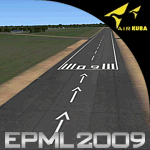
This is third version of EPML airport scenery. Main features of the scenery are: Airport ground high resolution textures - (four seasons + night textures); Highly detailed 3D objects, all photo textured; Detailed autogen and photorealistic trees. For more details please look at the README file attached to the scenery file.
EPML is home base of PZL-Mielec (Polskie Zaklady Lotnicze - Polish Aviation Works), formerly WSK-Mielec and WSK "PZL-Mielec" is the Polish aerospace manufacturer, based inMielec. It has been the biggest Polish post-war aerospace manufacturer. In 2007 it was acquired by Sikorsky Aircraft Corporation, retaining the brand.Starting from 1950, the factory developed much and became the biggest Polish aircraft producer. It was a licensed producer of the Soviet jet fighters MiG-15 (produced as Lim-1), MiG-15bis (Lim-2), MiG-17 (Lim-5) and its Polish attack variant, Lim-6. The first Lim-1s were manufactured of Soviet parts in 1952, a full-scale production started in 1953. About 1500 Lims were built by 1964. In 1957-1960 there were also produced 250 Polish-designed piston trainers TS-8 Bies. From 1963 there was produced Polish-designed jet trainer TS-11 Iskra, being a basic trainer in the Polish military aviation. Its successor, designed with a part of PZL-Mielec, the PZL I-22 Iryda, appeared however a failure for different reasons, mostly lack of proper funding, and only a small series was built.
The most numerous plane built in Mielec was the licensed Soviet Antonov An-2 utility biplane, produced from 1960 in different variants. Over 13,000 of these aircraft were manufactured by 1991, mostly on the Soviet order, but also used in Poland and exported to other countries. From 1984 PZL-Mielec manufactured Soviet STOL transport planes Antonov An-28, as its only producer in the world. The plane was subsequently developed in Mielec and in a modernized variant PZL M-28 Skytruck/Bryza is offered for the Polish Army, Polish Navy and services abroad, with some success.
| Filename: | Mielec_EPML_2009.zip |
| License: | Freeware |
| Added: | 15th May 2010, 09:47:41 |
| Downloads: | 3,780 |
| Author: | Marcin Bobro, Kuba Paczek |
| Size: | 56.33 MB |
| Category: Flight Simulator 2002 - Aircraft Repaints, Textures and Modifications | |
| Hellenic Air Force Republic Aviation F-84F Thunderstreak |
|
File Description:
This is one of the first jet age aircrafts served in Hellenic Air Force, almost 50 years ago (!!!). There are three (3) repaint versions of Royal Hellenic Air Force in the zip package: The first one, represents an F-84F, as placed in front of 113rd Wing's main entrance as a "gate guard monument". The aircraft was placed there during early '90ies and the idea was captured by Brigadier General Vlachandonis who used to be the 113rd Wing's commander at that time. The second, shows an F-84F, as it was painted from 1957 to 1967. The specific aircraft used to belong to 339th Sqdr.with a white-blue-white stripe painted close to the nose as a squadron's ID mark. Additionaly, the "Mighty Mouse" official Sqdr's badge was placed on the left part of fuselage, just behind the cockpit. The thrird repaint is representing an F-84F, as it was painted from 1971, until the "retirement" on 1984. The aircraft which is presented into this "VietNam typed" repaint version used to belong to 338th Sqdr. operating from Larisa AB. This "F84F_HAF.zip" package is full compatible with FS2K2 and FS9 too and contains realistic sound made by Angelos Hatzikatakos, new panel made by Nick Karatzides, helpfull checklist and a VERY completed (as always...) flight manual (46 pages) which can be read with Adobe Acrobat. This repaint was based on the original model made by Kazunori Ito. A total NEW flight model ("air" file and aircraft.cfg file) have been created by Nick Karatzides and have been tested hard, to ensure that the aircraft flies as close as possible like a real fighter! This "F84F_HAF.zip" package is for EXPERIENCED FlightSimers and virtual pilots who have a "good feeling" on the stick and do not "kick" the contol stick while flying. The package contains new visual effects, night lighting, fine looking mechanical parts movement, contrails, realistic gears extracting / retracting etc.
| Filename: | Hellenic_Air_Force_Republic_Aviation_F84F_Thunders.zip |
| License: | Freeware |
| Added: | 10th March 2004, 03:59:45 |
| Downloads: | 723 |
| Author: | Nick Karatzides, Angelos Hatzikatakos |
| Size: | 12.35 MB |


© 2001-2026 AVSIM Online
All Rights Reserved
Privacy Policy |