
Where Flight Simulation Enthusiasts Gather from Around the World!
AVSIM Library - Search Results

| Category: Flight Simulator X - Aircraft Repaints, Textures and Modifications | |
| Agusta Westland EH-101 v2 - Updated |

|
Images related to this file:
File Description:
FSX Agusta Westland EH 101 v2 Updated. The EH101 one of the world's best helicopters, but Microsoft did not put much effort into this model and it lacked a lot of stuff. The helicopter has been reworked to make it more like the real world aircraft. Reworked the aircraft configuration flight dynamics to stabilize the engine surging that occurs with the default aircraft. Reworked the air file to make the aircraft handle more realistically. Added a couple of landing lights on the rear struts found on the Asian and S.O.P. operators of aircraft. Added heat and exhaust effects to all three engines. Added new reflective strobes that double flash off body of aircraft. Added two working radars that will track aircraft. First the pilot's radar has tracking for aircraft only. Second the co-pilot's Radar has tracking for airports, land mass terrain following, aircraft, NDBs, VORs, airport ID. Added radar controls for both systems within the VC. Added easy to read MFD and PFD screens. Moved engine read gauges to lower level. Added Helmet Mount Display (HMD or HmountD) with mouse clickable switches with ground speed that will read in negative (reverse) flight and useable timer. Added radios (default Extra 300). Added pop-up GPS. Added pop-up door control gauge, for quick access to aircraft. Added pop-up light switch. Added switch-able vocal ground proximity warning system with fire alert, rotor low / high alert, under carriage alert, altitude alert Added auto-hover gauge. Added pop-up radar control for ground track system.
| Filename: | Agusta_Westland_EH101_v2__Updated.zip |
| License: | Freeware |
| Added: | 22nd August 2013, 22:49:01 |
| Downloads: | 1,689 |
| Author: | David Robles |
| Size: | 118.15 MB |
| Category: Prepar3D V1-4 - Missions | |
| C-27 Spartan Training Campaign Brize-Norton UK |
|
Images related to this file:
File Description:

This package is a campaign with 26 single training missions from basic tasks (e.g. traffic patterns) to tactical operations (e.g. combat landings).
The mission package is designed for the IRIS Battlefield Airlifter (Payware) but may be used also with other aircraft.
The italian airforce is providing an Alenia / Leonardo C-27 Spartan for training and evaluation by Royal Airforce at Brize Norton.
You are one of the pilots who is trained by an itlaian crew for basic and advanced operations at Brize-Norton Airbase.
In the end You have to transfer the first brand new RAF C27 from Italy to UK.
All locations used are default scenery. Eventually You have to adjust starting positions or waypoints if You are using special scenery for the theatre of operations.
Content:
Saved Flights for each mission (P3DV4 standard flights using IRIS Battlefield Airlifter with default liveries)
Weather files for each mission (P3DV4 standard flights)
P3D Flight plans (Default flight planner)
Mission explanation and daily orders (PDF files)
Addidional WP reference documents for low flying missions (PDF files)
Read the mission documents, load the flights at P3D and fly them as often as You want.
The Campaigns use the following locations:
EGVN Brize-Norton Airbase, RAF air transport squadrons
EGDN Netheravon Airfield, Grassstrip parachute Training and short landings on grass
EGVO Odiham Airfield, Chinook Squadron, airdrop training area
EGDL Lyneham, training area for landings (Closed down in 2010. Temporary open for this training)
Areas surrounding Oxfordshire, Southhampton and Wales
If You like it send a message. I have a couple of ideas for another missions. But it's a lot of work to do...
| Filename: | C27_Spartan_Training_Campaign_BrizeNorton_UK.zip |
| License: | Freeware |
| Added: | 21st February 2021, 20:35:40 |
| Downloads: | 110 |
| Author: | Alex Jorda |
| Size: | 18.02 MB |
| Category: Flight Simulator 2004 - AI Aircraft | |
| McDonnell Douglas F-4J(UK) Phantom F.3 (AI Phantoms Phorever Part 5) |
|
Images related to this file:
File Description:
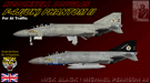
McDonnell Douglas F-4J(UK) Phantom F.3 (AI Phantoms Phorever Part 5). This is one of the most iconic military aircraft of all time, ushering in the modern age of air combat; from Asia to the Middle East; and many of the 5,195 manufactured airframes are still in active use today, after over five decades of excellent service. This model set utilized FSDS source files for Nick Black's original F-4E Phantom II 8-LOD AI model, and has been heavily modified for this project. Numerous changes are listed in the extensive documentation with this file. This file contains one F-4J(UK) base model, but is split into two time periods, representing use of both Sparrow and Sky Flash missiles. There are two full squadron paints for 74 Squadron, including eight loadouts and 15 serials per squadron; representing these aircraft in service from 1984-1990. I am not including the usual paint kit because these aircraft were only used by one RAF squadron, and I have included all serials. This project is the next part of what will hopefully be a comprehensive and fairly complete (AI traffic) history of this aircraft. I learned a lot from previous releases, and these models are vastly improved from the original releases I have done recently (v2 models for those will be forthcoming). I did not do this alone by any means, and all contributors that I can think of are listed in the documentation. This is the complete aircraft, with all main FS textures and effects included. Original FSDS source and paint kit by Nick Black; FDE by Mike MacIntyre, all model/paint kit modifications and repaints by Michael Pearson.
| Filename: | McDonnell_Douglas_F4JUK_Phantom_F3_AI_Phantoms_Pho.zip |
| License: | Freeware |
| Added: | 22nd February 2012, 16:08:07 |
| Downloads: | 880 |
| Author: | Michael Pearson |
| Size: | 14.46 MB |
| Category: Flight Simulator 2004 - Scenery | |
| Puntzi Mountain CYPU in British Columbia Canada |
|
Images related to this file:
File Description:
Puntzi Mountain is near a village called Chilanko Forks, approximately midway between Bella Coola and Williams Lake and just north of the Chilcotin to Bella Coola Highway. It is what remains of a military base and which currently shows in FS9 as a town, reduced in my scenery version to what remains after the base was closed and cleared. All that remains of the base is now the runway, over 6,000 feet of asphalt aligned 04-22, unlit, at 2,985 feet above sea level, and with centre line markings that are almost invisible. The runway is used in the summer for whatever local fire-fighting operations are needed by ConAir and there are some buildings and fuel tanks for this. It is also used for local flights such as those for a lodge on Puntzi Lake to the north. I have added three AT-802 textures with additional tail numbers for use in the AI. These are to be added to an aircraft that you very likely already have and which was included in Don Grovestine's posting of Abbotsford CYXX. I have also included the revised config file that adds the planes to Don's original; save the original config under another name and replace it with mine. Put the three new texture folders in with the original, which is called "CYXX-AI_Air Tractor AT-802 (Wheels)". If you do not have Don's scenery I suggest you get it, as his work is worth having and like Greg Putz he puts in a lot more effort than I do. The L188 Electra should already be with you if you downloaded my Smithers CYYD scenery. If you find a defect, email me.
| Filename: | Puntzi_Mountain_CYPU_in_British_Columbia_Canada.zip |
| License: | Freeware, limited distribution |
| Added: | 20th November 2020, 05:33:01 |
| Downloads: | 174 |
| Author: | Roger Wensley |
| Size: | 10.33 MB |
| Category: Prepar3D V1-4 - Utilities | |
| Flightplan Visualizer 1.8 |
|
Images related to this file:
File Description:
Flightplan Visualizer (FV) version 1.8.0. Copyright 2018 by Pelle F. S. Liljendal ([email protected]), all rights reserved.
FV comes with 300 Commercial-, and +380 BizJet AI pre-imported flightplans which the creators of those flightplans have gracefully allowed me to include with the installer, however you are able to import additional (AI) flightplans if you want to. Once imported these (AI) flightplans can be visualized on a map-view, and the user will be able to search accross all these. Hence you can use the program as inspiration as to which routes to fly. E.g. you can search across all imported flightplans to find all flights in an A321 flying into/out from LDDU, or simply to look for all flights in a Boeing 747-8F.
Simply run the included installer to install the software. The program will be installed into "C:\Program Files (x86)\Flightplan Visualizer" and all datafiles will be installed into: "C:\Users\[UserName]\AppData\Roaming\FlightplanVisualizer". The program comes with a full manual explaining everything, and a 2 page quick manual to get you started. The first 3 times you run the program the quick manual will automatically open. Lacking a “proper forum†I have - for now - setup a Facebook group for support. This group is called “Flightplan Visualizerâ€, and you can seek membership via this link: https://www.facebook.com/groups/FlightplanVisualizer/
If you are installing this version on top of a version prior to 1.7 the program will start slower than ususal and display a lot of warnings. This is because it fileformat of the pre-imported flightplans was changed between version 1.6 and 1.7, so starting version 1.8 it will update all flightplans (and in the progress it will display all those warnings). The next time you start FV you will no longer see this warnings as all flightplans will have become updated.
Pelle
| Filename: | Flightplan_Visualizer_18.zip |
| License: | Freeware, limited distribution |
| Added: | 16th December 2018, 01:30:27 |
| Downloads: | 330 |
| Author: | Pelle Liljendal |
| Size: | 24.48 MB |
| Category: Prepar3D V1-4 - Utilities | |
| Flightplan Visualizer 1.7 |
|
File Description:
Flightplan Visualizer (FV) version 1.7.1. Copyright 2018 by Pelle F. S. Liljendal ([email protected]), all rights reserved.
FV comes with 300 Commercial-, and +380 BizJet AI pre-imported flightplans which the creators of those flightplans have gracefully allowed me to include with the installer, however you are able to import additional (AI) flightplans if you want to. Once imported these (AI) flightplans can be visualized on a map-view, and the user will be able to search accross all these. Hence you can use the program as inspiration as to which routes to fly. E.g. you can search across all imported flightplans to find all flights in an A321 flying into/out from LDDU, or simply to look for all flights in a Boeing 747-8F.
Simply run the included installer to install the software. The program will be installed into "C:\Program Files (x86)\Flightplan Visualizer" and all datafiles will be installed into: "C:\Users\[UserName]\AppData\Roaming\FlightplanVisualizer". The program comes with a full manual explaining everything, and a 2 page quick manual to get you started. The first 3 times you run the program the quick manual will automatically open. Lacking a “proper forum†I have - for now - setup a Facebook group for support. This group is called “Flightplan Visualizerâ€, and you can seek membership via this link: https://www.facebook.com/groups/FlightplanVisualizer/
If you are installing this version on top of a version prior to 1.7 the program will start slower than ususal and display a lot of warnings. This is because it fileformat of the pre-imported flightplans was changed between version 1.6 and 1.7, so starting version 1.7 it will update all flightplans (and in the progress it will display all those warnings). The next time you start FV you will no longer see this warnings as all flightplans will have become updated.
Pelle
| Filename: | Flightplan_Visualizer_17.zip |
| License: | Freeware, limited distribution |
| Added: | 27th November 2018, 17:23:12 |
| Downloads: | 463 |
| Author: | Pelle Liljendal |
| Size: | 23.28 MB |
| Category: Flight Simulator 2004 - Scenery | |
| Nanisivik CYSR and Arctic Bay CJX7 in Nunavut, Canada |
|
Images related to this file:
File Description:
Nanisivik is an airfield in the north of Baffin Island, 470 miles north of the Arctic circle. It was built to service a zinc and lead mine that was opened in 1976 as Canada's first Arctic mine, now closed and dismantled. The deep water Strathcona Sound has been ear-marked by the Canadian government for development as a naval base, so I have left the large ore storage shed and the jetty in place. The airfield is at 2,106 feet on the top of the Borden Peninsula hills with a lighted 6,400 feet of 150 feet wide gravel runway runway aligned 11/29. There is a terminal and other maintenance buildings, and First Air have a building there from when the mine generated a lot of traffic and jets were used. Arctic Bay is a village 11 miles west of Nanisivik airfield with a population of around 690 which also uses the Nanisivik airfield. There is another gravel strip much closer to the village that is called Arctic Bay CJX7, but this is smaller with only 1,500' of 50' wide gravel and has no facilities of any sort. The village is partly dependent on visiting sports hunters and other limited tourist visits. At almost 73 degrees north the average year will have only four or even three months where the average high is above freezing. The buildings on the field have been modelled specifically for this scenery, and as in real life there is only JetA available. The AI visiting aircraft are a Kenn Borek Twin Otter and a First Air 42-300. As Nanisivik is in the "Northern Domestic Airspace" the runway is signed in "true" bearings and not magnetic as magnetic compasses become unreliable close to the magnetic pole.
| Filename: | Nanisivik_CYSR_and_Arctic_Bay_CJX7_in_Nunavut_Cana.zip |
| License: | Freeware, limited distribution |
| Added: | 28th May 2011, 19:59:18 |
| Downloads: | 496 |
| Author: | Roger Wensley |
| Size: | 2.64 MB |
| Category: Flight Simulator 2004 - Scenery | |
| 9A8 - Ugashik, PAII - Egegik, AK96 - Bartletts, AK36 - Coffee Point , Alaska, USA |
|
Images related to this file:
File Description:
All four of these depend heavily on fishing but two of them only spring into existance during the salmon catching-and-canning season. Grant Air run scheduled flights to the two permanent settlements, and there are irregular scheduled flights and charters to the others according to demand. Ugashik is a permanent settlement 60 miles northeast of Port Heiden, stretched out along the east bank of the Ugashik River. There are two canneries, one old and collapsing and the other newer and functioning. The population is given as 12, though during the season this increases significantly. The (newer) airfield is at the northern end of the village with a gravel runway 3,500 feet long aligned 06-24. Egegik is the second permanent settlement, 45 miles north of Ugashik and 40 miles southwest of King Salmon, on the east bank of the Egegik River. The town is on a corner of land, with a population of around 110 and two operating canneries. The airport is a mile and a half south of the town with two gravel runways, 12-30 at just under 5,600 feet and 03-21 with 1,500 feet; both are lit. On the other side of the Egegik River are more canneries and two airfields, both of which have two runways but are otherwise entirely without facilities or luxuries such as lights. They are called Bartletts (named for the cannery it serves) and Coffee Point (named for the location). The shacks of the seasonal fishermen are strung out along the coast and a lot of the salmon fishing is by net, laid by a small boat and later pulled ashore for emptying. Only one cannery on the west shore has a docking facility for unloading boat-caught fish.
| Filename: | 9A8__Ugashik_PAII__Egegik_AK96__Bartletts_AK36__Co.zip |
| License: | Freeware, limited distribution |
| Added: | 3rd April 2015, 18:06:49 |
| Downloads: | 1,135 |
| Author: | Roger Wensley |
| Size: | 4.98 MB |
| Category: X-Plane - Original Aircraft | |
| The 'AirVeteran' Finnish Airlines DC-3 |
|
File Description:
The DC-3 AirVeteran FINNISH Airlines livery textures
Day and night bitmaps are for the Leif Ohlson´s X-Plane 6.30+ DC-3
by: Miguel Angel Alvarez Gallardo. Spain. Nov. 2002
The first time I saw this pretty plane was on the model made by Jam Visser for fs2000 (TM), and I fall in love with it,
as far as I take the textures from his plane and adapted to the great ( genial ! ) DC-3 for X-Plane by Leif Ohlsson.
I asked Jam Visser several post, but I never released it!
The next livery for Leif Ohlsson plane was the SAS livery " Daisy " and this time it was released. It liked Leif Ohlsson
so much that He told me We could make a group!
I began to design a new bare metal base texure in order to release several liveries, and when it was made, I decided
release another again the AirVeteran FINNISH Airlines, but this time with a textures enterely by my own!
I think it´s better than the first for this plane and I hope you enjoy it as much as I enjoyed desingnig it!
These textures are freeware!
But: They can´t be used in any way for comercial purposes, neither can be manipulated or alter in any way.
These textures only can be distribute in this original package!
These textures are released as there and no responsability in any way will be derivated from its use
These textures can´t be used for other authors or other simulators, neither manipulated or alter in any way for any purposes
without my permission.
They have been the result of a lot of work and with the unestimable help of Leif Ohlson.
These textures are as the real DC-3 fuselaje.
Enjoy!
| Filename: | The_AirVeteran_Finnish_Airlines_DC3.zip |
| License: | Freeware |
| Added: | 9th November 2002, 19:56:19 |
| Downloads: | 694 |
| Author: | Miguel Angel Ãlvarez Gallardo |
| Size: | 1.41 MB |
| Category: Flight Simulator 2004 - Scenery | |
| Replacement Dynamic Water Textures v11 |
|
File Description:
Replacement dynamic water texture-sets for FS2004 (VERSION 11). These newer version 11 moon light textures are a completely new type than my earlier versions. The results are much improved and there is also a "new moon" texture in this version which is a more realistic and darker blue/black which contrasts nicely with my moon light textures. This compares quite drastically to the default over lit pinkish brown tones the default FS9 uses for a new moon. Now when you fly by moonlight you can actually see the moon kissed water and even see some wave action. It actually feels like you are there! There are 2 moon light textures in this download. The default reflections and water colors leave a lot to be desired in FS2004. As an example; The default milky "bright green" overcast texture is highly unrealistic in overcast conditions. The replacement textures will change this dramatically to a much more convincing and realistic "blue/grey", cast, with improved lighting and reflections in respect to the sun. These replacement textures will generally give a much more realistic tone and color to the water effects in FS2004. The change is quite dramatic and transforms the flight sim experience to a much greater level of realism. It is important to stress the default FS9 textures are fully compatible with these new textures and they can be used in any combinations and can be mixed and matched with the new textures. For example it may be that some users want to keep some of the water environment textures as they are by default but change only one or two textures. The choice is yours. As a further added bonus a voice control file has been included for "Shoot" which will control FS2004 by voice. It is brilliant and it's free.
| Filename: | Replacement_Dynamic_Water_Textures_v11.zip |
| License: | Freeware |
| Added: | 11th January 2004, 20:38:03 |
| Downloads: | 3,057 |
| Author: | Peter Wilding |
| Size: | 3.49 MB |


© 2001-2026 AVSIM Online
All Rights Reserved
Privacy Policy |