
Where Flight Simulation Enthusiasts Gather from Around the World!
AVSIM Library - Search Results

| Category: Flight Simulator 2004 - Scenery | |
| Ketchikan PAKT in southern Alaska plus float planes 5KE and the town |

|
Images related to this file:
File Description:
This is Ketchikan PAKT in southern Alaska, 45 miles north of the Canadian border and 220 miles south of Juneau. It is the closest major Alaskan airport to the lower 48 and most flights from or to Seattle pass through Ketchikan en route. The airport is on the southern side of the stretch of water known as The Narrows and the town is on the northern side, with ferries connecting the two. The town side was somewhat modified as part of one of the three Misty Fjords sceneries, so there were already some marinas and docked cruise liners etc before I started this. In addition, Ketchikan Airport had been partly made way back in 2006, and further modified in 2007; I say "partly" as there is in fact no way to accurately make PAKT within the limitations of FS9 as there is a 50 or 60 feet difference in elevation between runway and apron, and the taxiways are actually ramps up from the apron to the ends of the runway. This has a knock-on effect on the float plane and ferry docks on the water below the airport. I can see why the Misty Fjord sceneries avoided it. This scenery retains the original buildings from the Alan Wright scenery. It also includes the modification made by John Hinson, who created the second taxiway to the western end of the runway; FS9 had not included this as the original airport started operations with only one taxiway in place. There are new vehicles on the apron (fuel etc), new apron markings and some parking modifications to enable AI with Boing 737, DC6, Beechcraft 1900, and GA, plus runway and taxiway signage, windsocks, some car parking, freight items, etc. There is a road and covered bridges down to the docks and ferry, and the town side of the water has been modelled to include other float plane docks along with waterfront buildings, including the ship repair facility with it's dry dock (actually a floating dock that lifts ships out of the water) and the Alaskan Ferry Terminal wharf etc. The ferry forms a part of the AI, generously permitted by FSAddon and originally a part of the payware Tongass Fjords package, as are the AI aircraft also included here. There are new waterside buildings that stretch from the ship repair yard, past the shopping plaza and onward to the stationary cruise liners (that were part of the Tongass payware scenery) including float docks for the float plane companies that are based in Ketchikan, plus a new AI liner. The AI is a further adaptation of the already posted CF36 AI and PAKN AI, as listed in the AI folder. Due to the surrounding hills there may be some interference with AI float aircraft, depending on the wind direction, though I have watched succesful Beaver landings with the wind from the east. The combined AI for float planes creates a float plane take off or landing at, on average, 20 minute intervals; this is still well short of the actual busy summertime period.
| Filename: | Ketchikan_PAKT_in_southern_Alaska_plus_float_plane.zip |
| License: | Freeware, limited distribution |
| Added: | 12th February 2017, 23:27:59 |
| Downloads: | 1,238 |
| Author: | Roger Wensley |
| Size: | 47.11 MB |
| Category: Flight Simulator 2004 - Aircraft Repaints, Textures and Modifications | |
| KLM Douglas DC-3 pre-war |
|
Images related to this file:
File Description:
Re-upload. FS2004 KLM Douglas DC-3 pre-war textures.
Before and after World War II, KLM was a major European operator of the Douglas DC-3. The first DC-3, PH-ALI 'Ibis', entered service with KLM in October 1936. This made KLM the first operator of the DC-3 in Europe.
22 others would join before Nazi-Germany invaded the Netherlands on 10 May 1940 and occupied the country for five dark years. Those DC-3's present at Amsterdam-Schiphol, if not destroyed by bombs, were impounded by the Germans. Other DC-3's that happened to be elsewhere out of reach of the enemy found their way either to the Dutch East Indies where they served on the KNILM routes until the Japanese invasion in February 1942, or to England where they were leased by BOAC for the London (later Bristol) to Lisbon service.
Both PH-ALI 'Ibis' and PH-ARW 'Wulp' moved to England. Unfortunately they did not survive World War II. The 'Wulp' was destroyed in November 1940 when Bristol got bombed by
the German Luftwaffe. The 'Ibis' was shot down by Junkers Ju-88's on 1 June 1943 over the Bay of Biscay.
The repaints of PH-ALI and PH-ARW are based on the templates Mark Beaumont created for the MAAM-SIM Douglas DC-3 (passenger version), which were based on Jan Visser's original textures. These are textures only. You will require MAAM-SIM's great donationware Douglas R4D/DC-3 package. Repaints by Maarten Brouwer.
| Filename: | KLM_Douglas_DC3_prewar.zip |
| License: | Freeware, limited distribution |
| Added: | 12th June 2010, 01:16:55 |
| Downloads: | 666 |
| Author: | Maarten Brouwer |
| Size: | 10.05 MB |
| Category: Miscellaneous Files - Demos from Commercial Vendors | |
| AirFx 06 (Commercial Demo) |
|
Images related to this file:
File Description:
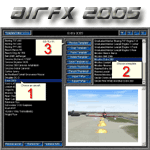
--Re-upload--
Imagine a low-level bombing run in Flightsim 02/04 only 3 MOUSE CLICKS AWAY.
The next generation of excitement is here, completely new inside and out.
Weapons, smoke writing, engine fires, and more EASY AS 1,2,3 with AirFx!
AirFx 06 makes the aircraft smoke system even easier to use.
Fully loaded with the new features everyones been asking for.
Includes a new html based help system with easy to understand graphics.
Demo includes FREE one full hour of flight-time in FlightSim with effects.
NEW AIRCRAFT EDITOR FEATURES:
Easy to use for the novice incredible time-saving features for the pro.
Import / Export FxPax effects packages for fast and easy sharing or backup.
Add your own exciting screenshots for easy template identification.
FxPax save your screenshot, effects, textures and smoke system settings.
Web enabled so you can download new effects packages, create and share your own FxPax.
NEW TEMPLATE EDITOR FEATURES:
The fastest and easiest way to position individual effects.
Revolutionary Aircraft Placement Matrix to easily place effects on your aircraft.
Error checking with auto-renumber and log for missing effect and texture files.
Copy paste cut insert functions.
Preview Multi or single line or full template.
Nudge buttons for easier effect placement.
This file is a Commercial Demo. DEMO VERSION LIMITATIONS: 1. No saving modified aircraft; 2. No FxPax Export; 3. No edit effects files; 4. 1 hour limit to FlightSim previews; 5. Nags
| Filename: | AirFx_06_Commercial_Demo.zip |
| License: | Commercial demo |
| Added: | 14th July 2010, 10:26:25 |
| Downloads: | 2,033 |
| Author: | Grant Bovee |
| Size: | 13.2 MB |
| Category: Flight Simulator X - Miscellaneous Files | |
| Drivable and Flyable Grey Van |
|
Images related to this file:
File Description:
The Drivable and Flyable Grey Van is derived from a stationary Euro Van model by the following modifications / additions:
-land-vehicle instrument panel
-sound files
-FSX effects and custom exhaust smoke effects files
-modified .CFG and .AIR files
The vehicle is powered by a single aircraft piston engine with modified flaps to serve as a gear-shift. High gear allows the vehicle to speed up to 70 Kt on wide highways, while the low gear restricts the speed to about 12 Kt, but enables the vehicle to ascend steep slopes for exploring terrain scenery.
At speeds around 65-70 Kt (in gear 4), pulling back on the yoke will allow the vehicle to take off and fly at level-flight speeds around 70 Kt. This is an interesting way to go island-hopping, overcome insurmountable terrain obstacles, or cover larger straight-line distances without using the slew mode.
An autopilot with hold altitude and hold heading options is operable during flight only.
All dashboard instruments are fully functional, including the Radio-Magnetic Indicator (RMI) during flight. Needles 1 and 2 are activated if correct frequencies are entered in the ADF and VOR radios.
The vehicle has lights which are toggled by pressing [L]. Lights are associated with a very thin exhaust smoke effect. Thick exhaust smoke is toggled by pressing [I].
Driving vehicles through FSX scenery in different seasons presents a whole new aspect to the simulation. It allows us to imagine discovering innumerable places on the planet which are in practice beyond our reach.
I hope you enjoy!
| Filename: | Drivable_and_Flyable_Grey_Van.zip |
| License: | Freeware |
| Added: | 29th January 2024, 15:24:50 |
| Downloads: | 37 |
| Author: | Rudy E. Kokich |
| Size: | 38.63 MB |
| Category: Miscellaneous Files - Miscellaneous Files | |
| 79C - Brennand Airport - Neenah, Wisconsin - USA |
|
Images related to this file:
File Description:
Well this is my 1st attempt at creating/editing an airport so be gentle. I created all the models in sketchup and used ADE to compile the airport. All you should have to do is unzip it and place it with your other add-on scenery and activate it in P3D. This is for P3D V2 only at the moment. When I get a chance I'll get an FSX version done if anyone wants it.
Brennand Airport (79C) located about 4 miles southwest of Neenah WI. This airport is between KATW and KOSH. Brennand has had new ownership since 2013 and they have made many improvements in that time to 79C. So I went out there and took lots of pictures to create what I have for us now. They have built a new building and hangar which I have added along with all the other building on the airport grounds. The runway has been widened from 20 feet to 30 feet and they added PAPI lights on both runways 18 and 36 all of which I have included. I have changed the grass parking areas to reflect the way they are currently set up. (For fun parking area 8 is in the EAA Chapter 41 hangar (Hangar 11) with the door open so you can taxi out of the hangar. Now just need to figure out how to animate the hangar door).
Compatible with P3D v2 ONLY. FSX version may follow later.
| Filename: | 79C__Brennand_Airport__Neenah_Wisconsin__USA.zip |
| License: | Freeware |
| Added: | 4th November 2014, 00:05:41 |
| Downloads: | 99 |
| Author: | Jon Verrett |
| Size: | 32.63 MB |
| Category: X-Plane - Original Aircraft | |
| Boeing B314 Clipper for X-Plane 6.40/6.51 |
|
File Description:
Boeing B314 Clipper v1.0 for X-Plane 6.4/6.51- Built for Pan American Airways to expand their Clipper fleet, they also saw service for the US Navy and BOAC. The "clipper" name was appropriate because the Sikorsky S42, the Martin M130 (also available for X-Plane on AVSIM) and the Boeing B314 opened up long distance air lanes in 1930's and 40's the same way that the clipper ships opened up sea trade in the late 1800's. The model flies very well and is as accurate as the limited plans available to me. Due to limitations in shaping airfoils the outside rudders are actually engine nacelles (jets with 5 lb of thrust) and the lower wing is also an engine nacelle. The rear section of the fuselage is actually a gas tank or float section used to get better detail in the fuselage. As all of my models the exterior paint and panel can use a lot of work. What you see here is approximately 6-8 hours of modelling/decorating? work plus 16-20 hours or more of test flights.
Number built: total 12, 6 A314's built with upgraded engines and increased range
Engines: 4 - 1,600 HP, Wright R-2600, Twin Cyclone ,14 cylinder, air-cooled, radial engines. Wing Span: 152 ft. Length: 106 ft Max GW: 84,000 lb. Max level speed: 193 mph Cruising speed: 183 mph Range: 3,500 (5,200 A314) miles First flight: June 7, 1938, last retirement 1951. Ceiling: cruise 13,400, maximum 19,600 feet
Accommodation: 10 crew, 74 (36 night) passengers.
| Filename: | Boeing_B314_Clipper_for_XPlane_640651.zip |
| License: | Freeware |
| Added: | 12th February 2003, 22:41:20 |
| Downloads: | 639 |
| Author: | Robert App |
| Size: | 1.06 MB |
| Category: Flight Simulator 2004 - Miscellaneous Files | |
| GoTo any Airport Version 4 |
|
File Description:
Go To Any Airport.- Now 4 Airports Included.
Always wanted to return to your favourite local Airport from anywhere in the world? simply - with no fuss? Look no Further.
Start at your Designated Airport, [in this case London Gatwick,Innsbruck,Dublin or Edinburgh in a 737], then Goto any Airport! - via the FS9 World menu and return to the Original Designated Airport - every time! - By Just turning the GPS/nav switch to GPS and Flight Director and autothrottle on whilst still on the ground.Click on the Autopilot and Nav Hold switch once above 1000ft - thats it !! . Set Weather as required and dont forget Altitude and Speed in autopilot and away you go. Use the FS9 ATC as You Travel, call into designated Airport when close and receive the curent ATIS and Runway approach in use.
HAVE FUN.
(This is different to the great circle direct routes that you can programme into the very good FS9 GPS - each and every time you start from a new airport).
As A bonus you can also use the designated flight files provided to take of and circle your Airport,using autopilot again with GPS/nav switch on gps setting and nav hold switch on. This is a good way to observe the airfield and your aircraft especially from tower view - set tower position using map window and pointing and dragging tower icon also set the tower altitude.Some Example flights worded "AJT Circuit of......." are also enclosed.- these particular flights can make good moving screen savers!
| Filename: | GoTo_any_Airport_Version_4.zip |
| License: | Freeware |
| Added: | 7th March 2004, 18:21:48 |
| Downloads: | 1,001 |
| Author: | Alan Trussell |
| Size: | 54.91 KB |
| Category: Flight Simulator 2004 - Original Aircraft | |
| Worship International Boeing 777-200LR, Complete Fleet |
|
File Description:
FS2004 Worship International Boeing 777-200LR,
Complete fleet, aircraft and textures!!!
Includes unzipped "mj72l2ge.zip".
UNZIP to your aircraft folder!!! That's all there is to it.
Includes E Gomide Charters PLUS 3 versions of our personal Worship fleet of this aircraft. (Also works in FS2002).
Features animated reclining seats, animated stowable PTVs and tray tables, and animated footrests. The virtual cabin has been extended with the addition of first and economy classes. "Maintenance mode" has also been expanded, with the addition of opening doors. Minor additions in the way of detail have also been made to the model. This rendition of the 777 has been built in Gmax for FS2002 (works perfect in FS2004) and features a 32-sided fuselage and engines; "maintenance mode" featuring opening engine cases, deployable Ram Air Turbine, opening gear bay doors on ground, opening captain's window; virtual cabin (business class); flexing wings; dynamic wing views; animated reversers with animated fan air blocker doors; see through engines; animated landing gear with fully modeled struts and hydraulic pistons, also featuring animated flexible gear hoses; animated flaps, slats, ailerons, elevators and spoilers with animated hydraulic pistons; advanced logic nose gear add main gear steering; animated primary and secondary rudder; dynamic shine and reflective surfaces; 3D APU; 3D gear, flap, slat bays; seamless wing root fairing; dimensioned to high accuracy; accurate flight dynamics; extremely detailed all round. By Melvin Rafi (MelJet). 4 Paint schmes included.
Repaint by jimmy R martin using "FS Repaint by Abacus & Paint Shop Pro 7.04." Range over 10,000 miles!!!
| Filename: | Worship_International_Boeing_777200LR_Complete_Fle.zip |
| License: | Freeware |
| Added: | 29th September 2003, 14:31:01 |
| Downloads: | 27,902 |
| Author: | jimmy R martin |
| Size: | 9.28 MB |
| Category: Flight Simulator 2004 - AFCAD Files | |
| Southwest Florida Int'l (KRSW) |
|
File Description:
This is not an airport I fly into often but I did and I realized there was no good AFCAD for this airport aside from the dreadful default one that MS did so I decided to make my own. I made it as accuarate as I could. I wanted to include a blank ramp area to denote the new midfield terminal but that area is covered with trees and such in the scenery and I don't really know how to work with removing all that. I have, however, included the new parallel taxi way that is being built to accomodate the new midfield terminal. This taxiway is not open in real life and it has been modeled as such an in incomplete state.
A ramp area for cargo and general aviation is included. Appropriate cargo airlines are assigned parking space. The current terminal also has accuate gate space with the exact number of gates that the real airport has along with accurate gate numbers as per the airport's website. Airlines are assigned to the correct terminal, it seems that airlines with smaller schedules don't have one specific arrival gate but rather arrive at whichever gate ground assigns them in their respective concourse so you might so airlines at different gates on different days but they all arrive/depart from the terminal they operate out of. All airlines operating into the airport are assigned gates.
Hope this helps to make your trips in and out of the RSW airport a little more realistic and enjoyable.
| Filename: | Southwest_Florida_Intl_KRSW.zip |
| License: | Freeware |
| Added: | 27th June 2004, 05:13:58 |
| Downloads: | 1,096 |
| Author: | Jason Diaz |
| Size: | 220.05 KB |
| Category: Flight Simulator 2004 - AI Aircraft | |
| Chance-Vought F-8 Crusader (Part 4) |
|
Images related to this file:
File Description:

Chance-Vought F-8 Crusader (Part 4). I present a comprehensive AI traffic model package for this classic aircraft of modern military history.
This is an original 8-LOD model, with many animations and features thanks to a growing confidence in XML-coding and making FSDS work for me instead of the other way around.
Nicknamed "The Last Gunfighter", this aircraft was the last production aircraft for the US Navy and Marine Corps which used guns as primary armament, and was in service at the twilight of this age, as well as the dawn of the missile age. Like all combat-experience aircraft, it had a relatively short life during its operational use (only about twenty years or so as a fighter), but was used a little longer as a recce aircraft; and beyond that in export service to France and the Philippines. The Crusader was used extensively in combat operations in Vietnam, played a crucial role in the Cuban Missile Crisis, and gave the newer F-4 Phantoms a fair run for their money in terms of air combat capability during this time. It is interesting to note that the 'elderly' F-8 Crusader had a better kill overall ratio in air combat in Vietnam than its F-4 successor.
This is the fourth and final part of this model series, covering the export French F-8E(FN) and Philippine F-8P base models; with a total of 20 model options and 77 paints. Additionally, with this release I am including a universal PSD paint kit which will serve all variants. Base model and paint by Michael Pearson, flight dynamics by Michael McIntyre.
| Filename: | ChanceVought_F8_Crusader_Part_4.zip |
| License: | Freeware |
| Added: | 14th January 2013, 16:01:07 |
| Downloads: | 833 |
| Author: | Michael Pearson |
| Size: | 24.74 MB |


© 2001-2026 AVSIM Online
All Rights Reserved
Privacy Policy |