
Where Flight Simulation Enthusiasts Gather from Around the World!
AVSIM Library - Search Results

| Category: Flight Simulator X - Scenery | |
| YKBR Kalbarri, Western Australia (VERSION 3) and townsite |

|
File Description:
YKBR Kalbarri includes a townsite where there was none in FSX and the entire mouth of the estuary and immediate coastline - The airport was rebuilt in 2001 replacing the old Kalbarri Strip. The Kalbarri Airport, 10km east of Kalbarri on the Kalbarri-Ajana Road, is a jointly owned by the Shires of Northampton and Greenough. The Airport was funded by both Shires, the State Government and significant contributions were also received from Arkona Holdings and Westralia Airports Corporation. The total cost of the construction is approximately $1.7 million. The Airport was officially opened on the 22nd September 2001 by the Hon. Michelle Roberts. The fee to land at the Kalbarri Airport is $15.00. This can be paid at the airport or Shire office in Kalbarri at the Allen Centre on Grey Street. Private aircraft can be parked permanently at the airport. There is a fee of $264.00 per annum and is payable in lieu of any landing fee. Skywest provide RPT services������������ from Perth������������ and Carnarvon������������ on Friday, Saturday and Sunday. REQUIRES Blencowe_LibraryKit.zip
REQUIRES blencowe_librarykit_309494.zip (Available HERE)
| Filename: | YKBR_Kalbarri_Western_Australia_VERSION_3_and_town.zip |
| License: | Freeware |
| Added: | 28th February 2013, 13:51:38 |
| Downloads: | 271 |
| Author: | Alan Blencowe |
| Size: | 4.95 MB |
| Category: Flight Simulator X - Scenery | |
| VOHS-VOBL package for FSX and FSX-SE |
|
Images related to this file:
File Description: Rajiv Gandhi International Airport (IATA: HYD, ICAO: VOHS) is an international airport that serves Hyderabad,
the largest city in the Indian state of Telangana. It is located in Shamshabad, about 24 kilometres (15 mi) south of Hyderabad.
The airport is operated by GMR Hyderabad International Airport Ltd, a public–private venture.
It was opened in March 2008 to replace Begumpet Airport as the primary commercial airport for Hyderabad.
It is named after Rajiv Gandhi, former Prime Minister of India. _______________________________________________________________________________________ Kempegowda International Airport (IATA: BLR, ICAO: VOBL) is an international airport serving Bangalore, the capital of the Indian state of Karnataka.
Spread over 4,000 acres (1,600 ha), it is located about 40 kilometres (25 mi) north of the city near the village of Devanahalli.
It is owned and operated by Bangalore International Airport Limited (BIAL), a public–private consortium.
The airport opened in May 2008 as an alternative to increased congestion at HAL Airport,
the original primary commercial airport serving the city. It is named after Kempe Gowda I, the founder of Bangalore.
Kempegowda International Airport became Karnataka's first fully solar powered airport developed by CleanMax Solar.[2][3] As of 2016, Kempegowda Airport is the third-busiest airport by passenger traffic in the country,
behind the airports in Delhi, Mumbai and is the 35th-busiest airport in Asia. It handled over 22.2 million passengers in 2016 with little less than 500 aircraft movements a day.
The airport also handled about 314,060 tonnes (346,190 short tons) of cargo. By 2020, it is expected to handle at least 40 million passengers per year,
with 45 international airlines and more than 1000 aircraft movements per day.
| Filename: | VOHSVOBL_package_for_FSX_and_FSXSE.zip |
| License: | Freeware |
| Added: | 28th January 2018, 17:03:17 |
| Downloads: | 4,469 |
| Author: | morten thomas van der linden |
| Size: | 171.62 MB |
| Category: Flight Simulator 2004 - Sounds | |
| Kosmos Airlines: Flight for Flight for FS Announcement Panel v2.0 |
|
Images related to this file:
File Description:
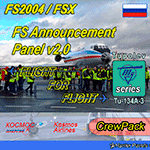
As a Captain of the legendary Tupolev Tu-134 take part in an international event for aviation enthusiasts called "Flight For Flight".
Depart early in the morning from Vnukovo Airport to Kaluga, where participants of the event are expected to visit the Tsiolkovsky Museum of the History of Cosmonautics, go for spotting at Kaluga Airport, meet real cosmonauts and other interesting people that devoted themselves to aviation. At the end of the event take the participants back to Moscow, Vnukovo Airport.
Your goal as a Captain is to provide effective crew management and coordination so that your experienced navigator would make the best route considering that after taking off in Kaluga your pax would have had an opportunity to enjoy its surroundings from 1,500 ft, your flight attendants would manage to serve drinks to the participants in flight, and that your piloting skills allow them to take good pictures and videos during takeoff, landing, and in flight.
The update will add welcome crew announcements and messages after landing at the airports Vnukovo, Moscow (IATA: VKO, ICAO: UUWW) and Kaluga Grabtsevo (IATA: KLF, ICAO: UUBC). IMPORTANT: Kosmos Airlines Tupolev Tu-134 CrewPack, Kosmos Airlines: Flight Levels and FS Announcement Panel v2.0 are required and should be installed prior to installing the update.
Recommended addons:
Kosmos Airlines Repaint Tupolev Tu-134A:
FS2004
https://library.avsim.net/download.php?DLID=202267
https://www.flightsim.com/vbfs/fslib.php?do=copyright&fid=199118
Vnukovo Airport:
FS2004
https://www.avsim.su/f/fs2004-scenarii-44/uuww-vnukovo-reload-56187.html
https://library.avsim.net/download.php?DLID=148796
FSX
https://www.avsim.su/f/fsx-sceneries-83/stsenariy-aeroporta-vnukovo-44098.html
https://library.avsim.net/download.php?DLID=141533
https://www.flightsim.com/vbfs/fslib.php?do=copyright&fid=141677
Kaluga Grabtsevo Airport:
FS2004
https://library.avsim.net/download.php?DLID=202279
https://www.flightsim.com/vbfs/fslib.php?do=copyright&fid=199125
https://www.flightsim.com/vbfs/fslib.php?do=copyright&fid=186623
FSX
https://www.avsim.su/f/fsx-sceneries-83/kaluga-grabtsevo-48356.html
https://library.avsim.net/download.php?DLID=196763
You can evaluate the sound quality in this video:
https://youtu.be/wzkX9Oj5zD4
| Filename: | Kosmos_Airlines_Flight_for_Flight_for_FS_Announcem.zip |
| License: | Freeware, limited distribution |
| Added: | 6th December 2017, 06:33:42 |
| Downloads: | 38 |
| Author: | Gene Churumov |
| Size: | 1.23 MB |
| Category: Flight Simulator 2004 - Sounds | |
| Kosmos Airlines: Flight for Flight for FSPassengers |
|
Images related to this file:
File Description:
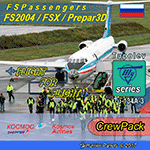
You are a Captain of the legendary Tupolev Tu-134. You and your crew take part in an international event for aviation enthusiasts called "Flight For Flight".
Early in the morning depart from Vnukovo Airport to Kaluga, where participants of the event are expected to visit the Tsiolkovsky Museum of the History of Cosmonautics, go for spotting at Kaluga Airport, meet real cosmonauts and other interesting people that devoted themselves to aviation. At the end of the event take the participants back to Moscow, Vnukovo Airport.
Your goal as a Captain is to provide effective crew management and coordination so that your experienced navigator would make the best route considering that after taking off in Kaluga your pax would have had an opportunity to enjoy its surroundings from 1,500 ft, your flight attendants would manage to serve drinks to the participants in flight, and that your piloting skills allow them to take good pictures and videos during takeoff, landing, and in flight.
This update comes as complete crewpacks that allow you to make welcome crew announcements and messages after landing at the airports Vnukovo, Moscow (IATA: VKO, ICAO: UUWW) and Kaluga Grabtsevo (IATA: KLF, ICAO: UUBC). IMPORTANT: Kosmos Airlines Tupolev Tu-134 CrewPack for FSPassengers is required and should be installed prior to installing the update.
Recommended addons:
Kosmos Airlines Repaint Tupolev Tu-134A:
FS2004
https://library.avsim.net/download.php?DLID=202267
https://www.flightsim.com/vbfs/fslib.php?do=copyright&fid=199118
Vnukovo Airport:
FS2004
https://www.avsim.su/f/fs2004-scenarii-44/uuww-vnukovo-reload-56187.html
https://library.avsim.net/download.php?DLID=148796
FSX
https://www.avsim.su/f/fsx-sceneries-83/stsenariy-aeroporta-vnukovo-44098.html
https://library.avsim.net/download.php?DLID=141533
https://www.flightsim.com/vbfs/fslib.php?do=copyright&fid=141677
Kaluga Grabtsevo Airport:
FS2004
https://library.avsim.net/download.php?DLID=202279
https://www.flightsim.com/vbfs/fslib.php?do=copyright&fid=199125
https://www.flightsim.com/vbfs/fslib.php?do=copyright&fid=186623
FSX
https://www.avsim.su/f/fsx-sceneries-83/kaluga-grabtsevo-48356.html
https://library.avsim.net/download.php?DLID=196763
You can evaluate the sound quality in this video:
https://youtu.be/wzkX9Oj5zD4
| Filename: | Kosmos_Airlines_Flight_for_Flight_for_FSPassengers.zip |
| License: | Freeware, limited distribution |
| Added: | 6th December 2017, 06:33:57 |
| Downloads: | 51 |
| Author: | Gene Churumov |
| Size: | 21.84 MB |
| Category: Miscellaneous Files - General Utilities | |
| Random Airport Generator |
|
Images related to this file:
File Description:
I can be contacted at [email protected] for any help required or different drive versions needed.
[ABOUT THE PROGRAM]
This program will read a text file from the route of your hard drive depending on the version you run, and select a random line and display that line. The file must be a text file named "Airports.txt". This program was designed with ease of use in mind for selecting a random airport for the Flight Sim community, though can be used for any purpose with any text file called "Airports.txt". The program will display the airport ICAO code then co-ordinates.
[ABOUT ME]
I am a 16 year old aviation enthusiast that loves flying and ATC, but hate having to choose an airport to depart from and arrive at, or to controll. This program has now removed this to make my flight more random with less decisions to make. I also like to explore areas I haven't been before, again this selects a random airport, from thousands of different ones, so exploring is inevitable.
[INSTALLATION]
The only installation required is to copy the Airports.txt file to the route of your hard drive C: or D: (for more drives e-mail me as above), then run the respective program for that drive from any folder you wish.
[ABOUT THE AIRPORTS.TXT FILE]
This file was collected from my FS2004 and contains every airport in it. Currently the program selects a line at random and displays it, whether a large international airport or small grass field. You could edit the file just to contain your favourite airports and it will NOT affect the running of the program as long as the file remains as Airports.txt. I am hoping in future versions to allow you to select a type of airfield, i.e. large, medium or small or select from runway length, though this will take a while to produce, if ever.
For now i hope everyone enjoys the program and happy flying :)
| Filename: | Random_Airport_Generator.zip |
| License: | Freeware |
| Added: | 9th June 2010, 02:41:14 |
| Downloads: | 211 |
| Author: | Alexander Aschacher |
| Size: | 254.45 KB |
| Category: Flight Simulator 2004 - Scenery | |
| Airstrips of the Falkland Islands |
|
Images related to this file:
File Description:
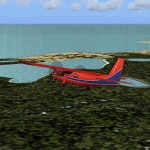
Inspired by Jim Keir's Falkland Islands mesh, coastlines and landclass, herewith a couple of dozen little strips from around the area, to give the opportunity to generate a bit of GA AI (and possibly a few scheduled flights) in an otherwise relatively ignored area in the South Atlantic. Please do note, other than Stanley, most of these airstrips are just that, a cleared strip of land in an otherwise empty landscape, (just as they are in real life), simply to provide a variety of destinations for the occasional aircraft to or from Stanley.
Most of the airfield locations are listed on WikiPedia and the layout confirmed using on-line satellite imagery. Other than the two main airports, none of these airstrips seem to have "official" ICAO codes, so I've generated a selection of alpha-numeric codes in the SF0* configuration, (as Stanley Airport has the ICAO code of SFAL), so the FS9 AI engine has some codes to work with and the airfields can be found on the map. Hopefully these pseudo-codes won't clash with anything else.
As with my other sceneries, the files for each airstrip can be easily identified by the ICAO code, even if the airfield names vary slightly, so you can pick and choose and mix and match to suit any sceneries you already have, should you so wish. There is no requirement for any other download. Each airstrip will exist as a stand-alone entity should you only want a few of them.
Having said that, Paul Denton's AFCAD and scenery for EGYP Mount Pleasant (available on AVSIM and possibly elsewhere) might be considered a worthwhile addition, especially if you want to see the twice-weekly scheduled RAF flights from Brize Norton (via Ascension Island), and the Saturday LATAM flight from Chile. Suitable AFCADs for EGVN Brize Norton and SCCI Punta Arenas may also be required. Appropriate traffic files and aircraft/texture suggestions are provided.
Please read the remainder of this "blurb" in the included text file, there may be a couple of details of interest.
| Filename: | Airstrips_of_the_Falkland_Islands.zip |
| License: | Freeware |
| Added: | 30th March 2025, 18:55:33 |
| Downloads: | 91 |
| Author: | Chris Eve |
| Size: | 295.87 KB |
| Category: Prepar3D V1-4 - Utilities | |
| GENav pro Navigation |
|
Images related to this file:
File Description:

Previous payware product at SimMarket, now 100% free.
With GENav pro you will view all AIRAC navigation data and terminal procedures inside Google Earth. GENav pro run under Windows and require only Google Earth for displaying. You can also edit your own routes or just copy routes into GENav to view in Google Earth. You can search for example an airport or a fix by short or long name, Google Earth will take you there.
You can connect to Microsoft Flight Simulator to view your aircraft. Moving map and heading is available.
GENav pro is highly optimized for best performance and clear views without clutter. There are smart filters to select relevant data to display, all AIRAC items are available. You will find all data such as nav-aid frequencies, airport runways with ILS frequencies by click the displayed icons in Google Earth.
You can edit routes visual direct inside Google Earth by click. The database can always be updated with Navigraph's latest AIRAC data.
With GENav you can easy build valid routes. Unlike other common autorouting program, GENav is the tool for you to build routes with correct airway direction and correct connected to SID/STAR's. You will easy draw your routes most stright and correct to destination. It is also excellent for visual and instrument navigation flights.
FEATURES:
*** Display airports, nav aids, waypoints
*** Display High/Low airways and airways direction
*** Display SID/STAR, Approaches and Transitions
*** Display ARTCC/FIR border
*** AIRAC data available by click
*** Search airport and fixes
*** AIRAC data compatible Navigraph data
*** Visual editable routes
*** VOR to VOR route navigation data
*** Display your aircraft
BASIC SYSTEM REQUIREMENTS:
*** Windows with Google Earth installed
( Notice, no flightsim program required )
OPTIONALLY REQUIREMENTS:
*** SID/STAR require the Navigraph purchase or an alternative free source
*** Airways direction & high/low info require the Navigraph purchase
*** To display aircraft, Microsoft Flight Simulator or Prepare3D v1/v2, with free FSUIPC is required.
*** To display aircraft at a separate computer, also the payware WideFS is required.
| Filename: | GENav_pro_Navigation.zip |
| License: | Freeware |
| Added: | 25th May 2016, 11:24:52 |
| Downloads: | 654 |
| Author: | Lennart Vedin |
| Size: | 4.5 MB |
| Category: Flight Simulator 2004 - Utilities | |
| GENav pro Navigation |
|
Images related to this file:
File Description:

Previous payware product at SimMarket, now 100% free.
With GENav pro you will view all AIRAC navigation data and terminal procedures inside Google Earth. GENav pro run under Windows and require only Google Earth for displaying. You can also edit your own routes or just copy routes into GENav to view in Google Earth. You can search for example an airport or a fix by short or long name, Google Earth will take you there.
You can connect to Microsoft Flight Simulator to view your aircraft. Moving map and heading is available.
GENav pro is highly optimized for best performance and clear views without clutter. There are smart filters to select relevant data to display, all AIRAC items are available. You will find all data such as nav-aid frequencies, airport runways with ILS frequencies by click the displayed icons in Google Earth.
You can edit routes visual direct inside Google Earth by click. The database can always be updated with Navigraph's latest AIRAC data.
With GENav you can easy build valid routes. Unlike other common autorouting program, GENav is the tool for you to build routes with correct airway direction and correct connected to SID/STAR's. You will easy draw your routes most stright and correct to destination. It is also excellent for visual and instrument navigation flights.
FEATURES:
*** Display airports, nav aids, waypoints
*** Display High/Low airways and airways direction
*** Display SID/STAR, Approaches and Transitions
*** Display ARTCC/FIR border
*** AIRAC data available by click
*** Search airport and fixes
*** AIRAC data compatible Navigraph data
*** Visual editable routes
*** VOR to VOR route navigation data
*** Display your aircraft
BASIC SYSTEM REQUIREMENTS:
*** Windows with Google Earth installed
( Notice, no flightsim program required )
OPTIONALLY REQUIREMENTS:
*** SID/STAR require the Navigraph purchase or an alternative free source
*** Airways direction & high/low info require the Navigraph purchase
*** To display aircraft, Microsoft Flight Simulator or Prepare3D v1/v2, with free FSUIPC is required.
*** To display aircraft at a separate computer, also the payware WideFS is required.
| Filename: | GENav_pro_Navigation.zip |
| License: | Freeware |
| Added: | 25th May 2016, 11:24:32 |
| Downloads: | 531 |
| Author: | Lennart Vedin |
| Size: | 4.5 MB |
| Category: Miscellaneous Files - Demos from Commercial Vendors | |
| Latin VFR Cuzco Photo and Airport Scenery |
|
File Description:
Cuzco or how is also formally known today as “Cusco” is one of the most important cities of Peru and is the historic capital of the Inca empire, it is also the historical capital of Peru designated by its constitution. The city is located in the Andes mountains and its elevation is above 3310 metres or 10860 feet above sea level. The city is nearby the ancient historical symbol of the Incas, Machu Picchu which is about 80 kilometers from Cusco, which became one of the New seven wonders of the world back in 2007.
This airport (SPZO) or (CUZ) has a visibility restriction and only operates during daylight due to the requirement of a visual approach to land. The aircraft operate mainly in one direction of flight in and out of this airport, they land on runway 28 and depart on runway 10. During weather situations in which no visual approach can be made the airport is closed until the weather gets better. No pilot dares to land with an overcast sky into an airport completely surrounded by mountains and no precision guidance navaid in order to assist for the landing. Therefore all landings conducted are SOLELY visual, and strict VFR rules apply. American Airlines (AA) briefly operated in this airport in the late 90’s and the word out there was that they kept doing miss approaches having difficulties with the approach, so it is widely known to be an airport dominated by veterans of the Cuzco approach, mainly Peruvian pilots or Andean pilots that know how difficult it is to have such restrictions. This is certainly the Madeira or the Innsbruck of all Latin American airports, it would be wise to say that this one is harder due to the lack of a precision approach. And by the way the largest aircraft permitted to operate here is a B757-200, however, anything bigger than a B737-200 needs government approval.
| Filename: | Latin_VFR_Cuzco_Photo_and_Airport_Scenery.zip |
| License: | Commercial demo |
| Added: | 2nd May 2009, 01:50:57 |
| Downloads: | 1,200 |
| Author: | LatinVFR |
| Size: | 34.22 MB |
| Category: Flight Simulator 2004 - Scenery | |
| PAKN - King Salmon - Alaska, US V1 |
|
Images related to this file:
File Description:
This is the final version, complete in itself and incorporating the two modifications posted separately. King Salmon is a town with a population of just under 400, on the north bank of the Naknek River and 15 miles from the sea. The airport is adjacent to the town and was originally an airforce base; the military hangars on the airport are still usable. The airport, with its long runway (11-29 and 8,500 feet with an ILS, and a second runway 18-36 and 4,000 feet) is a transportation hub for the area in general and in particular for the salmon industry. Along the Naknek River there are numerous canneries and there are also fishing lodges on the river and nearby lakes; to speed up transportation to the lodges there are float bases on the river to the south of the airport. King Salmon has three tiers of scheduled flights: Alaska Air direct from Anchorage in a 737 (passengers and cargo), PenAir (Saab turboprop) as part of their flights up and down the peninsula, and Grant Air serving nearby small towns. There are also PenAir flights, both scheduled and unscheduled, in smaller aircraft (Piper Navajo for instance) to smaller airports for the fishing season, plus cargo flights in larger aircraft by the lowest bidder (Everts and Northern). To complete the mix the AI includes a pair of F15s. The runways cross (see the airport diagram) so read the notes re long taxi routes. There is AI for PAKN, plus revised AI made for Dutch Harbor which includes flights by PenAir to King Salmon, plus revised parking for Dutch Harbor with new replacement bgls to cater for more flights. There is also AI for the float bases on the river; I have made two runways separated into two float bases for river AI, called King Salmon Floats and King Salmon River; more AI for these will be added when other scenery along the river is made. Just land according to the wind and taxi to whatever dock takes your fancy.
| Filename: | PAKN__King_Salmon__Alaska_US_V1.zip |
| License: | Freeware, limited distribution |
| Added: | 11th April 2015, 06:20:40 |
| Downloads: | 505 |
| Author: | Roger Wensley |
| Size: | 23.67 MB |


© 2001-2026 AVSIM Online
All Rights Reserved
Privacy Policy |