
Where Flight Simulation Enthusiasts Gather from Around the World!
AVSIM Library - Search Results

| Category: X-Plane - Scenery | |
| EPGO - Goraszka 2007 for X-Plane 8 |

|
Images related to this file:
File Description:

EPGO GORASZKA 2007 SCENERY FOR X-PLANE 8
----- ABOUT THE AIRPORT -----
EPGO Goraszka airport is located 12nm (20km) south-east of Warsaw downtown and Warsaw Frederic Chopin International Airport. It was built in 1994 and belongs to General Aviation company, which offers aero-taxi flights, air transport and special flights (air photo, patrol) and airport services. The airport has a 800m-long runway and a lightened helipad, which can be used by helicopters up to 5700kg weight. General Aviation's fleet includes Antonov AN-2, PZL-104 Wilga 80, Bell 407 and 427. Since 1996 the International Air Picnic Goraszka is organized every year by "Polish Eagles" Foundation created on initiative of Zbigniew Niemczycki.
----- SCENERY FEATURES -----
This airstrip has never been included in any of X-plane series default airports list and this is the first, detailed scenery of EPGO. Main features of the scenery are:
-Ground photo texture for the surrounding area - perfect for VFR approaches (four seasons + night textures)
-Airport ground high resolution textures - feel the grass when taxiing (four seasons + night textures)
-Highly detailed 3D objects, all photo textured - we made over 300 photos to have them all realistically textured
-Detailed autogen for the whole area - almost every building and every tree
-Tower view - feel like an air traffic controller
| Filename: | EPGO__Goraszka_2007_for_XPlane_8.zip |
| License: | Freeware, limited distribution |
| Added: | 27th October 2015, 15:16:51 |
| Downloads: | 25 |
| Author: | Drzewiecki Design |
| Size: | 50.53 MB |
| Category: X-Plane - Scenery | |
| EPGO - Goraszka 2007 for X-Plane 9 |
|
Images related to this file:
File Description:

EPGO GORASZKA 2007 SCENERY FOR X-PLANE 9
----- ABOUT THE AIRPORT -----
EPGO Goraszka airport is located 12nm (20km) south-east of Warsaw downtown and Warsaw Frederic Chopin International Airport. It was built in 1994 and belongs to General Aviation company, which offers aero-taxi flights, air transport and special flights (air photo, patrol) and airport services. The airport has a 800m-long runway and a lightened helipad, which can be used by helicopters up to 5700kg weight. General Aviation's fleet includes Antonov AN-2, PZL-104 Wilga 80, Bell 407 and 427. Since 1996 the International Air Picnic Goraszka is organized every year by "Polish Eagles" Foundation created on initiative of Zbigniew Niemczycki.
----- SCENERY FEATURES -----
This airstrip has never been included in any of X-plane series default airports list and this is the first, detailed scenery of EPGO. Main features of the scenery are:
- Ground photo texture for the surrounding area - perfect for VFR approaches (four seasons + night textures)
- Airport ground high resolution textures - feel the grass when taxiing (four seasons + night textures)
- Highly detailed 3D objects, all photo textured - we made over 300 photos to have them all realistically textured
- Detailed autogen for the whole area - almost every building and every tree
- Tower view - feel like an air traffic controller
| Filename: | EPGO__Goraszka_2007_for_XPlane_9.zip |
| License: | Freeware, limited distribution |
| Added: | 27th October 2015, 15:18:36 |
| Downloads: | 49 |
| Author: | Drzewiecki Design |
| Size: | 44.65 MB |
| Category: Flight Simulator 2004 - AI Flight Plans | |
| Sorted default FS9 flight plans & GA flight plans sorted by ICAO/country |
|
File Description:
The Master_GA_sorted_country contains: some 20,436 flight plans that have been adopted from Reggie Fields' sorted aircraft registration collections. The following is from his readme file (included folder), "FS2004 General Aviation AI traffic with more correct registration numbers for the originating country. This file is a modification of the FS2004 default GA traffic designed to minimize the number of small single engine aircraft landing at the worlds major commercial airports. This will prevent a lot of go-around orders to commercial jets based on the length of time it takes a C172 to clear a 10,000 ft runway. This file makes commercial AI traffic flow much better than the MS default while retaining the GA aircraft in the airspace." Like Reggie Fields' files, all are free to use and redistribute but can not be sold. AC#defaultfp_sorted_ICAO folder contains all individual default aircraft in seperate files and their FS9 default flight plans are sorted by ICAO. A second folder contains a file for each country with the mentioned GA flight plans sorted by ICAO. This should be of an aide to those of us who wish to put more correct AI aircraft into a region or country. Copy/paste should be easier, this way, when building on each countries' aviation/flights. All files are text (.txt) files (ASCII.) They have no @ and TTOOLS by Lee Swordy is recommended.
| Filename: | Sorted_default_FS9_flight_plans__GA_flight_plans_s.zip |
| License: | Freeware |
| Added: | 10th May 2004, 14:48:30 |
| Downloads: | 2,983 |
| Author: | Rick Connolly |
| Size: | 5.57 MB |
| Category: Flight Simulator 2004 - Flight Plans | |
| Crossing North America Flight Adventures-Package 3 |
|
File Description:
Inspired by Michael Doherty (Difficult & Dangerous Approaches) and David Dossiere (Hopping Round the World) and their flight adventures, I have put together a series of flight plan-adventures where the aircraft used are all available as freeware. A file locator is included with each package so that you can easily find and download the aircraft used. These packages each contain 10 flight adventures and each package begins at the location the previous package ended. All flightplans are VFR only and are designed so that you can enjoy the outstanding scenery of Alaska, Western Canada, Western and Mountain States of the lower 48, and Mexico.
The adventure, Crossing North America, begins at Pt Hope, Alaska and will conclude in the following months at Cancun, Mexico. The aircraft used are: General Aviation, Vintage, Warbirds, Bush Aircraft, and Propliners. No IFR flightplans or jets!
The flightplans are NOT designed to get you from Alaska to Mexico by the shortest route possible, but are in the spirit of David Dossiere's "Hopping Round the World" adventure flights, in that they take you into as many areas or airports as possible. Looking for some fun, flying low, and enjoying the scenery, then these flight adventures are for you.
Todate: 3,769 miles covered, using 26 different aircraft in the first 3 flight packs!
| Filename: | Crossing_North_America_Flight_AdventuresPackage_3.zip |
| License: | Freeware |
| Added: | 6th July 2004, 14:46:46 |
| Downloads: | 4,073 |
| Author: | Steve (Bear) Cartwright |
| Size: | 1.37 MB |
| Category: Flight Simulator 2004 - Miscellaneous Files | |
| Active ILS - KMIA (Miami International Airport) |
|
File Description:
By design KMIA is now the most advanced ATC controlled airport in the FS9 database. This is the 4th Airport and the most complex in a series of new ILS runways. As most know initiating the ILS at certain airports for AI Traffic is not a function at this time when using AFCAD2. If you add a new ILS runway to an airport such as KMIA (Miami International Airport 8L/26R) only the user aircraft can use this runway when visibility falls below 3 miles. ATC will no longer use this runway for AI Traffic because FS9 sees it as a visual runway. This will cause ATC to vector your AI Traffic back to 9L/27R (old numbers) 8R/26L (new numbers) which is also a Terminal departure runway. All 4 runways for KMIA are now simultaneously active for both departure and arrival. In the past only the runways closest to the Terminal were for departure, and arrivals used the outer parallel runways. This no longer applies with KMIA. The many options written in the XML are to numerous to list for KMIA so follow the instructions in the README and just sit back (or fly) and plane spot either VMC or IMC for a very active airport.
*** FlyTampa-Miami Scenery AFCAD2 and special ILS bgl also included ***
| Filename: | Active_ILS__KMIA_Miami_International_Airport.zip |
| License: | Freeware, limited distribution |
| Added: | 4th July 2004, 03:33:01 |
| Downloads: | 2,217 |
| Author: | Jim Vile |
| Size: | 128.67 KB |
| Category: Flight Simulator 2004 - Miscellaneous Files | |
| Active ILS - LEBL (El Prat - Barcelona Airport) |
|
File Description:
As most know initiating the ILS at certain airports for AI Traffic or the User Aircraft is not a function at this time when using AFCAD2. If you add a new ILS runway to an airport such as LEBL (El Prat/Barcelona 7R/25L) only the user aircraft can use this runway (without ATC commands) when visibility falls below 3 miles. ATC will no longer use this runway for AI Traffic because FS9 sees it as a visual runway. This will cause ATC to vector all your AI Traffic back to runway 7/25 old numbers, 7L/25R new numbers which is also a Terminal departure runway. This ILS bgl file adds all NAVAIDS for making 7R/25L a Precision Instrument Runway by adding all the radar fixes for both the ILS approach portion and the missed approach procedures, altitudes and intersections as per current published plates. All AI Aircraft/User Planes will now continue to use the new 7R/25L runway when Airport weather conditions are less than 3 miles. ATC will also use the right naming/numbers of the runways. The DME/VOR approaches have also been written using the new BCN/PRA VOR's for runways 7L/25R and 02. Many different default FS9 scenery GUID's added including Taxiway Signs *** FS2004 Default Scenery AFCAD2 included with the new 7R/25L runway ***
| Filename: | Active_ILS__LEBL_El_Prat__Barcelona_Airport.zip |
| License: | Freeware, limited distribution |
| Added: | 30th December 2004, 17:53:42 |
| Downloads: | 2,842 |
| Author: | Jim Vile |
| Size: | 31.51 KB |
| Category: Flight Simulator 2004 - Scenery | |
| New Night Textures - Newark Liberty Intl (KEWR) |
|
Images related to this file:
File Description:
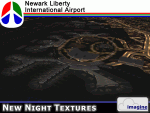
Some time ago, I purchased the Newark Liberty Intl (KEWR) by ImagineSim, but the night textures did not seem realistic. I set out to try to make them more so. This is the result of that work. Many of the scenery's night textures have been updated. The cargo areas for FedEx, UPS and UNITED Cargo now look much more realistic. The Marriott Hotel, the centerpiece of the airport and this scenery, looks considerably more realistic, as well as the terminals and the Continental Hanger and maintenance area. One of the nice unexpected results of this change is the light splash effect around the terminals; it definitely outlines the terminal area well. For those who own this scenery, I hope this enhances your flight experiences in and out of KEWR. For those who do not yet own this, but enjoy or would like to fly in and out of KEWR, it is now considered a legacy product by ImagineSim. As a result, the price was cut considerably and for a few shillings and this update, you'll have a nice addition to the airports in your FS2004 environment. I dedicate this work to all the controllers of VATSIM NYARTCC. I hope this brings more traffic your way. I want to thank ImagineSim for giving me permission to release these textures. See Readme.txt for installation instructions.
| Filename: | New_Night_Textures__Newark_Liberty_Intl_KEWR.zip |
| License: | Freeware, limited distribution |
| Added: | 27th October 2012, 03:48:59 |
| Downloads: | 2,292 |
| Author: | Jeffrey S. Bryner, Imagine Simulation |
| Size: | 1.97 MB |
| Category: Flight Simulator 2004 - Scenery | |
| Hazyview Airfield, Hazyview, South Africa |
|
Images related to this file:
File Description:
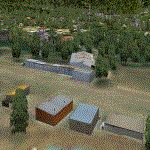
Hazyview is one of the gateway towns to the Kruger National Park and is located just to the West of Phabeni Gate, one of the main gates to use if you are travelling to Skukuza. The airfield in Hazyview is also called Numbi Airfield due to the location of the Numbi Hotel right next to the airfield.
Hazyview airfield is not included in the default scenery of FS2004. With this package, it has been faithfully produced in Gmax with photoreal textures on all the buildings and a photoreal ground as well. Even the Lowveld mall to the North of the airfield and right on the approach to Rwy 19 as well as the Building supplies store to the south and on approach to Rwy 01 is inlcuded with custom models and textures. Likewise, the buildings to the West of the runway (right at the edge of the runway) and the brickyard at the Northern end is modeled with custom models and textures. The two large cellphone antennas are also present in the airport scenery and custom made.
In real life, the runway is quite sloped and this was also recreated in the scenery under the limitations FS2004 presents with regards to non-flat airports.
The grass runway is aligned 01/19 and only 820m long. Take-off is on Rwy 01, with landings on Rwy 19.
| Filename: | Hazyview_Airfield_Hazyview_South_Africa.zip |
| License: | Freeware, limited distribution |
| Added: | 4th February 2022, 14:57:40 |
| Downloads: | 140 |
| Author: | Kobus van Wyk |
| Size: | 17.07 MB |
| Category: Flight Simulator X - Panels | |
| General Dynamics F-111 "Aardvark" PIG HUD Project (Upgrade, Revison 5) |
|
Images related to this file:
File Description:
FSX Alphasim F-111 Aardvark HUD. Navigation/Situation awareness cockpit.
REVISION 5. UPGRADE. COMPLETE PACKAGE.
New items-Fantastic FLARES 4 options, missiles, RADAR better panel integration, 2 instruments, sound, improved texture. Must have ALPHASIM F-111 Aardvark to build up this complete and separate F-111.
Exceptional capability cockpit with massive amount of digital data. Comprising:
-Pilot, WSO and virtual panels.
-Dual role air to air ground mapping RADAR with target lock up and script on radar and HUD to enable precise intercepts in all weather day or night.
-3 MFD with 19 selectable pages of data.
-RADAR and 3 GPS type moving maps.
-16 Nearest airports page with full Citynames and ICAO entry capable displays in HUD.
-Clipboard, autopilot. autothrottle and TFR.
-Enhanced HUD is selectable in all views including 10 camera views.
-All data clearly readable size.
-Aircraft carrier capable.
-Effects: bombs, missiles, flares, dump and burn, exhaust trail.
-Detailed 48 pge Flight Manual plus docs folder.
Configuration ensures crisp and extremely precise controlled flight even down to
10 ft AGL. This panel will set a new benchmark of the amount and type of
data provided and its presentation.Possibly the best pilots aircraft ever.
New simpler installation procedure. By Karol Chlebowski.
| Filename: | General_Dynamics_F111_Aardvark__PIG__HUD__Project_.zip |
| License: | Check within download |
| Added: | 29th May 2010, 10:10:16 |
| Downloads: | 934 |
| Author: | Karol Chlebowski |
| Size: | 33.85 MB |
| Category: Prepar3D V1-4 - Utilities | |
| AICull In-Sim Traffic Density Setting Tool |
|
Images related to this file:
File Description:

AICull v1.0.1 is a simconnect utility designed to provide AI traffic limiter options from within the P3D simulation via a menu system located under the “Add-ons†menu. AICull uses a “Smart Retain X Current ICAO†mode (accessible via the AICull in-sim menu under add-ons) that automatically maximizes arrival and departure activity at the user’s current ICAO while still retaining “X†number of AI. Alternately,the user can chose to simply retain “X†number of AI closest to the user’s aircraft. AICull also provides the options to limit AI traffic to the user’s departure and destination airports (if a P3D flight plan loaded). In all of the above cases, exceptions can be made for enroute AI (e.g., higher than 10,000 ft AGL or 18,000 ft AGL). The user can also customize preset values for the “X†retention number. AICull works best for .bgl file based traffic solutions (e.g., AIG). Although AICull will also work with simconnect-based traffic injectors (e.g., UTL), they typically perform their own AI traffic limiting and may also re-inject traffic that AICull deletes. AICull require the installation of FSUIPC v5 or later, registered (preferred) or unregistered. AICull is fully compatible with AIFlow and AIGround. Ver 1.0.1 FIX: changes to AICull.ini file not being read.
| Filename: | AICull_InSim_Traffic_Density_Setting_Tool.zip |
| License: | Freeware |
| Added: | 10th July 2020, 18:21:59 |
| Downloads: | 704 |
| Author: | Roland Foster |
| Size: | 946.98 KB |


© 2001-2026 AVSIM Online
All Rights Reserved
Privacy Policy |