
Where Flight Simulation Enthusiasts Gather from Around the World!
AVSIM Library - Search Results

| Category: Flight Simulator X - Panels | |
| F-111 Aardvark HUD - Navigation/Situation awareness cockpit with RADAR |

|
Images related to this file:
File Description:
FSX Alphasim F-111 Aardvark HUD. Navigation/Situation awareness cockpit.
REVISION 4. UPGRADE. COMPLETE PACKAGE. Adds upgraded dual role air-to-air ground mapping RADAR with target lock up and script on radar and HUD to enable precise intercepts in all weather day or night and new Sound. Massive amount of digital data.
Must have ALPHASIM F-111 Aardvark to build up this complete and separate F-111. Exceptional capability cockpit Comprising:
-Pilot, WSO and virtual panels;
-3 MFD with 19 selectable pages of data;
-NEW RADAR and 3 GPS type moving maps;
-16 Nearest airports page with full Citynames and ICAO entry capable displays in HUD;
-Clipboard, autopilot;
-Autothrottle and TFR;
-Enhanced HUD is selectable in all views including 10 camera views;
-All data clearly readable size;
-Aircraft carrier capable;
-Effects: bombs, missiles, flares, dump and burn, exhaust trail;
-Detailed REVISED 48 pge Flight Manual plus docs folder.
Configuration ensures crisp and extremely precise controlled flight even down to
10 ft AGL. This panel will set a new benchmark of the amount and type of
data provided and its presentation. Possibly the best pilots' aircraft ever.
Simple Panel replacement if previous version already installed.
By Karol Chlebowski.
| Filename: | F111_Aardvark_HUD__NavigationSituation_awareness_c.zip |
| License: | Check within download |
| Added: | 31st December 2009, 03:09:04 |
| Downloads: | 1,072 |
| Author: | Karol Chlebowski |
| Size: | 35.61 MB |
| Category: Dovetail Games Flight Sim World - Scenery | |
| UUEE MOSCOW SHEREMETYEVO X DEMO |
|
Images related to this file:
File Description:

UUEE MOSCOW SHEREMETYEVO X DEMO is a scenery of UUEE Sheremetyevo airport in Moscow, Russia, fully compatible with FSX/FSX:SE/P3Dv1/P3Dv2/P3Dv3/P3Dv4 and FSW by Dovetail.
This product is a fully functional DEMO version of the commercial payware product. Most objects are modelled as in the full version but covered with low resolution textures. Using this free demo ensures no problems with online (VATSIM, IVAO, multiplayer etc.) flying in case some users use the payware scenery and some don't.
Moscow is the capital city and the most populous federal subject of Russia. The city is a major political, economic, cultural and scientific center in Russia and in Eastern Europe. Sheremetyevo International Airport (SVO/UUEE) is an international airport located in Khimki, Moscow Oblast. It is a hub for passenger operations of the Russian international airline Aeroflot, and is one of the three major airports that serve Moscow, along with Domodedovo International Airport and Vnukovo International Airport
The product is equipped with an automatic installer, which means that the scenery will be automatically added to the Flight Simulator Scenery Library. Please uninstall all previous versions of this airport you may have installed before. Please make also sure that no duplicated AFCAD files are installed.
Enjoy your virtual flying with Drzewiecki Design!
| Filename: | UUEE_MOSCOW_SHEREMETYEVO_X_DEMO.zip |
| License: | Freeware, limited distribution |
| Added: | 13th May 2018, 02:23:50 |
| Downloads: | 80 |
| Author: | Drzewiecki Design |
| Size: | 19.41 MB |
| Category: Flight Simulator X - AFCAD Files | |
| MTPP - Toussaint Louverture International Airport / Port-au-Prince, Haiti |
|
Images related to this file:
File Description:
MTPP - Toussaint Louverture International Airport / Port-au-Prince, Haiti
This airport update was made with the latest version of ADE (Airport Design Editor) and made for FSX as a replacement for the stock (default) airport. I found that most stock airports in FSX lack a decent amount of character and realism and this area in particular was dreadful! The stock airport was rather inaccurate. I've made several additions to the airport which are listed below. All these enchancements are as close to the real airport as I can get with stock library objects. I've used satellite images, terminal photos and maps throughout the whole process so building locations are as accurate as possible. Happy landings in Haiti!
Features:
*Expanded parking apron
*Seperate parking aprons for GA traffic
*Main terminal building with its 3 jetways
*Cargo area
*Hangars and other airport buildings added
*Airport vehicles and objects throughout the airport
*Corrected runway length and numbering
*Corrected taxiway signs
*Birds near the airport
*More ships and smaller fishing vessels added to the Port-au-Prince bay
*Fishing marina added in the bay
*Main road in front of airport added with static vehicles
*Parking lots with static vehicles
*Vegetation in front of airport
| Filename: | MTPP__Toussaint_Louverture_International_Airport__.zip |
| License: | Freeware |
| Added: | 15th July 2012, 06:44:51 |
| Downloads: | 1,167 |
| Author: | Jaison Diaz |
| Size: | 10.19 KB |
| Category: Flight Simulator X - AFCAD Files | |
| CYWG - Winnipeg James Armstrong Richardson International Airport / Winnipeg, Manitoba, Canada |
|
Images related to this file:
File Description:
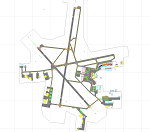
CYWG - Winnipeg James Armstrong Richardson International Airport / Winnipeg, Manitoba, Canada
This airport update was made with the latest version of ADE (Airport Design Editor) and made for FSX as a replacement for the stock (default) airport. I found that most stock airports in FSX lack a decent amount of character and realism and this area in particular was dreadful! The stock airport was rather inaccurate. I've made several additions to the airport which are listed below. All these enchancements are as close to the real airport as I can get with stock library objects. I've used satellite images, terminal photos and maps throughout the whole process so building locations are as accurate as possible. Happy landings in the beautiful Canada!
Features:
*Greatly expanded parking apron
*Brand new main terminal building with its 11 jetways and regional airline parking and parking garage
*Old terminal (soon to be demolished) with construction vehicles
*Hangar and other airport buildings added
*Cargo terminal with parking
*Military cargo area
*Airport vehicles and objects throughout the airport
*Main road in front of airport added with static vehicles
*Airport fire station with fire trucks
*Static de-icing area with vehicles
*Old runway 7/25 which was demolished in the 1990s and FSX inexplicably included has been removed
| Filename: | CYWG__Winnipeg_James_Armstrong_Richardson_Internat.zip |
| License: | Freeware |
| Added: | 24th July 2012, 08:12:46 |
| Downloads: | 2,963 |
| Author: | Jaison Diaz |
| Size: | 163.14 KB |
| Category: Flight Simulator X - Scenery | |
| LGKF Kefallinia / Cephalonia International Airport, Greece |
|
Images related to this file:
File Description:
LGKF Kefallinia Greece
The island of Kefalonia lies on the west coast of Greece. The nearest airports are LGZA Zakinthos, LGKR Kerkira, and LGPZ Preveza. During the tourist season the island is a very popular destination for flights from Frankfurt, Berlin, Gatwick, Rome and many others.
This scenery has been designed to sit on top of Yiannis Dermitzakis's file - grcoastlines.zip, available here on Avsim. I would also highly recommend Angelo Tassoglou's photoreal scenery called ionianislands.zip, also available here on Avsim.
The scenery has been created using real photographs where possible and has been repositioned in line with satellite imagery. It features many objects painted with Hellenic features and Mediterranean vegetation. It also includes animated flags, windsocks, vehicles, aircrew and road traffic around the airport. Full night lighting is included together with wash lighting of the apron and carparks. The scenery has been sub-divided so that each part can be switched on or off according to user preference. Traffic files are based on real schedules effective to 2013. The scenery has been designed for, and tested with FSXA only. Full installation instructions, settings, hints and tips are included.
Please enjoy and I hope you like my scenery as much as I enjoyed building it.
| Filename: | LGKF_Kefallinia__Cephalonia_International_Airport_.zip |
| License: | Freeware, limited distribution |
| Added: | 23rd December 2012, 23:10:32 |
| Downloads: | 23,243 |
| Author: | George Keogh |
| Size: | 60.33 MB |
| Category: Prepar3D V1-4 - Utilities | |
| Flightplan Visualizer 1.12 |
|
Images related to this file:
File Description:
Flightplan Visualizer (FV) version 1.12.0. Copyright 2018-2019 by Pelle F. S. Liljendal ([email protected]), all rights reserved.
FV comes with 540 pre-imported Commercial AI flightplans (+380 BizJet flightplans are available as a separate download). However you are able to import additional (AI) flightplans yourself. Once imported these (AI) flightplans can be visualized on a map-view, and the user will be able to search accross all these. Hence you can use the program as inspiration as to which routes to fly. E.g. you can search across all imported flightplans to find all flights in an A321 flying into/out from LDDU, or simply to look for all flights in a Boeing 747-8F.
Simply run the included installer to install the software. The program will be installed into "C:\Program Files (x86)\Flightplan Visualizer" and all datafiles will be installed into: "C:\Users\[UserName]\AppData\Roaming\FlightplanVisualizer". The program comes with a full manual explaining everything, and a 3 page quick manual to get you started. The first 3 times you run the program the quick manual will automatically open. The forum is hosted here: https://forum.aerosoft.com/index.php?/forum/919-flightplan-visualizer/
Version 1.12 Contains the following changes: ⦠Ability to automatically check for available program-updates. The actual download of the new installer is still a manual process, but the program will at least list the download-URL. However You cannot see this feature in action until the next version will be released ;-) Updated the flightplan file-format to accommodate changes in the latest versions of (AI) flightplans. The program remains backward compatible and can still read older flightplans, however these might “miss†some (at this time) non-essential information. As a result all “Wi18-19†and “Su19†(and a few “Su18) flightplans have been re-imported and have been bundled with the version 1.12 installer, using the new file-format. Added new "Generate redirection report" button to the redirection edit form. Pressing this button will generate- and display a report of all active pseudo airports and redirections per flightplan. Added new menu-item to re-process all flightplans, according to specified airport-redirections. The "UserAirportRedirect.xml" file bundled with the installer have been updated, based on output from the new "Generate redirection report". These updated airport-redirections have been used to re-process/update all flightplans bundled with the installer. Buttons have been added to the "Leg Info" which allows you to transfer data for a particular leg/flight from FV to SimBrief in order to kick-start your "paper work" for a flight to fly. The "Leg Info" form also got buttons to show decoded METAR/TAF, and the raw METAR/TAF is also embedded in the text copied to the clipboard (when pressing the appropriate button). In settings you can now speficy the path of the folder holding the files that MakeRunway generates (if not specified it will use the UserData folder). Once set to the folder where MakeRunway generates its files (e.g. the P3D folder), you only have to run MakeRunway, you no longer have to copy the 3 files to the UserData folder. A few new traffic-charts were added to the "Airport Info" form (traffic per: region, sub-region and country), and a combo-box was added to switch between inbound- and outbound-traffic. The "Nearby Airport" form that can be opened from the "Flightplan Import" form now have an extra comment-column with information about the non-pseudo/pseudo airports. The comment column on the airport tab-sheet of the "Flightplan Import" form now also contains more info about non-pseudo/pseudo airports. The Generic Randomizer form got a new button called "Pick random flight", which will display info for a flight, randomly picked from all flights for the selected flightplan, or last search. In the "Search legs" form, you can now enter multiple ICAO-codes (separated by comma) to search for flights to/from these (e.g. search for all flights to/from EBLG or ELLX, by entering "EBLG,ELLX"). If you press SHIFT while clicking the airport browser button, the selected airport will be added to the comma separated list. If you do not hold SHIFT, the list will only contain the newly selected airport. Added support for using FS Global Real Weather (FSGRW) as a Weather provider for METAR-messages (FSGRW does not support TAF-messages). To use FSGRW you must go to settings and specify a full path (including filename) of the file generated by FSGRW. When editing a flightplan the user will be warned if trying to close the form, if changes were made. The menu-item to generate report with all defuct-/obsolete flightplans have been removed from the main-menu, but can now be generated using a button on the "Enable/disable flightplans" form. Now all applicable authors are shown when hoovering the mouse over the flightplan combo-box when a search is active. In previous versions the "Edit" buttons next the flightplan combo-box (on the main form) was only active when a flightplan was selected. Now its also active when "[Last Search]" is selected. However it will instead launch the "Search Legs" form, where you can then edit the criteria of the search. A few airports and airlines have been added/updated in the data-files bundled with the updated installer to accommodate the additional bundled flightplans. The Beluga XL Freighter was added as well as many of the other aircraft were updated with various changes. Added support for a bunch of military aircraft: A6/AE6, A10, C5, C17, E2, E3, EF2000, F14, F15, F16, F18, F22, F35, F111, F117, JAS39, KC10, KC135, MiG 21/23/25/27/29/31, Mirage III/5/2000, Rafale, SU 17/20/22/24/25/27/30/32/34, V22. New "Exclude military aircraft" setting have been added (defaults to true). When true military aircraft will not be shown (can be changed in the settings form). Added new menu-item to load/display current log-file. FV tend to be somewhat memory-hungry while (re)loading all active flightplans, and you might see a peek in memory consumption. But from this release and forward it will try to free up most of the memory once all flightplans have been loaded. Minor changes to the "Enable/disable flightplans" form, to make it more responsive, and added a progressbar that is visible while flightplans are being moved, copied or deleted. Fixed: issue when trying to import a flightplan zip-file containing multiple "Flightplan_XXX" files. If the same zip contains multiple sets of matching files (Flightplan, Aircraft and Airport) the user will now be presented with a combo-box from where the user can pick which set of files to import (only the flightplan-file will be shown). Fixed: The file "f5.csv" was missing from previous installers. Fixed: issue with pseudo-airports when using the "Nearby airports" tab-sheet in the Airport Info form. Fixed: Saving a flightplan that was edited, it would try to save it in the (flightplan) [ROOT] folder even if it was loaded from a sub-folder. Now it will always try to save it in the same location with the same filename. If you want it saved elsewhere/with another filename use the "Save As" button in stead. Imported flightplans will still be saved to the [ROOT] flightplan folder. Fixed: Pressing ENTER in the Flightplan import/edit-form while the comments-field had focus, would close the form (saving the flightplan). Fixed: Result-viewer will no longer display with all text selected. Fixed: METAR/TAF decoder will no longer display with raw-message selected. Fixed: In some cases the program needed to be restarted if changes were made to the weather-provided data in the settings-form. Installer: Comes with +30 new pre-imported (Summer 2019) flightplans of which some are replacements of obsolete flightplans (from previous installers), and 2 of the "old" flightplans have been marked as defunct.
Pelle
| Filename: | Flightplan_Visualizer_112.zip |
| License: | Freeware, limited distribution |
| Added: | 23rd August 2019, 17:15:13 |
| Downloads: | 195 |
| Author: | Pelle Liljendal |
| Size: | 30 MB |
| Category: Prepar3D V1-4 - Flight Plans | |
| CargoJet Flight Plans |
|
File Description:
Attached is an Excel Flight Planner including recent (Jan/Feb 2019) scheduled flight plans for CargoJet for use with the CaptainSim 757-III Freighter expansion.
A couple of weeks ago, I made two CargoJet liveries for the CS 757-III Freighter, available at Avsim:
https://library.avsim.net/esearch.php?DLID=&Name=&FileName=&Author=meier&CatID=p3dacrp
To use these files, copy the attached .rt files to your Captain Sim route directory:
*\Lockheed Martin\Prepar3D v4\Captain_Sim\757-III\Routes\
These accompanying route files (60+) DO NOT include any SID or STAR data, nor do they include any performance information (cargo/fuel weights)...I've intentionally tried to keep these files customizable with any ATC program you may be using.
The Excel spreadsheet use should be pretty straight forward (it was designed using MS Excel 2019...you'll need MS Excel 2013 or newer for the macros to work correctly).
The spreadsheet will open to a worksheet containing CargoJet's current, scheduled route network. From this worksheet, simply select a departure location from the buttons on the world map.
Once a departure location is selected, a second "Flight Planning" worksheet will open with a UserForm Box directing you to select an airport destination based upon your selected departure location.
The UserForm box is pre-populated only with current destinations from that departure airport (based upon current CargoJet Jan/Feb 2019 schedules obtained from online flight tracking data).
I've included a weather snapshot download from each of the departure and destination airports into the flight planning worksheet.
I have not yet included enroute weather information...that may come in a "V2" of this flight planner.
As I have not yet included enroute weather information, flight fuel calculations/fuel burn are only approximate for now. Down the road, I may also include calculations for derate temperatures...that will take considerable more work.
I think this Flight Planner is a pretty good version 1 for sharing. In the absence of a website dedicated to a "CargoJet Virtual Airline", I thought this Excel spreadsheet and accompanying flight plans may be of benefit to anyone who might enjoy flying the CS757-III Freighter expansion with CargoJet livery.
Personally, I was fortunate to already have the full compliment of SimAddon airports (Canada wide) which makes for enhanced enjoyment of the CaptainSim 757-III add-on and this flight planning spreadsheet. (That statement wasn't intended as a promotion for people to go out and buy the SimAddons software!!!)
I haven't had a chance to test all the flight plans yet...I'm hoping I haven't made any errors!
Anyhow, I hope this spreadsheet and flight plans can be of benefit to others.
Feedback always appreciated!
Rob
February 15, 2019
| Filename: | CargoJet_Flight_Plans.zip |
| License: | Freeware |
| Added: | 16th February 2019, 22:00:12 |
| Downloads: | 169 |
| Author: | Rob Meier |
| Size: | 1.93 MB |
| Category: Flight Simulator 2004 - Scenery | |
| Chennai airport for fs9/Fs2004 |
|
File Description:
Hi everyone
This is my first project, and it took 6 months to complete. This is a freeware airport, but I have tried to put in as much detail as I possibly can. I made this airport because FS9 did not have very many good-quality payware or freeware airports, so I decided to make an airport for my home country. Some general info for the airport is below:
Chennai International Airport (MAA), located in Meenambakkam, is the primary airport serving Chennai, Tamil Nadu, and the southern part of India. It has two terminals: Terminal 1 for domestic flights and Terminal 2 for international flights. The airport is known for its modern infrastructure and facilities, including shopping areas, lounges, dining options, and passenger services. It is an important hub for domestic and international travel, especially for travelers heading to South Asia, Southeast Asia, and the Middle East. The airport also has strong connectivity via road and metro.
Features of the scenery:
1)Has the latest terminal and airport layout since I used the latest data
2)added buildings to the surroundings (Custom 3d model made from scratch even the terminals)
3)has partial photoreal scenery(will talk about issues in bugs area)
4)has good jetbridges
5)3d volumetric grass in certain parts(will talk about issues in bugs area)
6)taxiways designed as in real life
7)Includes parked cars, lights, nearby buildings
8)Added lots of ground equipment
9)Trees around the airport
10)airport perimeter walls
11)Used Lh simulations library for some buildings and volumetric grass
Known bugs:
1)photoreal scenery has some issues since I can't get my photoreal scenery maker to work properly
2)Papi lights are kinda bugged
3)3d volumetric grass is limited to some parts due to fps loss
How to install:
1)Download file
2)Extract from rar using WinRaR or other program
3)paste vomm in the addon scenery of your flight sim installation directory and add scenery in settings once you open fs9
4)Includes better default textures for aprons and taxiways (optional!!!!!)
5)enjoy!!
Reminder: This airport does not have custom taxiways or aprons the default textures modified by me are the ones used in the picture. If you decide to replace your default files with mine all your airports globally(default) will have these textures for taxiways and aprons.
Tested to run on low-end devices with minimal lag
will run well on better devices
Hope you enjoy this completely freeware scenery and always read the above instructions to avoid unnecessary scenery limitation discussions.
Thank all you fs9 folks.
Download link: https://sharemods.com/imxa719wg065/Chennai_airport_fs9.rar.html
| Filename: | Chennai_airport_for_fs9Fs2004.zip |
| License: | Freeware |
| Added: | 18th January 2025, 01:22:51 |
| Downloads: | 244 |
| Author: | Jeremy(lol890) |
| Size: | 92.14 MB |
| Category: Flight Simulator X - Scenery | |
| FSX An Idaho Mountain Flying adventure |
|
Images related to this file:
File Description:

Welcome to the Heart of Idaho!
The mountain country has to be seen to be believed. As one who grew up exploring
this part of the US I had the fortunate opportunity to do things that most just dream about. Who wouldn't want to
swim in hot-spring fed lakes, or pools? Idaho has more hot springs than any other state. Have you ever climbed up
to a pass at 10,000 feet? And then looked down at those who chose not to climb 1500 feet below, looked left at your
brother, and then looked over the pass at the mountain basin that begged to be explored. I did these things 58 years
ago. You can do it tomorrow if you want to.
This FSX adventure will take you to many places I have visited. It will also take you to places that I have not yet
visited. Some of the strips are difficult to get into. That is typical of mountain flying. Some are reasonable.
Your flying skills will be tested as you figure out the best approach.
The simulation consists of 19 airports in Central Idaho. Twelve existing strips have had improvements consisting of
strip surface improvements to allow all-season activity, and some eye candy. Seven new air facilities have been
added to the area.
| Filename: | FSX_An_Idaho_Mountain_Flying_adventure.zip |
| License: | Freeware, limited distribution |
| Added: | 29th January 2019, 18:38:19 |
| Downloads: | 190 |
| Author: | Brett Delana |
| Size: | 3.94 MB |
| Category: Flight Simulator X - AFCAD Files | |
| KOPF - Opa Locka - Miami, Florida 2013 |
|
File Description:
Opa-locka Airport (IATA: OPF, ICAO: KOPF, FAA LID: OPF), also known as Opa-locka Executive Airport, is a general aviation airport and joint civil-military airfield 10 miles (16 km) north of Downtown Miami, primarily in metropolitan
Miami, Florida, United States, with a portion within the city proper of Opa-locka.
The airport's control tower is manned from 7:00 AM to 9:00 PM. The airport has four fixed base operators. It is owned by Miami-Dade County and operated by the Miami-Dade Aviation Department.
The tenant military activity is Coast Guard Air Station Miami, operating HU-25 Guardian jet aircraft, the HC-144 Ocean Sentry[4] turboprop aircraft and HH-65 Dolphin helicopters for coastal patrol and air-sea rescue operations.
Much of CGAS Miami's facilities were originally built during World War II as part of the former Naval Air Station Miami.
DayJet previously provided an on-demand jet air taxi service from this airport to 44 airports in 5 states. The company filed for Chapter 7 bankruptcy liquidation in 2008.
The airport is currently served by several cargo and charter airlines who use the U.S. customs facility. Maintenance and modification of airliners up to Boeing 747 size are carried out by several aviation firms
This file has the right coordenates, apron and characteristics of the airport, airport vehicles and buildings, Airport charts included.
| Filename: | KOPF__Opa_Locka__Miami_Florida_2013.zip |
| License: | Freeware |
| Added: | 6th January 2013, 11:39:28 |
| Downloads: | 770 |
| Author: | anwar gonzalez |
| Size: | 3.96 MB |


© 2001-2026 AVSIM Online
All Rights Reserved
Privacy Policy |