
Where Flight Simulation Enthusiasts Gather from Around the World!
AVSIM Library - Search Results

| Category: Flight Simulator 2004 - Aircraft Repaints, Textures and Modifications | |
| Royal Air Force 101Sqn Douglas DC10-30 (Fictional) |

|
Images related to this file:
File Description:

SGA/FFX DC10-30 Royal Air Force 101 Squadron: This is a fictional repaint based on the paint scheme used on the Lockheed Tristar of Transport Command. To the best of my knowledge, 101 Squadron has never used DC10-30's. SGA DC-10 model included - This is a complete package containing the aircraft, panel, gauges & sounds. Credit for the work is contained within the readme file.
Number 101 Squadron was formed at South Farnborough on 12 July 1917, and two weeks later went to St Andre-aux Bois, France with FE2s as a night bomber squadron. It main tasks involved attacking enemy communications and aerodromes in Northern France and Belgium, with occasional strafing attacks on troops aimed at drowning the noise of tanks and soldiers positioning for battle in the trenches. In March 1919, the squadron was reduced to a cadre and returned to the UK before disbandment at the end of the year. It remained dormant until March 1928, when it reformed at Bircham Newton and flew Sidestrands in the day-bomber role until these were replaced by Overstrands in early 1935.
At the outbreak of World War II, the squadron was equipped with Blenheim IVs and was involved in attacks against enemy barge concentrations in the Channel Ports. In mid-1941, No. 101 Sqn became part of Bomber Command's medium-bomber force with Wellingtons and flew many night sorties against Germany and Italy. These aircraft were replaced barely 18 months later by the Lancaster and became specialised in airborne radar jamming to disrupt German night-fighters interceptions. After the war, Lincolns replaced the Lancasters and the unit moved to Binbrook. In June 1951, No. 101 became the RAF's first jet-bomber squadron when it received Canberras, and it was with this aircraft that the squadron was involved in operations in both Malaya and Suez before once again disbanding on 1 Feb 1957.
A brief period of inactivity ended on 15 Oct 1957, when No. 101 Sqn joined the V-bomber force with Vulcans as part of the Finningley Wing before moving to Waddington four years later. The squadron became synonymous with the type, and took part in Operation Corporate, the Falklands Conflict, operating from Ascension Island. Shortly after the conflict, the squadron relinquished its Vulcans and disbanded again, until it reformed on 1 May 1984 to operate VC10s in the air-to-air-refuelling role, and has since demonstrated the flexibility the aerial refuelling offers to combat aircraft in such operations as the Gulf War and Operation Allied Force.
Following the disbanding of sister VC10 squadron, No 10, 101 became the sole operator of the type in October 2005.
| Filename: | Royal_Air_Force_101Sqn_Douglas_DC1030_Fictional.zip |
| License: | Freeware |
| Added: | 18th August 2013, 15:04:44 |
| Downloads: | 392 |
| Author: | Andy Kewley, SGA |
| Size: | 36.36 MB |
| Category: Flight Simulator 2004 - Scenery | |
| Homer PaHO in Alaska US |
|
Images related to this file:
File Description:
Homer is a mainly GA airfield with rows of open air parking, but it also has scheduled flights, a terminal building, a long (for GA) runway of just under 6,700 feet that is 150 feet wide and aligned 03-21 with VASI on both ends and ILS on 03. So I think we can refer to it as an airport. Plus, at the time of this scenery (around 2010) there were three newly completed hangars on the north apron that I was told were for three companies, Bald Mountain Air service, Maritime Helicopters, and Pathfinder Aviation. I do not know which was for whom, but all three companies are in the helicopter and/or plane charter business. The south apron has a number of hangars and other buildings along it's length, starting at the western end with Smokey Bay Air that has an old control tower on the roof, then the Fire Station, and then Homer Air. I am not aware of who owns what after those first three, except that at the far eastern end there are several garages etc for the airport maintenance equipment. Next to the airport at that end there are a number of boat maintenance companies with boats pulled out of the water; this could not be well replicated due to the airport elevation above the sea level and a misplaced road. The nearby Beluga Lake 5BL float base is also included here, with some AI. The lake height above sea level has been adjusted to cope with too many cliffs intruding into the water; this is an annoying FS9 habit. The Homer scenery is as close to the actual airport as I could make it, while coping with inaccurate coast lines and roads, and grassed areas that could not all be modified for reasons that I will not bore you with. The Spit is a major scenery feature next to the airport, and I have added to this to provide some boats, docks, and nearby buildings etc. Small planes use the adjacent gravel taxi path instead of the runway when back-tracking to take off on runway 21. They only go as far as the path takes them and then u-turn onto the runway and take off. By the way, this airport's AI will function at its best if the prevailing wind makes 03 the runway in use. And I will eventually stop writing 03 and just call it 3, as the US, alone in the world, does not put a zero in front of 01, 02, 03, 04 etc. Just one other thing to note is that all access to the runway is from taxiways A and B; there was (in 2010) no access to the extreme western end of the runway as the taxiway there is marked as out of service pending a needed resurfacing.
If you find an error email me please, and note that my email address has been changed to rogwens at Gmail dot com.
| Filename: | Homer_PaHO_in_Alaska_US.zip |
| License: | Freeware, limited distribution |
| Added: | 28th July 2021, 03:31:04 |
| Downloads: | 125 |
| Author: | Roger Wensley |
| Size: | 11.86 MB |
| Category: X-Plane - Original Aircraft | |
| B17 Flying Fortress |
|
File Description:
The B17 is arguably the best known heavy bomber from WWII. Followed closely by it's direct successor the B29 SuperFortress it symbolizes the best of WWII's heavy Bombers. The B17 was one of the planes that barely made it into the war. In 1934 the then very small Boeing company had a prototype four engined bomber design called the B-299 but it had not been ordered by the US military. It had suffered several serious setbacks in it's design competition including a crash during a fly-off. Boeing continued work the plane and eventually secured a small service test order and the troubled early history of the bomber began.
The B17 and bombers like it were planes created as "strategic bombers". The essential idea was that a strategic bomber should be able to carry a very large payload for long distances. The military had come to the realization that bombing technology was by nature imprecise even with new advances like the American Norden sight, and what was required was a large number of bombs delivered by large number of planes to assure that a target was destroyed. Although the Germans actually had a decent "smart bomb" and the British built specialty bombs, neither was reliable, so it seemed the best idea was just to blanket the target with bombs.
An American extension to this concept was that of a self-defended bomber. Bombers could be built so tough and with so much defensive armament, it was thought, that they could simply fly to the target, drop bombs, and if necessary fight their way through fighters to get home. There would be security in the large number of bombers in formations, and the defensive capability would allow bombers to fly during the day for better accuracy in drops. It was to this design concept the B17 was built.
Early experiences in the war with B17's and B-24's could only be termed as disastrous. Loss rates of up to 25% showed the concept of unescorted bombers in daytime to be entirely wrong. Escort fighters were a necessity for success. It soon became apparent that with fighter cover the B17 really was an unparalleled strategic bomber. Success for the B17 shot up dramatically, and it's initial design specifications of huge amounts of armor and gunner positions served it well when fighters did make it close in. The Fortress had enough strength to stave off attackers until escorts showed up, and it became legendary for the incredible punishment it could take and still make it home.
Boeing B-17F Flying Fortress
Wingspan: 103 ft. 9 in.
Length: 74 ft. 9 in.
Height: 19 ft. 1 in.
Engine: 4 x Wright R-1820-97 Cyclone rated 1,200 hp.
Loaded Weight: 65,500 lb.
Maximum Speed: 287 mph.
Service Ceiling: 37,500 ft.
Combat Radius: 1,000 miles
Armaments: 6,000 lbs. of bombs, 12 x .50 cal. machine guns
| Filename: | B17_Flying_Fortress.zip |
| License: | Freeware |
| Added: | 23rd March 2003, 15:42:16 |
| Downloads: | 3,544 |
| Author: | Robert App |
| Size: | 761.49 KB |
| Category: Flight Simulator X - Original Aircraft | |
| FedEx McDonnell Douglas MD-11F (N604FE) |
|
Images related to this file:
File Description:
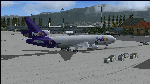
The Boeing MD-11F aircraft, N604FE, named "Hollis" is based out of Memphis, TN and can fly both Domestic and International Routes. The MD-11F (53 built) are the Freight transport aircraft version and were the second variant on offer at launch in 1986, and was the last and longest (1988-2000) manufactured version. 22 MD-11F's were delivered between 1991 and 2001 to FedEx. According to Flight Aware, she flies mainly domestic routes daily. The aircraft is almost identical to the DC-10F, although BOEING modernized their model with a longer fuselage and more powerful engines, giving her a longer range and higher service ceiling. Most flights are at full payload, and those disclude the center long-range fuel tanks, and involve flights ranging between 2,000 and 4,500 nm. I've been dealing with several versions of this aircraft for many years, actually since the first offered on CompuServe for FS98 in the '90s, and through time have found many aerodynamic details that were required in order to make her fly realistically. The Internet slowly added the details I needed, and then came the testing. Needless to say, I've flown many versions, including this one, for way too many hours, and added and corrected things along the way. This version is the best I've ever done, and I've worked on her for about a year before this upload. Everything is aerodynamically correct, and the engines (and their placement) are beyond anything ever presented by anyone with anything like this previously. I even fixed the gear to be 100% authentic in placement and use. I tried to fix the lights, but the textures are from FS2004, so I did the best I could. I chose this aircraft because it is actually in service today, and because the painter did a great job in making her look authentic. She now flies in FSX just as she does in reality, but you are better advised to study this on your own, rather than take my word. Aircraft ratings by manufacturers are based on simple standards, and very conservative. FSX is a virtual “WIND TUNNEL†when realistic aerodynamics are employed, so we can see what aircraft are capable of if we do it all right. Sorry to say, no one ever builds a free aircraft for upload with the correct engine/aerodynamics employed. In fact, I don't think anyone, other than myself, has ever put that much effort into it. So, keep this in mind. What you have now is real. It is Free. Now learn from it. READ THE MD11Readme.txt document before any operation after unzipping this. Tri-Engine Sound by B.G. Hany; Textures by Bradley McCoy; Panel by Marco Spada; Real World Engine/Aerodynamics by Douglas E. Trapp, [email protected], June 2018. This aircraft is designed for educational use protected under the Fair Use Doctrine: (http://www.expertlaw.com/library/intellectual_property/fair_use.html) ... It cannot be sold or bundled for sale, and such will never be approved by me or the original authors. FREEWARE DISTRIBUTION ONLY!!!
| Filename: | FedEx_McDonnell_Douglas_MD11F_N604FE.zip |
| License: | Freeware |
| Added: | 1st July 2018, 02:41:02 |
| Downloads: | 1,474 |
| Author: | Douglas E. Trapp |
| Size: | 121.26 MB |
| Category: Microsoft Flight Simulator (2020) - Aircraft Repaints, Textures and Modifications | |
| Bleriot XI Britannia |
|
Images related to this file:
File Description:
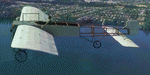
This folder contains a repaint for the Bleriot XI by Wings42 in the colors of Bleriot XI-2 Britannia. The third Bleriot XI imported into New Zealand, it was a two seater presented by the Imperial Air Fleet committee to the New Zealand government. The committee's aim was to promote the development of aviation in the British empire, and the presentation was intended to stimulate military aviation in New Zealand. The aircraft was a proven one, having been flown 347km non-stop from Dover to Cologne by Gustav Hamel in 4 hours 18 minutes on April 17, 1913. The aircraft was dubbed "Britannia' at a ceremony at Hendon on May 22, and Hamel then took former New Zealand Prime Minister Sir Joseph Ward for a short flight. The committee was composed primarily of London businessmen and Sir Joseph was the deputy-Chairman. The aircraft was paid for by public subscription and was valued for insurance purposes at 1400 pounds. The aircraft was disassembled and shipped to New Zealand aboard the Athenic. The aircraft arrived in Wellington on September 29, 1913, where it was discovered that the propeller was not in the shipment. This was soon shipped to New Zealand. In the meantime the aircraft was stored in a purpose built shed at the Buckle street Defence stores. In late 1913 Joseph 'Joe' Hammond had been appointed official Government pilot.
Mr Hammond suggested flying the aircraft to Auckland for display at an Exhibition. However the aircraft was railed north and was assembled in Auckland on January 14, 1914. On January 17, 1914 Mr Hammond made his first flight in the aircraft from the Epsom showgrounds. The following day he completed an hour long flight over Auckland at low level. A flight on the 19th with a journalist as passenger was aborted during takeoff when Hammond found he had no rudder control. Repairs were made and the aircraft flown again on January 24th. Another flight with a passenger then took place. Rather than a member of the media or any of the officials present Hammond chose to take Miss Esme McLalland as passenger. Miss McLalland was a member of the touring Royal Pantomime Company which was performing in Auckland, and the choice failed to impress the officials - Joe Hammonds employment as official pilot was terminated. The aircraft remained on static display for the remainder of the Exhibition and was returned to Wellington at the end of April 1914. Without a pilot (there were several Army Officers training in England - 2nd Lt. A. Piper and 2nd Lt. W. Burn) any official role for the aircraft (and officials did not seem to know what to do with it), it was placed in storage at the Mt Cook barracks in Wellington. Soon after, a report by General Hamilton, the Imperial Inspector of Overseas Forces discouraged further aviation development. With the outbreak of war an offer was made to send the aircraft with the New Zealand Expeditionary Force. It was shipped back to England, departing on the Arawa on October 16. It was unloaded in London on January 15, 1915 and and went from there to Brooklands where it is believed to have been used as a trainer. Repaint by Jan Kees Blom
| Filename: | Bleriot_XI_Britannia.zip |
| License: | Freeware |
| Added: | 8th May 2021, 17:39:55 |
| Downloads: | 17 |
| Author: | Jan Kees Blom |
| Size: | 38.51 MB |
| Category: Flight Simulator X - Aircraft Repaints, Textures and Modifications | |
| Supermarine Spitfire Mk.IX EN186 Bluebird |
|
Images related to this file:
File Description:
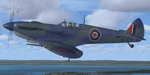
Spitfire IXc EN186 was the personal aircraft of S/L L.C. Wade, an American flying with the RAF. Wade was born in the small farming community of Broaddus, Texas in 1915. He was the second son of Bill and Susan Wade, who named him L.C. (only after the RAF demanded a forename did he call himself Lance Cleo Wade). After the family moved to a farm near Reklaw, Texas in 1922 he worked on the family farm and attended the local school. He was unable to join the US Army Aviation Cadet Program due to a lack of a college education. He began flying at age 17, at Tucson, Arizona. In 1934 at age 19, Wade joined the Civilian Conservation Corps (CCC) in Arizona. He joined the RAF in Canada in December 1940 and trained with No. 52 Operational Training Unit (OTU). Wade was then sent to the British aircraft carrier Ark Royal and flew off her deck in Hawker Hurricane to reinforce the depleted ranks of aircraft on the island of Malta. He was then sent to Egypt as a Hawker Hurricane Mk I pilot in September 1941, and was posted to 33 Squadron. The squadron's mission was to provide close air support for Operation Crusader, the British assault launched on November 18, 1941, against the German Afrika Korps. His first kills were two Fiat CR.42s on 18 November. He attained the rank of "ace" on 24 November 1941. He began flying Hurricane Mk IIs in April 1942, and was awarded the Distinguished Flying Cross (DFC). He had 13 victories as of September 1942. He spent the next several months back in the US on various RAF projects including evaluating some American fighters at Wright Field. He returned to combat as a Flight Commander in 145 Squadron with a Bar to his DFC, flying Supermarine Spitfire Mk Vs. Promoted to squadron leader, he had a busy 60 days, as by the end of April his score was 21, by then flying Spitfire Mk IXs. His squadron moved to Italy, and as a Spitfire VIII pilot he claimed two Focke-Wulf Fw 190s of Schlachtgeschwader 4 on 2 October 1943. His last claims were three FW 190s (again of SG 4) damaged on 3 November. Wade became a wing commander and joined the staff of the Desert Air Force but was there only briefly, as he was killed in a flying accident on 12 January 1944 at Foggia, Italy. In 30 fights for which he made claims he was credited with 23 victories including two shared), one probable, and 13 damaged. He is also credited with one destroyed and five damaged on the ground.
Wing Commander Wade is usually listed with 25 victories but official RAF records show that he had 22 solo victories and half each of two more for a total of 23, not counting one probable. Regardless of whether his score is 25, or 23 victories, he is still the leading American fighter ace to serve exclusively in any foreign air force.
Since he never transferred to the USAAF, or any other American Air service, Wade never got the publicity that other American aces received and thus is more obscure than his peers.
The aircraft depicted in this repaint, EN186, started its active career with 249 sqn on Malta, who used it for high flying reconaissance, and who were responsible for replacing the dark green with Mediterranean Blue. The aircraft was then transferred to Tunisia, where it was the personal aircraft of W/C Gleed of the 244 wing. After his death, it went to L.C. Wade, who scored 5 victories with it in april 1943. He did not apply any codes to it, and referred to it in his logbook as BB, for Blue Bird. He flew it till august 1943, when he changed to flying Spitfire MK VIII JF472
Repaint by Jan Kees Blom, based on the paintkit by RealAir.
| Filename: | Supermarine_Spitfire_MkIX_EN186_Bluebird.zip |
| License: | Freeware |
| Added: | 11th July 2018, 16:54:01 |
| Downloads: | 103 |
| Author: | Jan Kees Blom |
| Size: | 3.59 MB |
| Category: Flight Simulator 2004 - Scenery | |
| Stephenville CYJT in Newfoundland Canada |
|
Images related to this file:
File Description:
Stephenville is on the east coast of Canada, and the airport was an American base from 1941, when it was built, until 1966. It was named the "Ernest Harmon Airforce Base" and I will leave that for you to research if you wish to know more. Operating in my version (around 2010?) as a civilian airport, it's main features are a long 10,000 feet 09-27 runway (with ILS on 27) and acres of empty space. The runway was one of those designated as an emergency space shuttle landing runway if required. There is a shorter 20-02 runway (3,000 feet) that is not maintained during the winter (and which would be closed in 2018). The revised perimeter fence of the airport now encloses less than half of the original area, with the northern parts replanned as an industrial park. The attached screenshot from Google Earth shows this, and also that the main operating part of the airport is at the western end of the main runway, with only one hangar connecting to the runway from the eastern end. Like Gander, the airport is still shrinking, with taxiways and aprons not maintained (particularly in the winter) or even formally closed, and flight numbers falling. Until the early 1990's Stephenville was serving most of western Newfoundland and Air Canada, for instance, was one of the airlines that flew there. Deer Lake took over this task for western Newfoundland when the Provincial Government so decided. Stephenville remains as a port of entry, and planes with a total of 30 or less passengers can still be serviced there. My version is a mixture that cannot be precisely dated. For instance, I know there was a large hangar there until 2013 but as I do not have any photos to make it I have shown only the concrete square where it formerly stood. So 2008 or 2013, or somewhere in between? I have the airport being served by Provincial Airlines and also by Porter, though in fact Porter only flew there during the Summer months; I say "flew" as right now all flights are of course almost totally non-existent. As with Gander, I have made it clear which of the taxiways and aprons are still in regular use by showing them as asphalt, while those in the process of decaying disuse or removal are in the darker gravel or tarmac textures; this is somewhat realistic as when asphalt aprons are "ploughed" for removal the darker underside becomes visible. I have also shown the areas that now form part of the Industrial Park as cement, as this better matches the Ultimate Terrain road texture. It may seem odd that the new Canadian Coastguard hangar is not properly served by an asphalt taxiway instead of sitting on an apron that is not cleared in the winter, but it caters (mainly?) for helicopters. The original coastguard hangar is the large and decrepit one in the northeastern corner of the airport. Almost all of the buildings within the original perimeter of the airport are fairly accurately replicated here, whether still in use (Road Maintenance Department, Garbage Disposal, Armour Trucking Company, etc) or vacant (including the very strange atom-bomb-proof buried shelter) or still part of the airport (the east side of the main apron with Shell to the north, then the terminal, the Marine Institute, etc). The AI included here (a revised Gander AI) is for daily flights by Provincial Airlines, Porter, and some charter planes and GA. You will see, once the scenery is installed, that like Gander there two scenery folders called "Scenery summer" and "Scenery winter". Obviously in August you will want the summer scenery and you get this by editing the folder name down from "scenery summer" to just "scenery" and FS9 loads the summer ground textures. If FS9 decides that there is snow on the ground then you need the winter textures which do not show the aprons or taxiways that do not receive winter maintenance. One thing you must NOT DO is to edit both folders down at the same time.
| Filename: | Stephenville_CYJT_in_Newfoundland_Canada.zip |
| License: | Freeware, limited distribution |
| Added: | 24th June 2020, 18:01:58 |
| Downloads: | 234 |
| Author: | Roger Wensley |
| Size: | 43.78 MB |
| Category: Flight Simulator X - Original Aircraft | |
| B-2A Spirit Stealth Bomber |
|
Images related to this file:
File Description:
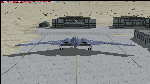
The B-2A Stealth Bomber is the most sophisticated aircraft on the planet. She is essentially a “Flying Wing†platform with no V-Tail, and is controlled by pre-programed flight computers stationed in various positions within the crew cabin and wings. There is one main computer that controls the aircraft, with two redundant back-up computers assigned to it in case of failure. All additional computers are assigned to functions involving flight control, system monitoring, data communications, and radar. Engine and Aerodynamic effects are controlled by these computers which serve several actuators and ailerons, including the spoilerons, which further compensate for the lack of a V-Tail. In theory, and because of these computers, the aircraft is “Stall-Proofâ€. The only way it can stall is if the computers fail. There is no way she can be flown without the computers active. The REAL aircraft does almost everything based on pre-programed data, other than taxi to the runway (although this is also possible to program). Before each flight, the Mission is designed and then assigned to the Mission Flight Box (Portable Computer) which is then carried by the Commander to the aircraft, and the data from the box is “transferred†to the main on-board computers. Because of this, the B-2 cannot be flown until the box is ready for the mission, and pilots cannot simply jump in and fly her, with the exception that the data is transferred via satellite. Everything is pre-planned, and this takes several hours. Once the data is on-board, the taxi can begin. When lined-up on the runway, all the pilot needs to do is push a button or three. Everything else is computer controlled until landing. The aircraft CAN be flown manually with basic data inputs into the main computer systems, but even in that case it is not conventional. If a pilot wants to turn right, he sets the data to turn to a certain degrees of heading. The same with climb and descent, speed increase or decrease. A pilot cannot over-ride the computers in any case, so steep banks, climbs, or descents cannot be forced. There is a lot of space for the two member crew within the cockpit, but there is also a space reserved for one observer. This additional seat is known as “Suicide Position†because there is no ejection seat for that observer. In the event of a mishap, the observer can try to bail-out through the ejection hatches after the pilots, or can try the exit ramp door, or the bomb bay as an exit route. The odds of escape for the observer are very small, but he has a parachute as reassurance. Otherwise, what the crew does during missions is only a guess, since they really don't have to do anything unless an alarm goes off. Since the plane flies so smooth, we can only imagine what sort of things they may dream-up to entertain themselves during a long flight. High altitude flights are conducted at night mainly due to the obvious contrail such a flight will exhibit during the day with such hot engines. The engines are encased in a heat absorbing shield material (still exhaust exists), and the rest of the plane is coated with Radar absorbant material, with the additional low profile effect of the aircraft design itself. If it can be seen by the ground or a fighter, it can be attacked by fighters or the ground. During daytime flight they will stay below the contrail level, and monitor the radar systems in preparations for counter-measures. If a fighter can visually observe them, the fighter may be able to shoot them down with bullets from behind, but not likely with missiles because of the sophisticated counter-measures available. On Radar the aircraft appears the size of a pigeon, until about 8 to 10 miles away, which would be too late to counter from the ground, so most attacks are either done at night or during the day at very low altitude. Upon landing the aircraft is automated down to about 200 feet AGL, when the pilot takes command. All she/he does at this point is allow her to glide down and contact the runway, and retard the engines. Brakes are used to slow, then the computers are turned off, and the pilot can control the throttles, nose gear, and brakes. The Commander watches for obstructions, mainly, and communicates with the tower and ground crew. Everything in this model has been reconfigured to meet realistic standards, without any tricks or flight tuning, and following real world aerodynamic principals and available data, including MOI. The panel requires study before use, but very realistic. The sounds are very authentic. There is no other model offered anywhere that compares to what you have now available in front of you. Please read and study the Readme.txt file within the main folder before attempting to fly this 2.2 Billion Dollar aircraft. Yes, that's correct ... $2,200,000,000 each! The use of this model, and the configuration of such, is designed for educational purposes, and protected by the Free Use Act: (https://www.law.cornell.edu/uscode/text/17/107). The Authors will not approve redistribution for monetary purposes. Original aircraft design by Alphasim; VC Adaptation, panels and gauges by Philippe Wallaert; Sound by Ruggero Osto; REAL WORLD Engine/Aerodynamics, data and effects by Douglas E. Trapp ([email protected]) June 2018
| Filename: | B2A_Spirit_Stealth_Bomber.zip |
| License: | Freeware |
| Added: | 2nd June 2018, 17:16:30 |
| Downloads: | 1,038 |
| Author: | Douglas E. Trapp |
| Size: | 14.81 MB |
| Category: Microsoft Flight Simulator (2020) - Utilities | |
| Flightplan Visualizer 1.19 |
|
Images related to this file:
File Description:
Flightplan Visualizer (FV) version 1.19.0. Copyright 2018-2021 by Pelle F. S. Liljendal ([email protected]), all rights reserved.
FV comes with 1164 pre-imported AI flightplans (of which +380 are BizJet flightplans, the rest are commercial). However you are able to import additional (AI) flightplans yourself. Once imported these (AI) flightplans can be visualized on a map-view, and the user will be able to search accross all these. Hence you can use the program as inspiration as to which routes to fly. E.g. you can search across all imported flightplans to find all flights in an A321 flying into/out from LDDU, or simply to look for all flights in a Boeing 747-8F.
Simply run the included installer to install the software. The program will be installed into "C:\Program Files (x86)\Flightplan Visualizer" and all datafiles will be installed into: "C:\Users\[UserName]\AppData\Roaming\FlightplanVisualizer". The program comes with a full manual explaining everything, and a 3 page quick manual to get you started. The first 3 times you run the program the quick manual will automatically open. The forum is hosted here: https://forum.aerosoft.com/index.php?/forum/919-flightplan-visualizer/
Version 1.19 Contains the following changes:
- The release-version of the application is now aimed at 64-bit (granting access to more memory if needed). Enabling 64-bit adds a memory overhead of approx 50% compared to 32-bit, but its the "price to pay" to have access to more memory (for those of you with many active flightplans loaded into memory at the same time).
- FV can now connect to your simulator using FSUIPC (tested both with P3D and MSFS). By default you will have to manually connect/disconnect (using new menu-items in the File-menu). However in settings you can choose to do it automatic. When automatic-connection is selected the connect/disconnect menu-items becomes inactive.
- When connected to a sim, the location/heading of your aircraft can be displayed on the map, using an orange aircraft-marker, and hoovering the mouse over this marker will display some key data (GPS-location, altitude, heading, speed and so on).
- Added abillity to playback audio-files. In settings you can choose which audio-device to use, and set the volume at which these files are played (defaults to 50%). If volume>0 these files will automatically be played back whenever FV connects to/disconnects from the Sim.
- Added additional icons that are automatically selected to indicate when the program is connected to the simulator. Hence the icon in the main-form will indicate if FV is connected to a simulator or not.
- In the form for editing (user)-airlines and in the form for searching airlines the context menu now have a menu-item called "Show usage". When selected, it will generate a report showing all the (active) flightplans in which the airline is used.
- Added a new "Manual" check-box next to the load-factor when editing user-airlines. This check-box needs to be checked if you want to manually enter a load-factor. When not checked (default) the load-factor will automatically be set to the default value of the selected country.
- When editing user-airlines, the airline just added/edited will be visible and selected in the list-view. Likewise when deleting an airline, the previous item will be be visible/selected (in stead of always scrolling to the top afterwards, as in previous versions).
- The Insert/Delete keyboard-keys can now be used as shortcuts adding/deleting user-airlines and user-aircraft (both owned and types).
- The gate-map context-menu (Airport Info), now allows you to re-center the map (in case your have been panning the map, and can't locate the airport again).
- Added a new menu-item/form to calculate head/cross-wind from manually entered flight/runway-heading and wind-direction/speed. Don't forget the runways tab-page in the Airport-info form already calculates this for each runway (and wind-direction/speed is automatically obtained from METAR).
- Added a new menu-item/form to convert plain-text into morse-code. There is also a button that lets you listen to the generated morse-code, so you can practice your morse-code listening skills (e.g. entering an ILS/VOR-ident, to know which morse-code to listen for in the aircraft, to verify the correct ident is reqeived).
- The "Cruise speed" column have been removed from the aircraft tab-page of the Edit Flightplan form to make more room for the Carrier/Operator-columns. In the past these simply contained the ICAO for the airlines. Now it both contains: ICAO, IATA (if not blank) and Name.
- The criteria in the leg-search window now allows you to filter on departure/arrival week-days (e.g. only include flights departing a particular airport on a Saturday or Sunday).
- When using the flightplan-filter on the main-form, it will favour the current active flightplan (as in previous versions), however if not able to, it will select the first flightplan included in the filtered list (in stead of choosing "[None]").
- Improved import of AIGFP-flightplans where the airport is not contained within the embedded airport.txt file and is using a different ICAO-code in route-files (observed for "AIG_UTair_Summer2018v6" and "AIG_S7Airlines_Winter2019-2020v3").
- Added runway-info (for both Departure/Destination-airports) to the flightplan leg-report. For ILS-eqiupped runways its lists the ID (both as text, as morse-code), frequency and ils-slope.
- Morse-code also added to ILS-ID column on the "Runways" tab-page of the airport-info form. Above the list-view there is also a label showing the morse-code (using a larger font), and next to it there is a button that lets you listen to the morse-code.
- Traffic-pattern direction (for take-off and landing) are now displayed for each runway. These data are extracted from the scenery by MakeRunways, hence the info can't be "better" than the info in the scenery (hence most default airports simly shows 'Left').
- Current/peak- memory usage is now logged at various stages while running, and when closing the program. These values can also be observed opening the about-box, which will also forcefully append these values to the log.
- When using MkRwy with MSFS it can't obtain the country-name, hence these are taken from the airport-database embedded with FV. However the name for USA ("United States of America") is too long to be shown together with state-name, hence code have beed added it to shorten it to "United States" (which was the default country-name used in FSX/P3D).
- Changed font in Comments-box for user-aircraft to a fixed font, in case some users what to enter text "in columns" (e.g. if you make "tables" with speed-restrictions).
- Changed the color of the splitter-bars in the Airport-info and leg-search forms to a draker color, to better indicate where it is.
- The build-part of the version-number can now be ignored when performing the automatic version-check at start-up. This new setting is by default disabled. If enabled it will ignore changes from version 1.x.0 to 1.x.1 (e.g. an update from 1.19.0 to 1.19.1). However major/minor versions-updates (e.g. from 1.19.x to 1.20.x) will not be ignored.
- Fixed: Excessive logging while importing AIGFP flightplans removed (leftover from fixing a bug before the release of version 1.18).
- Fixed: When using kg in the leg-info report, the weight of Luggage incl. pax weight (shown in parentees) was wrong.
- Fixed: Button to open filter-manual on Gate-page of the Airport-info form was not visible/position was not fixed.
- Fixed: The wind-speed obtained from the METAR and used to calc head/tail-wind on the Runway tab-page of the Airport-info form, did not considder the unit (e.g. Khp or meters-per-second).
- Data: A VERY BIG THANK YOU to Bruce Nicholson for assistance updating the Airline-database, both with new/missing entries and marking defunct airlines as such.
- Data: A lot of "fictios airlines" was added as well. These are used for companies without official ICAO/IATA codes. To indicate they are fictios the ICAO-code is set to "---" and the IATA-code is used to indicate the kind of traffic (e.g. the combination "---/BZ" is used for biz-jet flights).
- Data: Also thanks to Bruce for pointing out that a few aircraft were not being detected as they should. So this version should do a better job with Cessna T206H, Cessna Citation SII/S550 and Global 7500.
- Flightplans: The bundled AIG flightplans have been updated to the latests versions/revisions available from AIG (there were a few defunct that was removed, a few new versions that was added, and a lot of new revisions being updated).
- Flightplans: Eric Steinmetz's Bizjet (AI) flightplans that have previously been available as a separate download are once again bundled with the installer (they are only installed if you choose the option during installation). These have all been updated to use the new "---/BZ" airlines (for companies without official ICAO/IATA-codes), and the Author/Provider have been set to "Eric Steinmetz"/"ESAI" (the previous/separate download was created before adding author/provider to the software).
Pelle
| Filename: | Flightplan_Visualizer_119.zip |
| License: | Freeware, limited distribution |
| Added: | 2nd May 2021, 00:02:01 |
| Downloads: | 279 |
| Author: | Pelle Liljendal |
| Size: | 35.71 MB |
| Category: Prepar3D V1-4 - Utilities | |
| Flightplan Visualizer 1.17 |
|
Images related to this file:
File Description:
Flightplan Visualizer (FV) version 1.17.0. Copyright 2018-2020 by Pelle F. S. Liljendal ([email protected]), all rights reserved.
FV comes with 783 pre-imported Commercial AI flightplans (+380 BizJet flightplans are available as a separate download). However you are able to import additional (AI) flightplans yourself. Once imported these (AI) flightplans can be visualized on a map-view, and the user will be able to search accross all these. Hence you can use the program as inspiration as to which routes to fly. E.g. you can search across all imported flightplans to find all flights in an A321 flying into/out from LDDU, or simply to look for all flights in a Boeing 747-8F.
Simply run the included installer to install the software. The program will be installed into "C:\Program Files (x86)\Flightplan Visualizer" and all datafiles will be installed into: "C:\Users\[UserName]\AppData\Roaming\FlightplanVisualizer". The program comes with a full manual explaining everything, and a 3 page quick manual to get you started. The first 3 times you run the program the quick manual will automatically open. The forum is hosted here: https://forum.aerosoft.com/index.php?/forum/919-flightplan-visualizer/
Version 1.17 Contains the following changes:
- A big Thank You to Alex for the donation, it is appreciated ... You are actually the first one to donate, but then again I never expected to get rich writing this software :-)
- Both version 1.16 and 1.17 are mandatory, so if updating from a previous version you MUST install/run both versions as outlined on the forum. Running version 1.17 will forcefully update all flightplans to the latest file-version, as version 1.18 will remove some of the backward comparability.
- Added support for importing flightplans from the new .aigfp file-format used by Alpha India Group. Export of flightplans (in aifp-format) is disabled for flightplans originally imported from .aigfp files, because the repaint-info is not imported from these.
- Beside the supplied aircraft-types contained in the ("factory") aircraft-database, users can now add their own user-aircraft, both in form of owned (flyable) 3rd party aircraft and aircraft-types (used in flightplans, or as basis for owned aircraft).
- Added support for Helicopters (simply created the "aircraft" with the engine-type set to "Heli"). They will be listed/treated as an "aircraft" with a specific engine-type (and in stead of a "wingspan" they have a "rotor diameter").
- Many reports have been added to list "suitable" substitute aircraft based on match-score (a value between 0 and 100, where 100 is a perfect match). Likewise reports have been added to visualize repaints that you have, and those you might be "missing" for a particular aircraft/airline.
- In form leg-info you can now "tag" a leg by pressing the new "Tag" button. Doing so will add the leg to the new "Tagged legs" menu-item found in the "Misc" menu. This menu can contain the last 10 tagged legs (flights). Selecting any of these 10 menu-items will open the leg-info form and show the details of the tagged leg.
- The AIG flightplan download-form will now only pre-select flightplans with a new season or a new revision, as you have to pay attention to flightplans with status "Not installed" since the reason these are not installed can be due to airlines being defunct or have changed their names.
- The AIG flightplan download-form now have 2 numbers above the list-view. The first tells the number of flightplans being listed for the selected season, and the 2nd number in parentheses tells the number of checked flightplans. So choosing a season, you can simply look at the number in the parentheses to see the count of new seasons/revisions to install (without the need to scroll throgh the list).
- The "Defunct list" (list of all defunct airlines, as marked by AIG) that can both be displayed in the "AIG flightplan downloader" and the "Enable / disable flightplans" forms, is now both sorted by Name (first) and by ICAO (last), making it more easy to look for a particular airline.
- The Leg-info and Edit flightplan -forms now both list the (flightplan) sub-folder name and the name of the original imported filename (in case you need to see the version/revision number that AIG append to this filename).
- The same sub-foldername and original imported flightplan filename are also added in the top when generating a leg-info report.
- If the departure/destination airports have gates marked as favorites, or gates with comments, therse are added to the leg-info report. E.g. "Gate G47 (36.0): B744F, no-jetway", where "36.0" is the radius of the gate (in meters), and "B744F, no-jetway" is the comment.
- Many "behind the scene" changes were made to the Leg-info report, and more data have been added (e.g. carrier/operator-callsign, time-zone/offset, airport-size, rank and traffic-density).
- Added a button to the Leg-info form to show list of possible substitute aircraft, sorted by scored (based on how well these match the parameters of the original aircraft).
- Internally the program stores- and perform all weight-calculations in lbs, however in settings you can now choose if weights should be shown in lbs or kg.
- Using EOW- or MTOW- filter sub-type in the aircraft filter the specified weight will now be according to the chosen weight-unit specified in the settings form (in previous version it was fixed to be lbs).
- Obtaining METAR/TAF messages from the internet takes a few fractions of a second, hence the "Show as Report" button on the Leg info form, now contains an asterisk until the METAR/TAF messages have been obtained, as these would otherwise appear as "not obtained" in the generated report. So if you need these messages in the report, you should wait pressing the "Show as Report" button, until the asterisk is removed.
- The form for creating user-airlines now contains a "Lookup" button that lets you search for airlines, so you can check if an airline already exists before creating it as a user airline.
- Airlines without official iCAO/IATA-codes are sometime created with an artificial ICAO code of "---". Airlines with this ICAO-codes are no longer listed as alternatives.
- Reordered the two "fields" in the "Min. Rank" and "Min. Traffic-density" combo-boxes, to make it more easy reading- and picking- the correct.
- Improved scanning of readme-files during import (more files are excluded such as "Repaints.txt").
- Changed the default size of the about-form, to make it more easy to being reading the history-text without having to first resize the form.
- All forms in FV have been made with a HD resolution (1920x1080) in mind. Some users are running at this resolution, but have chosen to scale the font-size to 125%. If doing so, some forms were not fully visible. Hence there is now a new setting item called "Reduced desktop". If defaults to be disabled, however once enabled some forms will be reduced in their size (e.g. the flightplan-, airline and aircraft- list-views in the Leg Search form will be more narrow, allowing the form to be fully visible).
- The country sub-filter no longer supports wildcards (nor partial codes), but now it accepts both 2 and 3 letter (ISO) country-codes. The filter-text will be colored red, if an invalid country-code is entered.
- The result-viewer now have a "Save as" button that allows you to save its content. Also an "Enable edit" check-box have been added, which puts the text-box into edit-mode, so you can change its conent (e.g. before copying to clipboard, or saving to disk).
- Right-clicking the main-map there is now a menu-item to show country, time-zone/offset (as a hint) at the GPS-position of the mouse-cursor. These information are downloaded from the web, hence there will be a small delay.
- Added more logging, to better identify which actions might have led to the program displaying an error-message. Also tweaked the log-format a bit to make it more readable.
- Updated all external libraries to the latest versions.
- Added release dates for each version in this version-history text.
- Fixed: If marking gates as favorites or adding comments to gates these data were not saved unless other user-data were added to the airport (e.g. marking the airport as favorite, setting rank/traffic-density, manually specifying size, taxi-in/out times, entering comments or hint-text for the airport).
- Fixed: If changing the ICAO-code of a user-airline, the alternative-list was not updated until next time the form was opened. The form also got a minor optimization in the process. When editing an user-airline you can now press enter in stead of clicking the "Save" button (as long as the Comments field does not have focus).
- Fixed: In a few cases the week-number was not calculated correctly for multi-week flightplans.
- Fixed: In some cases the week-day was still shown as a "name" (2 letters), even if the user had selected to display these as numbers in settings.
- Fixed: Aircraft/Airline search forms would not perform initial search when opening the form, if the search-text was blank. You had to enter a letter, and delete it again, before the search was performed.
- Fixed: Aircraft search form did not use natural-sort when sorting by name (e.g. "CRJ1000" was listed before "CRJ200").
- Fixed: Setting core-affinity to a non-zero mask, and change it back to zero, it would not return to its initial state (e.g. all cores selected) until the program was re-started.
- Data: Updated a few airports with missing country-code and/or missing time-zone.
- Data: A few new aircraft were added and some aircraft were split in dedicate pax/freight-versions.
- Data: A few helicopters have been added.
- Data: Aircraft-data updated as there were still a couple of freighters with non-zero passenger-count. Also the weight constraints were updated for A LOT of aircraft.
- Data: Cumulative aircraft-types (such as "[32S] Airbus A318/A319/A320/A321") are now removed in many views, unless the type is in use by at least one active flightplan.
- Flightplans: Compared the list of flightplans bundled with FV to the list of flightplans available in AIG AIM. This meant a few flightplans were marked as defunct (and removed from the installer) and a few missing were added (primarily from 2017).
- Flightplans: The first Summer 2020 flightplans have been added (FedEx and UPS).
- Flightplans: All new/updated flightplans have been added to the installer, and all obsolete have been removed. A total of 783 active flightplans are bundled with the installer.
Pelle
| Filename: | Flightplan_Visualizer_117.zip |
| License: | Freeware, limited distribution |
| Added: | 8th August 2020, 17:44:15 |
| Downloads: | 415 |
| Author: | Pelle Liljendal |
| Size: | 29.48 MB |


© 2001-2026 AVSIM Online
All Rights Reserved
Privacy Policy |