
Where Flight Simulation Enthusiasts Gather from Around the World!
AVSIM Library - Search Results

| Category: Flight Simulator 2004 - AI Flight Plans | |
| Philippine Airlines Full Version 1.0 |

|
File Description:
This file is the most complete PHILIPPINE AIRLINES Artificial Intelligence (AI)Aircrafts Package to be released as Freeware.All models and repaints included in this file are the fleet of aircrafts currently used by Philippine Airlines.A total of 26 repaints are included.
Airbus A320-200,Boeing B737-300 and Boeing B737-400 models are by Jon Murchison and ARNZ-AIS and repaints by Ver Walter Gulfan.Jon Murchison's models feature pushback vehicles for FS2004 and his excellent Animation-Integrated Scenery.Airbus A330-300 and Airbus A340-300 models are by FSPainters and repaints by John Makani and Ver Walter Gulfan.Boeing 747-400 models are by FSPainters and repaints by Ver Walter Gulfan.All 26 aircrafts included in this file have no duplicate registration numbers.They have a specific rego each just like the real counterpart.
The registration numbers of all the repaints included in this file are the following:EI-BZE,EI-BZF,EI-BZJ,EI-BZL,EI-CUL,RP-C4007,RP-C3221,RP-C3223,RP-C3224,EI-CVN,EI-CVO,EI-CVP,F-OHZM,F-OHZN,F-OHZQ,F-OHZR,F-OHZS,F-OHZT,N751PR,N752PR,N753PR,N754PR,F-OHPJ,F-OHPK,F-OHPL and F-OHPM.
No additional download file is required in this package.Models,aircraft.cfg,original airfiles,repaint textures and Traffic Tools v.201 Aircrafts and Flightplans files are all included here.Truly the most complete Philippine Airlines AI file you could ever get!
Note:Original models,airfiles aircraft configs are all originally downloaded from www.avsim.com. I am uploading this addon file only to AVSIM and i'm not to any other website.Uploading to any website other than AVSIM is prohibited.All aircrafts included here have no panel and sound folders as this performs best for AI aircraft only and not for flying.Works best for FS2004 but this should also work with FS2002 but without the pushback vehicle feature.
| Filename: | Philippine_Airlines_Full_Version_10.zip |
| License: | Freeware |
| Added: | 14th November 2003, 00:06:55 |
| Downloads: | 5,202 |
| Author: | Ver Walter Gulfan,Jon Murchison,ARNZ,John Makani and FSPainters |
| Size: | 8.98 MB |
| Category: Flight Simulator 2004 - Scenery | |
| Polish Airports VOL. 1 DEMO |
|
Images related to this file:
File Description:

POLISH AIRPORTS VOL. 1 DEMO is a package of detailed sceneries of EPGD Gdansk, EPKT Katowice, EPRZ Rzeszow (including EPRJ) and EPLB Lublin (including EPSW) airports in Poland, fully compatible with FS2004.
This product is a fully functional DEMO version of the commercial payware product. It features same airports layout as in the full version but with limited 3D objects and low resolution textures. Using this free demo ensures no problems with online (VATSIM, IVAO, multiplayer etc.) flying in case some users use the payware scenery and some don't.
Gdansk Lech Walesa Airport (GDN/EPGD) is an international airport, the 3rd largest airport in Poland, often used as a diversionary airport for Warsaw Frederic Chopin Airport in the event of poor weather or emergencies. Katowice International Airport (KTW/EPKT) is an international airport, which service both passenger flow and cargo flights. Its concrete runway is 2,800 m * 60 m (9,186 ft * 197 ft) and can accommodate even heavy transports such as Antonov An-124 or An-225. Rzeszow-Jasionka Airport (RZE/EPRZ) is an international airport located in southeastern Poland. It is the seventh-busiest airport in Poland. Near to EPRZ there is located a smaller Rzeszow Jasionka Airport (EPRJ) used by Rzeszow Aeroclub (900x30m lighted asphalt runway (090/270), 700x100m grass strip). Lublin Airport (Port Lotniczy Lublin) (LUZ/EPLB) has a 2520m runway, and the terminal facilities are capable of handling 4 x B738/A320.
The product is equipped with an automatic installer, which means that the scenery will be automatically added to the Flight Simulator Scenery Library. Please uninstall all previous versions of this airport you may have installed before. Please make also sure that no duplicate AFCAD files are installed.
Enjoy your virtual flying with Drzewiecki Design!
| Filename: | Polish_Airports_VOL_1_DEMO.zip |
| License: | Commercial demo |
| Added: | 2nd September 2015, 22:18:50 |
| Downloads: | 1,061 |
| Author: | Drzewiecki Design |
| Size: | 35.47 MB |
| Category: Flight Simulator X - Scenery | |
| POLISH AIRPORTS VOL.1 X v4 DEMO |
|
Images related to this file:
File Description:
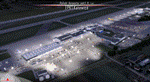
POLISH AIRPORTS VOL.1 X v4 DEMO is the 4th version of detailed sceneries of EPGD Gdansk, EPKT Katowice, EPRZ Rzeszow (+EPRJ) and EPLB Lublin (+EPSW) airports in Poland, fully compatible with FSX/FSX:SE/P3Dv1/P3Dv2/P3Dv3/P3Dv4 and FSW by Dovetail.
Gdansk Lech Walesa Airport (GDN/EPGD) is an INT airport, the 3rd largest airport in Poland, often used as a diversionary airport for Warsaw Frederic Chopin Airport in the event of poor weather or emergencies.
Katowice International Airport (KTW/EPKT) is an INT airport, which service both passenger flow and cargo flights. Its concrete runway is 3,200 m and can accommodate even heavy transports such as An-124 or An-225.
Rzeszow-Jasionka Airport (RZE/EPRZ) is an INT airport located in southeastern Poland. Near to EPRZ there is located a smaller Rzeszow Jasionka Airport (EPRJ) used by Rzeszow Aeroclub (900x30m lightened asphalt runway, 700x100m grass strip).
Lublin Airport (Port Lotniczy Lublin) (LUZ/EPLB) has a 2520m runway, and the terminal facilities are capable of handling 4 x B738/A320.
This Demo version of the commercial product features same airport layout as in the full version but with limited 3D objects and low resolution textures. Using this free demo ensures no problems with online (VATSIM, IVAO, multiplayer etc.) flying in case some users use the payware scenery and some don't.
The product is equipped with an automatic installer, which means that the scenery will be automatically added to the Flight Simulator Scenery Library. Please uninstall all versions of included airports you may have installed before, prior to installing this product. Please also make also sure that no duplicated AFCAD files are installed.
Enjoy your virtual flying with Drzewiecki Design!
| Filename: | POLISH_AIRPORTS_VOL1_X_v4_DEMO.zip |
| License: | Freeware, limited distribution |
| Added: | 23rd August 2017, 01:41:12 |
| Downloads: | 5,116 |
| Author: | Drzewiecki Design |
| Size: | 36.58 MB |
| Category: Flight Simulator X - Aircraft Repaints, Textures and Modifications | |
| Southwest Airlines Boeing 737-700 v2.2 Final Package |
|
File Description:
**** THIS FILE SUPERCEEDS MY ORIGINAL FILE b737_700_southwest_v21.zip **** v2.2 - REPORTED BUGS HAVE BEEN CORRECTED. The 737 was born out of Boeing's need to field a competitor in the short-range, small capacity jetliner market which had been opened up by the BAC 1-11 and the Douglas DC-9. Boeing was badly behind however when the 737 program was initiated in 1964, as both of these rivals were already into their flight certification programmes. The 737 was cheaper and quicker to design, featuring six-abreast seating compared to the 1-11 and DC-9's five-abreast layout.By the 1990s, the 737 had lost ground technologically to the newer Airbus A320. In 1993, Boeing initiated the 737-X or Next Generation (NG) program. The Next-Generation 737 encompasses the -600, -700, -800 and -900, and amounted to a complete redesign of the 30-year old airliner. The 737NG is an entirely new aircraft, sharing very little with previous 737s, other than fuselage frames. New wings, new avionics and revised engines were the biggest engineering changes. The 737 was given a glass cockpit with CRT screens (except the -900, which had newer and higher tech LCD screens) and digital systems inspired by the ones that were used on the 777. The parts count is down by about 33%, reducing weight and simplifying maintenance. Additional changes since its introduction include a new interior and performance enhancing winglets which reduce fuel consumption and improve take-off and climb performance. All textures have been modified in DXT-3 format for crisp visuals without comprimising frame rates. Includes the default FS-X Boeing 737 panel. Sounds have been defaulted to the FS-X 737-800, however I recommend the excellent 737 CFM56 "the real deal" version 2 soundpack (file name:737_cfm56__the_real_deal_version_2.zip located at AVSIM.com) for this aircraft series. Additionally, this aircraft series has no Virtual Cockpit (VC), therefore you must fly them using the 2-D default panel view only! This package includes Southwest Airlines liveries (Canyon Blue, Maryland One, Nevada One, Old Color & Shamu).
| Filename: | Southwest_Airlines_Boeing_737700__v22_Final_Packag.zip |
| License: | Freeware |
| Added: | 9th December 2006, 20:24:49 |
| Downloads: | 11,832 |
| Author: | Brian C. Selb |
| Size: | 13.59 MB |
| Category: Flight Simulator X - Aircraft Repaints, Textures and Modifications | |
| Airbus A318 FD Special Version V3 - Complete Pack |
|
Images related to this file:
File Description:

This is the new version of my Airbus A318 with the Panel in V3 opened on the A321. I remind you that this aircraft is based on the Project Airbis A318, with an ehanced panel based on the work of stefan Liebe.
This latest development can see the more realistic Airbus available as freeware. With a new version of the panel, the aircraft has a 100% cold & dark Status at the start of a flight, a real fuel system management with all valves, piumps and crossfeed work, the complete Bleed circuit with X-bleed, a real engines manual startup procedure like the real aircraft. I have also ehanced the navigation display with TCAS function in ARC and NAV mode; There is also the engines failure procedure to work (fire, oil leaks....) and many improved function that I cannot describe here. The aircraft comes with user manual in English and in French, and it is essantial to read it before you fly.
All the functions of the V2 have been kept and improved, like the vertical navigation gauge, the terrain radar map on the navigation display, the autolanding function, the SFCC. Aircraft comes with 6 liveries (Air France and 5 Frontier liveries realized by Project Airbus Team). This version is only in CFm engines, but with real engine data (CFM56-5B9). Now, the Fly By wire works in 2 modes: "Normal Law" and "Direct Law". I put 300 hours into the development of this panel and I hope that you will like it. In the coming weeks, I will adapt this panel to the A319 V2 and A320 V2, that are the these are the last aircrafts that I must update with this new panel. Please, note that this panel is the v3.05 version, witch fixes the bugs of the first version that came with the A321 (there is an update panel for the A321). Francois Dore
| Filename: | Airbus_A318_FD_Special_Version_V3__Complete_Pack.zip |
| License: | Freeware, limited distribution |
| Added: | 17th June 2012, 13:18:21 |
| Downloads: | 19,611 |
| Author: | Francois Dore, Project Airbus |
| Size: | 110.04 MB |
| Category: Flight Simulator X - Aircraft Repaints, Textures and Modifications | |
| Consolidated PBY-5A VB-126 #20 |
|
Images related to this file:
File Description:

A repaint for the Aerosoft PBY-5a Catalina in the colors of PBY-5a #20 (BuNo 7277) of VB-126 as it looked during a rescue operation on the Greenland ice cap in 1943. On 5 november 1942, a C-53 en route from Iceland to Greenland was reported missing off Greenland's east coast. Four days later, a B-17F, en route for England was aked to to keep a lookout for the missing plane, but it crashed on the ice cap. The crew of suffered only minor injuries, and they soon received food and other supplies that were dropped on the ice. Unfortunately, they had landed in a heavily crevassed part of the icecap, making an evacuation difficult. On 28 november, a USCG Grumman Duck, flown by Lt Pritchard, managed to make a wheels-up landing on the ice and brought out two of the crew. The next day, a ground rescue team arrived on the dite as well, and things looked good....
One crew member and a rescuer died when their sled disappeared in a crevasse, and later the same day, Lt. Pritchard's Duck disappeared as well, with a crew of three. On 6 december, an attempt was made to evacuate the B-17's navigator, Lt. O'Hara, who suffered from gangrene in his feet. One member is the rescue party fell into an crevasse, and the motorsled they were using broke down, so the men had to dig in and wait for help. The days continued until over christmas, but morale was kept high with airdrops whenever the weather permitted. A rescue by sled became impossible however due to bad conditions and heavy snows. Lt.Col Balchen, who had used a PBY the previous summer to rescue the members of the B-17 'My Gal Sal' (currently under restoration in Ohio) of the ice, and was now in charge of the rescue operation, proposed to try the same here. The last summer, the PBY landed on a melt water lake on the icecap however, this time he wanted to belly land the PBY, and nobody knew if the hull could withstand such a battering. In the meantime, a ski-equipped T8P1 aircraft tried the same, but dispappeared over the east coast. The crew members were found five days later in a rubber dinghy. The Navy finally gave permission to try an attempt with the PBY. and two PBY-5a"s were send to airfield BW-8, to wait for the right weather. On 5 febuary 1943, Lt Bernard Dunlop succesfully bellylanded BuNo 7277 / 20 (the above paintjob) at the motorsled camp, and the three survivors were taken on board. It has frozen solid in the ice, but after two hours of hard labor, the crew managed to free the PBY and it took off. Now only the three crew members still at the original site needed to be rescued. A ground rescue party was sent to the wreck to transport the survivors to a spot where the PBY could land, but bad weather prevented any flying until 17 march. On that day, Lt. Dunlop landed on the ice, dropping off Lt.Col Balchen and the rescue party, who reached the wreck the following day. The weather closed in again until finally, on april 5th, Lt Dunlop landed his PBY for the third time on the ice cap. All hands were taken on board, but after five attempts to take off, the starboard engine caught fire. The blaze was extinguished, but repairs were necessary. The next day, they managed to take off, but without the rescue party, to lighten the load. 149 days after their crash, the B-17 crew was finally clear of the ice. It wasn't until 18 may that the last member of the rescue party was finally evacuated, making this a six and a half month rescue operation...
Repaint by Jan Kees Blom, based on the paintkit by Aerosoft
| Filename: | Consolidated_PBY5A_VB126_20.zip |
| License: | Freeware |
| Added: | 13th July 2018, 20:33:17 |
| Downloads: | 140 |
| Author: | Jan Kees Blom |
| Size: | 10.19 MB |
| Category: Flight Simulator X - Aircraft Repaints, Textures and Modifications | |
| air algerie livery of wilco a340-300 |
|
File Description:
air algerie leased an a340-300 from hifly
The Airbus A340 is a long-range, wide-body passenger airliner that was developed and produced by Airbus. In the mid-1970s, Airbus conceived several derivatives of the A300, its first airliner, and developed the A340 quadjet in parallel with the A330 twinjet. In June 1987, Airbus launched both designs with their first orders and the A340-300 took its maiden flight on 25 October 1991. It was certified along with the A340-200 on 22 December 1992 and both versions entered service in March 1993 with launch customers Lufthansa and Air France. The larger A340-500/600 were launched on 8 December 1997; the A340-600 flew for the first time on 23 April 2001 and entered service on 1 August 2002.
Keeping the eight-abreast economy cross-section of the A300, the early A340-200/300 has a similar airframe to the A330. Differences include four 151 kN (34,000 lbf) CFM56s instead of two high-thrust turbofans to bypass ETOPS restrictions on trans-oceanic routes, and a three-leg main landing gear instead of two for a heavier 276 t (608,000 lb) MTOW. Both airliners have fly-by-wire controls, which was first introduced on the A320, as well as a similar glass cockpit. The later A340-500/600 have a larger wing and are powered by 275 kN (62,000 lbf) Rolls-Royce Trent 500 for a heavier 380 t (840,000 lb) MTOW.
The shortest A340-200 measured 59.4 m (195 ft), and could cover 12,400 km / 6,700 nmi with 210–250 seats in 3-class. The most common A340-300 reached 63.7 m (209 ft) to accommodate 250–290 passengers and had a 13,500 km / 7,300 nmi range. The A340-500 was 67.9 m (223 ft) long to seat 270–310 over 16,670 km / 9,000 nmi, the longest-range airliner at the time. The longest A340-600 was stretched to 75.4 m (247 ft), then the longest airliner, to accommodate 320–370 passengers over 14,450 km / 7,800 nmi.
As improving engine reliability allowed ETOPS operations for almost all routes, more economical twinjets have replaced quadjets on many routes. On 10 November 2011, Airbus announced that the production reached its end, after 380 orders had been placed and 377 delivered from Toulouse, France. By the end of 2021, the global A340 fleet had completed more than 2.5 million flights over 20 million block hours and carried over 600 million passengers with no fatalities. The A350 is its successor; the McDonnell Douglas MD-11 and the Boeing 777 were its main competitors. Lufthansa is the largest operator and the largest customer with 34 A340 aircraft in its fleet.
| Filename: | air_algerie_livery_of_wilco_a340300.zip |
| License: | Freeware |
| Added: | 29th May 2022, 17:02:17 |
| Downloads: | 167 |
| Author: | moussa cherif baya |
| Size: | 10.55 MB |
| Category: Prepar3D V1-4 - Utilities | |
| Flightplan Visualizer 1.11 |
|
Images related to this file:
File Description:
Flightplan Visualizer (FV) version 1.11.0. Copyright 2018-2019 by Pelle F. S. Liljendal ([email protected]), all rights reserved.
FV comes with 540 pre-imported Commercial AI flightplans (+380 BizJet flightplans are available as a separate download). However you are able to import additional (AI) flightplans yourself. Once imported these (AI) flightplans can be visualized on a map-view, and the user will be able to search accross all these. Hence you can use the program as inspiration as to which routes to fly. E.g. you can search across all imported flightplans to find all flights in an A321 flying into/out from LDDU, or simply to look for all flights in a Boeing 747-8F.
Simply run the included installer to install the software. The program will be installed into "C:\Program Files (x86)\Flightplan Visualizer" and all datafiles will be installed into: "C:\Users\[UserName]\AppData\Roaming\FlightplanVisualizer". The program comes with a full manual explaining everything, and a 3 page quick manual to get you started. The first 3 times you run the program the quick manual will automatically open. The forum is hosted here: https://forum.aerosoft.com/index.php?/forum/919-flightplan-visualizer/
Version 1.11 Contains the following changes: The file-format of the Flightplan-files was changed to accommodate some planed changes. The program remains backward compatible, so "old" flightplans can still be loaded. I wanted to implement these changes BEFORE I began importing new flightplans, to ensure these new/updated flightplans are all utilizing the new format. On startup the old flightplans will automatically be converted to the new format. The new installer now comes bundled with 540 commercial flightplans (schedules:22291, legs:699158) whereas the old one "only" contained 300 commercial flighplans (schedules:16786, legs:536198). All BizJet flightplans were removed from the installer and are now available as a separate download. A new settings-form have been added to eliminate the need to manually edit the settings-file using a text-editor. A new menu-item have been added which opens an explore window browsing the content of the UserData folder. Individual (disabled) flightplan-files can now be permanently deleted via the "Enable/disable flightplans" form. Flightplan sub-folders (with exception of "Disabled") can now be marked as "enabled" (using a check-box). Meaning that the flightplans in these will be also loaded on startup (along with the files in the root-folder). Using the "Enable/disable flightplans" form you can now both move and copy flightplans (based on the value of the radio-buttons). A creator-field have been added to flightplans, which can be entered when you import/edit a flightplan. The name of the creator is displayed as a tool tip when hoovering the mouse over the combo-box in the bottom of the main-form. When importing new Flightplans the program will try to grab creator and provider from the files bundled with the flightplan. Likewise a button is added to the import-form which list the content of the text-files (e.g. "ReadMe.txt"), in case you need to manually grab the creators name from this file. Both when importing- and editing flightplans a new column have been added to the airport list-view containing comments regarding airports that have been redirected (from one ICAO to another), or airports classified as pseudo-airports (in case the airport does not exists in the flightsim). The elevation-column from previous versions was removed to make more room for the comment-column. Added a new form to edit airport-redirections (redirect from one ICAO to another on import). In the airport-info form you can now switch between showing flights for the selected flightplan/last search and all flights to/from the airport being displayed. Added a new "Nearby Airports" tab-sheet to the Airport-info form, which shows a distance-sorted list of nearby airports. In the previous versions all new aircraft were automatically added to the selection of favorite aircraft. From version 1.11 you must manually choose which are your favorites (upgrading from a previous version, your current selection of favorites will NOT be changed). First letter of decoded-metar is now changed to uppercase, and a checkbox lets you decide if you want to perserve line-breaks in the decoded text copied to the clipboard. Switched position of "Save" and "Cancel" buttons in airport-info form, to match layout of other forms. Like elsewhere in the program, the airport search-browser now lists the icao-codes with an asterisk (*) for each airport that is a pseudo airport. Greatly improved the responsiveness/performance of the browser-forms, when searching for : Airports, Airlines and Aircraft. Managed to shave off a few 10th of a second loading/processing data at startup. Added support for additional Aircraft. Many of the Airports in the supplied data-files were updated likewise some new Airlines were added as well. Made the importer stronger to import flightplans where aircraft names are not in quotes, and multiweek days are written as "1/3" in stead of "10". Fixed: When manually redirecting an airport during import, the flightplan was not visualized corretly until re-loading the flightplan (e.g. restarting the program). Fixed: Closing the Enable/Disable-flightplan using other means than the close-button would not make the program re-load active flightplans afterwards. Fixed: Several of the combo-boxes on the airport-info form allowed text being entered into them. Fixed: Corrected an issue with map-caching.
Pelle
| Filename: | Flightplan_Visualizer_111.zip |
| License: | Freeware, limited distribution |
| Added: | 7th July 2019, 18:15:30 |
| Downloads: | 227 |
| Author: | Pelle Liljendal |
| Size: | 29.95 MB |
| Category: Prepar3D V1-4 - Utilities | |
| Flightplan Visualizer 1.12 |
|
Images related to this file:
File Description:
Flightplan Visualizer (FV) version 1.12.0. Copyright 2018-2019 by Pelle F. S. Liljendal ([email protected]), all rights reserved.
FV comes with 540 pre-imported Commercial AI flightplans (+380 BizJet flightplans are available as a separate download). However you are able to import additional (AI) flightplans yourself. Once imported these (AI) flightplans can be visualized on a map-view, and the user will be able to search accross all these. Hence you can use the program as inspiration as to which routes to fly. E.g. you can search across all imported flightplans to find all flights in an A321 flying into/out from LDDU, or simply to look for all flights in a Boeing 747-8F.
Simply run the included installer to install the software. The program will be installed into "C:\Program Files (x86)\Flightplan Visualizer" and all datafiles will be installed into: "C:\Users\[UserName]\AppData\Roaming\FlightplanVisualizer". The program comes with a full manual explaining everything, and a 3 page quick manual to get you started. The first 3 times you run the program the quick manual will automatically open. The forum is hosted here: https://forum.aerosoft.com/index.php?/forum/919-flightplan-visualizer/
Version 1.12 Contains the following changes: ⦠Ability to automatically check for available program-updates. The actual download of the new installer is still a manual process, but the program will at least list the download-URL. However You cannot see this feature in action until the next version will be released ;-) Updated the flightplan file-format to accommodate changes in the latest versions of (AI) flightplans. The program remains backward compatible and can still read older flightplans, however these might “miss†some (at this time) non-essential information. As a result all “Wi18-19†and “Su19†(and a few “Su18) flightplans have been re-imported and have been bundled with the version 1.12 installer, using the new file-format. Added new "Generate redirection report" button to the redirection edit form. Pressing this button will generate- and display a report of all active pseudo airports and redirections per flightplan. Added new menu-item to re-process all flightplans, according to specified airport-redirections. The "UserAirportRedirect.xml" file bundled with the installer have been updated, based on output from the new "Generate redirection report". These updated airport-redirections have been used to re-process/update all flightplans bundled with the installer. Buttons have been added to the "Leg Info" which allows you to transfer data for a particular leg/flight from FV to SimBrief in order to kick-start your "paper work" for a flight to fly. The "Leg Info" form also got buttons to show decoded METAR/TAF, and the raw METAR/TAF is also embedded in the text copied to the clipboard (when pressing the appropriate button). In settings you can now speficy the path of the folder holding the files that MakeRunway generates (if not specified it will use the UserData folder). Once set to the folder where MakeRunway generates its files (e.g. the P3D folder), you only have to run MakeRunway, you no longer have to copy the 3 files to the UserData folder. A few new traffic-charts were added to the "Airport Info" form (traffic per: region, sub-region and country), and a combo-box was added to switch between inbound- and outbound-traffic. The "Nearby Airport" form that can be opened from the "Flightplan Import" form now have an extra comment-column with information about the non-pseudo/pseudo airports. The comment column on the airport tab-sheet of the "Flightplan Import" form now also contains more info about non-pseudo/pseudo airports. The Generic Randomizer form got a new button called "Pick random flight", which will display info for a flight, randomly picked from all flights for the selected flightplan, or last search. In the "Search legs" form, you can now enter multiple ICAO-codes (separated by comma) to search for flights to/from these (e.g. search for all flights to/from EBLG or ELLX, by entering "EBLG,ELLX"). If you press SHIFT while clicking the airport browser button, the selected airport will be added to the comma separated list. If you do not hold SHIFT, the list will only contain the newly selected airport. Added support for using FS Global Real Weather (FSGRW) as a Weather provider for METAR-messages (FSGRW does not support TAF-messages). To use FSGRW you must go to settings and specify a full path (including filename) of the file generated by FSGRW. When editing a flightplan the user will be warned if trying to close the form, if changes were made. The menu-item to generate report with all defuct-/obsolete flightplans have been removed from the main-menu, but can now be generated using a button on the "Enable/disable flightplans" form. Now all applicable authors are shown when hoovering the mouse over the flightplan combo-box when a search is active. In previous versions the "Edit" buttons next the flightplan combo-box (on the main form) was only active when a flightplan was selected. Now its also active when "[Last Search]" is selected. However it will instead launch the "Search Legs" form, where you can then edit the criteria of the search. A few airports and airlines have been added/updated in the data-files bundled with the updated installer to accommodate the additional bundled flightplans. The Beluga XL Freighter was added as well as many of the other aircraft were updated with various changes. Added support for a bunch of military aircraft: A6/AE6, A10, C5, C17, E2, E3, EF2000, F14, F15, F16, F18, F22, F35, F111, F117, JAS39, KC10, KC135, MiG 21/23/25/27/29/31, Mirage III/5/2000, Rafale, SU 17/20/22/24/25/27/30/32/34, V22. New "Exclude military aircraft" setting have been added (defaults to true). When true military aircraft will not be shown (can be changed in the settings form). Added new menu-item to load/display current log-file. FV tend to be somewhat memory-hungry while (re)loading all active flightplans, and you might see a peek in memory consumption. But from this release and forward it will try to free up most of the memory once all flightplans have been loaded. Minor changes to the "Enable/disable flightplans" form, to make it more responsive, and added a progressbar that is visible while flightplans are being moved, copied or deleted. Fixed: issue when trying to import a flightplan zip-file containing multiple "Flightplan_XXX" files. If the same zip contains multiple sets of matching files (Flightplan, Aircraft and Airport) the user will now be presented with a combo-box from where the user can pick which set of files to import (only the flightplan-file will be shown). Fixed: The file "f5.csv" was missing from previous installers. Fixed: issue with pseudo-airports when using the "Nearby airports" tab-sheet in the Airport Info form. Fixed: Saving a flightplan that was edited, it would try to save it in the (flightplan) [ROOT] folder even if it was loaded from a sub-folder. Now it will always try to save it in the same location with the same filename. If you want it saved elsewhere/with another filename use the "Save As" button in stead. Imported flightplans will still be saved to the [ROOT] flightplan folder. Fixed: Pressing ENTER in the Flightplan import/edit-form while the comments-field had focus, would close the form (saving the flightplan). Fixed: Result-viewer will no longer display with all text selected. Fixed: METAR/TAF decoder will no longer display with raw-message selected. Fixed: In some cases the program needed to be restarted if changes were made to the weather-provided data in the settings-form. Installer: Comes with +30 new pre-imported (Summer 2019) flightplans of which some are replacements of obsolete flightplans (from previous installers), and 2 of the "old" flightplans have been marked as defunct.
Pelle
| Filename: | Flightplan_Visualizer_112.zip |
| License: | Freeware, limited distribution |
| Added: | 23rd August 2019, 17:15:13 |
| Downloads: | 195 |
| Author: | Pelle Liljendal |
| Size: | 30 MB |
| Category: Prepar3D V1-4 - Utilities | |
| Flightplan Visualizer 1.13 |
|
Images related to this file:
File Description:
Flightplan Visualizer (FV) version 1.13.0. Copyright 2018-2019 by Pelle F. S. Liljendal ([email protected]), all rights reserved.
FV comes with 586 pre-imported Commercial AI flightplans (+380 BizJet flightplans are available as a separate download). However you are able to import additional (AI) flightplans yourself. Once imported these (AI) flightplans can be visualized on a map-view, and the user will be able to search accross all these. Hence you can use the program as inspiration as to which routes to fly. E.g. you can search across all imported flightplans to find all flights in an A321 flying into/out from LDDU, or simply to look for all flights in a Boeing 747-8F.
Simply run the included installer to install the software. The program will be installed into "C:\Program Files (x86)\Flightplan Visualizer" and all datafiles will be installed into: "C:\Users\[UserName]\AppData\Roaming\FlightplanVisualizer". The program comes with a full manual explaining everything, and a 3 page quick manual to get you started. The first 3 times you run the program the quick manual will automatically open. The forum is hosted here: https://forum.aerosoft.com/index.php?/forum/919-flightplan-visualizer/
Version 1.13 Contains the following changes: Flightplans can now be exported in AIFP/TrafficTool-format (the same format that FV is able to import). It means if you have made any changes to a flightplan (e.g. redirected some airports) the flightplan can be exported from FV, and imported into AIFP (AI Flight Planner, by Don Grovestine) where it can be compiled into an AI-traffic bgl-file (traffic "scenery"). A new setting called "Adjust flight-time on airport-redirect" have been added. This setting defaults to "false" (un-checked), however if changed to "true" (checked) the flight-time will be changed if/when departure/destination-airports are changed due to airport-redirections (both automatic and manually). The flight-time is the result of the difference between departure-/destination-time, hence if the flight-time is changed either- or both departure-/destination-time will change as well. The original flight-time is scaled based on the original- and the redirected distance between the departure/destination-airports. When importing/editing flightplans you can now select one or multiple aircraft and delete them. When deleting an aircraft all schedules attached to that aircraft will be deleted as well. One use of this feature could be to remove aircraft you don't have a AI aircraft, prior to exporting the flightplan in AIFP/TT-format, and loading it into AIFP. When importing/editing flightplans a "Similar" button will appear next to the flightplan name if a similar named flightplan exists (e.g. "same name", but different season), or other flighplans exists for the same airline (ICAO). Hoovering the mouse over this button will show the names of these flightplans as a tool-tip, and if you click the button the list will be shown in a window (with some additional information), from where it can be copied to the clipboard if you need to. On the Edit/Import-flightplan form, the Aircraft- and Airport tab-sheets have been swapped, and a new tab-sheet was added to list all routes of the flightplan. For each route the distance is listed along will all aircraft types of the flightplan servicing that route. The "Aircraft" tabsheet of the form to import/edit flightplans now contains a button called: "Fleet report". Pressing this button will generate a report showing the fleet of an airline (based on the flightplan), that is sorted by Aircraft type and registration. For each aircraft it will show a list of all the airports served by that particular aircraft. A "Word-wrap" check-box have been added to the Result-viewer to toggle word-wrap on/off (word-wrap defaults to "on"). In previous versions any changes made in the settings form resulted in all flightplans having to reload (while showing the splash-screen). Changing the path for MakeRunway-files still results in an automatic "reboot" of the program. The combo-box for choosing default direction (outbound/inbound/both) for the leg-search (on reset) have been removed from settings, and it now defaults to "Outbound or Inbound". However in the search legs form you can now save your own preferred "Reset" criteria. When you press the reset-button, it will load this Reset-file (with your preferred reset criteria). If you hold SHIFT while pressing the reset-button (or you have not saved a personal reset-file), it will reset to the default factory-criteria. In the traffic tabsheet of the airport info form there is a combo-box letting you switch between "Selected flightplan" or last-search on main-form" and "All flights to/from this airport". In previous versions it did not perform the search of flights to-/from- the viewed airport until you selected the 2nd item from the combo-box. Now this search is performed in the background as soon as the form is opened, hence choosing the 2nd item in the combo-box is now instantaneous. The "Nearby Airports" tab-sheet in the "Airport Info" form, now have a column listing direction (from the airport to the nearby airports). When listing number of runways and gates (e.g. in the form showing nearby airports, or in the redirection-report), the radius of the largest gate is now included, as there is no need to redirect any 747 traffic to an airport where the largest gate is 23m (a 747 requires a gate with a radius of at least 36m). The frequency-count was removed from the before mentioned listing of runways and gates, to make more room for listing the aircraft serving each airport. The search for airport browse now have a new optional column listing comments (e.g. length of longest rwy and largest gate). The "show" combo-box lets you choose to show comments in stead of "Size/Rank/Traffic" or "Hint-text". Opening the search airport browser from the import/edit flightplan form, will automatically choose to show the comments column, as information regarding rwy length/gate radius can be relevant when redirecting airports. Form "Nearby Airports" now show the GPS-position in the caption of the form. Added runway/gate summary to caption-bar of airport info form, so you no longer need to look at both the runway- and gate- tab-sheet in order to see: number of runways, longest runway, number of gates and largest rate (radius). New check-box added to settings allowing you to include the before mentioned runway/gate info in the airport marker tool-tip on the main map. Region/sub-region added to "Airport Info" form (top/left corner). A new setting (default to disabled) lets you add region/sub-region to the airport marker-hint on the map as well. Added a button to the "airport info" to show the airport at flightradar24 (opens the default browser), and the button on the leg info form to show route the route at flightaware (also using the browser) have been replicated on the route info form. The METAR-/TAF-buttons on the leg info form now shows the raw METAR/TAF-message - as a tool tip - when you hoover the mouse over the buttons. As before, when you press these buttons it will open a window showing the decoded messages. Various minor changes to the leg info form: added info regarding longest runway and largest gate for each airport, and re-positioned some of the fields. Likewise the info copied to the clipboard when you click the appropriate button have been re-ordered as well. Changed flightplan format to accommodate additional information, but the format remains backward compatible. Button added to about-box allowing the user to copy version-info to the clipboard. Managed to "shave off" approx ½ a second during start-up (on my pc). Not a lot but still an improvement :-) Fixed: In the form for importing/editing flightplans the leg-page showed the original distance even if the airports were redirected. Fixed: On leg info form "Dest.Country" and "Dest.Apt" column-order were swapped. Fixed: Tweaked aircraft type detecting to better detect 740-400 and 767-200/300 freighters. In previous versions a few aircrafts were wrongly detected as pax, when they should have been detected as freighter. Data: Airbus 330-800/900 Neo, Boeing 747-400LCF (Dreamlifter), and Embraer 175/190/195-E2 have been added as supported aircraft, and a few additional airlines and airports were added as well. Flightplans: Installer comes with +70 new pre-imported (Summer 2019) flightplans of which some are replacements of obsolete flightplans (from previous installers), and 2 of the "old" flightplans have been marked as defunct, as "Adria Airways" and "Aigle Azur" have filed for bankruptcy and ceased their operations. Flightplans: Among the added flightplans you will find the first flightplan I have made myself, a flightplan for Airbus Transport International covering their 5 Beluga's an 2 Beluga XL's (the latter 2 are stil performing test-flights and have yet to be implemented into their "normal schedule").
| Filename: | Flightplan_Visualizer_113.zip |
| License: | Freeware, limited distribution |
| Added: | 13th October 2019, 17:50:53 |
| Downloads: | 355 |
| Author: | Pelle Liljendal |
| Size: | 30.45 MB |


© 2001-2026 AVSIM Online
All Rights Reserved
Privacy Policy |