
Where Flight Simulation Enthusiasts Gather from Around the World!
AVSIM Library - Search Results

| Category: Microsoft Flight Simulator (2020) - Utilities | |
| Flightplan Visualizer 1.19 |

|
Images related to this file:
File Description:
Flightplan Visualizer (FV) version 1.19.0. Copyright 2018-2021 by Pelle F. S. Liljendal ([email protected]), all rights reserved.
FV comes with 1164 pre-imported AI flightplans (of which +380 are BizJet flightplans, the rest are commercial). However you are able to import additional (AI) flightplans yourself. Once imported these (AI) flightplans can be visualized on a map-view, and the user will be able to search accross all these. Hence you can use the program as inspiration as to which routes to fly. E.g. you can search across all imported flightplans to find all flights in an A321 flying into/out from LDDU, or simply to look for all flights in a Boeing 747-8F.
Simply run the included installer to install the software. The program will be installed into "C:\Program Files (x86)\Flightplan Visualizer" and all datafiles will be installed into: "C:\Users\[UserName]\AppData\Roaming\FlightplanVisualizer". The program comes with a full manual explaining everything, and a 3 page quick manual to get you started. The first 3 times you run the program the quick manual will automatically open. The forum is hosted here: https://forum.aerosoft.com/index.php?/forum/919-flightplan-visualizer/
Version 1.19 Contains the following changes:
- The release-version of the application is now aimed at 64-bit (granting access to more memory if needed). Enabling 64-bit adds a memory overhead of approx 50% compared to 32-bit, but its the "price to pay" to have access to more memory (for those of you with many active flightplans loaded into memory at the same time).
- FV can now connect to your simulator using FSUIPC (tested both with P3D and MSFS). By default you will have to manually connect/disconnect (using new menu-items in the File-menu). However in settings you can choose to do it automatic. When automatic-connection is selected the connect/disconnect menu-items becomes inactive.
- When connected to a sim, the location/heading of your aircraft can be displayed on the map, using an orange aircraft-marker, and hoovering the mouse over this marker will display some key data (GPS-location, altitude, heading, speed and so on).
- Added abillity to playback audio-files. In settings you can choose which audio-device to use, and set the volume at which these files are played (defaults to 50%). If volume>0 these files will automatically be played back whenever FV connects to/disconnects from the Sim.
- Added additional icons that are automatically selected to indicate when the program is connected to the simulator. Hence the icon in the main-form will indicate if FV is connected to a simulator or not.
- In the form for editing (user)-airlines and in the form for searching airlines the context menu now have a menu-item called "Show usage". When selected, it will generate a report showing all the (active) flightplans in which the airline is used.
- Added a new "Manual" check-box next to the load-factor when editing user-airlines. This check-box needs to be checked if you want to manually enter a load-factor. When not checked (default) the load-factor will automatically be set to the default value of the selected country.
- When editing user-airlines, the airline just added/edited will be visible and selected in the list-view. Likewise when deleting an airline, the previous item will be be visible/selected (in stead of always scrolling to the top afterwards, as in previous versions).
- The Insert/Delete keyboard-keys can now be used as shortcuts adding/deleting user-airlines and user-aircraft (both owned and types).
- The gate-map context-menu (Airport Info), now allows you to re-center the map (in case your have been panning the map, and can't locate the airport again).
- Added a new menu-item/form to calculate head/cross-wind from manually entered flight/runway-heading and wind-direction/speed. Don't forget the runways tab-page in the Airport-info form already calculates this for each runway (and wind-direction/speed is automatically obtained from METAR).
- Added a new menu-item/form to convert plain-text into morse-code. There is also a button that lets you listen to the generated morse-code, so you can practice your morse-code listening skills (e.g. entering an ILS/VOR-ident, to know which morse-code to listen for in the aircraft, to verify the correct ident is reqeived).
- The "Cruise speed" column have been removed from the aircraft tab-page of the Edit Flightplan form to make more room for the Carrier/Operator-columns. In the past these simply contained the ICAO for the airlines. Now it both contains: ICAO, IATA (if not blank) and Name.
- The criteria in the leg-search window now allows you to filter on departure/arrival week-days (e.g. only include flights departing a particular airport on a Saturday or Sunday).
- When using the flightplan-filter on the main-form, it will favour the current active flightplan (as in previous versions), however if not able to, it will select the first flightplan included in the filtered list (in stead of choosing "[None]").
- Improved import of AIGFP-flightplans where the airport is not contained within the embedded airport.txt file and is using a different ICAO-code in route-files (observed for "AIG_UTair_Summer2018v6" and "AIG_S7Airlines_Winter2019-2020v3").
- Added runway-info (for both Departure/Destination-airports) to the flightplan leg-report. For ILS-eqiupped runways its lists the ID (both as text, as morse-code), frequency and ils-slope.
- Morse-code also added to ILS-ID column on the "Runways" tab-page of the airport-info form. Above the list-view there is also a label showing the morse-code (using a larger font), and next to it there is a button that lets you listen to the morse-code.
- Traffic-pattern direction (for take-off and landing) are now displayed for each runway. These data are extracted from the scenery by MakeRunways, hence the info can't be "better" than the info in the scenery (hence most default airports simly shows 'Left').
- Current/peak- memory usage is now logged at various stages while running, and when closing the program. These values can also be observed opening the about-box, which will also forcefully append these values to the log.
- When using MkRwy with MSFS it can't obtain the country-name, hence these are taken from the airport-database embedded with FV. However the name for USA ("United States of America") is too long to be shown together with state-name, hence code have beed added it to shorten it to "United States" (which was the default country-name used in FSX/P3D).
- Changed font in Comments-box for user-aircraft to a fixed font, in case some users what to enter text "in columns" (e.g. if you make "tables" with speed-restrictions).
- Changed the color of the splitter-bars in the Airport-info and leg-search forms to a draker color, to better indicate where it is.
- The build-part of the version-number can now be ignored when performing the automatic version-check at start-up. This new setting is by default disabled. If enabled it will ignore changes from version 1.x.0 to 1.x.1 (e.g. an update from 1.19.0 to 1.19.1). However major/minor versions-updates (e.g. from 1.19.x to 1.20.x) will not be ignored.
- Fixed: Excessive logging while importing AIGFP flightplans removed (leftover from fixing a bug before the release of version 1.18).
- Fixed: When using kg in the leg-info report, the weight of Luggage incl. pax weight (shown in parentees) was wrong.
- Fixed: Button to open filter-manual on Gate-page of the Airport-info form was not visible/position was not fixed.
- Fixed: The wind-speed obtained from the METAR and used to calc head/tail-wind on the Runway tab-page of the Airport-info form, did not considder the unit (e.g. Khp or meters-per-second).
- Data: A VERY BIG THANK YOU to Bruce Nicholson for assistance updating the Airline-database, both with new/missing entries and marking defunct airlines as such.
- Data: A lot of "fictios airlines" was added as well. These are used for companies without official ICAO/IATA codes. To indicate they are fictios the ICAO-code is set to "---" and the IATA-code is used to indicate the kind of traffic (e.g. the combination "---/BZ" is used for biz-jet flights).
- Data: Also thanks to Bruce for pointing out that a few aircraft were not being detected as they should. So this version should do a better job with Cessna T206H, Cessna Citation SII/S550 and Global 7500.
- Flightplans: The bundled AIG flightplans have been updated to the latests versions/revisions available from AIG (there were a few defunct that was removed, a few new versions that was added, and a lot of new revisions being updated).
- Flightplans: Eric Steinmetz's Bizjet (AI) flightplans that have previously been available as a separate download are once again bundled with the installer (they are only installed if you choose the option during installation). These have all been updated to use the new "---/BZ" airlines (for companies without official ICAO/IATA-codes), and the Author/Provider have been set to "Eric Steinmetz"/"ESAI" (the previous/separate download was created before adding author/provider to the software).
Pelle
| Filename: | Flightplan_Visualizer_119.zip |
| License: | Freeware, limited distribution |
| Added: | 2nd May 2021, 00:02:01 |
| Downloads: | 279 |
| Author: | Pelle Liljendal |
| Size: | 35.71 MB |
| Category: Miscellaneous Files - General Utilities | |
| Flight plan management table |
|
File Description:
THe Flight management table is an excel file which will help you to monitor weights and time of your flight plan.
You can insert the following info:
-Departure
-Arrival
-Callsign
-Flight number
-Route distance
-Number of pax
-Cost index
-Cruise altitude
-Block fuel, taxi fuel, trip fuel, extra fuel, reserve fuel
You can also manage time by inserting simulation date, start time, cockpit preparation time and many more.
The file also gives you an advice if you make a mistake and will calculate the fuel you have to burn if you have to perform an emergency landing but you are above the max landing weight.
The excel file will then calculate zero fuel weight, gross weight, takeoff and landing weights based on the "active aircraft management table".
It will also calculate off and on block time as well as takeoff and landing time.
You can use this file with any aircraft by adding tamplates to it or using one that is already in the file. At present the tamplates available are:
X plane
-Flight Factor A320 Ultimate
-Zibo mod B738
-IXEG B733
-Aerobask Eclipse 550NG
Prepar3d/Flight sim X
-PMDG B738 NGX
-Majestic Dash 8 Q400
Creating a new tamplate is easy. All you need to do is having weights info about the aircraft you wish to add in hand.
The file is under development which means that I am going to add new feature to it.
A good breefing is the first step for a good flight.
| Filename: | Flight_plan_management_table.zip |
| License: | Freeware |
| Added: | 9th August 2018, 14:21:41 |
| Downloads: | 336 |
| Author: | Luca Tessieri |
| Size: | 17.92 KB |
| Category: Prepar3D V1-4 - Scenery | |
| POLISH AIRPORTS VOL.1 X v4 DEMO |
|
Images related to this file:
File Description:
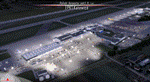
POLISH AIRPORTS VOL.1 X v4 DEMO is the 4th version of detailed sceneries of EPGD Gdansk, EPKT Katowice, EPRZ Rzeszow (+EPRJ) and EPLB Lublin (+EPSW) airports in Poland, fully compatible with FSX/FSX:SE/P3Dv1/P3Dv2/P3Dv3/P3Dv4 and FSW by Dovetail.
Gdansk Lech Walesa Airport (GDN/EPGD) is an INT airport, the 3rd largest airport in Poland, often used as a diversionary airport for Warsaw Frederic Chopin Airport in the event of poor weather or emergencies.
Katowice International Airport (KTW/EPKT) is an INT airport, which service both passenger flow and cargo flights. Its concrete runway is 3,200 m and can accommodate even heavy transports such as An-124 or An-225.
Rzeszow-Jasionka Airport (RZE/EPRZ) is an INT airport located in southeastern Poland. Near to EPRZ there is located a smaller Rzeszow Jasionka Airport (EPRJ) used by Rzeszow Aeroclub (900x30m lightened asphalt runway, 700x100m grass strip).
Lublin Airport (Port Lotniczy Lublin) (LUZ/EPLB) has a 2520m runway, and the terminal facilities are capable of handling 4 x B738/A320.
This Demo version of the commercial product features same airport layout as in the full version but with limited 3D objects and low resolution textures. Using this free demo ensures no problems with online (VATSIM, IVAO, multiplayer etc.) flying in case some users use the payware scenery and some don't.
The product is equipped with an automatic installer, which means that the scenery will be automatically added to the Flight Simulator Scenery Library. Please uninstall all versions of included airports you may have installed before, prior to installing this product. Please also make also sure that no duplicated AFCAD files are installed.
Enjoy your virtual flying with Drzewiecki Design!
| Filename: | POLISH_AIRPORTS_VOL1_X_v4_DEMO.zip |
| License: | Freeware, limited distribution |
| Added: | 23rd August 2017, 01:41:51 |
| Downloads: | 676 |
| Author: | Drzewiecki Design |
| Size: | 36.58 MB |
| Category: Flight Simulator 2004 - AI Flight Plans | |
| Philippine Airlines Full Version 1.0 |
|
File Description:
This file is the most complete PHILIPPINE AIRLINES Artificial Intelligence (AI)Aircrafts Package to be released as Freeware.All models and repaints included in this file are the fleet of aircrafts currently used by Philippine Airlines.A total of 26 repaints are included.
Airbus A320-200,Boeing B737-300 and Boeing B737-400 models are by Jon Murchison and ARNZ-AIS and repaints by Ver Walter Gulfan.Jon Murchison's models feature pushback vehicles for FS2004 and his excellent Animation-Integrated Scenery.Airbus A330-300 and Airbus A340-300 models are by FSPainters and repaints by John Makani and Ver Walter Gulfan.Boeing 747-400 models are by FSPainters and repaints by Ver Walter Gulfan.All 26 aircrafts included in this file have no duplicate registration numbers.They have a specific rego each just like the real counterpart.
The registration numbers of all the repaints included in this file are the following:EI-BZE,EI-BZF,EI-BZJ,EI-BZL,EI-CUL,RP-C4007,RP-C3221,RP-C3223,RP-C3224,EI-CVN,EI-CVO,EI-CVP,F-OHZM,F-OHZN,F-OHZQ,F-OHZR,F-OHZS,F-OHZT,N751PR,N752PR,N753PR,N754PR,F-OHPJ,F-OHPK,F-OHPL and F-OHPM.
No additional download file is required in this package.Models,aircraft.cfg,original airfiles,repaint textures and Traffic Tools v.201 Aircrafts and Flightplans files are all included here.Truly the most complete Philippine Airlines AI file you could ever get!
Note:Original models,airfiles aircraft configs are all originally downloaded from www.avsim.com. I am uploading this addon file only to AVSIM and i'm not to any other website.Uploading to any website other than AVSIM is prohibited.All aircrafts included here have no panel and sound folders as this performs best for AI aircraft only and not for flying.Works best for FS2004 but this should also work with FS2002 but without the pushback vehicle feature.
| Filename: | Philippine_Airlines_Full_Version_10.zip |
| License: | Freeware |
| Added: | 14th November 2003, 00:06:55 |
| Downloads: | 5,201 |
| Author: | Ver Walter Gulfan,Jon Murchison,ARNZ,John Makani and FSPainters |
| Size: | 8.98 MB |
| Category: Flight Simulator 2004 - Scenery | |
| Polish Airports VOL. 1 DEMO |
|
Images related to this file:
File Description:

POLISH AIRPORTS VOL. 1 DEMO is a package of detailed sceneries of EPGD Gdansk, EPKT Katowice, EPRZ Rzeszow (including EPRJ) and EPLB Lublin (including EPSW) airports in Poland, fully compatible with FS2004.
This product is a fully functional DEMO version of the commercial payware product. It features same airports layout as in the full version but with limited 3D objects and low resolution textures. Using this free demo ensures no problems with online (VATSIM, IVAO, multiplayer etc.) flying in case some users use the payware scenery and some don't.
Gdansk Lech Walesa Airport (GDN/EPGD) is an international airport, the 3rd largest airport in Poland, often used as a diversionary airport for Warsaw Frederic Chopin Airport in the event of poor weather or emergencies. Katowice International Airport (KTW/EPKT) is an international airport, which service both passenger flow and cargo flights. Its concrete runway is 2,800 m * 60 m (9,186 ft * 197 ft) and can accommodate even heavy transports such as Antonov An-124 or An-225. Rzeszow-Jasionka Airport (RZE/EPRZ) is an international airport located in southeastern Poland. It is the seventh-busiest airport in Poland. Near to EPRZ there is located a smaller Rzeszow Jasionka Airport (EPRJ) used by Rzeszow Aeroclub (900x30m lighted asphalt runway (090/270), 700x100m grass strip). Lublin Airport (Port Lotniczy Lublin) (LUZ/EPLB) has a 2520m runway, and the terminal facilities are capable of handling 4 x B738/A320.
The product is equipped with an automatic installer, which means that the scenery will be automatically added to the Flight Simulator Scenery Library. Please uninstall all previous versions of this airport you may have installed before. Please make also sure that no duplicate AFCAD files are installed.
Enjoy your virtual flying with Drzewiecki Design!
| Filename: | Polish_Airports_VOL_1_DEMO.zip |
| License: | Commercial demo |
| Added: | 2nd September 2015, 22:18:50 |
| Downloads: | 1,054 |
| Author: | Drzewiecki Design |
| Size: | 35.47 MB |
| Category: Dovetail Games Flight Sim World - Scenery | |
| POLISH AIRPORTS VOL.1 X v4 DEMO |
|
Images related to this file:
File Description:

POLISH AIRPORTS VOL.1 X v4 DEMO is the 4th version of detailed sceneries of EPGD Gdansk, EPKT Katowice, EPRZ Rzeszow (+EPRJ) and EPLB Lublin (+EPSW) airports in Poland, fully compatible with FSX/FSX:SE/P3Dv1/P3Dv2/P3Dv3/P3Dv4 and FSW by Dovetail.
Gdansk Lech Walesa Airport (GDN/EPGD) is an INT airport, the 3rd largest airport in Poland, often used as a diversionary airport for Warsaw Frederic Chopin Airport in the event of poor weather or emergencies.
Katowice International Airport (KTW/EPKT) is an INT airport, which service both passenger flow and cargo flights. Its concrete runway is 3,200 m and can accommodate even heavy transports such as An-124 or An-225.
Rzeszow-Jasionka Airport (RZE/EPRZ) is an INT airport located in southeastern Poland. Near to EPRZ there is located a smaller Rzeszow Jasionka Airport (EPRJ) used by Rzeszow Aeroclub (900x30m lightened asphalt runway, 700x100m grass strip).
Lublin Airport (Port Lotniczy Lublin) (LUZ/EPLB) has a 2520m runway, and the terminal facilities are capable of handling 4 x B738/A320.
This Demo version of the commercial product features same airport layout as in the full version but with limited 3D objects and low resolution textures. Using this free demo ensures no problems with online (VATSIM, IVAO, multiplayer etc.) flying in case some users use the payware scenery and some don't.
The product is equipped with an automatic installer, which means that the scenery will be automatically added to the Flight Simulator Scenery Library. Please uninstall all versions of included airports you may have installed before, prior to installing this product. Please also make also sure that no duplicated AFCAD files are installed.
Enjoy your virtual flying with Drzewiecki Design!
| Filename: | POLISH_AIRPORTS_VOL1_X_v4_DEMO.zip |
| License: | Freeware, limited distribution |
| Added: | 23rd August 2017, 01:42:06 |
| Downloads: | 124 |
| Author: | Drzewiecki Design |
| Size: | 36.58 MB |
| Category: Flight Simulator X - Scenery | |
| POLISH AIRPORTS VOL.1 X v4 DEMO |
|
Images related to this file:
File Description:

POLISH AIRPORTS VOL.1 X v4 DEMO is the 4th version of detailed sceneries of EPGD Gdansk, EPKT Katowice, EPRZ Rzeszow (+EPRJ) and EPLB Lublin (+EPSW) airports in Poland, fully compatible with FSX/FSX:SE/P3Dv1/P3Dv2/P3Dv3/P3Dv4 and FSW by Dovetail.
Gdansk Lech Walesa Airport (GDN/EPGD) is an INT airport, the 3rd largest airport in Poland, often used as a diversionary airport for Warsaw Frederic Chopin Airport in the event of poor weather or emergencies.
Katowice International Airport (KTW/EPKT) is an INT airport, which service both passenger flow and cargo flights. Its concrete runway is 3,200 m and can accommodate even heavy transports such as An-124 or An-225.
Rzeszow-Jasionka Airport (RZE/EPRZ) is an INT airport located in southeastern Poland. Near to EPRZ there is located a smaller Rzeszow Jasionka Airport (EPRJ) used by Rzeszow Aeroclub (900x30m lightened asphalt runway, 700x100m grass strip).
Lublin Airport (Port Lotniczy Lublin) (LUZ/EPLB) has a 2520m runway, and the terminal facilities are capable of handling 4 x B738/A320.
This Demo version of the commercial product features same airport layout as in the full version but with limited 3D objects and low resolution textures. Using this free demo ensures no problems with online (VATSIM, IVAO, multiplayer etc.) flying in case some users use the payware scenery and some don't.
The product is equipped with an automatic installer, which means that the scenery will be automatically added to the Flight Simulator Scenery Library. Please uninstall all versions of included airports you may have installed before, prior to installing this product. Please also make also sure that no duplicated AFCAD files are installed.
Enjoy your virtual flying with Drzewiecki Design!
| Filename: | POLISH_AIRPORTS_VOL1_X_v4_DEMO.zip |
| License: | Freeware, limited distribution |
| Added: | 23rd August 2017, 01:41:12 |
| Downloads: | 5,099 |
| Author: | Drzewiecki Design |
| Size: | 36.58 MB |
| Category: Flight Simulator X - Aircraft Repaints, Textures and Modifications | |
| Consolidated PBY-5A VB-126 #20 |
|
Images related to this file:
File Description:

A repaint for the Aerosoft PBY-5a Catalina in the colors of PBY-5a #20 (BuNo 7277) of VB-126 as it looked during a rescue operation on the Greenland ice cap in 1943. On 5 november 1942, a C-53 en route from Iceland to Greenland was reported missing off Greenland's east coast. Four days later, a B-17F, en route for England was aked to to keep a lookout for the missing plane, but it crashed on the ice cap. The crew of suffered only minor injuries, and they soon received food and other supplies that were dropped on the ice. Unfortunately, they had landed in a heavily crevassed part of the icecap, making an evacuation difficult. On 28 november, a USCG Grumman Duck, flown by Lt Pritchard, managed to make a wheels-up landing on the ice and brought out two of the crew. The next day, a ground rescue team arrived on the dite as well, and things looked good....
One crew member and a rescuer died when their sled disappeared in a crevasse, and later the same day, Lt. Pritchard's Duck disappeared as well, with a crew of three. On 6 december, an attempt was made to evacuate the B-17's navigator, Lt. O'Hara, who suffered from gangrene in his feet. One member is the rescue party fell into an crevasse, and the motorsled they were using broke down, so the men had to dig in and wait for help. The days continued until over christmas, but morale was kept high with airdrops whenever the weather permitted. A rescue by sled became impossible however due to bad conditions and heavy snows. Lt.Col Balchen, who had used a PBY the previous summer to rescue the members of the B-17 'My Gal Sal' (currently under restoration in Ohio) of the ice, and was now in charge of the rescue operation, proposed to try the same here. The last summer, the PBY landed on a melt water lake on the icecap however, this time he wanted to belly land the PBY, and nobody knew if the hull could withstand such a battering. In the meantime, a ski-equipped T8P1 aircraft tried the same, but dispappeared over the east coast. The crew members were found five days later in a rubber dinghy. The Navy finally gave permission to try an attempt with the PBY. and two PBY-5a"s were send to airfield BW-8, to wait for the right weather. On 5 febuary 1943, Lt Bernard Dunlop succesfully bellylanded BuNo 7277 / 20 (the above paintjob) at the motorsled camp, and the three survivors were taken on board. It has frozen solid in the ice, but after two hours of hard labor, the crew managed to free the PBY and it took off. Now only the three crew members still at the original site needed to be rescued. A ground rescue party was sent to the wreck to transport the survivors to a spot where the PBY could land, but bad weather prevented any flying until 17 march. On that day, Lt. Dunlop landed on the ice, dropping off Lt.Col Balchen and the rescue party, who reached the wreck the following day. The weather closed in again until finally, on april 5th, Lt Dunlop landed his PBY for the third time on the ice cap. All hands were taken on board, but after five attempts to take off, the starboard engine caught fire. The blaze was extinguished, but repairs were necessary. The next day, they managed to take off, but without the rescue party, to lighten the load. 149 days after their crash, the B-17 crew was finally clear of the ice. It wasn't until 18 may that the last member of the rescue party was finally evacuated, making this a six and a half month rescue operation...
Repaint by Jan Kees Blom, based on the paintkit by Aerosoft
| Filename: | Consolidated_PBY5A_VB126_20.zip |
| License: | Freeware |
| Added: | 13th July 2018, 20:33:17 |
| Downloads: | 135 |
| Author: | Jan Kees Blom |
| Size: | 10.19 MB |
| Category: Flight Simulator X - Aircraft Repaints, Textures and Modifications | |
| Southwest Airlines Boeing 737-700 v2.2 Final Package |
|
File Description:
**** THIS FILE SUPERCEEDS MY ORIGINAL FILE b737_700_southwest_v21.zip **** v2.2 - REPORTED BUGS HAVE BEEN CORRECTED. The 737 was born out of Boeing's need to field a competitor in the short-range, small capacity jetliner market which had been opened up by the BAC 1-11 and the Douglas DC-9. Boeing was badly behind however when the 737 program was initiated in 1964, as both of these rivals were already into their flight certification programmes. The 737 was cheaper and quicker to design, featuring six-abreast seating compared to the 1-11 and DC-9's five-abreast layout.By the 1990s, the 737 had lost ground technologically to the newer Airbus A320. In 1993, Boeing initiated the 737-X or Next Generation (NG) program. The Next-Generation 737 encompasses the -600, -700, -800 and -900, and amounted to a complete redesign of the 30-year old airliner. The 737NG is an entirely new aircraft, sharing very little with previous 737s, other than fuselage frames. New wings, new avionics and revised engines were the biggest engineering changes. The 737 was given a glass cockpit with CRT screens (except the -900, which had newer and higher tech LCD screens) and digital systems inspired by the ones that were used on the 777. The parts count is down by about 33%, reducing weight and simplifying maintenance. Additional changes since its introduction include a new interior and performance enhancing winglets which reduce fuel consumption and improve take-off and climb performance. All textures have been modified in DXT-3 format for crisp visuals without comprimising frame rates. Includes the default FS-X Boeing 737 panel. Sounds have been defaulted to the FS-X 737-800, however I recommend the excellent 737 CFM56 "the real deal" version 2 soundpack (file name:737_cfm56__the_real_deal_version_2.zip located at AVSIM.com) for this aircraft series. Additionally, this aircraft series has no Virtual Cockpit (VC), therefore you must fly them using the 2-D default panel view only! This package includes Southwest Airlines liveries (Canyon Blue, Maryland One, Nevada One, Old Color & Shamu).
| Filename: | Southwest_Airlines_Boeing_737700__v22_Final_Packag.zip |
| License: | Freeware |
| Added: | 9th December 2006, 20:24:49 |
| Downloads: | 11,832 |
| Author: | Brian C. Selb |
| Size: | 13.59 MB |
| Category: Flight Simulator X - Aircraft Repaints, Textures and Modifications | |
| Airbus A318 FD Special Version V3 - Complete Pack |
|
Images related to this file:
File Description:

This is the new version of my Airbus A318 with the Panel in V3 opened on the A321. I remind you that this aircraft is based on the Project Airbis A318, with an ehanced panel based on the work of stefan Liebe.
This latest development can see the more realistic Airbus available as freeware. With a new version of the panel, the aircraft has a 100% cold & dark Status at the start of a flight, a real fuel system management with all valves, piumps and crossfeed work, the complete Bleed circuit with X-bleed, a real engines manual startup procedure like the real aircraft. I have also ehanced the navigation display with TCAS function in ARC and NAV mode; There is also the engines failure procedure to work (fire, oil leaks....) and many improved function that I cannot describe here. The aircraft comes with user manual in English and in French, and it is essantial to read it before you fly.
All the functions of the V2 have been kept and improved, like the vertical navigation gauge, the terrain radar map on the navigation display, the autolanding function, the SFCC. Aircraft comes with 6 liveries (Air France and 5 Frontier liveries realized by Project Airbus Team). This version is only in CFm engines, but with real engine data (CFM56-5B9). Now, the Fly By wire works in 2 modes: "Normal Law" and "Direct Law". I put 300 hours into the development of this panel and I hope that you will like it. In the coming weeks, I will adapt this panel to the A319 V2 and A320 V2, that are the these are the last aircrafts that I must update with this new panel. Please, note that this panel is the v3.05 version, witch fixes the bugs of the first version that came with the A321 (there is an update panel for the A321). Francois Dore
| Filename: | Airbus_A318_FD_Special_Version_V3__Complete_Pack.zip |
| License: | Freeware, limited distribution |
| Added: | 17th June 2012, 13:18:21 |
| Downloads: | 19,607 |
| Author: | Francois Dore, Project Airbus |
| Size: | 110.04 MB |


© 2001-2026 AVSIM Online
All Rights Reserved
Privacy Policy |