
Where Flight Simulation Enthusiasts Gather from Around the World!
AVSIM Library - Search Results

| Category: Flight Simulator X - Scenery | |
| 52F North West Regional Airport (DFW TX) |

|
Images related to this file:
File Description:
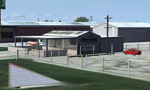
This airport scenery does not require any other software other than Microsoft Flight Sim X SP1 (minimum) - SP2 required for mission and display of some of the scenery items. However, it could help with performance on your PC if you install any accurate photo scenery for DFW. One such scenery is MEGASCENERY DFW photo scenery from http://www.megascenery.com/.
This is a custom developed scenery for airport, 52F - Northwest Regional, Roanoke, TX. 52F is next to Fort Worth Alliance in the Dallas Fort Worth Metroplex. It's a nice little airport.
This scenery package also includes a Mission called "52Foxtrot - Approach to Rwy 35 - Thermals". It is more of a free flight than the traditional FSX missions. The ones who fly for real at 52F-Northwest regional knows the quirks when coming into land at runway 35 on a hot day. The thermals at the cleared land and the sinking feeling when flying over the wooded area nearing the approach to 35. These thermal lifts and sinks have been modeled here. However, the only way to experience these thermals in FSX is via Missions. Once you select the mission "52Foxtrot - Approach to Rwy 35 - Thermals" and by selecting option "Enable changes in selected Mission", you could fly around like you would under "free flight". Except this time, you would have these thermal effects around 52F and get to experience what it's really like to fly and land at 52F.
| Filename: | 52F_North_West_Regional_Airport_DFW_TX.zip |
| License: | Freeware, limited distribution |
| Added: | 24th March 2010, 01:23:59 |
| Downloads: | 3,335 |
| Author: | Manny Mahadevan |
| Size: | 19.06 MB |
| Category: Flight Simulator 2004 - Scenery | |
| Mesa Verde National Park, Cortez (KCEZ), Colorado, Photo-Scenery (FS9 & FSX) |
|
Images related to this file:
File Description:
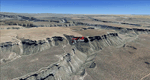
Mesa Verde National Park is famed for its numerous ruins of cliff dwellings built in the 12th century by ancient Pueblo people called Anasazi. Cliff dwellings are highly defensible stone villages situated under alcoves (rock overhangs) along the canyon walls. The largest cliff dwelling in the park is Cliff Palace, which is the largest cliff dwelling in North America. Cliff Palace contained 150 rooms and housed approximately 100 people. Unfortunately you won't see the cliff dwellings from the air, because they are under the cliffs but you will see everything else like all roads, trails and facilities. Very little is known about the Anasazis and the reason for their sudden departure at the end of the 13th century remains a mystery. Theories range from crop failures due to droughts to an intrusion of foreign tribes from the North. The name "Mesa Verde" stems from Spanish explorers seeking for a route from Sante Fe to California. They named the region Mesa Verde (spanish for green table) because of its high, tree-covered plateaus. High resolution versions of this scenery for FS9 and FSX (much sharper, but larger and multiple downloads)
are available at www.blueskyscenery.com/GNB_West2.html . The screenies are taken from the high-res versions, so expect this version to be slightly more blurry. Thanks to Joop Mak for providing custom AFCADs that correct airport layouts so that they align with the photo-textures! They are available at www.blueskyscenery.com/AFCADs.html . YourDonation@Work: Dedicated to David.
| Filename: | Mesa_Verde_National_Park_Cortez_KCEZ_Colorado_Phot.zip |
| License: | Freeware, limited distribution |
| Added: | 1st May 2010, 03:55:31 |
| Downloads: | 1,470 |
| Author: | Gottfried Razek - blueskyscenery.com |
| Size: | 92.87 MB |
| Category: Flight Simulator 2004 - Scenery | |
| HCMM - Mogadishu International Airport, Mogadishu/Petrella, Somalia |
|
Images related to this file:
File Description:
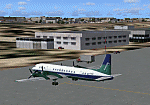
Googly scenery for HCMM Mogadishu/Petrella, the capital airport of Somalia.
Astonishingly, in Flight Simulator 2004 this international airport is depicted as little
more than a runway! Whilst in the real world the airport can hardly be
described as busy, it is served by the country's sole airline - Jubba
Airways, with their wonderful Ilyushin IL-18, and many African and Eastern
European operators call by with cargo flights. In fact, the vast proportion of
the aircraft seen here are Russian-built.
These scenery files add aprons, taxiways, buildings and other airport features to Flight Simulator's limited representation and allow "AI" traffic to land, taxi, park and take off in a realistic manner. But do watch out for cars on the runway and taxiways as they
appear to be regularly used as a by-pass to the perils of driving through the city!
The scenery does not purport to be ultra-accurate. Based on high-detail satellite
imagery from Google Earth, the layout is proportionally correct but the added
airport features, such as buildings, are built from default Microsoft objects
and add-on libraries so will not look exactly like the real thing.
You are not obliged to download and install any additional scenery libraries,
but to enjoy this scenery in its entirety, you may wish to. It will work fine,
with or without. [File re-uploaded at request of AVSIM]
| Filename: | HCMM__Mogadishu_International_Airport_MogadishuPet.zip |
| License: | Freeware |
| Added: | 28th May 2010, 20:46:31 |
| Downloads: | 2,791 |
| Author: | John Hinson |
| Size: | 61.51 KB |
| Category: Flight Simulator X - Aircraft Repaints, Textures and Modifications | |
| South African Airways "Old Colors" Boeing 777-200LR |
|
Images related to this file:
File Description:
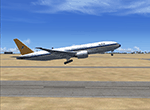
This is a repaint of the PMDG 777-200LR in the old South African Airways Colours. It is of course also a completely fictitious repaint. South African Airways (SAA) never operated any Boeing 777 variant, however the inspiration for this model comes from an old B767 SAA operated named "Protea" with registration ZS-SRA. Over the years, SAA used subtle differences in their iconic livery as far as the motive of the nose is concerned - sometimes the nosecone was completely blue, other times left white with the trademark blue and orange lines not running through it stopping at the nosecone, and sometimes the lines passed through the nosecone. Given that this is a fictitious repaint, I have used a little artistic freedom and gave this aircraft the totally blue nosecone which I like a lot. The user will see that the thumbnail in FSX contains the PMDG logo - please note that it is only intended to depict that is a paint for use with the PMDG series 777-200 for FSX and PMDG own all rights to their logo, no copyright infringement is intended or should be inferred.
I should add that I am by no means a professional repainter, but enjoy the task and enjoy sharing these old liveries with fellow enthusiasts - therefore it is not perfect, but a close rendition of what it would have looked like in this colour scheme. Enjoy!
| Filename: | South_African_Airways_Old_Colors_Boeing_777200LR.zip |
| License: | Freeware |
| Added: | 27th January 2017, 07:22:08 |
| Downloads: | 177 |
| Author: | Werner Gillespie |
| Size: | 13.77 MB |
| Category: Flight Simulator 2004 - Miscellaneous Files | |
| Nick's AI Jet Exhaust With Control Gauge |
|
File Description:
Hanging around the airport watching the A-I traffic and chasing A-I jet aircraft just got a little more interesting. Enjoy watching your entire A-I jet fleet as they display engine heat shimmer effects -after- push-back from the terminal and during taxi to the active runway. All the A-I traffic take off displaying a lite, expanding, frame-rate friendly and nicely scaled high throttle heat/exhaust trail FX which remain with the A-I aircraft during its entire flight. To top off the show, the A-I aircraft that are throttled down and landing display no exhaust from the engines! This package also comes with a gauge that allows pilot throttle control of the taxi heat shimmer/full-throttle exhaust FX for the jet aircraft being flown in the sim by the user. This package does NOT interfere with the logo, taxi or wing lights of any aircraft and comes with 5 all new exhaust effects files which can be applied to just about any size private, commercial or military jet. It requires editing/adding lines in the aircraft.cfg and panel.cfg files. The README files include very complete and comprehensive instructions including a quick and easy copy/paste file for all the Microsoft jet aircraft and tutorial on making custom gauges from the one provided. This package completely replaces my original *Nick's Jet Smoke* package and any/all updates for it.
By Nick Needham
| Filename: | Nicks_AI_Jet_Exhaust_With_Control_Gauge.zip |
| License: | Freeware, limited distribution |
| Added: | 22nd December 2003, 21:16:01 |
| Downloads: | 29,959 |
| Author: | Nick Needham |
| Size: | 894.61 KB |
| Category: Flight Simulator 2004 - Scenery | |
| CYKF – Kitchener / Waterloo, Ontario, Canada Version 3.0 |
|
File Description: I have now overhauled the CYKF Airport and made it the lively place it is today. I used the Canada Flight Supplement and my real life knowledge of the airport as this is where I do my flight training.
After seeing the traffic in my Southwestern Ontario addon, CYKF 2.1 looked a little bare in comparison, so added more parking and traffic. There are now 35 parking spots and 2 gates. All parking spots and gates have been assigned codes, which like the airline codes for the larger airports will tell the GA aircraft where to park. I organized the different aprons into parking areas. The Waterloo Wellington flight centre is referred to as “North” parking. There are 3 other parking areas as well as the gates. Traffic includes weekly scheduled aircraft that will fly up to the cottage or down south on the weekend etc.
• 35 parking spots, 2 gates
• Extended runway 25/07 and added the new taxiway and renamed the others
• Changed the landclass for the runway 25/07 extension
• Updated the airport in AFCAD for AI to use the runway 25/07 extension
• Added 22 AI flightplans to the 3 already there. AI will model real life training and commercial operations of the airport
• AI use proper Canadian registration codes
• Tested the files to make sure it operates correctly including AI
| Filename: | CYKF__Kitchener__Waterloo_Ontario_Canada_Version_3.zip |
| License: | Freeware, limited distribution |
| Added: | 14th November 2003, 19:39:31 |
| Downloads: | 2,752 |
| Author: | David Voogd |
| Size: | 1.06 MB |
| Category: Flight Simulator 2004 - Miscellaneous Files | |
| Nick's LightFix |
|
File Description:
The concept and the base textures for this package are from Mark Poole and his original light replacement releases. Mark's original Nav Light package has a really good concept and uses light textures which create sharp lens flairs or bursts. I found the lens flair in his packages to be a bit too large and out of scale for my display and taste. Also, I wanted to have an easy way to replace all the FS9 lights in one shot with little or no configuration file editing. With that in mind, this package was created. This release will automatically replace ALL the Flight Simulator aircraft and airport lights with more realistic ones along with better distance visuals of slower flashing radio tower/smoke stack and ground beacons. It also includes replacement lights in scale for the PMDG 737, 747 and for all Project Opensky aircraft offered on their site. It works automatically with Ultimate Traffic and other AI add-ons which use the default Microsoft aircraft lights. I added a diffused halo effect to Mark's original airport_lighting_v2 texture which gives a more realistic look in cloudy or weather conditions and enhances the dynamic directional brightness of the lights. In addition to the navigation lights, I have also created aircraft beacons and strobes which will also install automatically . A restore package is included allowing to you to revert back to default FS9 texture and FX files.
ENJOY!
From Nick Needham
[email protected]
| Filename: | Nicks_LightFix.zip |
| License: | Freeware, limited distribution |
| Added: | 4th April 2006, 21:47:56 |
| Downloads: | 19,329 |
| Author: | Nick Needham |
| Size: | 1.55 MB |
| Category: Flight Simulator 2004 - AFCAD Files | |
| MATVA Afcads 7 |
|
File Description:
More improved airfields to replace those default airfields Microsoft have seen fit to provide little or no facilities at. The MATVA Group, www.matva.org.uk offer you another package of Af2 files for those airfields they visit, they do not have allocated gates. The 68 airfields in this package are:(EGPD) Aberdeen and (EGPM) Scatsta, Scotland, (LGAV) Athens, (LGRP) Rodos, (LGTS) Thessaloniki, (LGAL) Alexandropolous, Greece, (LGIR) Iraklion and (LGSA) Chania, Crete, (LTBJ) Izmir, Turkey, (LJLJ) Ljubljana, Slovenia, (LATI) Tirana, Albania, (LROP) Bucharest, Romania, (LYBE) Belgrade, Serbia, (LIPE) Bologna, Italy, (LWSK) Skopje, Macedonia, (LBSF) Sofia and (LBBG) Burgas, Bulgaria, (LHBP) Budapest, Hungary, (LPPR) Porto, Portugal, (EKEB) Esbjerg, Denmark, (FOOL) Libreville, (FOOT) Tchibanga, (FOON) Franceville and (FOOG) Port Gentil, Gabon, (DIAP) Abidjan, Cote D'Ivoire, (GFLL) Freetown, Sierra Leone, (DFFD) Oagadougou, Burkina, (GMME) Rabat, Morocco, (FLLS) Lusaka, Zambia, (HDAM) Djibouti, (GLRB) Monrovia, Liberia, (HUEN) Entebbe, Uganda, (DRRN) Niamey, Niger, (FVHA) Harare, Zimbabwe, (HTDA) Dar-Es-Salaam, Tanzania, (HHAS) Asmara, Eritrea, (FKKD) Douala and (FKKN) N'gaoundere, Cameroon, (FQBR) Biera, Mozambique, (FNLU) Luanda, Angola, (FYWH) Windhoek, Namibia, (HAAB) Addis Ababa, Ethiopia, (FCBB) Brazzaville, Congo, (FAJS) Johannesburg, (FGBT) Bata and (FGSL) Malabo, Equatorial Guinea, (FMMI) Antananarivo, Madagascar, (FPST) Sao Tome and (FPPR) Principe, Sao Tome et Principe, (FIMP) Mauritius, (FSIA) Seychelles, (GCXO) Tenerife North, (MMUN) Cancun and (MMAA) Acapulco, Mexico, (OERK) Riyadh, Saudi Arabia, (TBPB) Barbados. (SAEZ) Beunos Aires.
Also included are reworks of our previously released (HELX) Luxor, (RJBB) Osaka, (LGKR) Kerkira, (FACT) Cape Town, (FADN) Durban, (HKJK) Nairobi, (LFLL) Lyon, (DGAA) Accra, (FEFF) Bangui, Central African Rep. (GOOY) Dakar and (DAAG) Algiers. Enjoy :O)
| Filename: | MATVA_Afcads_7.zip |
| License: | Freeware, limited distribution |
| Added: | 23rd July 2006, 07:31:28 |
| Downloads: | 10,099 |
| Author: | Louie Maclennan MATVA |
| Size: | 242.36 KB |
| Category: Combat Flight Simulator 1 and 2 - Aircraft | |
| B25-B Mitchell Doolittle's Raiders A/C No. 40-2242 for The B24 Guy's OH |
|
File Description:
B25-B Mitchell Doolittle's Raiders A/C No. 40-2242, April 18, 1942. Painted over The B24 Guy's B25 Mitchell Overhaul Model. This was mission plane # 8. Pilot: Capt. Edward J. (Ski) York, Co-pilot: Lt. Robert G. Emmens, Navigator: Lt. Nolan A. Herndon, Bombardier: S/Sgt Theodore H. Laban, Engineer/Gunner: Sgt. David W. Pohl. The bomb group attacked targets in the Tokyo area. The North American B-25B was not designed or intended for aircraft carrier use, but there they were, sixteen highly modified bombers sitting on the deck of the USS Hornet (CV-8). They were modified to carry bombs to Tokyo.The B-25s are launched from their maximum range, and flew over Tokyo, bombing several installations. The bombs did little damage, but managed to damage the Japanese carrier Ryuho while it is in drydock. Many of the planes then head to wherever they can make it, since the fuel will be empty before they reach a friendly airbase. All of the B-25 bombers are forced to bail out or crash land except one. Eleven crews are forced to bail out over China, 3 crash land, and the last landed safely at Vladivostok. The crew that landed in Russia was interned, along with the plane, for a while. The crews were all volunteer, and had no carrier experience, yet all sixteen of the bombers were successful on take-off. Texture, and Damage Files included. Note the three windows in both port and starboard bulkheads. By revev. Enjoy!
| Filename: | B25B_Mitchell_Doolittles_Raiders_AC_No_402242_for_.zip |
| License: | Freeware |
| Added: | 30th July 2006, 20:10:37 |
| Downloads: | 105 |
| Author: | Evan G. Butterbrodt |
| Size: | 1.52 MB |
| Category: Combat Flight Simulator 1 and 2 - Aircraft | |
| B25-B Mitchell Doolittle's Raiders A/C No. 40-2261 for The B24 Guy's OH |
|
File Description:
B25-B Mitchell Doolittle's Raiders A/C No. 40-2261, April 18, 1942. Painted over The B24 Guy's B25 Mitchell Overhaul Model. This was mission plane # 7. Pilot: Lt. Ted W. Lawson, Co-pilot: LT Dean Davenport, Navigator: LT Charles L. McClure, Bombardier: LT Robert S. Clever, Engineer/Gunner: SGT David J. Thatcher. This bomb group attacked targets in the Tokyo area. The North American B-25B was not designed or intended for aircraft carrier use, but there they were, sixteen highly modified bombers sitting on the deck of the USS Hornet (CV-8). They were modified to carry bombs to Tokyo. The B-25s are launched from their maximum range, and flew over Tokyo, bombing several installations. The bombs did little damage, but managed to damage the Japanese carrier Ryuho while it is in drydock. Many of the planes then head to wherever they can make it, since the fuel will be empty before they reach a friendly airbase. All of the B-25 bombers are forced to bail out or crash land except one. Eleven crews are forced to bail out over China, 3 crash land, and the last landed safely at Vladivostok. The crew that landed in Russia was interned, along with the plane, for a while. The crews were all volunteer, and had no carrier experience, yet all sixteen of the bombers were successful on take-off. Texture, and Damage Files included. Note the three windows in both port and starboard bulkheads. By revev. Enjoy!
| Filename: | B25B_Mitchell_Doolittles_Raiders_AC_No_402261_for_.zip |
| License: | Freeware |
| Added: | 30th July 2006, 20:10:59 |
| Downloads: | 74 |
| Author: | Evan G. Butterbrodt |
| Size: | 1.51 MB |


© 2001-2026 AVSIM Online
All Rights Reserved
Privacy Policy |