
Where Flight Simulation Enthusiasts Gather from Around the World!
AVSIM Library - Search Results

| Category: Flight Simulator X - Scenery | |
| MYXY - Duncan Town, Ragged Island Chain, Bahamas - Version 2 |

|
File Description:
The Ragged Island Chain consists of a string of small islands in the Bahamas. Only one island, Ragged Island, has a settlement on it which is known as Duncan Town. This FSX scenery improves the airstrip at Duncan Town and creates a new private airstrip on Nurse Cay. The airstrip at MYXY (Duncan Town) has been lengthened by 500 feet and widened by 25 feet. Six parking ramps now exist as well as a fuel pump and helipad. Additional taxiways have been added and lights for the runway, taxiways and apron. A small building has been added to serve as a combined terminal, control tower, and customs office. There is also a hangar to protect your plane from tropical storms. These improvements were necessary to accomodate the increased air traffic due to the new high rise tropical hotel, the Ragged Island Resort. There is also a lighthouse on the island and a cruise ship with helipad just off to the east. A large private yacht just to the north also has a helipad. You can watch dolphins swim at both of those locations - the helipads make great viewing spots. About 20 miles north of Ragged Island is Nurse Cay (MYXN). This is where my private airstrip and villa are located. The airstrip has a 2500 ft concrete runway and a parallel taxiway as well as a helipad. The runway, taxiways, and apron are all lit for night operations. The airstrip was built right on a marsh so wandering off the runway or taxiways could result in getting wet. You will find a variety of birds flying around at various locations throughout this scenery. A flight plan is also included for a dusk flight from Ragged Island (MYXY) to Nurse Cay (MYXN). So come on out to Ragged Island, because it's better in the Bahamas! This is version 2 and supercedes my original file - this version corrects the runway numbers at MYXN.
| Filename: | MYXY__Duncan_Town_Ragged_Island_Chain_Bahamas__Ver.zip |
| License: | Freeware |
| Added: | 24th August 2007, 15:55:49 |
| Downloads: | 2,408 |
| Author: | Mike Lanza |
| Size: | 13.43 KB |
| Category: Flight Simulator X - Original Aircraft | |
| Airbus A359ULR |
|
Images related to this file:
File Description:
Sinapore Airlines is the launch customer for the A359ULR. The aircraft is configured in a two-class layout, with 67 Business Class seats and 94 Premium Economy Class seats. She is designed for long range flights of over 9,700 nm. Fuel has been increased at the expense of souls on board. The primary use will initially be for routes between WSSS and KJFK (or KLGA), but many others of similar distance can be added later. The flight number on this aircraft reflects the first flight from KJFK-WSSS which is only 8,275 nm (Contrary to media reports of over 9,000 nm) and about 17.5 hours duration (see You Tube video on this flight). The aircraft follows normal flight rules with a higher flight level and longer range. Almost everything is computer controlled and monitored throughout the flight, from take-off to landing. Two of Four pilots monitor the flight at all times, and shift changes occur on a schedule that allows appropriate rest for the crew. The passengers enjoy accommodations unlike provided in any other aircraft or flight, with plenty of meal servings and entertainment options. To see the seating chart, enter the Airbus A359ULR Singapore Airlines folder and click the icon named “SeatGuru Seat Map Singapore Airlines Airbus A350-900 ULR.html†and the seating map will appear. The model here has ground servicing animation. Please review the ReadMe_FSX.txt document for further info on this. Read A359ULR details.txt for aircraft details. Model Design and Panel by: Camil Valiquette; Sounds: Unknown Author and modified by Douglas E. Trapp; Auto Smoke Effects by Richard Wisman, modified by Douglas E. Trapp; Real World Aero/Engine Dynamics and Modifications by: Douglas E. Trapp, Irving, Texas, [email protected], December 2018. The use of this model, and the configuration of such, is designed for free educational purposes, and protected by the Free Use Act: (https://www.law.cornell.edu/uscode/text/17/107). This model and/or aspects of such cannot be used for monetary purposes!
| Filename: | Airbus_A359ULR.zip |
| License: | Freeware |
| Added: | 2nd December 2018, 00:56:21 |
| Downloads: | 1,008 |
| Author: | Douglas E Trapp |
| Size: | 31.63 MB |
| Category: Flight Simulator X - Original Aircraft | |
| VC-25A (Air Force One) |
|
Images related to this file:
File Description:
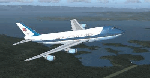
The VC-25A is a modified Boeing 747-200F used as a dignitary transport by the Air Mobility Command's 89th Airlift Wing, Andrews Air Force Base (KADF), Maryland. There are two twin sister aircraft with tail numbers 28000 and 29000. Both are used by the President of the United States (POTUS) and the First Lady of the United States (FLOTUS) and as a dignitary transport for high level personnel for special missions. When carrying the President, the call-sign is “Air Force Oneâ€, but otherwise uses a variety of call-signs when the President is not on-board. Each sister aircraft is nearly identical to the other, with all of the same accommodations. One can fly as a “Mask†when the President is on-board the other.
The aircraft is modified with many secret aspects, and is heavier at Empty Weight than a normal 747-200F because of this. However, she normally only carries 102 souls on board with enough supplies to last for any long range flight, so she operates at a lower weight than the normal 747-200F. Due to the fortifications employed within the design, her MTOW is lower, as well. The engines are a bit more powerful than normal, and have better fuel efficiency. She has specialized equipment on-board for communications, a weather/recon radar dome (not shown in this paint scheme), and missile/aircraft countermeasures if needed. The interior is almost silent due to the high pressure cabin structure and fortified frame, including bullet-proof windows.
With all of the above, she is still the most powerful, efficient, and the fastest 747 ever built.
Original Model Designers (FS2004):
C. Vincent Cho, Yosuke Ube, Nick Peterson, Warren C. Daniel, Simon Ng, Hin Tat, BIll Kovatchev.
Sound: Emil Serafino.
Panel: Philippe Wallaert.
Real World Aero/Engine Dynamics and Modifications by Douglas E. Trapp ([email protected]), June 2018.
| Filename: | VC25A_Air_Force_One.zip |
| License: | Freeware |
| Added: | 24th June 2018, 00:38:28 |
| Downloads: | 988 |
| Author: | Douglas E. Trapp |
| Size: | 118.85 MB |
| Category: Flight Simulator X - Aircraft Repaints, Textures and Modifications | |
| Airbus A318 FD Special Version V3 - Complete Pack |
|
Images related to this file:
File Description:

This is the new version of my Airbus A318 with the Panel in V3 opened on the A321. I remind you that this aircraft is based on the Project Airbis A318, with an ehanced panel based on the work of stefan Liebe.
This latest development can see the more realistic Airbus available as freeware. With a new version of the panel, the aircraft has a 100% cold & dark Status at the start of a flight, a real fuel system management with all valves, piumps and crossfeed work, the complete Bleed circuit with X-bleed, a real engines manual startup procedure like the real aircraft. I have also ehanced the navigation display with TCAS function in ARC and NAV mode; There is also the engines failure procedure to work (fire, oil leaks....) and many improved function that I cannot describe here. The aircraft comes with user manual in English and in French, and it is essantial to read it before you fly.
All the functions of the V2 have been kept and improved, like the vertical navigation gauge, the terrain radar map on the navigation display, the autolanding function, the SFCC. Aircraft comes with 6 liveries (Air France and 5 Frontier liveries realized by Project Airbus Team). This version is only in CFm engines, but with real engine data (CFM56-5B9). Now, the Fly By wire works in 2 modes: "Normal Law" and "Direct Law". I put 300 hours into the development of this panel and I hope that you will like it. In the coming weeks, I will adapt this panel to the A319 V2 and A320 V2, that are the these are the last aircrafts that I must update with this new panel. Please, note that this panel is the v3.05 version, witch fixes the bugs of the first version that came with the A321 (there is an update panel for the A321). Francois Dore
| Filename: | Airbus_A318_FD_Special_Version_V3__Complete_Pack.zip |
| License: | Freeware, limited distribution |
| Added: | 17th June 2012, 13:18:21 |
| Downloads: | 19,610 |
| Author: | Francois Dore, Project Airbus |
| Size: | 110.04 MB |
| Category: Flight Simulator X - Aircraft Repaints, Textures and Modifications | |
| Aeritalia G91Y 8 Stormo |
|
Images related to this file:
File Description:
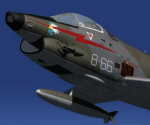
The Fiat G91Y was a reconnaissance and ground-attack aircraft produced by Italian company FIAT as an evolution of Fiat G91. The first flight took place in 1966. It was a complete redesign, but the major difference was that G91Y installed 2 engines, in order to increase the power and the capability to survive to damages during war operations. The single Bristol Orpheus turbojet engine of G91 was then replaced by two afterburning General Electric J85 turbojets which increased thrust by 60% over the single-engined variant.
Structural modifications to reduce airframe weight increased performance further and an additional fuel tank occupying the space of the G.91T's rear seat provided extra range. Combat manoeuvrability was improved with the addition of automatic leading edge slats.
Flight testing of three pre-production aircraft was successful, with one aircraft reaching a maximum speed of Mach 0.98.
Airframe buffeting was noted and was rectified in production aircraft by raising the position of the tailplane slightly.
An initial order of 55 aircraft for the Italian Air Force was completed by Fiat in March 1971.
The order was increased to 75 aircraft with 67 eventually being delivered.
The first pre-series 'Yankee' (the nickname of the new aircraft) flew in July 1968.
AMI (Italian Air Force) placed orders for two batches, 35 fighters followed by another 20, later cut to ten.
The last one was delivered around mid 1976, so the total was two prototypes, 20 pre-series and 45 series aircraft.
No export success followed.
These aircraft served with 101° Gruppo/8° Stormo (Cervia-S.Giorgio) from 1970, and later, from 1974, they served with
the 13° Gruppo/32° Stormo (Brindisi) until the early '90s, as the only ones equipped with the 'Yankee', using them as attack/recce machines, both over ground and sea, until the AMX replaced them.
HD textures in 4096 x 4096.
complete resize and paint 32bit HD.
Virtual cockpit HD.
Native model for FSX & P3D
| Filename: | Aeritalia_G91Y_8_Stormo.zip |
| License: | Freeware |
| Added: | 15th April 2017, 19:09:42 |
| Downloads: | 1,657 |
| Author: | Massimo Grassi |
| Size: | 109.01 MB |
| Category: Flight Simulator 2004 - Panels | |
| PS Panels 737NG |
|
File Description:
Built completely from scratch, the PS Panels 737NG incorperates a high level of realism whilst still allowing the virtual pilot to use important FS features such as the flight planner and ATC systems.
Authentic NG EHSI
The PS Panels 737NG incorporates a high definition EHSI display including all the modes as per the real aircraft.
Approach, VOR, Map and Plan modes are all modelled (APP, VOR and Map in both Expanded and Standard modes).
The authentic and fully animated EHSI control panel allows the virtual pilot to set the display to his preference.
The PS Panels 737NG interfaces completely with the FS Flight Planner, you're flight plan will be automatically displayed in both the Plan and Map modes.
Extensive Overhead
The PS Panels 737NG incorporates a custom overhead panel to control the many modelled aircraft systems.
Based on the real NG Overhead panel with a slightly altered layout that allows the virtual pilot to continue to monitor his key instruments whilst managing the Fuel, Electrical, Hydraulic, Lighting and Pnuematic systems controlled through the panel.
Careful attention combined with detailed research has allowed us to model these systems to a high degree of accuracy.
Complete Radio Stack
The panel comes with an authentic 737NG radio stack, accurate down to the last details.
IRS System
The PS Panels 737NG models the operation of the aircrafts IRS. Unless proper alignment is completed through the IRS panel, many features of the aircraft's displays will be INOP.
Custom Throttle Panel
The panel comes with a custom throttle panel accurate to that on the real aircraft.
Advanced 2-stage Night Lighting
A first for PS Panels, the 737NG contains two stage night lighting allowing the virtual pilot to choose between two levels of cockpit lighting on the fly.
The main panel and all subpanels are lit using the same schemes.
Thanks to Yoo Sang Jun for his work on this.
| Filename: | PS_Panels_737NG.zip |
| License: | Freeware, limited distribution |
| Added: | 7th July 2007, 22:06:00 |
| Downloads: | 26,680 |
| Author: | Paul Scarratt |
| Size: | 4.1 MB |
| Category: Flight Simulator X - Scenery | |
| Merrill Field PAMR |
|
Images related to this file:
File Description:
This is a version for FSX of the Merrill Field made by Roger Wensley (me) for FS9, converted by John B Loney jnr. "PAMR read this first" explains this but I have modified John's original procedure, and instead of first installing the Merrill Field original plus two updates I have included here the current FS9 version as installed on my computer. Note that to see the apron lighting working in FS9 it was necessary to have Sidney Schwartz's light library installed, along with his updated textures (to avoid severe blurries caused by a faulty texture). The original installation instructions are included giving file library priorities etc. Just ignore the bits that do not apply, such as installing AI that is not included. I have of course omitted the original AI as this is replaced by John's version. I have no comment to make on installing in FSX as I have not done so, and I have not tested it in FSX. If you have comments or questions I will respond as much as I am able. Merrill Field is in Anchorage Alaska, between Anchorage International to the southwest and and Elmendorf Air Force Base to the north. It caters for general aviation and is the land equivalent of the Lake Hood float plane base, with fuel and numerous maintenance facilities, and several hundred parking spots for small planes. There are three runways, and the longest is 4,000 feet of 100 feet wide asphalt, the second 2,635 feet of asphalt 75 feet wide, and the third 2,000 feet of 60 feet wide gravel. The first two have runway lights. It is a controlled airfield with a relatively new control tower to cater for the numerous flights and to coordinate with Elmensdorf and Anchorage International, the latter also controlling flights from Lake Hood and the adjacent gravel strip Z41. (See my Lake Hood scenery). The gravel runway at Merrill Field is not connected with active taxiways to the rest of the airfield; this avoids you being ordered to land on it when flying a plane too large to do so.
| Filename: | Merrill_Field_PAMR.zip |
| License: | Freeware, limited distribution |
| Added: | 3rd July 2017, 18:00:19 |
| Downloads: | 452 |
| Author: | Roger Wensley and John B loney jnr |
| Size: | 21.73 MB |
| Category: Flight Simulator X - Aircraft Repaints, Textures and Modifications | |
| Boeing 747-8i Delta Northwest |
|
File Description:
FSX Boeing 747-8i Delta Northwest with advanced VC by Alejandro Rojas Lucena and VC Texture Upgrade by Enrique Cornejo. This gives the b747 a payware Virtual Cockpit look! It even has a pilot jacket hanged in the rear of the cockpit (besides the right jumpseat).
The panel.cfg and the aircraft.cfg have been assembled and edited by the Flightsim Workshop Team. Now you can pop up "My icons" window in the Virtual Cockpit to easily reach the following windows: GPS, avionics, map, ATC, Climb/Radio Altimeter/Spoiler switch, auto-break switch, throttle quadrant, clock, descentometer, kneeboard and overhead panel.
The aircraft has new engine views (from both wings) and new Virtual Cockpit interior views from the left, right and central jump seats.
The Delta Northwest texture is wonderful and it has a unique paintscheme by Mcphat Studios with a repaint by Enrique Cornejo which also includes details such as some stains caused by humidity and other details just like a real aircraft.
This aircraft uses the Project Opensky FSX Boeing B747-800 Model OSX748V4_GENX(MDL), and includes the gauge window Posky Utility to view the main stairs, ground cargo servicing, etc. The engine sounds are edited like the real ones with cockpit ambient, so you can enjoy a pleasant flight. The Flight Management Computer (FMC) is fixed and looks like a payware instrument. The VC includes FMC, Primary Flight Display (PFD) and Multi-Function Display (MDF) displayed in the correct size.
The virtual cockpit also has an Engine-Indicating and Crew-Alerting System also known as EICAS, Ground Proximity Warning System (GPWS), working wipers, cabin lights, fire suppression, avionics switch, fuel crossfeed, and you can identify those intruments in the overhead panel because they are bordered with color lines. You can also find landing lights switches, taxi light switch, engine generators, APU generator, battery switch, starter switches, de-ice switch, general lights switches which are a great work of Alejandro. So now the whole cockpit and texture upgrade with all these improvements looks better than a payware version. The clock numbers are now in orange which makes them look better and easily recognizable.
Assembled and edited for FSX by Enrique Cornejo.
| Filename: | Boeing_7478i_Delta_Northwest.zip |
| License: | Freeware |
| Added: | 13th January 2013, 01:02:31 |
| Downloads: | 990 |
| Author: | Enrique Cornejo |
| Size: | 78.26 MB |
| Category: X-Plane - Original Aircraft | |
| B25 Mitchell for X-Plane 6.40/6.51 |
|
File Description:
B25 Mitchell for X-Plane 6.40/6.51. Made famous by the Doolittle raid on Tokyo shortly after Pearl Harbour the B25 Mitchell bomber is the most famous medium bomber of WWII and perhaps of all time. The B25 was the most numerous twin engine aircraft built by the US during WWII; estimates of production vary from 9300 to 11000 built. On April 18, 1942 Doolittle led sixteen B-25 aircraft from the navy carrier, U.S.S. Hornet to bomb Japan in retaliation for that country's attack on Pearl Harbor on December 7, 1941. Although little damage was done and all planes were lost the raid proved to be one of the most famous missions of the war.
The B25 was powered by a pair of 1,700 hp Wright R-2600-29 "Cyclone" 14 cylinder, air-cooled engines. Maximum speed was 272 mph at 15,000 ft, with a ceiling of 24,000 ft and a range of 1350 miles with a full load of bombs. Armament varied considerably in the B25 depending on the type of mission the plane was designed for. Heavenly Body is a B25J designed as a bomber, so it carried eleven 0.50 caliber machine guns; two in the top turret, two in the tail, one in the nose, two in cheek packs on each side under the pilot and one in each waste window. The top, nose and cheek pack guns could also be used in strafing, if so desired. This version carried 3,000 lbs of bombs (usually six 500 pounders) in an interior bomb bay.
The X-Plane version is a fairly faithful rendition of the B25. The body consists of two sections consisting of the fuselage and a fuel tank. The main engine nacelles actually consist of two nacelles, one is the 1700 HP engine, the rear section is a 5 lb thrust rocket. Engine nacelles are also used for the two rudders in order to get the correct shape. Vertical stabilizers with rudders are buried within the nacelles. Decoration of the plane is complicated by the use of multiple nacelles but the resulting compromise is acceptable though not an authentic replica. As usual my panel leaves a lot to be desired but version 2 will correct this.
| Filename: | B25_Mitchell_for_XPlane_640651.zip |
| License: | Freeware, limited distribution |
| Added: | 25th February 2003, 00:15:23 |
| Downloads: | 495 |
| Author: | Robert App |
| Size: | 1.85 MB |
| Category: Flight Simulator X - Aircraft Repaints, Textures and Modifications | |
| Aeritalia G91Y 32 Stormo Shark |
|
Images related to this file:
File Description:
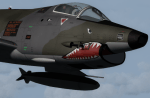
textures only for Massimo Altieri g91y. textures 32 st by Massimo Grassi
The Fiat G91Y was a reconnaissance and ground-attack aircraft produced by Italian company FIAT as an evolution of Fiat G91.
The first flew took place in 1966. It was a complete redesign, but the major difference was that G91Y installed 2 engines,
in order to increase the power and the capability to survive to damages during war operations.
The single Bristol Orpheus turbojet engine of G91 was then replaced by two afterburning General Electric J85 turbojets which
increased thrust by 60% over the single-engined variant.
Structural modifications to reduce airframe weight increased performance further and an additional fuel tank occupying
the space of the G.91T's rear seat provided extra range. Combat manoeuvrability was improved with the addition of automatic
leading edge slats.
Flight testing of three pre-production aircraft was successful, with one aircraft reaching a maximum speed of Mach 0.98.
Airframe buffeting was noted and was rectified in production aircraft by raising the position of the tailplane slightly.
An initial order of 55 aircraft for the Italian Air Force was completed by Fiat in March 1971.
The order was increased to 75 aircraft with 67 eventually being delivered.
The first pre-series 'Yankee' (the nickname of the new aircraft) flew in July 1968.
AMI (Italian Air Force) placed orders for two batches, 35 fighters followed by another 20, later cut to ten.
The last one was delivered around mid 1976, so the total was two prototypes, 20 pre-series and 45 series aircraft.
No export success followed.
These aircraft served with 101° Gruppo/8° Stormo (Cervia-S.Giorgio) from 1970, and later, from 1974, they served with
the 13° Gruppo/32° Stormo (Brindisi) until the early '90s, as the only ones equipped with the 'Yankee',
using them as attack/recce machines, both over ground and sea, until the AMX replaced them.
HD textures in 4096 x 4096
complete resize and paint 32bit hd
Virtual cocpit hd
Native fsx p3d
Original aircraft by Massimo Altieri
paint AMI 32 stormo textures by Massimo Grassi
| Filename: | Aeritalia_G91Y_32_Stormo_Shark.zip |
| License: | Freeware |
| Added: | 17th April 2017, 19:37:51 |
| Downloads: | 897 |
| Author: | Massimo Grassi |
| Size: | 10.16 MB |


© 2001-2026 AVSIM Online
All Rights Reserved
Privacy Policy |