
Where Flight Simulation Enthusiasts Gather from Around the World!
AVSIM Library - Search Results

| Category: X-Plane - Scenery | |
| XP11 German Scenery EDHK 2018+ Kiel-Holtenau |

|
Images related to this file:
File Description:
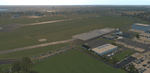
The small Zip-file will include a link for scenery download, because the scenery file size is above 500 Mbyte. Just follow the link and download EDHK 2018. This is an "install and fly" version, everything you need is already included (*see info below) and I will continously update the scenery. The story, in November 2012 the German MFG5 (Marineflieger-Geschwader) was relocated to Nordholz (ETMN). This was the end of the main military use in the southern and eastern part of the airport. Because the German harbor city Kiel needs living space for their citizens, opponents of the airport tried to convince citizens and politics to close the airport and to create there living space instead. In 2018 the citizen of Kiel voted with a citizen’s decision with the result that the majority voted for the preservation of the traditional airport. Personally, I am very happy with this decision. On the area of the airport some companies are settled, their employees should be able to sleep a little better now. In addition, there will certainly be future investments in the airport due to the election results. Since the airport has been financially in the red for years, the operator of the airport, the Port of Kiel Flughafen GmbH & Co. KG has converted large areas of the airport as parking area. These parked vehicles are part of the constantly increasing cruise ship operations within Kiel, making it possible for passengers to safely park their vehicles for extended periods of time. The taxiways “A†and “D†of EDHK are no longer in operation. This was of course taken into account in my scenery. The access to this taxiway was marked as in the original by yellow "X". The taxiway lighting was also turned off there. The on-site Luftsportverein (LSV) uses above the runway 08/26 an individually marked grass runway (not official), I called it 08S/26S and it is for the winch launch of their gliders only. The size of this provisional winch runway is about 820x20m. A glider takeoff by towing aircraft is usually handled by the Runway 08/26.(*) There is no copyright infringement, since I have received all the needed permissions to use the listed objects/libraries full or in parts within my scenery, the same for the single objects or non-Library bound objects/elements. I got all these permissions in writing from each individual author/rights holder. Take the time and read the full, included descritpion, please. If you have question, ask me first!
| Filename: | XP11_German_Scenery_EDHK_2018_KielHoltenau.zip |
| License: | Freeware |
| Added: | 29th November 2018, 19:24:38 |
| Downloads: | 65 |
| Author: | Marco Moschet |
| Size: | 1.3 KB |
| Category: Prepar3D V1-4 - AI Aircraft | |
| AI Click Mexicana Ai Aardvark Fokker 100 Fleet Pack |
|
Images related to this file:
File Description:
This is the Third Oldest Airline in the world, the Second Oldest Airline in Latin America, and the First Oldest Airline in Mexico, Mexicana Airlines (Mexicana de Aviacion), this is the Airbus A318-111 for now the pack have the Last New Livery (2010) and the Old Livery (2005), more later will upload the Older Liveries, the Old Livery but with the Thin Logo and No Wingtips Logos, and the most popular and old Mexicana´s livery, (1997-2005). For the 100th Anniversary I´ll upload all the fleet, since 1940´s with the DC-2 to the last fleet that had when it flies, the Mark and Airline still exists, BUT It doesn´t fly since 2011. In this case this is the Mexicana Click the low cost airline by Mexicana Airlines, founded in 1972 as Aerovias Caribe S.A. de C.V. (Aerocaribe), in 2005 Aerocaribe changed as Click Mexicana/Mexicana Click, the fleet consisted in 2010 in Fokker 100 and Boeing 717-2BL. The textures are Mexicana Click Fokker 100, the registrations of this aircraft are: N109MN, N305MX, N347MX, N388DF, XA-JXT (With Old Colors, White Colors included), XA-JXW (With New Colors, Old Colors, White Colors, Grupo Mexicana sticker included), XA-KXJ (With Old Colors, Grupo Mexicana sticker, No paint included), XA-KXR, XA-LXG (With New Colors, Old Colors, No Tail Logo included), XA-MQC (With New Colors, No Tail Logo included), XA-MQJ (With New Colors, Old Colors, No Tail Logo, White Colors included), XA-MQK, XA-MRA (With New Colors, No Tail Logo, White Colors, included), XA-MRB, XA-MRE (With New Colors No Tail Logo included), XA-MRG (With New Colors, No Tail Logo included), XA-MRH (With Old Colors, New Colors, White Colors included), XA-SGE (With Old Colors, No Paint, Grupo Mexicana sticker included), XA-SGF (With Old Colors, Grupo Mexicana sticker included), XA-SHI (With Old Colors, New Colors, No Tail Paint, Grupo Mexicana sticker included), XA-SHJ (With Old Colors, New Colors, White Colors included), XA-SHK, XA-SHL (With Old Colors, White Colors included), XA-TCG (With Old Colors, Grupo Mexicana sticker included), XA-TCH (With Old Colors, Grupo Mexicana sticker included), XA-TCM, XA-TCP (With New Colors Old Colors, No Tail Logo), XA-TKP (With Old Colors, Grupo Mexicana sticker, No Paint included), XA-TKR (With New Colors, Old Colors, No Paint Logo, White Colors, Grupo Mexicana sticker included). The model is AI Aardvark (AIA) Fokker 100 Basepack. I hope you enjoy it!.
| Filename: | AI_Click_Mexicana_Ai_Aardvark_Fokker_100_Fleet_Pac.zip |
| License: | Freeware |
| Added: | 22nd May 2025, 22:57:41 |
| Downloads: | 27 |
| Author: | Jesus Gibran Soriano Solleiro |
| Size: | 264.28 MB |
| Category: Flight Simulator 2004 - Original Aircraft | |
| North American T6_Harvard |
|
Images related to this file:
File Description:
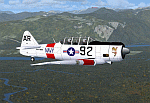
North American T6_Harvard
This aircraft has has been constructed using Gmax v1.2. The aircraft is constructed with as few polygons as possible and with a single texture file to ensure the absolute minimum impact on your framerates. There are two models- each has seven LODs.
The aircraft has had an amazing history with first prototype flying in 1935. To quote from Wikipedia "A total of 15,495 T-6s of all variants were built.During the Korean War and to a lesser extent, the Vietnam war, T-6s were pressed into service as forward air control aircraft. These aircraft were designated T-6 "Mosquito"s.[1] The RAF used the Harvard in Kenya against the Mau Mau in the 1950s where they operated with 20 lb bombs and machine guns against the gangs. Some operations took place at altitudes around 20,000 ft asl. A Harvard was the longest-serving RAF aeroplane, with an example, taken on strength in 1945, still serving in the 1990s (as a chase plane for helicopter test flights - a role the Shorts Tucano's high stall speed was ill-suited for). The T-6G was also used in a light attack or counter insurgency role by France during the Algerian war in special Escadrilles d'Aviation L�������©g�������¨re d'Appui (EALA), armed with machine guns, bombs and rockets. At its peak there were 38 EALA's active. The largest unit was the Groupe d'Aviation L�������©g�������¨re d'Appui 72, which consisted of up to 21 EALAs. Portugal also used ex-French aircraft during the Portuguese Colonial War.
Since the Second World War, the T-6 has been a regular participant at air shows, and was used in many movies. For example, in Tora! Tora! Tora! and The Final Countdown, converted single-seat T-6s painted in Japanese markings represent Mitsubishi Zeroes. The New Zealand Warbirds "Roaring 40s" aerobatic team use ex-Royal New Zealand Air Force Harvards. The Reno National Air Races also has a class specifically for the T-6 during the National Air Races each year."
This GMax model is quite fun to fly as a normal aircraft, but was originally designed specifically to enhance the AI aircraft population.
I would like to especially thank Ray Blake who has kindly made these high quality textures for this package.
A paintkit is being posted as a separate zip file.
| Filename: | North_American_T6_Harvard.zip |
| License: | Freeware, limited distribution |
| Added: | 3rd December 2009, 19:01:27 |
| Downloads: | 1,570 |
| Author: | Mike Cronin - aircraft and paintkit; Ray Blake - textures |
| Size: | 1.78 MB |
| Category: Flight Simulator X - Original Aircraft | |
| B-2A Spirit Stealth Bomber |
|
Images related to this file:
File Description:
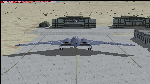
The B-2A Stealth Bomber is the most sophisticated aircraft on the planet. She is essentially a “Flying Wing†platform with no V-Tail, and is controlled by pre-programed flight computers stationed in various positions within the crew cabin and wings. There is one main computer that controls the aircraft, with two redundant back-up computers assigned to it in case of failure. All additional computers are assigned to functions involving flight control, system monitoring, data communications, and radar. Engine and Aerodynamic effects are controlled by these computers which serve several actuators and ailerons, including the spoilerons, which further compensate for the lack of a V-Tail. In theory, and because of these computers, the aircraft is “Stall-Proofâ€. The only way it can stall is if the computers fail. There is no way she can be flown without the computers active. The REAL aircraft does almost everything based on pre-programed data, other than taxi to the runway (although this is also possible to program). Before each flight, the Mission is designed and then assigned to the Mission Flight Box (Portable Computer) which is then carried by the Commander to the aircraft, and the data from the box is “transferred†to the main on-board computers. Because of this, the B-2 cannot be flown until the box is ready for the mission, and pilots cannot simply jump in and fly her, with the exception that the data is transferred via satellite. Everything is pre-planned, and this takes several hours. Once the data is on-board, the taxi can begin. When lined-up on the runway, all the pilot needs to do is push a button or three. Everything else is computer controlled until landing. The aircraft CAN be flown manually with basic data inputs into the main computer systems, but even in that case it is not conventional. If a pilot wants to turn right, he sets the data to turn to a certain degrees of heading. The same with climb and descent, speed increase or decrease. A pilot cannot over-ride the computers in any case, so steep banks, climbs, or descents cannot be forced. There is a lot of space for the two member crew within the cockpit, but there is also a space reserved for one observer. This additional seat is known as “Suicide Position†because there is no ejection seat for that observer. In the event of a mishap, the observer can try to bail-out through the ejection hatches after the pilots, or can try the exit ramp door, or the bomb bay as an exit route. The odds of escape for the observer are very small, but he has a parachute as reassurance. Otherwise, what the crew does during missions is only a guess, since they really don't have to do anything unless an alarm goes off. Since the plane flies so smooth, we can only imagine what sort of things they may dream-up to entertain themselves during a long flight. High altitude flights are conducted at night mainly due to the obvious contrail such a flight will exhibit during the day with such hot engines. The engines are encased in a heat absorbing shield material (still exhaust exists), and the rest of the plane is coated with Radar absorbant material, with the additional low profile effect of the aircraft design itself. If it can be seen by the ground or a fighter, it can be attacked by fighters or the ground. During daytime flight they will stay below the contrail level, and monitor the radar systems in preparations for counter-measures. If a fighter can visually observe them, the fighter may be able to shoot them down with bullets from behind, but not likely with missiles because of the sophisticated counter-measures available. On Radar the aircraft appears the size of a pigeon, until about 8 to 10 miles away, which would be too late to counter from the ground, so most attacks are either done at night or during the day at very low altitude. Upon landing the aircraft is automated down to about 200 feet AGL, when the pilot takes command. All she/he does at this point is allow her to glide down and contact the runway, and retard the engines. Brakes are used to slow, then the computers are turned off, and the pilot can control the throttles, nose gear, and brakes. The Commander watches for obstructions, mainly, and communicates with the tower and ground crew. Everything in this model has been reconfigured to meet realistic standards, without any tricks or flight tuning, and following real world aerodynamic principals and available data, including MOI. The panel requires study before use, but very realistic. The sounds are very authentic. There is no other model offered anywhere that compares to what you have now available in front of you. Please read and study the Readme.txt file within the main folder before attempting to fly this 2.2 Billion Dollar aircraft. Yes, that's correct ... $2,200,000,000 each! The use of this model, and the configuration of such, is designed for educational purposes, and protected by the Free Use Act: (https://www.law.cornell.edu/uscode/text/17/107). The Authors will not approve redistribution for monetary purposes. Original aircraft design by Alphasim; VC Adaptation, panels and gauges by Philippe Wallaert; Sound by Ruggero Osto; REAL WORLD Engine/Aerodynamics, data and effects by Douglas E. Trapp ([email protected]) June 2018
| Filename: | B2A_Spirit_Stealth_Bomber.zip |
| License: | Freeware |
| Added: | 2nd June 2018, 17:16:30 |
| Downloads: | 1,038 |
| Author: | Douglas E. Trapp |
| Size: | 14.81 MB |
| Category: Flight Simulator X - Aircraft Repaints, Textures and Modifications | |
| air algerie livery of wilco a340-300 |
|
File Description:
air algerie leased an a340-300 from hifly
The Airbus A340 is a long-range, wide-body passenger airliner that was developed and produced by Airbus. In the mid-1970s, Airbus conceived several derivatives of the A300, its first airliner, and developed the A340 quadjet in parallel with the A330 twinjet. In June 1987, Airbus launched both designs with their first orders and the A340-300 took its maiden flight on 25 October 1991. It was certified along with the A340-200 on 22 December 1992 and both versions entered service in March 1993 with launch customers Lufthansa and Air France. The larger A340-500/600 were launched on 8 December 1997; the A340-600 flew for the first time on 23 April 2001 and entered service on 1 August 2002.
Keeping the eight-abreast economy cross-section of the A300, the early A340-200/300 has a similar airframe to the A330. Differences include four 151 kN (34,000 lbf) CFM56s instead of two high-thrust turbofans to bypass ETOPS restrictions on trans-oceanic routes, and a three-leg main landing gear instead of two for a heavier 276 t (608,000 lb) MTOW. Both airliners have fly-by-wire controls, which was first introduced on the A320, as well as a similar glass cockpit. The later A340-500/600 have a larger wing and are powered by 275 kN (62,000 lbf) Rolls-Royce Trent 500 for a heavier 380 t (840,000 lb) MTOW.
The shortest A340-200 measured 59.4 m (195 ft), and could cover 12,400 km / 6,700 nmi with 210–250 seats in 3-class. The most common A340-300 reached 63.7 m (209 ft) to accommodate 250–290 passengers and had a 13,500 km / 7,300 nmi range. The A340-500 was 67.9 m (223 ft) long to seat 270–310 over 16,670 km / 9,000 nmi, the longest-range airliner at the time. The longest A340-600 was stretched to 75.4 m (247 ft), then the longest airliner, to accommodate 320–370 passengers over 14,450 km / 7,800 nmi.
As improving engine reliability allowed ETOPS operations for almost all routes, more economical twinjets have replaced quadjets on many routes. On 10 November 2011, Airbus announced that the production reached its end, after 380 orders had been placed and 377 delivered from Toulouse, France. By the end of 2021, the global A340 fleet had completed more than 2.5 million flights over 20 million block hours and carried over 600 million passengers with no fatalities. The A350 is its successor; the McDonnell Douglas MD-11 and the Boeing 777 were its main competitors. Lufthansa is the largest operator and the largest customer with 34 A340 aircraft in its fleet.
| Filename: | air_algerie_livery_of_wilco_a340300.zip |
| License: | Freeware |
| Added: | 29th May 2022, 17:02:17 |
| Downloads: | 165 |
| Author: | moussa cherif baya |
| Size: | 10.55 MB |
| Category: Flight Simulator X - Original Aircraft | |
| Boeing 787-942 VIP-BBJ |
|
Images related to this file:
File Description:
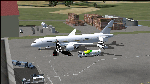
Boeing 787-942 Boeing Business Jet (VIP), AKA "DreamJet", is the Corporate version of this aircraft, modified for individual client specs. The range is extended beyond the normal 787-9 due to additional fuel tanks, a lot less payload weight, and more powerful and efficient engines. The Cabin Pressure is decreased to 6,000 ft, allowing for higher Flight Levels than normal. The tail number on this model can be changed to match the user's preference, since it is not apparent on the exterior (No Airline Call used on Private Aircraft).
This is a huge aircraft and normally seats about 300 passengers, but there are only 48 (including Pilots/Attendants) on this plane. A lot of space remains for luxuries that are well beyond any Business Jet of any kind other than the 747 or A380. Some of these luxuries include automated beds that are hidden in the floorboard and activated by the attendants when requested, and each of these includes a privacy barrier. There is one Large Screen TV with stereo surround sound with theater seating in the fore section, and separate small screen monitors located at every assigned seat (including flight data relay of all positioning and aircraft data viewable). The kitchen is fully equipped with 935 lbs of various food and drinks, with one attendant being a Master Chef. There is a automated Dance Floor that can be activated in the theater area, after the seating chairs are automatically stored below deck. The crew also experiences luxury as the pilots have a twin-bed sleeping area with a private kitchen (2 sleep while 2 fly), as do the attendants (fore and aft upper deck) with twin beds and private kitchens. The aircraft is also more luxurious in that it has 6.000 ft of pressure continuous to 47,000 ft, and has a very low interior noise level. There are also many added safety features that provide for survival in the event of a mishap, making it possible to survive a water crash for several days through the use of 6 inflatable skiff-rafts with engines, radios, and supplies. All attendants are trained and certified Registered Nurses, and they have 25 lbs of medications and supplies stored in the aft. Some of these features add to the empty weight, so the MTOW is the same as a normal aircraft of this design for commercial use (the gear are also modified for these accommodations).
This aircraft is designed for educational use protected under the Fair Use Doctrine:
(http://www.expertlaw.com/library/intellectual_property/fair_use.html)
It cannot be sold or bundled for sale, and such will never be approved by me or the original authors. FREEWARE DISTRIBUTION ONLY!!!
Model design and paint by: Camil Valiquette;
Sound by: Emil Serafino;
Engine/Aerodynamics and Details by: Douglas E. Trapp, ([email protected]) May 2018
| Filename: | Boeing_787942_VIPBBJ.zip |
| License: | Freeware |
| Added: | 20th May 2018, 16:58:42 |
| Downloads: | 876 |
| Author: | Douglas E Trapp |
| Size: | 77.99 MB |
| Category: Flight Simulator 2004 - Miscellaneous Files | |
| Shoot 1.6.3' Voice Contro File |
|
File Description:
"Shoot 1.6.3" voice control file for use with FS2004. You will need to download the main "freeware" program from http://clans.gameclubcentral.com/shoot/downloads.php which will allow you to make use of this control file for FS2004. The program is brilliant and allows you to control FS2004 by voice and it's totally free! All I have done is made a config file that works very well with FS2004.
It will allow you to; speak to ATC and instead of fighting with the keyboard or yoke/stick so you can fly more like a real pilot and keep your hands on the yoke more of the time. For example a commercial jet pilot calls out to the co-pilot to get the gear up and simply says "gear up". That's just what you will have to do, just like the real thing; the gear will go up when you make the call. When FS2004 ATC controller tells you to reply you can just say "roger" or "hello" or "ATC" or "air traffic" etc, etc, and the ATC window will pop up. Then all you have to do is call out the command instead of pushing buttons that real pilots don't use. Does a real pilot push a button to look out of the window or use a "mouse" to engage the autopilot?
Similarly you can call out "autopilot engage" or "autopilot master" or "autopilot disengage" and that's just what happens; the autopilot comes on/off. The best part though is when you try looking around the cockpit. If you want to move your head up you just say "move up" and presto you are higher up in your seat. You can move to the left or
Right, back or forward. You can say "zoom in" and that's what happens. You can say "reset zoom" and so on. You can say "next view" and then the view may be outside or another panel. Alternatively, you can say "panel 2" and the radio panel will come up in the 737 so you can tune the radios. If you have FS navigator installed all you have to
do is say "navigator" and the map comes up, and then say navigator again and off it goes. Just for once it is easy and possible to make full use of FS2004. Using this program has afforded me the opportunity of making better use of the views available, (and I have CH products yoke so if was never hard) but now it's even easier.
All the panels can be activated in this way, and control of the autopilot and control of FS2004. It's probably the best kept secret. I've made a file so we can all share in this freebie of a program. I've included a readme and instructions of how to make the best use of the program.
Config file for FS2004 only is provided.
| Filename: | Shoot_163_Voice_Contro_File.zip |
| License: | Freeware |
| Added: | 7th January 2004, 19:52:26 |
| Downloads: | 8,795 |
| Author: | Peter Wilding |
| Size: | 21.83 KB |
| Category: Flight Simulator 2004 - Scenery | |
| Gander CYQX in Newfoundland Canada |
|
Images related to this file:
File Description:
Gandeer is on the east coast of Canada and is the closest North American airport to Europe on the great circle route. In the early days of transatlantic flight, and in fact into the 1960's, this made it very important as a refueling stop either before the ocean hop or just after. Since then it's importance as an airport has faded somewhat as planes now fly directly to the larger city destinations. It is still an active air force base for ocean patrol and search and rescue planes, and military flights are around half of the total flights into and out of the airport. The main attractions of the airport now are the long runways and the cheaper landing fees, and there are some cargo flights and cheap charter passenger flights. This version of Gander is based upon a forgotten-about video taken in October 2010. By then the two longer runways, 13-31 at 8,900 feet and 03-21 at 10,200 feet (though in FS9 this is still designated 04-22, as it had been in 2003) had been closed (one at a time) and totally resurfaced. The third runway 09-27 (3,500 feet in 2003) was closed and starting the process of being broken up, along with associated aprons. This was part of a long process of demolition of some of the older buildings, aprons, and taxiways as they became unused with the fall in the number of daily flights. I have made it clear which of the 2010 taxiways and aprons were still in use by showing them as asphalt, while those in the process of decaying disuse or removal are in the darker tarmac texture; this is somewhat realistic as when asphalt aprons are "ploughed" for removal the darker underside becomes visible. In the renovation process of taxiway repairs only the centre strip of the taxiways was repaired and this is marked by new and closer edge lines. One end of the closed runway was still being used in 2010 for access and parking. There is a warning note in the April 2010 edition of the NAV CANADA Flight Supplement that states "surface rut on Gander Flight Training's private taxiway" (written with extremely shortened words). The Gander layout page is included here, showing that in the Spring of 2010 a much-shortened version (1,875 feet) of the 09-27 runway was still in use; my version is for late 2010 and after that runway was closed. The older buildings (and some of them are now 70 years old or more) are built in concrete and flat roofed with bitumen water proofing; hence the almost black roofs. The terminal building is one of these, though it has been enlarged by the inclusion of a hangar that is now used as the main terminal space. Almost all of the buildings are correctly replicated here. The main GA parking area is to the east of 03-21 where there are two large hangar buildings. One of them is for maintenance and the other is for a large FBO called Gander Aviation. There are other FBO's on the airport, closer to the terminal. These are Irving and Woodward, both to the west, and Allied to the south. There is a further FBO at the eastern end of the apron, name unknown. Shell, who only did refueling, were next to Woodward in 2010 but left, I believe, in 2012. The large red building behind Woodward and Shell is for the maintenance of all airport equipment (from luggage trolleys, snow clearers, de-icing trucks etc to air conditioning, radar, and radios). Most of the remaining buildings are for the air force base, though there are some private companies (such as Universal Helicopters) and even a small private cottage.
| Filename: | Gander_CYQX_in_Newfoundland_Canada.zip |
| License: | Freeware, limited distribution |
| Added: | 29th April 2020, 19:15:01 |
| Downloads: | 670 |
| Author: | Roger Wensley |
| Size: | 29.37 MB |
| Category: Prepar3D V1-4 - Utilities | |
| Flightplan Visualizer 1.12 |
|
Images related to this file:
File Description:
Flightplan Visualizer (FV) version 1.12.0. Copyright 2018-2019 by Pelle F. S. Liljendal ([email protected]), all rights reserved.
FV comes with 540 pre-imported Commercial AI flightplans (+380 BizJet flightplans are available as a separate download). However you are able to import additional (AI) flightplans yourself. Once imported these (AI) flightplans can be visualized on a map-view, and the user will be able to search accross all these. Hence you can use the program as inspiration as to which routes to fly. E.g. you can search across all imported flightplans to find all flights in an A321 flying into/out from LDDU, or simply to look for all flights in a Boeing 747-8F.
Simply run the included installer to install the software. The program will be installed into "C:\Program Files (x86)\Flightplan Visualizer" and all datafiles will be installed into: "C:\Users\[UserName]\AppData\Roaming\FlightplanVisualizer". The program comes with a full manual explaining everything, and a 3 page quick manual to get you started. The first 3 times you run the program the quick manual will automatically open. The forum is hosted here: https://forum.aerosoft.com/index.php?/forum/919-flightplan-visualizer/
Version 1.12 Contains the following changes: ⦠Ability to automatically check for available program-updates. The actual download of the new installer is still a manual process, but the program will at least list the download-URL. However You cannot see this feature in action until the next version will be released ;-) Updated the flightplan file-format to accommodate changes in the latest versions of (AI) flightplans. The program remains backward compatible and can still read older flightplans, however these might “miss†some (at this time) non-essential information. As a result all “Wi18-19†and “Su19†(and a few “Su18) flightplans have been re-imported and have been bundled with the version 1.12 installer, using the new file-format. Added new "Generate redirection report" button to the redirection edit form. Pressing this button will generate- and display a report of all active pseudo airports and redirections per flightplan. Added new menu-item to re-process all flightplans, according to specified airport-redirections. The "UserAirportRedirect.xml" file bundled with the installer have been updated, based on output from the new "Generate redirection report". These updated airport-redirections have been used to re-process/update all flightplans bundled with the installer. Buttons have been added to the "Leg Info" which allows you to transfer data for a particular leg/flight from FV to SimBrief in order to kick-start your "paper work" for a flight to fly. The "Leg Info" form also got buttons to show decoded METAR/TAF, and the raw METAR/TAF is also embedded in the text copied to the clipboard (when pressing the appropriate button). In settings you can now speficy the path of the folder holding the files that MakeRunway generates (if not specified it will use the UserData folder). Once set to the folder where MakeRunway generates its files (e.g. the P3D folder), you only have to run MakeRunway, you no longer have to copy the 3 files to the UserData folder. A few new traffic-charts were added to the "Airport Info" form (traffic per: region, sub-region and country), and a combo-box was added to switch between inbound- and outbound-traffic. The "Nearby Airport" form that can be opened from the "Flightplan Import" form now have an extra comment-column with information about the non-pseudo/pseudo airports. The comment column on the airport tab-sheet of the "Flightplan Import" form now also contains more info about non-pseudo/pseudo airports. The Generic Randomizer form got a new button called "Pick random flight", which will display info for a flight, randomly picked from all flights for the selected flightplan, or last search. In the "Search legs" form, you can now enter multiple ICAO-codes (separated by comma) to search for flights to/from these (e.g. search for all flights to/from EBLG or ELLX, by entering "EBLG,ELLX"). If you press SHIFT while clicking the airport browser button, the selected airport will be added to the comma separated list. If you do not hold SHIFT, the list will only contain the newly selected airport. Added support for using FS Global Real Weather (FSGRW) as a Weather provider for METAR-messages (FSGRW does not support TAF-messages). To use FSGRW you must go to settings and specify a full path (including filename) of the file generated by FSGRW. When editing a flightplan the user will be warned if trying to close the form, if changes were made. The menu-item to generate report with all defuct-/obsolete flightplans have been removed from the main-menu, but can now be generated using a button on the "Enable/disable flightplans" form. Now all applicable authors are shown when hoovering the mouse over the flightplan combo-box when a search is active. In previous versions the "Edit" buttons next the flightplan combo-box (on the main form) was only active when a flightplan was selected. Now its also active when "[Last Search]" is selected. However it will instead launch the "Search Legs" form, where you can then edit the criteria of the search. A few airports and airlines have been added/updated in the data-files bundled with the updated installer to accommodate the additional bundled flightplans. The Beluga XL Freighter was added as well as many of the other aircraft were updated with various changes. Added support for a bunch of military aircraft: A6/AE6, A10, C5, C17, E2, E3, EF2000, F14, F15, F16, F18, F22, F35, F111, F117, JAS39, KC10, KC135, MiG 21/23/25/27/29/31, Mirage III/5/2000, Rafale, SU 17/20/22/24/25/27/30/32/34, V22. New "Exclude military aircraft" setting have been added (defaults to true). When true military aircraft will not be shown (can be changed in the settings form). Added new menu-item to load/display current log-file. FV tend to be somewhat memory-hungry while (re)loading all active flightplans, and you might see a peek in memory consumption. But from this release and forward it will try to free up most of the memory once all flightplans have been loaded. Minor changes to the "Enable/disable flightplans" form, to make it more responsive, and added a progressbar that is visible while flightplans are being moved, copied or deleted. Fixed: issue when trying to import a flightplan zip-file containing multiple "Flightplan_XXX" files. If the same zip contains multiple sets of matching files (Flightplan, Aircraft and Airport) the user will now be presented with a combo-box from where the user can pick which set of files to import (only the flightplan-file will be shown). Fixed: The file "f5.csv" was missing from previous installers. Fixed: issue with pseudo-airports when using the "Nearby airports" tab-sheet in the Airport Info form. Fixed: Saving a flightplan that was edited, it would try to save it in the (flightplan) [ROOT] folder even if it was loaded from a sub-folder. Now it will always try to save it in the same location with the same filename. If you want it saved elsewhere/with another filename use the "Save As" button in stead. Imported flightplans will still be saved to the [ROOT] flightplan folder. Fixed: Pressing ENTER in the Flightplan import/edit-form while the comments-field had focus, would close the form (saving the flightplan). Fixed: Result-viewer will no longer display with all text selected. Fixed: METAR/TAF decoder will no longer display with raw-message selected. Fixed: In some cases the program needed to be restarted if changes were made to the weather-provided data in the settings-form. Installer: Comes with +30 new pre-imported (Summer 2019) flightplans of which some are replacements of obsolete flightplans (from previous installers), and 2 of the "old" flightplans have been marked as defunct.
Pelle
| Filename: | Flightplan_Visualizer_112.zip |
| License: | Freeware, limited distribution |
| Added: | 23rd August 2019, 17:15:13 |
| Downloads: | 195 |
| Author: | Pelle Liljendal |
| Size: | 30 MB |
| Category: Prepar3D V1-4 - Utilities | |
| Flightplan Visualizer 1.10 |
|
Images related to this file:
File Description:
Flightplan Visualizer (FV) version 1.10.0. Copyright 2018-2019 by Pelle F. S. Liljendal ([email protected]), all rights reserved.
FV comes with 300 Commercial-, and +380 BizJet AI pre-imported flightplans which the creators of those flightplans have gracefully allowed me to include with the installer, however you are able to import additional (AI) flightplans if you want to. Once imported these (AI) flightplans can be visualized on a map-view, and the user will be able to search accross all these. Hence you can use the program as inspiration as to which routes to fly. E.g. you can search across all imported flightplans to find all flights in an A321 flying into/out from LDDU, or simply to look for all flights in a Boeing 747-8F.
Simply run the included installer to install the software. The program will be installed into "C:\Program Files (x86)\Flightplan Visualizer" and all datafiles will be installed into: "C:\Users\[UserName]\AppData\Roaming\FlightplanVisualizer". The program comes with a full manual explaining everything, and a 3 page quick manual to get you started. The first 3 times you run the program the quick manual will automatically open. The forum is hosted here: https://forum.aerosoft.com/index.php?/forum/919-flightplan-visualizer/
Version 1.10 Contains the following changes: In the flightplan combo-box at the bottom of the main-form, "Active Search" have been renamed into "Last Search". Picking "Last Search" from the flightplan combo-box, will re-execute the last performed search, and populate the map accordingly. A new entry called "None", have been added flightplan combo-box (at the top of the list). Chosing this item will "deselect" the otherwise current search or selected flightplan, and clear the map of routes. A form have been added to assist enabling/disabling flightplans. Gate-letters/numbers are now by default written using a (5x7) Matrix-"font". If you want to revert to the segment-"font", used in previous versions, simply set the value of the "UseMatrixGateChars" tag in the settings-file to false. changed how the Gate-letters/numbers are written in the round gate-markers on the map. Previously all "chars" had the same width. Now the width is dependant on which sub-elements are in use by each "char" (e.g. a "1" is not as wide as an "8"), as a result the gate letter/number are more easy to read. Zulu- and local-time added to the "Selected airport" group-box in the upper/right corner of the main form. If no airport is selected, or no time-zone is registred for the selected airport, only zulu-time will be displayed. Selections of favorite aircraft can now be saved and loaded.⦠This selection of aircraft can be loaded as a selection of aircraft in the "Search leg" form. Video tutorials can now be accessed from the "Help" menu. These are simply "links" to the actual videos on YouTube, hence will launch the default browser. If you hold SHIFT the url will in stead be copied to the clipboard (e.g. in case you want to upen the link in another browser). In the same manner the "Help" menu now contains a link to the forum. The form with decoded METAR/TAF-messages now shows: name, city, and country/state for the selected station in the caption. This text will also be embedded when copying the content to the clipboard. Likewise UTC/Local-time is also embedded when copying the content to the clipboard as it can be used to show the "age" of the report and convert between UTC and Local -times (based on the difference of UTC- and local-time). The info presented when pressing the "Show Scenery Gates" button on the Airport Info form, can now be copied to the clipboard. Various minor "behind the scenes" changes and optimizations. Added support for additional aircraft: Airbus A220-100 (CS100), Airbus A220-300 (CS300), Boeing 777-8 and Boeing 777-9. Listviews containing both (aircraft) IATA and ICAO-codes now all list them in the following order: IATA, ICAO (both individual sortable). Hovering the mouse over gate-markers the hint window will no show the radius both in meters and feet. Editing gate-info you will now see more info for the gate being edited: Type, Size (meters and feet) and if applicable: airlines. Fixed: Minor bug in relation to how the airport size was calculated. Fixed: IATA/ICAO columns were swapped when choosing Favorite Aircraft. Fixed: Typo on the METAR/TAF-decoder form.
| Filename: | Flightplan_Visualizer_110.zip |
| License: | Freeware, limited distribution |
| Added: | 5th June 2019, 21:20:51 |
| Downloads: | 319 |
| Author: | Pelle Liljendal |
| Size: | 24.81 MB |


© 2001-2026 AVSIM Online
All Rights Reserved
Privacy Policy |