
Where Flight Simulation Enthusiasts Gather from Around the World!
AVSIM Library - Search Results

| Category: Flight Simulator X - Scenery | |
| Albany International Airport (KALB) Albany, New York |

|
Images related to this file:
File Description:
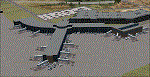
This airport was made using Airport Design Editor, Google Sketchup, and Instant Scenery 2. Albany International Airport, Is an airport located near Albany, New York. The airport has scheduled airline flights. Almost all of the buildings are custom made with photo textures to make it closer to real life. At the main terminal, I added more gates and put moving jetways. The gates have assigned parking codes. There is a parking lot next to the terminal full of cars. I put the airport access road in between the parking lot and the terminal. At the southwest ramp, I put hangars and some you can taxi inside of. If you choose to start off from the southwest DOCK gate, You will start off inside the Million Air Aviation FBO. I also put static aircraft on the ramp too. To the northwest, I put the New York Police hangar. You can start off inside this hangar by choosing the Northwest DOCK gate. Taxiing into or starting off inside a hangar will not cause a crash unless you touch the sides. To the Northeast, I put the cargo terminal with trucks. At the cargo section, I put three FedEx Cessna Caravans. I also put the control tower and the buildings. Tower views are from the roof of the control tower. To the southeast, I put small hangars and the Air National Guard Section with UH-60 helicopters. I extended runway 1/19 to the correct length of 8,500 feet. I also put red, blue, green, and purple Cessna 172s in different places around the airport. There will be more objects if your scenery complexity is set to normal (such as jetways, aircraft, and vehicles). This was all made based on Google Earth Imagery and Bing Maps. There are no night textures for the buildings. This will be added in a future version. An installer program is included to install the airport for you. There will be more versions of this that include night textures and static business jets. This is for Flight Simulator X only. By Tyler Lawrence.
| Filename: | Albany_International_Airport_KALB_Albany_New_York.zip |
| License: | Freeware |
| Added: | 2nd June 2012, 08:14:12 |
| Downloads: | 4,349 |
| Author: | Tyler Lawrence |
| Size: | 47.69 MB |
| Category: Flight Simulator X - Scenery | |
| Silloth Aerodrome plus Great Orton |
|
File Description:
RAF Station Silloth is a former Royal Air Force station located 1 mile (1.6 km) north-east of Silloth, Cumbria, England and 6.7 miles (10.8 km) south-west of Kirkbride, Cumbria. The station was used by RAF Coastal Command during WW2.
I designed this scenery primarily for my own pleasure using Airport Design Editor and FSX SDK. I use FSX Acceleration and Horizon VFR photo scenery but it should work with standard FSX SP2.
This scenery depicts the airfield as closely as i can get it with the available information. I have modelled all of the Airfield buildings as closely as I could with the information available to me and this was done using Sketchup, the models were then converted for use in FSX using Model converter X.
It is not 100% accurate and no claim is being made by the author that it is. I have depicted the buildings in wartime camo.
All the buildings can be used as as you wish. My only request is that if you should design better textures for them that you let me have a copy, my textures are pretty basic.
Some buildings have night lighting, lights and smoke effects, these should be in your FSX effects files already.
I have not yet completed the Domestic Site but i may do this in the future...(I've hit the buffers for now though!!)
Included in this scenery pack is the Satellite Airfield RAF Great Orton. Built in 1943 to accommodate the larger bombers now being used by the RAF. This airfield is very sparse as i am unable to get much info about it.
Runways, Taxiways, Watch Office and Ground Signals are all that is included in this scenery pack, along with Sloped flattens, crosswind runways and AGN files.
I have included this as a destination for the Bristol Beaufort AI aircraft that i have included with the scenery.
The Bristol Beaufort AI is a freeware model from Alphasim and is used with their permission. I have altered the model textures and aircraft file and it works well enough as AI.
I have used other scenery libraries within this scenery (mainly to depict the village of Silloth) and these will need to be downloaded from the appropriate sources and activated within FSX.
| Filename: | Silloth_Aerodrome_plus_Great_Orton.zip |
| License: | Freeware |
| Added: | 6th December 2015, 22:32:18 |
| Downloads: | 491 |
| Author: | Mark Byers |
| Size: | 357.87 MB |
| Category: Flight Simulator 2004 - Utilities | |
| FlightSim Manager v2.6.1 |
|
File Description:
Compatible with both FS2002 and FS2004
FlightSim Manager is a great tool for managing add-ons to Microsoft Flight Simulator. Using easy to Wizard - FSM can install aircraft, panels, textures and scenery directly from distribution ZIP files you may have downloaded, with proper uninstallation of add-ons. From an easy to use Aircraft editor to add or remove aircraft variants, to an comprehensive Hangar management allows you to manage and configure your add-ons off your live FS installation.
You can now create Virtual Fleets, and enable/disable the complete fleet with ease. For serious pilots, FSM also offers a complete Logbook.
Lan View feature allows you to create virtual cockpits with multiple monitor support, using networked PCs.
With FSM, you can create Texture Sets - i.e.. different Tree Sets, and you can install any set with a single click, capture screenshots from Flight Simulator, Benchmark with log, launch it with Random Splash Screens, and fly from anywhere in the world using an map view.
You can also control Flight Simulator with speech commands using FSM. It also supports auto-saving flight, warning sytem, and custom event sounds.
Finally with a comprehensive Diagnostic Tools and Repository feature, FSM keeps your FS installation clean. Apart from the usual Missing and unused gauges, FSM can also locate Aircraft problems, Missing and unused effects, Scenery Problems with a LandClass File relocate feature - say bye-bye to all the memory leaks.
You can find the latest version from: http://www.ranainside.com/
To provide you - the user with the best Freeware FS-Addon, I need your help... if you have any suggestions, recommendations or problem using this software, please contact me through our Forum at: http://softwares.ranainside.com/forum/
You may not distribute the original archive/setup utility of the program(s) to anyone else, any Bulletin Board System, Portable Media or any web-site unless EXPRESS PERMISSION FROM THE AUTHOR is granted. You may not sell, lease, rent, or include this program or its original archive by any media without EXPRESS PERMISSION FROM THE AUTHOR. You are not required to pay for this program in any way, shape or form, but you are not licensed to distribute this program or its original archive for any financial gain.
| Filename: | FlightSim_Manager_v261.zip |
| License: | Freeware, limited distribution |
| Added: | 15th September 2004, 12:51:52 |
| Downloads: | 5,441 |
| Author: | Rana Hossain |
| Size: | 4.43 MB |
| Category: Flight Simulator X - Scenery | |
| St. Helena, Ascension, and Tristan da Cunha Islands |
|
Images related to this file:
File Description:
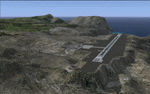
This project was begun to add the new airport (FHSH) to St. Helena Island and eventually was expanded to include a complete remake of Ascension Island (FHAW) and Tristan da Cunha (with an optional airport FHTC) and Gough Island with the actual weather station heliport (FHGH). Tested in both the default FSX/Acceleration and with FTX Global/Vector, accurate coastlines, lakes, road data, and SRTMGL1 (30m) mesh, as well as corrected landclass are provided based on the latest available satellite imagery. Flight plans are provided for the proposed commercial service to St. Helena, and some additional GA and military flights to the island are added as well.
The FSX St. Helena (FHSH) airport was created by aligning master plans for the airport with current satellite data and by studying many of the pictures that have been posted as the airport has taken shape. The official opening of the real airport on May 21, 2016, has been pushed back for more field tests due to challenging crosswinds. The Ascension Island (FHAW) airport was updated after I realized that Ascension could receive commercial service as a result of the new St. Helena airport. The entire airfield is redesigned to allow the volcanic terrain to display properly. The airbase, towns, BBC Atlantic relay station, and numerous satellite dishes, radomes, and wind turbines now appear in their real-world locations. Since I was already in the region, I added the Tristan da Cunha Islands (including Inaccessible, Nightingale and Gough Islands) and the Gough Island weather station maintained by the South African National Antarctic Programme. I also added an optional airport (and flight plans) to Tristan da Cunha (FHTC), which can be easily enabled/disabled. The FHTC airport is placed on the only part of the island that appears to be free of people or farmland, and the area is just long enough to accommodate a pared-down version of the St. Helena airport.
Updates were created or rebuilt in a manner which carefully aligns airport data with current satellite imagery. Scenery was created using Airport Design Editor X v1.67.5684, SBuilderX 3.13, and the FSX Object Placement Tool. Scenery objects were added and modified from stock FSX scenery to resemble as closely as possible the actual airports. The animated flag model is by Dietmar Loleit, the FSX apron lights included are from the set created by Jim Dhaenens, and the animated wind turbines and radomes are from the freeware package by Ray Porter.
| Filename: | St_Helena_Ascension_and_Tristan_da_Cunha_Islands.zip |
| License: | Freeware |
| Added: | 1st May 2016, 11:23:05 |
| Downloads: | 6,089 |
| Author: | Carlyle Sharpe |
| Size: | 10.52 MB |
| Category: Flight Simulator 2004 - Scenery | |
| Ketchikan PAKT in southern Alaska plus float planes 5KE and the town |
|
Images related to this file:
File Description:
This is Ketchikan PAKT in southern Alaska, 45 miles north of the Canadian border and 220 miles south of Juneau. It is the closest major Alaskan airport to the lower 48 and most flights from or to Seattle pass through Ketchikan en route. The airport is on the southern side of the stretch of water known as The Narrows and the town is on the northern side, with ferries connecting the two. The town side was somewhat modified as part of one of the three Misty Fjords sceneries, so there were already some marinas and docked cruise liners etc before I started this. In addition, Ketchikan Airport had been partly made way back in 2006, and further modified in 2007; I say "partly" as there is in fact no way to accurately make PAKT within the limitations of FS9 as there is a 50 or 60 feet difference in elevation between runway and apron, and the taxiways are actually ramps up from the apron to the ends of the runway. This has a knock-on effect on the float plane and ferry docks on the water below the airport. I can see why the Misty Fjord sceneries avoided it. This scenery retains the original buildings from the Alan Wright scenery. It also includes the modification made by John Hinson, who created the second taxiway to the western end of the runway; FS9 had not included this as the original airport started operations with only one taxiway in place. There are new vehicles on the apron (fuel etc), new apron markings and some parking modifications to enable AI with Boing 737, DC6, Beechcraft 1900, and GA, plus runway and taxiway signage, windsocks, some car parking, freight items, etc. There is a road and covered bridges down to the docks and ferry, and the town side of the water has been modelled to include other float plane docks along with waterfront buildings, including the ship repair facility with it's dry dock (actually a floating dock that lifts ships out of the water) and the Alaskan Ferry Terminal wharf etc. The ferry forms a part of the AI, generously permitted by FSAddon and originally a part of the payware Tongass Fjords package, as are the AI aircraft also included here. There are new waterside buildings that stretch from the ship repair yard, past the shopping plaza and onward to the stationary cruise liners (that were part of the Tongass payware scenery) including float docks for the float plane companies that are based in Ketchikan, plus a new AI liner. The AI is a further adaptation of the already posted CF36 AI and PAKN AI, as listed in the AI folder. Due to the surrounding hills there may be some interference with AI float aircraft, depending on the wind direction, though I have watched succesful Beaver landings with the wind from the east. The combined AI for float planes creates a float plane take off or landing at, on average, 20 minute intervals; this is still well short of the actual busy summertime period.
| Filename: | Ketchikan_PAKT_in_southern_Alaska_plus_float_plane.zip |
| License: | Freeware, limited distribution |
| Added: | 12th February 2017, 23:27:59 |
| Downloads: | 1,242 |
| Author: | Roger Wensley |
| Size: | 47.11 MB |
| Category: Prepar3D V1-4 - Utilities | |
| Flightplan Visualizer 1.11 |
|
Images related to this file:
File Description:
Flightplan Visualizer (FV) version 1.11.0. Copyright 2018-2019 by Pelle F. S. Liljendal ([email protected]), all rights reserved.
FV comes with 540 pre-imported Commercial AI flightplans (+380 BizJet flightplans are available as a separate download). However you are able to import additional (AI) flightplans yourself. Once imported these (AI) flightplans can be visualized on a map-view, and the user will be able to search accross all these. Hence you can use the program as inspiration as to which routes to fly. E.g. you can search across all imported flightplans to find all flights in an A321 flying into/out from LDDU, or simply to look for all flights in a Boeing 747-8F.
Simply run the included installer to install the software. The program will be installed into "C:\Program Files (x86)\Flightplan Visualizer" and all datafiles will be installed into: "C:\Users\[UserName]\AppData\Roaming\FlightplanVisualizer". The program comes with a full manual explaining everything, and a 3 page quick manual to get you started. The first 3 times you run the program the quick manual will automatically open. The forum is hosted here: https://forum.aerosoft.com/index.php?/forum/919-flightplan-visualizer/
Version 1.11 Contains the following changes: The file-format of the Flightplan-files was changed to accommodate some planed changes. The program remains backward compatible, so "old" flightplans can still be loaded. I wanted to implement these changes BEFORE I began importing new flightplans, to ensure these new/updated flightplans are all utilizing the new format. On startup the old flightplans will automatically be converted to the new format. The new installer now comes bundled with 540 commercial flightplans (schedules:22291, legs:699158) whereas the old one "only" contained 300 commercial flighplans (schedules:16786, legs:536198). All BizJet flightplans were removed from the installer and are now available as a separate download. A new settings-form have been added to eliminate the need to manually edit the settings-file using a text-editor. A new menu-item have been added which opens an explore window browsing the content of the UserData folder. Individual (disabled) flightplan-files can now be permanently deleted via the "Enable/disable flightplans" form. Flightplan sub-folders (with exception of "Disabled") can now be marked as "enabled" (using a check-box). Meaning that the flightplans in these will be also loaded on startup (along with the files in the root-folder). Using the "Enable/disable flightplans" form you can now both move and copy flightplans (based on the value of the radio-buttons). A creator-field have been added to flightplans, which can be entered when you import/edit a flightplan. The name of the creator is displayed as a tool tip when hoovering the mouse over the combo-box in the bottom of the main-form. When importing new Flightplans the program will try to grab creator and provider from the files bundled with the flightplan. Likewise a button is added to the import-form which list the content of the text-files (e.g. "ReadMe.txt"), in case you need to manually grab the creators name from this file. Both when importing- and editing flightplans a new column have been added to the airport list-view containing comments regarding airports that have been redirected (from one ICAO to another), or airports classified as pseudo-airports (in case the airport does not exists in the flightsim). The elevation-column from previous versions was removed to make more room for the comment-column. Added a new form to edit airport-redirections (redirect from one ICAO to another on import). In the airport-info form you can now switch between showing flights for the selected flightplan/last search and all flights to/from the airport being displayed. Added a new "Nearby Airports" tab-sheet to the Airport-info form, which shows a distance-sorted list of nearby airports. In the previous versions all new aircraft were automatically added to the selection of favorite aircraft. From version 1.11 you must manually choose which are your favorites (upgrading from a previous version, your current selection of favorites will NOT be changed). First letter of decoded-metar is now changed to uppercase, and a checkbox lets you decide if you want to perserve line-breaks in the decoded text copied to the clipboard. Switched position of "Save" and "Cancel" buttons in airport-info form, to match layout of other forms. Like elsewhere in the program, the airport search-browser now lists the icao-codes with an asterisk (*) for each airport that is a pseudo airport. Greatly improved the responsiveness/performance of the browser-forms, when searching for : Airports, Airlines and Aircraft. Managed to shave off a few 10th of a second loading/processing data at startup. Added support for additional Aircraft. Many of the Airports in the supplied data-files were updated likewise some new Airlines were added as well. Made the importer stronger to import flightplans where aircraft names are not in quotes, and multiweek days are written as "1/3" in stead of "10". Fixed: When manually redirecting an airport during import, the flightplan was not visualized corretly until re-loading the flightplan (e.g. restarting the program). Fixed: Closing the Enable/Disable-flightplan using other means than the close-button would not make the program re-load active flightplans afterwards. Fixed: Several of the combo-boxes on the airport-info form allowed text being entered into them. Fixed: Corrected an issue with map-caching.
Pelle
| Filename: | Flightplan_Visualizer_111.zip |
| License: | Freeware, limited distribution |
| Added: | 7th July 2019, 18:15:30 |
| Downloads: | 227 |
| Author: | Pelle Liljendal |
| Size: | 29.95 MB |


© 2001-2026 AVSIM Online
All Rights Reserved
Privacy Policy |