
Where Flight Simulation Enthusiasts Gather from Around the World!
AVSIM Library - Search Results

| Category: Flight Simulator X - Scenery | |
| Victoria, Canada including US Southern Gulf Islands and San Juan Islands - Part 2 of 2 |

|
Images related to this file:
File Description:
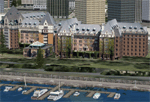
FSX-only version of Victoria, Canada area scenery including the Southern Gulf Islands and the San Juan Islands of the US. Includes automated installer and configurator by Scot Fraser.
Features:
-accurate shorelines, lakes and streams;
-landclass;
-FSX multi-LOD mesh with 10m maximum resolution;
-complete road network with moving traffic;
-railroads;
-utility corridors;
-marinas and ferry terminals;
-many static boats, including a custom model of the Canada Coast Guard ship Sir Wilfred Laurier;
-detailed models of major buildings and the Ogden Point Terminal;
-many bridges;
-nearly 300 marine lights; and corrected antennae locations.
Facilities include Don Grovestine's famous CYYJ (Victoria International Airport); 12 other Canadian land-based airports: Butler Field, Duncan (CAM3), Gaines, Hastings, Hudson Island, James Island, Thomas, Village Bay, Raven Field (CML2), Saltspring, Sidney Island, Whiskey Point; 20 US airports Blakely (38WA), Burden (61WA), Center Island (79WA), Clam Harbor (WA35), Crane Island, Decatur Shores (WN07), Decatur-Jones (WA18), Waldronaire (90WA), Orcas Island (KORS), Friday Harbour (KFHR), Lopez Island (S31), Pile Point, Roche Harbor (WA09), Shaw Island, Stuart Island Airpark (7WA5), Stuart Island West (2WA3), Wilding (6WA5), Windsock (4WA4); 12 floatplane facilities: Bedwell (CAB3), Fisherman's Bay (WA81), Friday Harbor (W33), Ganges (CAX6), Maple Bay, Mayne (CAW7), Port Washington (CAP8), Roche Harbor (W39), Rosario (W49), Shawnigan Lake (CAV8), Victoria Harbour (CYWH), Victoria International (CAP5) and Westsound, Orcas (WA83) - many with AI traffic; 9 heliports: Ganges (CAL7), Mayne (CBF5), Camel Point (CBF7), Jubilee (CBK8), Victoria General (CBW7) Madrona Bay (CBW9), Shoal Point (CBZ7), Mount Belcher (CMBH).
AI models include the DHC-2 floatplane in local liveries, a cruise ship model (by Mitsuya Hamaguchi) and two repaints, pilot boat, and small boats (by Larry Silsbee).
Ultimate Terrain X compatible (not required). Users of Vancouver+ for FSX will also get additional cruise ship traffic and additional floatplane and helicopter traffic. Full documentation. By Don Grovestine, Jon Patch and Holger Sandmann. Many other contributors: see documentation. Part 2 of 2 - you also need file vicenh7a.zip
| Filename: | Victoria_Canada_including_US_Southern_Gulf_Islands.zip |
| License: | Check within download |
| Added: | 29th January 2010, 21:21:49 |
| Downloads: | 23,163 |
| Author: | Don Grovestine, Jon Patch and Holger Sandmann |
| Size: | 59.08 MB |
| Category: Flight Simulator 2004 - Scenery | |
| Whati CEM3 in the Northwest Territories, Canada |
|
Images related to this file:
File Description:
Whati is a village at the southern end of Lac La Martre, a smaller lake (only by Canadian standards, at over 40 miles long) halfway between the Great Slave Lake and the Great Bear Lake and around 100 miles north of Yellowknife. The North West Company established a trading post there in 1793, and this was the centre for local trading in the area for 100 years until a post was opened by the Hudson Bay Company on the Great Slave Lake. The current population is in the region of 520. There is no graded road access and access is by boat or air. The main local economy revolves around hunting and fishing, with efforts being made to increase tourism amid the wilderness and the wildlife. The airfield is just over a mile east of the village, with a runway of around 3,400 feet of gravel aligned 09-27 as of 2010, with PAPI at both ends and lit. There are scheduled flights from Yellowknife by Air Tindi, included in the AI, and some GA. The terminal building is similar to that of Lutselk'e, but with a different colour scheme and with solar panels on the roof. It appears that they repaint the sign on the front of the building with a different wording every time; the one I have used is one of three that have existed in the last few years. The photos I had originally were taken in the winter, with snow. Seeing it in the summer I discovered that my version of the building is not at the right level above the ground by about a foot, or 30cm. I was too lazy to make it again, which was the only way to get it right and still have it throw a shadow on the ground. This scenery modifies the lake shore, corrects levels for land and lake, and adds the village and a connecting road in addition to the airport. A note here about my scenery making. There will not be many more to follow this as I am almost at the end of the photos I either took or found for scenery purposes, plus I expect to move on from FS9 at some point during next year.
| Filename: | Whati_CEM3_in_the_Northwest_Territories_Canada.zip |
| License: | Freeware, limited distribution |
| Added: | 15th December 2019, 19:18:29 |
| Downloads: | 148 |
| Author: | Roger Wensley |
| Size: | 4.25 MB |
| Category: Flight Simulator 2004 - Scenery | |
| Port Hardy CYZT in British Columbia, Canada |
|
Images related to this file:
File Description:
Port Hardy airport is on the coast of Vancouver Island in BC, at the far northern end and 5 miles east of the town. The town and the airport are both gateways to local touristic attractions such as Cape Scott Provincial Park, the North Coast and BC Marine Trails, and kayaking, caving, surfing, fishing, camping, and scuba diving (and I discovered just how big orca are). Fishing, logging, and mining have been important and to an extent still are for the town population of just over 4,000. The airport, along with the ferries, connects Port Hardy to the rest of the west coast with Pacific Coastal Saab 340 or Beechcraft 1900C flights to and from Vancouver at least twice a day. There are also Grumman Goose amphibious flights to local float bases such as Port McNeill, Alert Bay, Whaletown, Surge Narrows, Echo Bay, and Minstrel Island. These are all included in the AI and previously posted. There are three runways: 11-29 of 5,000 feet with ILS on 11 and righthand circuits on 29, 07-25 of 4,000 feet with righthand circuits on 25, and 16-34 with a much shortened 3,500 feet on 34 due to a displaced threshold. There is a control tower but it is not manned 24 hours a day; a "mandatory frequency" (MF for short and a Canadian invention) is used by the tower when it is manned, and when there is no tower response the aircraft continues to announce intentions and position. Something I have been meaning to explain to those who query it, is that in real life as well as in FS9 helicopters at a mixed use airport or airfield will act as if they are planes and join downwind, turn on base and then finals, "land" along the runway and then use the taxiway to the parking. This means all aircraft are doing the same thing and an orderly queue avoids collisions. This is one of a series connected in some way with Pacific Coastal airline destinations, the first being Bella Coola. There is AI available for Pacific Coastal online.
| Filename: | Port_Hardy_CYZT_in_British_Columbia_Canada.zip |
| License: | Freeware, limited distribution |
| Added: | 11th November 2018, 16:48:50 |
| Downloads: | 234 |
| Author: | Roger Wensley |
| Size: | 19.26 MB |
| Category: Prepar3D V1-4 - Utilities | |
| FS Flight Builder |
|
Images related to this file:
File Description:

New version: Updated installer and auto-update functionality along with chart downloaded changes to support browser updated security measures.
FS Flight Builder is a utility for general aviation flying that will build flight files for FSX (flt), FSX Steam Edition (flt), and Prepar3D (fxml) based on waypoints and other data either entered manually or imported from SkyVector using the Plain Text Link information. Among other things, you can select your starting position, aircraft, and VFR or IFR flight plan.
One of the most interesting features of the application is that it will include a Briefing file, added to the aircraft's built-in kneedboard, that will include departure and destination airport information (runways, frequencies, weather, and charts) as well as navigation frequencies along the route.
Have you ever started up flight simulator and wondered “where do I want to go today� The new Destination Chooser functionality can help to solve that problem. The screen allows you to enter your departure airport and choose various parameters for your destination (like min and max distance, tower availability, ILS availability, runway length requirements, etc.).
How to install:
***************
Run Setup.exe and simply follow the installation wizard.
When you run the application for the first time (make sure your flight simulator is not running), it will build the database from your flight sim data. Be patient. It could take a few minutes.
It will attempt to locate your flight sim folder and flight plan folders automatically. If it can't find them, however, you'll need to select them from the options menu.
IMPORTANT!
Because FS Flight Builder saves to your Flight Sim directories, it MUST be run in Administrator mode. To do this, right-click on the desktop icon, select the Compatibility tab, and check the Run as administrator checkbox.
IMPORTANT!
The airport and navaid databases for FS Flight Builder are built using Peter Dowson's excellent Make Runway utility and the equally excellent BGL2XML utility from ScruffyDuck Software. The links to these utilities are below. They must be added to the main FSX or Prepar3D folder.
Peter Dowson's website: http://www.schiratti.com/dowson.html
ScruffyDick Software website: http://www.scruffyduck.org/bgl2xml/4584282773
It's also important to note that Version 1.7 of BGL2XML is required for Prepar3D V3 and higher.
Author:
*******
Tom Arduini
The latest installer can always be found at
http://www.arduiniwebdevelopment.com/fsflightbuilder/fsflightbuilder.zip
| Filename: | FS_Flight_Builder.zip |
| License: | Freeware |
| Added: | 24th December 2018, 02:41:36 |
| Downloads: | 408 |
| Author: | Tom Arduini |
| Size: | 69.56 MB |
| Category: Flight Simulator 2004 - Panels | |
| Golovin N93 and Solomon AK26 in Alaska |
|
Images related to this file:
File Description:
Golovin is a coastal fishing village 70 miles east of Nome and around 20 miles west of Elim, with a population of under 200. The village is a check point on the Iditarod race and the name originates from a Russian admiral in the far distant past. The airfield has a gravel runway which is over 4,000 feet long; the older runway amid the village housing is still visible but not usable. The majority of flights to and from the airfield originate in Nome, but there are also others to and from nearby fields such as Elim, Unalakleet, Shaktoolik, and Koyuk. The AI includes a daily ERA flight. Most flights to villages of this size are in fact not "scheduled", but are "air taxi" being used by three or four villagers to go supermarket shopping in a larger neighbouring town, which in this case is Nome. In many cases the numbers of flights to and from a village in a year average out to one a day. There is a further scenery included here, which is Solomon AK26. Solomon is around 40 miles west of Golovin and from 1898 was suppporting a gold mining operation on the Fish and Niukluk rivers further inland at Council. Solomon, and the airfield which obviously came later, gradually faded from use in competition with Nome, leaving almost nothing behind at Solomon by the 1980's except a gravel runway and the nearby Solomon roadhouse. There are other buildings near the airfield which appear to be new and in good condition, but their function is unknown to me. The Solomon terrain modifications and grass deletion bgl's did not function until loaded in a "Top" folder; this is unusual, and may be required only in my FS9 setup or in all situations. I have no way of knowing as I can only design for my situation. A note here about my scenery making. This is post number 503 and there will not be many more to follow this as I am almost at the end of the photos I either took or found for scenery purposes. There is a limit to what can be located online and I have already been making use of the little there is; eg Unalakleet. Post 520 is unlikely. So, if you are near an airport (preferably Canadian or Alaskan) and have a camera..... Let me know.
| Filename: | Golovin_N93_and_Solomon_AK26_in_Alaska.zip |
| License: | Freeware, limited distribution |
| Added: | 5th August 2019, 16:19:07 |
| Downloads: | 82 |
| Author: | Roger Wensley |
| Size: | 4.23 MB |
| Category: Flight Simulator 2004 - Scenery | |
| Fort Nelson CYYE in British Columbia, Canada |
|
Images related to this file:
File Description:
Fort Nelson is close to the Peace River in the northeast corner of British Columbia, around 70 miles from the northern border, 90 from the eastern border, and 80 miles east of the Rockies. The wartime construction of the Alaska Highway actually started from Fort Nelson, as there was already a road from Fort St John (which is close to Dawson Creek) north to Fort Nelson. The airfield was part of this construction effort and after the wartime ferrying of planes to Russia it was used by the US Army Air Force and then by the Canadian Air Force. Fort Nelson flourished with the oil and gas exploration of the 1950's and the following years, and this continued to grow until the collapse of the oil price in 2014.
The town of Fort Nelson became the capital of the Northern Rockies Regional District when it was founded in 2009, and as a result the official name of the Fort Nelson airport is the Northern Rockies Regional Airport. The date for this scenery is around 2016, by which time the economic fortunes of the town were in decline. Five times per day flights by Central Mountain Air were starting to be reduced in number to the current (in 2022) one per day and none on Sunday; in the AI included here there are two flights per day. The main resident users of the airport are four helicopter companies, the helicopters presumably used for maintenance trips to whatever parts of the oil and gas fields that are still in use in the surrounding area.
There are two runways, the main one is aligned 03-21, 6,400 feet long and 200 feet wide, with ILS at the southern end and PAPI at the northern. The second runway (a narrower rebuild on a previously existing runway) is aligned 07-25 and 77 feet wide, and is without any lights. These are the alignments as per the original build of FS9 and not as per the approximate 2016 date of the buildings; I had a problem at a very late stage in making this scenery which prevented me from continuing with some final details.
On YouTube there is a series of posts by Angle of Attack showing the preparation and then the flight of an old Cessna 172 from Homer to Oshkosh for the installation of modern instruments. Interesting for me as they visit or fly over airfields I have made (Homer, Merrill, Tok Junction, Burwash, Silver City, Haines Junction, Watson Lake, Fort Nelson, and Grande Prairie) but in the winter so it all looks very different.
| Filename: | Fort_Nelson_CYYE_in_British_Columbia_Canada.zip |
| License: | Freeware, limited distribution |
| Added: | 23rd January 2022, 20:11:18 |
| Downloads: | 186 |
| Author: | Roger Wensley |
| Size: | 28.35 MB |
| Category: X-Plane - Original Aircraft | |
| Spruce Goose for X-Plane 6.4/6.51 (hk-1/H-4 Hercules) |
|
File Description:
Spruce Goose v1.0 for X-Plane copyright (c) by Robert App, January 2003. History of the "Goose" - Officially designated the HK-1 (this project started out as a join venture between Hughes Aircraft and Kaiser) and later designated the H-4 Hercules after Kaiser was unable to work with Howard. It was and still remains the largest (physical dimensions wingspan and length) aircraft ever built, with the largest radial engines ever built by the West (28 cylinder, 3000 HP). The plane had to be constructed mainly of wood due to the shortage of strategic metals caused by WWII. The plane became known as the "Spruce Goose" or "Flying Lumberyard" despite the fact that the wood frame and skin were constructed mainly of laminated poplar; it also involved "sandwich" construction. The plane was flown briefly on a trial taxiing run but Hughes never allowed the plane to be flown again. Speculation has always been rampant that the design was flawed and the plane could not have met the original specification requirements. The X-Plane model is as accurate as is possible with limited plans available to me. The main wing is an X-Plane standard symmetrical high lift airfoil as opposed to the high lift asymmetrical foil section used in the actual plane. The main wing angle of attack has been adjusted to emulate the asymmetrical foil as closely as possible.
Flight Testing the Goose - I have spent many hours testing the plane on X-Plane which with few exceptions provides a very accurate flight model. The published landing speed (79 mph) pretty well verifies the takeoff speed of 52 to 55 knots (k/hr x 1.15 (approx.) = mph). In straight flight the plane is difficult to stall since the nose quickly drops and increases speed if a stall develops with a significant loss of altitude. The plane has a range on 14000 gallons of fuel and takeoff weight of 350,000 Lbs of well over 3000 nautical miles. San Diego to Wake Island via Midway Attol is a piece of cake with lots of fuel to spare at 350,000 lb GW. The plane is flyable at a GW of over 410,000 lb but climb rate is very sluggish (max 400-600 fpm) and loss of speed due to excessive side slip can cause a fatal stall, in straight flight the plane is difficult to stall. So far my conclusion is that with todays materials and jet engines (which may be a future project) this aircraft could probably be competitive in performance with todays planes. With aluminum alloys that were available during its construction its performance would probably have exceeded the initial requirements.
| Filename: | Spruce_Goose_for_XPlane_64651_hk1H4_Hercules.zip |
| License: | Freeware, limited distribution |
| Added: | 31st January 2003, 05:19:19 |
| Downloads: | 1,739 |
| Author: | Robert App |
| Size: | 1.69 MB |
| Category: Flight Simulator 2004 - Scenery | |
| Schefferville CYKL & Squaw Lake CSZ9 in Quebec Canada |
|
Images related to this file:
File Description:
Schefferville is a town in an area of Quebec that is surrounded by Labrador, the border taking an unusual wriggly course instead of the normal Canadian straight line. One has to presume that there was a lot of political negotiation involved. Take a look at Google Earth to see what I mean. The town was established in 1954 (initially at a site a bit north of the present location, and with a different name) to support newly established iron ore mining. To assist with the exploration for further iron ore and the construction of the railway it seems that there was a forced relocation of native population. Although iron ore mining around Schefferville in its current location flourished through the late 1960's these relocated folk were neglected and suffered "destitute poverty". Through the 1970's iron ore mining declined and ceased in Schefferville in 1982, when most of the 4,000 or so non-native residents left. Since the year 2000 there have been moves to reopen mining in the area and production restarted in 2011, the approximate date of this scenery. The main reason why iron ore mining started again in Schefferville as opposed to any other area in Quebec or Labrador is the existing railway, used for ore transportation. There is no road connection and the airport is the only other means of access for the 250(?) town inhabitants. This population figure is somewhat of a guess, and the town inhabitants are largely company officers who change and move in and out as required by their work. Schefferville airport is to the east of the town. It has a single lit asphalt runway that is aligned 18-36 and is 4,975 feet long and 150 feet wide, with PAPI at both ends. Air Inuit flights connect with Kuujjuaq to the north and Sept-Isles to the south with onward connections to all parts of Canada. There are other charter flights for company personnel. The terminal building has been renovated and the photos show just how dilapidated it had become before this was done. I like it. This scenery also includes Squaw Lake, a float base that is used by Air Saguenay. Or was, as the company was closed in 2019 after an accident involving several deaths. The reason for Air Saguenay establishing a float base here was, once again, the railway, which allowed people to reach Schefferville for a reasonable cost. They could then use the float planes for a shorter distance and reasonable price to reach fishing lodges on the lakes to the north. If you find an error email me please, and note that my email address has been changed to rogwens at Gmail dot com.
| Filename: | Schefferville_CYKL__Squaw_Lake_CSZ9_in_Quebec_Cana.zip |
| License: | Freeware, limited distribution |
| Added: | 1st August 2021, 16:10:32 |
| Downloads: | 126 |
| Author: | Roger Wensley |
| Size: | 16.63 MB |
| Category: Flight Simulator 2004 - Scenery | |
| Ketchikan PAKT in southern Alaska plus float planes 5KE and the town |
|
Images related to this file:
File Description:
This is Ketchikan PAKT in southern Alaska, 45 miles north of the Canadian border and 220 miles south of Juneau. It is the closest major Alaskan airport to the lower 48 and most flights from or to Seattle pass through Ketchikan en route. The airport is on the southern side of the stretch of water known as The Narrows and the town is on the northern side, with ferries connecting the two. The town side was somewhat modified as part of one of the three Misty Fjords sceneries, so there were already some marinas and docked cruise liners etc before I started this. In addition, Ketchikan Airport had been partly made way back in 2006, and further modified in 2007; I say "partly" as there is in fact no way to accurately make PAKT within the limitations of FS9 as there is a 50 or 60 feet difference in elevation between runway and apron, and the taxiways are actually ramps up from the apron to the ends of the runway. This has a knock-on effect on the float plane and ferry docks on the water below the airport. I can see why the Misty Fjord sceneries avoided it. This scenery retains the original buildings from the Alan Wright scenery. It also includes the modification made by John Hinson, who created the second taxiway to the western end of the runway; FS9 had not included this as the original airport started operations with only one taxiway in place. There are new vehicles on the apron (fuel etc), new apron markings and some parking modifications to enable AI with Boing 737, DC6, Beechcraft 1900, and GA, plus runway and taxiway signage, windsocks, some car parking, freight items, etc. There is a road and covered bridges down to the docks and ferry, and the town side of the water has been modelled to include other float plane docks along with waterfront buildings, including the ship repair facility with it's dry dock (actually a floating dock that lifts ships out of the water) and the Alaskan Ferry Terminal wharf etc. The ferry forms a part of the AI, generously permitted by FSAddon and originally a part of the payware Tongass Fjords package, as are the AI aircraft also included here. There are new waterside buildings that stretch from the ship repair yard, past the shopping plaza and onward to the stationary cruise liners (that were part of the Tongass payware scenery) including float docks for the float plane companies that are based in Ketchikan, plus a new AI liner. The AI is a further adaptation of the already posted CF36 AI and PAKN AI, as listed in the AI folder. Due to the surrounding hills there may be some interference with AI float aircraft, depending on the wind direction, though I have watched succesful Beaver landings with the wind from the east. The combined AI for float planes creates a float plane take off or landing at, on average, 20 minute intervals; this is still well short of the actual busy summertime period.
| Filename: | Ketchikan_PAKT_in_southern_Alaska_plus_float_plane.zip |
| License: | Freeware, limited distribution |
| Added: | 12th February 2017, 23:27:59 |
| Downloads: | 1,228 |
| Author: | Roger Wensley |
| Size: | 47.11 MB |
| Category: Microsoft Flight Simulator (2020) - Utilities | |
| Flightplan Visualizer 1.18 |
|
Images related to this file:
File Description:
Flightplan Visualizer (FV) version 1.18.0. Copyright 2018-2020 by Pelle F. S. Liljendal ([email protected]), all rights reserved.
FV comes with 787 pre-imported Commercial AI flightplans (+380 BizJet flightplans are available as a separate download). However you are able to import additional (AI) flightplans yourself. Once imported these (AI) flightplans can be visualized on a map-view, and the user will be able to search accross all these. Hence you can use the program as inspiration as to which routes to fly. E.g. you can search across all imported flightplans to find all flights in an A321 flying into/out from LDDU, or simply to look for all flights in a Boeing 747-8F.
Simply run the included installer to install the software. The program will be installed into "C:\Program Files (x86)\Flightplan Visualizer" and all datafiles will be installed into: "C:\Users\[UserName]\AppData\Roaming\FlightplanVisualizer". The program comes with a full manual explaining everything, and a 3 page quick manual to get you started. The first 3 times you run the program the quick manual will automatically open. The forum is hosted here: https://forum.aerosoft.com/index.php?/forum/919-flightplan-visualizer/
Version 1.18 Contains the following changes:
- GREATLY improved the search-legs feature (by a factor of +50).
- In the past the application was forced to 32 bit. This is no longer the case, hence if needed its able to allocate more memory than before. I have never heard of anyone getting an "out of memory" exception, buy anyway.
- In the settings form, the field for entering the path to where to look for the Make Runways -files, have been replaced with a (MRU) combo-box, remembering the last 5 paths entered. So now you don't need to remember these paths each time you want to change it (e.g. if you switch between a set of files generated for P3D and another generated for MSFS). Remark that when this path is changed, FV will automatically restart when saving the settings, as the MkRwy-data are only loaded at startup.
- Added new command-line argument /MkRwy="G:\FS\MakeRunways". If this argument is set, FV will try to locate the files generated by Pete Dowson's MakeRunway in the specified folder, no matter the value of the MkRwy-path set in the settings-form.
- Added new command-line argument /FilePrefix=XXX. If this prefix is set (in the short-cut starting FV) it will look for files in the UserData-folder using this prefix and an underscore (e.g. open "XXX_UserAirportInfo.xml" in stead of "UserAirportInfo.xml"). If FV is started with this argument it will be displayed in the caption of the main-form to notify the user "which prefix is in use".
- Added new command-line argument /ForceReprocessFlightplans which forces all flightplans to be reprocessed on startup (e.g. process all airport redirections according to loaded redirection file).
- Added new command-line argument /? or /help. Using either of these, or having specified a wrong command-line argument will show a small example of the correct way to use these arguments.
- Added a new "Auto-activation prefixes" entry field to the "Edit owned aircraft" form where you can now enter a comma separated list of prefixes for which each aircraft should set to active. If entered, the aircraft will automatically be set active when FV have been started with the /FilePrefix argument set to the entered value (e.g. P3D). If one or more prefixes have been entered into this field, and FV have been started with another prefix, those aircraft will be set to not-active.
- Added new setting to reprocess all loaded flightplans on startup if FV was started with another /FilePrefix argument than used the previous time FV was started (e.g. if you switch between two different simulators).
- Improved how pseudo-airports tries to look-up airport data from the bundled airport-database. So there is now a higher chance that: name, country/state, and time-zone will be populated with useful data for the pseudo airports.
- In previous versions when opening the airport-info form, the checkbox "Exclude small/grass/dirt" (runways) was always checked, meaning you had to uncheck this checkbox before being able to see any runway-information for small airports. In this version a new setting have been added where you can chose if this checkbox should default to being: Checked, Unchecked or (default) Automatic. if choosing "Automatic", this checkbox will default to un-checked for airports only having few/small runways.
- Redesigned the settings-form so things are less "cluttered", and it will be more easy for me to add additional items in the future.
- The Search Airport form now contains fields that lets you specify min/max criteria for rwy-length and airport elevation, and min/max distance to a specified airport (e.g. find all airports within 20-50 Nm of XXXX). Also you can specify required rwy-type (e.g. "All Hard", "Have Soft" ...).
- Added an "Edit" menu-item to the context menu in the Search Airport form, which opens the Airport Info form, and returns back to the Search Airport form (e.g. see details for a few found airports before chooing one of them).
- If Transition Altitude (TA) is not known for a particular airport, the program will now try to estimate TA based on nearby airports in the same country, where those nearby are weighted more than those further away (its not perfect, but "better" than 0). An estimated TA will be postfixed by a asterisk to mark that it is estimated.
- Minor (internal) changes to the automatic version-check.
- Fixed: Issue importing some AigFP flightplans where airports were being redirected (e.g. "AIG_AviaTrafficCompany_Winter_2019-2020v2").
- Fixed: Using the context menu in the list-view showing all owned aircraft, the changes were sometimes not saved.
- Fixed: In the conversion-form when converting weight/volume into US-Gal, the calcuation was wrong (converting from US-Gal was not an issue).
- Fixed: In the leg-info report the value of Transition Altitude was in some cases used in stead of the length of the longest runway.
- Fixed: Leg-info report only contained taxi-out time for all airports. Now it only contains the taxi-out time for the departure airport, but both departure- and destination airports contains a taxi-in time.
- Fixed: In some cases an airport that was currently being edited, could be edited in another window at the same time (opening multiple Airport Info forms).
- Data: The bundled airport-database had a MAJOR face-lift. Various data were corrected, and it have more than doubled in number of airports/helipads contained within the database.
- Data: Improved detection of aircraft-type "IAI 1126 Galaxy" (as "Gulfstream G200"). Thanks to Bruce Nicholson for notifying me of the issue when importing a particular AIG flight-plan.
- Flightplans: All new/updated flightplans have been added to the installer, and all obsolete/defunct have been marked/removed. A total of 787 active flightplans are bundled with the installer.
Pelle
| Filename: | Flightplan_Visualizer_118.zip |
| License: | Freeware, limited distribution |
| Added: | 9th November 2020, 20:09:24 |
| Downloads: | 479 |
| Author: | Pelle Liljendal |
| Size: | 34.48 MB |


© 2001-2026 AVSIM Online
All Rights Reserved
Privacy Policy |