
Where Flight Simulation Enthusiasts Gather from Around the World!
AVSIM Library - Search Results

| Category: Prepar3D V1-4 - Scenery | |
| KLVN - Airlake Airport - Lakeville, MN, USA |

|
File Description:
KLVN - Airlake Airport beta version .4 - by Jason Boche
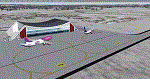
This is an update of the default P3Dv4.5 KLVN airport. Aside from the original 12/30 runway, everything else at this airport has been completely ripped and replaced.
Enhancements include:
-Extended runway on each end to depict current configuration
-Accurate taxiways including Hamburg Ave. and buildings representing the current general aviation hangars
-Added navigational equipment on the field
-Added a few asphault and dirt service roads
-Added FBO and other buildings as close as I could match them
-Added some general aviation aircraft, civilians, vehicles at the FBO and hangars, and two fuel trucks
-Moved fuel station to where I believe it is currently according to Google maps with 100LL fuel trigger functional
-Moved the windsock to accurate location
-Moved the beacon to accurate location
-Moved GA parking spots
-Added trees around FBO and beacon
-Added utility poles
-Added a few square miles of Lakeville city, farm, and residential land class and autogen according to Google maps. This is probably the biggest improvement. It now looks like people live, work, and shop north/northwest of KLVN.
-Reworked the runway 12/30 blast pads to what I believe is the "proper" method. Instead of freehand polygon asphault, they are now actual runway extensions on both ends with yellow chevron markings
-Reworked the land class on the southwest end of the airport where I believe hangar expansion is intended. Prior to this, there was a sharp contrast between where the KLVN airport boundary ended and where generic farm landclass began which was right in the middle of the southwest taxiways and it looked bad. Now that whole region is grass and looks to be part of the airport parcel.
-Minor building adjustments west of the FBO to better match actual placement.
-Fixed a gap on the southeast end of Hamburg ave taxiway where it rounds the corner for the rwy 30 hold short line
-Randomized the directional facing of some of the cars parked at GA hangars
-Renumbered the parking spots 1-4 with #5 being the refueling spot
-Reversed the start direction of parking spots 1-3.
-Pulled the refueling parking "start" spot back because on start the engine cowling & prop were too far forward inside the fuel pump equipment
-Added an autogen exclusion to the rwy 12 short final due to trees popping up on short final path.
-KLVN tower viewpoint 25 meters above FBO.
-Removed the perimeter fence around the entire field
| Filename: | KLVN__Airlake_Airport__Lakeville_MN_USA.zip |
| License: | Freeware |
| Added: | 13th May 2020, 17:18:40 |
| Downloads: | 84 |
| Author: | Jason Boche |
| Size: | 14.81 KB |
| Category: Flight Simulator X - AFCAD Files | |
| KLVN - Airlake Airport - Lakeville, MN, USA |
|
File Description:
KLVN - Airlake Airport beta version .3 - by Jason Boche
This is an update of the default FSX KLVN airport. Aside from the original 12/30 runway, everything else at this airport has been completely ripped and replaced.
Enhancements include:
-Extended runway on each end to depict current configuration
-Accurate taxiways including Hamburg Ave. and buildings representing the current general aviation hangars
-Added navigational equipment on the field
-Added a few asphault and dirt service roads
-Added FBO and other buildings as close as I could match them
-Added some general aviation aircraft, civilians, vehicles at the FBO and hangars, and two fuel trucks
-Moved fuel station to where I believe it is currently according to Google maps with 100LL fuel trigger functional
-Moved the windsock to accurate location
-Moved the beacon to accurate location
-Moved GA parking spots
-Added trees around FBO and beacon
-Added utility poles
-Added a few square miles of Lakeville city, farm, and residential land class and autogen according to Google maps. This is probably the biggest improvement. It now looks like people live, work, and shop north/northwest of KLVN.
-Reworked the runway 12/30 blast pads to what I believe is the "proper" method. Instead of freehand polygon asphault, they are now actual runway extensions on both ends with yellow chevron markings
-Reworked the land class on the southwest end of the airport where I believe hangar expansion is intended. Prior to this, there was a sharp contrast between where the KLVN airport boundary ended and where generic farm landclass began which was right in the middle of the southwest taxiways and it looked bad. Now that whole region is grass and looks to be part of the airport parcel.
-Minor building adjustments west of the FBO to better match actual placement. Will only be shown on high scenery detail.
-Fixed a gap on the southeast end of Hamburg ave taxiway where it rounds the corner for the rwy 30 hold short line
-Randomized the directional facing of some of the cars parked at GA hangars
-Renumbered the parking spots 1-4 with #5 being the refueling spot
-Reversed the start direction of parking spots 1-3.
-Pulled the refueling parking "start" spot back because on start the engine cowling & prop were too far forward inside the fuel pump equipment
-Added an autogen exclusion to the rwy 12 short final due to trees popping up on short final path.
-KLVN tower viewpoint 25 meters above FBO.
-Removed the perimeter fence around the entire field
| Filename: | KLVN__Airlake_Airport__Lakeville_MN_USA.zip |
| License: | Freeware |
| Added: | 22nd November 2013, 23:26:10 |
| Downloads: | 225 |
| Author: | Jason Boche |
| Size: | 446.33 KB |
| Category: Flight Simulator 2004 - Scenery | |
| Fort Nelson CYYE in British Columbia, Canada |
|
Images related to this file:
File Description:
Fort Nelson is close to the Peace River in the northeast corner of British Columbia, around 70 miles from the northern border, 90 from the eastern border, and 80 miles east of the Rockies. The wartime construction of the Alaska Highway actually started from Fort Nelson, as there was already a road from Fort St John (which is close to Dawson Creek) north to Fort Nelson. The airfield was part of this construction effort and after the wartime ferrying of planes to Russia it was used by the US Army Air Force and then by the Canadian Air Force. Fort Nelson flourished with the oil and gas exploration of the 1950's and the following years, and this continued to grow until the collapse of the oil price in 2014.
The town of Fort Nelson became the capital of the Northern Rockies Regional District when it was founded in 2009, and as a result the official name of the Fort Nelson airport is the Northern Rockies Regional Airport. The date for this scenery is around 2016, by which time the economic fortunes of the town were in decline. Five times per day flights by Central Mountain Air were starting to be reduced in number to the current (in 2022) one per day and none on Sunday; in the AI included here there are two flights per day. The main resident users of the airport are four helicopter companies, the helicopters presumably used for maintenance trips to whatever parts of the oil and gas fields that are still in use in the surrounding area.
There are two runways, the main one is aligned 03-21, 6,400 feet long and 200 feet wide, with ILS at the southern end and PAPI at the northern. The second runway (a narrower rebuild on a previously existing runway) is aligned 07-25 and 77 feet wide, and is without any lights. These are the alignments as per the original build of FS9 and not as per the approximate 2016 date of the buildings; I had a problem at a very late stage in making this scenery which prevented me from continuing with some final details.
On YouTube there is a series of posts by Angle of Attack showing the preparation and then the flight of an old Cessna 172 from Homer to Oshkosh for the installation of modern instruments. Interesting for me as they visit or fly over airfields I have made (Homer, Merrill, Tok Junction, Burwash, Silver City, Haines Junction, Watson Lake, Fort Nelson, and Grande Prairie) but in the winter so it all looks very different.
| Filename: | Fort_Nelson_CYYE_in_British_Columbia_Canada.zip |
| License: | Freeware, limited distribution |
| Added: | 23rd January 2022, 20:11:18 |
| Downloads: | 187 |
| Author: | Roger Wensley |
| Size: | 28.35 MB |
| Category: Flight Simulator X - Scenery | |
| GB-0112 - RAF Bassingbourn - Cambridgeshire, England |
|
File Description:
RAF Bassingbourn is a former Royal Air Force station located in Cambridgeshire approximately 3 mi (5 km) north of Royston, Hertfordshire and 11 mi (18 km) south west of Cambridge, Cambridgeshire, England.
RAF Bassingbourn was constructed by John Laing & Son between 1937 and 1939 in the parishes of Wendy and Bassingbourn immediately to the west of the A14 (now the A1198) road. The site selected was low ground between several tributaries of the River Cam. The area had been long cleared of forest and tended to be swampy and unstable, and because the boggy ground produced a persistent mist over the large meadow the site was considered ideal for airfield camouflage.
During the Second World War it served first as an RAF station and then as a bomber airfield of the Eighth Air Force, of the United States Army Air Forces (USAAF). It remains the home of the Tower Museum Bassingbourn. From 19 August 1942 to 25 June 1945, Bassingbourn served as headquarters for the 1st Combat Bombardment Wing of the 1st Bomb Division. It was assigned USAAF designation Station 121.
The RAF resumed occupation of Bassingbourn on 26 June 1945, the airfield was officially returned on 10 July 1945. The station became one of the main airfields for long-range transport aircraft. In 1948 and 1949 Avro York, Avro Lancaster and Douglas Dakota aircraft from the base took part in the Berlin Airlift, a massive operation transporting essential commodities to the beleaguered city.
In February 1952, RAF Bassingbourn received its first allocation of English Electric Canberra bombers and became the first jet bomber operational conversion unit (OCU) in the world. Canberras operated from Bassingbourn for 17 years and one of the aircraft is on static display in the Barracks. From 1963 to 1969 the Joint School of Photographic Interpretation was also located there.
On 29 August 1969, the last RAF Commanding Officer, Sqn Ldr A.M. McGregor MBE, turned over the station to the British Army as Bassingbourn Barracks.
The barracks were established, on the site of the former RAF Bassingbourn airfield, in January 1970, as the new Depot for the Queen's Division. The depot was responsible for training recruits undergoing their 19-week basic training before joining a regular battalion; in 1993 the Barracks were re-designated the home of the "Army Training Regiment, Bassingbourn" and remained as such for nearly 20 years. Bassingbourn Barracks closed as an army training location in August 2012.
The site was reopened for training Libyan soldiers in 2014 but closed down the same year.
Since approximately 1970 the site has retained its RAF links by being the home of 2484 (Bassingbourn) Squadron Air Training Corps.
| Filename: | GB0112__RAF_Bassingbourn__Cambridgeshire_England.zip |
| License: | Freeware |
| Added: | 30th May 2016, 11:01:25 |
| Downloads: | 321 |
| Author: | Terry Boissel |
| Size: | 1.58 MB |
| Category: Prepar3D V1-4 - Scenery | |
| KILE, Killeen Texas airport |
|
Images related to this file:
File Description: Instructions: There are 3 folders in this package; effects, scenery and texture.
Create a subfolder under the C:\Program Files (x86)\Lockheed Martin\Prepar3D v3\Scenery folder and call this new folder KILE.
Place the scenery and texture folders (with their associated contents) under this newly created KILE subfolder.
Place only the contents (not the folder) of the effects folder in the P3D effects folder often located at C:\Program Files (x86)\Lockheed Martin\Prepar3D v3\Effects.
Now start up P3D.
On the menu at the top of the P3D screen click on World > Scenery Library > Add Area. This will bring up the Add Scenery Area dialog box. Click the Browse button and browse to find the newly created KILE folder. It should be located at C:\Program Files (x86)\Lockheed Martin\Prepar3D v3\Scenery. Once you select the KILE folder, click the OK button. This will place that folder in the P3D scenery library. You will notice that the library is organized by priority starting at 1. I have my KILE scenery set as #4 priority but I am not sure if it needs to be that high. I did notice during design that sometimes my ground texture at the airport would act strange and I found that by setting KILE to a higher priority, it fixed that. As a last step make sure the checkbox to enable the scenery is checked and click OK.
You should now have the new KILE scenery available to use.
This package covers KILE, Killeen Texas airport. It is a city owned public use airport located 3 miles east of Killeen Texas. It has one runway that is 5,495 x 100 feet.
Almost 100 custom objects are included in this package. They include:
All hangers and buildings on the airport grounds made from on site photos.
Several buildings surrounding the airport grounds.
All taxiway and runway signs.
All taxiway, runway and approach lighting.
ILS antenna, localizer, etc.
Fuel tanks and parking T's.
Night lighting where appropriate.
Currently I am using the default land class instead of photo real because I couldn't find any photo real that suited my needs.
I welcome your feedback good or bad. Currently this airport is only for P3D. I may create an FSX version if I have enough requests. I started learning to make 3d objects and airports last year and I am learning something new every day. I hope you enjoy!
I plan on improving the night lighting for the runway lights, runway end lights, taxiway lights, etc. to make them more visible from a distance at night. I also want to replace the stock P3D vehicles with my own design and a few other things to come in an updated version down the road.
| Filename: | KILE_Killeen_Texas_airport.zip |
| License: | Freeware |
| Added: | 11th May 2017, 19:54:19 |
| Downloads: | 491 |
| Author: | Shannan Landreth |
| Size: | 23.83 MB |
| Category: Prepar3D V1-4 - Scenery | |
| EDJA Allgäu Memmingen (DE) - V1 |
|
Images related to this file:
File Description:
Airport: Allgäu (DE) EDJA V1
Release: January 2018
Simulation: P3D v4.1
This scenery is an update of the stock Airport (ICAO code: EDJA).
"Memmingen Airport (IATA: FMM, ICAO: EDJA), also known as Allgäu-Airport Memmingen, is an international airport in the town of Memmingerberg near Memmingen, in the Swabia region of Germany. It is the smallest of the three commercial airports in Bavaria after Munich Airport and Nuremberg Airport and has the highest altitude of any commercial airport in Germany. It is operated by Allgäu Airport GmbH & Co. KG, a limited partnership of 71 mostly local, medium-sized companies with only minor public shares.
Located about 3.8 km (2.4 mi) from the centre of Memmingen and 110 km (68 mi) from the city centre of Munich, it serves Memmingen and the Allgäu area and also provides a low-cost alternative to Munich Airport and therefore is sometimes referred to as Memmingen/Munich-West Airport or similar by some low-cost airlines, despite the fact that it is 110 kilometres from the centre of Munich. It mostly features flights to European leisure and some metropolitan destinations and handled nearly 1,18 million passengers in 2017."
Source: Wikipedia, the free encyclopedia
Link: https://en.wikipedia.org/wiki/Memmingen_Airport
What to expect?
The entire airport has been updated with correct RWY, Taxiways, APRON's, COMM's (ATIS, GND, TWR), markings and some objects. RWY 24 got it's ILS and go arround information acc. to the charts. The main Terminal is a custom building with custom day and night textures. Also all ground textures are custom made. Other objects INCLUDING the tower are from stock ADE!
In time I will add more custom buildings to further releases of this airport. Currently I have already started to work on the Tower building.
Ground textures will not receive shadows unless you turn "Buildings" receieve shadows to ON!
General:
I'm not a proffessional scenery builder or texture artist but I did try to do my best to update the stock Airport and offer it as freeware to the simming community. I have tested the scenery and did not find any issues with it. GSX services work, AI traffic with Ultimate Traffic Live works, COMM's work, APPR on ILS24 does work, and so on.
Entire work and object placing has been done using a photo overlay image from Google Earth, yet don't expect a photoreal scenery. The used background image has been removed due to Google's copyright policy.
Big thanks to the guys from FS Developer (Don, Arno) who I have kept busy during the birth of the scenery and those who offered the tools to build it (ADE, MCX, Sketchup, Gimp,...).
| Filename: | EDJA_Allgu_Memmingen_DE__V1.zip |
| License: | Freeware |
| Added: | 21st January 2018, 17:07:14 |
| Downloads: | 1,620 |
| Author: | Gerald Krutsch |
| Size: | 19.08 MB |
| Category: Flight Simulator X - Scenery | |
| hythevillage_pier.zip |
|
File Description:
Hythe Village and Pier
Hythe Village [Town] nestles between the edge of Southampton Water and the New Forest, some 500 yards west of the ‘American Base – RAF Hythe’; the surrounding area is known as ‘The Waterside’. Hythe, with its waterfront, boasts incredible views across Southampton Water, while the village [town] centre, with its Georgian High Street, offers a range of shops, services, traffic-free precincts and parking facilities. Nearby is ‘Hythe Marina’, to be found on Southampton Water's southern shore; it’s a unique development of a 206 berth marina, together with waterside homes, shops, restaurants, bars and a boutique hotel.There is also a passenger ferry which sails back-and-forth from Hythe Pier to the City of Southampton every 30 minutes. Before Hythe Pier was built, ferry and other boats arriving at Hythe had to use a gravel hard ramp which ran from the land out to the low tide point in Southampton Water. Walking along the hard gravel was not easy and travellers often got very wet. Various ideas to improve the situation were suggested at the time and construction of Hythe Pier was eventually started in October 1879 and officially opened on the 1st January 1881. Many World War II heroes departed from this pier on D-Day in June 1944.The pier itself stretches some 640 meters into Southampton Water and is one of the ten longest piers in the British Isles. In 1922, a narrow gauge electric railway opened in order to take passengers the full length of the Pier. This railway, with its original engine and rolling stock, is the oldest operating electric pier train in the world and is still operational to this day – playing an important part in the local transportation system between Hythe and Southampton.
Scenery Features
* Bus Shelter
* Ferry Ticket Collectors (On pier landing platform)
* Ferry Ticket Office
* High Street Shops
* Hotspur House
* Hythe Library & Car Park
* Hythe Pier
* Hythe Pier Landing Platform
* Hythe Promenade
* Library Road & Shops
* Lidl Superstore & Car Park
* People (Static & animated)
* Pier Railway & Safety Railings
* Pier Train (Parked at village end of pier)
* Lord Nelson Public House
* Prospect Place Park
* Public Toilets
* Seashells Lounge Bar & Restaurant
* St. John's Church & Cemetery
* Street Lighting
* Streets & Roadways
* ‘The Marsh’ & New Road
* Vegetation (Trees, bushes)
* Vehicles (Buses & cars)
* Waitrose Supermarket & Car Park
* WWII Remembrance Plaque (Prospect Place)
Special Effects
* Animated Birds (seagulls-close to village & pier)
* Chimney Smoke
* Night, Dusk & Dawn Lighting Effects
* Seagull Cry Sounds
| Filename: | hythevillage_pierzip.zip |
| License: | Freeware |
| Added: | 21st November 2025, 12:42:28 |
| Downloads: | 68 |
| Author: | Barrie Semmens |
| Size: | 16.37 MB |
| Category: Flight Simulator 2004 - Scenery | |
| Medicine Hat CYXH in Alberta Canada |
|
Images related to this file:
File Description:
Medicine Hat is a town in south Alberta, beside the South Saskatchewan River, and around 180 miles southeast of Calgary. Originally a railroad town, and in fact still served by the railway and now also by the Trans-Canada Highway, it is currently mainly known for the large natural gas fields in the area. As Rudyard Kipling said, Medicine Hat has "all hell for a basement". The name of the city is a translation of the Blackfoot tribal name for the eagle tail feather headdress worn by tribal medicine men, and it was curiosity about the name that first got my attention.
The date of this scenery is not 2010, as is usual for my scenery; it is more like 2015. The terminal building has been extended and improved, the apron around the two large southern hangars and the large rental hangars behind them is still visibly new, and the tie-down parking places on the grass accessed off one side of the old taxiway are in place and in use. The airport is now (2015) not in the busy usage that it experienced in the second half of the 1900's and old taxiways and a runway have been left to decay and large old hangars have been demolished. Hence the visible remains. The current runways were rebuilt (on top of the existing as foundations) and are 03-21 with 4,990 feet of lit asphalt 150 feet wide with PAPI at both ends, and 09-27 with 2,885 feet of lit asphalt 100 feet wide.
The two newish hangars to the south are a helicopter operating and maintenance company with a flight training school based in the adjoining offices (light grey buildings) and an FBO in hangar and offices (dark grey). Further buildings have been erected since then, and some existing ones have been reclad (eg. light grey now, in 2021, has a light blue roof).
I have cheated in one respect. In reality, the edges of the airport have been gradually utilised for various purposes, such as workshops, storage sheds, factories, etc, with access from the surrounding urban roads. As I have almost no information regarding their appearance I decided to leave the airport area as it was originally built, rather than incorporating buildings that I know are false. I admit that this was also the laziest solution.
The scenery includes a grass strip 3 miles to the south of Medicine Hat, namely Schlenker CFZ3. It is the only airfield I have come across where the fences are not around the edge of the airfield, they are instead around the runways and apron. I presume this is so animals can be left to feed off the grass in summer.
The AI includes flights by Air Canada Jazz.
| Filename: | Medicine_Hat_CYXH_in_Alberta_Canada.zip |
| License: | Freeware, limited distribution |
| Added: | 23rd January 2022, 20:11:10 |
| Downloads: | 141 |
| Author: | Roger Wensley |
| Size: | 19.15 MB |
| Category: Flight Simulator 2004 - Scenery | |
| Gander CYQX in Newfoundland Canada |
|
Images related to this file:
File Description:
Gandeer is on the east coast of Canada and is the closest North American airport to Europe on the great circle route. In the early days of transatlantic flight, and in fact into the 1960's, this made it very important as a refueling stop either before the ocean hop or just after. Since then it's importance as an airport has faded somewhat as planes now fly directly to the larger city destinations. It is still an active air force base for ocean patrol and search and rescue planes, and military flights are around half of the total flights into and out of the airport. The main attractions of the airport now are the long runways and the cheaper landing fees, and there are some cargo flights and cheap charter passenger flights. This version of Gander is based upon a forgotten-about video taken in October 2010. By then the two longer runways, 13-31 at 8,900 feet and 03-21 at 10,200 feet (though in FS9 this is still designated 04-22, as it had been in 2003) had been closed (one at a time) and totally resurfaced. The third runway 09-27 (3,500 feet in 2003) was closed and starting the process of being broken up, along with associated aprons. This was part of a long process of demolition of some of the older buildings, aprons, and taxiways as they became unused with the fall in the number of daily flights. I have made it clear which of the 2010 taxiways and aprons were still in use by showing them as asphalt, while those in the process of decaying disuse or removal are in the darker tarmac texture; this is somewhat realistic as when asphalt aprons are "ploughed" for removal the darker underside becomes visible. In the renovation process of taxiway repairs only the centre strip of the taxiways was repaired and this is marked by new and closer edge lines. One end of the closed runway was still being used in 2010 for access and parking. There is a warning note in the April 2010 edition of the NAV CANADA Flight Supplement that states "surface rut on Gander Flight Training's private taxiway" (written with extremely shortened words). The Gander layout page is included here, showing that in the Spring of 2010 a much-shortened version (1,875 feet) of the 09-27 runway was still in use; my version is for late 2010 and after that runway was closed. The older buildings (and some of them are now 70 years old or more) are built in concrete and flat roofed with bitumen water proofing; hence the almost black roofs. The terminal building is one of these, though it has been enlarged by the inclusion of a hangar that is now used as the main terminal space. Almost all of the buildings are correctly replicated here. The main GA parking area is to the east of 03-21 where there are two large hangar buildings. One of them is for maintenance and the other is for a large FBO called Gander Aviation. There are other FBO's on the airport, closer to the terminal. These are Irving and Woodward, both to the west, and Allied to the south. There is a further FBO at the eastern end of the apron, name unknown. Shell, who only did refueling, were next to Woodward in 2010 but left, I believe, in 2012. The large red building behind Woodward and Shell is for the maintenance of all airport equipment (from luggage trolleys, snow clearers, de-icing trucks etc to air conditioning, radar, and radios). Most of the remaining buildings are for the air force base, though there are some private companies (such as Universal Helicopters) and even a small private cottage.
| Filename: | Gander_CYQX_in_Newfoundland_Canada.zip |
| License: | Freeware, limited distribution |
| Added: | 29th April 2020, 19:15:01 |
| Downloads: | 667 |
| Author: | Roger Wensley |
| Size: | 29.37 MB |
| Category: Prepar3D V1-4 - Utilities | |
| Flightplan Visualizer 1.10 |
|
Images related to this file:
File Description:
Flightplan Visualizer (FV) version 1.10.0. Copyright 2018-2019 by Pelle F. S. Liljendal ([email protected]), all rights reserved.
FV comes with 300 Commercial-, and +380 BizJet AI pre-imported flightplans which the creators of those flightplans have gracefully allowed me to include with the installer, however you are able to import additional (AI) flightplans if you want to. Once imported these (AI) flightplans can be visualized on a map-view, and the user will be able to search accross all these. Hence you can use the program as inspiration as to which routes to fly. E.g. you can search across all imported flightplans to find all flights in an A321 flying into/out from LDDU, or simply to look for all flights in a Boeing 747-8F.
Simply run the included installer to install the software. The program will be installed into "C:\Program Files (x86)\Flightplan Visualizer" and all datafiles will be installed into: "C:\Users\[UserName]\AppData\Roaming\FlightplanVisualizer". The program comes with a full manual explaining everything, and a 3 page quick manual to get you started. The first 3 times you run the program the quick manual will automatically open. The forum is hosted here: https://forum.aerosoft.com/index.php?/forum/919-flightplan-visualizer/
Version 1.10 Contains the following changes: In the flightplan combo-box at the bottom of the main-form, "Active Search" have been renamed into "Last Search". Picking "Last Search" from the flightplan combo-box, will re-execute the last performed search, and populate the map accordingly. A new entry called "None", have been added flightplan combo-box (at the top of the list). Chosing this item will "deselect" the otherwise current search or selected flightplan, and clear the map of routes. A form have been added to assist enabling/disabling flightplans. Gate-letters/numbers are now by default written using a (5x7) Matrix-"font". If you want to revert to the segment-"font", used in previous versions, simply set the value of the "UseMatrixGateChars" tag in the settings-file to false. changed how the Gate-letters/numbers are written in the round gate-markers on the map. Previously all "chars" had the same width. Now the width is dependant on which sub-elements are in use by each "char" (e.g. a "1" is not as wide as an "8"), as a result the gate letter/number are more easy to read. Zulu- and local-time added to the "Selected airport" group-box in the upper/right corner of the main form. If no airport is selected, or no time-zone is registred for the selected airport, only zulu-time will be displayed. Selections of favorite aircraft can now be saved and loaded.⦠This selection of aircraft can be loaded as a selection of aircraft in the "Search leg" form. Video tutorials can now be accessed from the "Help" menu. These are simply "links" to the actual videos on YouTube, hence will launch the default browser. If you hold SHIFT the url will in stead be copied to the clipboard (e.g. in case you want to upen the link in another browser). In the same manner the "Help" menu now contains a link to the forum. The form with decoded METAR/TAF-messages now shows: name, city, and country/state for the selected station in the caption. This text will also be embedded when copying the content to the clipboard. Likewise UTC/Local-time is also embedded when copying the content to the clipboard as it can be used to show the "age" of the report and convert between UTC and Local -times (based on the difference of UTC- and local-time). The info presented when pressing the "Show Scenery Gates" button on the Airport Info form, can now be copied to the clipboard. Various minor "behind the scenes" changes and optimizations. Added support for additional aircraft: Airbus A220-100 (CS100), Airbus A220-300 (CS300), Boeing 777-8 and Boeing 777-9. Listviews containing both (aircraft) IATA and ICAO-codes now all list them in the following order: IATA, ICAO (both individual sortable). Hovering the mouse over gate-markers the hint window will no show the radius both in meters and feet. Editing gate-info you will now see more info for the gate being edited: Type, Size (meters and feet) and if applicable: airlines. Fixed: Minor bug in relation to how the airport size was calculated. Fixed: IATA/ICAO columns were swapped when choosing Favorite Aircraft. Fixed: Typo on the METAR/TAF-decoder form.
| Filename: | Flightplan_Visualizer_110.zip |
| License: | Freeware, limited distribution |
| Added: | 5th June 2019, 21:20:51 |
| Downloads: | 319 |
| Author: | Pelle Liljendal |
| Size: | 24.81 MB |


© 2001-2026 AVSIM Online
All Rights Reserved
Privacy Policy |