
Where Flight Simulation Enthusiasts Gather from Around the World!
AVSIM Library - Search Results

| Category: Flight Simulator X - Scenery Design | |
| (Version 2.0) KEFD -Ellington 2025 Refresh FSX (Circa 2006-2010)- Johnson Space Center Houston |

|
Images related to this file:
File Description:
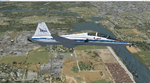
Version 2.0 covers landclass across the entire greater Houston area, with a large increase in LOD. This version significantly tightens up and improves the landclass from version 1.0, and adds a vast amount of scenery objects that brings the Bay Area-KEFD area into the modern era. This improves and adds a highly accurate runway 17 approach with accurate placement of buildings and scenery around the year 2011-modern day. In addition, includes several new files including a new airport/helipad via Houston Clear lake regional airport, T41 La Porte Municipal and surrounding shipping ports, Kemah Boardwalk, and a giant improvement to Johnson Space Center Houston. Rundway 35 and Runway 22 landclass is significantly increased, and more accurate as well. You can fly an accurate VFR approach or set up an ILS for any one of KEFD's runways with ease with this improvement.List of Version 2.0 additions and changes: - I added a ton of scenery objects and tightened up the landclass at Johnson Space Center Houston- NASA Control Center--- Added Talon Park with T38s (via static objects)--- Added Gemeni V rocket and 747 for the shuttle transporter--- And a whole bunch of vegetation, new buildings, and tour buses.- Added Kemah boardwalk and several boat docks- Removed a TON of highrise textures and replaced with medium and large city suburb landclass.- Added Clear Lake regional Hospital with helipad and surrounding scenery by Walter Reed Park- Added El Jardin or "Bayport Container port" with several scenery objects and significantly tightened up landclass.-- Looks great when setting up ILS approach for RWY 22- Tightened up Bay Area BLVD landclass, "adding" University of Houston Clear Lake"-- UHCL was semi already present, just made it more pronounced.- Made Red Bluff road landclass super recognizable!-- Red Bluff road is used to set up VFR approach and or field break for RWY 22 and RWY 17 R.----- Its common to see private jets and the USAF doing a break along Red Bluff road.- Added First Baptist Church, and water tower to Pasadena Convention center- Made Fairmont Parkway pronounced with landclass- Added Houston Port Authority at Morgan's Point--- Another Landmark for the RWY 22 ILS approach, NASA religiously uses this to line up the 10 mile ILS.- Tightened up landclass at Village Grove East and along Fairmont Parkway- Added a TON of scenery objects and landclass corrections for approach of RWY 17 L and 17 R.---- Added Home Depot, Lowes, Walmart Super center, Guitar center etc.---- added South Main Baptist Church--- Bondy Jr High, Turner Elementary, and Pasadena Memorial High School--- Added Saint Luke's Hospital--- Added Hampton Inn Suites and HCA rehab hospital--- Added a ton to the container facility behind best buy and storage facility--- Added smaller churches on RWY 17 approach--- Added a ton of scenery at the base of RWY 17 R, i.e., concrete plant, containers, trucks-- Added gas stations on the corner of beltway 8 and genoa red bluff-- Significantly changed and tightened up landclass at the base of RWY 22 and RWY 17 L and 17 R-- Made several roads and Beltway pronounced------ This decision looks AWESOME at night, really adds demarcation to the roads.**All of this makes the RWY 17 approach super recognizable** RWY 22 approach landclass is much more accurate.- Significantly changed and tightened up landclass near southbelt ellington and interstate 45.- Added Grace Church-- I wanted to do San Jacinto College south, but seemed over kill at that point.- SIGNIFICANTLY tightened up landclass for RWY 35 approach and near baybrook mall.-- Along I45- Added TDECU stadium at the University of Houston Main Campus---- So you can practice flybys for Cougar games!- Added the Battleship at San Jacinto Monument- I also "borrowed" T41 La Porte Municipal's tower camera to make a SWEET view of KEFD.- I included landclass for Sealy Texas this time, as well as my significant enhancements of Austin, Texas greater area as well (optional, but recommended!)---------------------------------------------------------------------------Version 1.0 originally added:- Added the Johnson Space Center Houston, which is now greatly enhanced and blended.- San Jacinto Community College-Central- Pasadena Convention Center- Pasadena Water Treatment Facility- NASA Bouncy Lab- Pasadena Shopping center, now greatly enhanced and blended.- Baybrook Mall and other shopping spots.- Significant Landclass improvements across the entire greater Houston Area File also includes landclass and scenery improvements for the greater Austin, Texas Area (optional), KIAH, KDWH, and Sealy, Texas. Each of these projects combined covers roughly 15,000 square miles of landclass improvement. Allowing you to fly entirely from Houston to Austin, or Houston to San Antonio in accurate landclass. -Enjoy!DJN
| Filename: | Version_20_KEFD_Ellington_2025_Refresh_FSX_Circa_2.zip |
| License: | Freeware |
| Added: | 12th October 2025, 16:15:47 |
| Downloads: | 66 |
| Author: | Dan Nelson |
| Size: | 277.28 MB |
| Category: Prepar3D V1-4 - Utilities | |
| Flightplan Visualizer 1.14 |
|
Images related to this file:
File Description:
Flightplan Visualizer (FV) version 1.14.0. Copyright 2018-2019 by Pelle F. S. Liljendal ([email protected]), all rights reserved.
FV comes with 629 pre-imported Commercial AI flightplans (+380 BizJet flightplans are available as a separate download). However you are able to import additional (AI) flightplans yourself. Once imported these (AI) flightplans can be visualized on a map-view, and the user will be able to search accross all these. Hence you can use the program as inspiration as to which routes to fly. E.g. you can search across all imported flightplans to find all flights in an A321 flying into/out from LDDU, or simply to look for all flights in a Boeing 747-8F.
Simply run the included installer to install the software. The program will be installed into "C:\Program Files (x86)\Flightplan Visualizer" and all datafiles will be installed into: "C:\Users\[UserName]\AppData\Roaming\FlightplanVisualizer". The program comes with a full manual explaining everything, and a 3 page quick manual to get you started. The first 3 times you run the program the quick manual will automatically open. The forum is hosted here: https://forum.aerosoft.com/index.php?/forum/919-flightplan-visualizer/
Version 1.14 Contains the following changes:
- Flightplan file-format was changed, to accommodate changes to the airline-data. In previous versions the airline ICAO-code had to be unique, hence not allowing old defunct airlines still remaining in the data-file when a new airline would be issued the same ICAO-code (now they can both exists, and many of the defunct have been marked as defunct).
- On start-up old flightplans in enabled folders will automatically be updated to the new format. If you have sub-folders containing additional flightplans, you should make sure these are enabled, in order to have these updated as well. Once they have been updated you can go ahead and disable these sub-folders again as you please.
- Its now possible to add user defined airlines, in case you want to add you own fictitious airlines (e.g. VA's) or you want to add airlines missing in the official data-files that I supply with the program (if this is the case, please notify me, so I can add these in the next release of the program).
- "Favorite aircraft" have been renamed into "Favorite aircraft-types", as it is the "types" of aircraft you mark. You don't mark a particular aircraft/cofiguration (like the PMDG B737-800 NGXu) as your favorite, but rather the "type" (B737-800). The file containing the (active) favorite aircraft-type selection was renamed as well (you don't have to do anything, the file is automatically renamed on start-up).
- Added a new Unit-Conversion form, letting the user convert units of: Speed, Lenght/Distance, Weight/Volume, Pressure and Temperature. The Weight/Volumne conversions is a bit special as it lets the user convert between weight (kg/lbs) and volume (liter/gal), thanks to a Fuel Density that defaults to 0.785, but can be changed by the user.
- All search-forms (seaching for airport, aircraft and airline) was changed to ignore whitespeaces (e.g. "airBaltic" vs. "air Baltic"), and ignore diacritics (e.g. "AerolÃnea" vs. "Aerolinea"), making it more easy to find what you are searching for in one go.
- The airline search-form will by default exclude airlines that have been marked as defunct. However a new "Include defunct" check-box have been added to the form, allowing you to include these (who am I to say you can not still use "Air Berlin", "Monarch" or "Thomas Cook" flightplans if you want to).
- Added 3 new columns to the airline search form showing commence/cease-date, and wheter or not the airline is "in use" (as carrier/operator by any of the active fligthplans).
- State is now by default excluded when using the airport search form, which make it a lot more convenient to find airports in the city of "New York". State can still be included in the search by choosing a different search-type using the combo-box in the upper/right corner.
- When Flightplan Visualizer needs for perform potentially lengthy operations it will spread the workload over the available cores of the CPU. However if you want to limit which cores it uses you can now set the affinity-mask in the settings form.
- The splash-screen shown when the program starts, and when reloading active flightplans was prevoiusly always shown on top (top-most), but if you find this anoying it can now be disabled in settings.
- Fixed: Warnings/errors regarding loading flightplans were only displayed at start-up. Now they are shown whenever all active flightplans are loaded (e.g. after having enabled a sub-folder).
- Data: The airline-data got a major update, and a bunch of new airlines were added, and the data for MANY others were updated. It is a manual process to update these, almost as funny to do as to watch paint dry ;-)
- Data: A few countries had a wrong- or no sub-region code, so these were fixed/updated. As usual, if any of you spot any erros, or missing data, please use the forum to notify me.
- Data: Additional info added to the aircraft-data (in preparation for some future plans).
- Flightplans: All flightplans bundled with the installer have been updated to the new file-format.
- Flightplans: Thanks to Ryan Carson (RCAI) for allowing me to bundle the installer with a few of his flightplans, so the installer comes with the very first winter 2019-2020 flightplan.
- Flightplans: The good people over at AIG (Alpha India Group) have been VERY busy since the last release, hence the installer comes with +130 new pre-imported flightplans, bringing the total to 629. This update concludes Summer 2019, and AIG already have the first Winter 2019/2020 flight-plans in beta-test.
Pelle
| Filename: | Flightplan_Visualizer_114.zip |
| License: | Freeware, limited distribution |
| Added: | 10th December 2019, 06:59:46 |
| Downloads: | 370 |
| Author: | Pelle Liljendal |
| Size: | 31.01 MB |
| Category: Microsoft Flight Simulator (2020) - Utilities | |
| Flightplan Visualizer 1.22 |
|
Images related to this file:
File Description:
Flightplan Visualizer (FV) version 1.22. Copyright 2018-2022 by Pelle F. S. Liljendal ([email protected]), all rights reserved.
FV comes with 1599 pre-imported AI flightplans (of which +726 are BizJet flightplans, the rest are commercial, government and military). However you are able to import additional (AI) flightplans yourself. Once imported these (AI) flightplans can be visualized on a map-view, and the user will be able to search accross all these. Hence you can use the program as inspiration as to which routes to fly. E.g. you can search across all imported flightplans to find all flights in an A321 flying into/out from LDDU, or simply to look for all flights in a Boeing 747-8F.
Simply run the included installer to install the software. The program will be installed into "C:\Program Files (x86)\Flightplan Visualizer" and all datafiles will be installed into: "C:\Users\[UserName]\AppData\Roaming\FlightplanVisualizer". The program comes with a full manual explaining everything, and a 3 page quick manual to get you started. The first 3 times you run the program the quick manual will automatically open. The forum is hosted here: https://forum.aerosoft.com/index.php?/forum/919-flightplan-visualizer/
Version 1.22 Contains the following changes:
- I had initially added a feature to download AIG airline-logos, however a later change in AIG's server setup rendered this feature useless. In stead you can now specify the local folder holding AIG's airline logo's (if/when you are using AIG AIM on your computer for AI-traffic). If specified, airline-logo's will be obtained from this folder.
- On the same note, I had to remove the menu-item to download AIG flightplans, as this program no longer have directly access to the AIG servers. For the same reason the menu-item to access the index with flightplans (up to summer 2021) was re-enabled.
- In the past when opening the Airport-Info form it defaulted to show in-/out-going traffic for the selected flightplan or active leg-search only. Now there is a new setting where you can set it up to in stead default to showing all traffic in/out of the airport (the Airport-info form still contains a combobox where you maually can choose what to see).
- "Owned aircraft" was renamed into "Simulator-aircraft", as these are the (flyable) aircraft you have available within your simulator of choise.
- When choosing to use calculated flight-times in a leg-search, you can now specify a percentage-difference (between leg-time and calculated-time). Only when the difference between leg-time and calculated-time exceeds this specified value will the calculated time be used during leg-search (e.g. "only use calc-times if diff. exceeds 50%, otherwise use leg-times").
- Began using (aircraft) short-names many places where the program in the past used IATA/ICAO-code (e.g. when hovering the mouse over a route, or list of aircraft servicing specific airports when editing flightplans). Also added short-name columns to aircraft browser and when choosing favorites (these stil contains columns for IATA/ICAO-codes).
- Pressing the "Usage" button when editing/viewing an aircraft-type or right-clicking an aircraft-type in the browser and choosing "View usage-report..." from the context menu, you will be shown a report that inform you how that aircraft-type is used: which simulator-aircraft are based on that type, which owned aircraft that have been marked as substitute for that type, which airlines are using that type (as carrier/operator), and finally in which (active) flightplans that type is used.
- Items in airline-browser are now by default sorted by (airline) name, and the usage-column shows the size of the airline if its in use. If available a logo for the selected airline is displayed in the upper/right corner.
- Improved performance when searching for ICAO-codes in the airport-browser. Also improved priority of the default selected item, in cases when an airport had a 3 letter ICAO-code, and another was using the same 3 leters for its IATA code.
- When searching for ICAO/IATA-codes in the airline-browser, it will now prioritize non-defunct airlines, if multiple airlines share the same ICAO/IATA-code.
- When enabling/disabling flightplans, you can now select all BizJet flightplans (those prefixed with "Bz_"), all Military (prefixed with "Ml_") or all Goverment (prefixed with "Gv_").
- Individual FP sub-folders can now be setup to leave (not move) defunct- and/or obsolete FP, even if the settings to automatic move these to the disabled folder is set.
- Performing "Search legs" you can now filter on aircrafts you are allowed to fly via type-ratings ("Must be type-rated").
- Performing a substitute of a user-airline, that airline will remain selected (previously the list scrolled to the top, and selected the 1st item).
- Added new check-box to "Search legs" that can exclude round-trips (legs taking-off and landing at same airport).
- Airline/Aircraft-repaint -filter can now filter on size of airline (e.g. "size=major"). Size is determined from usage as carrier/operator in active flightplans. Airlines not in use by active flightplans are listed with a size of "unknown").
- Added GPS-conversion (deg deg,min,sec) to the conversion-form, as requested by a colleague. You can either manually enter lat/lon or look-up an airport to get it. There is both a primary lat/lon and a secondary, and the form will show the (GC)distance between these and the initial/final course.
- Added new "Max airport-distance" for airport-redirections. At the same time added new feature when importing/editing airports to permanent change an airport. If used, it is not saved/handled as a redirection (can't be restored) but rather as a perpament change.
- Reordered- and renamed some of the tab-pages in the Airport-info form.
- Reordered the length/distance-fields in the unit-conversion form.
- The Wind-calculator have been removed from the main-menu, in stead wind-calcuations can now be performed using the unit-conversion form. Also now the speed of the wind is always displayed as a positive value, and in stead the label will either say "Head-wind" or "Tail-wind".
- Added new "Country list" menu-item in the misc-menu. Will list all countries twice (sorted by names, and sorted by ISO3-codes).
- Showing airport-marker tool-tips on the main-map is now prioritized over showing route tool-tips.
- Added "Min take-off fuel ("MTFL") field to user-aircraft weight-fields. As of now its not set for any aircraft in the database, however it can be estimated as 60 minutes of flight at cruise.
- Moved several group-boxes of the settings-form to the 2nd tab-page, and added new fields for defalt simulator/logging-environment based on the File-prefix used when starting the program.
- Also now the header-names that was previous fixed to "Rank" and "Traffic-density" can be changed, so the selectable 6 values can be used for something entirely different, if anyone have the need for this. If/when changed, these new names are shown when editing an airport, or when performing a leg-search (as the leg-search can filter on these fields).
- MakeRunways (MkRwy) by Pete Dowson is challenged handling unicode in the scenery it scans/writes to XML. E.g. the Icelandic airport (BIFL) "Flúðir Airport" is exported by MkRwy as "Flúðir Airport". In this version FV will try to identify when this happens, and then it will fall back using the airport/city-names from the databases bundled with FV. This is not a perfect solution, but at least it improves the result.
- Various minor changes and tweaks to multiple forms (e.g. Unit conversion form can now be closed with ESC, renamed log-archives and so on).
- Fixed: If the main-form had an active flightplan filter when using the search-legs feature the flightplan combo-box still only contained the filtered context. Pressing the Clear button did not resolve the issue.
- Fixed: Since adding support for the AIGFP file-format, there could be flights departing from- and arriving at the same airport (e.g. helicopter flights). In previous versions the calculated flights-time would only consist of taxi-out/in times. In this version the flightplan leg-time will now also be uses for the calculated time, when the same airport is used both for departure and destination.
- Fixed: In some cases re-processing flightplans (resetting and performing redirection) could corrupt the flightplans and remove airport-data from the flightplans. This version will also try to add any missing airport-data to flightplans when re-processing them.
- Fixed: Selecting "only show favorites" in the Search aircraft-type form would filter out all aircraft (including those marked as favories).
- Fixed: In the leg-info form the fields to show times (Out, Off, On, In) were too narrow for multi-week flights, when showing the week-number (e.g. "TH7/14:37").
- Fixed: Issues when estimating cruise/taxi fuel-burn for user-aircraft, where in some cases some fields were not saved, and wrong calcuation if setup to show weight in Kg.
- Fixed: In some cases wrong TimeZone was used when calculating local time for OUT, OFF, ON, IN-times.
- Data: The airport redirection file ("UserAirportRedirect.xml") in the UserData folder have been updated to match the latest MSFS world update. However this new file is only installed by the installer if it does not already exists (in case you made your own changes), hence you need to delete this file manually prior to running the version 1.22 installer.
- Data: Quite a few airports in the airport-database were updated (had wrong names due to issues with unicode-letters). Also some additional airports were added.
- Data: The installer comes bundled with +300 airline-logos (optional install), and a separat package of +1400 airline-logos are avilable for download from AVSIM (in both cases these are encoded into a propriotary format using the ".CAL" extension).
- Data: Added the P2F (Passenger-to-Freighter) versions of the Airbus A320, A321 and A330. Also added the package freighter versions of CRJ100 and CRJ200.
- Data: Improved detection of Boeing 737-700/800 BCF/BDSF when importing flightplans utilizing these (passenger aircraft converted into freighters). Also improved a few other freighter detections.
- Data: Changed a few (aircraft) short-names to either shorten them a bit, or make them "more readable".
- Flightplans: All new/updated flightplans have been added to the installer, and all obsolete/defunct have been marked/removed. A total of 1599 active flightplans are bundled with the installer.
| Filename: | Flightplan_Visualizer_122.zip |
| License: | Freeware, limited distribution |
| Added: | 18th October 2022, 23:31:28 |
| Downloads: | 391 |
| Author: | Pelle Liljendal |
| Size: | 45.57 MB |


© 2001-2026 AVSIM Online
All Rights Reserved
Privacy Policy |