
Where Flight Simulation Enthusiasts Gather from Around the World!
AVSIM Library - Search Results

| Category: Prepar3D V1-4 - Aircraft Repaints, Textures and Modifications | |
| Douglas C-54 (VH-PAF) Pacific Air Freighters |

|
Images related to this file:
File Description:
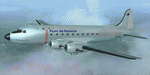
This folder contains a repaint for the Douglas C-54 / DC-4 by Flight Replicas. It shows Douglas DC-4 VH-PAF in the colors of Pacific Air Freighters.
VH-Paf was originally delivered new to the USAAF as 44-9126 on May 14, 1945. It transferred to the USAF in 1947 and was Withdrawn from service and stored at Davis Montahan, Arizona - December 1971. She was sold to Dross Metals in 1975 and entered onto the United States Aircraft Register as N9013V.She then flew for several companies in the US until she was seized by Bahamas authorities for alleged smuggling activities in April 1981. She was sold again, among others flying for Lynch Air Tankers Inc, Billings, Montana between 1984 and 1995 as 'City of Billings'.
She then went to Australia with Pacific Air Freighters Pty Ltd, arriving in Cairns on completion of the ferry flight to Australia in June 1995.
The ferry route was Chino - Hilo - Majuro - Honiara - Cairns, the first leg of this ferry flight took 14 hours. On arrival at Majuro some problems associated with Number 2 engine were worked on before departing for Honiara. During this leg Number 2 engine began to play up so it was shut down in flight. As the problem could not be rectified it was decided to carry on to Cairns as planned on three engines. She was ferried Cairns - Brisbane (Archerfield) on three engines in june 1995 and entered onto the Australian Aircraft Register as VH-PAF on January 31, 1996
She commenced long term contract with Goroka Air Service, Papua New Guinea - October 14, 1996. Returned to Brisbane after 3 months and placed in open storage and sold at auction to Airfreighters International P/L - May 22, 1997. Services were flown under the name of Pacific Air Freighters. Chartered by Ansett Australia Cargo for service Brisbane - Darwin - September 15, 2000. She was then sold to Historical Aviation Restoration Society Inc and ferried to Brisbane - Albion Park Regional Airport, where she was reregistered as VH-EAY - June 23, 2008. At present, she is undergoing complete overhaul for return to airworthy condition.
A repaint by Jan Kees Blom, based on the paintkit by Flight Replicas.
| Filename: | Douglas_C54_VHPAF_Pacific_Air_Freighters.zip |
| License: | Freeware |
| Added: | 28th November 2019, 23:21:36 |
| Downloads: | 101 |
| Author: | Jan Kees Blom |
| Size: | 58.97 MB |
| Category: Flight Simulator X - Scenery | |
| "Your Own Sea Port"..Part II of "Your Own" |
|
File Description:
This scenery is Part II of "Your Own" Series. The first one is "Your own AirPort"....
slowly but surely a community is being born!!!!!!...what do you get with YOSP??
--
"YO Airport" has contracted the " Marching Band and Construction Ltd" to construct the " YO-Seaport" near the rich Oil Fields of the coast. MBC Ltd, has thus proceeded full blast on this major important Sea Port which will give traffic to YO Airport and sorroundings.....Now planes will fly on rigid schedules between these two airfields......
later YO-Hill Airfields(Part III) will come along in the mountains in small lakes and Sea Stops...or small seaplane destinations....for more Fun and activities!!!!
What does "Your Own Sea Port" has for you.....?and what can you do there??
1) Two Airfields, one grass for small private planes and one Concrete for Commercial traffic ( new technique so it won´t be "sunk" with whatever mesh you have!!!) ...........+ Floatplane Base!!!
2) Helicopter Pad at the Port Hospital...(lighted)
3) Rescue Sailors at burning ship!!!!---(ship sinking fast!!)...take them to the Port´s Hospital.
4) Check moving traffic with any chopper.( There is a red corvette which must be checked with some women driving too fast!!!)
5) Participate in:
Road Race ( Need a car!!)...Prices galore!!!
Boat Race around Red Bull Pylons (need a Boat!!)...RedBull guys left them here for good!!!
Fly a Race at the same Pylons...(Really Hard!!!!)
6) Fly Tourists to Fishing Lake where Bass Abounds..(Need Floatplane).
8) Fly with your Navy Patrol plane and check on some "Strange Submarine
taking pictures of the port"...if necessary blow it to smitherins!!!!!!!
9) Open a New Airline....YO Air Service Inc...
10) Fly around and take pictures.
11) Take executives to the Oil Facilities in the Interior (EpisodeIII)...
or just fly around with your gal, wife or hummmm, hummmm.............or go fly under its three bridges!!!!!
12) Take passenger from the "Float Plane" Airpark, near the hospital, to lakes and rivers. The Mayor of YOSP will be giving the "city Keys" to all Pilots
who makes four consecutive loops in a helicopter on Sunday at 11:42:45.
| Filename: | Your_Own_Sea_PortPart_II_of_Your_Own.zip |
| License: | Freeware, limited distribution |
| Added: | 28th November 2008, 15:48:14 |
| Downloads: | 1,513 |
| Author: | Gera Godoy Canova |
| Size: | 900.13 KB |
| Category: Flight Simulator 2004 - Scenery | |
| Anticosti Island in Quebec Canada |
|
Images related to this file:
File Description:
Anticosti Island is in the Gulf of St Lawrence, around 25 miles off the Quebec mainland coast. It is some 40 miles wide and 130 miles long on an east west axis. There are few urban areas and only one that can be described as a small town, namely Port Menier at the western end of the southern coast, with a population of under 1,000. There is a ferry service to the harbour.
The airport, Port Menier CYPN, is around 3 miles northeast of the town, with an asphalt runway aligned 11-28, 4,875 feet long and 150 feet wide with PAPI at each end. In 2010 (the approximate date of this scenery) a gravel runway was still visible at the eastern end of the field. This was no longer in use by 2010, except perhaps by small planes on skis in the winter.
The island, with its small population, small urban area, and no industry other than logging, has as a result a mainly undisturbed wildlife population. This has made deer hunting and fishing the main tourist activities, with one company (called Safari) having an exclusive licence to exploit large areas of mountains and rivers. Planeloads of hunters and fishermen are flown in on chartered Nolinor Aviation planes, landing at CYPN. There are a further two airfields in the eastern end of the island, and in 2010 Rivere-Aux-Saumons CTH7 had a 5,500 feet gravel runway, linked by road to a lodge area at the mouth of the river. This is the only lodge area that I have been able to locate, but there are others. To the south Riviere Bell CRB5 had at that time a gravel runway that was 3,000 feet long. This has been lengthened since then and both runways were recently (2021) asphalted.
If you find an error email me please, and note that my email address has been changed to rogwens at Gmail dot com. The reason I am posting this now is that I discovered that my original post ended up in MSFS Original Aircraft instead of in FS2004 Scenery. Ooops!
| Filename: | Anticosti_Island_in_Quebec_Canada.zip |
| License: | Freeware, limited distribution |
| Added: | 28th January 2022, 17:39:46 |
| Downloads: | 121 |
| Author: | Roger Wensley |
| Size: | 11.78 MB |
| Category: Flight Simulator X - Original Aircraft | |
| Grumman "Turbo" Goose for FSX |
|
Images related to this file:
File Description:
FSX version that modifies default or OzX Redux Grumman G21A Goose into a G21G turbine-powered Goose. It is a "revised" model built with GMax and FSDS based on the default FSX Grumman Goose model file and adds a completely new aircraft to your simobjects folder. That said, you must have either the default flyable FSX Grumman G21 Goose (FSX Deluxe or higher) or the OzX Grumman Goose G21a Redux HP model installed for this modification to work. I do not know if it will work in the FSX-SE version, but I believe it will. Nor do I know if it will work in any version of P3D. All I can suggest is try. This download “accesses†your existing Goose texture folders to turn that Goose into a Turbine Goose. It does not modify your existing Piston Goose install, so you will have the Piston Goose as flyable options. It only uses the default files to generate the visual display of the texture in the Turbo Goose. I did this to avoid any perceived or potential copyright violations. They will not work on any other version of the Grumman G21A Goose and will not make the AI Goose that comes with FSX Standard a flyable aircraft. The Turbine Goose has 2 680hp P&W PT6A-27 turboprop engines to replace the Wasp R-985 radials and seats 9 passengers and the pilot. The payload and aircraft weight is almost double that of the piston-powered Goose and has an 800 to 1,000 nm range, burning JetA instead of 100LL. The constant speed 3-blade propellers have reverse pitch and give the Turbo Goose a 2,000 fpm climb and 200+ knot cruise airspeed. This is my first attempt at aircraft modeling with GMax, so it is not a "payware" quality model, but I have flown it over 2,000 miles in FSX and enjoyed every minute of it. Uses a modified FDE and airfile by permission from Pam Brooker, default FSX Kingair 350 turbine gauges, and either the default FSX Kingair 350 sound file or the incredibly great sounding TPE331 sound file by Alex Jorda.
| Filename: | Grumman_Turbo_Goose_for_FSX.zip |
| License: | Freeware |
| Added: | 28th October 2018, 02:04:47 |
| Downloads: | 1,399 |
| Author: | Randy Tyndall |
| Size: | 95.03 MB |
| Category: Flight Simulator X - AFCAD Files | |
| Smith Graphics Year of 2008 Compilation Package |
|
File Description:
This package contains every AFCAD produced by Smith Graphics during the Year of 2008. There are 284 AFCADS, and the list is as follows:
1A3, HI36, KABY, KACJ, KAGS, KAIK, KAIV, KAJR, KAKH, KALX, KAMG, KANB, KAND, KAPF, KARG, KASG, KASJ, KASN, KAUO, KAVL, KAWM, KAYS, KAZE, KBBP, KBCT, KBDG, KBFM, KBFR, KBGE, KBGF, KBHC, KBNL, KBPK, KBQK, KBTR, KBVX, KBXG, KBYH, KCCO, KCDH, KCDN, KCEU, KCKF, KCKI, KCLW, KCRE, KCRT, KCSG, KCTJ, KCTZ, KCUB, KCVK, KCWS, KCWV, KCXU, KCZL, KDBN, KDCU, KDED, KDEQ, KDHN, KDKX, KDLC, KDNL, KDNN, KDPL, KDQH, KDTS, KDYB, KDYR, KEDE, KEDN, KEET, KEHO, KEKY, KELD, KEQY, KETC, KEUF, KEWN, KEYF, KEYW. KFDW, KEZM, KFAY, KFCY, KFFL, KFLO, KFLP, KFMY, KFPR, KFQD, KFSM, KFYE, KFYM, KFYV, KFZG, KGAD, KGCY, KGGE, KGHM, KGIF, KGKT, KGMU, KGNF, KGRD, KGTR, KGWO, KGYH, KGZD, KGZS, KHAB, KHBG, KHBI, KHBZ, KHDI, KHEE, KHEG, KHEZ, KHKA, KHKS, KHNZ, KHOE, KHOT, KHQU, KHRJ, KHRO, KHSA, KHSE, KHSV, KHVS, KHWO, KHXD, KHYW, KHZD, KIDL, KIIY, KIMM, KIPJ, KISM, KISO, KJAU, KJAX, KJBR, KJES, KJFX, KJKA, KJNX, KJQF, KJWN, KJYL, KJZI, KJZP, KLBB, KLCQ, KLGC, KLHZ, KLKR, KLLQ, KLMS, KLNA, KLQK, KLUG, KLUL, KLZU, KMAC, KMAI, KMAO, KMBO, KMBT, KMCB, KMCN, KMDQ, KMEI, KMEZ, KMGM, KMGR, KMHP, KMJD, KMKL, KMLB, KMLJ, KMMS, KMNI, KMNV, KMOB, KMPJ, KMQW, KMRH, KMRN, KMSL, KMVC, KMWK, KMXA, KMYR, KOAJ, KOGB, KOKZ, KOLV, KONX, KOPN, KOSX, KPBF, KPFN, KPGD, KPGR, KPGV, KPHH, KPHT, KPIB, KPIE. KPNS, KPIM, KPMU, KPMZ, KPQL, KPRN, KPXE, KPYG, KRHP, KRMG, KRNV, KROG, KRUE, KRUQ, KRVJ, KRVN, KRYY, KSCD, KSEA, KSEM, KSGF, KSGJ, KSLK, KSMS, KSNH, KSPA, KSRB, KSRC, KSRQ, KSSI, KSTF, KSUT, KSYI, KSYV, KSZY, KTBR, KTCL, KTDF, KTGC, KTHA, KTLH, KTMA, KTOC, KTOI, KTRI, KTTA, KTUP, KTVI, KTXK, KUBS, KUDG, KUOS, KUOX, KUTA, KUZA, KVBT, KVDI, KVNS, KVNY, KVPC, KVPS, KWDR KAGO, KXNA. FAQ, NSTU, ZO8
This includes all the AFCADs released during the month of December 2008 as well.
Note that Smith Graphics was only in operation for the last 3 months of this year, next year there will be a full years worth of AFCADs! (I predict upwards of 1000 AFCADs!)
Happy New Year!!
| Filename: | Smith_Graphics_Year_of_2008_Compilation_Package.zip |
| License: | Freeware |
| Added: | 1st January 2009, 12:43:41 |
| Downloads: | 3,161 |
| Author: | Dakota Smith / Smith Graphics |
| Size: | 1.41 MB |
| Category: Prepar3D V1-4 - Utilities | |
| Flightplan Visualizer 1.15 |
|
Images related to this file:
File Description:
Flightplan Visualizer (FV) version 1.15.0. Copyright 2018-2020 by Pelle F. S. Liljendal ([email protected]), all rights reserved.
FV comes with 738 pre-imported Commercial AI flightplans (+380 BizJet flightplans are available as a separate download). However you are able to import additional (AI) flightplans yourself. Once imported these (AI) flightplans can be visualized on a map-view, and the user will be able to search accross all these. Hence you can use the program as inspiration as to which routes to fly. E.g. you can search across all imported flightplans to find all flights in an A321 flying into/out from LDDU, or simply to look for all flights in a Boeing 747-8F.
Simply run the included installer to install the software. The program will be installed into "C:\Program Files (x86)\Flightplan Visualizer" and all datafiles will be installed into: "C:\Users\[UserName]\AppData\Roaming\FlightplanVisualizer". The program comes with a full manual explaining everything, and a 3 page quick manual to get you started. The first 3 times you run the program the quick manual will automatically open. The forum is hosted here: https://forum.aerosoft.com/index.php?/forum/919-flightplan-visualizer/
Version 1.15 Contains the following changes:
- As a first, you can now import flightplans even if one or more aircraft-types cannot be automatically detected during import. These will instead be assigned to a dummy-type during import, however you need to manually assign substitute aircraft-type(s) before being able to save the imported flightplan. If/when the program gets support for the aircraft-type(s) that were missing during import, the substitute aircraft-types can either be re-detected manually or by using the "Re-process aircraft/airport-redirects" menu-item.
- Added a combo-box that can be used to filter the flightplans that are shown in the flightplan combo-box on the main-form (e.g. enter "west" to see only flightplans containing "west" in the name). Hovering the mouse over this new filter combo-box will show examples of the more complex filters (e.g. filter by provider, author, season, year, and so on).
- In version 1.14 user-airlines were added, and these could be accessed via a menu-item on the main-form. However in version 1.15 you can now also add user-airlines from the import-flightplan form, so you don't have to abort a pending import, and go to the main form in case you find you are missing a user-airline.
- Added MRU-lists (Most Recent Used) to the browser-forms used to search for: Airport, Aircraft and Airline. The text-edit in the top of these forms have been replaced by a combo-box holding up to 20 items (in chronological order, with the most recent at the top).
- Added a new chart to the Airport Info form showing: "Daily flights per international/domestic/same state".
- Added Utilization-pct to the fleet report (both total for the entire fleet, and per aircraft). The Utilization-pct is also visible for the displayed schedule (for a single aircraft) in the Leg-Info form. This value tells the pct of time the aircraft spends servicing the schedule (the remaining time the aircraft "sits at the gate", including the time spend loading/unloading passenger and cargo, loading fuel, being serviced by ground-crew and what not).
- On the main-form, renamed menu-item "Re-process airport-redirects" into "Re-process flightplans".
- Distance from selected airport to mouse-position on main-map moved from the bottom of the form to the upper/right-corner of the form (where info of selected airport is listed).
- Using the (right-click) context-menu on the main-form airports can now be toggled (on/off) as being favorites.
- A few minor changes were made to the default leg search criteria. If you have saved your own default, you should go to the leg search form, press-and-hold SHIFT while clicking the "Reset" button (to reset to "factory default"), then set the criteria to your perferences, and finally press the "Save Reset" button to re-save your preferences.
- Added MRU-list (Most Recent Used) to fuel-density combo-box on Unit Conversion form. If empty, the list will be preloaded with the values 0.7850 (old default), 0.8040 (often used as a standard for Jet-A), 0.8200 (often used as a standard for Jet-A1). The user is still able to enter another value.
- The values used in the unit-conversion form are saved with the settings file, so each time you open the form will contain the values entered last time you used the form.
- Tweaked the method for calculated flight-time. In previous version the same parameters were used for calculating flight-time for all flights. Now these parameters are dependant on distance, resulting in calculated flight times that are closer to those used in the flight-plans (based on statistic-data from +700.000 AI flights).
- Some of the aircraft have been marked as "Retro", and in settings you can choose to exclude the "Retro" (they are enabled by default).
- Improved (Boeing) aircraft-type detection when importing flightplans using non-standard naming, such as "B744F" in stead of "747-400F" or "B736" in stead of "737-600".
- Updated all libraries in use to the latest versions, and addressed some minor issues with the map.
- Fixed: Newer versions of MyRwy are outputting airport elevation as a floating point value (e.g. "629.92") whereas older versions were outputting it as an integer value (e.g. "630"). In previous versions of FV the floating point value "629.92" was wrongly read as an elevation of 62992 ft. The program can now both handle floating point and integer values, hence can be used with both old- and new versions of MkRwy.
- Fixed: When adding new user-airlines in version 1.14, callsign was being set to the name of the airline, in stead of the entered callsign. If you added any user-airlines in version 1.14, you should edit these with version 1.15, and set the callsigns again.
- Fixed: If a Leg search was active (combo-box in bottom of main-form showing "[Last Search]") and all flightplans were disabled in "Enable/Disable -flightplans" the program would shut-down with an exception.
- Fixed: The list of the airline-codes (gate-tab on Airline-Info form) started with a comma, however comma should only be used to separate the items when multiple airline-codes were associated with the same gate (3rd party scenery only).
- Fixed: In some cases the cruise-speed was not shown correctly in the Aircraft search form.
- Fixed: Some of the menu-items for launching the (YouTube) tutorial-videos were missing the tool-tip text ("Hold SHIFT to copy url to clipboard").
- Fixed: About-box can now be closed with ESC, like most other forms.
- Fixed: potential issue reading xml-data, perhaps with a the benefit of a slightly better performance.
- Data: Added support for flightplans using "retro" aircraft types such as: Aerospatiale SE-210 Caravelle, British Aerosapce ATP/BAC One Eleven, Concorde, DC-3, DC-4, DC-6, DC-8, De Havilland Comet, Fokker F28, Hawker Siddeley HS 121 Trident, Ilyushin Il-18/20/22/24/86, Lockheed Constellation/L-188 Electra, Shorts SC-5, Tupolev TU-134, Vickers VC10/Viscount, and thanks to user Aucery Lockheed 1011.
- Data: Support for additional aircraft-types added as well: BN-2A Trislander, CASA C-212/C-235, CubCrafters XCub, DHC-2 Beaver/Turbo-Beaver, DHC-3 Otter, DHC-5 Buffalo, Diamond DA-42/62, Extra EA-300, Honda HA-420, ICON A5, NAMC YS-11, Mooney, Mudry CAP 10, Pilatus PC-6/PC-24, Piper Cub/Super Cub, Robin DR-300/400, Shorts SC-7, Tecnam P2012/P2006T
- Data: Some of the aircraft-types, for which multiple ICAO/IATA-codes exists, were split into two (one for Pax and one for Freight), e.g. Convair 580, DC-9-10/30/40, and Il-96. As a result you should execute "Re-process flightplans" (found in the "Flightplan" menu), and "Re-detect all" aircraft.
- Data: A few missing aircraft IATA/ICAO codes were added, and some "behind the screen" data for multiple aircraft were updated as well.
- Data: A few Airlines were added/updated (a big THANK YOU to Bruce Nicholson for the assistance keeping these data up-to-date).
- Flightplans: The good people over at AIG (Alpha India Group) have once again been VERY busy since the last release, hence the installer comes with 298 new/updated pre-imported flightplans, bringing the total of flightplans bundled with the installer to 738.
- Flightplans: A few flightplans were bundled with the program in duplicates (2 slightly different names, or 2 different seasons). These duplicates have been marked as obsolete, and have been removed from the installer. Using the "Select all obsolete flightplans" menu-item in "Enable/disable-flightplans" you can mark these flightplans and move them to the "Disabled" folder, from where they can be deleted.
Pelle
| Filename: | Flightplan_Visualizer_115.zip |
| License: | Freeware, limited distribution |
| Added: | 20th March 2020, 17:08:52 |
| Downloads: | 378 |
| Author: | Pelle Liljendal |
| Size: | 28.9 MB |
| Category: Prepar3D V1-4 - Utilities | |
| Flightplan Visualizer 1.10 |
|
Images related to this file:
File Description:
Flightplan Visualizer (FV) version 1.10.0. Copyright 2018-2019 by Pelle F. S. Liljendal ([email protected]), all rights reserved.
FV comes with 300 Commercial-, and +380 BizJet AI pre-imported flightplans which the creators of those flightplans have gracefully allowed me to include with the installer, however you are able to import additional (AI) flightplans if you want to. Once imported these (AI) flightplans can be visualized on a map-view, and the user will be able to search accross all these. Hence you can use the program as inspiration as to which routes to fly. E.g. you can search across all imported flightplans to find all flights in an A321 flying into/out from LDDU, or simply to look for all flights in a Boeing 747-8F.
Simply run the included installer to install the software. The program will be installed into "C:\Program Files (x86)\Flightplan Visualizer" and all datafiles will be installed into: "C:\Users\[UserName]\AppData\Roaming\FlightplanVisualizer". The program comes with a full manual explaining everything, and a 3 page quick manual to get you started. The first 3 times you run the program the quick manual will automatically open. The forum is hosted here: https://forum.aerosoft.com/index.php?/forum/919-flightplan-visualizer/
Version 1.10 Contains the following changes: In the flightplan combo-box at the bottom of the main-form, "Active Search" have been renamed into "Last Search". Picking "Last Search" from the flightplan combo-box, will re-execute the last performed search, and populate the map accordingly. A new entry called "None", have been added flightplan combo-box (at the top of the list). Chosing this item will "deselect" the otherwise current search or selected flightplan, and clear the map of routes. A form have been added to assist enabling/disabling flightplans. Gate-letters/numbers are now by default written using a (5x7) Matrix-"font". If you want to revert to the segment-"font", used in previous versions, simply set the value of the "UseMatrixGateChars" tag in the settings-file to false. changed how the Gate-letters/numbers are written in the round gate-markers on the map. Previously all "chars" had the same width. Now the width is dependant on which sub-elements are in use by each "char" (e.g. a "1" is not as wide as an "8"), as a result the gate letter/number are more easy to read. Zulu- and local-time added to the "Selected airport" group-box in the upper/right corner of the main form. If no airport is selected, or no time-zone is registred for the selected airport, only zulu-time will be displayed. Selections of favorite aircraft can now be saved and loaded.⦠This selection of aircraft can be loaded as a selection of aircraft in the "Search leg" form. Video tutorials can now be accessed from the "Help" menu. These are simply "links" to the actual videos on YouTube, hence will launch the default browser. If you hold SHIFT the url will in stead be copied to the clipboard (e.g. in case you want to upen the link in another browser). In the same manner the "Help" menu now contains a link to the forum. The form with decoded METAR/TAF-messages now shows: name, city, and country/state for the selected station in the caption. This text will also be embedded when copying the content to the clipboard. Likewise UTC/Local-time is also embedded when copying the content to the clipboard as it can be used to show the "age" of the report and convert between UTC and Local -times (based on the difference of UTC- and local-time). The info presented when pressing the "Show Scenery Gates" button on the Airport Info form, can now be copied to the clipboard. Various minor "behind the scenes" changes and optimizations. Added support for additional aircraft: Airbus A220-100 (CS100), Airbus A220-300 (CS300), Boeing 777-8 and Boeing 777-9. Listviews containing both (aircraft) IATA and ICAO-codes now all list them in the following order: IATA, ICAO (both individual sortable). Hovering the mouse over gate-markers the hint window will no show the radius both in meters and feet. Editing gate-info you will now see more info for the gate being edited: Type, Size (meters and feet) and if applicable: airlines. Fixed: Minor bug in relation to how the airport size was calculated. Fixed: IATA/ICAO columns were swapped when choosing Favorite Aircraft. Fixed: Typo on the METAR/TAF-decoder form.
| Filename: | Flightplan_Visualizer_110.zip |
| License: | Freeware, limited distribution |
| Added: | 5th June 2019, 21:20:51 |
| Downloads: | 319 |
| Author: | Pelle Liljendal |
| Size: | 24.81 MB |
| Category: Miscellaneous Files - General Utilities | |
| CONCORDE PERFORMANCE SYSTEM NEW GENERATION |
|
File Description:
CONCORDE PERFORMANCE SYSTEM
NEW GENERATION
CPS-NG (Concorde Performance System New Generation) is the successor to CPS-X, the essential flight preparation utility created in 2011
and discontinued in 2018.
Since the end of its development, still present on AVSIM despite a large number of unavailable functions, it has been downloaded more
than 3000 times.
This new CPS opus will satisfy the most demanding Concorde simulation enthusiasts.
CPS-NG now makes it possible to plan Concorde flights with the following simulators:
- FsLabs Concorde X for FSX, and P3D up to version 3.
- Colimata Concorde FXP for X-Plane and Gaston Reif's beautiful mod, Heritage Concorde Avionics Package.
With these simulators, CPS-NG can export waypoints to INS, payload and fuel to aircraft.
Like its illustrious predecessors, CPS-NG uses authentic Air France data and charts.
It offers a map of the flight including the navigation points, the points to protect from the supersonic bang, on departure and on
arriva.
The flight preparation stages are done in a user-friendly way.
the subsonic steps are configurable, the anti-noise procedures are calculated as in reality. The aircraft loading is modifiable by
the user in order to obtain the ideal centering.
The fuel is calculated as in reality and its distribution in the 11 tanks of Concorde complies with the filling law of Air France and
British Airways.
CPS-NG like its previous version also offers the user a flight report in the form of a PDF document which contains all the elements
necessary for the preparation of the aircraft.
it also offers Concorde-specific settings such as
- Initial climb angle.
- Time to anti noise procedure.
- Throttle levers angle during anti noise procedure.
- Fuel flow.
- Maximum pressure in P7 compressor.
- Trim adjustment and everything a pilot and flight engineer could want for a perfect flight.
CPS-NG also offers in the flight report, Take-off and landing forms in accordance with the real documents and the user has the choice
between the Air France form and the British Airways one.
Finally, CPS-NG allows the use of real-time weather from NOAA, personalized weather or the one generated by Active Sky 2016,
Active Sky for P3D and Active Sky for X-Plane 11 or 12.
In summary, here you have the ultimate tool for Concorde simulation.
NOTE: The manual curently in writing, thanks for your patience.
You dreamed it, we did it!
Break the sound barrier.
| Filename: | CONCORDE_PERFORMANCE_SYSTEM_NEW_GENERATION.zip |
| License: | Freeware, limited distribution |
| Added: | 20th July 2023, 05:20:23 |
| Downloads: | 130 |
| Author: | Pierre Chassang |
| Size: | 19.49 MB |
| Category: Flight Simulator X - Original Aircraft | |
| Eurocopter EC-505 Tiger |
|
File Description:
TIGER HAP
The Tiger HAP/HCP (Helicoptere d'Appui Protection / Helicopter for Close Protection) is a medium-weight air-to-air combat and fire support helicopter built for the French Army. The Tiger HAP is an air-to-air combat and fire support medium-weight (6 tonnes) helicopter fitted with 2 MTR 390 engines. It is daytime and night combat capable and is operable in NBC environments. Three basic parameters were taken into account right from the start of the development phase: low (visual, radar and infrared) detectability, which provides excellent survivability on the battlefield, maximum efficiency of the weapons and the associated fire control systems without heavier workload for the crew, and an optimized logistic concept offering minimum possession costs. The Tiger HAP is fitted with a 30-mm gun turret; 68-mm submunition rokets, and air-to-air Mistral missiles. It also features a firing sight with 3 sensors: infrared, TV camera and direct optical channel. The complete avionics suite includes multi-purpose color displays and radar/laser warning receivers.
TIGER UHT
The UHT (from Unterstützungshubschrauber Tiger; Ger. supporting helicopter Tiger) is a medium-weight multi-role fire support helicopter built for the Bundeswehr (German Army).The Tiger UHT is a multi-role fire support helicopter. The Trigat Fire and Forget missiles and/or the Hot missiles it carries offer anti-tank capability, while 68-mm rockets ensure air-to-ground fire support. A 12.7 mm air-to-air gun pod and air-to-air Stinger missiles can also be installed. The helicopter also features a mast-mounted sight with a second-generation IRCCD infrared channel and a TV channel, as well as a nose-mounted IRCCD control FLIR for the pilot. Countermeasures include radar/laser/missiles launch/missile approach warning receivers and decoy launchers.
TIGER ARH
The Tiger ARH (Armed Reconnaissance Helicopter) is the version ordered by the Australian Army to replace its OH-58 Kiowas and UH-1 Iroquois-based 'Bushranger' gunships.[2] The Tiger ARH is a modified and upgraded version of the Tiger HAP with upgraded MTR390 engines as well as a laser designator incorporated in the Strix sight for the firing of Hellfire II air-to-ground missiles. Instead of SNEB unguided rockets, the ARH will operate 70 mm (2.75 in.) rockets from Belgian developer, Forges de Zeebruges (FZ).
Model, textures by www.afs-design.de - Author: A.Meyer.
| Filename: | Eurocopter_EC505_Tiger.zip |
| License: | Commercial demo |
| Added: | 5th October 2007, 23:56:41 |
| Downloads: | 5,319 |
| Author: | Andreas Meye |
| Size: | 3.25 MB |
| Category: Flight Simulator 2004 - Original Aircraft | |
| Eurocopter Tiger (EC 665) - HAP/HCP, UHT and ARH variants |
|
Images related to this file:
File Description:
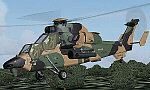
The Tiger HAP/HCP (Helicoptere d'Appui Protection / Helicopter for Close Protection) is a medium-weight air-to-air combat and fire support helicopter built for the French Army. The Tiger HAP is an air-to-air combat and fire support medium-weight (6 tonnes) helicopter fitted with 2 MTR 390 engines. It is daytime and night combat capable and is operable in NBC environments. Three basic parameters were taken into account right from the start of the development phase: low (visual, radar and infrared) detectability, which provides excellent survivability on the battlefield, maximum efficiency of the weapons and the associated fire control systems without heavier workload for the crew, and an optimized logistic concept offering minimum possession costs. The Tiger HAP is fitted with a 30-mm gun turret; 68-mm submunition rockets, and air-to-air Mistral missiles. It also features a firing sight with 3 sensors: infrared, TV camera and direct optical channel. The complete avionics suite includes multi-purpose colour displays and radar/laser warning receivers.
The Tiger UHT (from Unterstuetzungshubschrauber Tiger; Ger. supporting helicopter Tiger) is a medium-weight multi-role fire support helicopter built for the Bundeswehr (German Army).The Tiger UHT is a multi-role fire support helicopter. The Trigat Fire and Forget missiles and/or the Hot missiles it carries offer anti-tank capability, while 68-mm rockets ensure air-to-ground fire support. A 12.7 mm air-to-air gun pod and air-to-air Stinger missiles can also be installed. The helicopter also features a mast-mounted sight with a second-generation IRCCD infrared channel and a TV channel, as well as a nose-mounted IRCCD control FLIR for the pilot. Countermeasures include radar/laser/missiles launch/missile approach warning receivers and decoy launchers.
The Tiger ARH (Armed Reconnaissance Helicopter) is the version ordered by the Australian Army to replace its OH-58 Kiowas and UH-1 Iroquois-based Bushranger gunships. The Tiger ARH is a modified and upgraded version of the Tiger HAP with upgraded MTR390 engines as well as a laser designator incorporated in the Strix sight for the firing of Hellfire II air-to-ground missiles. Instead of SNEB unguided rockets, the ARH will operate 70 mm (2.75 in.) rockets from Belgian developer, Forges de Zeebruges (FZ).
Model, textures by www.afs-design.de - Author: A.Meyer. (Ex-payware package, now released as freeware).
| Filename: | Eurocopter_Tiger_EC_665__HAPHCP_UHT_and_ARH_varian.zip |
| License: | Freeware, limited distribution |
| Added: | 12th January 2013, 19:07:14 |
| Downloads: | 923 |
| Author: | Andreas Meyer |
| Size: | 11.72 MB |


© 2001-2026 AVSIM Online
All Rights Reserved
Privacy Policy |