
Where Flight Simulation Enthusiasts Gather from Around the World!
AVSIM Library - Search Results

| Category: Flight Simulator X - Aircraft Repaints, Textures and Modifications | |
| Global 7000 for "iris_easter_eggs_2013_fsx" |

|
File Description:
Repaint for "iris_easter_eggs_2013_fsx" by "IRIS Flight Simulation Software" "Bombardier's Global 7000 and the Global 8000 were launched together at NBAA in October 2010 as derivatives of the Global 6000 program. The aircraft completed its first flight Nov. 4, 2016, marking the start of a rigorous flight-testing program. Entry-into-service of the large jet was scheduled in the second half of 2018. The Global 7000 has a four-zone cabin and will carry up to 12 passengers. It features 14 windows on each side of the fuselage - One more than the legacy Global Express and one less than the 6000. The Global 7000 also features the high swept supercritical wing with winglets and a high swept T-tail. As far as performance, the Global 7000 is powered by GE Aviation Passport engines and has a range of 7,400 nm and a top speed of 530 knots. The two GE Passport engines are side mounted at the rear of the aircraft. The Global 7000, which was priced at about $73 million is indeed large. The cabin (not including the baggage compartment) is 54 feet, seven inches long; six feet, three inches tall; and eight feet, two inches wide. Aft of the galley, the passenger area is divided into four distinct living areas. Depending on the layout, they can include a seating area, a dining or meeting area, a cinema room, and a bedroom. In April 2018, the Global 7000 and its cabin won a Red Dot in the Ships, Trains and Planes category of this year’s Red Dot Design Award, ainternational competition conducted annually since 1955 by Design Zentrum Nordrhein Westfalen in Essen, Germany. As judging criteria, the 39-member jury looked at each product’s levels of innovation, functionality, formal quality, ergonomics, and durability."
| Filename: | Global_7000__for_iris_easter_eggs_2013_fsx.zip |
| License: | Freeware |
| Added: | 16th November 2019, 18:49:23 |
| Downloads: | 377 |
| Author: | David Robles |
| Size: | 25.09 MB |
| Category: Flight Simulator 2004 - Scenery | |
| CZNL - Nelson - Nelson, British Columbia, Canada |
|
Images related to this file:
File Description:
Nelson is a town with a population of around 10,000, located 250 miles or so east of Vancouver on the southern shore of an east-west offshoot of Kootenay Lake. The surrounding landscape can be described as "steep" without fear of contradiction, and the diagram of arrival and departure routes (included here) shows that straight finals to either end of the runway are non-existant. The airport is right beside the water, with a single runway 3,100 feet long and 75 feet wide, aligned 04/22. The apron is at the western end. There are a number (3?) of helicopter companies based at the western end of the apron, and there is also a terminal building, though there are in fact no regular scheduled flights; there are occasional charters to cater for town events during the summer tourist season. There is no runway lighting, or taxiway or apron lights, so usage is effectively restricted to daylight hours (though not legally stated as such). All circuits are over the water and not the town, though even this means you climb quickly and dog-leg to follow the water until you have gained enough altitude to turn. Winter maintenance is limited. And if all this is not enough you are advised to "watch for wildlife on the rwy". The nature of the surrounding terrain makes AI hit-and-miss; mostly hit. AI Planes will taxi out and then take off, and provided you don't follow them until they fly into a mountain it will all appear normal. Planes that are arriving will appear by magic on their parking spots, as they have crashed before they arrive. To avoid repetitive unrealistic arrivals I have limited the AI to only 3 planes. The scenery includes some of the nearby buidings and landmarks, as shown in the screenshots.
| Filename: | CZNL__Nelson__Nelson_British_Columbia_Canada.zip |
| License: | Freeware, limited distribution |
| Added: | 7th June 2015, 10:23:49 |
| Downloads: | 424 |
| Author: | Roger Wensley |
| Size: | 17.84 MB |
| Category: Flight Simulator 2004 - Scenery | |
| Gander CYQX in Newfoundland Canada |
|
Images related to this file:
File Description:
Gandeer is on the east coast of Canada and is the closest North American airport to Europe on the great circle route. In the early days of transatlantic flight, and in fact into the 1960's, this made it very important as a refueling stop either before the ocean hop or just after. Since then it's importance as an airport has faded somewhat as planes now fly directly to the larger city destinations. It is still an active air force base for ocean patrol and search and rescue planes, and military flights are around half of the total flights into and out of the airport. The main attractions of the airport now are the long runways and the cheaper landing fees, and there are some cargo flights and cheap charter passenger flights. This version of Gander is based upon a forgotten-about video taken in October 2010. By then the two longer runways, 13-31 at 8,900 feet and 03-21 at 10,200 feet (though in FS9 this is still designated 04-22, as it had been in 2003) had been closed (one at a time) and totally resurfaced. The third runway 09-27 (3,500 feet in 2003) was closed and starting the process of being broken up, along with associated aprons. This was part of a long process of demolition of some of the older buildings, aprons, and taxiways as they became unused with the fall in the number of daily flights. I have made it clear which of the 2010 taxiways and aprons were still in use by showing them as asphalt, while those in the process of decaying disuse or removal are in the darker tarmac texture; this is somewhat realistic as when asphalt aprons are "ploughed" for removal the darker underside becomes visible. In the renovation process of taxiway repairs only the centre strip of the taxiways was repaired and this is marked by new and closer edge lines. One end of the closed runway was still being used in 2010 for access and parking. There is a warning note in the April 2010 edition of the NAV CANADA Flight Supplement that states "surface rut on Gander Flight Training's private taxiway" (written with extremely shortened words). The Gander layout page is included here, showing that in the Spring of 2010 a much-shortened version (1,875 feet) of the 09-27 runway was still in use; my version is for late 2010 and after that runway was closed. The older buildings (and some of them are now 70 years old or more) are built in concrete and flat roofed with bitumen water proofing; hence the almost black roofs. The terminal building is one of these, though it has been enlarged by the inclusion of a hangar that is now used as the main terminal space. Almost all of the buildings are correctly replicated here. The main GA parking area is to the east of 03-21 where there are two large hangar buildings. One of them is for maintenance and the other is for a large FBO called Gander Aviation. There are other FBO's on the airport, closer to the terminal. These are Irving and Woodward, both to the west, and Allied to the south. There is a further FBO at the eastern end of the apron, name unknown. Shell, who only did refueling, were next to Woodward in 2010 but left, I believe, in 2012. The large red building behind Woodward and Shell is for the maintenance of all airport equipment (from luggage trolleys, snow clearers, de-icing trucks etc to air conditioning, radar, and radios). Most of the remaining buildings are for the air force base, though there are some private companies (such as Universal Helicopters) and even a small private cottage.
| Filename: | Gander_CYQX_in_Newfoundland_Canada.zip |
| License: | Freeware, limited distribution |
| Added: | 29th April 2020, 19:15:01 |
| Downloads: | 666 |
| Author: | Roger Wensley |
| Size: | 29.37 MB |
| Category: Prepar3D V1-4 - Aircraft Repaints, Textures and Modifications | |
| North American P-51D 1st SF (5E-E) "Easy Does It" |
|
Images related to this file:
File Description:

This folder contains a repaint for the A2A WoP3 P-51D Mustang (with AccuSim), in the colors of P-51D-5-NA 44-13557 5E-E "Easy Does It" as flown by Lt Richard 'Spider' Smith of the 1st Scouting Force, 8th AF. Lt. Smith was a B-17 plot with the 303rd BG and had completed his tour of 35 missions in october 1944 when he was made an offer he could not refuse. As all pilots, he had been dreaming of flying a fighter and was disappointed when he was assigned to the bombers. He now was asked to join the newly formed scouting force, which used experienced bomber pilots to scout ahead of the bomber force flying Mustangs. After 6 hours in a T-6 and 10 hours in a P-51, 'Spider' (so called because of his physique, tall, with long thin limbs) flew his first missio in a P-51 on 6 december 1944 in an old 364th FG P-51D-5, which he named 'Easy Does It' after it's callsign E. The name 'Betty' on the canopy rail referred to his future wife back in the US, but also to a nurse he was dating in the UK. On his 26th mission, on 1 april 1945, flying lead to Leipzig, his engine caught fire on the return flight, and he had to bail out over Belgium. He broke his arm when he hit the tail on bailing out, but otherwise landed safely. He was sent home to the US and came back just before his 21st birthday, having flown 60 missions. HIs story can be read here: http://www.rccr1957.com/spider.pdf.
He did not crash with this aircraft though, this was damaged during a ground collision in the winter of 1944-45, was repaired and was now flying with the 487th FS/352nd FG as Maj. 'Wild Bill' Halton's 'Slender, Tender and Tall', where it finished the war. Repaint by Jan Kees Blom, based on the A2A paintkit.
| Filename: | North_American_P51D_1st_SF_5EE_Easy_Does_It.zip |
| License: | Freeware |
| Added: | 30th October 2018, 15:25:05 |
| Downloads: | 70 |
| Author: | Jan Kees Blom |
| Size: | 11.93 MB |
| Category: Flight Simulator X - Aircraft Repaints, Textures and Modifications | |
| Boeing B-17G 91st BG (OR-R) 'Nine O Nine' |
|
Images related to this file:
File Description:
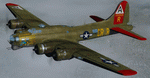
This folder contains a repaint for the A2A WoP2 B-17G in the colors of B-17G-30-BO 'Nine o nine". Nine-O-Nine was a Boeing B-17G-30-BO Flying Fortress heavy bomber, of the 323rd Bomb Squadron, 91st Bomb Group, that completed 140 combat missions during World War II, believed to be the Eighth Air Force record for most missions, without loss to the crews that flew it. The original aircraft, a block 30 B-17G manufactured by Boeing, was nicknamed after the last three digits of her serial number: 42-31909. Nine-0-Nine was added to the USAAF inventory on December 15, 1943, and flown overseas on February 5, 1944. After depot modifications, she was delivered to the 91st BG at RAF Bassingbourn, England, on February 24, 1944, as a replacement aircraft, one of the last B-17s received in factory-applied camouflage paint.
A former navigator of the 91st BG, Marion Havelaar, reported in his history of the group that Nine-O-Nine completed either 126 or 132 consecutive missions without aborting for mechanical reasons, also believed to be a record. M/Sgt. Rollin L. Davis, maintenance line chief of the bomber, received the Bronze Star for his role in achieving the record.
Her first bombing raid was on Augsburg, Germany, on February 25, 1944. She made 18 bombing raids on Berlin. In all she flew 1,129 hours and dropped 562,000 pounds of bombs. She had 21 engine changes, four wing panel changes, 15 main gas tank changes, and 18 changes of Tokyo tanks (long-range fuel tanks).
After the hostilities ceased in Europe, Nine-O-Nine was returned to the United States on June 8, 1945, and was consigned to the RFC facility at Kingman, Arizona on December 7, 1945, and eventually scrapped.
B-17G-85-DL, 44-83575, civil registration N93012, owned and flown by The Collings Foundation, Stow, Massachusetts, flew marked as the historic Nine-O-Nine until its crash on the 2nd of October 2019. Repaint by Jan Kees Blom.
| Filename: | Boeing_B17G_91st_BG_ORR_Nine_O_Nine.zip |
| License: | Freeware |
| Added: | 6th October 2019, 20:39:06 |
| Downloads: | 234 |
| Author: | Jan Kees Blom |
| Size: | 18.73 MB |
| Category: Prepar3D V1-4 - Utilities | |
| GENav pro Navigation |
|
Images related to this file:
File Description:

Previous payware product at SimMarket, now 100% free.
With GENav pro you will view all AIRAC navigation data and terminal procedures inside Google Earth. GENav pro run under Windows and require only Google Earth for displaying. You can also edit your own routes or just copy routes into GENav to view in Google Earth. You can search for example an airport or a fix by short or long name, Google Earth will take you there.
You can connect to Microsoft Flight Simulator to view your aircraft. Moving map and heading is available.
GENav pro is highly optimized for best performance and clear views without clutter. There are smart filters to select relevant data to display, all AIRAC items are available. You will find all data such as nav-aid frequencies, airport runways with ILS frequencies by click the displayed icons in Google Earth.
You can edit routes visual direct inside Google Earth by click. The database can always be updated with Navigraph's latest AIRAC data.
With GENav you can easy build valid routes. Unlike other common autorouting program, GENav is the tool for you to build routes with correct airway direction and correct connected to SID/STAR's. You will easy draw your routes most stright and correct to destination. It is also excellent for visual and instrument navigation flights.
FEATURES:
*** Display airports, nav aids, waypoints
*** Display High/Low airways and airways direction
*** Display SID/STAR, Approaches and Transitions
*** Display ARTCC/FIR border
*** AIRAC data available by click
*** Search airport and fixes
*** AIRAC data compatible Navigraph data
*** Visual editable routes
*** VOR to VOR route navigation data
*** Display your aircraft
BASIC SYSTEM REQUIREMENTS:
*** Windows with Google Earth installed
( Notice, no flightsim program required )
OPTIONALLY REQUIREMENTS:
*** SID/STAR require the Navigraph purchase or an alternative free source
*** Airways direction & high/low info require the Navigraph purchase
*** To display aircraft, Microsoft Flight Simulator or Prepare3D v1/v2, with free FSUIPC is required.
*** To display aircraft at a separate computer, also the payware WideFS is required.
| Filename: | GENav_pro_Navigation.zip |
| License: | Freeware |
| Added: | 25th May 2016, 11:24:52 |
| Downloads: | 654 |
| Author: | Lennart Vedin |
| Size: | 4.5 MB |
| Category: Flight Simulator X - Scenery | |
| RAF East Moor |
|
File Description:
RAF East Moor was opened in 1942 and was originally a 4 Group facility and first hosted No. 158 Squadron RAF which had moved from RAF Driffield on 6 June 1942. The squadron flew the Handley Page Halifax Mk. II with detachments at RAF Beaulieu and RAF Manston before moving to RAF Rufforth on 6 November 1942.
Royal Canadian Air Force use
The first squadron was No. 429 Squadron RCAF which formed at the airfield on 7 November 1942 initially only flying the Vickers Wellington Mk.III until January 1943 when the Wellington Mk. X was added. The squadron left on 13 August 1943 going to RAF Leeming where the unit re-equipped with Halifaxes. On 19 September 1943 the next squadron arrived being 432 Squadron which initially used the Avro Lancaster Mk.II before being re-equipped with the Halifax Mk. III in February 1944 and the Mk. VII Halifax in July 1944. The squadron disbanded on 15 May 1945 at the airfield.
The last Canadian squadron to use the airfield was 415 Squadron which flew the Halifax III from 26 July 1944. The unit inherited the additional Mk.VII versions during March 1945 but disbanded shortly after on 15 May 1945 at the airfield.
Royal Air Force use
Not long after the last Canadian squadron disbanded the airfield was handed back to the Royal Air Force (RAF). The first RAF unit to use the airfield was No. 54 Operational Training Unit (OTU) which had moved in during November 1945 flying the de Havilland Mosquito. By May 1946 No. 288 Squadron RAF joined with their Supermarine Spitfire IX's and their Vultee Vengeance Mk. IV's with a detachment at RAF Acklington. The squadron disbanded on 15 June 1946. No. 54 OTU stayed until June 1946 when the unit moved to RAF Leeming but a detachment stayed until 15 November 1946.
The airfield closed to flying in November 1946. Most of the buildings were taken down and the land has reverted largely to agricultural use.
| Filename: | RAF_East_Moor.zip |
| License: | Freeware |
| Added: | 14th March 2017, 19:41:08 |
| Downloads: | 128 |
| Author: | Terry Boissel |
| Size: | 154.38 KB |
| Category: Flight Simulator 2004 - Scenery | |
| Koyukuk KYU in Alaska |
|
Images related to this file:
File Description:
Koyukuk is a small village on the northern bank of the Yukon River, around 5 miles east of where the river turns from north-south to east-west, east being upstream towards the distant Fairbanks. The mouth of the Koyukuk River that joins the Yukon is just to the east of the village. The population is now under 100 and living from fishing and the land. During the late 1800's the local population lived off the land and also by the spin off from gold mining in the same way as the nearby Nulato, but when in the early 1900's gold mining activities moved to Nome and Fairbanks local prosperity plunged. In fact, the village only became a permanently inhabited establishment in 1939, when a school was built. The airfield is close by and has a gravel runway aligned 6-24 and 4,000 feet long with PAPI on the approach to 6. There is also a shorter and parallel grass runway that is only used in the winter snows by light planes that are on skis and without wheels. Apart from the airfield itself, and it's buildings, this scenery modifies the local land class, adds village buildings while reducing the village size to reality, and creates a new airfield background. Koyukuk is served by Wright Air from Fairbanks in the east and this is included in the AI provided with the post of Nulato. A note here about my scenery making. This is post number 509 and there will not be many more to follow this as I am almost at the end of the photos I either took or found for scenery purposes. There is a limit to what can be located online and I have already been making use of the little there is; eg Unalakleet. So, if you are near an airport (preferably Canadian or Alaskan) and have a camera..... Let me know.
| Filename: | Koyukuk_KYU_in_Alaska.zip |
| License: | Freeware, limited distribution |
| Added: | 30th August 2019, 18:23:12 |
| Downloads: | 124 |
| Author: | Roger Wensley |
| Size: | 3.26 MB |
| Category: Miscellaneous Files - General Utilities | |
| Random Airport Generator |
|
Images related to this file:
File Description:
I can be contacted at [email protected] for any help required or different drive versions needed.
[ABOUT THE PROGRAM]
This program will read a text file from the route of your hard drive depending on the version you run, and select a random line and display that line. The file must be a text file named "Airports.txt". This program was designed with ease of use in mind for selecting a random airport for the Flight Sim community, though can be used for any purpose with any text file called "Airports.txt". The program will display the airport ICAO code then co-ordinates.
[ABOUT ME]
I am a 16 year old aviation enthusiast that loves flying and ATC, but hate having to choose an airport to depart from and arrive at, or to controll. This program has now removed this to make my flight more random with less decisions to make. I also like to explore areas I haven't been before, again this selects a random airport, from thousands of different ones, so exploring is inevitable.
[INSTALLATION]
The only installation required is to copy the Airports.txt file to the route of your hard drive C: or D: (for more drives e-mail me as above), then run the respective program for that drive from any folder you wish.
[ABOUT THE AIRPORTS.TXT FILE]
This file was collected from my FS2004 and contains every airport in it. Currently the program selects a line at random and displays it, whether a large international airport or small grass field. You could edit the file just to contain your favourite airports and it will NOT affect the running of the program as long as the file remains as Airports.txt. I am hoping in future versions to allow you to select a type of airfield, i.e. large, medium or small or select from runway length, though this will take a while to produce, if ever.
For now i hope everyone enjoys the program and happy flying :)
| Filename: | Random_Airport_Generator.zip |
| License: | Freeware |
| Added: | 9th June 2010, 02:41:14 |
| Downloads: | 210 |
| Author: | Alexander Aschacher |
| Size: | 254.45 KB |
| Category: Flight Simulator X - Aircraft Repaints, Textures and Modifications | |
| P-47D 324th FG/ 316th FS #86 "Black Sheep" |
|
File Description:
This folder contains a repaint for the Shockwave World War II Fighters P-47D Thunderbolt, representing the aircraft flown by Lt Jerry Wurmser of the 316thnd FS/324th FG, in France and Germany, between 6 march 1945 and the end of the war. He is still alive, and told me: "The name "Black Sheep" was already painted on the plane when it was assigned to me. It previously had been assigned to someone in Britain, and eventually ended up in France after either being shot down or having crashed and then repaired. It had a brand new engine in it when I received it on March 6, 1945. At this time I had already completed 39 missions, and finally was assigned my own airplane. My first flight in it was to break in the new engine, or "slow time" it. This required flying it about for a period of time at very low throttle settings, to break in the new engine. The plane had already seen a lot of action, and the "form 1" contained a long list of malfunctions that was written up by the previous flyers and dates of repairs. Several times I had to sign the "exceptional release" form before going up, acknowledging that I knew and understood what the previous pilot stated what was wrong with it. This plane was a razorback, with the tail assembly out of line, so that I had to apply rudder correction constantly. It got such bad gas mileage that I carried one less bomb and a gas tank instead. I hated that plane. I finally did get a new bubble canopy plane, but by this time the War was over!"
Repaint by Jan Kees Blom, based on two repaint kits, one by John Terrell and one by Shockwave. Included is a 1024 x 1024 bmp repaint, which should work in both FS9 and FSX.
| Filename: | P47D_324th_FG_316th_FS__86_Black_Sheep.zip |
| License: | Freeware |
| Added: | 24th January 2009, 18:52:28 |
| Downloads: | 283 |
| Author: | Jan Kees Blom |
| Size: | 5.05 MB |


© 2001-2026 AVSIM Online
All Rights Reserved
Privacy Policy |