
Where Flight Simulation Enthusiasts Gather from Around the World!
AVSIM Library - Search Results

| Category: Prepar3D V1-4 - Utilities | |
| AIGround SimConnect Utility for P3D v4 |

|
Images related to this file:
File Description:
AIGround is a simconnect utility designed to improve AI taxi characteristics at the airport the user’s aircraft is located at. AIGround holds the AI stationary on the tarmac after pushback for a more realistic amount of time before the AI begins its taxi out and optionally performs an extended pushback including more realistically turning the AI toward the apron. The AI will also perform control surface checks as the AI begin their taxi out. Finally, AIGround enforces better spacing between AI and the user’s aircraft when the user is performing a taxi-out or taxi-in. AIGround does this by commanding the AI to temporarily stop in situations that the normal P3D AI control program would miss. In situations where the user might want the AI to pass (e.g., giving way at an intersection), the user can flash the landing lights on the user’s aircraft (on, then quickly off) as a signal to the AI to continue the taxi. AIGround also allows the user to adjust AI landing and takeoff lengths. AIGround is designed to compliment the default P3D AI program and thus is fully compatible with any AI-related program that is compatible with the default AI program (e.g., AIG, Ultimate Traffic Live, Radar Contact, etc.). AIGround is also compatible with the AIFlow simconnect utility. AIGround is targeted to SimConnect Version 4.5.0.0 or later. AIGround operates externally via simconnect and thus makes no changes to the P3D sim. NEW for v1.1: (1) adjust AI landing and takeoff length, (2) option for AI to perform extended pushback including turns, (3) option to disable control checks (for compatibility with certain AI sets), (4) AI plane spotting mode only, (5) adjustable in-sim message level, (6) Periodic read of .ini file to tweak parameters more easily, (7) AIGround starts minimized. FIXES for v1.1: (1) output consolse sometimes froze, (2) AI cyclic stop-start, (3) .ini file would sometimes get confused reading parameter values having whites spaces.
| Filename: | AIGround_SimConnect_Utility_for_P3D_v4.zip |
| License: | Freeware |
| Added: | 3rd July 2020, 23:58:42 |
| Downloads: | 1,848 |
| Author: | Roland Foster |
| Size: | 796.88 KB |
| Category: Prepar3D V1-4 - Utilities | |
| AIFlow SimConnect Utility for P3D v4 |
|
Images related to this file:
File Description:
AIFlow v1.1 is a simconnect utility designed to ease AI congestion and go-arounds at the airport the user is departing from and arriving at. AIFlow does this by enforcing spacing minimums between arriving AI aircraft resulting in more orderly arrival patterns. AIFlow also supports spacing spacing minimums between the AI aircraft and the USER’s aircraft when the user is flying (during all phases of the user's flight). For added realism, AIFlow adds landing effects (e.g., micro bank and pitch corrections that scale up during crosswind conditions) to the AI on short final approach. The user can also briefly squawk 1234 in their aircraft to temporarily suspend landings so that the user can find a slot to depart a busy runway. AIFlow is designed to compliment the default P3D AI program and thus is fully compatible with any AI-related program that is compatible with the default AI program (e.g., AIG, Ultimate Traffic Live, Radar Contact, etc.). AIFlow is targeted to Prepar3D version 4.5 or 5.0, specifically SimConnect Version 4.5.0.0 or later. AIFlow operates externally via simconnect and thus makes no changes to the P3D sim. NEW for v1.1: (1) detect and correct AI performing poor approaches (e.g., dive-bombing, descent into terrain) under control of the P3D AI engine, (2) user can specify minimum and maximum AI approach speeds in terminal area, (3) prevent AI from stopping on runway when user landing, (4) AI plane spotting mode only, (5) external database fallback in case simconnect fails to provide local airport data, (6) adjustable in-sim message level, (7) periodic read of .ini file to tweak parameters more easily, (8) AIFlow starts minimized. FIXES for v1.1 include: sequencing in heavy AI traffic would sometimes cause excessive go-arounds, going around AI would sometimes improperly hold, changing AI spacing from default value did not have any effect, sometimes user aircraft would get controlled, .ini file would sometimes get confused reading parameter values having whites spaces.
| Filename: | AIFlow_SimConnect_Utility_for_P3D_v4.zip |
| License: | Freeware |
| Added: | 3rd July 2020, 23:57:52 |
| Downloads: | 2,018 |
| Author: | Roland Foster |
| Size: | 1.18 MB |
| Category: Flight Simulator 2004 - Scenery | |
| Cameri and Turbigo sceneries (rev. 3) - north Italy |
|
Images related to this file:
File Description:
The following files are required by this file:
http://library.avsim.net/esearch.php?DLID=163723&UploadID=&Name=&FileName=&Author=&CatID=root
http://library.avsim.net/esearch.php?DLID=186350&UploadID=&Name=&FileName=&Author=&CatID=root
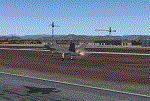
This scenery includes a global review of the previous Sceneries of Cameri Military airport (rev.2 Oct 2011), Cameri Museum (rev. 2 Oct 2011), Cameri Babini (rev. 2 oct 2011), Turbigo power station (rev. 2 Sep 2011 and update rev. 2.1 Oct 2014). All the above ARE NOW INCLUDED in this new unique scenery. Contents: Terrain in new version photo-realistic multi-seasons/night; adapted to Western Europe special elevation meshes; cover area of over 120 sqkm from Bellinzago-Oleggio (NW) to Magnago-Bienate (NE), from Novara (SW) to Cuggiono-Inveruno (SE); all the terrain has been restorated with 3D buildings, either through autogen that with specific dedicated objects (by GMax) and with significant addition of library objects ("dva51" and other existings). This scenery (located on the final approach to the Milan Malpensa international airport) includes the Cameri's Mil Airport with the Babini closed Army area and the planes of the Historical Museum of the airport; it is also included the thermoelectric power station of Turbigo. All the buildings are placed to recreate cities and villages covered in the photo-realistic terrain, including Bellinzago, Bienate, Buscate, Caltignaga, Cameri, Castano Primo, Castelletto Ticino, Cuggiono, Galliate, Inveruno, Magnago, Malvaglio, Nibbia, Novara, Oleggio, Pernate, Robecchetto, Romentino, Sant'Anna, San Pietro Mosezzo, Turbigo , Vanzaghello, and the covered Turin-Milan highway.
Details of the new buildings for the care and maintenance to F35 completely recreated, as obtainable from the current satellite view.
It REQUIRES the use of the following, to be downloaded separately :
- the libraries dva51 - the system of vegetations TreePlanter - the West Europe Meshes of Daniele Lanfranchi. See the Readme file. Enjoy!
Videos available here:
https://dl.dropboxusercontent.com/u/38829151/FS9/Cameri_Turbigo_v3%20shots.WMV
http://youtu.be/yVI2KeJKS5o
http://youtu.be/oKa0e_5kxIk
| Filename: | Cameri_and_Turbigo_sceneries_rev_3__north_Italy.zip |
| License: | Freeware |
| Added: | 21st January 2015, 21:32:36 |
| Downloads: | 995 |
| Author: | Aldo Della Vedova, Daniele Lanfranchi and Gian Mario Verga |
| Size: | 103.7 MB |
| Category: Flight Simulator X - Original Aircraft | |
| B-52J |
|
Images related to this file:
File Description:
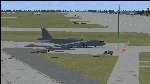
Since it became operational in 1955, the B-52 has been the main long-range heavy bomber of the U.S. Air Force. It first flew on Apr. 15, 1952. Nearly 750 B-52s were built when production ended in Oct. 1963. This "J" model is the future re-engined "h" model 60-0042 of the 917th Wing AFRC based at Barksdale AFB (KBAD). She flies higher, further, and faster than any previous version. The aircraft can cruise at 380 KIAS at 500 ft agl over about 5,000 nm which makes her capable of reaching targets within enemy airspace anywhere on the globe without being detected by radar until it's too late. Her normal high altitude cruise speed has been increased to Mach .88 above FL550E over 9,000 nm without refueling, and her service ceiling has increased to FL570E. The 50,000 lb payload is still nominal, but due to the lighter engines she now has more accomidations for the crew, and does not require refueling very often. She can range much further with less speed (i.e., Mach .85), but there is normally no need for that. This aircraft is designed to fly like the real thing. It is likely one of the best B-52 models available at this time. I have test-flown this aircraft around the globe several times to reassure myself that all is well. You will not have a bouncing effect occur when cruising with 16x speed acceleration and autopilot engaged because all aerodynamics and balance are perfected to a very low margin of error, or no error margin at all. Please be sure to read the INSTRUCT.TXT file for extended details. Original aircraft designer: Mike Stone; Textures by Bill Baldwin; Panel and gauges by Philippe Wallaert; Auto Smoke Effects by Richard Wisman; BR-725 Sound by Ronald Buffalo; Real World aero/engine dynamics, data, lights and effects by: Douglas E. Trapp, FS Flight Dynamics Engineer, Irving, Texas, [email protected], October 2018. The use of this model, and the configuaration of such, is designed for free educational purposes, and protected by the Free Use Act: (https://www.law.cornell.edu/uscode/text/17/107). This model and/or aspects of such cannot be used for monetary purposes!
| Filename: | B52J.zip |
| License: | Freeware |
| Added: | 27th October 2018, 18:57:21 |
| Downloads: | 631 |
| Author: | Douglas E. Trapp |
| Size: | 24.51 MB |
| Category: Flight Simulator X - Panels | |
| Eurofighter Typhoon Panel |
|
Images related to this file:
File Description:
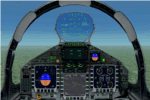
The panel has been developed for FSX Flight Simulator SP1 or SP2. It has also been tested with Microsoft Acceleration, but compatibility is not guaranteed by the author.
This panel has been designed according to a large number of technical documents, descriptions, and pictures out of the Internet. The design goal was to develop a panel and gauges as close as possible to the original aircraft. It was, however by far not possible to programming all the functions and displays, because of the complexity of the real Eurofighter panel, and also because of limitations in FSX.
However, I believe, that the panel with the MFD screen displays gives a good impression on how the real Eurofighter cockpit looks inside.The aircraft model, development by ALPHA/VIRTAVIA, has been used as the base for this panel development. The aim was to go with one model version only , the two seater air to air model. A number of parameter of the aircraft.cfg have been modified to achieve a best possible result of the flight dynamics for the model. It is up to the user to use any other model as this one, and use this panel for it.
For this package, panel and model, I decided to call it the X -Version which shall be seen as an experimental military test version, or if you like, a " Proof of Concept " version. So, you will see a neutral paint with just the Typhoon letters on the aircraft tail. This approach allows to go with deviations and differences to the current technical implementations for the cockpit displays and functions for the Eurofighter.
The panel includes gauges for the afterburner effects, sonic sound effect, callout sounds, weapon explosions effects, and a full functioning TCAS gauge (A future requirement for the Eurofighter), A2A fuel functions, target radar tracking functions and more. The panel has been developed for widescreen monitors only. No VC panel is part of this package.
This is not a load and fly package. Please take your time to read the included panel documentation carefully. Do not skip chapters because you may think, they are not important for you.
For copyrights and credits please look at the documentation for this panel.
| Filename: | Eurofighter_Typhoon_Panel.zip |
| License: | Freeware, limited distribution |
| Added: | 13th April 2016, 20:37:48 |
| Downloads: | 394 |
| Author: | Dietmar Loleit |
| Size: | 24.77 MB |
| Category: Flight Simulator X - Scenery | |
| EGXJ - RAF Cottesmore - Rutland, England |
|
File Description:
RAF Cottesmore (ICAO EGXJ) is a former Royal Air Force station in Rutland, England, situated between Cottesmore and Market Overton.
The Stationed opened on 11 March 1938 and was used mainly for training, and the first squadrons were equipped with Vickers Wellesley aircraft, but soon converted to Fairey Battles. Later RAF Bomber Command took over the airfield, again as a training station, flying Handley Page Hampdens. These units remained in residence until a few days before the outbreak of war in 1939 when they were sent to RAF Cranfield to serve as a pool providing replacements for combat losses. Their place at Cottesmore was taken by Nos. 106 and 185 Squadrons, moving in from RAF Thornaby with Hampdens. However, with the outbreak of war, the aircraft and crews were sent to locations in the north and west, as enemy air attacks were expected over the southern half of England. As these never materialised, the Hampdens returned in the spring of 1940 and No. 185 Squadron became the Hampden operational training unit, No. 14 Operational Training Unit RAF.
RAF Cottesmore's Hampdens' first trespass into hostile airspace was a leaflet dropping operation over northern France. In October 1940, 106 Squadron moved to RAF Finningley while No. 14 OTU remained training crews for Bomber Command, its Hampdens and HP.53 Herefords being replaced by Vickers Wellingtons in 1942. Training continued for three years and three months until August 1943 when No. 14 OTU moved to RAF Market Harborough.
In early December 2009, it was announced the station would close due to funding cut-backs, in part to help pay for additional helicopters for British operations in Afghanistan.
In 2010, No. 4 Squadron RAF disbanded, with No. 20 Squadron RAF re-badging as No 4 (Reserve) Squadron.
The station became a satellite to RAF Wittering on 31 March 2011 with a civic parade and flypast to mark the disbandment of No 1 Sqn RAF, 800 NAS, 801 NAS and JFH.
In July 2011 Defence Secretary Liam Fox announced plans for it to be the airfield for one of five of the Army's Multi-Role Brigades. In April 2012 it was renamed Kendrew Barracks after Major General Sir Douglas Kendrew.
Source: Wikipedia
| Filename: | EGXJ__RAF_Cottesmore__Rutland_England.zip |
| License: | Freeware |
| Added: | 19th March 2016, 12:15:07 |
| Downloads: | 344 |
| Author: | Terry Boissel |
| Size: | 1.66 MB |
| Category: Flight Simulator 2002 - Aircraft Repaints, Textures and Modifications | |
| Canadair CL-13 Mk 2 Sabre (F-86E) Royal Hellenic Air Force |
|
File Description:
This is one of the first jet age aircrafts served in Royal Hellenic Air Force, almost 50 years ago (!!!). There are two repaint versions of Royal Hellenic Air Force in the zip package: The first one, represents a Royal Hellenic Air Force Canadair CL-13 Mark 2 Sabre used to fly with 342nd Sqdr. of Royal Hellenic Air Force (RHAF) in Elefsina, Greece with an interception role. The second, represents the aniversary "Alexander the Great" texture, painted in "patriotic" colours, by a gas station owner (!!!) in Thessaloniki - Greece after buying the aircraft (sn. 19294) as scrap and finaly display it as a memorial by his store. This specific aircraft used to fly with 343rd Sqdr. In Nea Anchialos, Greece. The Canadair CL-13 Mark 2 Sabre aircraft (Canadian build F-86E under North American licence) used to be one of the most succesfull aircrafts during the 50'ies and the Korean war. This "CL-13_RHAF_v1.zip" package is full compatible with FS2K2 and FS9 too and contains realistic sound made by Angelos Hatzikatakos, NEW (made by the author) panel, the official checklist and a VERY completed (as always...) flight manual (31 pages) which can be read with Adobe Acrobat. This repaint was based on the original model made by Rey Lopez . The primary panel was made by Ken Mitchell and modified by Nick Karatzides to look more realistic and closer to the Hellenic CL-13 Mk 2 cockpit. A total NEW flight model ("air" file and aircraft.cfg file) have been created by Nick Karatzides and and I test it hard, to ensure that it flies as close as possible like a real fighter! This "CL-13_RHAF_v1.zip" package is for EXPERIENCED FlightSimers and virtual pilots who have a "good feeling" on the stick and do not "kick" the contol stick while flying. The package contains new visual effects, night lighting, fine looking mechanical parts movement, contrails, realistic gears extracting / retracting etc. Repaint and stuff by Nick Karatzides.
| Filename: | Canadair_CL13_Mk_2_Sabre_F86E_Royal_Hellenic_Air_F.zip |
| License: | Freeware |
| Added: | 4th October 2003, 00:15:30 |
| Downloads: | 1,408 |
| Author: | Nick Karatzides |
| Size: | 11.28 MB |
| Category: Flight Simulator 2004 - Scenery | |
| Nenana Municipal Airport PANN in Alaska |
|
Images related to this file:
File Description:
Nenana is a village on the river of the same name around 40 miles west of Fairbanks, which is the second largest urban area in Alaska after Anchorage. Nenana, as a result of this proximity, is served by road and railway and unlike other Alaskan villages is not reliant on air cargo for necessities. The current population is just under 400, which is way down from its peak of 5,000 in the 1920's when gold was being mined and the railroad being built. Nenana's main claim to fame is as the starting point for the 1925 mushing delivery to Nome of the serum to combat an outbreak of diphtheria. Any Nenana Municipal Airport history is difficult to find, even the date of construction. It has two runways 3L-21R and 3R-21L, the first being asphalt and just under 5,000 feet with PAPI at both ends, the second grass and 1,800 feet. Both are lit. It also has a further water runway similarly aligned and 3,000 feet long. Maintenance is available and there is also fuel at the end of the northern apron, close to the crashed and stripped DC4 that sits among other unwanted items that are too large to make it worth the cost of moving them off the site. There are no regular scheduled flights to the airport, with air taxi or owner operated being in the majority. The scenery, in addition to the terrain, town, bridges, and airport items also modifies the terrain in an area further south where FS9 depicted as a city an Air Force base that is mainly concerned with radar and communications and in fact has very few buildings. The AI includes some Beavers on floats that were used in previous BC scenery with the kind permission of FSAddon. As I have already posted them I have not included them again here. The float plane AI uses the same radio frequency as the land based planes, but they fly to PANX and not to PANN as FS9 has problems with getting floats and wheels separated. Or maybe I just haven't worked out how to cope with FS9. A note here about my scenery making. There will not be many more to follow this as I am almost at the end of the photos I either took or found for scenery purposes, plus I expect to move on from FS9 at some point during next year.
| Filename: | Nenana_Municipal_Airport_PANN_in_Alaska.zip |
| License: | Freeware, limited distribution |
| Added: | 2nd December 2019, 18:12:42 |
| Downloads: | 155 |
| Author: | Roger Wensley |
| Size: | 7.36 MB |
| Category: Flight Simulator 2004 - Scenery | |
| Cyprus: Airfields plus landmarks and land class for all of Cyprus and AI |
|
Images related to this file:
File Description:
Cyprus, an island in the eastern Mediterranean. Without the benefit of Ultimate Terrain, which does not exist for Cyprus, the land class provided by FS9 stands out as hopelessly inadequate. I have added the extensive farmland and the larger towns and villages, plus the major roads. Four completely new airfields are included here, three in the north and one in the south. Ercan LCEN is in the north and functions as the airport for all of the north. It was recently closed for two years while a new terminal was built and the runway updated and an apron extended etc, and during that time Gecitkale LCGK functioned (barely) as the airport for the north. Gecitkale is now hardly used at all. The third northern airfield is Ilker Karter LCIK and this functions as the HQ base of the Turkish Army Corp in northern Cyprus. The last of the new airfields is Kingsfield LCRE, which is in the Sovereign Base area to the east of Larnaca and is now used for recreational purposes. Ercan is now undergoing further expansion with a new runway and a new terminal building and apron, so this scenery is for the period between 2010 to 2015. My set up of Cyprus already included a payware Larnaca by Aerosoft (now only 12 euros) plus a freeware Paphos, Nicosia, and Akrotiri; that was my starting point. Larnaca has been the major airport for Cyprus since the mid 1970's, with a huge tourist trade that peaks in the summer but which is year long (almost a million Brits visit every year, let alone the other nationalities). I have adapted this (gate sizes etc) to allow parking by a multitude of B737's and others. Nicosia is freeware (posted in 2010) and I have included modifications to reflect its now total disuse. Paphos is at the far western end of the island and freeware, and I have modified this to allow larger and military ai aircraft to function properly; the poster improved his first version to better cater for ai but I was unaware of this and I have stayed with my modifications. Akrotiri is freeware and includes a lot of library object input from MAIW. I have modified the parking somewhat and added further residential areas and munitions storage. The AI is based upon recorded take offs and landings in April, with some further additions in later months. At Ercan the visible gate numbers on the apron are as per real life, but the numbers within FS9 reflect the fact that planes are directed to gates at the centre of the terminal building and not at the far ends. Follow the pink line and obey ATC when it says taxi to gate number 2 even if it is visibly numbered 4.
| Filename: | Cyprus_Airfields_plus_landmarks_and_land_class_for.zip |
| License: | Freeware, limited distribution |
| Added: | 13th August 2017, 21:21:46 |
| Downloads: | 943 |
| Author: | Roger Wensley |
| Size: | 29.61 MB |
| Category: Flight Simulator X - Utilities | |
| FS2004/FSX Flight Analyzer, Logbook Utility V4.09 |
|
Images related to this file:
File Description:
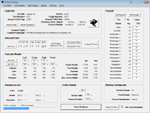
FS2004/FSX Flight Analyzer Utility V4.09
Flight Data Recorder - Logbook.
NOW WITH STATISTICS TOP 5 AIRPORTS, CITIES AND COUNTRIES.
Very easy to use, just make a flight plan in the simulator or in this utility.
What this program do:
- quickly change the settings of FSX/Fs2004, such as time, date, fuel, weight, traffic etc.
- start a failure sytem, such as gear, flaps, engine, etc.
- freeze the time, so you can fly in a for everlasting sunset.
- runway detecting system to see wich runways are in use.
- flight analyzing/data recording from departure to parking at the gate.
- When flight analysis is finished you can print a report, the report is automaticly saved as pdf File.
- graphical landingchart.
- record all your flights
- quickly look to your FSX display settings (only FSX) and change them even before the flight simulator is running.
- After a flight is finished FsQC saves your flight automaticly as 'FsQC last Flight', so you can continue the next day or hour.
Flight analysis start recording at the moment when you begin taxiing.
It gives you huge information such as:
- takeoff- and landing-weight.
- takeoff- and landing-roll in m. and ft.
- separate fuel consumption in taxi, climb, cruise and descent.
- maximum banking in flight.
- which speed you using the flaps and gear.
- when autopilot on or off.
- vertical speed on touchdown.
- reverser set after landing.
- wich speed you cancel reverser.
- bouncing at landing.
- graphical landingchart.
- and lots of more.
You can better look the example of the pdf document located in the 'Flight Reports' folder.
Logbook records:
- fuel consumption.
- payload.
- distance.
- number of different airports.
- flight hours.
- landings.
- flaps.
- speed.
- and lots of more.
- quickly show touchdown wind information in a picture.
- quickly show the graphical landing chart.
- Now with statistics: top 5 Countries, Cities and Airports
Requirements:
Computer with vista or higher and internet access.
Microsoft .net framework 4.6 or higher.(free download on microsft.com)
Flightsimulator FSX or 2004 and FSUIPC installed.
Note: requires paid activation for full use.
Register and you have 1 month free.
Program fully works without registration at airport Athens and Iraklion (Greece)
| Filename: | FS2004FSX_Flight_Analyzer_Logbook_Utility_V409.zip |
| License: | Shareware, time limited |
| Added: | 3rd March 2019, 00:20:37 |
| Downloads: | 250 |
| Author: | Evander Tholen |
| Size: | 3.35 MB |


© 2001-2026 AVSIM Online
All Rights Reserved
Privacy Policy |