
Where Flight Simulation Enthusiasts Gather from Around the World!
AVSIM Library - Search Results

| Category: Prepar3D V1-4 - Utilities | |
| Flightplan Visualizer 1.16 |

|
Images related to this file:
File Description:
Flightplan Visualizer (FV) version 1.16.0. Copyright 2018-2020 by Pelle F. S. Liljendal ([email protected]), all rights reserved.
FV comes with 765 pre-imported Commercial AI flightplans (+380 BizJet flightplans are available as a separate download). However you are able to import additional (AI) flightplans yourself. Once imported these (AI) flightplans can be visualized on a map-view, and the user will be able to search accross all these. Hence you can use the program as inspiration as to which routes to fly. E.g. you can search across all imported flightplans to find all flights in an A321 flying into/out from LDDU, or simply to look for all flights in a Boeing 747-8F.
Simply run the included installer to install the software. The program will be installed into "C:\Program Files (x86)\Flightplan Visualizer" and all datafiles will be installed into: "C:\Users\[UserName]\AppData\Roaming\FlightplanVisualizer". The program comes with a full manual explaining everything, and a 3 page quick manual to get you started. The first 3 times you run the program the quick manual will automatically open. The forum is hosted here: https://forum.aerosoft.com/index.php?/forum/919-flightplan-visualizer/
Version 1.16 Contains the following changes:
- First of all a big THANK YOU to AIG (Alpha India Group) for allowing me to add features to both download their flight-plans (actually a feature suggested by Kai Kamjunke who is one of the developers of AIG AIM and other AIG tools) and access their list of defunct/renamed flightplans. While giving thanks, I also want to thank all (AI) aircraft-model creators, repainters and those who create all the flightplans ... our virtual sky would not be the same without your hard and dedicated work.
- Added new form to download or install AIG flightplans (downloaded directly from the AIG-servers). The form will identify all flightplans that are newer than those already installed or flightplans that are not currently installed. You can simply double-click a flightplan and it will be directly installed without the need to first download the file, and then choose to import this file.
- Both the new flightplan download- and the enable/disable flightplan- form contains a button which download- and show a list of defunct/renamed flightplans (obtained directly from the AIG forum).
- If you create a user-Airline while importing a flight-plan, when you return to the import-form you will be asked if you want to use that newly created flightplan (saves you from having to open the airline-browser and search-for/select that user-airline).
- Added Flightplan-, Airline- and Aircraft-filter to the top of the leg-search form to filter the items shown in the listviews.
- The "Select All" and "Select None" buttons now only (de)select visible items (if a filter is active there might be more items not displayed). However holding SHIFT while pressing these buttons, ALL items will be (de)selected no matter if they are shown or not.
- Replaced the two airport entry fields (in the leg-search form) with filter combo-boxes (MRU) so you can now enter a filter-text to filter which airports to include (the default filter is usign ICAO-codes so the old functionallity is preserved).
- Added filters to search for legs with specific flight-numbers and/or served by aircraft with specific registrations.
- When setting up a filter, sub-elements of the same type can now be separated by "/" so you only have to enter the type-name once (e.g. "country=dnk/nor/swe"). The pipe-char ("|") can be uses in stead if you prefer (e.g. "country=dnk|nor|swe").
- Now both "?" and "%" can be used as a single char wildcard in the filters ("?" is a DOS wildcard, whereas "%" is a SQL-wildcard).
- Added "#" as a wildcard for a single numeric value (0-9) in filters.
- Added "@" as a wildcard for a single alpha value (A-Z) in filters.
- Improved detection of invalid filter-text, which changes the text-color into red, to indicatet that the filter is invalid.
- The ISO3 country-code is now visible in the country combo-boxes in the leg-search form (these codes can be used in the airline- and airport- filters).
- Likewise 3-char Region- and Sub-region -codes have been added to their respective combo-boxes (these codes can also be used in the airline- and airport- filters).
- Saving the leg-search criteria will no longer require the input to be validated. E.g. you can now save the criteria where no aircraft have been selected. If you want to make sure that the criteria is valid for a search, please perform a search before you save the criteria.
- Flightplan-filter added to the "Re-process flightplans" form.
- Aircraft-filter added to the "Choose favorite aircraft-types" form. Also a few extra columns were added to the aicraft list-view.
- The Decode-METAR/TAF form now allows the user to manually enter METAR/TAF messages, and the form can now be opened directly from the main-menu (in case you optain METAR/TAF from other sources and need to decode it).
- Added a new button to the Randomizer form which lets you pick a random route (there is already a button to pick a random flight). The difference is the statistical chance of the chosen route.
- Added 2 columns to the runways listview in the Airport-info form showing head/cross-wind based on selected wind-direction/speed (automatically updated from the obtained METAR report).
- When accepting the result of a leg-search the previous used criteria (if different) are now archived. So you are able to load the 5 last used search criteria.
- The Result-viewer form now have a "Top-most" check-box. When checked that form will be shown on top of all other windows. This allows you to have this form shown on top of other forms (e.g. if you need to enter data from a metar-message into the FMC in the simulator).
- Many of the result-viewer forms now opens non-modal, meaning it can be displayed next to the window form where it was opened and you can switch between the two (you might need to use the new "Top-most" check-box for the best result). When closing the form from where the result-viewer was opened, the result-viewer will be closed as well.
- Likewise the Unit Conversion form also got the "Top-most" check-box in case you want to display this window on top of another program (e.g. if you have paper-work with weight based on kg and you need to enter the weights into a FMC/MCDU that only accepts lbs (or vice versa).
- The "Copy to clipboard" buttons on the METAR/TAF-decode form, and the Leg-Info form have been replaced by a "Show Report" button in stead. This new button will in stead show the text in the Result-viewer form (if you need to, it can be clipped to the clipboard from there).
- Below the (left/right) list-views in the "Enable/disable flightplans" form you now find a label showing two numbers. The 1st number shows the number of items (flightplans) shown in the list-view, and the 2nd number (in the parentheses) shows the number of selected items.
- When importing a flightplan where the aircraft-type can not be detected, the "lines" assigned to the "DUMMY AIRCRAFT" are now all automatically selected. So it is easy to just hit the "Change Aircraft type" button in case there is just a single, or multiple that should have the same type assigned.
- Hoovering the mouse over the gate-markers in the Airport-info form, the tool-tip now contains the GPS-position of the gate. Likewise editing the gate the caption of the edit window contains the GPS-position.
- Added airport size to "FS Comment" column in the "Nearby Airports" form.
- Added line-breaks to the METAR/TAF tool-tips displayed in the Leg-info form (line-breaks also included in the report).
- Fixed: There was a nasty bug in the "Legs" tab-page of the Airport-Info form where the same time-zone was used for both departure- and destination-airport when showing the departure-/destination-times as local times, even if departure- and destination-airports were in different time-zones.
- Fixed: The value of the "Calculated flighttime" check-box in the leg-search form was not set to the loaded value.
- Fixed: If one of your user-airlines had a blank callsign, it would list all airlines with a blank callsign as alternatives. Now it will only try to match non-blank callsigns.
- Fixed: The METAR/TAF decoder was not able to correctly detect a fraction visibility if following variable wind (e.g. "210V290 3/8SM").
- Fixed: Some of the combo-boxes in the leg-search form were enabled for text-entry, where the user should only be able to pick a value.
- Fixed: If "[None]" was selected and you executed a leg-search the "Edit" button remained disabled when you returned to the main form.
- Data: While testing some of the new filters I saw a few erros in the aircraft data (e.g. a few freight aircraft had a non-zero passenger count and other minor issues like that), which were fixed.
- Data: Thanks to Bruce Nicholson for bringing it to my attention that DC-9-15F was not being detected in version 1.15. Now all the DC-9 sub-variants should be detected correctly (e.g. 9-11/12/13/14...51 both pax and freight). The same better sub-variant detection was added to the DC-8's and DC-10's as well.
- Data: Thanks to Aucery for bringing it to my attension that some of the (BizJet) aircraft were not being detected, or not being detected correctly. The King Air 250/300 should now be detected correctly as are Hawker-700/1000, Mitsubishi MU-300, IAI Astra Jet 1125, Cessna T210/T303, and Dornier 328JET/PROP.
- Flightplans: All new/updated flightplans have been added to the installer, and all obsolete have been removed. A total of 765 active flightplans are bundled with the installer.
Pelle
| Filename: | Flightplan_Visualizer_116.zip |
| License: | Freeware, limited distribution |
| Added: | 2nd May 2020, 23:15:38 |
| Downloads: | 318 |
| Author: | Pelle Liljendal |
| Size: | 29.27 MB |
| Category: Flight Simulator X - AFCAD Files | |
| Winchelsea Airport (8NJ0), NJ |
|
File Description:
Located 01 miles W of Port Republic, New Jersey, Winchelsea Airport is a private turf strip. Pay very, very close attention to the published length of this grass runway: 980'. This is in addition to 50ft tree obstacles at either end of the runway. Double-check your aircraft's takeoff and landing distances before visiting this airfield!! A strong headwind is suggested for operations out of this location. Also take note the traffic patterns vary for each runway. There are no transient services offered and the airport is not lit at night so daytime VFR use only is suggested. There is no hard surface runway so set your terrain mesh slider as high as you can for the best effect of landing on terrain.
Scenery constructed with use of satellite images/streetview/aerial photos - the author has not been there in person.
This scenery is meant to be used in conjunction with MegaScenery Earth New Jersey/Delaware 003. It is not required, but apron use is minimized to allow satellite scenery to show through as much as possible, and objects are placed based on the MSE textures - lack of it may make scenery look out of place.
| Filename: | Winchelsea_Airport_8NJ0_NJ.zip |
| License: | Freeware |
| Added: | 24th March 2011, 19:28:46 |
| Downloads: | 162 |
| Author: | Drew Sikora |
| Size: | 396.23 KB |
| Category: Flight Simulator X - AFCAD Files | |
| Stoe Creek Farm Airport (7NJ2), NJ |
|
File Description:
Located 01 miles S of Canton, New Jersey, Stoe Creek Farm is a private turf field 1725' in length. The runway is largely clear of obstructions although on approach for Runway 05 you will deal with 20-30' trees a few hundred feet back from the threshold and there are transmission towers along the approach corridor to Runway 23 you should watch out for. The runway does have edge lighting, although the windsock is not lit at night and daytime VFR is still recommended. There are no services for transient craft at this airfield. Since you will be landing on terrain, it is recommended that your mesh complexity is set as high as possible.
Scenery constructed with use of satellite images/streetview/aerial photos - the author has not been there in person.
This scenery is meant to be used in conjunction with MegaScenery Earth New Jersey/Delaware 004. It is not required, but apron use is minimized to allow satellite scenery to show through as much as possible, and objects are placed based on the MSE textures - lack of it may make scenery look out of place.
| Filename: | Stoe_Creek_Farm_Airport_7NJ2_NJ.zip |
| License: | Freeware |
| Added: | 14th February 2011, 18:32:24 |
| Downloads: | 163 |
| Author: | Drew Sikora |
| Size: | 700.91 KB |
| Category: Flight Simulator X - AFCAD Files | |
| High Meadow Farms Airport (9NJ8), NJ |
|
File Description:
Located 02 miles SW of Hope, New Jersey on 88 acres of land, High Meadow Farms Airport is a private turf strip 1850' in length. Take notice that the traffic pattern for Runway 13 is Right while the pattern for Runway 31 is Left. There is no hard surface runway so have your terrain mesh set as high as possible. There is tie down space available next to the paved area by the other parked aircraft however there are no official services offered for transient aircraft. This is a great airport to depart from to see some nice hilly terrain in northern NJ, it is just a few miles from the Delaware River Water Gap.
Scenery constructed with use of satellite images/streetview/aerial photos - the author has not been there in person.
This scenery is meant to be used in conjunction with MegaScenery Earth New York 007. It is not required, but apron use is minimized to allow satellite scenery to show through as much as possible, and objects are placed based on the MSE textures - lack of it may make scenery look out of place.
| Filename: | High_Meadow_Farms_Airport_9NJ8_NJ.zip |
| License: | Freeware |
| Added: | 7th April 2011, 00:16:49 |
| Downloads: | 200 |
| Author: | Drew Sikora |
| Size: | 641 KB |
| Category: Flight Simulator X - AFCAD Files | |
| Weiss Farm Airport (JY24), NJ |
|
File Description:
Located 02 miles W of Allamuchy, New Jersey on 264 acres of land, Weiss Farm Airport is a private turf strip 1800' in length. The published width is 50' but you really have closer to 100' to play with. There are no services offered to transient aircraft but you can start parked next to the barn if you wish to taxi out to the runway. No hard surfaced runway is used to have your terrain mesh set as high as possible the start of Runway 23 is a bit slanted and bumpy so you may want to aim long on your approach. The airport is unlit so daytime VFR operations only are recommended.
Scenery constructed with use of satellite images/streetview/aerial photos - the author has not been there in person. This scenery is meant to be used in conjunction with MegaScenery Earth New York 007. It is not required, but apron use is minimized to allow satellite scenery to show through as much as possible, and objects are placed based on the MSE textures - lack of it may make scenery look out of place.
| Filename: | Weiss_Farm_Airport_JY24_NJ.zip |
| License: | Freeware |
| Added: | 21st April 2011, 10:09:59 |
| Downloads: | 192 |
| Author: | Drew Sikora |
| Size: | 593.91 KB |
| Category: Flight Simulator 2004 - Scenery | |
| Driftwood Bay AK23 near Dutch Harbor Alaska |
|
Images related to this file:
File Description:
This is Driftwood Bay, an Air Force field that is just 13 miles northwest of Dutch Harbor, and was once part of a DEW line station with a road heading up the hill.
In FS9 the stock runway is concrete and if you have a mesh with the hills correctly positioned then the runway sits in a deep hole on the hillside. In fact the runway is gravel, 3,500 feet long and aligned 32/14 next to the beach, which is where I moved it to. The beach, as configured by Ultimate Terrain (and contrary to my previous doubts, UT does cover the Aleutians) is incorrect, in that a marshy area just behind the beach is shown as sea with large indentations in what should be a fairly straight line of sand. However, this does not squeeze AK23 in any way so I left it; consider it to be a spring high tide. There is very little at AK23 beyond a gravel runway and a windsock and the AI is an Alaska State Troopers Piper Super Cub from Dutch Harbor, presumably monitoring the numerous Alaska Maritime National Wildlife Refuge areas.
| Filename: | Driftwood_Bay_AK23_near_Dutch_Harbor_Alaska.zip |
| License: | Freeware, limited distribution |
| Added: | 14th August 2012, 20:32:14 |
| Downloads: | 351 |
| Author: | Roger Wensley, Sidney Schwartz |
| Size: | 3.35 MB |
| Category: Flight Simulator X - Scenery | |
| Hawaiian Airports Part 3 |
|
Images related to this file:
File Description:
Hawaiian Airports Part 3
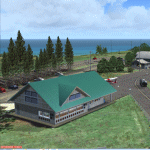
This scenery features the airports at Princeville, Port Allen, Waimea and Upolu. HI01-Princeville and PAK-Port Allen are located on the island of Kauai, the film location made famous by Stephen Spielberg's blockbuster, Jurassic Park. PHMU-Waimea and PHUP-Upolu are located in the North West of Hawaii, also known as the Big Island. All runways, aprons, taxiways and buildings have been repositioned to their correct locations, and the scenery has been recreated based on photos of the real airports. The scenery features many animated objects including people, aircraft, animals, waves, cars, trucks and many more. Full night textures with light maps are included.
All the scenery files have been sub-divided so they can be switched on or off according to user preference and hardware configuration. It has been designed for, and tested in DX9 and FSXA only. The airports include sloped flattens so they can also be used with high density mesh. This file also includes updates for Hawaiian Airports Part 2. Please enjoy, and I hope you like my scenery as much as I enjoyed building it.
| Filename: | Hawaiian_Airports_Part_3.zip |
| License: | Freeware, limited distribution |
| Added: | 8th February 2015, 21:23:05 |
| Downloads: | 6,961 |
| Author: | George Keogh |
| Size: | 82.23 MB |
| Category: Flight Simulator X - Scenery | |
| NZWV - Waihi Beach Airfield, New Zealand |
|
Images related to this file:
File Description:
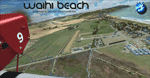
Waihi Beach (ICAO: NZWV) is a small airstrip north of Tauranga and near the small beach settlement of the same name, in the Bay of Plenty of New Zealand. It is a grass strip with offset thresholds giving usable landing lengths of 640m and 517m for RWY 13 and 31 respectively, a width of 55m and a group rating of 5. No night lighting or fuel is available. A very basic airstrip, there is only one recently built hanger and the airstrip is slowly being encroached on by
new housing developments. The airstrip itself is usually very sodden due to its low elevation but is a nice stop over for sightseeing from Tauranga and up the Coromandel peninsula.
The FSX model includes custom textures and models placed on a high resolution aerial image and a 15m mesh. It makes extensive use of items from the free VLC object libraries which are required to be installed (Available from www.vectorlandclass.co.nz Downloads menu). This scenery and
the VLC libraries have been funded by sales of VectorLandClass and although you do not need VLC to use it, your purchase helps further development.
| Filename: | NZWV__Waihi_Beach_Airfield_New_Zealand.zip |
| License: | Freeware, limited distribution |
| Added: | 1st November 2012, 10:01:38 |
| Downloads: | 1,006 |
| Author: | Tim Barnes / VectorLandClass |
| Size: | 11.13 MB |
| Category: Flight Simulator 2004 - Scenery | |
| Hewanorra TLPL on Saint Lucia in the eastern Caribbean |
|
Images related to this file:
File Description:
St Lucia island is to the north of the Grenadines, between Martinique and Saint Vincent. St Lucia is nearly 30 miles long and has a population of 175,000, with two airports. Hewanorra International is at the southern end of the island, the end furthest from the capital, Castries. The reason for this is that at the southern end it was possible to build a runway almost 9,000 feet long, while the airport in the north (Vigie) could not be extended further to accomodate the largest jets. The airport was originally a USAAF base, converted to commercial use.
All buildings are made with photographic textures and include the new terminal and a new control tower. The apron has been extended so that 747's etc can be accommodated, and there are regular international flights by Virgin, BA, Air Canada, Air France, etc and local connecting flights by LIAT; the AI includes both major international airlines and LIAT. The towns around the airport (Vieux Fort etc) are included here: the scenery is based on the "Lesser Antilles Mesh" which is required and can be downloaded for free.
| Filename: | Hewanorra_TLPL_on_Saint_Lucia_in_the_eastern_Carib.zip |
| License: | Freeware, limited distribution |
| Added: | 11th June 2013, 16:23:49 |
| Downloads: | 831 |
| Author: | Roger Wensley |
| Size: | 4.25 MB |
| Category: Flight Simulator X - Scenery | |
| Goma Intl (FZNA) DRC and Gisenyi (HRYG) Rwanda |
|
Images related to this file:
File Description:
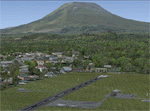
This project includes the neighboring Goma Intl (FZNA) and Gisenyi (HRYG) airports. After Goma's only runway was severely damaged by the eruption of Mount Nyiragongo in 2002, the runway, originally 3000m long, was reduced to 1800m of serviceable pavement after lava flowed onto the northern part runway and through the city center. In 2013, German NGO Welthungerhilfe ("World Hunger Aid") signed a contract to rehabilitate 500m of runway damaged by the lava flow. Goma resumed scheduled international flights in 2015, and this project reflects the airport as of March 2016, with runway 18/36 renumbered to 17/35. SRTMGL1 (30m) mesh brings the volcanoes in the area into much greater detail. This scenery is complimented by the Kigali Intl (HRYR) scenery (FSX_HRYR_Kigali_2016.zip).
Updates were created or rebuilt in a manner which carefully aligns airport data with current satellite imagery. Scenery was created using Airport Design Editor X v1.70.6042, SBuilderX 3.13, and the FSX Object Placement Tool. Scenery objects were added and modified from stock FSX scenery to resemble as closely as possible the actual airports. The FSX apron lights included are from the set created by Jim Dhaenens.
| Filename: | Goma_Intl_FZNA_DRC_and_Gisenyi_HRYG_Rwanda.zip |
| License: | Freeware |
| Added: | 4th August 2016, 21:11:20 |
| Downloads: | 2,276 |
| Author: | Carlyle Sharpe |
| Size: | 5.25 MB |


© 2001-2026 AVSIM Online
All Rights Reserved
Privacy Policy |