
Where Flight Simulation Enthusiasts Gather from Around the World!
AVSIM Library - Search Results

| Category: Flight Simulator 2002 - Scenery Design | |
| Ground2K for Beginners |

|
File Description:
Newly revised for Ground2K version 4
Ground2K version 4 by Christian Fumey is a very easy to use design tool for Flight Simulator terrain scenery. With it, you can create and modify coasts, roads, rivers, lakes, islands, land and water class, altitude mesh, and textured ground polygons.
This short user guide is meant for beginners, and presents some basic concepts concerning Flight Simulator terrain, and a step-by-step explanation of some of the principal functions of Ground2K.
No technical terms are used here, for ease of comprehension.
An HTML document for universal compatibility.
New sections include:
- expanded coverage of basic concepts and functions;
- common problems and errors with solutions;
- glossary of terms
Very sorry - no support is offered for this guide. For any questions, please consult the AvSim forum dedicated to Flight Simulator scenery design.
| Filename: | Ground2K_for_Beginners.zip |
| License: | Freeware |
| Added: | 24th July 2003, 15:24:13 |
| Downloads: | 5,657 |
| Author: | Luis, Scenery Design Fourm |
| Size: | 1.3 MB |
| Category: Flight Simulator X - Scenery | |
| 70 Colombia Airports |
|
File Description:
70 Colombia airports/airfields for FSX. Mainly based on GoogleEarth. Changes to default airports and many new airports added. Largely based on my formerr FS9 colombian airport sceneries. I am using the FreeMesh X Global 1.0 from https://www.avsim.com/forums/topic/467933-freemesh-x-global-10-release-announcement/ but most sceneries should work also with the default or any other mesh. All files start with the ICAO identifier of the airport; so you can take out what you don't like or use only what you like.
Airports included are: ACM (IATA Code), SK53,SKAG,SKAO (now SKMJ) SKAS, SKBC, SKBE, SKBM, SKBN, SKBQ, SKBS, SKBU, SKCA, SKCB, SKCI, SKCN, SKCR, SKCZ, SKEB, SKFE, SKFL, SKGA, SKGI, SKGY, SKHA, SKHC, SKIB, SKIM, SKIO, SKIR, SKLA, SKLB, SKLC, SKLP, SKLT, SKMF, SKMG, SKMO, SKMO, SKNA, SKNV, SKOE, SKOT, SKPA, SKPD, SKPI, SKPP, SKPV, SKPZ, SKQU, SKRI, SKSA, SKSF, SKSJ, SKSV, SKTB, SKTM, SKTQ, SKUA, SKUM, SKUR, SKVG,
SLVP, SQFR, SQOA, SQPS, SQUJ, SQVZ, Z09A
| Filename: | 70_Colombia_Airports.zip |
| License: | Freeware |
| Added: | 6th January 2019, 17:39:01 |
| Downloads: | 2,406 |
| Author: | Detkev J. Rohmer |
| Size: | 106.4 MB |
| Category: Prepar3D V1-4 - Utilities | |
| Flightplan Visualizer 1.16 |
|
Images related to this file:
File Description:
Flightplan Visualizer (FV) version 1.16.0. Copyright 2018-2020 by Pelle F. S. Liljendal ([email protected]), all rights reserved.
FV comes with 765 pre-imported Commercial AI flightplans (+380 BizJet flightplans are available as a separate download). However you are able to import additional (AI) flightplans yourself. Once imported these (AI) flightplans can be visualized on a map-view, and the user will be able to search accross all these. Hence you can use the program as inspiration as to which routes to fly. E.g. you can search across all imported flightplans to find all flights in an A321 flying into/out from LDDU, or simply to look for all flights in a Boeing 747-8F.
Simply run the included installer to install the software. The program will be installed into "C:\Program Files (x86)\Flightplan Visualizer" and all datafiles will be installed into: "C:\Users\[UserName]\AppData\Roaming\FlightplanVisualizer". The program comes with a full manual explaining everything, and a 3 page quick manual to get you started. The first 3 times you run the program the quick manual will automatically open. The forum is hosted here: https://forum.aerosoft.com/index.php?/forum/919-flightplan-visualizer/
Version 1.16 Contains the following changes:
- First of all a big THANK YOU to AIG (Alpha India Group) for allowing me to add features to both download their flight-plans (actually a feature suggested by Kai Kamjunke who is one of the developers of AIG AIM and other AIG tools) and access their list of defunct/renamed flightplans. While giving thanks, I also want to thank all (AI) aircraft-model creators, repainters and those who create all the flightplans ... our virtual sky would not be the same without your hard and dedicated work.
- Added new form to download or install AIG flightplans (downloaded directly from the AIG-servers). The form will identify all flightplans that are newer than those already installed or flightplans that are not currently installed. You can simply double-click a flightplan and it will be directly installed without the need to first download the file, and then choose to import this file.
- Both the new flightplan download- and the enable/disable flightplan- form contains a button which download- and show a list of defunct/renamed flightplans (obtained directly from the AIG forum).
- If you create a user-Airline while importing a flight-plan, when you return to the import-form you will be asked if you want to use that newly created flightplan (saves you from having to open the airline-browser and search-for/select that user-airline).
- Added Flightplan-, Airline- and Aircraft-filter to the top of the leg-search form to filter the items shown in the listviews.
- The "Select All" and "Select None" buttons now only (de)select visible items (if a filter is active there might be more items not displayed). However holding SHIFT while pressing these buttons, ALL items will be (de)selected no matter if they are shown or not.
- Replaced the two airport entry fields (in the leg-search form) with filter combo-boxes (MRU) so you can now enter a filter-text to filter which airports to include (the default filter is usign ICAO-codes so the old functionallity is preserved).
- Added filters to search for legs with specific flight-numbers and/or served by aircraft with specific registrations.
- When setting up a filter, sub-elements of the same type can now be separated by "/" so you only have to enter the type-name once (e.g. "country=dnk/nor/swe"). The pipe-char ("|") can be uses in stead if you prefer (e.g. "country=dnk|nor|swe").
- Now both "?" and "%" can be used as a single char wildcard in the filters ("?" is a DOS wildcard, whereas "%" is a SQL-wildcard).
- Added "#" as a wildcard for a single numeric value (0-9) in filters.
- Added "@" as a wildcard for a single alpha value (A-Z) in filters.
- Improved detection of invalid filter-text, which changes the text-color into red, to indicatet that the filter is invalid.
- The ISO3 country-code is now visible in the country combo-boxes in the leg-search form (these codes can be used in the airline- and airport- filters).
- Likewise 3-char Region- and Sub-region -codes have been added to their respective combo-boxes (these codes can also be used in the airline- and airport- filters).
- Saving the leg-search criteria will no longer require the input to be validated. E.g. you can now save the criteria where no aircraft have been selected. If you want to make sure that the criteria is valid for a search, please perform a search before you save the criteria.
- Flightplan-filter added to the "Re-process flightplans" form.
- Aircraft-filter added to the "Choose favorite aircraft-types" form. Also a few extra columns were added to the aicraft list-view.
- The Decode-METAR/TAF form now allows the user to manually enter METAR/TAF messages, and the form can now be opened directly from the main-menu (in case you optain METAR/TAF from other sources and need to decode it).
- Added a new button to the Randomizer form which lets you pick a random route (there is already a button to pick a random flight). The difference is the statistical chance of the chosen route.
- Added 2 columns to the runways listview in the Airport-info form showing head/cross-wind based on selected wind-direction/speed (automatically updated from the obtained METAR report).
- When accepting the result of a leg-search the previous used criteria (if different) are now archived. So you are able to load the 5 last used search criteria.
- The Result-viewer form now have a "Top-most" check-box. When checked that form will be shown on top of all other windows. This allows you to have this form shown on top of other forms (e.g. if you need to enter data from a metar-message into the FMC in the simulator).
- Many of the result-viewer forms now opens non-modal, meaning it can be displayed next to the window form where it was opened and you can switch between the two (you might need to use the new "Top-most" check-box for the best result). When closing the form from where the result-viewer was opened, the result-viewer will be closed as well.
- Likewise the Unit Conversion form also got the "Top-most" check-box in case you want to display this window on top of another program (e.g. if you have paper-work with weight based on kg and you need to enter the weights into a FMC/MCDU that only accepts lbs (or vice versa).
- The "Copy to clipboard" buttons on the METAR/TAF-decode form, and the Leg-Info form have been replaced by a "Show Report" button in stead. This new button will in stead show the text in the Result-viewer form (if you need to, it can be clipped to the clipboard from there).
- Below the (left/right) list-views in the "Enable/disable flightplans" form you now find a label showing two numbers. The 1st number shows the number of items (flightplans) shown in the list-view, and the 2nd number (in the parentheses) shows the number of selected items.
- When importing a flightplan where the aircraft-type can not be detected, the "lines" assigned to the "DUMMY AIRCRAFT" are now all automatically selected. So it is easy to just hit the "Change Aircraft type" button in case there is just a single, or multiple that should have the same type assigned.
- Hoovering the mouse over the gate-markers in the Airport-info form, the tool-tip now contains the GPS-position of the gate. Likewise editing the gate the caption of the edit window contains the GPS-position.
- Added airport size to "FS Comment" column in the "Nearby Airports" form.
- Added line-breaks to the METAR/TAF tool-tips displayed in the Leg-info form (line-breaks also included in the report).
- Fixed: There was a nasty bug in the "Legs" tab-page of the Airport-Info form where the same time-zone was used for both departure- and destination-airport when showing the departure-/destination-times as local times, even if departure- and destination-airports were in different time-zones.
- Fixed: The value of the "Calculated flighttime" check-box in the leg-search form was not set to the loaded value.
- Fixed: If one of your user-airlines had a blank callsign, it would list all airlines with a blank callsign as alternatives. Now it will only try to match non-blank callsigns.
- Fixed: The METAR/TAF decoder was not able to correctly detect a fraction visibility if following variable wind (e.g. "210V290 3/8SM").
- Fixed: Some of the combo-boxes in the leg-search form were enabled for text-entry, where the user should only be able to pick a value.
- Fixed: If "[None]" was selected and you executed a leg-search the "Edit" button remained disabled when you returned to the main form.
- Data: While testing some of the new filters I saw a few erros in the aircraft data (e.g. a few freight aircraft had a non-zero passenger count and other minor issues like that), which were fixed.
- Data: Thanks to Bruce Nicholson for bringing it to my attention that DC-9-15F was not being detected in version 1.15. Now all the DC-9 sub-variants should be detected correctly (e.g. 9-11/12/13/14...51 both pax and freight). The same better sub-variant detection was added to the DC-8's and DC-10's as well.
- Data: Thanks to Aucery for bringing it to my attension that some of the (BizJet) aircraft were not being detected, or not being detected correctly. The King Air 250/300 should now be detected correctly as are Hawker-700/1000, Mitsubishi MU-300, IAI Astra Jet 1125, Cessna T210/T303, and Dornier 328JET/PROP.
- Flightplans: All new/updated flightplans have been added to the installer, and all obsolete have been removed. A total of 765 active flightplans are bundled with the installer.
Pelle
| Filename: | Flightplan_Visualizer_116.zip |
| License: | Freeware, limited distribution |
| Added: | 2nd May 2020, 23:15:38 |
| Downloads: | 318 |
| Author: | Pelle Liljendal |
| Size: | 29.27 MB |
| Category: Flight Simulator X - AFCAD Files | |
| PAOT - Wien Meml - Kotzebue, Alaska |
|
Images related to this file:
File Description:
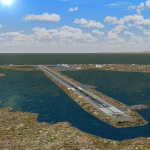
This AFCAD of the airport Wien Meml - Kotzebue (PAOT), Alaska, fixes some issues for Scenery Solution's UTX Alaska users who want to use mesh and texture resolutions better than 38 m and 1 m, respectively. Unfortunately this discloses some additional problems with lagoons surrounding runway 09/27. Some of the ponds had been elevated over apron level, the fence Microsoft had drawn around the airport ran through (elevated) water and so on. Runway 27 has no direct connection to the mainland like it is realized by UTX and furthermore a lot of water polygons (including the lagoons) had 'forgotten' shore line vectors. Included corrections are: fixed main waterpolygons around the airport (according to Google Maps), fixed airport layout, including aprons, GA parking, additional airport buildings (default FSX objects), fixed Runway designators (now 09/27 resp. 18/36 instead of 08/26 and 17/37, Nov. 2013), added shoreline vectors (compatible to UTX textures) and some more.
Again, THIS AFCAD IS INTENDED FOR USERS OF UTX ALASKA ONLY and will likely look horrible in other environments as it partially amends missing features only.
| Filename: | PAOT__Wien_Meml__Kotzebue_Alaska.zip |
| License: | Freeware, limited distribution |
| Added: | 3rd February 2014, 14:30:10 |
| Downloads: | 409 |
| Author: | Axel Birsul |
| Size: | 1.09 MB |
| Category: Flight Simulator 2002 - Scenery | |
| Alaska Bush Scenery: Stony River Bend & Old Stony |
|
File Description:
Here's your big chance to take-off and land using a curved airstrip. Stony River Bend is located just west of Merrill Pass, very close to Tom Fica's cabin at Two Lakes (part of his 'Merrill Pass' scenery add-on). The bumpy dirt runway - becoming slightly overgrown and prone to waterlogging - is marked out with wooden posts (lit at night) and presents a unique challenge: one that I haven't really sorted out just yet! There's a small settlement just up a log-lined trail from the airfield with a gravel service track connecting with a basic NDB/DME facility to help out with night or low visibility approaches. Although Stony River Bend is fictional, it has been based loosely on a real life runway at Elk City in Idaho. Three miles downstream is another simple backwoods strip called Old Stony - the narrow gravel runway here is conventional, but it's probably in an even worse state of repair. Designed for use with Eddie Denney's FS2002 mesh of Alaska, but the scenery is usable without it.
| Filename: | Alaska_Bush_Scenery_Stony_River_Bend__Old_Stony.zip |
| License: | Freeware, limited distribution |
| Added: | 31st March 2003, 13:09:28 |
| Downloads: | 1,873 |
| Author: | James Belk |
| Size: | 2.04 MB |
| Category: Flight Simulator X - AFCAD Files | |
| Coombs Airport (7NJ7), NJ |
|
File Description:
Located 04 miles NE of Elmer, New Jersey, Coombs Airport is a private turf field 2000' in length wilth clear 20:1 approach and departure at each end of the runway. You'll find some surrounding buildings but they are all located several hundred yards from the runway. This is a good strip to keep in mind for emergencies if you're in the area. You will be landing on terrain so having your mesh complexity set as high as possible is recommended. This airport is not lit at night, daytime VFR operations only are suggested. There are no transient services offered.
Scenery constructed with use of satellite images/streetview/aerial photos - the author has not been there in person.
This scenery is meant to be used in conjunction with MegaScenery Earth New Jersey/Delaware 004. It is not required, but apron use is minimized to allow satellite scenery to show through as much as possible, and objects are placed based on the MSE textures - lack of it may make scenery look out of place.
| Filename: | Coombs_Airport_7NJ7_NJ.zip |
| License: | Freeware |
| Added: | 16th February 2011, 00:03:55 |
| Downloads: | 191 |
| Author: | Drew Sikora |
| Size: | 756.22 KB |
| Category: Flight Simulator X - AFCAD Files | |
| Rainbow's End Airport (JY39), NJ |
|
File Description:
Located 07 miles S of Salem, New Jersey on 20 acres of land, Rainbow's End Airport is a private turf strip 2200' in length. There are no services for transient aircraft and the airport is not lit at night, so daytime VFR operations only are recommended. If you have an aircraft with 40' or less of wingspan you can start at one of the parking spaces east or west of the runway by the hangars. Otherwise it is suggested you start on the runway. There is no hard surfaced runway so set your terrain mesh as high as possible.
Scenery constructed with use of satellite images/streetview/aerial photos - the author has not been there in person.
This scenery is meant to be used in conjunction with MegaScenery Earth New Jersey/Delaware 005 & New Jersey/Delaware 004. It is not required, but apron use is minimized to allow satellite scenery to show through as much as possible, and objects are placed based on the MSE textures - lack of it may make scenery look out of place.
| Filename: | Rainbows_End_Airport_JY39_NJ.zip |
| License: | Freeware |
| Added: | 12th May 2011, 00:58:29 |
| Downloads: | 173 |
| Author: | Drew Sikora |
| Size: | 626.46 KB |
| Category: Flight Simulator X - Scenery | |
| NZOP- Opotiki Aerodrome (VectorLandClass, New Zealand) |
|
Images related to this file:
File Description:
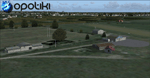
Opotiki aerodrome (ICAO: NZOP) is a small airstrip outside the township of of Opotiki, the gateway to the beautiful East coast of the North Island of New Zealand. Opotiki itself sits at the confluence of the Waioeka and Otara rivers and is surrounded by dairy farmland and Kiwifruit orchards with large areas of native bush to the south and east.
This scenery accompanies Tim Barnes'�� series of other small Bay of Plenty aerodromes (Whakatane,
Galatea, Waihi Beach) for use with VectorLandClass- It features custom modelled and textured buildings, large coverage of beautiful 0.5m aerial photography (fully auto-genned and including seasonal and night variations) and extensive use of high quality objects from the free VLC library. Installation of the library V1.1+ is required for this scenery to work properly and can be downloaded from the VectorLandClass website (www.vectorlandclass.co.nz)
This release, although not requiring it, works best with VectorLandClass topographic mesh and landclass addon covering all 268676 square kilometers of New Zealand. If you'��re not a VLC customer, you'��ll notice when the photoreal coverage runs out!
| Filename: | NZOP_Opotiki_Aerodrome_VectorLandClass_New_Zealand.zip |
| License: | Freeware, limited distribution |
| Added: | 21st February 2013, 13:52:47 |
| Downloads: | 969 |
| Author: | Tim Barnes |
| Size: | 146.68 MB |
| Category: Flight Simulator 2004 - Scenery | |
| Airstrips of Eastern France |
|
Images related to this file:
File Description:
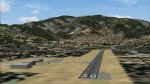
Next in my ongoing "Airstrips of Western Europe" project for FS2004, herewith about 100 sceneries of small, mostly default airfields in the eastern section of France, each enhanced with taxiways, parking spaces and aprons as appropriate, to further facilitate the generation of lightweight AI traffic in the area without overloading the more major airfields. When combined with the French airstrips from my previous uploads, the majority of the default small French airstrips in FS2004 will be able to generate AI traffic, should you so wish, as well as putting a little basic detail into the countryside.
Again, there's no photo-realism here, just a selection of basic 'generic' buildings, more or less accurately sized and placed to reflect the airfield layout as seen on on-line satellite imagery and aerial photography. These buildings have minimal effect on frame-rates, so are ideal for this kind of job. The airfields are aligned as well as possible with the roads etc. in UT Europe and the Genesis Europe mesh, but should mostly be fine in a default installation or other configuration.
| Filename: | Airstrips_of_Eastern_France.zip |
| License: | Freeware |
| Added: | 25th September 2024, 13:37:50 |
| Downloads: | 148 |
| Author: | Chris Eve |
| Size: | 2.83 MB |
| Category: Flight Simulator X - Miscellaneous Files | |
| US & Canadian Coast Guard AI Boat Traffic V1 |
|
Images related to this file:
File Description:
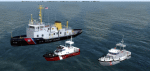
This is a paint and traffic file addition to go along with Henrik Nielsen's Global AI Ship Traffic.
These files have been tested to operate properly in FSX and P3Dv3. The textures are in .dds format for FSX and P3D.
The routes have been made with the consideration of using ORBX Vector, ORBX NA landclass and Pilots 2008 mesh products.
9 of the US Coast Guard's Bay Class icebreaker tugs are represented.
21 Canadian Coast Guard 47 foot motor life boats from the Quebec\Atlantic sectors and the British Columbia sector, along with 13 motor life boats of the US Coast Guard First District (New England) are represented.
4 ship traffic files allow all vessels to appear in the scenery.
Hendrik Nielsen's USCG Bay Class model and Jean-Pierre Fillion's Motor Life Boat model are included. Both Hendrik Nielsen and Jean-Pierre Fillion have given permission to include their ship/boat models with the project and I thank them greatly.
Four ship traffic files allow all vessels to appear in the scenery.
Please see the 'ReadMe' file first.
| Filename: | US__Canadian_Coast_Guard_AI__Boat_Traffic_V1.zip |
| License: | Freeware |
| Added: | 12th February 2019, 22:27:55 |
| Downloads: | 923 |
| Author: | Joe Bowers |
| Size: | 11.07 MB |


© 2001-2026 AVSIM Online
All Rights Reserved
Privacy Policy |