
Where Flight Simulation Enthusiasts Gather from Around the World!
AVSIM Library - Search Results

| Category: Flight Simulator X - Original Aircraft | |
| "Janet Airways" Boeing 737-600 BBJ-ER |

|
Images related to this file:
File Description:
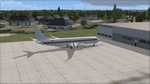
A highly classified small fleet of passenger aircraft known as "Janet" is operated for the United States Air Force to transport military and contractor employees. It mainly serves the Nevada National Security Site (most notably Area 51 (AR51) and Tonopah Test Range (TNX), from their terminal at Las Vegas' McCarran International Airport (KLAS). The planes are also used to fly to/from Air Force Plant 42 (KPMD), Naval Air Weapons Station China Lake (KNID), Hill Air Force Base (KHIF), and Edwards Air Force Base (KEDW). I encourage you to locate, download, and install the AFCAD files or scenery add-ons associated to these airports from any source you desire, but make sure they are designed for FSX. The fleet's "Janet" call sign, from which its de facto name comes, is said to stand for "Just Another Non-Existent Terminal", or more likely "Joint Air Network". Everything is realistic in this model, now, and most simmers know how inaccurate the original FSX 737-800 was. However, this aircraft simulates the accuracy of a 737-600 BBJ-ER, if there ever was one built. I modified everything to fit that aspect, except for the visual model. The engine characteristics are correct as well as all weight/balance and MOI. I even fixed the wheels to be accurate in base, track and pressure size. Everything I've done here is for educational purposes without any expectation of any monetary gain, and offered publicly for free. Read the Readme.txt file for installation and details. All persons involved with this and the original design are credited, unless they are unknown and have offered no credit details. Sounds by: Christoffer Petersen, Panel by: Pasquale Rinaldi, Redirected Texture by: Microsoft (Unknown Staff Member Names), Real World Engine/Aerodynamics by: Douglas E. Trapp, FS Flight Dynamics Engineer [email protected] July 2017
| Filename: | Janet_Airways_Boeing_737600_BBJER.zip |
| License: | Freeware |
| Added: | 8th July 2017, 20:04:30 |
| Downloads: | 1,927 |
| Author: | Douglas E. Trapp |
| Size: | 39.16 MB |
| Category: Flight Simulator 2004 - Scenery | |
| Airstrips of North-West Europe |
|
Images related to this file:
File Description:
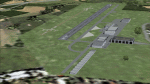
The sales blurb for FS2004 announced the inclusion of over 23,000 airfields ... unfortunately a significant number of those consisted of little or nothing more than a runway on a flatten with a rectangular background polygon.
To enable the addition of an amount of lightweight GA AI traffic, without overloading those airfields that were designed with parking spaces and taxi-ways, (and are probably already busy), I herewith include over 140 small sceneries, of mostly default airfields, from NW France, up the English Channel and the North Sea coast through Belgium, the Netherlands and NW Germany to Denmark, all with added taxiways and parking spots, aprons, generic buildings and background polygons as appropriate, to enable AI traffic to be generated without interrupting things at the more major airports.
A few of the French airfields are "new", not included originally with FS2004, and a couple have been updated to suit more recent developments :- for example, LFES "Scaer Guiscriff" is now LFES "Bretagne Atlantique", LFOR "Chartres Champhol" is now LFOR "Chartres Metropole", EHSE "Seppe" is now EHSE "Breda International" and EKVH "Vesthimmerlands" was previously EKVH "Aars".
There's no photo-realism here, just a selection of basic 'generic' buildings, more or less accurately sized and placed to reflect the airfield layout as seen on on-line satellite imagery and aerial photography. These buildings have minimal effect on frame-rates, so are ideal for this kind of job.
The airfields are aligned as well as possible with the roads etc. in UT Europe and the Genesis Europe mesh, but should mostly be fine in a default installation or other configuration.
Please read the rest of this "waffle" in the included text file ... it might save some confusion ;)
Enjoy :)
| Filename: | Airstrips_of_NorthWest_Europe.zip |
| License: | Freeware |
| Added: | 14th June 2024, 13:44:58 |
| Downloads: | 293 |
| Author: | Chris Eve |
| Size: | 9.95 MB |
| Category: Flight Simulator 2004 - Scenery | |
| Dervio scenery - Como lake Italy |
|
Images related to this file:
File Description:
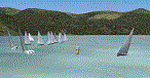
Scenery homage to a beautifull little town in north of Como lake of Italy; builded-up mainly with some existing objects and some buildings sintax made. It DOES NOT INCLUDE any airport, but represents only some pictures of Dervio town, reachable from Como Idroscalo floating airport or Samolaco or Sondrio Caiolo airports (closest ones); this is one of the moorings of Navigazione del Lago di Como. Informations: Dervio is one of the beautiful towns on north east area of Como lake, on a handland created by Varrone river. North and closed to the town, you can find Corenno Plinio old castle and in the opposite side of the lake the S. Bernardo church; you can also have some fireworks, obviously suggested with the night. Contents:
Mooring pier at snack bar, with awning and tables; Ferryboat in the lake with some sailbots in race between two buoys; Walk alongside the shore of the lake, with benches and some fisher piers; Main church with related church house and footbal soil; Several buildings, parking area, factories, bar and restaurant with tables chairs and gazebos, gas station and cars; Rail station with a small train and road gates; Sailbots on ground inside Centro Vela Dervio area and slipway with dinghy; Little marina with boats; Public park with entering gate, covered stand and tables; Residence La Boldona bloks with buildings, swimmin pool and tennis facilities, fenced; Campsite with campers, roulottes and tents; Corenno Plinio castle with tower and S. Bernardo little church; Spread of trees in all the scenery; (night scenery)two floating platforms wiht fireworks; six wood bonfires on shore of lake and on the mountains; One big ship with some other sailboats and speedboats
| Filename: | Dervio_scenery__Como_lake_Italy.zip |
| License: | Freeware |
| Added: | 22nd February 2011, 22:59:46 |
| Downloads: | 952 |
| Author: | Aldo Della Vedova |
| Size: | 12.71 MB |
| Category: Combat Flight Simulator 1 and 2 - Aircraft | |
| Gloster Meteor F8 RAAF A77-120 77th Squadron |
|
File Description:
Gloster Meteor F8 A77-120 of the RAAF 77th Squadron deployed at Kimpo Air Base(K-14)in the Korean War.
77th Squadron started the war with a dotation of F-51D Mustangs based at Taegu(K-2)and was requipped
with the Meteor F8 in April 1951. First operational mission was flew the 30th July, 1951.
22th August was a bad day for the Squadron:A77-128 and A77-354 were lost in colission, both pilots
were reported KIA.
The fighters were tasked to flight CAP missions over MiG Alley and the 29th August was reported the
first lost in combat mission:A77-721(Warrant Officer Guthrie ,POW) was shot down by the KPAFAC MiG-15 flew by
Lev K. Shchukin(18 GIAP, 303 IAD), in the same mission A77-616(Squadron Leader Wilson) was heavy damaged by
N. V. Babonin also of the 18 GIAP, 303 IAD.The first MiG kill was obtained the 8th May 1952, one MiG-15 of the
PLAAF shot down by William H.Simmonds and the second and last the 23th March 1953 by George S.Hale ,another
MiG-15 of the PLAAF. This two are the only confirmed victories of the Meteors in the Korean War; no MiGs
were shot down in the sad day 1th December 1951; this day were lost A77-29(Sergent B.Thompson POW)shot down by
Serafim P. Subbotin(176 GIAP, 324 IAD),A77-251(Sergent V.Drummond POW) shot down by Sergei M. Kramarenko(176 GIAP, 324 IAD)
and A-77-949(Sergent E.Armitt KIA)by Sergei F. Vishnyakov(176 GIAP, 324 IAD); also heavy damaged A77-559
(Sergent Bill Middlemiss)by Pavel S. Milaushkin(176 GIAP, 324 IAD).V-VS not confirmed the kills of Flying Officer
B.Gogerly in the A77-17 or the shared between Scannel/THorton and Cadan.Actually not MiGs were lost this day by
the Russians or Chineses Air Forces(KPAFAC,V-VS and PLAAF).The first MiG-15 lost in December 1951 was shot down the
next day by Zane S. Amell(335 FIS, 4 FIW) with his USAF F-86A-5.
After this fiasco Meteors were assigned to ground attack, and A77-120 was lost in one of this missions shot down by
AAA in March, 1952. Pilot Sergent L. Cowper was captured and POW.
32 Meteors and pilots were lost in the Korean War( six were confirmed shot down by MiGs and others 5 possible writen off)
V-VS also confirmed another combat mission the 25th August 1951 and the shot down of two others Meteors flew by
Ronald Mitchell and Reg L. R. Lamb, destroyed by the MiGs of Nikolai V. Sutyagin and Grigorii I. Pulov(boths 17 IAP, 303 IAD),
but that was not confirmed by the RAAF to this day.
And for the results:4836 missions flew, 3700 building destroyed, 1500 Vehicles and two MiG-15.
| Filename: | Gloster_Meteor_F8_RAAF_A77120_77th_Squadron.zip |
| License: | Freeware |
| Added: | 15th February 2004, 23:45:52 |
| Downloads: | 517 |
| Author: | Daniel Nole |
| Size: | 157.66 KB |
| Category: Flight Simulator 2004 - Scenery | |
| PAKN - King Salmon - Alaska, US V1 |
|
Images related to this file:
File Description:
This is the final version, complete in itself and incorporating the two modifications posted separately. King Salmon is a town with a population of just under 400, on the north bank of the Naknek River and 15 miles from the sea. The airport is adjacent to the town and was originally an airforce base; the military hangars on the airport are still usable. The airport, with its long runway (11-29 and 8,500 feet with an ILS, and a second runway 18-36 and 4,000 feet) is a transportation hub for the area in general and in particular for the salmon industry. Along the Naknek River there are numerous canneries and there are also fishing lodges on the river and nearby lakes; to speed up transportation to the lodges there are float bases on the river to the south of the airport. King Salmon has three tiers of scheduled flights: Alaska Air direct from Anchorage in a 737 (passengers and cargo), PenAir (Saab turboprop) as part of their flights up and down the peninsula, and Grant Air serving nearby small towns. There are also PenAir flights, both scheduled and unscheduled, in smaller aircraft (Piper Navajo for instance) to smaller airports for the fishing season, plus cargo flights in larger aircraft by the lowest bidder (Everts and Northern). To complete the mix the AI includes a pair of F15s. The runways cross (see the airport diagram) so read the notes re long taxi routes. There is AI for PAKN, plus revised AI made for Dutch Harbor which includes flights by PenAir to King Salmon, plus revised parking for Dutch Harbor with new replacement bgls to cater for more flights. There is also AI for the float bases on the river; I have made two runways separated into two float bases for river AI, called King Salmon Floats and King Salmon River; more AI for these will be added when other scenery along the river is made. Just land according to the wind and taxi to whatever dock takes your fancy.
| Filename: | PAKN__King_Salmon__Alaska_US_V1.zip |
| License: | Freeware, limited distribution |
| Added: | 11th April 2015, 06:20:40 |
| Downloads: | 506 |
| Author: | Roger Wensley |
| Size: | 23.67 MB |
| Category: Prepar3D V1-4 - Utilities | |
| GENav pro Navigation |
|
Images related to this file:
File Description:
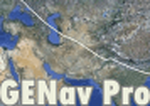
Previous payware product at SimMarket, now 100% free.
With GENav pro you will view all AIRAC navigation data and terminal procedures inside Google Earth. GENav pro run under Windows and require only Google Earth for displaying. You can also edit your own routes or just copy routes into GENav to view in Google Earth. You can search for example an airport or a fix by short or long name, Google Earth will take you there.
You can connect to Microsoft Flight Simulator to view your aircraft. Moving map and heading is available.
GENav pro is highly optimized for best performance and clear views without clutter. There are smart filters to select relevant data to display, all AIRAC items are available. You will find all data such as nav-aid frequencies, airport runways with ILS frequencies by click the displayed icons in Google Earth.
You can edit routes visual direct inside Google Earth by click. The database can always be updated with Navigraph's latest AIRAC data.
With GENav you can easy build valid routes. Unlike other common autorouting program, GENav is the tool for you to build routes with correct airway direction and correct connected to SID/STAR's. You will easy draw your routes most stright and correct to destination. It is also excellent for visual and instrument navigation flights.
FEATURES:
*** Display airports, nav aids, waypoints
*** Display High/Low airways and airways direction
*** Display SID/STAR, Approaches and Transitions
*** Display ARTCC/FIR border
*** AIRAC data available by click
*** Search airport and fixes
*** AIRAC data compatible Navigraph data
*** Visual editable routes
*** VOR to VOR route navigation data
*** Display your aircraft
BASIC SYSTEM REQUIREMENTS:
*** Windows with Google Earth installed
( Notice, no flightsim program required )
OPTIONALLY REQUIREMENTS:
*** SID/STAR require the Navigraph purchase or an alternative free source
*** Airways direction & high/low info require the Navigraph purchase
*** To display aircraft, Microsoft Flight Simulator or Prepare3D v1/v2, with free FSUIPC is required.
*** To display aircraft at a separate computer, also the payware WideFS is required.
| Filename: | GENav_pro_Navigation.zip |
| License: | Freeware |
| Added: | 25th May 2016, 11:24:52 |
| Downloads: | 654 |
| Author: | Lennart Vedin |
| Size: | 4.5 MB |
| Category: Flight Simulator 2004 - Sounds | |
| Kosmos Airlines: Flight for Flight for FS Announcement Panel v2.0 |
|
Images related to this file:
File Description:
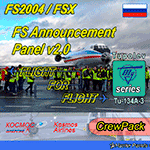
As a Captain of the legendary Tupolev Tu-134 take part in an international event for aviation enthusiasts called "Flight For Flight".
Depart early in the morning from Vnukovo Airport to Kaluga, where participants of the event are expected to visit the Tsiolkovsky Museum of the History of Cosmonautics, go for spotting at Kaluga Airport, meet real cosmonauts and other interesting people that devoted themselves to aviation. At the end of the event take the participants back to Moscow, Vnukovo Airport.
Your goal as a Captain is to provide effective crew management and coordination so that your experienced navigator would make the best route considering that after taking off in Kaluga your pax would have had an opportunity to enjoy its surroundings from 1,500 ft, your flight attendants would manage to serve drinks to the participants in flight, and that your piloting skills allow them to take good pictures and videos during takeoff, landing, and in flight.
The update will add welcome crew announcements and messages after landing at the airports Vnukovo, Moscow (IATA: VKO, ICAO: UUWW) and Kaluga Grabtsevo (IATA: KLF, ICAO: UUBC). IMPORTANT: Kosmos Airlines Tupolev Tu-134 CrewPack, Kosmos Airlines: Flight Levels and FS Announcement Panel v2.0 are required and should be installed prior to installing the update.
Recommended addons:
Kosmos Airlines Repaint Tupolev Tu-134A:
FS2004
https://library.avsim.net/download.php?DLID=202267
https://www.flightsim.com/vbfs/fslib.php?do=copyright&fid=199118
Vnukovo Airport:
FS2004
https://www.avsim.su/f/fs2004-scenarii-44/uuww-vnukovo-reload-56187.html
https://library.avsim.net/download.php?DLID=148796
FSX
https://www.avsim.su/f/fsx-sceneries-83/stsenariy-aeroporta-vnukovo-44098.html
https://library.avsim.net/download.php?DLID=141533
https://www.flightsim.com/vbfs/fslib.php?do=copyright&fid=141677
Kaluga Grabtsevo Airport:
FS2004
https://library.avsim.net/download.php?DLID=202279
https://www.flightsim.com/vbfs/fslib.php?do=copyright&fid=199125
https://www.flightsim.com/vbfs/fslib.php?do=copyright&fid=186623
FSX
https://www.avsim.su/f/fsx-sceneries-83/kaluga-grabtsevo-48356.html
https://library.avsim.net/download.php?DLID=196763
You can evaluate the sound quality in this video:
https://youtu.be/wzkX9Oj5zD4
| Filename: | Kosmos_Airlines_Flight_for_Flight_for_FS_Announcem.zip |
| License: | Freeware, limited distribution |
| Added: | 6th December 2017, 06:33:42 |
| Downloads: | 38 |
| Author: | Gene Churumov |
| Size: | 1.23 MB |
| Category: Flight Simulator 2004 - Sounds | |
| Kosmos Airlines: Flight for Flight for FSPassengers |
|
Images related to this file:
File Description:
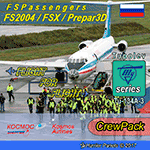
You are a Captain of the legendary Tupolev Tu-134. You and your crew take part in an international event for aviation enthusiasts called "Flight For Flight".
Early in the morning depart from Vnukovo Airport to Kaluga, where participants of the event are expected to visit the Tsiolkovsky Museum of the History of Cosmonautics, go for spotting at Kaluga Airport, meet real cosmonauts and other interesting people that devoted themselves to aviation. At the end of the event take the participants back to Moscow, Vnukovo Airport.
Your goal as a Captain is to provide effective crew management and coordination so that your experienced navigator would make the best route considering that after taking off in Kaluga your pax would have had an opportunity to enjoy its surroundings from 1,500 ft, your flight attendants would manage to serve drinks to the participants in flight, and that your piloting skills allow them to take good pictures and videos during takeoff, landing, and in flight.
This update comes as complete crewpacks that allow you to make welcome crew announcements and messages after landing at the airports Vnukovo, Moscow (IATA: VKO, ICAO: UUWW) and Kaluga Grabtsevo (IATA: KLF, ICAO: UUBC). IMPORTANT: Kosmos Airlines Tupolev Tu-134 CrewPack for FSPassengers is required and should be installed prior to installing the update.
Recommended addons:
Kosmos Airlines Repaint Tupolev Tu-134A:
FS2004
https://library.avsim.net/download.php?DLID=202267
https://www.flightsim.com/vbfs/fslib.php?do=copyright&fid=199118
Vnukovo Airport:
FS2004
https://www.avsim.su/f/fs2004-scenarii-44/uuww-vnukovo-reload-56187.html
https://library.avsim.net/download.php?DLID=148796
FSX
https://www.avsim.su/f/fsx-sceneries-83/stsenariy-aeroporta-vnukovo-44098.html
https://library.avsim.net/download.php?DLID=141533
https://www.flightsim.com/vbfs/fslib.php?do=copyright&fid=141677
Kaluga Grabtsevo Airport:
FS2004
https://library.avsim.net/download.php?DLID=202279
https://www.flightsim.com/vbfs/fslib.php?do=copyright&fid=199125
https://www.flightsim.com/vbfs/fslib.php?do=copyright&fid=186623
FSX
https://www.avsim.su/f/fsx-sceneries-83/kaluga-grabtsevo-48356.html
https://library.avsim.net/download.php?DLID=196763
You can evaluate the sound quality in this video:
https://youtu.be/wzkX9Oj5zD4
| Filename: | Kosmos_Airlines_Flight_for_Flight_for_FSPassengers.zip |
| License: | Freeware, limited distribution |
| Added: | 6th December 2017, 06:33:57 |
| Downloads: | 51 |
| Author: | Gene Churumov |
| Size: | 21.84 MB |
| Category: Flight Simulator 2004 - Utilities | |
| GENav pro Navigation |
|
Images related to this file:
File Description:
Previous payware product at SimMarket, now 100% free.
With GENav pro you will view all AIRAC navigation data and terminal procedures inside Google Earth. GENav pro run under Windows and require only Google Earth for displaying. You can also edit your own routes or just copy routes into GENav to view in Google Earth. You can search for example an airport or a fix by short or long name, Google Earth will take you there.
You can connect to Microsoft Flight Simulator to view your aircraft. Moving map and heading is available.
GENav pro is highly optimized for best performance and clear views without clutter. There are smart filters to select relevant data to display, all AIRAC items are available. You will find all data such as nav-aid frequencies, airport runways with ILS frequencies by click the displayed icons in Google Earth.
You can edit routes visual direct inside Google Earth by click. The database can always be updated with Navigraph's latest AIRAC data.
With GENav you can easy build valid routes. Unlike other common autorouting program, GENav is the tool for you to build routes with correct airway direction and correct connected to SID/STAR's. You will easy draw your routes most stright and correct to destination. It is also excellent for visual and instrument navigation flights.
FEATURES:
*** Display airports, nav aids, waypoints
*** Display High/Low airways and airways direction
*** Display SID/STAR, Approaches and Transitions
*** Display ARTCC/FIR border
*** AIRAC data available by click
*** Search airport and fixes
*** AIRAC data compatible Navigraph data
*** Visual editable routes
*** VOR to VOR route navigation data
*** Display your aircraft
BASIC SYSTEM REQUIREMENTS:
*** Windows with Google Earth installed
( Notice, no flightsim program required )
OPTIONALLY REQUIREMENTS:
*** SID/STAR require the Navigraph purchase or an alternative free source
*** Airways direction & high/low info require the Navigraph purchase
*** To display aircraft, Microsoft Flight Simulator or Prepare3D v1/v2, with free FSUIPC is required.
*** To display aircraft at a separate computer, also the payware WideFS is required.
| Filename: | GENav_pro_Navigation.zip |
| License: | Freeware |
| Added: | 25th May 2016, 11:24:32 |
| Downloads: | 532 |
| Author: | Lennart Vedin |
| Size: | 4.5 MB |
| Category: Miscellaneous Files - General Utilities | |
| Random Airport Generator |
|
Images related to this file:
File Description:
I can be contacted at [email protected] for any help required or different drive versions needed.
[ABOUT THE PROGRAM]
This program will read a text file from the route of your hard drive depending on the version you run, and select a random line and display that line. The file must be a text file named "Airports.txt". This program was designed with ease of use in mind for selecting a random airport for the Flight Sim community, though can be used for any purpose with any text file called "Airports.txt". The program will display the airport ICAO code then co-ordinates.
[ABOUT ME]
I am a 16 year old aviation enthusiast that loves flying and ATC, but hate having to choose an airport to depart from and arrive at, or to controll. This program has now removed this to make my flight more random with less decisions to make. I also like to explore areas I haven't been before, again this selects a random airport, from thousands of different ones, so exploring is inevitable.
[INSTALLATION]
The only installation required is to copy the Airports.txt file to the route of your hard drive C: or D: (for more drives e-mail me as above), then run the respective program for that drive from any folder you wish.
[ABOUT THE AIRPORTS.TXT FILE]
This file was collected from my FS2004 and contains every airport in it. Currently the program selects a line at random and displays it, whether a large international airport or small grass field. You could edit the file just to contain your favourite airports and it will NOT affect the running of the program as long as the file remains as Airports.txt. I am hoping in future versions to allow you to select a type of airfield, i.e. large, medium or small or select from runway length, though this will take a while to produce, if ever.
For now i hope everyone enjoys the program and happy flying :)
| Filename: | Random_Airport_Generator.zip |
| License: | Freeware |
| Added: | 9th June 2010, 02:41:14 |
| Downloads: | 212 |
| Author: | Alexander Aschacher |
| Size: | 254.45 KB |


© 2001-2026 AVSIM Online
All Rights Reserved
Privacy Policy |