
Where Flight Simulation Enthusiasts Gather from Around the World!
AVSIM Library - Search Results

| Category: Flight Simulator 2002 - Aircraft Repaints, Textures and Modifications | |
| FS2002 Val-U-Prop Plane and Panel |

|
File Description:
FS2002 Val-U-Prop Douglas DC-3 Plane and Panel
Val-U-Prop is a (fictional) rogue airline based in Bloomington, Indiana, that flies everything from VIPs to sheep manure anyplace and anytime. VP's motto is "No job too small; No fee too large," and our DC-3's and DC-6's can be seen hedge-hopping into various obscure airports throughout the USA. Based on the lovely DC-3 Pluna by Daniel Gazzano, this aircraft is a re-paint of the fabulous DC-3 OH-LCH by Jan Visser, Erik Ellis, Roy Chaffin, Ian Roper and Bill Rambow, to which FS2002 lights have been added. Panel includes everything on main panel, except for GPS, so there is no tabbing. (Default pop-up radio stack is also included.) Panel is based on photographs by Bill Blanchard (lower panel) and Shawn Clark (upper). The very aluminal wing views were shot by Thomas Andre Hjelmen, and the 1930s cabin was photographed by Ben Wang and is populated with various VIPs. All of this brought to you by Val-U-Prop - where WE VAL-U-YOU! By James Underwood
| Filename: | FS2002_ValUProp_Plane_and_Panel.zip |
| License: | Freeware, limited distribution |
| Added: | 26th February 2003, 16:36:44 |
| Downloads: | 600 |
| Author: | James Underwood |
| Size: | 6.2 MB |
| Category: Flight Simulator 2004 - Miscellaneous Files | |
| Active ILS - Niagara International Airport KBUF |
|
File Description:
As most know initiating the ILS at certain airports for AI Aircraft or User Planes is not a function at this time when using AFCAD2 if visibilty falls below 3 miles. This is do to the somewhat complex XML code that has to be written for NAVAIDS and then the compiling into a bgl file. If you add a new ILS runway to an airport such as KBUF (rwy 32) only the user aircraft can use this runway when visibility falls below 3 miles if a GPS/LDA is unavailable. ATC will no longer use 32 ILS runway for AI Traffic or User Aircraft (by default) because FS9 sees it as a visual runway and will now vector your Planes back to 5/23 ILS which is also being used as a Terminal Departure Runway. The KBUF_ILS_jv.bgl file adds all NAVAIDS for making 32 a Precision Instrument Runway by adding all the radar fixes for both the ILS/DME approach portion and the proper missed approach procedures as per current published plates for runway 32. See the readme for what's new at the KBUF airport. **** AFCAD2 included for FS9 default scenery. ****
| Filename: | Active_ILS__Niagara_International_Airport__KBUF.zip |
| License: | Freeware, limited distribution |
| Added: | 30th January 2005, 17:21:34 |
| Downloads: | 1,306 |
| Author: | Jim Vile |
| Size: | 117.25 KB |
| Category: Flight Simulator X - Missions | |
| Mountain Flying in Switzerland (Part 1 of 3) |
|
Images related to this file:
File Description:
Mountain Flying in Switzerland (Part 1 of 3)
Welcome to beautiful Geneva, Switzerland. Today is a gorgeous day to be taking your first mountain flight in the Swiss Alps. Your round trip will take you over two mountain passes, an airport in the middle of a steep sided canyon and another airport in the heart of the Alps Part 1 of 3: Col de Coux - This first leg takes you from the grass runway in Geneva up and over a mountain pass named Col de Coux and down to an airport in a canyon. Along the way you will be able to enjoy all the beautiful scenery, including incredible views of the snow covered Alps and Lake Geneva, with its world famous jet d'eau. The chief flight instructor from the Aeroclub de Geneve will help you navigate and also handle all the radio communications, but it will be up to you to safely arrive at your destination. You are the Pilot in Command! Includes: - Detailed aeronautical charts of your departure, route, and arrival - FSX Nav Log, Flightplan and GPS with programmed waypoints - Real world voice actors with written text of entire dialog.
| Filename: | Mountain_Flying_in_Switzerland_Part_1_of_3.zip |
| License: | Freeware |
| Added: | 24th June 2010, 01:33:36 |
| Downloads: | 2,696 |
| Author: | Chris Klein |
| Size: | 33.32 MB |
| Category: Flight Simulator 2004 - Scenery | |
| Shea Field CSF7, Casselman Ontario Canada |
|
Images related to this file:
File Description:
Shea Field is a recently-licensed privately-owned grass airfield in Ontario, 25 miles southeast of ottawa, and south of Highway 417. When I visited I was greeeted by the horse, peering around the end of it's stable shed at the corner of apron and runway. I walked over to the house and rang the doorbell and the dog said hello and that exhausted all social contact. The hangar is large but I have no idea what is inside. There was one plane parked on the apron with a skirt of uncut grass so presumably it hasn't flown for a few months. It was a Citabria in what looked like good condition; I don't have a Citabria to park there so I put a Cub. My favourite building is the old barn, leaning to one side as if seeking support for an elbow. To the north there are some farm sheds and grain silos, and to the northwest a tall mast; avoid it. To find the field without a gps follow the 417 and look for the tall mast just west of a major highway wiggle.
| Filename: | Shea_Field_CSF7_Casselman_Ontario_Canada.zip |
| License: | Freeware, limited distribution |
| Added: | 5th August 2012, 13:35:12 |
| Downloads: | 214 |
| Author: | Roger Wensley |
| Size: | 2.62 MB |
| Category: Flight Simulator X - Utilities | |
| NpC - Numpad Control for FSX v2.2.1 |
|
File Description:
NpC v2.21 - some small changes from v2.2 including a script you can use to switch autopilot input from Nav to GPS and instructions on moving and re-sizing and re-positioning the NpC message window.
NumPad Control (NpC) is a program for entering Com, Nav and ADF radio frequencies, Transponder codes, VOR OBS/CRS settings, Auto-throttle airspeed, and Autopilot altitude, vertical speed, and heading values in FSX using the keyboard number-pad instead of mouse click spots. NpC is programmed primarily for aircraft with default FSX avionics (radios, transponders, and autopilots that were developed within standard FSX programming guidelines). However, this updated version of NpC also supports a number of third party add-on aircraft such as the PMDG 737NGX / B777, Flight1 King Air B200 and the A2A Cherokee 180. NpC is a set of Lua scripts and thus requires a registered copy of FSUIPC4 to work.
An installation and configuration manual is also included in the file set.
For a video that gives an overview of NpC function see: https://www.youtube.com/watch?v=P2p6CHxMOl8&list=PL_NnG_PN8zwnEI59uGxlhgp11rJQbQ_gJ&index=2
| Filename: | NpC__Numpad_Control_for_FSX_v221.zip |
| License: | Freeware |
| Added: | 4th December 2015, 20:03:34 |
| Downloads: | 698 |
| Author: | Al Klayton, Dan Sullivan |
| Size: | 801.63 KB |
| Category: Flight Simulator X - AI Flight Plans | |
| Mount Everest Expedition |
|
File Description:
Two flightplans for an expedition to Mount Everest (8852 m). The first flightplan takes you from Lukla (VNLK) airfield at 10000 ft to Mount Everest Climb North: Base Camp. A distance of about 40 km. The recommended inbuilt aircraft for this trip is the "Maule Orion on skis". Be aware that you must climb to about 15000 ft before entering the GPS-path. Also, you should try to land across the slope. Otherwise it could be difficult to stop the aircraft from skiing down the inclined ground!
The second flightplan takes you from Base Camp to Yak Camp* (at about 19000 ft MSL) sitting at a bend of the East Rongbuk Glacier. This is the first camp on the North Route. You should use a helicopter able to climb to about 20000 ft for this route. For example, the inbuilt Bell 206B JetRanger. Though, it will indeed be a challenge with this aircraft!
*= It is called the Yak Camp because it is the point at which the yak herders overnight their yaks on the route up to Advance Base Camp (ABC) at 21300 ft.
| Filename: | Mount_Everest_Expedition.zip |
| License: | Freeware |
| Added: | 1st May 2007, 23:20:13 |
| Downloads: | 1,671 |
| Author: | Ulf Norlinger |
| Size: | 127.04 KB |
| Category: Flight Simulator X - AFCAD Files | |
| Active ILS - KATL (Hartsfield - Jackson Atlanta Intl Airport) |
|
File Description:
Many know that KATL was not updated in FSX do to the airport data cutoff date. KATL now has the new Runway 10/28 but there are many additions added which are to numerous for listing here. Several key changes are all 5 parallel runways are ATC controlled Arrival runways for both the User and AI Plane Traffic. All Gates and Parking Spots have been updated so AI Airline Planes including Cargo, Commuter, and Corporate GA park in the correct places. New Approach code including the 5 new STAR's, RNAV (gps overlay's), many new Transitions and correct Runway data as per current Jeppesen Charts (freeware charts included). Many features have also been fixed such as Jetways that moved the wrong way, recoding the ILS CAT II Runway 28 frequency, updating KLZU ILS Runway 25 frequency, many scenery GUID's to support KATL based on how it looks today and additional ground support tracks that go to many more places including all Cargo Stands. Read the included Whats New Readme txt file for all the enhancements and how I coded ATC to use all 5 parallel runways for arrival vectors to decrease the go around issues at large airports.
| Filename: | Active_ILS__KATL_Hartsfield__Jackson_Atlanta_Intl_.zip |
| License: | Freeware, limited distribution |
| Added: | 1st January 2007, 22:57:34 |
| Downloads: | 30,372 |
| Author: | Jim Vile |
| Size: | 10.84 MB |
| Category: Flight Simulator X - Panels | |
| F-111 Aardvark HUD - Navigation/Situation awareness cockpit with RADAR |
|
Images related to this file:
File Description:
FSX Alphasim F-111 Aardvark HUD. Navigation/Situation awareness cockpit.
REVISION 4. UPGRADE. COMPLETE PACKAGE. Adds upgraded dual role air-to-air ground mapping RADAR with target lock up and script on radar and HUD to enable precise intercepts in all weather day or night and new Sound. Massive amount of digital data.
Must have ALPHASIM F-111 Aardvark to build up this complete and separate F-111. Exceptional capability cockpit Comprising:
-Pilot, WSO and virtual panels;
-3 MFD with 19 selectable pages of data;
-NEW RADAR and 3 GPS type moving maps;
-16 Nearest airports page with full Citynames and ICAO entry capable displays in HUD;
-Clipboard, autopilot;
-Autothrottle and TFR;
-Enhanced HUD is selectable in all views including 10 camera views;
-All data clearly readable size;
-Aircraft carrier capable;
-Effects: bombs, missiles, flares, dump and burn, exhaust trail;
-Detailed REVISED 48 pge Flight Manual plus docs folder.
Configuration ensures crisp and extremely precise controlled flight even down to
10 ft AGL. This panel will set a new benchmark of the amount and type of
data provided and its presentation. Possibly the best pilots' aircraft ever.
Simple Panel replacement if previous version already installed.
By Karol Chlebowski.
| Filename: | F111_Aardvark_HUD__NavigationSituation_awareness_c.zip |
| License: | Check within download |
| Added: | 31st December 2009, 03:09:04 |
| Downloads: | 1,071 |
| Author: | Karol Chlebowski |
| Size: | 35.61 MB |
| Category: Flight Simulator X - Gauges | |
| GPS2020 – V12.4 |
|
Images related to this file:
File Description:
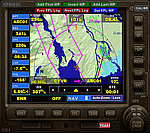
For those that still want to use FSX/P3D, it is recommended to replace GPS2020 V12.0 with this V12.4!
V12.4: Major fault corrected:
- When flying a normal flight plan, then setting a Direct-To destination, quite regularly after a few seconds the DTO was aborted prematurely
and the normal flight plan was restored. Obviously, this is intolerable. A solid cure has been found.
Some additions and smaller corrections:
- WPT infobox upper left: if GPS NAV Lock set, background gets color of active leg (purple).
- When the aircraft reaches the Direct-To destination, normally it starts circling around it (only with the autopilot).
From now on, if a flight plan was active before the Direct-To was started, it will automatically be resumed when the destination is reached.
- Direct-To flight plan: occasionally, the destination waypoint shown in the 2-point DTO flight plan changed to 'Aircraft', although the autopilot navigation
functioned correctly. Now the Direct-To flight plan should always be correct.
- Adding an approach procedure (PROC) to the flight plan, then removing it, then Direct-To to a WP, then cancel DTO:
the flight plan should be restored WITHOUT the PROC, but it was restored WITH the previously deleted PROC. Corrected now.
| Filename: | GPS2020__V124.zip |
| License: | Freeware |
| Added: | 29th August 2020, 20:48:56 |
| Downloads: | 808 |
| Author: | Hugo Jansen |
| Size: | 4.61 MB |
| Category: Flight Simulator 2004 - Panels | |
| DC3 Photo-real Modern, Re-built Panel |
|
File Description:
This panel is made from a photograph of a modern day DC3. It features a unique 1950's-1960's style radio array mounted on top of the panel. The default King Air Radio gauge has been modified to work with it. The full version includes all working gauges, including VOR, ILS, the compact King Air autopilot, a repostioned GPS, and the default DC3 pop up windows for electrical, engine, and other controls. This shareware version, for evaluation purposes, is limited in gauge functions, color blending, and visibilty. It also includes the Right and Forward-Right cockpit views for evaluation of the full set of 7 inside views. The full set includes cargo and passenger options, from two different DC3 aircraft in use today (see screen shots). Also included as freeware, is the modified DC3 MDL file by Clive Ryan (dc3_mdl.zip), with permission. This will switch off the default virtual cockpit, so it does not conflict with the internal views. Or, if you know how to hex-edit, you can modify your own default MDL file, by following Clive's tutorial, which is included (only recommended for advanced users). You can also install only the panel, without using the modified mdl file. Includes choice of 1024x768 or 800x600 image resolution sets. By Will Fisher
| Filename: | DC3_Photoreal_Modern_Rebuilt_Panel.zip |
| License: | Shareware, limited functionality |
| Added: | 3rd December 2004, 22:21:38 |
| Downloads: | 2,522 |
| Author: | Will Fisher |
| Size: | 3.36 MB |


© 2001-2026 AVSIM Online
All Rights Reserved
Privacy Policy |