
Where Flight Simulation Enthusiasts Gather from Around the World!
AVSIM Library - Search Results

| Category: Flight Simulator 2004 - Scenery | |
| Iqaluit CYFB 2010 |

|
Images related to this file:
File Description:
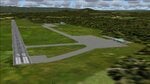
Founded in 1942 as an American airbase, Iqaluit is now the capital city of the northern Canadian province of Nunavut. It is the smallest Canadian capital in terms of population and the only capital that is not connected to other settlements by a highway. The airport is of critical importance to the community, especially when ice makes boat travel impossible. At 62 degrees latitude (approx. the same as Yellowknife), Iqualuit offers some of the most severe weather you are likely to encounter at any airport, and has been used for cold weather testing of new airliners.
This version of Iqaluit is a complete rebuild of the default version. Almost all the buildings have been custom modeled based on photos. The design of the terminal building at Iqaluit is one of the coolest I've seen, and was the main inspiration for making this scenery. Due to its complexity many details had to be omitted, but hopefully I was able to at least capture some of its "Yellow Submarine" uniqueness. Ramp lights, fences, ground objects, arrestor cables (non-functional) and all the rest of the usual junk is included. Also Instrument Approach Plates.
| Filename: | Iqaluit_CYFB_2010.zip |
| License: | Freeware |
| Added: | 26th December 2010, 15:38:20 |
| Downloads: | 2,685 |
| Author: | Sidney Schwartz |
| Size: | 4.18 MB |
| Category: Flight Simulator 2004 - Scenery | |
| KCLT Charlotte Douglas International Airport |
|
Images related to this file:
File Description:
In 2008 runway 18R/36L at KCLT was renamed 18C/36C in anticipation of a third parallel under construction. The new runway was to be designated 18R/36L and was finally activated on January 6, 2010. This scenery adds that new runway to the default Charlotte Douglas International Airport (KCLT). This is a complete rebuild of my previous upload, KCLT2010 (not required) that inadvertently removed approximately 30 airports in the Charlotte area, including Fayetteville and Spartanburg. It also includes Terminal E, which was added in 2002, but never made it into the default FS2004 scenery.
I used Airport Design Editor (ADE9x) to modify the default FS2004 KCLT file, renaming the default 18R/36L to 18C/36C, create the new taxiways, taxi signs, NavAids, 18R-36L runway, and Terminal E. I used Abacus EZ-Scenery to add jetways, gate markings, and ramp lights. All files, libraries, and textures are either default or included. No additional downloads are required. AI Aircraft were acting normally on my system. I sat at Taxiway W2 for the new Runway 18R/36L and watched AI Aircraft land and take off from it after creating this scenery.
| Filename: | KCLT_Charlotte_Douglas_International_Airport.zip |
| License: | Freeware, limited distribution |
| Added: | 12th January 2011, 22:34:51 |
| Downloads: | 3,559 |
| Author: | Randy Tyndall |
| Size: | 1022.34 KB |
| Category: Flight Simulator 2004 - Original Aircraft | |
| Kuwait Airways Airbus A340-313 |
|
File Description:
Features (in depth): Fully animated control surfaces, Fully independent suspension, Dynamic flexing wings that respond to turbulence (Thanks to Fraser Turner) Thrust reversers that open fully on idle reverser thrust. (Thanks to Fraser Turner), Drooping ailerons on elevators when engines are shut off (Thanks to Bill Leaming), fully reflective textures (each part has different degree of reflection based on material), Accurate flight dynamics (accurate FDE with full profiles for wheels, tires, struts, leading/trailing struts, engine types). Tested by real pilots) Detailed textures, Interchanging 2D and 3D engine fans, Full night lighting, Visible landing lights from the cockpit, Reflective cockpit windows, Crash effects, Transparent nav light lenses
Virtual Cockpit with clickable buttons. Optimized for FS2004 (VC version only) Rain effects on windshield (VC mode), Wingview (Wingview version only), Dynamic Shine, Opening Passenger and Cargo Doors (fully independent)
Shift+E = left door Shift+T = right door, Shift+E+2 = Cargo doors, More detail to landing gear and flaps, more textures to add realism (landing gear, leading edge flaps, fan blades), Animated vent scoops under belly ( Shift+W), New lighting and condensation effects, Even more 3D parts added to this A340 over the A330.
| Filename: | Kuwait_Airways_Airbus_A340313.zip |
| License: | End User License Agreement |
| Added: | 31st July 2004, 10:45:02 |
| Downloads: | 12,543 |
| Author: | Project Opensky |
| Size: | 9.1 MB |
| Category: Flight Simulator 2004 - Utilities | |
| Recorder Module 1.3 |
|
File Description:
This module can record flights, save them to files and play them back like the FS instant replay and flight video recorder, but with a lot more features. The module does NOT record video files (like .avi), it records data like aircraft position, speed, etc, so the recordings can only be played inside FS. This has the advantage, that you can watch your recordings from different views. It also allows to play recordings as AI traffic, which e.g. allows flying in formation with yourself. Additionally it includes advanced view features for the tower and spot views.
Main features: recording flights of unlimited length - replay - recording of AI traffic - play recordings as (AI) traffic - jumping/searching forward/backward during playback - playback control via keyboard or control window - loop part of a recording - change playback speed - custom keyboard controls - recorded data is customizable (available are throttles, control surfaces, gear, flaps, spoilers, lights, engines on/off, propeller/mixture, nav and com radios, date/time, smoke) - multiple tower/spot/VC views - optional manual panning of tower/spot view direction - automatic zooming - saving/loading sets of tower/spot/VC views
| Filename: | Recorder_Module_13.zip |
| License: | Freeware |
| Added: | 24th September 2006, 23:04:11 |
| Downloads: | 6,093 |
| Author: | Matthias Neusinger |
| Size: | 323.29 KB |
| Category: Flight Simulator 2004 - Original Aircraft | |
| Cathay Pacific Airways Airbus A340-300 |
|
File Description:
Features ( in depth ): Fully animated control surfaces, Fully independent suspension, Dynamic flexing wings that respond to turbulence (Thanks to Fraser Turner) Thrust reversers that open fully on idle reverser thrust. (Thanks to Fraser Turner), Drooping ailerons on elevators when engines are shut off (Thanks to Bill Leaming), fully reflective textures (each part has different degree of reflection based on material), Accurate flight dynamics (accurate FDE with full profiles for wheels, tires, struts, leading/trailing struts, engine types). Tested by real pilots) Detailed textures, Interchanging 2D and 3D engine fans, Full night lighting, Visible landing lights from the cockpit, Reflective cockpit windows, Crash effects, Transparent nav light lenses
Virtual Cockpit with clickable buttons. Optimized for FS2004 (VC version only) Rain effects on windshield (VC mode), Wingview (Wingview version only), Dynamic Shine, Opening Passenger and Cargo Doors (fully independent)
Shift+E = left door Shift+T = right door, Shift+E+2 = Cargo doors, More detail to landing gear and flaps, more textures to add realism (landing gear, leading edge flaps, fan blades), Animated vent scoops under belly ( Shift+W), New lighting and condensation effects, Even more 3D parts added to this A340 over the A330.
| Filename: | Cathay_Pacific_Airways_Airbus_A340300.zip |
| License: | Check within download |
| Added: | 30th July 2004, 23:59:39 |
| Downloads: | 54,061 |
| Author: | Project Opensky |
| Size: | 8.68 MB |
| Category: Flight Simulator X - Gauges | |
| TCAS and Traffic Display Gauge V2.0 |
|
Images related to this file:
File Description:
This TCAS and Traffic Display Gauge Version 2.0 includes significant improvements from V1.0. It has been developed for the FSX Flight Simulator SP1/2 also. It should also work with Acceleration.The functionality for the TCAS part is based on general specs for commercial aircrafts. It does not provide in detail the function for a specific aircraft model. It is a generic gauge, and can be simple added to any aircraft as a standalone popup window.
In addition the gauge provides a AI traffic display in the ranges of 10,20, and 40 miles.Within this display mode, no TCAS rules are valid, which means all AI aircraft are displayed independent of any altitude or distance.
Improvements in V2.0 are: 1: Full TCAS and traffic display capability is provided even though your aircraft is on the ground. Only the trigger of the alarm/warn sound and the blinking lamp display willbe blocked. 2: An AI HDG pointer will be displayed. It shows in which direction the AI is moving. 3: A bearing pointer has been introduced. It allows the pilot to point to a specific AI.4: The AI additional text info display follows the structure of an ATC text.5:The AI additional text can be selected individually per AI with a mouse click.
6: Each AI display contains a ID index number (0 � 20).7: The design of the TCAS and Traffic Display Box has been updated.8: Increased the number of AIs displayed on the screen in display mode.
For installation and functional description look at the doc inside the ZIp.
CREDIT goes to :
Stefan Schneider for his support on special XML issues and TCAS functionality.
Bob Familton for his review of the documentation and testing for SP1 FSX.
Doug Dawson for his dsd-XML-sound interface in order to generate the sounds.
| Filename: | TCAS_and_Traffic_Display_Gauge_V20.zip |
| License: | Freeware |
| Added: | 25th October 2010, 13:37:36 |
| Downloads: | 3,748 |
| Author: | Dietmar Loleit |
| Size: | 981.32 KB |
| Category: Flight Simulator 2004 - Scenery | |
| Airstrips East of the Adriatic |
|
Images related to this file:
File Description:
A collection of about 60 small airfields in Albania, Bosnia & Herzegovina, Kosovo, North Macedonia and Serbia & Montenegro, many of which aren't featured in FS2004, each enhanced with taxiways, parking spaces, buildings etc. and aprons as appropriate, to fill in a few gaps to the east of Italy. Most of these airfields are relatively "rural", often little more than a shed and a grass runway in a field, but they allow the generation of lightweight GA AI traffic in this area and into the adjacent countries.Again, there's no photo-realism here, just a selection of basic 'generic' buildings, more or less accurately sized and placed to reflect the airfield layout as seen on on-line satellite imagery and aerial photography. These buildings have minimal effect on frame-rates, so are ideal for this kind of job. The airfields are aligned as well as possible with the default roads etc. and the Genesis Europe mesh, but should mostly be fine in a default installation or other configuration.As before, the files for each airfield can be easily identified by the ICAO code, even if the airfield names vary slightly, so you can pick and choose and mix and match to suit any sceneries you already have, should you so wish. There is no requirement for any other download. Each airfield will exist as a stand-alone entity should you only want a few of them. A few default airfields have had new ICAO codes allocated, in these instances I've provided files to remove the default scenery from the landscape, though the original airfield will still appear on the maps and menu.
| Filename: | Airstrips_East_of_the_Adriatic.zip |
| License: | Freeware |
| Added: | 20th October 2025, 11:48:25 |
| Downloads: | 55 |
| Author: | Chris Eve |
| Size: | 525.71 KB |
| Category: Flight Simulator 2004 - Scenery | |
| Airstrips of Austria |
|
Images related to this file:
File Description:

Probably the last of my Airstrips of Western Europe project, herewith 30+ sceneries for smaller airfields in Austria, a particularly scenic area of Europe, many of which are not included in FS2004, each enhanced with taxiways, parking spaces, buildings etc. and aprons as appropriate, to further facilitate the generation of lightweight AI traffic in the area, without overloading the more major airfields.
Again, there's no photo-realism here, just a selection of basic 'generic' buildings, more or less accurately sized and placed to reflect the airfield layout as seen on on-line satellite imagery and aerial photography. These buildings have minimal effect on frame-rates, so are ideal for this kind of job. The airfields are aligned as well as possible with the roads etc. in UT Europe and the Genesis Europe mesh, but should mostly be fine in a default installation or other configuration.
As before, the files for each airfield can be easily identified by the ICAO code, even if the airfield names vary slightly, so you can pick and choose and mix and match to suit any sceneries you already have, should you so wish. There is no requirement for any other download. Each airfield will exist as a stand-alone entity should you only want a few of them.
Very few basic library objects are used ... you can add "eye-candy" to suit your own taste should you wish, or just leave them as vague shapes in the scenery that can put a few more small aircraft into the air. As with other airfields in this series, now these are "ai-activated" you might expect to see the occasional little aircraft turn up at some of them if you've got any third-party traffic installed.
| Filename: | Airstrips_of_Austria.zip |
| License: | Freeware |
| Added: | 26th April 2025, 13:59:32 |
| Downloads: | 83 |
| Author: | Chris Eve |
| Size: | 1.04 MB |
| Category: Flight Simulator 2004 - Scenery | |
| PAMR (Merrill Field, Anchorage), 5HO (Hope), 9Z9 (Lawing) - Alaska, USA |
|
Images related to this file:
File Description:
This stand-alone combined V2 version of Merrill Field 2016 includes: windsocks, a parked Fedex 727 that was recently donated to the University of Alaska, some missing taxiway lights, and small corrections to the apron layout. It also includes Hope 5HO and Lawing 9Z9. The 2016 version of Merrill Field PAMR dealt with a spectacular malfunction reported by one recent downloader; see the two screenshots. Merrill Field is in Anchorage Alaska, between Anchorage International to the southwest and and Elmendorf Air Force Base to the north. It caters for general aviation and is the land equivalent of the Lake Hood float plane base, with fuel and numerous maintenance facilities, and several hundred parking spots for small planes. There are three runways, and the longest is 4,000 feet of 100 feet wide asphalt, the second 2,635 feet of asphalt 75 feet wide, and the third 2,000 feet of 60 feet wide gravel. The first two have runway lights. It is a controlled airfield with a relatively new control tower to cater for the numerous flights and to coordinate with Elmensdorf and Anchorage International, the latter also controlling flights from Lake Hood and the adjacent gravel strip Z41 (see my Lake Hood scenery). The gravel runway at Merrill Field is not connected with active taxiways to the rest of the airfield; this avoids you being ordered to land on it when flying a plane too large to do so. The enclosed layout shows the runways and the taxiways complete with their assigned letters to help you find your way around, but note that this shows the current gravel runway with its wandering magnetic headings, not the ones prevailing when I made Merrill. The signage on the airfield is not total. The main taxiways are signed and each entry to a runway has a runway sign, but intermediate taxiways to or from a runway are not; if you have turned off the runway at the first possible exit you could then whether it is R or T is, I suppose, irrelevant. Try not to turn onto Merrill Field Drive at an intersection, this is a road that runs through the field. There are almost 50 buildings on the field and threequarters of them have been modelled from photographs specifically for this scenery; some of them were modelled from photos that were of not very good quality, but when the photos were taken I wasn't thinking that I would ever model the field. Which explains why there are buildings I had no photos of at all, of any sort of quality.
| Filename: | PAMR_Merrill_Field_Anchorage_5HO_Hope_9Z9_Lawing__.zip |
| License: | Freeware, limited distribution |
| Added: | 26th February 2016, 09:54:17 |
| Downloads: | 757 |
| Author: | Roger Wensley |
| Size: | 22.64 MB |
| Category: Flight Simulator 2002 - Scenery | |
| Alaska Bush Scenery: Coghill Lake |
|
File Description:
Situated off College Fiord at the upper end of Prince William Sound, Coghill Lake is conveniently positioned for stopping off en-route between the Anchorage & Valdez areas. It's the actual location of a holiday cabin owned by the US Forest Service which can only be reached by floatplane, however I've added 2 airstrips to the area for extra interest. Coghill's main landing strip is sandy & partially overgrown, but has a good available length of 635m/2100' and some low-intensity edge lights. Ample parking for visitors is provided in a separate ramp area amongst the trees, reached via a basic but lit & signposted taxiway. Adjacent access by floatplane is possible using the small lagoon, as well as by College Fiord itself for larger loads. The other strip, a mile southwest across the river, only gets seasonal use by agricultural aircraft for spraying the local conifer plantations; its narrow gravel runway is slightly shorter at 588m/1930' & is a more challenging proposition with the surrounding trees and heavy brush all encroaching on the landing strip. Includes 2 versions: 1 for Eddie Denney's FS2002 mesh (recommended as this makes the airstrip profiles uneven), and another for both Eddie Denney's FS2000 mesh and the default mesh.
| Filename: | Alaska_Bush_Scenery_Coghill_Lake.zip |
| License: | Freeware, limited distribution |
| Added: | 28th May 2003, 19:07:22 |
| Downloads: | 1,933 |
| Author: | James Belk |
| Size: | 2.98 MB |


© 2001-2026 AVSIM Online
All Rights Reserved
Privacy Policy |