
Where Flight Simulation Enthusiasts Gather from Around the World!
AVSIM Library - Search Results

| Category: Flight Simulator 2004 - AFCAD Files | |
| Birmingham International Airport, Birmingham, Alabama (KBHM) |

|
File Description:
An extremely accurate rendition of the KBHM airport with appropriate gate, cargo and general aviation parkin. I've decided to make it a habit to do airports that one doesn't really see much on FS. Everyone does 300 AFCADs of KORD and there's nothing wrong with that it's a great airport but I figured I didn't need to add another KORD or KLAX to the pile unless I'd be providing something the others lack and I can't seem to find it. So, again, I'll be continuing to do AFCADs I feel are lacking or unavailable or not done well. The BHM airport is definetely not a bustling international port of call and it only receives mainline service from a few carriers but it has a decent amount of traffic and I thought it would be good to represent the airport. Thankfully this time MS did a reasonably good job with terminal space and I was able to include every gate in the two concourses. The great BHM website made my job a breeze by indicating which airlines park at which specific gate(s). Every airline is exactly where they should be as is cargo. A ramp for you VFR general aviation buffs is also available. The only time you might notice some craziness is if you start your flight super early in the morning and you have traffic at 95% +. It seems MS doesn't really "turn" planes in a realistic manner so you end up having more planes parked at the gate in the early morning hours then would be there in real life if they adheared to real world turn around times. Nothing I can do about that. Hope you enjoy your virtual trips in and out of the Birmingham International Airport.
| Filename: | Birmingham_International_Airport_Birmingham_Alabam.zip |
| License: | Freeware |
| Added: | 29th June 2004, 19:31:34 |
| Downloads: | 2,317 |
| Author: | Jason Diaz |
| Size: | 137.07 KB |
| Category: Flight Simulator 2004 - Scenery | |
| KIAH - Houston Intercontinental Airport v3.0 |
|
File Description:
Flightlevel390 is proud to present to you KIAH-Houston's George Bush Intercontinental Airport version 3.0.This scenery was created using EZ-Scenery object placer & Flightones' Instant Scenery.This scenery WILL NOT work in FS X.This will work with Default FS9 terrain,although it is optimized for use with ultimate terrain...This will be the final project under the FL390 brandname,all projects hereafter will be with BSMP...
Includes the Main terminals,Continental Maintenence Base,FedEx cargo ramp,UPS cargo ramp,City cargo ramp,fuel farm by 15R,CFR building further down 15R,CFR Building along Rwy 9-27 taxiway,FBOs on both sides of the 33s,including the big Landmark Aviation FBO,static ground equipment & some custom made signs.Also includes full ramp night lighting,aircraft gate outline markings at each gate.
This version adds some more stuff and fixing some stuff that was noted in previous versions.This also fixes the blurries that some people had reported.
Features a very good and super accurate AFCAD file and decent rendition of the real airport layout.***
Most of the objects in this scenery are all default with some of our own custom made stuff and some objects from some 3rd party EZ Object Libraries and RWY12 Object Libraries.
***You will need to download the EZ-Scenery & RWY12 Object Libraries which can be had at avsim,flightsim.com and our own website available as single downloads instead of multiple seperate downloads.I also recomend that you install our recently released EZ-Object Library Installer which is available at flightsim.com and our own website in the downloads section.File name on flightsim.com is ( EZOLIv33.zip )....
Downloading the installer will ensure that you will have all of the fixed default textures from Sid Schwartz's default libraries....As always...Enjoy!!
| Filename: | KIAH__Houston_Intercontinental_Airport_v30.zip |
| License: | Freeware |
| Added: | 15th June 2008, 17:39:45 |
| Downloads: | 8,412 |
| Author: | Joe DeGregorio |
| Size: | 3.08 MB |
| Category: Flight Simulator X - Original Aircraft | |
| Gulfstream G-550SP |
|
Images related to this file:
File Description:
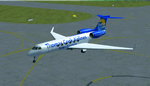
This aircraft is the advanced upgrade from previous versions, and there are no more upgrades scheduled for the future. The paint is fictional, but illustrates what would be used for Charter flights by some airlines. Even in that case, I tried to make it as real as possible, as you will see. All authors credited other than myself are not involved with any of the engine or aerodynamic or detailed corrections. I even enhanced the parking data, callsign used, lighting effects, gear, MOI, weight & ballance, flaps and smoke for realism. There are no known issues with this model as it stands, and it is now possible to easily achieve FL510 and cruise over 8,000 nm, even with 16X simulation speed activated using auto-pilot. This perfection is based on real world aero/engine dynamic data and formulas employed within the aircraft.cfg and .air files. Flight Tuning is no longer used in this model. There is no other FSX Gulfstream G-550 available anywhere (Free or Payware) that includes all of this realism, and if there is in the future, it was copied from this data. Don't be fooled. I don't expect any world-wide awards or the "Nobel FS Prize" for any of this, but your comments related to the results will be appreciated, and acknowledged. Please understand that this work required many hours of study and testing, and is offered free for Educational Purposes primarily. The results illustrate the realism of the G-550 in almost every aspect imaginable, which is possible with all FSX aircraft when you know how and what is needed. Model, Sounds & Textures by Peter Brun ([email protected]). Flight Dynamics, Data and all Modifications by Douglas E. Trapp ([email protected]), 31 December 2017.
| Filename: | Gulfstream_G550SP.zip |
| License: | Freeware |
| Added: | 1st January 2018, 03:20:19 |
| Downloads: | 9,278 |
| Author: | Peter Brun, Douglas E. Trapp |
| Size: | 19.94 MB |
| Category: Prepar3D V1-4 - Aircraft Repaints, Textures and Modifications | |
| North American P-51D 1st SF (5E-E) "Easy Does It" |
|
Images related to this file:
File Description:

This folder contains a repaint for the A2A WoP3 P-51D Mustang (with AccuSim), in the colors of P-51D-5-NA 44-13557 5E-E "Easy Does It" as flown by Lt Richard 'Spider' Smith of the 1st Scouting Force, 8th AF. Lt. Smith was a B-17 plot with the 303rd BG and had completed his tour of 35 missions in october 1944 when he was made an offer he could not refuse. As all pilots, he had been dreaming of flying a fighter and was disappointed when he was assigned to the bombers. He now was asked to join the newly formed scouting force, which used experienced bomber pilots to scout ahead of the bomber force flying Mustangs. After 6 hours in a T-6 and 10 hours in a P-51, 'Spider' (so called because of his physique, tall, with long thin limbs) flew his first missio in a P-51 on 6 december 1944 in an old 364th FG P-51D-5, which he named 'Easy Does It' after it's callsign E. The name 'Betty' on the canopy rail referred to his future wife back in the US, but also to a nurse he was dating in the UK. On his 26th mission, on 1 april 1945, flying lead to Leipzig, his engine caught fire on the return flight, and he had to bail out over Belgium. He broke his arm when he hit the tail on bailing out, but otherwise landed safely. He was sent home to the US and came back just before his 21st birthday, having flown 60 missions. HIs story can be read here: http://www.rccr1957.com/spider.pdf.
He did not crash with this aircraft though, this was damaged during a ground collision in the winter of 1944-45, was repaired and was now flying with the 487th FS/352nd FG as Maj. 'Wild Bill' Halton's 'Slender, Tender and Tall', where it finished the war. Repaint by Jan Kees Blom, based on the A2A paintkit.
| Filename: | North_American_P51D_1st_SF_5EE_Easy_Does_It.zip |
| License: | Freeware |
| Added: | 30th October 2018, 15:25:05 |
| Downloads: | 71 |
| Author: | Jan Kees Blom |
| Size: | 11.93 MB |
| Category: Flight Simulator X - Original Aircraft | |
| American Airlines Boeing 787-900 |
|
Images related to this file:
File Description:
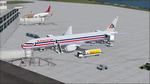
The Boeing 787 is one of the most sophisticated aircraft ever designed, and I have worked on several FS models from even before the real aircraft was ever built. I have accumulated so much data relating to this plane that I can now incorporate real world dynamics for it based on extremely realistic information. The aircraft offered here has been modified to offer all of that realism. In the real world, the 787 is flown primarily with autopilot controls, and this model is no different. It doesn't take a lot to fly this plane, and if I were to be offered the challenge I think I'd be up and flying within a few minutes, in a real 787. Because of this, I offer no advise other than normal flight rules.
If you are new to FSX, please learn through the on-board tutorials. I am not a tutor. I do not have anything to do with cosmetics. I do not design panels. All I do is help educate you about the realism of aircraft design. You can look at the aircraft.cfg and the .air file (Airfile Editor Required) to see what I've done in comparison to the original model, but I will not really help you with tutorial related issues. If you find something you think is wrong, let me know. Otherwise, enjoy this model and fly her like the real thing.
Everything I've done here is for educational purposes without any expectation of any monetary gain, and offered publicly for free. What I offer here is protected by the Fair Use Doctrine of International Copyright Law, and you are free to study this as follows:
https://www.law.cornell.edu/uscode/text/17/107
All persons involved with this and the original design are credited, unless they are unknown and have offered no credit details.
Model Designer: Camil Valiquette
Sound: Emil Serafino
Panel: Marco Spada
Real World Dynamics, Effects and Data: Douglas E. Trapp, [email protected]
July 2017
| Filename: | American_Airlines_Boeing_787900.zip |
| License: | Freeware |
| Added: | 15th July 2017, 16:46:49 |
| Downloads: | 863 |
| Author: | Douglas E. Trapp |
| Size: | 41.65 MB |
| Category: Flight Simulator X - Original Aircraft | |
| C-17 Globemaster III/ER |
|
Images related to this file:
File Description:

The C-17 Globemaster III/ER is a heavy cargo aircraft used by several foreign militaries, but primarily the U.S. Air Force. She is designed to do many things that other cargo aircraft cannot, based on her unique design. This version incorporates the extended range fuel tanks. The real world aircraft can actually use reverse thrust in flight, up to 100% reverse power, during descents or on the ground. It is also the only heavy aircraft in the world with a wing efficiency factor over 1.0, which is theoretically impossible, but true. All of the dynamics in this model are correct down to the inch, so she does almost everything the real aircraft does. Some things are not possible in FSX, including reverse thrust while in flight, but full flaps/slats employed in a steep descent will adequately simulate this effect without damage to the model while in flight. The landing gear are authentic and capable of heavy loads. The weight and balance is authentic. The fuel tanks are authentic. The aircraft name, tail number, location, and callsign are authentic. The calculated range(s) listed are all authentic, understanding that most public data released is based on average range, at average altitude, and normal payload missions. The sound is authentic. The engine dynamics are authentic. The panel used is the best I could find, is fairly authentic, and requires some pre-flight study before flight. All-in-All the aircraft is very simple to fly, but requires some study to operate correctly, so I recommend all simmers watch as many "You Tube" videos, read as many authentic sites, and study as much as possible about this aircraft before operation. Model by: Bob Chicilo, Sound by: Devyn Silverstein, Panel by: Phillip Wallaert, Auto Smoke Effects by Richard Wisman/Douglas E. Trapp, Real World Aero/Engine Dynamics and modifications by: Douglas E. Trapp, FS Flight Dynamics Engineer, [email protected], July 2018, FOR EDUCATIONAL USE ONLY. This aircraft is designed for educational use protected under the Fair Use Doctrine:
(http://www.expertlaw.com/library/intellectual_property/fair_use.html). It cannot be sold or bundled for sale, and such will never be approved by me or the original authors. FREEWARE DISTRIBUTION ONLY!!! Douglas E. Trapp, [email protected], July 2018
| Filename: | C17_Globemaster_IIIER.zip |
| License: | Freeware |
| Added: | 14th July 2018, 17:41:34 |
| Downloads: | 776 |
| Author: | Dougals E. Trapp |
| Size: | 13.5 MB |
| Category: Flight Simulator X - Original Aircraft | |
| B-52J |
|
Images related to this file:
File Description:
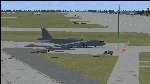
Since it became operational in 1955, the B-52 has been the main long-range heavy bomber of the U.S. Air Force. It first flew on Apr. 15, 1952. Nearly 750 B-52s were built when production ended in Oct. 1963. This "J" model is the future re-engined "h" model 60-0042 of the 917th Wing AFRC based at Barksdale AFB (KBAD). She flies higher, further, and faster than any previous version. The aircraft can cruise at 380 KIAS at 500 ft agl over about 5,000 nm which makes her capable of reaching targets within enemy airspace anywhere on the globe without being detected by radar until it's too late. Her normal high altitude cruise speed has been increased to Mach .88 above FL550E over 9,000 nm without refueling, and her service ceiling has increased to FL570E. The 50,000 lb payload is still nominal, but due to the lighter engines she now has more accomidations for the crew, and does not require refueling very often. She can range much further with less speed (i.e., Mach .85), but there is normally no need for that. This aircraft is designed to fly like the real thing. It is likely one of the best B-52 models available at this time. I have test-flown this aircraft around the globe several times to reassure myself that all is well. You will not have a bouncing effect occur when cruising with 16x speed acceleration and autopilot engaged because all aerodynamics and balance are perfected to a very low margin of error, or no error margin at all. Please be sure to read the INSTRUCT.TXT file for extended details. Original aircraft designer: Mike Stone; Textures by Bill Baldwin; Panel and gauges by Philippe Wallaert; Auto Smoke Effects by Richard Wisman; BR-725 Sound by Ronald Buffalo; Real World aero/engine dynamics, data, lights and effects by: Douglas E. Trapp, FS Flight Dynamics Engineer, Irving, Texas, [email protected], October 2018. The use of this model, and the configuaration of such, is designed for free educational purposes, and protected by the Free Use Act: (https://www.law.cornell.edu/uscode/text/17/107). This model and/or aspects of such cannot be used for monetary purposes!
| Filename: | B52J.zip |
| License: | Freeware |
| Added: | 27th October 2018, 18:57:21 |
| Downloads: | 631 |
| Author: | Douglas E. Trapp |
| Size: | 24.51 MB |
| Category: Flight Simulator 2004 - Aircraft Repaints, Textures and Modifications | |
| Louisiana State Police Texture Updates Bell/Textron 430 |
|
File Description:
FS2004 Bell/Textron 430 Helicopter Louisiana State Police Updates
This package contains 2 revised texture sets for: N810SP & N918SP which are based here in Baton Rouge.
These fixes add the gold stripe on the tail and reflect the readjusted bottom
gold cheat stripe and a few more small tweaks that make the textures more accurate.
There is a well known member of the FS Community that is also painting up more LSP Bell430s.I believe that his will feature 430s from LSP Troop I,B and C.
Giving you all more N#'s to fly based on your preference of which Troop you want to fly for.So keep an eye out for more LSP Bell 430s in the near future!!
As always....Enjoy!!
**P.S.***
I am finishing up on a custom scenery to compliment these repaints.
The scenery will feature a large photoreal terrain area of the Independence Park area here in Baton Rouge wich houses on its grounds the following:
Louisiana State Police Headquarters,Louisiana Statepolice Training acadamy,various State Gov't offices such as Dept. of Motor Vehicles,Louisiana State Office of Emergency Managment,State fire Marshals Offices,e.t.c.....
The main Helipad is set up as a runway..rwys 9-27 which feature their own ILS systems with outermarkers,an NDB,Fictioal Airport Designation of 1LSP.Trees,Military Landing Zones,resturants,minmalls,gas stations along the perimeter,the main Fire House/Fire Station for that area.the Main branch of the Public Library and the big school bus transfer area on the west side.Street lights along the roadways,and much more.With minimal impact of FPS.
This will be a great add-on tool for the real LSP and AIr Med pilots who fly into this place everyday.Now you guys/gals can practice approaches in inclement weather conditions without fear of ruining a 5 million dollar chopper,all the while honing your IMC skills.
This scenery will integrate seemlessly with the upcoming release of KBTR v2.
The screenshots in this archive are from KBTRv2 Beta and the 1LSP beta sceneries!!
Keep an eye out at the BSMP forum for updates and preview screenshots... www.bsmp.co.nz
| Filename: | Louisiana_State_Police_Texture_Updates_BellTextron.zip |
| License: | Freeware |
| Added: | 25th May 2008, 19:00:07 |
| Downloads: | 358 |
| Author: | Joe DeGregorio / Alan Devins / Rory Kelly / Keith Devins |
| Size: | 2.96 MB |
| Category: Prepar3D V1-4 - Scenery | |
| EDJA Allgäu Memmingen (DE) - V1 |
|
Images related to this file:
File Description:
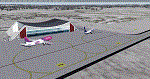
Airport: Allgäu (DE) EDJA V1
Release: January 2018
Simulation: P3D v4.1
This scenery is an update of the stock Airport (ICAO code: EDJA).
"Memmingen Airport (IATA: FMM, ICAO: EDJA), also known as Allgäu-Airport Memmingen, is an international airport in the town of Memmingerberg near Memmingen, in the Swabia region of Germany. It is the smallest of the three commercial airports in Bavaria after Munich Airport and Nuremberg Airport and has the highest altitude of any commercial airport in Germany. It is operated by Allgäu Airport GmbH & Co. KG, a limited partnership of 71 mostly local, medium-sized companies with only minor public shares.
Located about 3.8 km (2.4 mi) from the centre of Memmingen and 110 km (68 mi) from the city centre of Munich, it serves Memmingen and the Allgäu area and also provides a low-cost alternative to Munich Airport and therefore is sometimes referred to as Memmingen/Munich-West Airport or similar by some low-cost airlines, despite the fact that it is 110 kilometres from the centre of Munich. It mostly features flights to European leisure and some metropolitan destinations and handled nearly 1,18 million passengers in 2017."
Source: Wikipedia, the free encyclopedia
Link: https://en.wikipedia.org/wiki/Memmingen_Airport
What to expect?
The entire airport has been updated with correct RWY, Taxiways, APRON's, COMM's (ATIS, GND, TWR), markings and some objects. RWY 24 got it's ILS and go arround information acc. to the charts. The main Terminal is a custom building with custom day and night textures. Also all ground textures are custom made. Other objects INCLUDING the tower are from stock ADE!
In time I will add more custom buildings to further releases of this airport. Currently I have already started to work on the Tower building.
Ground textures will not receive shadows unless you turn "Buildings" receieve shadows to ON!
General:
I'm not a proffessional scenery builder or texture artist but I did try to do my best to update the stock Airport and offer it as freeware to the simming community. I have tested the scenery and did not find any issues with it. GSX services work, AI traffic with Ultimate Traffic Live works, COMM's work, APPR on ILS24 does work, and so on.
Entire work and object placing has been done using a photo overlay image from Google Earth, yet don't expect a photoreal scenery. The used background image has been removed due to Google's copyright policy.
Big thanks to the guys from FS Developer (Don, Arno) who I have kept busy during the birth of the scenery and those who offered the tools to build it (ADE, MCX, Sketchup, Gimp,...).
| Filename: | EDJA_Allgu_Memmingen_DE__V1.zip |
| License: | Freeware |
| Added: | 21st January 2018, 17:07:14 |
| Downloads: | 1,624 |
| Author: | Gerald Krutsch |
| Size: | 19.08 MB |
| Category: Prepar3D V1-4 - Utilities | |
| Flightplan Visualizer 1.12 |
|
Images related to this file:
File Description:
Flightplan Visualizer (FV) version 1.12.0. Copyright 2018-2019 by Pelle F. S. Liljendal ([email protected]), all rights reserved.
FV comes with 540 pre-imported Commercial AI flightplans (+380 BizJet flightplans are available as a separate download). However you are able to import additional (AI) flightplans yourself. Once imported these (AI) flightplans can be visualized on a map-view, and the user will be able to search accross all these. Hence you can use the program as inspiration as to which routes to fly. E.g. you can search across all imported flightplans to find all flights in an A321 flying into/out from LDDU, or simply to look for all flights in a Boeing 747-8F.
Simply run the included installer to install the software. The program will be installed into "C:\Program Files (x86)\Flightplan Visualizer" and all datafiles will be installed into: "C:\Users\[UserName]\AppData\Roaming\FlightplanVisualizer". The program comes with a full manual explaining everything, and a 3 page quick manual to get you started. The first 3 times you run the program the quick manual will automatically open. The forum is hosted here: https://forum.aerosoft.com/index.php?/forum/919-flightplan-visualizer/
Version 1.12 Contains the following changes: ⦠Ability to automatically check for available program-updates. The actual download of the new installer is still a manual process, but the program will at least list the download-URL. However You cannot see this feature in action until the next version will be released ;-) Updated the flightplan file-format to accommodate changes in the latest versions of (AI) flightplans. The program remains backward compatible and can still read older flightplans, however these might “miss†some (at this time) non-essential information. As a result all “Wi18-19†and “Su19†(and a few “Su18) flightplans have been re-imported and have been bundled with the version 1.12 installer, using the new file-format. Added new "Generate redirection report" button to the redirection edit form. Pressing this button will generate- and display a report of all active pseudo airports and redirections per flightplan. Added new menu-item to re-process all flightplans, according to specified airport-redirections. The "UserAirportRedirect.xml" file bundled with the installer have been updated, based on output from the new "Generate redirection report". These updated airport-redirections have been used to re-process/update all flightplans bundled with the installer. Buttons have been added to the "Leg Info" which allows you to transfer data for a particular leg/flight from FV to SimBrief in order to kick-start your "paper work" for a flight to fly. The "Leg Info" form also got buttons to show decoded METAR/TAF, and the raw METAR/TAF is also embedded in the text copied to the clipboard (when pressing the appropriate button). In settings you can now speficy the path of the folder holding the files that MakeRunway generates (if not specified it will use the UserData folder). Once set to the folder where MakeRunway generates its files (e.g. the P3D folder), you only have to run MakeRunway, you no longer have to copy the 3 files to the UserData folder. A few new traffic-charts were added to the "Airport Info" form (traffic per: region, sub-region and country), and a combo-box was added to switch between inbound- and outbound-traffic. The "Nearby Airport" form that can be opened from the "Flightplan Import" form now have an extra comment-column with information about the non-pseudo/pseudo airports. The comment column on the airport tab-sheet of the "Flightplan Import" form now also contains more info about non-pseudo/pseudo airports. The Generic Randomizer form got a new button called "Pick random flight", which will display info for a flight, randomly picked from all flights for the selected flightplan, or last search. In the "Search legs" form, you can now enter multiple ICAO-codes (separated by comma) to search for flights to/from these (e.g. search for all flights to/from EBLG or ELLX, by entering "EBLG,ELLX"). If you press SHIFT while clicking the airport browser button, the selected airport will be added to the comma separated list. If you do not hold SHIFT, the list will only contain the newly selected airport. Added support for using FS Global Real Weather (FSGRW) as a Weather provider for METAR-messages (FSGRW does not support TAF-messages). To use FSGRW you must go to settings and specify a full path (including filename) of the file generated by FSGRW. When editing a flightplan the user will be warned if trying to close the form, if changes were made. The menu-item to generate report with all defuct-/obsolete flightplans have been removed from the main-menu, but can now be generated using a button on the "Enable/disable flightplans" form. Now all applicable authors are shown when hoovering the mouse over the flightplan combo-box when a search is active. In previous versions the "Edit" buttons next the flightplan combo-box (on the main form) was only active when a flightplan was selected. Now its also active when "[Last Search]" is selected. However it will instead launch the "Search Legs" form, where you can then edit the criteria of the search. A few airports and airlines have been added/updated in the data-files bundled with the updated installer to accommodate the additional bundled flightplans. The Beluga XL Freighter was added as well as many of the other aircraft were updated with various changes. Added support for a bunch of military aircraft: A6/AE6, A10, C5, C17, E2, E3, EF2000, F14, F15, F16, F18, F22, F35, F111, F117, JAS39, KC10, KC135, MiG 21/23/25/27/29/31, Mirage III/5/2000, Rafale, SU 17/20/22/24/25/27/30/32/34, V22. New "Exclude military aircraft" setting have been added (defaults to true). When true military aircraft will not be shown (can be changed in the settings form). Added new menu-item to load/display current log-file. FV tend to be somewhat memory-hungry while (re)loading all active flightplans, and you might see a peek in memory consumption. But from this release and forward it will try to free up most of the memory once all flightplans have been loaded. Minor changes to the "Enable/disable flightplans" form, to make it more responsive, and added a progressbar that is visible while flightplans are being moved, copied or deleted. Fixed: issue when trying to import a flightplan zip-file containing multiple "Flightplan_XXX" files. If the same zip contains multiple sets of matching files (Flightplan, Aircraft and Airport) the user will now be presented with a combo-box from where the user can pick which set of files to import (only the flightplan-file will be shown). Fixed: The file "f5.csv" was missing from previous installers. Fixed: issue with pseudo-airports when using the "Nearby airports" tab-sheet in the Airport Info form. Fixed: Saving a flightplan that was edited, it would try to save it in the (flightplan) [ROOT] folder even if it was loaded from a sub-folder. Now it will always try to save it in the same location with the same filename. If you want it saved elsewhere/with another filename use the "Save As" button in stead. Imported flightplans will still be saved to the [ROOT] flightplan folder. Fixed: Pressing ENTER in the Flightplan import/edit-form while the comments-field had focus, would close the form (saving the flightplan). Fixed: Result-viewer will no longer display with all text selected. Fixed: METAR/TAF decoder will no longer display with raw-message selected. Fixed: In some cases the program needed to be restarted if changes were made to the weather-provided data in the settings-form. Installer: Comes with +30 new pre-imported (Summer 2019) flightplans of which some are replacements of obsolete flightplans (from previous installers), and 2 of the "old" flightplans have been marked as defunct.
Pelle
| Filename: | Flightplan_Visualizer_112.zip |
| License: | Freeware, limited distribution |
| Added: | 23rd August 2019, 17:15:13 |
| Downloads: | 195 |
| Author: | Pelle Liljendal |
| Size: | 30 MB |


© 2001-2026 AVSIM Online
All Rights Reserved
Privacy Policy |