
Where Flight Simulation Enthusiasts Gather from Around the World!
AVSIM Library - Search Results

| Category: Flight Simulator X - Scenery | |
| Mesolonghi Airport - Rio-Antirio Bridge - Greece ** UPDATED VERSION ** |

|
Images related to this file:
File Description:
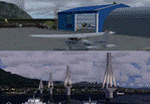
These are actually two sceneries offered in one pack. I started building the small airport of Mesolonghi in Western Greece. When nearing completion, I thought that FS was really missing the big suspension Bridge that connects mainland Greece with Peloponese that was finished in 2004, being the biggest in the world of the fully suspended type. The bridge project turned out bigger than the airport as I ended up doing the typical, Greek-style double ended ferries that served the straights for decades before the bridge and still offer a cheaper and, to some, more relaxing alternative.
Mesolonghi airport is situated 5 kilometers east of the historic city of Mesolonghi and is close to the technical school of fisheries. There is no ICAO code (ZZZZ) so I had to give it the fictional LGME in the sim. A purely day field, it houses the local Aeroclub and ultralight school. due to its small size and hospitable atmoshpere, it is a popular GA pilots destination, receiving also often international arrivals. The runway is asphalt and 800m (2635') in length. No PAPI or VASI are provided. There is no tower service and unicom frequency of 119.7MHz is used by the traffic. Closest controlled airport is Araxos (LGRX), a civil and military field, quite common in Greece, 12.5 nautical miles S-SE. The nearby city of Mesolonghi is famous for its heroic resistance and fall in 1826 during the Greek war of indepence. It is also famous for its fishery production, due to the natural lagoon, formed by the shallow waters.
Features of the Mesolonghi airport scenery include:
- Photoreal area with seasonal variations and watermask.
- Custom hangars and containerised buidings.
- AI default trike performing TnGs (in P3D it will work only if you copy over the FSX trike).
- The technical shool of fisheries on the north side.
- Customized shorelines, to fit with ORBX Global Vector.
- Optional shoreline fix for default scenery.
The Rio-Antirio bridge is located 14.5 nautical miles to the east of the airport. It connects the towns of Rio on the south side and Antirio on the north side. More data on the bridge can be found on Wikipedia.
Features of the Rio-Antirio bridge scenery include:
- Custom bridge model, bump mapped textures with hard platform surface and vehicle traffic.
- Night lighting textures and custom roadlights.
- Photoreal scenery for north and south shores, including hand placed autogen and night textures.
- Custom castle models on north and south sides, with bump mapped textures and night lighting.
- Custom model of the toll post on the north side.
- Custom AI ferry boats with constant shuttle service between Rio and Antirion piers.
- Customized shorelines, to fit with ORBX Global Vector.
- Optional shoreline fix for default scenery.
- Optional HDR optimized photoreal textures.
| Filename: | Mesolonghi_Airport__RioAntirio_Bridge__Greece___UP.zip |
| License: | Freeware |
| Added: | 16th March 2016, 09:15:21 |
| Downloads: | 2,627 |
| Author: | Vassilios Dimoulas |
| Size: | 300.05 MB |
| Category: Flight Simulator 2004 - Miscellaneous Files | |
| Shoot 1.6.3' Voice Contro File |
|
File Description:
"Shoot 1.6.3" voice control file for use with FS2004. You will need to download the main "freeware" program from http://clans.gameclubcentral.com/shoot/downloads.php which will allow you to make use of this control file for FS2004. The program is brilliant and allows you to control FS2004 by voice and it's totally free! All I have done is made a config file that works very well with FS2004.
It will allow you to; speak to ATC and instead of fighting with the keyboard or yoke/stick so you can fly more like a real pilot and keep your hands on the yoke more of the time. For example a commercial jet pilot calls out to the co-pilot to get the gear up and simply says "gear up". That's just what you will have to do, just like the real thing; the gear will go up when you make the call. When FS2004 ATC controller tells you to reply you can just say "roger" or "hello" or "ATC" or "air traffic" etc, etc, and the ATC window will pop up. Then all you have to do is call out the command instead of pushing buttons that real pilots don't use. Does a real pilot push a button to look out of the window or use a "mouse" to engage the autopilot?
Similarly you can call out "autopilot engage" or "autopilot master" or "autopilot disengage" and that's just what happens; the autopilot comes on/off. The best part though is when you try looking around the cockpit. If you want to move your head up you just say "move up" and presto you are higher up in your seat. You can move to the left or
Right, back or forward. You can say "zoom in" and that's what happens. You can say "reset zoom" and so on. You can say "next view" and then the view may be outside or another panel. Alternatively, you can say "panel 2" and the radio panel will come up in the 737 so you can tune the radios. If you have FS navigator installed all you have to
do is say "navigator" and the map comes up, and then say navigator again and off it goes. Just for once it is easy and possible to make full use of FS2004. Using this program has afforded me the opportunity of making better use of the views available, (and I have CH products yoke so if was never hard) but now it's even easier.
All the panels can be activated in this way, and control of the autopilot and control of FS2004. It's probably the best kept secret. I've made a file so we can all share in this freebie of a program. I've included a readme and instructions of how to make the best use of the program.
Config file for FS2004 only is provided.
| Filename: | Shoot_163_Voice_Contro_File.zip |
| License: | Freeware |
| Added: | 7th January 2004, 19:52:26 |
| Downloads: | 8,795 |
| Author: | Peter Wilding |
| Size: | 21.83 KB |
| Category: Flight Simulator X - Original Aircraft | |
| TU-95MS Bear H |
|
Images related to this file:
File Description:
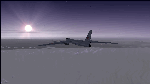
The Russian Air Force 37th Air Army operates the TU-95MS (TU-95M 55 Bear H) from the 182th TBAP unit based in Zavitinsk and 6213 BKHUAT based at Engels Air Base in the Moscow Region. It's use is primarily in maritime operations. She carries cruise missiles even if only used for submarine comms. Her initial design is a competitor with the B-52, but uses 4 Turboprop engines with 8 contra-rotating props. She can fly about as far as, but not as high as the B-52, nor can she fly as fast. She is often monitored off the coast of Alaska and easily met with F-22 Raptors every time. She is also often met by NATO fighters near European borders. Since 45,000 feet is about the highest she can cruise, most fighters can meet her. Her real danger is the cruise missiles which, if launched, have a range more than 1,500 nm and can pinpoint any directed target using GPS ground control. She is normally flown in formations of 3 or more, but sometimes only 2 are observed. She is not designed to fly fast over low terrain, like the B-52, but can do-so if necessary, and dangerously. The aircraft has not seen any major improvements or modifications since the cold war era, and several have crashed due to lack of maintenance. It is currently unknown how many are in service condition. Since much is unknown about this aircraft, yet enough is known to re-create an authentically working model, I have done-so here. Every bit of the aircraft.cfg file and associated .air file has been re-worked to match what known data can offer, and known aerodynamic formulas can equate. The most difficult aspect is the Turboprop aspect, since Turboprop engines do not work like jet engines in any way. Luckily for the simmer, there is no need to adjust feathering or anything like that would be necessary in a normal Turboprop because these engines are self-adjusting. Even though they meet the full known specs of the real engines, I have actually worked all the math to make them actual Turboprop engines (not pseudo-jet engines). That may sound exciting, but you must remember that she is a prop-driven aircraft, and not a jet. Even though you can fly her like a jet, the engines do not adjust like a jet. All aspects have been configured to meet realistic standards, including the MOI factors, weight/balance (including payload positions), gear locations, aircraft dimensions, light positions, engine smoke locations and operations, and weight. I did not simply throw this together, but have been perfecting her for many years. Original Modeler/Sounds: Vladimir Zhyhulskiy (2006); Panel: Marco Spada; Auto Smoke Effects: Richard Wisman; Aero/Engine Dynamics, effects, and details: Douglas E. Trapp, FS Flight Dynamics Engineer, [email protected], November 2018. The use of this model, and the configuration of such, is designed for free educational purposes, and protected by the Free Use Act: (https://www.law.cornell.edu/uscode/text/17/107). This model and/or aspects of such cannot be used for monetary purposes!
| Filename: | TU95MS_Bear_H.zip |
| License: | Freeware |
| Added: | 3rd November 2018, 23:28:41 |
| Downloads: | 744 |
| Author: | Douglas E. Trapp |
| Size: | 42.71 MB |
| Category: Microsoft Flight Simulator (2020) - Utilities | |
| Flightplan Visualizer 1.18 |
|
Images related to this file:
File Description:
Flightplan Visualizer (FV) version 1.18.0. Copyright 2018-2020 by Pelle F. S. Liljendal ([email protected]), all rights reserved.
FV comes with 787 pre-imported Commercial AI flightplans (+380 BizJet flightplans are available as a separate download). However you are able to import additional (AI) flightplans yourself. Once imported these (AI) flightplans can be visualized on a map-view, and the user will be able to search accross all these. Hence you can use the program as inspiration as to which routes to fly. E.g. you can search across all imported flightplans to find all flights in an A321 flying into/out from LDDU, or simply to look for all flights in a Boeing 747-8F.
Simply run the included installer to install the software. The program will be installed into "C:\Program Files (x86)\Flightplan Visualizer" and all datafiles will be installed into: "C:\Users\[UserName]\AppData\Roaming\FlightplanVisualizer". The program comes with a full manual explaining everything, and a 3 page quick manual to get you started. The first 3 times you run the program the quick manual will automatically open. The forum is hosted here: https://forum.aerosoft.com/index.php?/forum/919-flightplan-visualizer/
Version 1.18 Contains the following changes:
- GREATLY improved the search-legs feature (by a factor of +50).
- In the past the application was forced to 32 bit. This is no longer the case, hence if needed its able to allocate more memory than before. I have never heard of anyone getting an "out of memory" exception, buy anyway.
- In the settings form, the field for entering the path to where to look for the Make Runways -files, have been replaced with a (MRU) combo-box, remembering the last 5 paths entered. So now you don't need to remember these paths each time you want to change it (e.g. if you switch between a set of files generated for P3D and another generated for MSFS). Remark that when this path is changed, FV will automatically restart when saving the settings, as the MkRwy-data are only loaded at startup.
- Added new command-line argument /MkRwy="G:\FS\MakeRunways". If this argument is set, FV will try to locate the files generated by Pete Dowson's MakeRunway in the specified folder, no matter the value of the MkRwy-path set in the settings-form.
- Added new command-line argument /FilePrefix=XXX. If this prefix is set (in the short-cut starting FV) it will look for files in the UserData-folder using this prefix and an underscore (e.g. open "XXX_UserAirportInfo.xml" in stead of "UserAirportInfo.xml"). If FV is started with this argument it will be displayed in the caption of the main-form to notify the user "which prefix is in use".
- Added new command-line argument /ForceReprocessFlightplans which forces all flightplans to be reprocessed on startup (e.g. process all airport redirections according to loaded redirection file).
- Added new command-line argument /? or /help. Using either of these, or having specified a wrong command-line argument will show a small example of the correct way to use these arguments.
- Added a new "Auto-activation prefixes" entry field to the "Edit owned aircraft" form where you can now enter a comma separated list of prefixes for which each aircraft should set to active. If entered, the aircraft will automatically be set active when FV have been started with the /FilePrefix argument set to the entered value (e.g. P3D). If one or more prefixes have been entered into this field, and FV have been started with another prefix, those aircraft will be set to not-active.
- Added new setting to reprocess all loaded flightplans on startup if FV was started with another /FilePrefix argument than used the previous time FV was started (e.g. if you switch between two different simulators).
- Improved how pseudo-airports tries to look-up airport data from the bundled airport-database. So there is now a higher chance that: name, country/state, and time-zone will be populated with useful data for the pseudo airports.
- In previous versions when opening the airport-info form, the checkbox "Exclude small/grass/dirt" (runways) was always checked, meaning you had to uncheck this checkbox before being able to see any runway-information for small airports. In this version a new setting have been added where you can chose if this checkbox should default to being: Checked, Unchecked or (default) Automatic. if choosing "Automatic", this checkbox will default to un-checked for airports only having few/small runways.
- Redesigned the settings-form so things are less "cluttered", and it will be more easy for me to add additional items in the future.
- The Search Airport form now contains fields that lets you specify min/max criteria for rwy-length and airport elevation, and min/max distance to a specified airport (e.g. find all airports within 20-50 Nm of XXXX). Also you can specify required rwy-type (e.g. "All Hard", "Have Soft" ...).
- Added an "Edit" menu-item to the context menu in the Search Airport form, which opens the Airport Info form, and returns back to the Search Airport form (e.g. see details for a few found airports before chooing one of them).
- If Transition Altitude (TA) is not known for a particular airport, the program will now try to estimate TA based on nearby airports in the same country, where those nearby are weighted more than those further away (its not perfect, but "better" than 0). An estimated TA will be postfixed by a asterisk to mark that it is estimated.
- Minor (internal) changes to the automatic version-check.
- Fixed: Issue importing some AigFP flightplans where airports were being redirected (e.g. "AIG_AviaTrafficCompany_Winter_2019-2020v2").
- Fixed: Using the context menu in the list-view showing all owned aircraft, the changes were sometimes not saved.
- Fixed: In the conversion-form when converting weight/volume into US-Gal, the calcuation was wrong (converting from US-Gal was not an issue).
- Fixed: In the leg-info report the value of Transition Altitude was in some cases used in stead of the length of the longest runway.
- Fixed: Leg-info report only contained taxi-out time for all airports. Now it only contains the taxi-out time for the departure airport, but both departure- and destination airports contains a taxi-in time.
- Fixed: In some cases an airport that was currently being edited, could be edited in another window at the same time (opening multiple Airport Info forms).
- Data: The bundled airport-database had a MAJOR face-lift. Various data were corrected, and it have more than doubled in number of airports/helipads contained within the database.
- Data: Improved detection of aircraft-type "IAI 1126 Galaxy" (as "Gulfstream G200"). Thanks to Bruce Nicholson for notifying me of the issue when importing a particular AIG flight-plan.
- Flightplans: All new/updated flightplans have been added to the installer, and all obsolete/defunct have been marked/removed. A total of 787 active flightplans are bundled with the installer.
Pelle
| Filename: | Flightplan_Visualizer_118.zip |
| License: | Freeware, limited distribution |
| Added: | 9th November 2020, 20:09:24 |
| Downloads: | 479 |
| Author: | Pelle Liljendal |
| Size: | 34.48 MB |
| Category: Prepar3D V1-4 - Utilities | |
| Flightplan Visualizer 1.16 |
|
Images related to this file:
File Description:
Flightplan Visualizer (FV) version 1.16.0. Copyright 2018-2020 by Pelle F. S. Liljendal ([email protected]), all rights reserved.
FV comes with 765 pre-imported Commercial AI flightplans (+380 BizJet flightplans are available as a separate download). However you are able to import additional (AI) flightplans yourself. Once imported these (AI) flightplans can be visualized on a map-view, and the user will be able to search accross all these. Hence you can use the program as inspiration as to which routes to fly. E.g. you can search across all imported flightplans to find all flights in an A321 flying into/out from LDDU, or simply to look for all flights in a Boeing 747-8F.
Simply run the included installer to install the software. The program will be installed into "C:\Program Files (x86)\Flightplan Visualizer" and all datafiles will be installed into: "C:\Users\[UserName]\AppData\Roaming\FlightplanVisualizer". The program comes with a full manual explaining everything, and a 3 page quick manual to get you started. The first 3 times you run the program the quick manual will automatically open. The forum is hosted here: https://forum.aerosoft.com/index.php?/forum/919-flightplan-visualizer/
Version 1.16 Contains the following changes:
- First of all a big THANK YOU to AIG (Alpha India Group) for allowing me to add features to both download their flight-plans (actually a feature suggested by Kai Kamjunke who is one of the developers of AIG AIM and other AIG tools) and access their list of defunct/renamed flightplans. While giving thanks, I also want to thank all (AI) aircraft-model creators, repainters and those who create all the flightplans ... our virtual sky would not be the same without your hard and dedicated work.
- Added new form to download or install AIG flightplans (downloaded directly from the AIG-servers). The form will identify all flightplans that are newer than those already installed or flightplans that are not currently installed. You can simply double-click a flightplan and it will be directly installed without the need to first download the file, and then choose to import this file.
- Both the new flightplan download- and the enable/disable flightplan- form contains a button which download- and show a list of defunct/renamed flightplans (obtained directly from the AIG forum).
- If you create a user-Airline while importing a flight-plan, when you return to the import-form you will be asked if you want to use that newly created flightplan (saves you from having to open the airline-browser and search-for/select that user-airline).
- Added Flightplan-, Airline- and Aircraft-filter to the top of the leg-search form to filter the items shown in the listviews.
- The "Select All" and "Select None" buttons now only (de)select visible items (if a filter is active there might be more items not displayed). However holding SHIFT while pressing these buttons, ALL items will be (de)selected no matter if they are shown or not.
- Replaced the two airport entry fields (in the leg-search form) with filter combo-boxes (MRU) so you can now enter a filter-text to filter which airports to include (the default filter is usign ICAO-codes so the old functionallity is preserved).
- Added filters to search for legs with specific flight-numbers and/or served by aircraft with specific registrations.
- When setting up a filter, sub-elements of the same type can now be separated by "/" so you only have to enter the type-name once (e.g. "country=dnk/nor/swe"). The pipe-char ("|") can be uses in stead if you prefer (e.g. "country=dnk|nor|swe").
- Now both "?" and "%" can be used as a single char wildcard in the filters ("?" is a DOS wildcard, whereas "%" is a SQL-wildcard).
- Added "#" as a wildcard for a single numeric value (0-9) in filters.
- Added "@" as a wildcard for a single alpha value (A-Z) in filters.
- Improved detection of invalid filter-text, which changes the text-color into red, to indicatet that the filter is invalid.
- The ISO3 country-code is now visible in the country combo-boxes in the leg-search form (these codes can be used in the airline- and airport- filters).
- Likewise 3-char Region- and Sub-region -codes have been added to their respective combo-boxes (these codes can also be used in the airline- and airport- filters).
- Saving the leg-search criteria will no longer require the input to be validated. E.g. you can now save the criteria where no aircraft have been selected. If you want to make sure that the criteria is valid for a search, please perform a search before you save the criteria.
- Flightplan-filter added to the "Re-process flightplans" form.
- Aircraft-filter added to the "Choose favorite aircraft-types" form. Also a few extra columns were added to the aicraft list-view.
- The Decode-METAR/TAF form now allows the user to manually enter METAR/TAF messages, and the form can now be opened directly from the main-menu (in case you optain METAR/TAF from other sources and need to decode it).
- Added a new button to the Randomizer form which lets you pick a random route (there is already a button to pick a random flight). The difference is the statistical chance of the chosen route.
- Added 2 columns to the runways listview in the Airport-info form showing head/cross-wind based on selected wind-direction/speed (automatically updated from the obtained METAR report).
- When accepting the result of a leg-search the previous used criteria (if different) are now archived. So you are able to load the 5 last used search criteria.
- The Result-viewer form now have a "Top-most" check-box. When checked that form will be shown on top of all other windows. This allows you to have this form shown on top of other forms (e.g. if you need to enter data from a metar-message into the FMC in the simulator).
- Many of the result-viewer forms now opens non-modal, meaning it can be displayed next to the window form where it was opened and you can switch between the two (you might need to use the new "Top-most" check-box for the best result). When closing the form from where the result-viewer was opened, the result-viewer will be closed as well.
- Likewise the Unit Conversion form also got the "Top-most" check-box in case you want to display this window on top of another program (e.g. if you have paper-work with weight based on kg and you need to enter the weights into a FMC/MCDU that only accepts lbs (or vice versa).
- The "Copy to clipboard" buttons on the METAR/TAF-decode form, and the Leg-Info form have been replaced by a "Show Report" button in stead. This new button will in stead show the text in the Result-viewer form (if you need to, it can be clipped to the clipboard from there).
- Below the (left/right) list-views in the "Enable/disable flightplans" form you now find a label showing two numbers. The 1st number shows the number of items (flightplans) shown in the list-view, and the 2nd number (in the parentheses) shows the number of selected items.
- When importing a flightplan where the aircraft-type can not be detected, the "lines" assigned to the "DUMMY AIRCRAFT" are now all automatically selected. So it is easy to just hit the "Change Aircraft type" button in case there is just a single, or multiple that should have the same type assigned.
- Hoovering the mouse over the gate-markers in the Airport-info form, the tool-tip now contains the GPS-position of the gate. Likewise editing the gate the caption of the edit window contains the GPS-position.
- Added airport size to "FS Comment" column in the "Nearby Airports" form.
- Added line-breaks to the METAR/TAF tool-tips displayed in the Leg-info form (line-breaks also included in the report).
- Fixed: There was a nasty bug in the "Legs" tab-page of the Airport-Info form where the same time-zone was used for both departure- and destination-airport when showing the departure-/destination-times as local times, even if departure- and destination-airports were in different time-zones.
- Fixed: The value of the "Calculated flighttime" check-box in the leg-search form was not set to the loaded value.
- Fixed: If one of your user-airlines had a blank callsign, it would list all airlines with a blank callsign as alternatives. Now it will only try to match non-blank callsigns.
- Fixed: The METAR/TAF decoder was not able to correctly detect a fraction visibility if following variable wind (e.g. "210V290 3/8SM").
- Fixed: Some of the combo-boxes in the leg-search form were enabled for text-entry, where the user should only be able to pick a value.
- Fixed: If "[None]" was selected and you executed a leg-search the "Edit" button remained disabled when you returned to the main form.
- Data: While testing some of the new filters I saw a few erros in the aircraft data (e.g. a few freight aircraft had a non-zero passenger count and other minor issues like that), which were fixed.
- Data: Thanks to Bruce Nicholson for bringing it to my attention that DC-9-15F was not being detected in version 1.15. Now all the DC-9 sub-variants should be detected correctly (e.g. 9-11/12/13/14...51 both pax and freight). The same better sub-variant detection was added to the DC-8's and DC-10's as well.
- Data: Thanks to Aucery for bringing it to my attension that some of the (BizJet) aircraft were not being detected, or not being detected correctly. The King Air 250/300 should now be detected correctly as are Hawker-700/1000, Mitsubishi MU-300, IAI Astra Jet 1125, Cessna T210/T303, and Dornier 328JET/PROP.
- Flightplans: All new/updated flightplans have been added to the installer, and all obsolete have been removed. A total of 765 active flightplans are bundled with the installer.
Pelle
| Filename: | Flightplan_Visualizer_116.zip |
| License: | Freeware, limited distribution |
| Added: | 2nd May 2020, 23:15:38 |
| Downloads: | 318 |
| Author: | Pelle Liljendal |
| Size: | 29.27 MB |


© 2001-2026 AVSIM Online
All Rights Reserved
Privacy Policy |