
Where Flight Simulation Enthusiasts Gather from Around the World!
AVSIM Library - Search Results

| Category: Flight Simulator 2004 - AFCAD Files | |
| Default New York JFK with Active Runways |

|
File Description:
A High quality AFCAD2 file for the default FS2004 New York JFK. This file has been completely rebuilt from scratch using information from the latest FAA charts (17th March 2005). All Aprons have been completely rebuilt and are modelled to be as near real as possible. Improvements have been made to the taxiways, including slight realignments where needed to avoid building collisions. The 'crosswind runway technique' has been applied to this airport to activate all runways for simultaneous use. This means all 4 runways at this airport will be used for simultaneous take-offs and landings, all the time. Full night lighting has been provided for taxiways and runways. On the default setup, more than 1 runway shared the same ILS frequency and these frequencies have now been altered by +.05 MHz to avoid conflicts. Approach lighting has been upgraded to "ALSF-2" on all runways to better assist your approaches in poor visibility. Displaced thresholds have also been modified to enable better traffic flow for landing aircraft. A 'Tower View' is now available. All real life gates at at each terminal within the airport are now available for use and they are correctly numbered as per real life and have the correct airlines assigned to them. Extra parking can be found at the GA Terminal, cargo bases and maintenance areas, and all real life helipads have been added to the airport. Additional overflow parking (remote stands) can be found at Terminal 4, UA Terminal 7 and AA Terminal 8/9. This AFCAD2 has been fully tested and all traffic flows as it should. If you have a large amount of traffic flowing thru JFK, this file will certainly bring the airport to life. Note: There are 2 versions included within this package: (1) Terminal 5 out of use as per real life (no gates added), (2) Terminal 5 in use, with gates allocated to TWA (as it was back then). See images for info. Enjoy!!
| Filename: | Default_New_York_JFK_with_Active_Runways.zip |
| License: | Freeware |
| Added: | 7th April 2005, 13:44:37 |
| Downloads: | 6,430 |
| Author: | Lee Brompton |
| Size: | 282.56 KB |
| Category: Flight Simulator 2004 - AFCAD Files | |
| Savannah/Hilton Head International Airport, Savannah, Georgia (KSAV) |
|
File Description:
This is a AFCAD2 file for the Savannah/Hilton Head International Airport. I tried to make the airport as realistic as possable with what is given to me with FS9. Gates 1 and 3 is Delta Connection from Cincinnatti, New York-LGA, and Dallas/Ft. Worth. Gates 5 and 7 are Delta from Atlanta, Gate 2 &2a are Continental Express (Expressjet) From Houston-Bush, and Newark, Gate 4 is Northwest (Mesaba and Pinnacle) from Detroit, Memphis, and Minneapolis, Gate 6 is Independence Air flights from Washington-Dulles (Make sure you have your Independence Air planes coded to BLR. That is what I have the gate coded to which is correct in real life.). Gate 8 is AirTran flights from Atlanta (I also have TRSX AirTran Jet Connect. They no longer fly, but I have them on my AI so I left it in.). Gates 9 and 11 are USAir (Gate 9 being USAir mainline and CRJ-200 flights from Charlotte, Philly and Pittsburgh and Gate 11 being CRJ-200 flights and Dash 8 flights Charlotte, Boston and New York-LGA.). And finally Gate 10 is United Express (Air Wisconsin) flights from Washington-Dulles and Chicago-O'Hare. At the old terminal I have the FedEx, and Airbourne Express/DHL areas, as well as the GA "terminal". North of that is the 165th Airlift Wing National Guard area with parking for their C130's, F-16's, F15's, and their F-18's. I do not have the jetways on yet, however they are done except for the Delta gates....look for them soon. I hope this is a better representation of the airport. I believe it is. All lights on the Taxiways, Runways, as well as landing lights are REAL TO LIFE. They are taken from the airport digrams themselfs as well as from the website www.fltplan.com. Please, let me know what you think as I am using you as an unofficial beta tester for this file.
| Filename: | SavannahHilton_Head_International_Airport_Savannah.zip |
| License: | Freeware |
| Added: | 6th January 2005, 15:12:51 |
| Downloads: | 1,616 |
| Author: | Jason Landuyt |
| Size: | 6.63 KB |
| Category: Miscellaneous Files - Demos from Commercial Vendors | |
| Latin VFR Cuzco Photo and Airport Scenery |
|
File Description:
Cuzco or how is also formally known today as “Cusco” is one of the most important cities of Peru and is the historic capital of the Inca empire, it is also the historical capital of Peru designated by its constitution. The city is located in the Andes mountains and its elevation is above 3310 metres or 10860 feet above sea level. The city is nearby the ancient historical symbol of the Incas, Machu Picchu which is about 80 kilometers from Cusco, which became one of the New seven wonders of the world back in 2007.
This airport (SPZO) or (CUZ) has a visibility restriction and only operates during daylight due to the requirement of a visual approach to land. The aircraft operate mainly in one direction of flight in and out of this airport, they land on runway 28 and depart on runway 10. During weather situations in which no visual approach can be made the airport is closed until the weather gets better. No pilot dares to land with an overcast sky into an airport completely surrounded by mountains and no precision guidance navaid in order to assist for the landing. Therefore all landings conducted are SOLELY visual, and strict VFR rules apply. American Airlines (AA) briefly operated in this airport in the late 90’s and the word out there was that they kept doing miss approaches having difficulties with the approach, so it is widely known to be an airport dominated by veterans of the Cuzco approach, mainly Peruvian pilots or Andean pilots that know how difficult it is to have such restrictions. This is certainly the Madeira or the Innsbruck of all Latin American airports, it would be wise to say that this one is harder due to the lack of a precision approach. And by the way the largest aircraft permitted to operate here is a B757-200, however, anything bigger than a B737-200 needs government approval.
| Filename: | Latin_VFR_Cuzco_Photo_and_Airport_Scenery.zip |
| License: | Commercial demo |
| Added: | 2nd May 2009, 01:50:57 |
| Downloads: | 1,200 |
| Author: | LatinVFR |
| Size: | 34.22 MB |
| Category: Flight Simulator X - Original Aircraft | |
| Antonov AN225-210 "Colossus" |
|
Images related to this file:
File Description:
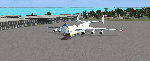
The AN225-210 is the result of a proposed 1 to 2-year projected modernization program which will
convert the current AN225 into a much more useful and capable aircraft than the already infamous
ÐœÑ€Ñ–Ñ (Mriya) . The latter First flew on December 21, 1988, and is currently 33 years old. There have
been a few maintenance periods and 1 major avionics modification, but otherwise is too old for reliable
future use. The 2 year process involves reconstructing the landing gear system to support much more weight. The
new engines are much more powerful, but lighter in weight, and much more fuel efficient. The wings
are replaced with similar wings with more wing-area built of modern light-weight material which gives
her higher lift capacity. The cargo hold area is reinforced for heavier weight limits. The crew areas
(upper deck, fore/aft main wing) are modernized for long duration flight, and two galleys are included.
The fuel tanks (9) now also involve 3 tanks in the upper center portion of the fuselage in order to put
less stress on the wings. The pressure system is modernized to achieve 6,000 feet cabin pressure up to
FL470. The internal and external lighting is fully modernized, the former for a pleasing effect and the
latter for distinct recognition during flight. Overall, the aircraft does not appear different to the
common observer.
Originally Created by:
Thomas Ruth & Alexander Kvitta (2009)
RB-211 Sounds by Sanjay Blair
Panel by: Philippe Wallaert
Auto Smoke Effects by: Richard Wisman
Camera Definitions by: Marc Renaud
Real World Aero/Engine Dynamics, EVP Mods, Effects and Data by:
Douglas E. Trapp
[email protected]
April 2021
All modifications herein are authorized by Thomas Ruth as contained within the AN225-210 Document pdf file.
This aircraft is designed for educational use protected by the Fair Use Doctrine:
http://www.expertlaw.com/library/intellectual_property/fair_use.html
| Filename: | Antonov_AN225210_Colossus.zip |
| License: | Freeware |
| Added: | 12th April 2021, 23:47:59 |
| Downloads: | 671 |
| Author: | Douglas Edward Trapp |
| Size: | 49.92 MB |
| Category: Flight Simulator X - Aircraft Repaints, Textures and Modifications | |
| Boeing B-17G 91st BG (LL-E) "Shoo shoo shoo baby" |
|
Images related to this file:
File Description:
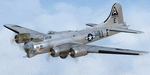
This folder contains a repaint for the A2A WoP2 B-17G in the colors B-17G-35-BO 42-32076, which rolled off Boeing's production line in Seattle in march 1944. This was around the transition from camouflaged to bare metal aircraft, which led to the odd situation that the datablock was stencilled onto a OD panel, while the rest of the aircraft was left bare metal. This was because the datablock was sprayed on right at the beginning of production. The aircraft was assigned to the 401st BS of the 91st BG, and was collected at the depot in Burtonwood by Paul McDuffee, who was so impressed with its smooth handling that he asked to be assigned to it. The aircraft was named by its crew chief, Hank Cordes, and was named after a popular song by the Andrews Sisters. Originally, the name was 'Shoo shoo baby', applied in gothic letters, which was later replaced by a Vargas girl and an additional 'shoo', painted by Cpl. Tony Starcer. McDuffee flew 13 missions with 076, before completing his tour of duty. On completion of his last flight, he buzzed the airfield and flew so low that fencing wire became entangled in the tail wheel. On the plane's 23rd mission, on 29 may 1944, Lt. Robert Guenther was flying 076 on a raid to Poznan when he suffered engine failure on one engine, and a while later, flak knocked out a second engine. 'Shoo shoo shoo baby' started to fall behind, and when a third engine started to falter, Lt Guenther decided to turn to neutral Sweden, with the crew jettisoning all loose equipment. A group of FW190's closed in, but did not open fire, peeling away. By the time 076 reached Bulltofta airfield near Malmö, it had only one engine left, but it did manage to perform a safe landing. The crew were interned, and the aircraft was impounded. The crew returned to the UK in October 1944, and 'Shoo shoo shoo baby' would later tour the world...
Repaint by Jan Kees Blom, based on the paintkit by A2A.
| Filename: | Boeing_B17G_91st_BG_LLE_Shoo_shoo_shoo_baby.zip |
| License: | Freeware |
| Added: | 7th October 2019, 18:22:46 |
| Downloads: | 106 |
| Author: | Jan Kees Blom |
| Size: | 18.03 MB |
| Category: Flight Simulator X - Original Aircraft | |
| C-17 Globemaster III/ER |
|
Images related to this file:
File Description:

The C-17 Globemaster III/ER is a heavy cargo aircraft used by several foreign militaries, but primarily the U.S. Air Force. She is designed to do many things that other cargo aircraft cannot, based on her unique design. This version incorporates the extended range fuel tanks. The real world aircraft can actually use reverse thrust in flight, up to 100% reverse power, during descents or on the ground. It is also the only heavy aircraft in the world with a wing efficiency factor over 1.0, which is theoretically impossible, but true. All of the dynamics in this model are correct down to the inch, so she does almost everything the real aircraft does. Some things are not possible in FSX, including reverse thrust while in flight, but full flaps/slats employed in a steep descent will adequately simulate this effect without damage to the model while in flight. The landing gear are authentic and capable of heavy loads. The weight and balance is authentic. The fuel tanks are authentic. The aircraft name, tail number, location, and callsign are authentic. The calculated range(s) listed are all authentic, understanding that most public data released is based on average range, at average altitude, and normal payload missions. The sound is authentic. The engine dynamics are authentic. The panel used is the best I could find, is fairly authentic, and requires some pre-flight study before flight. All-in-All the aircraft is very simple to fly, but requires some study to operate correctly, so I recommend all simmers watch as many "You Tube" videos, read as many authentic sites, and study as much as possible about this aircraft before operation. Model by: Bob Chicilo, Sound by: Devyn Silverstein, Panel by: Phillip Wallaert, Auto Smoke Effects by Richard Wisman/Douglas E. Trapp, Real World Aero/Engine Dynamics and modifications by: Douglas E. Trapp, FS Flight Dynamics Engineer, [email protected], July 2018, FOR EDUCATIONAL USE ONLY. This aircraft is designed for educational use protected under the Fair Use Doctrine:
(http://www.expertlaw.com/library/intellectual_property/fair_use.html). It cannot be sold or bundled for sale, and such will never be approved by me or the original authors. FREEWARE DISTRIBUTION ONLY!!! Douglas E. Trapp, [email protected], July 2018
| Filename: | C17_Globemaster_IIIER.zip |
| License: | Freeware |
| Added: | 14th July 2018, 17:41:34 |
| Downloads: | 776 |
| Author: | Dougals E. Trapp |
| Size: | 13.5 MB |
| Category: Flight Simulator 2004 - Scenery | |
| Anticosti Island in Quebec Canada |
|
Images related to this file:
File Description:
Anticosti Island is in the Gulf of St Lawrence, around 25 miles off the Quebec mainland coast. It is some 40 miles wide and 130 miles long on an east west axis. There are few urban areas and only one that can be described as a small town, namely Port Menier at the western end of the southern coast, with a population of under 1,000. There is a ferry service to the harbour.
The airport, Port Menier CYPN, is around 3 miles northeast of the town, with an asphalt runway aligned 11-28, 4,875 feet long and 150 feet wide with PAPI at each end. In 2010 (the approximate date of this scenery) a gravel runway was still visible at the eastern end of the field. This was no longer in use by 2010, except perhaps by small planes on skis in the winter.
The island, with its small population, small urban area, and no industry other than logging, has as a result a mainly undisturbed wildlife population. This has made deer hunting and fishing the main tourist activities, with one company (called Safari) having an exclusive licence to exploit large areas of mountains and rivers. Planeloads of hunters and fishermen are flown in on chartered Nolinor Aviation planes, landing at CYPN. There are a further two airfields in the eastern end of the island, and in 2010 Rivere-Aux-Saumons CTH7 had a 5,500 feet gravel runway, linked by road to a lodge area at the mouth of the river. This is the only lodge area that I have been able to locate, but there are others. To the south Riviere Bell CRB5 had at that time a gravel runway that was 3,000 feet long. This has been lengthened since then and both runways were recently (2021) asphalted.
If you find an error email me please, and note that my email address has been changed to rogwens at Gmail dot com. The reason I am posting this now is that I discovered that my original post ended up in MSFS Original Aircraft instead of in FS2004 Scenery. Ooops!
| Filename: | Anticosti_Island_in_Quebec_Canada.zip |
| License: | Freeware, limited distribution |
| Added: | 28th January 2022, 17:39:46 |
| Downloads: | 121 |
| Author: | Roger Wensley |
| Size: | 11.78 MB |
| Category: Flight Simulator X - Aircraft Repaints, Textures and Modifications | |
| Boeing 747-8i Delta Northwest |
|
File Description:
FSX Boeing 747-8i Delta Northwest with advanced VC by Alejandro Rojas Lucena and VC Texture Upgrade by Enrique Cornejo. This gives the b747 a payware Virtual Cockpit look! It even has a pilot jacket hanged in the rear of the cockpit (besides the right jumpseat).
The panel.cfg and the aircraft.cfg have been assembled and edited by the Flightsim Workshop Team. Now you can pop up "My icons" window in the Virtual Cockpit to easily reach the following windows: GPS, avionics, map, ATC, Climb/Radio Altimeter/Spoiler switch, auto-break switch, throttle quadrant, clock, descentometer, kneeboard and overhead panel.
The aircraft has new engine views (from both wings) and new Virtual Cockpit interior views from the left, right and central jump seats.
The Delta Northwest texture is wonderful and it has a unique paintscheme by Mcphat Studios with a repaint by Enrique Cornejo which also includes details such as some stains caused by humidity and other details just like a real aircraft.
This aircraft uses the Project Opensky FSX Boeing B747-800 Model OSX748V4_GENX(MDL), and includes the gauge window Posky Utility to view the main stairs, ground cargo servicing, etc. The engine sounds are edited like the real ones with cockpit ambient, so you can enjoy a pleasant flight. The Flight Management Computer (FMC) is fixed and looks like a payware instrument. The VC includes FMC, Primary Flight Display (PFD) and Multi-Function Display (MDF) displayed in the correct size.
The virtual cockpit also has an Engine-Indicating and Crew-Alerting System also known as EICAS, Ground Proximity Warning System (GPWS), working wipers, cabin lights, fire suppression, avionics switch, fuel crossfeed, and you can identify those intruments in the overhead panel because they are bordered with color lines. You can also find landing lights switches, taxi light switch, engine generators, APU generator, battery switch, starter switches, de-ice switch, general lights switches which are a great work of Alejandro. So now the whole cockpit and texture upgrade with all these improvements looks better than a payware version. The clock numbers are now in orange which makes them look better and easily recognizable.
Assembled and edited for FSX by Enrique Cornejo.
| Filename: | Boeing_7478i_Delta_Northwest.zip |
| License: | Freeware |
| Added: | 13th January 2013, 01:02:31 |
| Downloads: | 990 |
| Author: | Enrique Cornejo |
| Size: | 78.26 MB |
| Category: Flight Simulator X - Aircraft Repaints, Textures and Modifications | |
| Boeing 747-8i Delta Northwest |
|
File Description:
FSX Boeing 747-8i Delta Northwest with advanced VC by Alejandro Rojas Lucena and VC Texture Upgrade by Enrique Cornejo. This gives the b747 a payware Virtual Cockpit look! It even has a pilot jacket hanged in the rear of the cockpit (besides the right jumpseat).
The panel.cfg and the aircraft.cfg have been assembled and edited by the Flightsim Workshop Team. Now you can pop up "My icons" window in the Virtual Cockpit to easily reach the following windows: GPS, avionics, map, ATC, Climb/Radio Altimeter/Spoiler switch, auto-break switch, throttle quadrant, clock, descentometer, kneeboard and overhead panel.
The aircraft has new engine views (from both wings) and new Virtual Cockpit interior views from the left, right and central jump seats.
The Delta Northwest texture is wonderful and it has a unique paintscheme by Mcphat Studios with a repaint by Enrique Cornejo which also includes details such as some stains caused by humidity and other details just like a real aircraft.
This aircraft uses the Project Opensky FSX Boeing B747-800 Model OSX748V4_GENX(MDL), and includes the gauge window Posky Utility to view the main stairs, ground cargo servicing, etc. The engine sounds are edited like the real ones with cockpit ambient, so you can enjoy a pleasant flight. The Flight Management Computer (FMC) is fixed and looks like a payware instrument. The VC includes FMC, Primary Flight Display (PFD) and Multi-Function Display (MDF) displayed in the correct size.
The virtual cockpit also has an Engine-Indicating and Crew-Alerting System also known as EICAS, Ground Proximity Warning System (GPWS), working wipers, cabin lights, fire suppression, avionics switch, fuel crossfeed, and you can identify those intruments in the overhead panel because they are bordered with color lines. You can also find landing lights switches, taxi light switch, engine generators, APU generator, battery switch, starter switches, de-ice switch, general lights switches which are a great work of Alejandro. So now the whole cockpit and texture upgrade with all these improvements looks better than a payware version. The clock numbers are now in orange which makes them look better and easily recognizable.
Assembled and edited for FSX by Enrique Cornejo.
| Filename: | Boeing_7478i_Delta_Northwest.zip |
| License: | Freeware |
| Added: | 13th January 2013, 01:24:18 |
| Downloads: | 1,961 |
| Author: | Enrique Cornejo |
| Size: | 78.71 MB |
| Category: Microsoft Flight Simulator (2020) - Utilities | |
| FSTramp v8.84 for MSFS, FSX(-SE), Prepart3D, X-Plane (Win) |
|
Images related to this file:
File Description:

This add-on is an EXE application for Microsoft Flight Simulator and a DLL module for all other simulators. The DLL variant is activated via hotkeys or the simulator menu add-ons or plugins. Window size and layout are configurable for one or more screens. To avoid dazzling, the brightness of the entire application is customizable. Primarily it is a flight management system (FMS) with automatic control from start to landing. This also includes the observance of SID, STAR and Approaches in unmatched quality. The flight plan required for the FMS can be created manually or automatically, interactive changes and additions during the flight are possible. The basis of the flight planner is the 3D world map and the search function for airfields and navigation aids. The FMS by FSTramp relies on the autopilot of the aircraft. In case of incompatibility, the autopilot integrated in FSTramp will be used. This allows FSTramp to control almost all aircraft from airport to airport. The altitude profile of the flight plan, SID, STAR and approach is taken into account. This means that FSTramp extends the often incomplete airport procedures to and from the runway so that they can be flown completely automatically. During the fully automatic flight, the autopilot values ​​for HDG, ALT, VSPEED, SPD and MACH can be manually overridden. This is e.g. useful for being able to react to the instructions of the tower in the final approach without completely stopping the automatic flight. The rotating or north pointing 3D world map with numeric display of the terrain elevation under the mouse arrow is another special feature. It does not need an internet but is synthesized from included height profiles of the globe. The Data of continents, mountains and rivers are included in the setup. Airspaces, Airways, Waypoints and SID, STAR and Approaches are also included in the setup, but can be updated by installing additional AIRAC cycles. Airfields and navigation stations are taken from the simulator. NVIDIA: If the frame rate of the simulator drops sharply about 20 seconds after FSTramp's visibility, the power management of the GPU slows down prematurely. In the NVIDIA Control Panel, change the 'Manage 3D settings - Power management mode' option to 'Adaptive'.
| Filename: | FSTramp_v884_for_MSFS_FSXSE_Prepart3D_XPlane_Win.zip |
| License: | Shareware, time limited |
| Added: | 7th July 2023, 04:35:12 |
| Downloads: | 111 |
| Author: | Helge Schroeder |
| Size: | 358.21 MB |


© 2001-2026 AVSIM Online
All Rights Reserved
Privacy Policy |