
Where Flight Simulation Enthusiasts Gather from Around the World!
AVSIM Library - Search Results

| Category: Prepar3D V1-4 - Flight Plans | |
| CargoJet Flight Plans |

|
File Description:
Attached is an Excel Flight Planner including recent (Jan/Feb 2019) scheduled flight plans for CargoJet for use with the CaptainSim 757-III Freighter expansion.
A couple of weeks ago, I made two CargoJet liveries for the CS 757-III Freighter, available at Avsim:
https://library.avsim.net/esearch.php?DLID=&Name=&FileName=&Author=meier&CatID=p3dacrp
To use these files, copy the attached .rt files to your Captain Sim route directory:
*\Lockheed Martin\Prepar3D v4\Captain_Sim\757-III\Routes\
These accompanying route files (60+) DO NOT include any SID or STAR data, nor do they include any performance information (cargo/fuel weights)...I've intentionally tried to keep these files customizable with any ATC program you may be using.
The Excel spreadsheet use should be pretty straight forward (it was designed using MS Excel 2019...you'll need MS Excel 2013 or newer for the macros to work correctly).
The spreadsheet will open to a worksheet containing CargoJet's current, scheduled route network. From this worksheet, simply select a departure location from the buttons on the world map.
Once a departure location is selected, a second "Flight Planning" worksheet will open with a UserForm Box directing you to select an airport destination based upon your selected departure location.
The UserForm box is pre-populated only with current destinations from that departure airport (based upon current CargoJet Jan/Feb 2019 schedules obtained from online flight tracking data).
I've included a weather snapshot download from each of the departure and destination airports into the flight planning worksheet.
I have not yet included enroute weather information...that may come in a "V2" of this flight planner.
As I have not yet included enroute weather information, flight fuel calculations/fuel burn are only approximate for now. Down the road, I may also include calculations for derate temperatures...that will take considerable more work.
I think this Flight Planner is a pretty good version 1 for sharing. In the absence of a website dedicated to a "CargoJet Virtual Airline", I thought this Excel spreadsheet and accompanying flight plans may be of benefit to anyone who might enjoy flying the CS757-III Freighter expansion with CargoJet livery.
Personally, I was fortunate to already have the full compliment of SimAddon airports (Canada wide) which makes for enhanced enjoyment of the CaptainSim 757-III add-on and this flight planning spreadsheet. (That statement wasn't intended as a promotion for people to go out and buy the SimAddons software!!!)
I haven't had a chance to test all the flight plans yet...I'm hoping I haven't made any errors!
Anyhow, I hope this spreadsheet and flight plans can be of benefit to others.
Feedback always appreciated!
Rob
February 15, 2019
| Filename: | CargoJet_Flight_Plans.zip |
| License: | Freeware |
| Added: | 16th February 2019, 22:00:12 |
| Downloads: | 169 |
| Author: | Rob Meier |
| Size: | 1.93 MB |
| Category: Flight Simulator X - Scenery | |
| RAF Elvington |
|
File Description:
The station was originally a grass airfield within No. 4 Group. In the early 1940s the airfield was entirely reconstructed with three hardened runways replacing the grass. It re-opened in October 1942 as a station for 77 Squadron RAF and along with RAF Melbourne and RAF Pocklington was known as No "42 Base". The squadron had a strength of approximately 20 aircraft and initially used the twin engined Armstrong Whitworth Whitley medium bomber although this was quickly replaced by the Handley Page Halifax four engined heavy bomber which was being introduced. No 77 Squadron suffered heavy losses during its time at Elvington with over 500 aircrew killed, missing or taken prisoner and almost 80 Halifaxes lost as it played a major part in the Battle of the Ruhr and the bombing of Berlin.
In May 1944 No 77 Squadron posted to the newly opened nearby RAF Full Sutton and was replaced at Elvington by two French squadrons, numbers 346 "Guyenne" and 347 "Tunisie" who both played a leading part in the bombing of Germany. Elvington was the only airfield in the United Kingdom used by the remainder of the Free French Forces, they also flew Handley Page Halifax heavy bombers until they moved to Bordeaux in October 1945 where they became the basis for the new air force of liberated France. In September 1957 a memorial was unveiled in Elvington village dedicated to the two French squadrons. While they were at RAF Elvington nearly half of the squadrons' members were killed.
After the war the 400-acre (1.6 km2) airfield was transferred to No 40 Group under the control of Maintenance Command until 1952 when it was greatly enlarged and extended for use by the United States Air Force.
United States Air Force use
The United States Air Force (USAF) built a new 3,094 m (10,151 ft) runway, which was the longest in the north of England, and a huge 19.8 hectares (49 acres) rectangular hardstanding apron as well as a new control tower to turn Elvington into a "Basic Operation Platform" which would have operated as a Strategic Air Command (SAC) dispersal airfield. After spending £4 million the airfield never became operational as a SAC base and was abandoned by the US Air Force in 1958.
Other uses
In the early 1960s the Blackburn Aircraft Company, now part of British Aerospace used the runway for test flights of the Blackburn Buccaneer. Elvington retained its status as an RAF relief landing ground and was used by the RAF flying training schools at RAF Church Fenton and RAF Linton-on-Ouse until the airfield was finally closed in March 1992.
Present day
The airfield is now owned by Elvington Park Ltd. The adjacent buildings and control tower have been restored, and serve as the Yorkshire Air Museum which has many varied and rare aircraft and exhibits, including a complete Halifax bomber. Elvington is also a popular motorsports venue for motorcycle racing.
Source:Wikipedia
| Filename: | RAF_Elvington.zip |
| License: | Freeware |
| Added: | 10th April 2017, 22:08:13 |
| Downloads: | 167 |
| Author: | Terry Boissel |
| Size: | 220.79 KB |
| Category: Flight Simulator 2004 - Scenery | |
| Homer PaHO in Alaska US |
|
Images related to this file:
File Description:
Homer is a mainly GA airfield with rows of open air parking, but it also has scheduled flights, a terminal building, a long (for GA) runway of just under 6,700 feet that is 150 feet wide and aligned 03-21 with VASI on both ends and ILS on 03. So I think we can refer to it as an airport. Plus, at the time of this scenery (around 2010) there were three newly completed hangars on the north apron that I was told were for three companies, Bald Mountain Air service, Maritime Helicopters, and Pathfinder Aviation. I do not know which was for whom, but all three companies are in the helicopter and/or plane charter business. The south apron has a number of hangars and other buildings along it's length, starting at the western end with Smokey Bay Air that has an old control tower on the roof, then the Fire Station, and then Homer Air. I am not aware of who owns what after those first three, except that at the far eastern end there are several garages etc for the airport maintenance equipment. Next to the airport at that end there are a number of boat maintenance companies with boats pulled out of the water; this could not be well replicated due to the airport elevation above the sea level and a misplaced road. The nearby Beluga Lake 5BL float base is also included here, with some AI. The lake height above sea level has been adjusted to cope with too many cliffs intruding into the water; this is an annoying FS9 habit. The Homer scenery is as close to the actual airport as I could make it, while coping with inaccurate coast lines and roads, and grassed areas that could not all be modified for reasons that I will not bore you with. The Spit is a major scenery feature next to the airport, and I have added to this to provide some boats, docks, and nearby buildings etc. Small planes use the adjacent gravel taxi path instead of the runway when back-tracking to take off on runway 21. They only go as far as the path takes them and then u-turn onto the runway and take off. By the way, this airport's AI will function at its best if the prevailing wind makes 03 the runway in use. And I will eventually stop writing 03 and just call it 3, as the US, alone in the world, does not put a zero in front of 01, 02, 03, 04 etc. Just one other thing to note is that all access to the runway is from taxiways A and B; there was (in 2010) no access to the extreme western end of the runway as the taxiway there is marked as out of service pending a needed resurfacing.
If you find an error email me please, and note that my email address has been changed to rogwens at Gmail dot com.
| Filename: | Homer_PaHO_in_Alaska_US.zip |
| License: | Freeware, limited distribution |
| Added: | 28th July 2021, 03:31:04 |
| Downloads: | 131 |
| Author: | Roger Wensley |
| Size: | 11.86 MB |
| Category: Flight Simulator X - Original Aircraft | |
| TU-95MS Bear H |
|
Images related to this file:
File Description:
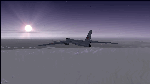
The Russian Air Force 37th Air Army operates the TU-95MS (TU-95M 55 Bear H) from the 182th TBAP unit based in Zavitinsk and 6213 BKHUAT based at Engels Air Base in the Moscow Region. It's use is primarily in maritime operations. She carries cruise missiles even if only used for submarine comms. Her initial design is a competitor with the B-52, but uses 4 Turboprop engines with 8 contra-rotating props. She can fly about as far as, but not as high as the B-52, nor can she fly as fast. She is often monitored off the coast of Alaska and easily met with F-22 Raptors every time. She is also often met by NATO fighters near European borders. Since 45,000 feet is about the highest she can cruise, most fighters can meet her. Her real danger is the cruise missiles which, if launched, have a range more than 1,500 nm and can pinpoint any directed target using GPS ground control. She is normally flown in formations of 3 or more, but sometimes only 2 are observed. She is not designed to fly fast over low terrain, like the B-52, but can do-so if necessary, and dangerously. The aircraft has not seen any major improvements or modifications since the cold war era, and several have crashed due to lack of maintenance. It is currently unknown how many are in service condition. Since much is unknown about this aircraft, yet enough is known to re-create an authentically working model, I have done-so here. Every bit of the aircraft.cfg file and associated .air file has been re-worked to match what known data can offer, and known aerodynamic formulas can equate. The most difficult aspect is the Turboprop aspect, since Turboprop engines do not work like jet engines in any way. Luckily for the simmer, there is no need to adjust feathering or anything like that would be necessary in a normal Turboprop because these engines are self-adjusting. Even though they meet the full known specs of the real engines, I have actually worked all the math to make them actual Turboprop engines (not pseudo-jet engines). That may sound exciting, but you must remember that she is a prop-driven aircraft, and not a jet. Even though you can fly her like a jet, the engines do not adjust like a jet. All aspects have been configured to meet realistic standards, including the MOI factors, weight/balance (including payload positions), gear locations, aircraft dimensions, light positions, engine smoke locations and operations, and weight. I did not simply throw this together, but have been perfecting her for many years. Original Modeler/Sounds: Vladimir Zhyhulskiy (2006); Panel: Marco Spada; Auto Smoke Effects: Richard Wisman; Aero/Engine Dynamics, effects, and details: Douglas E. Trapp, FS Flight Dynamics Engineer, [email protected], November 2018. The use of this model, and the configuration of such, is designed for free educational purposes, and protected by the Free Use Act: (https://www.law.cornell.edu/uscode/text/17/107). This model and/or aspects of such cannot be used for monetary purposes!
| Filename: | TU95MS_Bear_H.zip |
| License: | Freeware |
| Added: | 3rd November 2018, 23:28:41 |
| Downloads: | 744 |
| Author: | Douglas E. Trapp |
| Size: | 42.71 MB |
| Category: Flight Simulator 2004 - Scenery | |
| Ketchikan PAKT in southern Alaska plus float planes 5KE and the town |
|
Images related to this file:
File Description:
This is Ketchikan PAKT in southern Alaska, 45 miles north of the Canadian border and 220 miles south of Juneau. It is the closest major Alaskan airport to the lower 48 and most flights from or to Seattle pass through Ketchikan en route. The airport is on the southern side of the stretch of water known as The Narrows and the town is on the northern side, with ferries connecting the two. The town side was somewhat modified as part of one of the three Misty Fjords sceneries, so there were already some marinas and docked cruise liners etc before I started this. In addition, Ketchikan Airport had been partly made way back in 2006, and further modified in 2007; I say "partly" as there is in fact no way to accurately make PAKT within the limitations of FS9 as there is a 50 or 60 feet difference in elevation between runway and apron, and the taxiways are actually ramps up from the apron to the ends of the runway. This has a knock-on effect on the float plane and ferry docks on the water below the airport. I can see why the Misty Fjord sceneries avoided it. This scenery retains the original buildings from the Alan Wright scenery. It also includes the modification made by John Hinson, who created the second taxiway to the western end of the runway; FS9 had not included this as the original airport started operations with only one taxiway in place. There are new vehicles on the apron (fuel etc), new apron markings and some parking modifications to enable AI with Boing 737, DC6, Beechcraft 1900, and GA, plus runway and taxiway signage, windsocks, some car parking, freight items, etc. There is a road and covered bridges down to the docks and ferry, and the town side of the water has been modelled to include other float plane docks along with waterfront buildings, including the ship repair facility with it's dry dock (actually a floating dock that lifts ships out of the water) and the Alaskan Ferry Terminal wharf etc. The ferry forms a part of the AI, generously permitted by FSAddon and originally a part of the payware Tongass Fjords package, as are the AI aircraft also included here. There are new waterside buildings that stretch from the ship repair yard, past the shopping plaza and onward to the stationary cruise liners (that were part of the Tongass payware scenery) including float docks for the float plane companies that are based in Ketchikan, plus a new AI liner. The AI is a further adaptation of the already posted CF36 AI and PAKN AI, as listed in the AI folder. Due to the surrounding hills there may be some interference with AI float aircraft, depending on the wind direction, though I have watched succesful Beaver landings with the wind from the east. The combined AI for float planes creates a float plane take off or landing at, on average, 20 minute intervals; this is still well short of the actual busy summertime period.
| Filename: | Ketchikan_PAKT_in_southern_Alaska_plus_float_plane.zip |
| License: | Freeware, limited distribution |
| Added: | 12th February 2017, 23:27:59 |
| Downloads: | 1,239 |
| Author: | Roger Wensley |
| Size: | 47.11 MB |
| Category: Flight Simulator 2004 - Miscellaneous Files | |
| The Steamer PATRIA, pearl on VFR of Lario - Como Lake, Italy |
|
Images related to this file:
File Description:
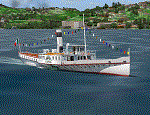
Steamship sailing, GMax model with photo real textures and panel with exterior views.
The History: Born with the name of "Savoia" this steamer was placed in the yard June 7, 1926 by the Odero's workers at the construction site of Dervio, and in a very short time, triumphantly launched July 31, 1926 first in the waters of Dervio , to start shipping in the Como Lake.
Soon after this launch, the site was put on the twin " October 28 ", which later became the "Concordia". In December 1926, the " Savoia " incorporates a major change : the distribution system of the machine new one "Caprotti" type that has excellent results and is , up to date, the only example in the world (reduction of rolling steam). In May 1927, the " Savoia " has the honor to welcome on board the King of Italy Vittorio Emanuele III , escorted by the steamers " October 28" and " Plinio". During World War II , following the fall of the fascist regime , July 25, 1943 , is required to change the name of the steamer. Even public opinion is mobilized and decide to rename the steamer by the name of "PATRIA". At the same time the twin " October 28 " is renamed "Concordia". Back after a break in service , January 10, 1945 is attacked and strafed while browsing the center of the lake . At the end of was counted 5 victims and 17 injured of which one will die as a result. At the height of the bridge spread of a fire, for piercing and incendiary bullets used by the Anglo-Americans, but soon subdued by the crew. In June 1951, the PATRIA is back in service with some modifications. The smokestack is shortened to about 3 mts and boilers and burners are converted from coal to oil. In August 1952, the boat service on the lake shift from "Lariana " to Government Management, which taken the steamer. In 1973 the interior of the " Patria" is restored according to the original scheme: the magnificent ship back into service June 10, 1973.
Great new features are the stained glass windows in the inner surface that allow you to see the paddle wheels in motion. In the 80s the PATRIA is used mainly for special cruises and rentals, limiting the use of the line. The summer of 1990 is the last one that sees the "PATRIA" in service. In the fall it is stopped at the construction site of Tavernola, later transferred to Dervio where it remains moored for years waiting to know his fate ... between demolition or renovation (this strongly desired by the Lariana population). Finally in 2003, the Province of Como takes the field by engaging in the recovery of the steamer, with PATRIA's historic "friends" of "Famiglia Comasca"; February 27, 2004 the remains of the steamer is formally sold to the Province of Como in the symbolic figure of " 1 Euro". After a series of bureaucratic delays, in August 2008 is finally contracted the first batch of works and the renovation starts. On 8 May 2013, PATRIA comes to Dervio for a short cruise, and for testing stability on the lake, and received a "Certificate of Class" that officially renames it as a ship. After 23 years it is the first time that the PATRIA sails again, since 1990, the year of its disarmament. The inauguration takes place July 19, 2013, at Villa Olmo in Como present authorities, proponents of the huge recovery and many other enthusiasts ... as me. Enjoy.
Check video available here: http://youtu.be/KALgHsGiPu8
| Filename: | The_Steamer_PATRIA_pearl_on_VFR_of_Lario__Como_Lak.zip |
| License: | Freeware |
| Added: | 22nd February 2014, 01:25:28 |
| Downloads: | 590 |
| Author: | Aldo Della vedova, Daniele Lanfranchi, Gian Mario Verga |
| Size: | 10.5 MB |
| Category: Prepar3D V1-4 - Utilities | |
| Flightplan Visualizer 1.14 |
|
Images related to this file:
File Description:
Flightplan Visualizer (FV) version 1.14.0. Copyright 2018-2019 by Pelle F. S. Liljendal ([email protected]), all rights reserved.
FV comes with 629 pre-imported Commercial AI flightplans (+380 BizJet flightplans are available as a separate download). However you are able to import additional (AI) flightplans yourself. Once imported these (AI) flightplans can be visualized on a map-view, and the user will be able to search accross all these. Hence you can use the program as inspiration as to which routes to fly. E.g. you can search across all imported flightplans to find all flights in an A321 flying into/out from LDDU, or simply to look for all flights in a Boeing 747-8F.
Simply run the included installer to install the software. The program will be installed into "C:\Program Files (x86)\Flightplan Visualizer" and all datafiles will be installed into: "C:\Users\[UserName]\AppData\Roaming\FlightplanVisualizer". The program comes with a full manual explaining everything, and a 3 page quick manual to get you started. The first 3 times you run the program the quick manual will automatically open. The forum is hosted here: https://forum.aerosoft.com/index.php?/forum/919-flightplan-visualizer/
Version 1.14 Contains the following changes:
- Flightplan file-format was changed, to accommodate changes to the airline-data. In previous versions the airline ICAO-code had to be unique, hence not allowing old defunct airlines still remaining in the data-file when a new airline would be issued the same ICAO-code (now they can both exists, and many of the defunct have been marked as defunct).
- On start-up old flightplans in enabled folders will automatically be updated to the new format. If you have sub-folders containing additional flightplans, you should make sure these are enabled, in order to have these updated as well. Once they have been updated you can go ahead and disable these sub-folders again as you please.
- Its now possible to add user defined airlines, in case you want to add you own fictitious airlines (e.g. VA's) or you want to add airlines missing in the official data-files that I supply with the program (if this is the case, please notify me, so I can add these in the next release of the program).
- "Favorite aircraft" have been renamed into "Favorite aircraft-types", as it is the "types" of aircraft you mark. You don't mark a particular aircraft/cofiguration (like the PMDG B737-800 NGXu) as your favorite, but rather the "type" (B737-800). The file containing the (active) favorite aircraft-type selection was renamed as well (you don't have to do anything, the file is automatically renamed on start-up).
- Added a new Unit-Conversion form, letting the user convert units of: Speed, Lenght/Distance, Weight/Volume, Pressure and Temperature. The Weight/Volumne conversions is a bit special as it lets the user convert between weight (kg/lbs) and volume (liter/gal), thanks to a Fuel Density that defaults to 0.785, but can be changed by the user.
- All search-forms (seaching for airport, aircraft and airline) was changed to ignore whitespeaces (e.g. "airBaltic" vs. "air Baltic"), and ignore diacritics (e.g. "AerolÃnea" vs. "Aerolinea"), making it more easy to find what you are searching for in one go.
- The airline search-form will by default exclude airlines that have been marked as defunct. However a new "Include defunct" check-box have been added to the form, allowing you to include these (who am I to say you can not still use "Air Berlin", "Monarch" or "Thomas Cook" flightplans if you want to).
- Added 3 new columns to the airline search form showing commence/cease-date, and wheter or not the airline is "in use" (as carrier/operator by any of the active fligthplans).
- State is now by default excluded when using the airport search form, which make it a lot more convenient to find airports in the city of "New York". State can still be included in the search by choosing a different search-type using the combo-box in the upper/right corner.
- When Flightplan Visualizer needs for perform potentially lengthy operations it will spread the workload over the available cores of the CPU. However if you want to limit which cores it uses you can now set the affinity-mask in the settings form.
- The splash-screen shown when the program starts, and when reloading active flightplans was prevoiusly always shown on top (top-most), but if you find this anoying it can now be disabled in settings.
- Fixed: Warnings/errors regarding loading flightplans were only displayed at start-up. Now they are shown whenever all active flightplans are loaded (e.g. after having enabled a sub-folder).
- Data: The airline-data got a major update, and a bunch of new airlines were added, and the data for MANY others were updated. It is a manual process to update these, almost as funny to do as to watch paint dry ;-)
- Data: A few countries had a wrong- or no sub-region code, so these were fixed/updated. As usual, if any of you spot any erros, or missing data, please use the forum to notify me.
- Data: Additional info added to the aircraft-data (in preparation for some future plans).
- Flightplans: All flightplans bundled with the installer have been updated to the new file-format.
- Flightplans: Thanks to Ryan Carson (RCAI) for allowing me to bundle the installer with a few of his flightplans, so the installer comes with the very first winter 2019-2020 flightplan.
- Flightplans: The good people over at AIG (Alpha India Group) have been VERY busy since the last release, hence the installer comes with +130 new pre-imported flightplans, bringing the total to 629. This update concludes Summer 2019, and AIG already have the first Winter 2019/2020 flight-plans in beta-test.
Pelle
| Filename: | Flightplan_Visualizer_114.zip |
| License: | Freeware, limited distribution |
| Added: | 10th December 2019, 06:59:46 |
| Downloads: | 370 |
| Author: | Pelle Liljendal |
| Size: | 31.01 MB |
| Category: Microsoft Flight Simulator (2020) - Utilities | |
| Flightplan Visualizer 1.18 |
|
Images related to this file:
File Description:
Flightplan Visualizer (FV) version 1.18.0. Copyright 2018-2020 by Pelle F. S. Liljendal ([email protected]), all rights reserved.
FV comes with 787 pre-imported Commercial AI flightplans (+380 BizJet flightplans are available as a separate download). However you are able to import additional (AI) flightplans yourself. Once imported these (AI) flightplans can be visualized on a map-view, and the user will be able to search accross all these. Hence you can use the program as inspiration as to which routes to fly. E.g. you can search across all imported flightplans to find all flights in an A321 flying into/out from LDDU, or simply to look for all flights in a Boeing 747-8F.
Simply run the included installer to install the software. The program will be installed into "C:\Program Files (x86)\Flightplan Visualizer" and all datafiles will be installed into: "C:\Users\[UserName]\AppData\Roaming\FlightplanVisualizer". The program comes with a full manual explaining everything, and a 3 page quick manual to get you started. The first 3 times you run the program the quick manual will automatically open. The forum is hosted here: https://forum.aerosoft.com/index.php?/forum/919-flightplan-visualizer/
Version 1.18 Contains the following changes:
- GREATLY improved the search-legs feature (by a factor of +50).
- In the past the application was forced to 32 bit. This is no longer the case, hence if needed its able to allocate more memory than before. I have never heard of anyone getting an "out of memory" exception, buy anyway.
- In the settings form, the field for entering the path to where to look for the Make Runways -files, have been replaced with a (MRU) combo-box, remembering the last 5 paths entered. So now you don't need to remember these paths each time you want to change it (e.g. if you switch between a set of files generated for P3D and another generated for MSFS). Remark that when this path is changed, FV will automatically restart when saving the settings, as the MkRwy-data are only loaded at startup.
- Added new command-line argument /MkRwy="G:\FS\MakeRunways". If this argument is set, FV will try to locate the files generated by Pete Dowson's MakeRunway in the specified folder, no matter the value of the MkRwy-path set in the settings-form.
- Added new command-line argument /FilePrefix=XXX. If this prefix is set (in the short-cut starting FV) it will look for files in the UserData-folder using this prefix and an underscore (e.g. open "XXX_UserAirportInfo.xml" in stead of "UserAirportInfo.xml"). If FV is started with this argument it will be displayed in the caption of the main-form to notify the user "which prefix is in use".
- Added new command-line argument /ForceReprocessFlightplans which forces all flightplans to be reprocessed on startup (e.g. process all airport redirections according to loaded redirection file).
- Added new command-line argument /? or /help. Using either of these, or having specified a wrong command-line argument will show a small example of the correct way to use these arguments.
- Added a new "Auto-activation prefixes" entry field to the "Edit owned aircraft" form where you can now enter a comma separated list of prefixes for which each aircraft should set to active. If entered, the aircraft will automatically be set active when FV have been started with the /FilePrefix argument set to the entered value (e.g. P3D). If one or more prefixes have been entered into this field, and FV have been started with another prefix, those aircraft will be set to not-active.
- Added new setting to reprocess all loaded flightplans on startup if FV was started with another /FilePrefix argument than used the previous time FV was started (e.g. if you switch between two different simulators).
- Improved how pseudo-airports tries to look-up airport data from the bundled airport-database. So there is now a higher chance that: name, country/state, and time-zone will be populated with useful data for the pseudo airports.
- In previous versions when opening the airport-info form, the checkbox "Exclude small/grass/dirt" (runways) was always checked, meaning you had to uncheck this checkbox before being able to see any runway-information for small airports. In this version a new setting have been added where you can chose if this checkbox should default to being: Checked, Unchecked or (default) Automatic. if choosing "Automatic", this checkbox will default to un-checked for airports only having few/small runways.
- Redesigned the settings-form so things are less "cluttered", and it will be more easy for me to add additional items in the future.
- The Search Airport form now contains fields that lets you specify min/max criteria for rwy-length and airport elevation, and min/max distance to a specified airport (e.g. find all airports within 20-50 Nm of XXXX). Also you can specify required rwy-type (e.g. "All Hard", "Have Soft" ...).
- Added an "Edit" menu-item to the context menu in the Search Airport form, which opens the Airport Info form, and returns back to the Search Airport form (e.g. see details for a few found airports before chooing one of them).
- If Transition Altitude (TA) is not known for a particular airport, the program will now try to estimate TA based on nearby airports in the same country, where those nearby are weighted more than those further away (its not perfect, but "better" than 0). An estimated TA will be postfixed by a asterisk to mark that it is estimated.
- Minor (internal) changes to the automatic version-check.
- Fixed: Issue importing some AigFP flightplans where airports were being redirected (e.g. "AIG_AviaTrafficCompany_Winter_2019-2020v2").
- Fixed: Using the context menu in the list-view showing all owned aircraft, the changes were sometimes not saved.
- Fixed: In the conversion-form when converting weight/volume into US-Gal, the calcuation was wrong (converting from US-Gal was not an issue).
- Fixed: In the leg-info report the value of Transition Altitude was in some cases used in stead of the length of the longest runway.
- Fixed: Leg-info report only contained taxi-out time for all airports. Now it only contains the taxi-out time for the departure airport, but both departure- and destination airports contains a taxi-in time.
- Fixed: In some cases an airport that was currently being edited, could be edited in another window at the same time (opening multiple Airport Info forms).
- Data: The bundled airport-database had a MAJOR face-lift. Various data were corrected, and it have more than doubled in number of airports/helipads contained within the database.
- Data: Improved detection of aircraft-type "IAI 1126 Galaxy" (as "Gulfstream G200"). Thanks to Bruce Nicholson for notifying me of the issue when importing a particular AIG flight-plan.
- Flightplans: All new/updated flightplans have been added to the installer, and all obsolete/defunct have been marked/removed. A total of 787 active flightplans are bundled with the installer.
Pelle
| Filename: | Flightplan_Visualizer_118.zip |
| License: | Freeware, limited distribution |
| Added: | 9th November 2020, 20:09:24 |
| Downloads: | 479 |
| Author: | Pelle Liljendal |
| Size: | 34.48 MB |
| Category: Microsoft Flight Simulator (2020) - Utilities | |
| Flightplan Visualizer 1.19 |
|
Images related to this file:
File Description:
Flightplan Visualizer (FV) version 1.19.0. Copyright 2018-2021 by Pelle F. S. Liljendal ([email protected]), all rights reserved.
FV comes with 1164 pre-imported AI flightplans (of which +380 are BizJet flightplans, the rest are commercial). However you are able to import additional (AI) flightplans yourself. Once imported these (AI) flightplans can be visualized on a map-view, and the user will be able to search accross all these. Hence you can use the program as inspiration as to which routes to fly. E.g. you can search across all imported flightplans to find all flights in an A321 flying into/out from LDDU, or simply to look for all flights in a Boeing 747-8F.
Simply run the included installer to install the software. The program will be installed into "C:\Program Files (x86)\Flightplan Visualizer" and all datafiles will be installed into: "C:\Users\[UserName]\AppData\Roaming\FlightplanVisualizer". The program comes with a full manual explaining everything, and a 3 page quick manual to get you started. The first 3 times you run the program the quick manual will automatically open. The forum is hosted here: https://forum.aerosoft.com/index.php?/forum/919-flightplan-visualizer/
Version 1.19 Contains the following changes:
- The release-version of the application is now aimed at 64-bit (granting access to more memory if needed). Enabling 64-bit adds a memory overhead of approx 50% compared to 32-bit, but its the "price to pay" to have access to more memory (for those of you with many active flightplans loaded into memory at the same time).
- FV can now connect to your simulator using FSUIPC (tested both with P3D and MSFS). By default you will have to manually connect/disconnect (using new menu-items in the File-menu). However in settings you can choose to do it automatic. When automatic-connection is selected the connect/disconnect menu-items becomes inactive.
- When connected to a sim, the location/heading of your aircraft can be displayed on the map, using an orange aircraft-marker, and hoovering the mouse over this marker will display some key data (GPS-location, altitude, heading, speed and so on).
- Added abillity to playback audio-files. In settings you can choose which audio-device to use, and set the volume at which these files are played (defaults to 50%). If volume>0 these files will automatically be played back whenever FV connects to/disconnects from the Sim.
- Added additional icons that are automatically selected to indicate when the program is connected to the simulator. Hence the icon in the main-form will indicate if FV is connected to a simulator or not.
- In the form for editing (user)-airlines and in the form for searching airlines the context menu now have a menu-item called "Show usage". When selected, it will generate a report showing all the (active) flightplans in which the airline is used.
- Added a new "Manual" check-box next to the load-factor when editing user-airlines. This check-box needs to be checked if you want to manually enter a load-factor. When not checked (default) the load-factor will automatically be set to the default value of the selected country.
- When editing user-airlines, the airline just added/edited will be visible and selected in the list-view. Likewise when deleting an airline, the previous item will be be visible/selected (in stead of always scrolling to the top afterwards, as in previous versions).
- The Insert/Delete keyboard-keys can now be used as shortcuts adding/deleting user-airlines and user-aircraft (both owned and types).
- The gate-map context-menu (Airport Info), now allows you to re-center the map (in case your have been panning the map, and can't locate the airport again).
- Added a new menu-item/form to calculate head/cross-wind from manually entered flight/runway-heading and wind-direction/speed. Don't forget the runways tab-page in the Airport-info form already calculates this for each runway (and wind-direction/speed is automatically obtained from METAR).
- Added a new menu-item/form to convert plain-text into morse-code. There is also a button that lets you listen to the generated morse-code, so you can practice your morse-code listening skills (e.g. entering an ILS/VOR-ident, to know which morse-code to listen for in the aircraft, to verify the correct ident is reqeived).
- The "Cruise speed" column have been removed from the aircraft tab-page of the Edit Flightplan form to make more room for the Carrier/Operator-columns. In the past these simply contained the ICAO for the airlines. Now it both contains: ICAO, IATA (if not blank) and Name.
- The criteria in the leg-search window now allows you to filter on departure/arrival week-days (e.g. only include flights departing a particular airport on a Saturday or Sunday).
- When using the flightplan-filter on the main-form, it will favour the current active flightplan (as in previous versions), however if not able to, it will select the first flightplan included in the filtered list (in stead of choosing "[None]").
- Improved import of AIGFP-flightplans where the airport is not contained within the embedded airport.txt file and is using a different ICAO-code in route-files (observed for "AIG_UTair_Summer2018v6" and "AIG_S7Airlines_Winter2019-2020v3").
- Added runway-info (for both Departure/Destination-airports) to the flightplan leg-report. For ILS-eqiupped runways its lists the ID (both as text, as morse-code), frequency and ils-slope.
- Morse-code also added to ILS-ID column on the "Runways" tab-page of the airport-info form. Above the list-view there is also a label showing the morse-code (using a larger font), and next to it there is a button that lets you listen to the morse-code.
- Traffic-pattern direction (for take-off and landing) are now displayed for each runway. These data are extracted from the scenery by MakeRunways, hence the info can't be "better" than the info in the scenery (hence most default airports simly shows 'Left').
- Current/peak- memory usage is now logged at various stages while running, and when closing the program. These values can also be observed opening the about-box, which will also forcefully append these values to the log.
- When using MkRwy with MSFS it can't obtain the country-name, hence these are taken from the airport-database embedded with FV. However the name for USA ("United States of America") is too long to be shown together with state-name, hence code have beed added it to shorten it to "United States" (which was the default country-name used in FSX/P3D).
- Changed font in Comments-box for user-aircraft to a fixed font, in case some users what to enter text "in columns" (e.g. if you make "tables" with speed-restrictions).
- Changed the color of the splitter-bars in the Airport-info and leg-search forms to a draker color, to better indicate where it is.
- The build-part of the version-number can now be ignored when performing the automatic version-check at start-up. This new setting is by default disabled. If enabled it will ignore changes from version 1.x.0 to 1.x.1 (e.g. an update from 1.19.0 to 1.19.1). However major/minor versions-updates (e.g. from 1.19.x to 1.20.x) will not be ignored.
- Fixed: Excessive logging while importing AIGFP flightplans removed (leftover from fixing a bug before the release of version 1.18).
- Fixed: When using kg in the leg-info report, the weight of Luggage incl. pax weight (shown in parentees) was wrong.
- Fixed: Button to open filter-manual on Gate-page of the Airport-info form was not visible/position was not fixed.
- Fixed: The wind-speed obtained from the METAR and used to calc head/tail-wind on the Runway tab-page of the Airport-info form, did not considder the unit (e.g. Khp or meters-per-second).
- Data: A VERY BIG THANK YOU to Bruce Nicholson for assistance updating the Airline-database, both with new/missing entries and marking defunct airlines as such.
- Data: A lot of "fictios airlines" was added as well. These are used for companies without official ICAO/IATA codes. To indicate they are fictios the ICAO-code is set to "---" and the IATA-code is used to indicate the kind of traffic (e.g. the combination "---/BZ" is used for biz-jet flights).
- Data: Also thanks to Bruce for pointing out that a few aircraft were not being detected as they should. So this version should do a better job with Cessna T206H, Cessna Citation SII/S550 and Global 7500.
- Flightplans: The bundled AIG flightplans have been updated to the latests versions/revisions available from AIG (there were a few defunct that was removed, a few new versions that was added, and a lot of new revisions being updated).
- Flightplans: Eric Steinmetz's Bizjet (AI) flightplans that have previously been available as a separate download are once again bundled with the installer (they are only installed if you choose the option during installation). These have all been updated to use the new "---/BZ" airlines (for companies without official ICAO/IATA-codes), and the Author/Provider have been set to "Eric Steinmetz"/"ESAI" (the previous/separate download was created before adding author/provider to the software).
Pelle
| Filename: | Flightplan_Visualizer_119.zip |
| License: | Freeware, limited distribution |
| Added: | 2nd May 2021, 00:02:01 |
| Downloads: | 280 |
| Author: | Pelle Liljendal |
| Size: | 35.71 MB |
| Category: Microsoft Flight Simulator (2020) - Utilities | |
| Flightplan Visualizer 1.22 |
|
Images related to this file:
File Description:
Flightplan Visualizer (FV) version 1.22. Copyright 2018-2022 by Pelle F. S. Liljendal ([email protected]), all rights reserved.
FV comes with 1599 pre-imported AI flightplans (of which +726 are BizJet flightplans, the rest are commercial, government and military). However you are able to import additional (AI) flightplans yourself. Once imported these (AI) flightplans can be visualized on a map-view, and the user will be able to search accross all these. Hence you can use the program as inspiration as to which routes to fly. E.g. you can search across all imported flightplans to find all flights in an A321 flying into/out from LDDU, or simply to look for all flights in a Boeing 747-8F.
Simply run the included installer to install the software. The program will be installed into "C:\Program Files (x86)\Flightplan Visualizer" and all datafiles will be installed into: "C:\Users\[UserName]\AppData\Roaming\FlightplanVisualizer". The program comes with a full manual explaining everything, and a 3 page quick manual to get you started. The first 3 times you run the program the quick manual will automatically open. The forum is hosted here: https://forum.aerosoft.com/index.php?/forum/919-flightplan-visualizer/
Version 1.22 Contains the following changes:
- I had initially added a feature to download AIG airline-logos, however a later change in AIG's server setup rendered this feature useless. In stead you can now specify the local folder holding AIG's airline logo's (if/when you are using AIG AIM on your computer for AI-traffic). If specified, airline-logo's will be obtained from this folder.
- On the same note, I had to remove the menu-item to download AIG flightplans, as this program no longer have directly access to the AIG servers. For the same reason the menu-item to access the index with flightplans (up to summer 2021) was re-enabled.
- In the past when opening the Airport-Info form it defaulted to show in-/out-going traffic for the selected flightplan or active leg-search only. Now there is a new setting where you can set it up to in stead default to showing all traffic in/out of the airport (the Airport-info form still contains a combobox where you maually can choose what to see).
- "Owned aircraft" was renamed into "Simulator-aircraft", as these are the (flyable) aircraft you have available within your simulator of choise.
- When choosing to use calculated flight-times in a leg-search, you can now specify a percentage-difference (between leg-time and calculated-time). Only when the difference between leg-time and calculated-time exceeds this specified value will the calculated time be used during leg-search (e.g. "only use calc-times if diff. exceeds 50%, otherwise use leg-times").
- Began using (aircraft) short-names many places where the program in the past used IATA/ICAO-code (e.g. when hovering the mouse over a route, or list of aircraft servicing specific airports when editing flightplans). Also added short-name columns to aircraft browser and when choosing favorites (these stil contains columns for IATA/ICAO-codes).
- Pressing the "Usage" button when editing/viewing an aircraft-type or right-clicking an aircraft-type in the browser and choosing "View usage-report..." from the context menu, you will be shown a report that inform you how that aircraft-type is used: which simulator-aircraft are based on that type, which owned aircraft that have been marked as substitute for that type, which airlines are using that type (as carrier/operator), and finally in which (active) flightplans that type is used.
- Items in airline-browser are now by default sorted by (airline) name, and the usage-column shows the size of the airline if its in use. If available a logo for the selected airline is displayed in the upper/right corner.
- Improved performance when searching for ICAO-codes in the airport-browser. Also improved priority of the default selected item, in cases when an airport had a 3 letter ICAO-code, and another was using the same 3 leters for its IATA code.
- When searching for ICAO/IATA-codes in the airline-browser, it will now prioritize non-defunct airlines, if multiple airlines share the same ICAO/IATA-code.
- When enabling/disabling flightplans, you can now select all BizJet flightplans (those prefixed with "Bz_"), all Military (prefixed with "Ml_") or all Goverment (prefixed with "Gv_").
- Individual FP sub-folders can now be setup to leave (not move) defunct- and/or obsolete FP, even if the settings to automatic move these to the disabled folder is set.
- Performing "Search legs" you can now filter on aircrafts you are allowed to fly via type-ratings ("Must be type-rated").
- Performing a substitute of a user-airline, that airline will remain selected (previously the list scrolled to the top, and selected the 1st item).
- Added new check-box to "Search legs" that can exclude round-trips (legs taking-off and landing at same airport).
- Airline/Aircraft-repaint -filter can now filter on size of airline (e.g. "size=major"). Size is determined from usage as carrier/operator in active flightplans. Airlines not in use by active flightplans are listed with a size of "unknown").
- Added GPS-conversion (deg deg,min,sec) to the conversion-form, as requested by a colleague. You can either manually enter lat/lon or look-up an airport to get it. There is both a primary lat/lon and a secondary, and the form will show the (GC)distance between these and the initial/final course.
- Added new "Max airport-distance" for airport-redirections. At the same time added new feature when importing/editing airports to permanent change an airport. If used, it is not saved/handled as a redirection (can't be restored) but rather as a perpament change.
- Reordered- and renamed some of the tab-pages in the Airport-info form.
- Reordered the length/distance-fields in the unit-conversion form.
- The Wind-calculator have been removed from the main-menu, in stead wind-calcuations can now be performed using the unit-conversion form. Also now the speed of the wind is always displayed as a positive value, and in stead the label will either say "Head-wind" or "Tail-wind".
- Added new "Country list" menu-item in the misc-menu. Will list all countries twice (sorted by names, and sorted by ISO3-codes).
- Showing airport-marker tool-tips on the main-map is now prioritized over showing route tool-tips.
- Added "Min take-off fuel ("MTFL") field to user-aircraft weight-fields. As of now its not set for any aircraft in the database, however it can be estimated as 60 minutes of flight at cruise.
- Moved several group-boxes of the settings-form to the 2nd tab-page, and added new fields for defalt simulator/logging-environment based on the File-prefix used when starting the program.
- Also now the header-names that was previous fixed to "Rank" and "Traffic-density" can be changed, so the selectable 6 values can be used for something entirely different, if anyone have the need for this. If/when changed, these new names are shown when editing an airport, or when performing a leg-search (as the leg-search can filter on these fields).
- MakeRunways (MkRwy) by Pete Dowson is challenged handling unicode in the scenery it scans/writes to XML. E.g. the Icelandic airport (BIFL) "Flúðir Airport" is exported by MkRwy as "Flúðir Airport". In this version FV will try to identify when this happens, and then it will fall back using the airport/city-names from the databases bundled with FV. This is not a perfect solution, but at least it improves the result.
- Various minor changes and tweaks to multiple forms (e.g. Unit conversion form can now be closed with ESC, renamed log-archives and so on).
- Fixed: If the main-form had an active flightplan filter when using the search-legs feature the flightplan combo-box still only contained the filtered context. Pressing the Clear button did not resolve the issue.
- Fixed: Since adding support for the AIGFP file-format, there could be flights departing from- and arriving at the same airport (e.g. helicopter flights). In previous versions the calculated flights-time would only consist of taxi-out/in times. In this version the flightplan leg-time will now also be uses for the calculated time, when the same airport is used both for departure and destination.
- Fixed: In some cases re-processing flightplans (resetting and performing redirection) could corrupt the flightplans and remove airport-data from the flightplans. This version will also try to add any missing airport-data to flightplans when re-processing them.
- Fixed: Selecting "only show favorites" in the Search aircraft-type form would filter out all aircraft (including those marked as favories).
- Fixed: In the leg-info form the fields to show times (Out, Off, On, In) were too narrow for multi-week flights, when showing the week-number (e.g. "TH7/14:37").
- Fixed: Issues when estimating cruise/taxi fuel-burn for user-aircraft, where in some cases some fields were not saved, and wrong calcuation if setup to show weight in Kg.
- Fixed: In some cases wrong TimeZone was used when calculating local time for OUT, OFF, ON, IN-times.
- Data: The airport redirection file ("UserAirportRedirect.xml") in the UserData folder have been updated to match the latest MSFS world update. However this new file is only installed by the installer if it does not already exists (in case you made your own changes), hence you need to delete this file manually prior to running the version 1.22 installer.
- Data: Quite a few airports in the airport-database were updated (had wrong names due to issues with unicode-letters). Also some additional airports were added.
- Data: The installer comes bundled with +300 airline-logos (optional install), and a separat package of +1400 airline-logos are avilable for download from AVSIM (in both cases these are encoded into a propriotary format using the ".CAL" extension).
- Data: Added the P2F (Passenger-to-Freighter) versions of the Airbus A320, A321 and A330. Also added the package freighter versions of CRJ100 and CRJ200.
- Data: Improved detection of Boeing 737-700/800 BCF/BDSF when importing flightplans utilizing these (passenger aircraft converted into freighters). Also improved a few other freighter detections.
- Data: Changed a few (aircraft) short-names to either shorten them a bit, or make them "more readable".
- Flightplans: All new/updated flightplans have been added to the installer, and all obsolete/defunct have been marked/removed. A total of 1599 active flightplans are bundled with the installer.
| Filename: | Flightplan_Visualizer_122.zip |
| License: | Freeware, limited distribution |
| Added: | 18th October 2022, 23:31:28 |
| Downloads: | 395 |
| Author: | Pelle Liljendal |
| Size: | 45.57 MB |


© 2001-2026 AVSIM Online
All Rights Reserved
Privacy Policy |